Managers and team leads
A first look every morning
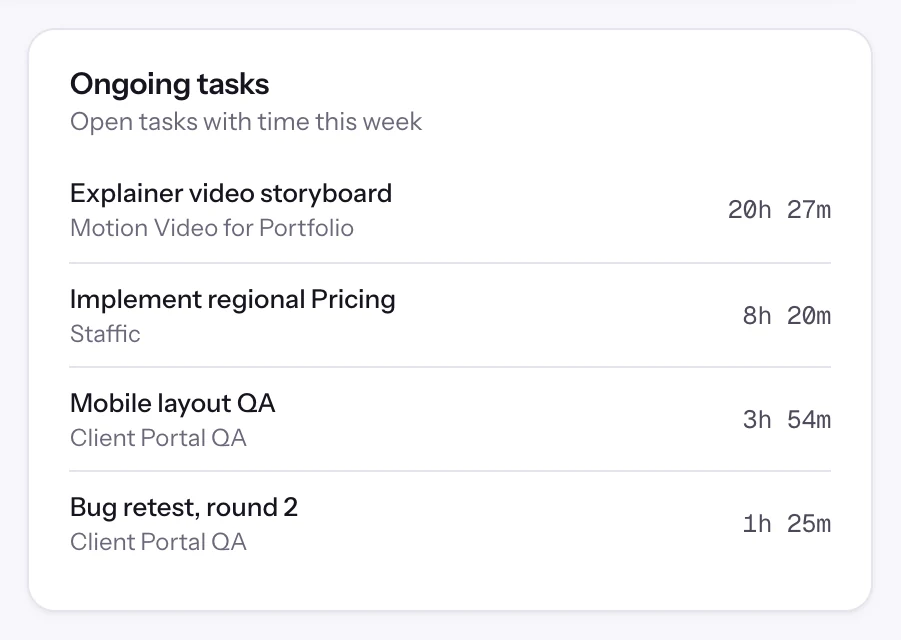
Check today's activity and the open tasks before stand-up, so the meeting starts with what's actually moving.

Features
All 38 featuresSee the work while it happens.
 DashboardYour team's week at a glance, Monday to Sunday
 Live FeedSee who's tracking time right now, and on what
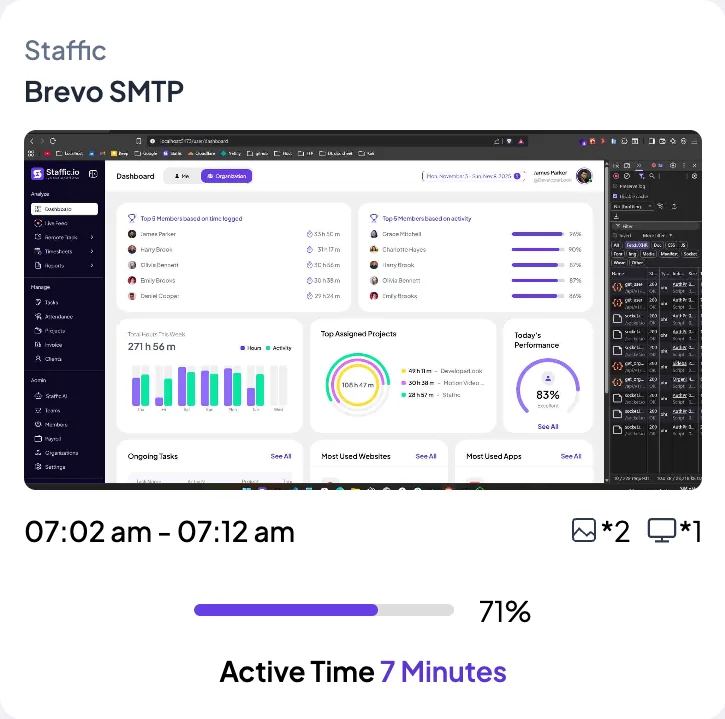
 ScreenshotsVisual proof of work, captured automatically
 AppsWhich apps each tracked session used
 URLsThe websites behind the tracked time
 Screen RecordingsEliteFull session video, beyond a screenshot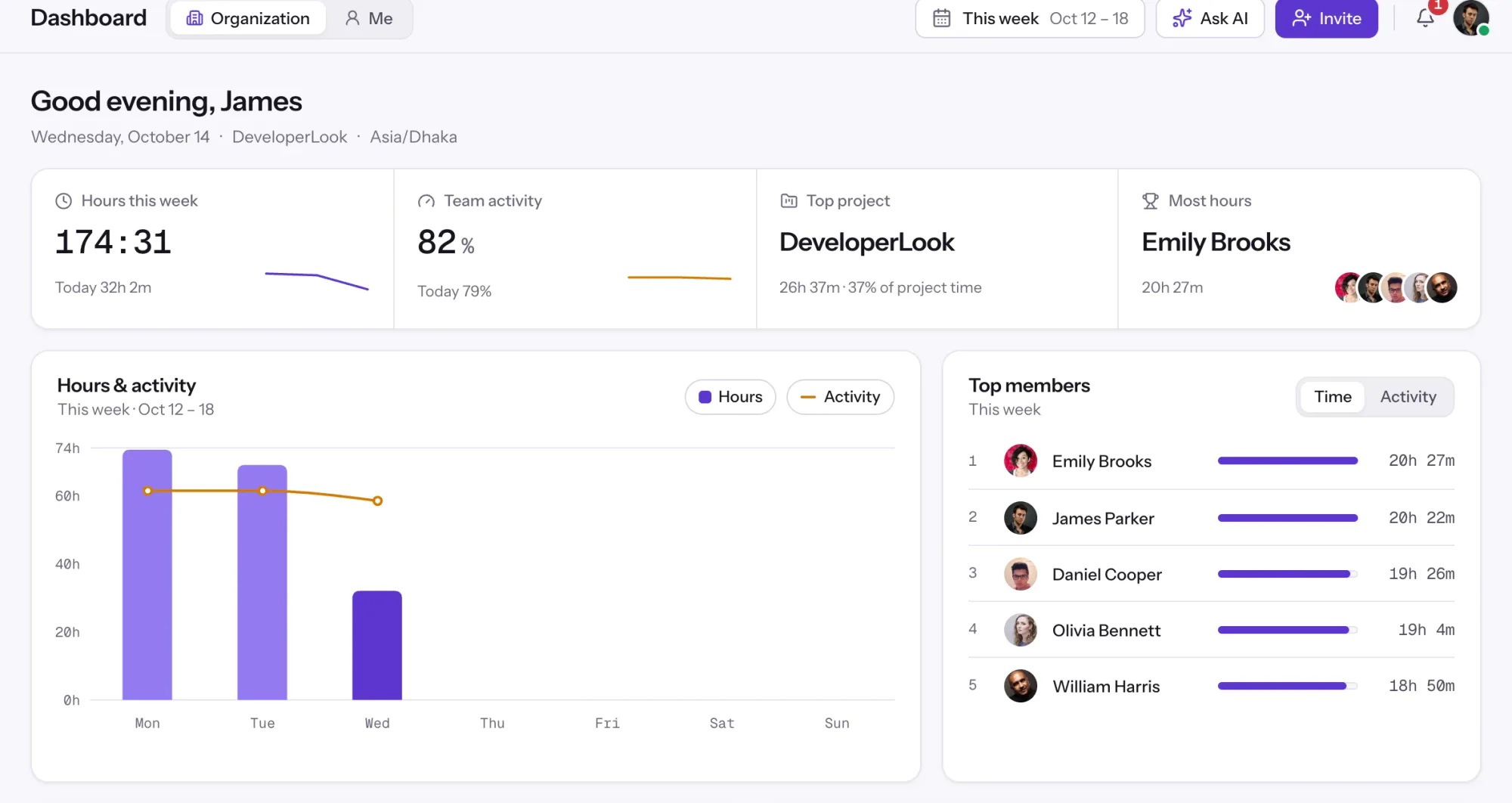
01 / 38
Dashboard
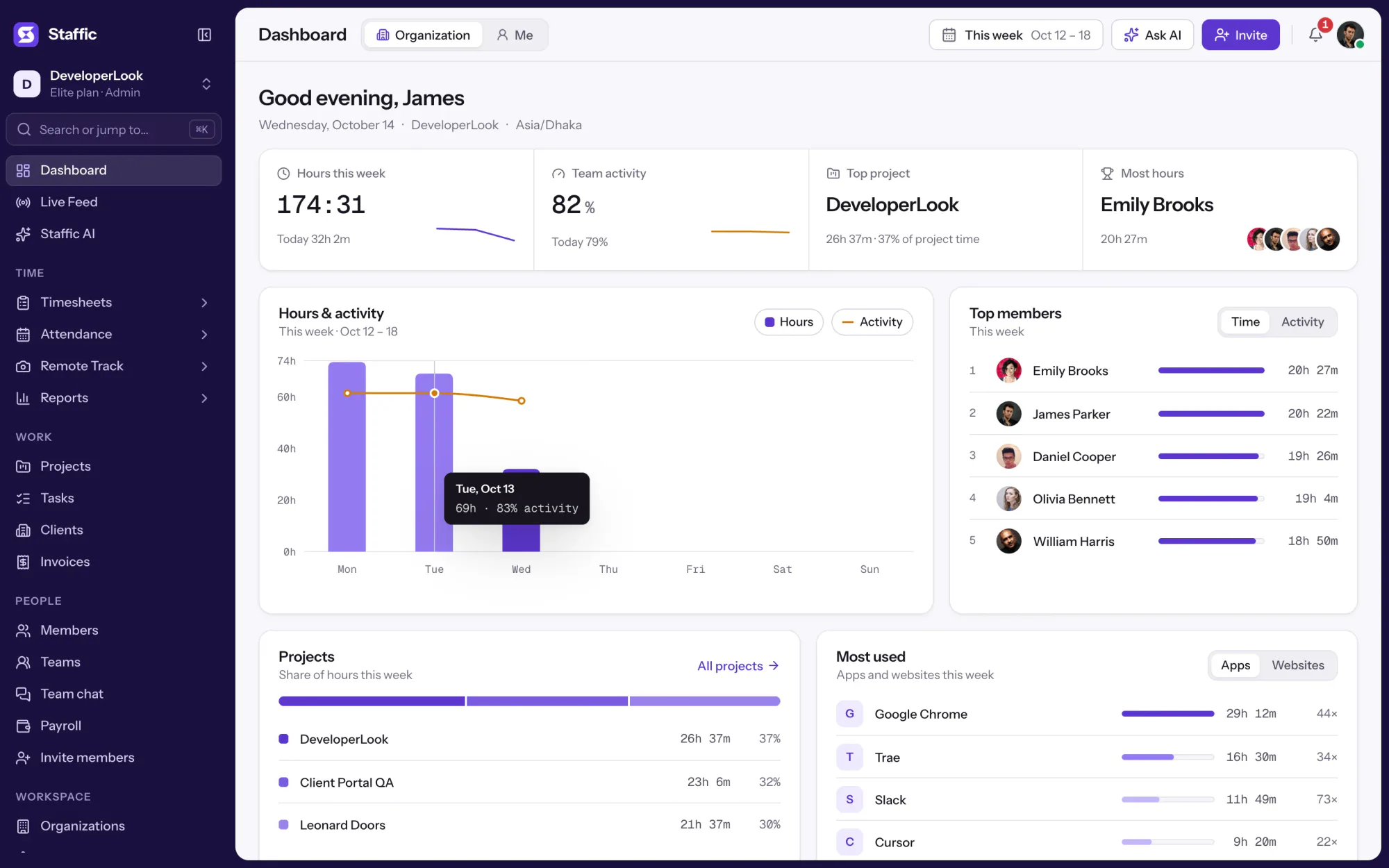
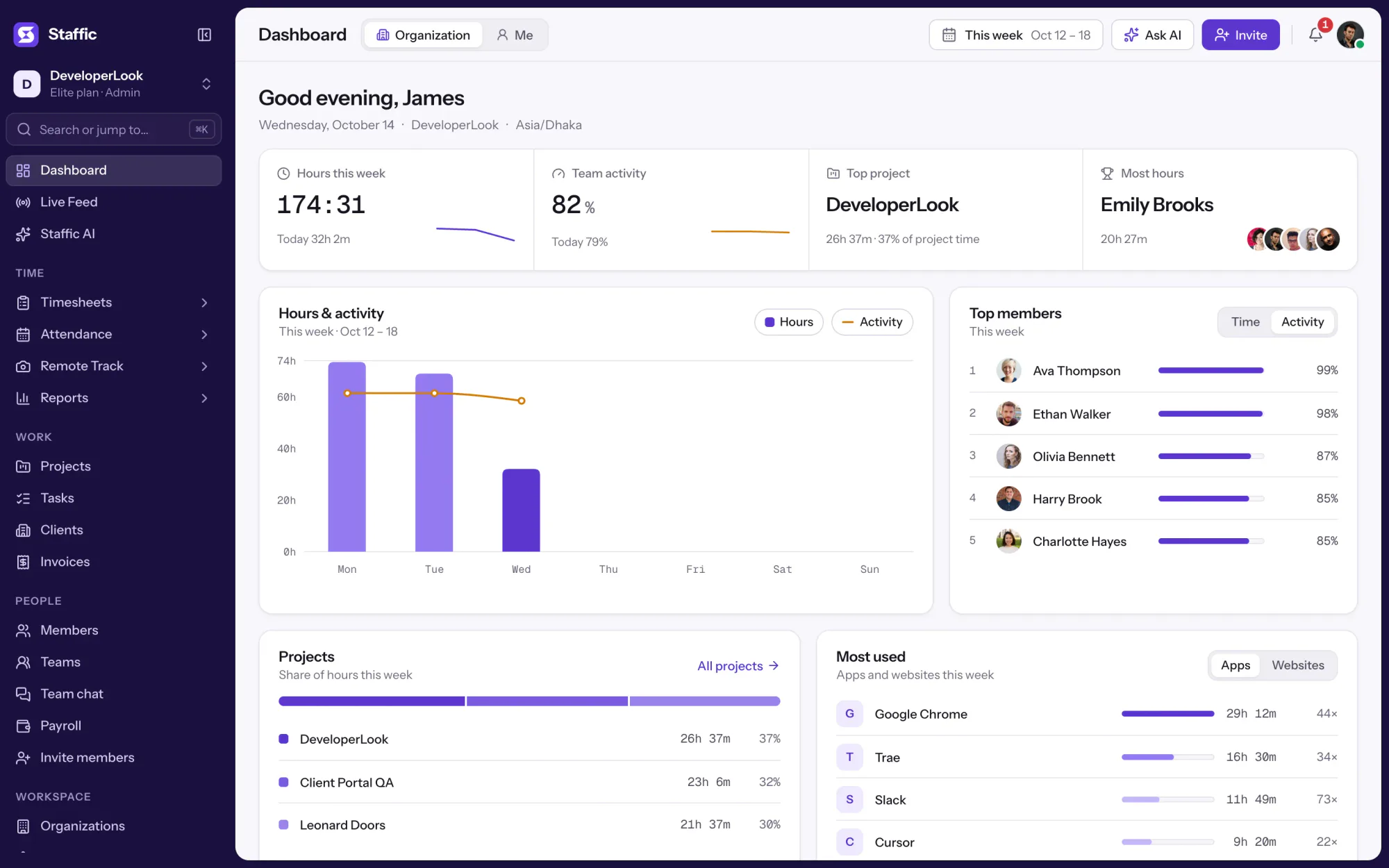
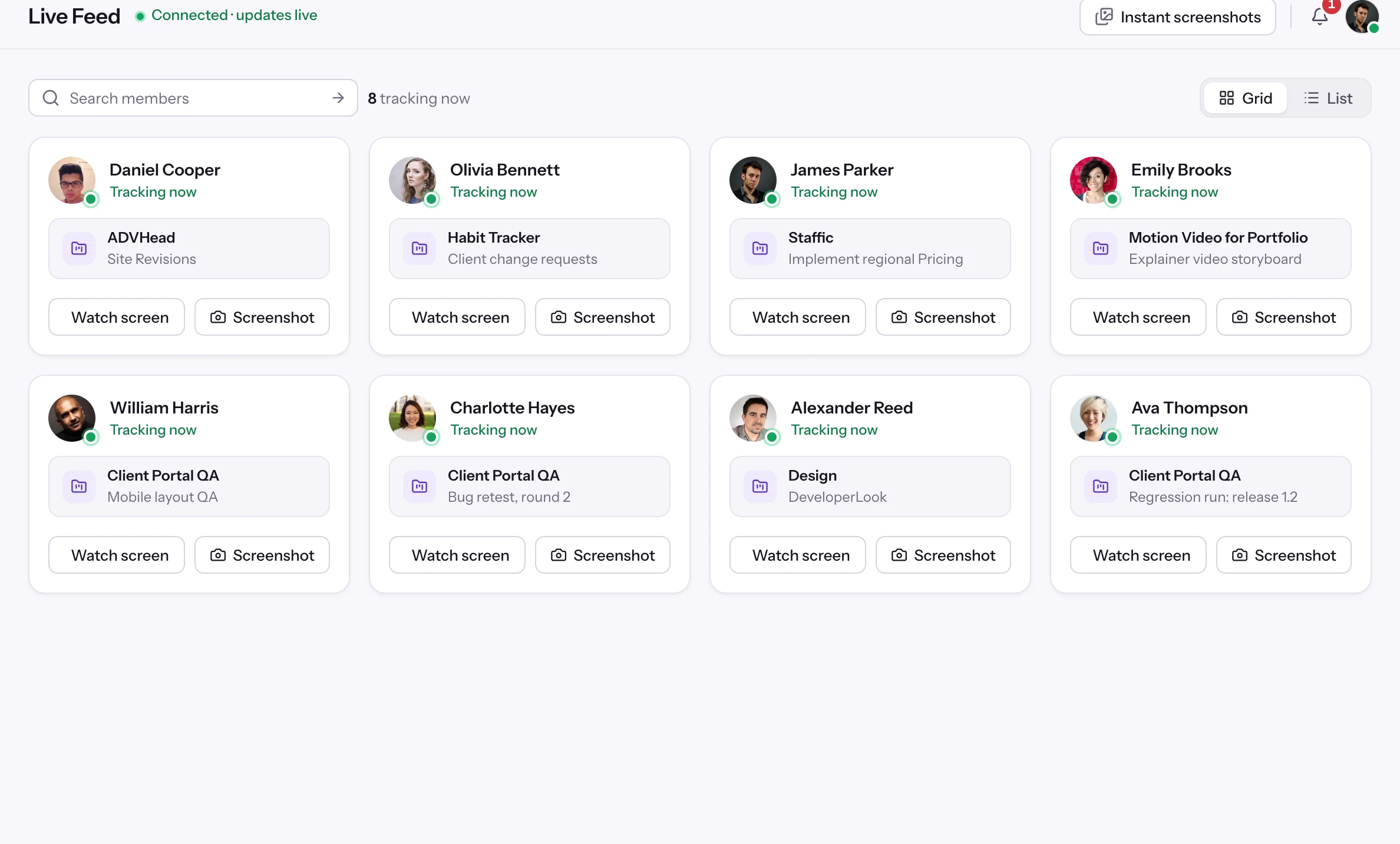
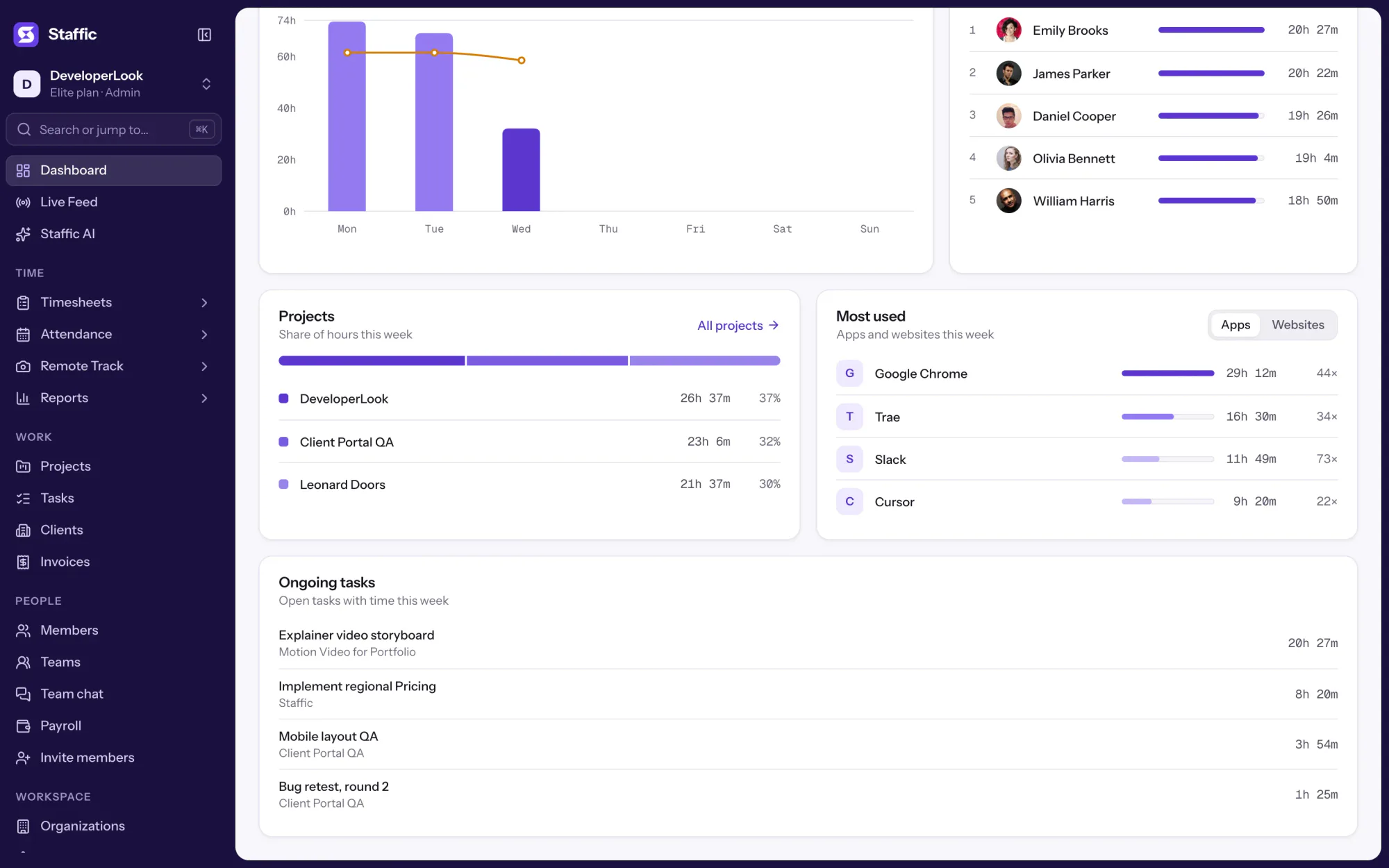
The team dashboard: this week's hours, team activity, top members, ongoing tasks, top projects and the most used apps and websites.
View DashboardSolutions
All 38 featuresHow remote, hybrid and growing teams run Staffic.
Staffic for the way you work, from freelancing to client billing.
 FreelancersFreelance time tracking
 Small businessesTimekeeping software for small business
 Call centersCall center monitoring software
 ConsultantsTime tracking software for consultants
 Companies with contractorsContractor time tracking
 Virtual assistantsTime tracking software for virtual assistants
 AgenciesAgency time tracking software
 Accounting firmsTime tracking software for accountants
 Software teamsTime tracking software for engineers
Staffic set up for your industry's records and reports.
01 / 19
Track remote hours across every time zone.
Staffic records time, activity and optional screenshots on each remote member’s computer, then turns them into timesheets you approve, so you can trust the hours without daily check-ins.
View Remote teamsDashboard
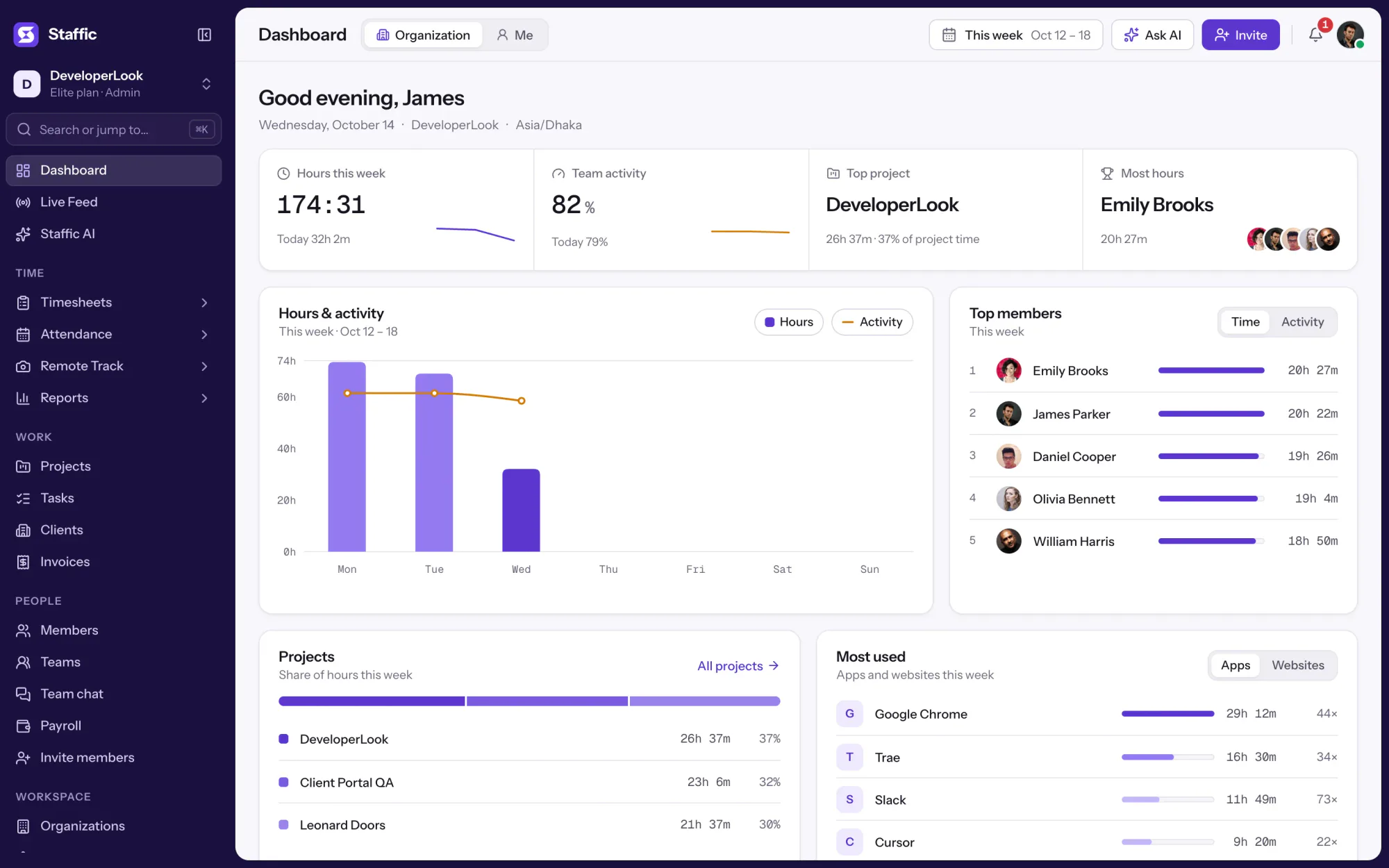
Staffic's dashboard opens with your team's week: total hours, team activity, the top members, ongoing tasks, top projects and the most used apps and websites. Admins switch between the whole organization and their own numbers, and members see their own. Every card works on every plan.
1/8Point at Tuesday's bar
In short
Staffic Dashboard is the team dashboard that opens when you sign in to the web app. It shows the current week, Monday to Sunday, from the time members track in the desktop app: hours per day, team activity, top assigned projects, ongoing tasks and the most used apps and websites. Admins see the whole organization or their own week, and members see their own.
How it works
There's nothing to build: the dashboard reads the sessions your team tracks.
Organization view
Admins open the Organization view to see the whole team's week, Monday to Sunday, in your organization's time zone.
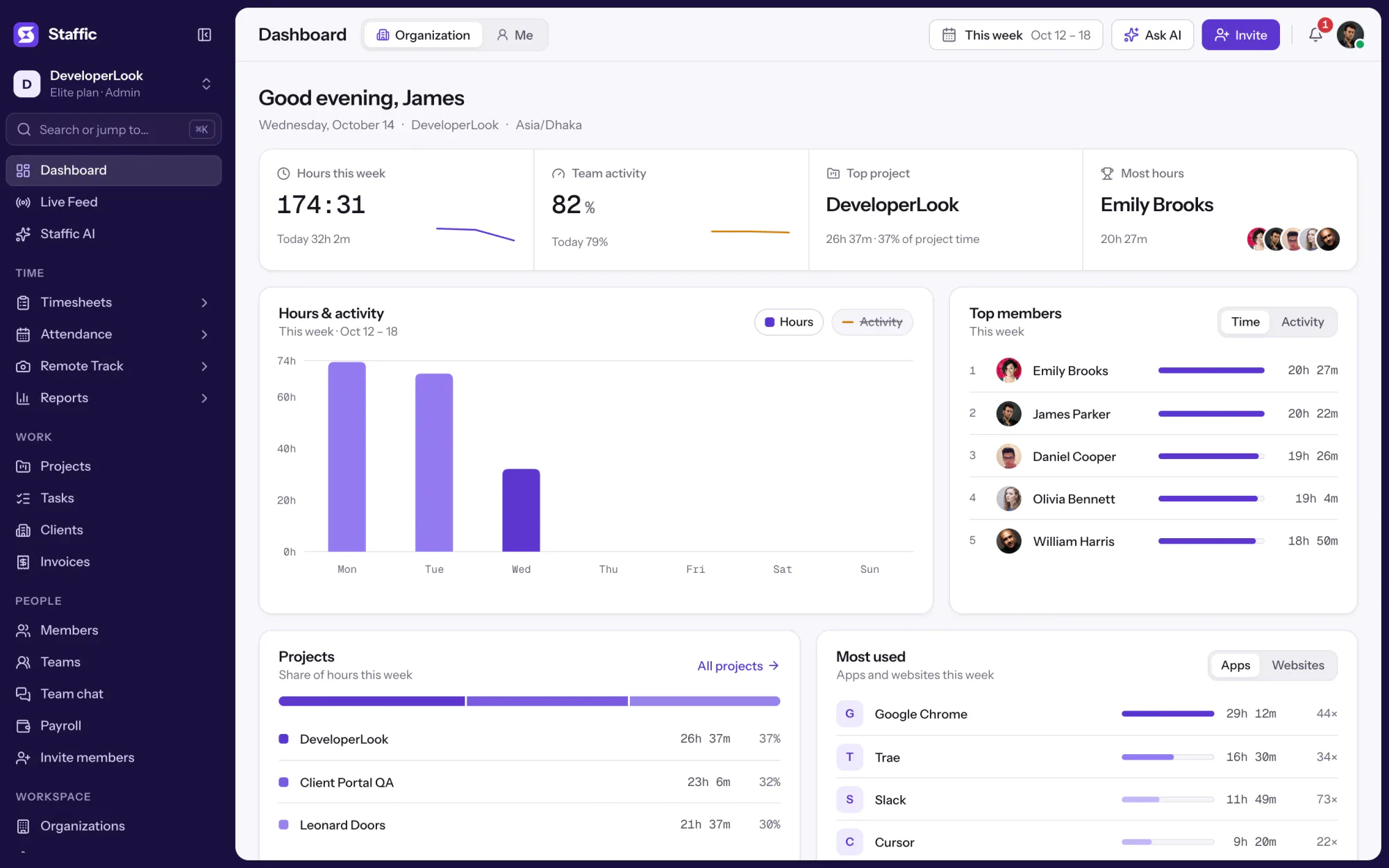
The week's total sits on top, with an hours bar for each day so far and an activity line: the share of each day's tracked time that wasn't idle.
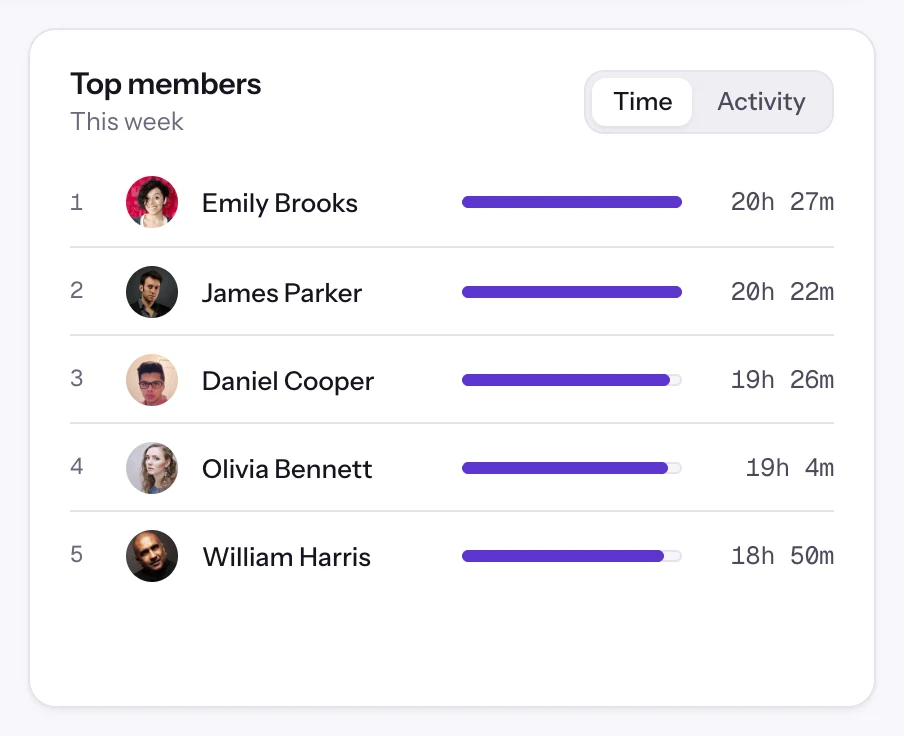
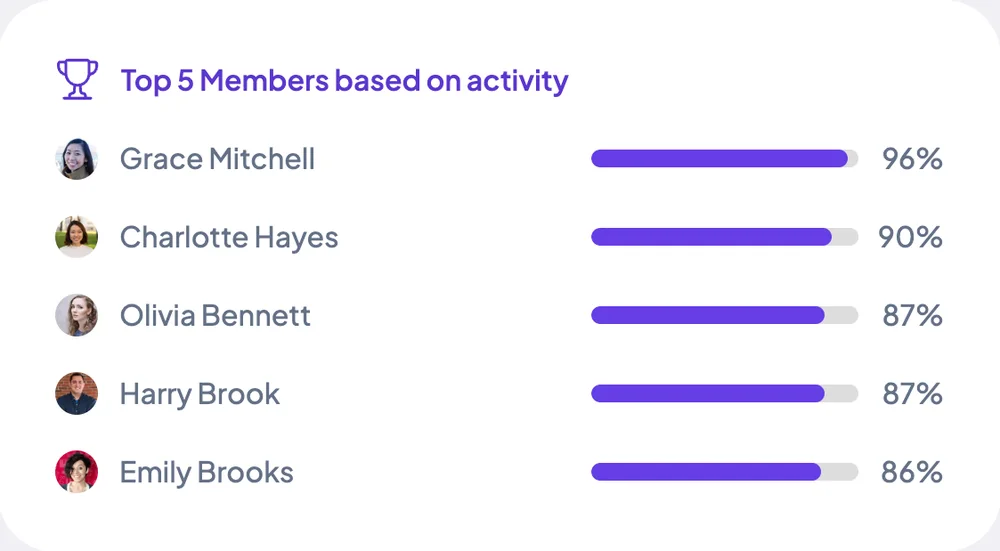
See who has tracked the most hours this week, from the top down, with each member's total. It's a quick way to spot who is carrying the load before you hand out more work.
The Activity tab orders members by their activity this week. Read it next to the hours: a short week at high activity tells a different story from a long one.
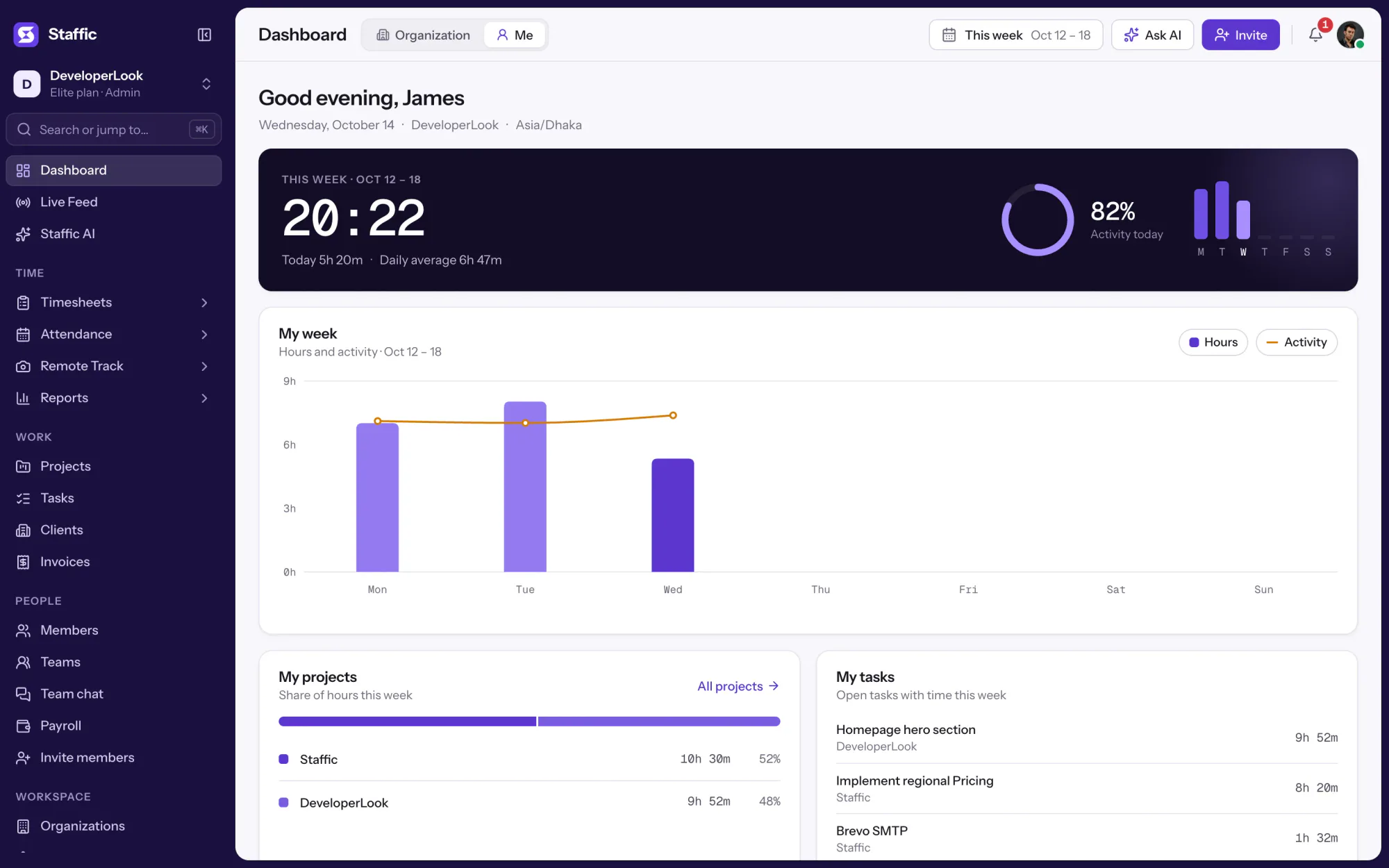
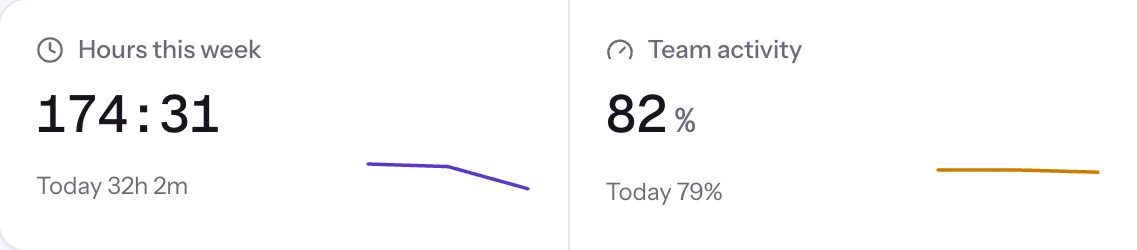
The Team activity card shows the week's activity with today's share beside it, and the Me view shows your own activity today in a ring. For time worked against task estimates, open Performance under Reports.
Showing Total hours this week.
1/3Point at Tuesday's bar
Projects, tasks and tools
The lower half of the dashboard turns the same week into projects, open tasks, and the apps and websites people used.
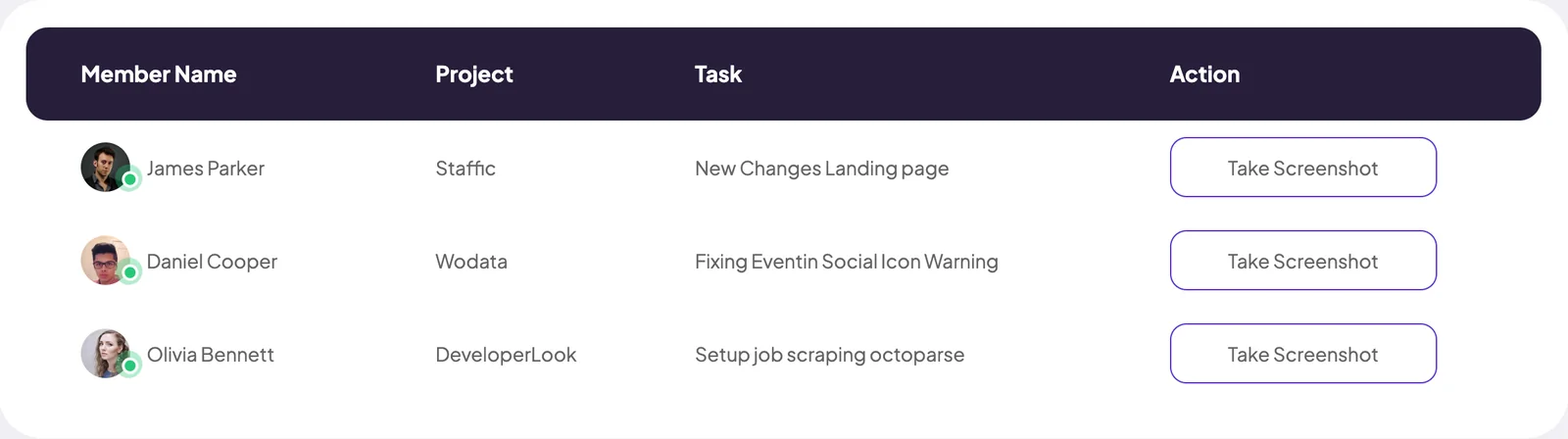
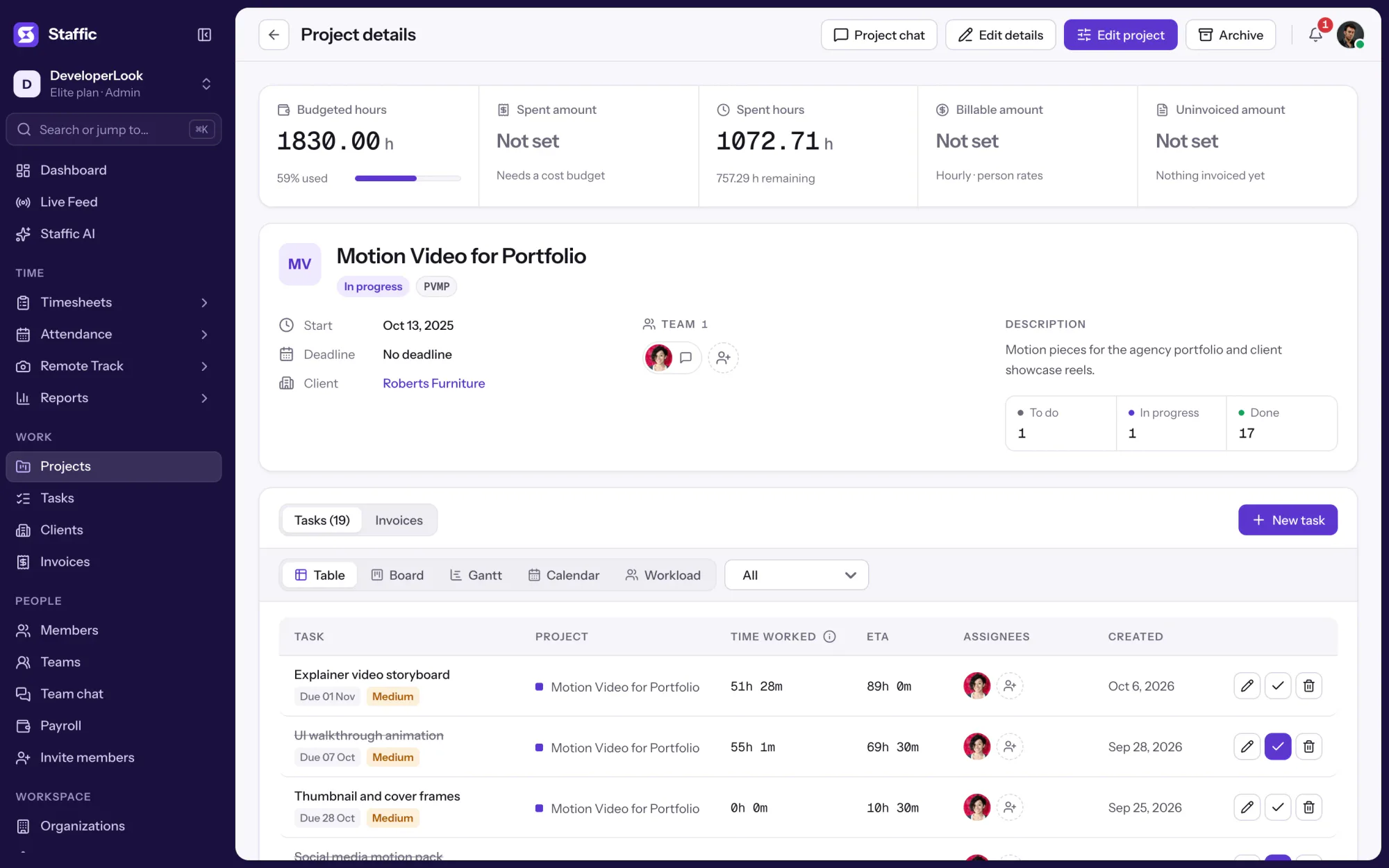
Tasks that aren't completed and have time this week, each with its project and time tracked. Click a task's project to open its details.
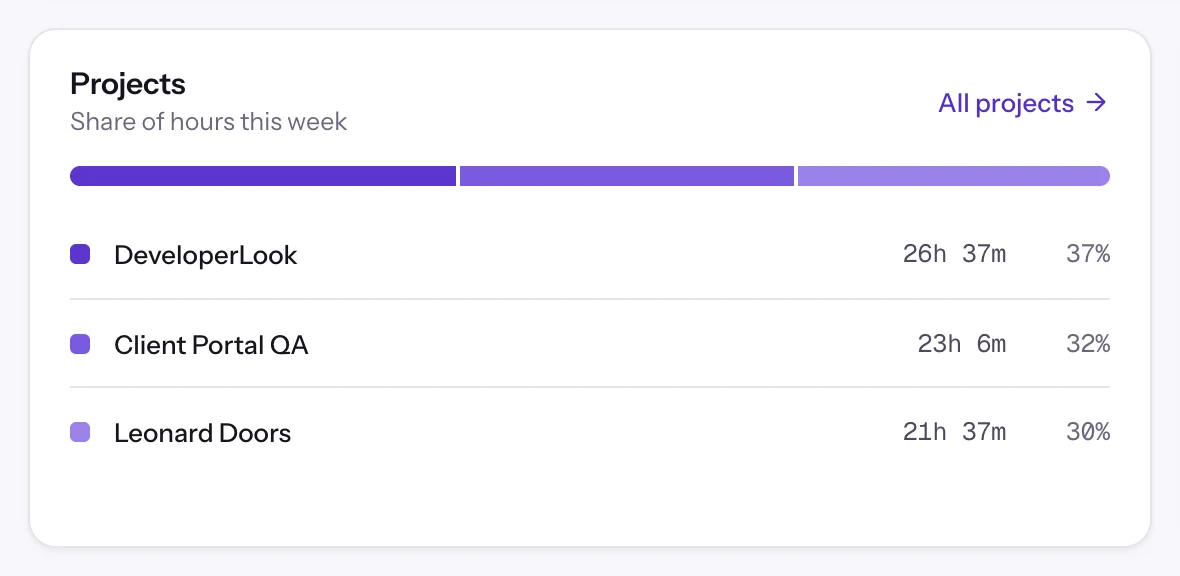
A bar shows the 3 projects with the most time this week, with each one's hours and share. Click a project to open its details, or All projects for the full list.
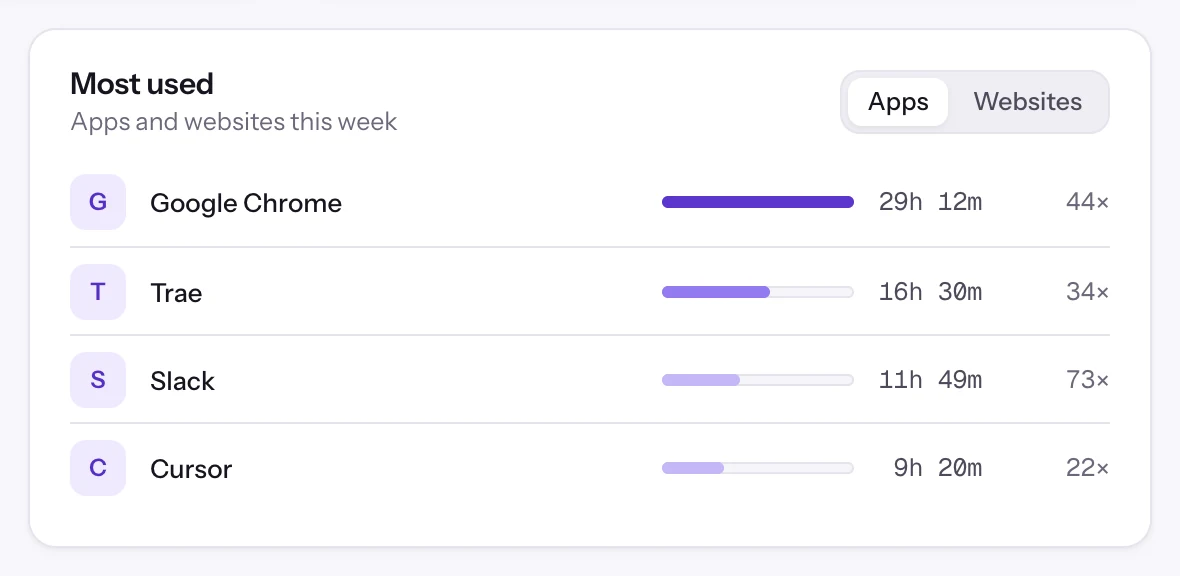
The Most used card ranks the top 4 apps or the top 4 websites this week by active time, with how many times each was listed. Its Apps and Websites tabs switch between them.
Every member has a dashboard of their own: their hours this week, their top projects, their open tasks and the apps and websites they used. Admins switch to Me to see their own week.
Showing Ongoing tasks.
1/3Open the task's project
Control and privacy
The dashboard counts only tracked time, and it shows the team view only to admins.
Set it up
Four steps, and the dashboard fills in once your team tracks its first sessions. It works on every plan.
Sign up and invite your team by email. The Free plan covers up to 2 members.
Start freeThe dashboard's week runs Monday to Sunday in your organization's time zone.
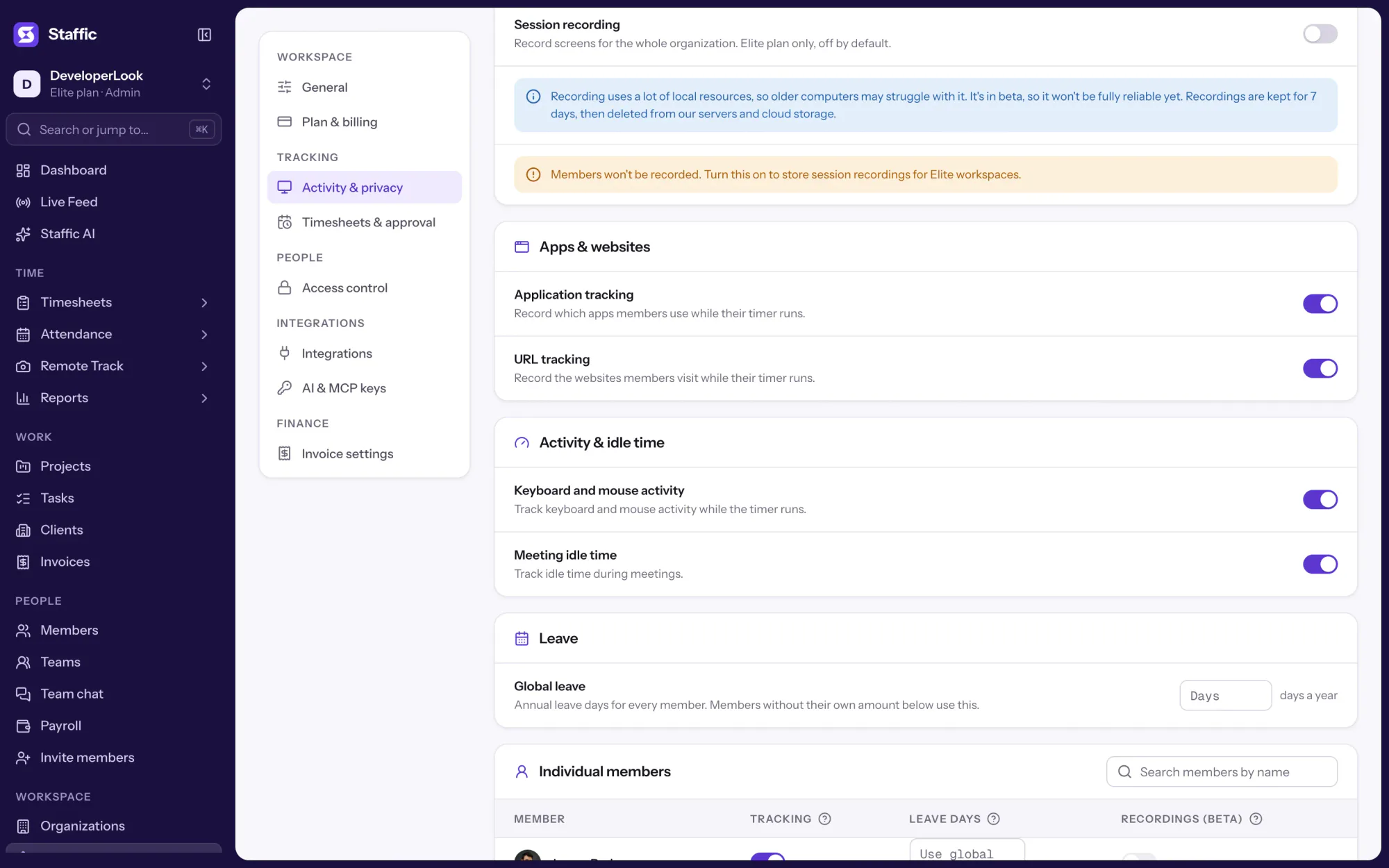
OrganizationsSwitch on Application tracking and URL tracking to fill the Apps and Websites tabs of the Most used card. A new organization starts with Application tracking off.
Settings › Activity & privacyMembers install the desktop app and start their timers. Admins switch between Organization and Me at the top of the page.
Download StafficDashboard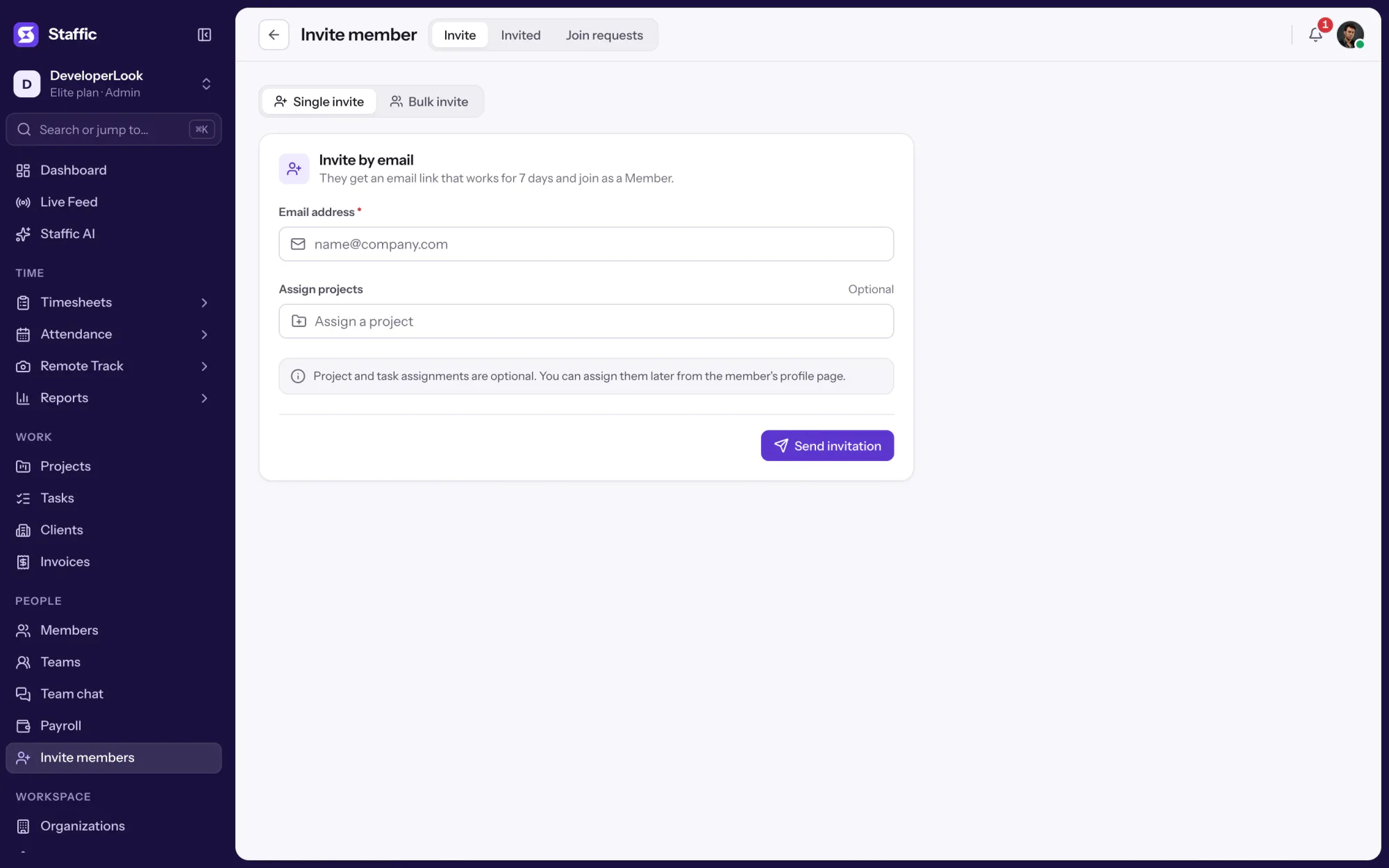
Compare
Start with the dashboard, then open a report or Live Feed when you need more.
Swipe the table to compare
| Compare | DashboardThis page | Time & Activity ReportAny dates | Live FeedRight now |
|---|---|---|---|
| Question it answers | How is this week going? | What happened over the dates I pick? | Who is working right now? |
| Time span | Monday to Sunday of the current week | Any date range | Now |
| Detail | Totals, rankings and top lists | Time worked, activity, active and neutral time per member | Member, project and task |
| Export | None | Excel or PDF | None |
| Plans | Every plan | Every plan | Every plan |
| Link | You are here | Time & Activity Report | Live Feed |
Plans follow what the Staffic app enforces today.
Specs and terms
The facts behind the feature, and what each number on the Dashboard page means.
Who it’s for
Everyone gets a dashboard; what they read in it depends on their role.
Check today's activity and the open tasks before stand-up, so the meeting starts with what's actually moving.
The Projects card shows where most hours went this week, so you know which client to update first.
On the Free plan, the Me view adds up your hours for the week and shows your top projects and the apps and websites you used.
Customer stories
Stop juggling tools. Staffic gives your team time tracking, projects, payroll and performance analytics in one platform.
Try Staffic for free“Staffic.io brings transparency without micromanagement. Our team feels trusted, and productivity has never been higher.”
Pricing
Dashboard is included on every plan, Free included. You pay per active user only when your team grows past 2 members.
Compare every planFor freelancers and small teams, up to 2 members
No card needed.
Includes DashboardEvery core feature, for teams of up to 2 members.
Everything in Free, without the 2 member limit
Offer price until October 30, 2026, then $7.50
Card at checkout. Cancel within 7 days and pay nothing.
Includes DashboardEverything in Free without the 2 member limit.
For organizations running payroll, billing and approvals
Offer price until October 30, 2026, then $10
Card at checkout. Cancel within 7 days and pay nothing.
Includes DashboardEverything in Standard, plus Screen Recordings, Invoices, Clients and 1 more.
Prices in USD per active user. Billed monthly, Standard is $9.50 and Elite is $13 per user.
It shows your team's current week: total hours with an hours bar and an activity line per day, team activity, the top 5 members by time or by activity, top assigned projects, ongoing tasks, and the most used websites and apps. Every card works on every plan. Members see their own week in the Me view.
The dashboard loads the latest tracked time each time you open it, so reopen or refresh the page to pick up new sessions. To see who is tracking at this moment, admins open Live Feed.
The current week, Monday to Sunday, in your organization's time zone. The dates show at the top of the page. For an earlier week or any date range, open a timesheet or the Time and Activity report.
Activity is the share of tracked time that wasn't idle, where 50 seconds or more without keyboard or mouse input counts as idle. The Team activity card shows it for the week with today's share beside it, the chart adds a line per day, and the Me view shows your own activity today.
Yes, every member has a dashboard, but it shows only their own work, in the Me view. The Organization view, with team totals and the top 5 rankings, is for admins.
Yes. Every card works on every plan, including the rankings, ongoing tasks and the activity line. Free covers up to 2 members.
It fills in only when Application tracking or URL tracking is on in Settings, Activity & privacy, and members have tracked time this week. A new organization starts with Application tracking off, so switch it on first.
No. The cards and their order are fixed, and they cover the current week.
Every plan includes Dashboard. Free covers up to 2 members. Standard is $7.50 per user per month billed yearly ($3.80 during the current offer, until October 30, 2026) or $9.50 billed monthly, and Elite is $10.00 per user per month billed yearly ($4.80 during the current offer, until October 30, 2026) or $13.00 billed monthly.
Explore more
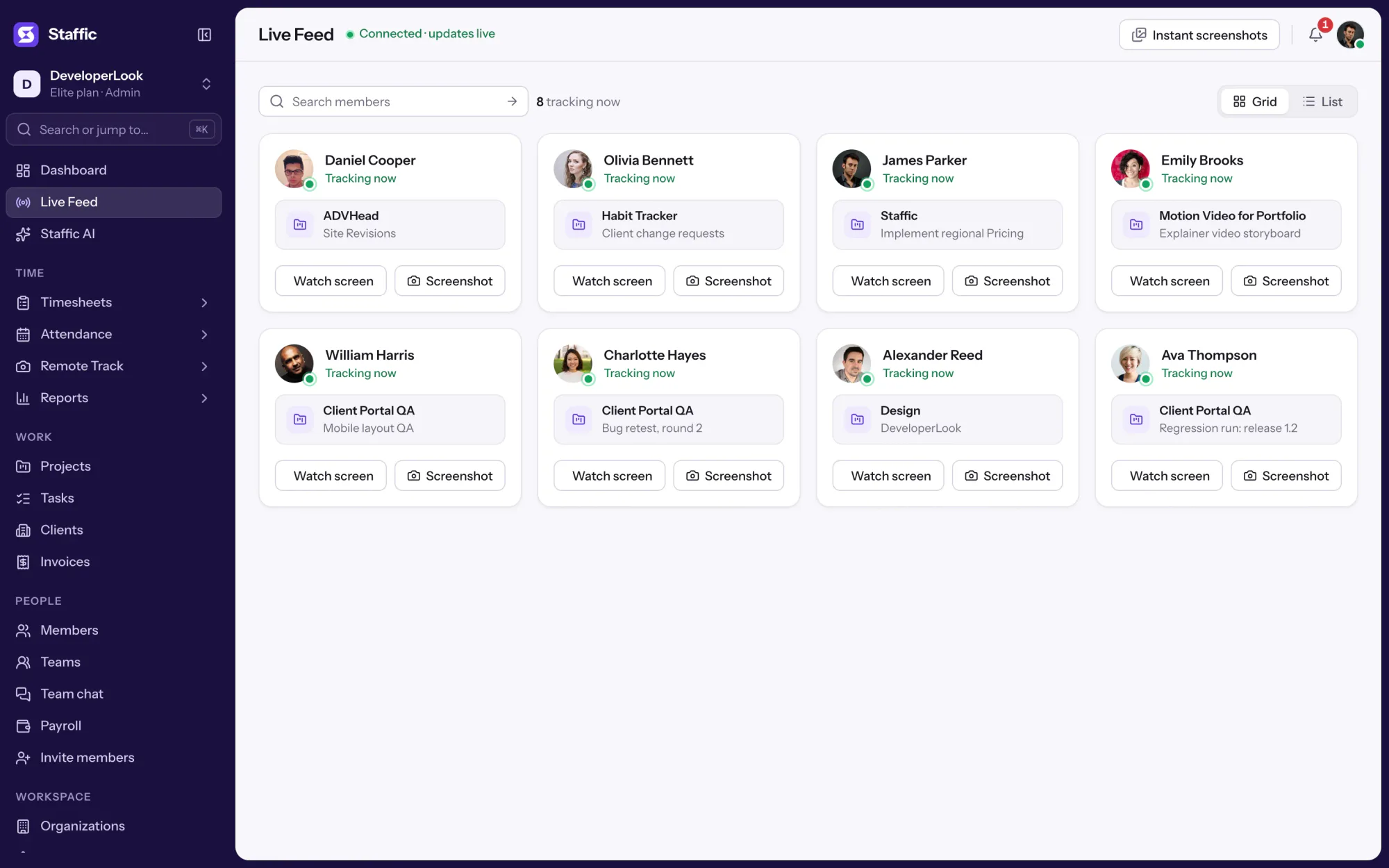
Live Feed lists the members tracking time right now, with each one's project and task, and takes an instant screenshot on request.
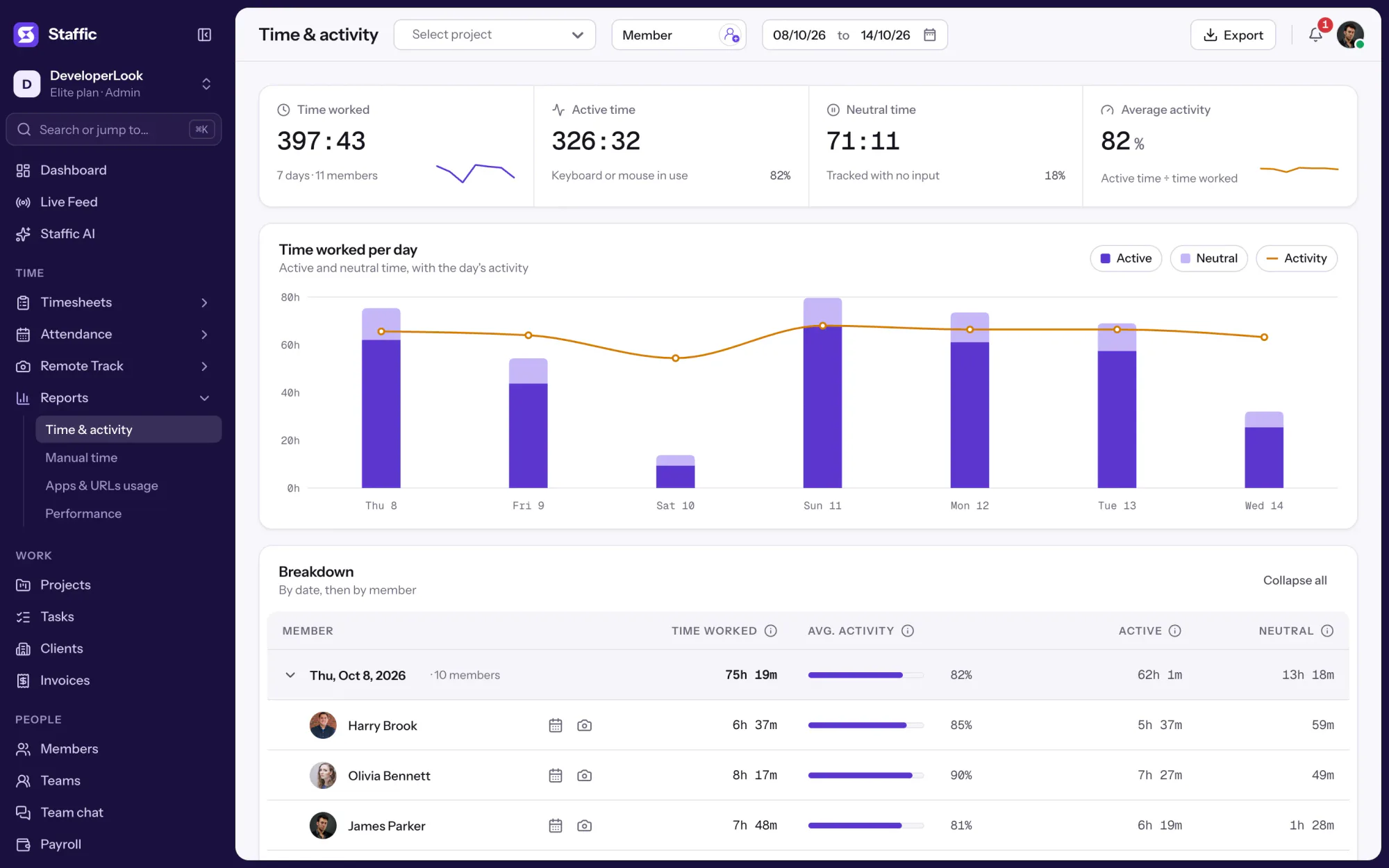

The Time & Activity Report shows each member's time worked, average activity, active time and neutral time for every day you pick.
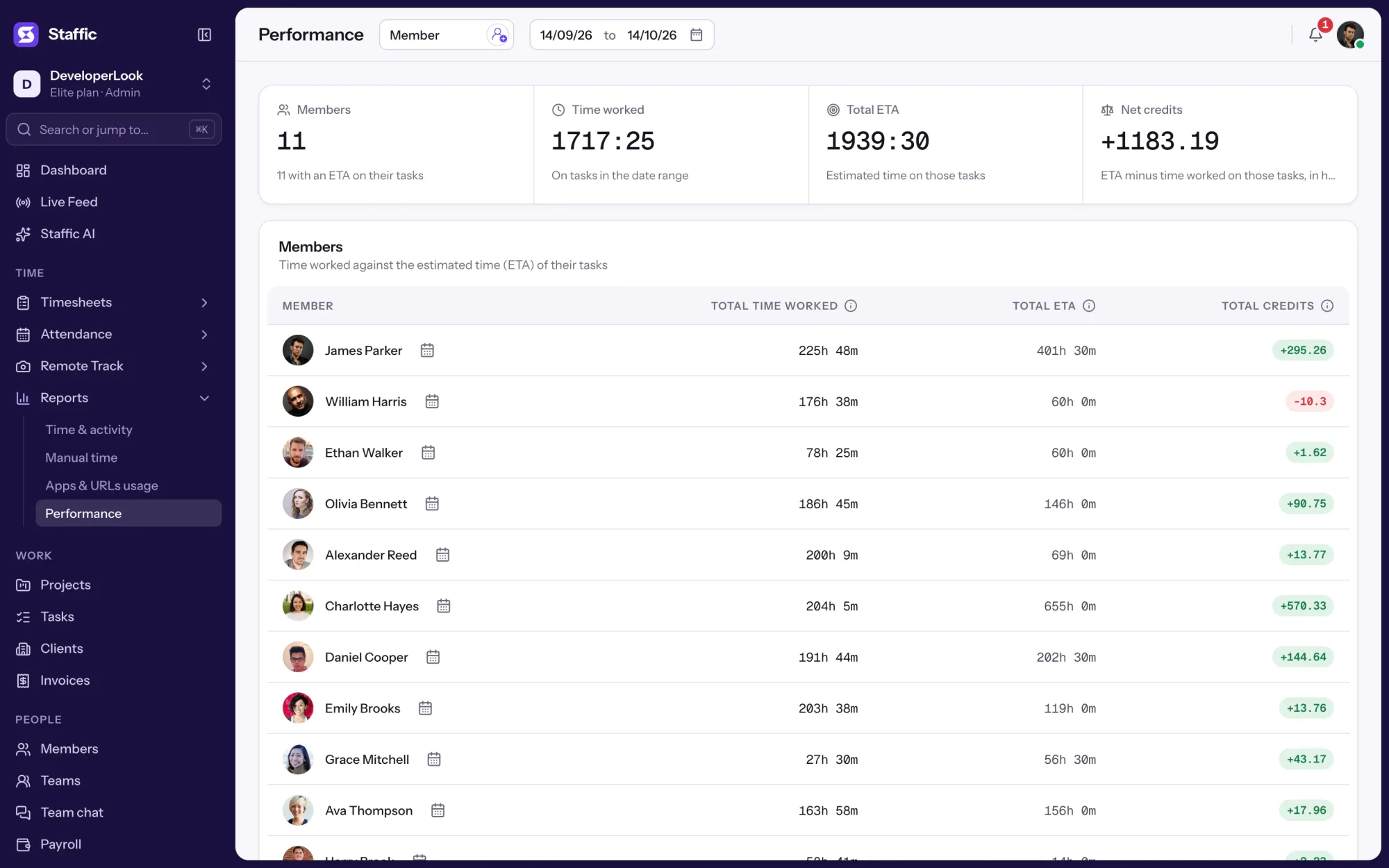

Performance compares each member's time worked with the estimates on their completed tasks, so you see who runs over and who has room.
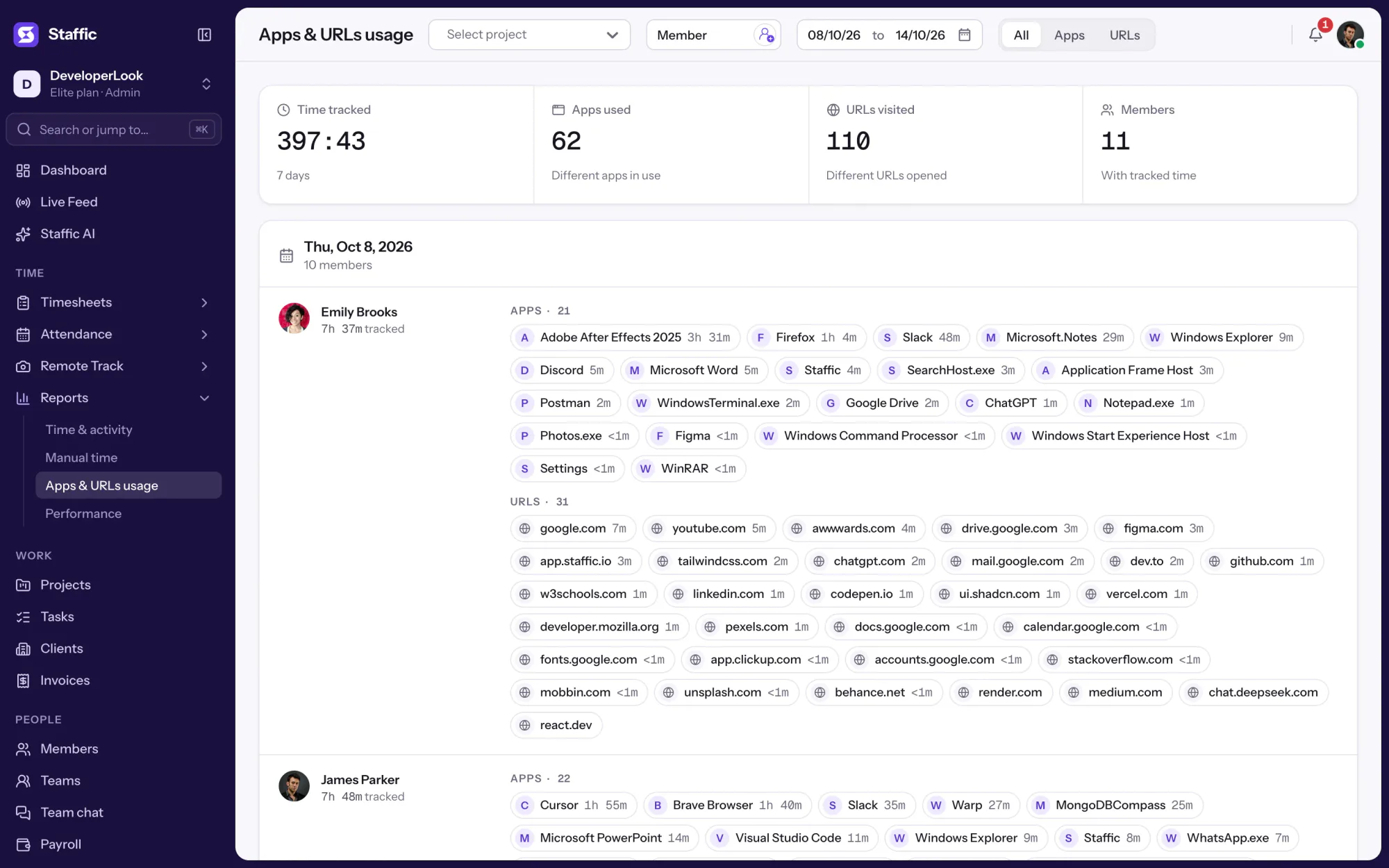

Employee internet monitoring in one report: the apps and websites each member used per day of tracked time, with total time. On every plan.
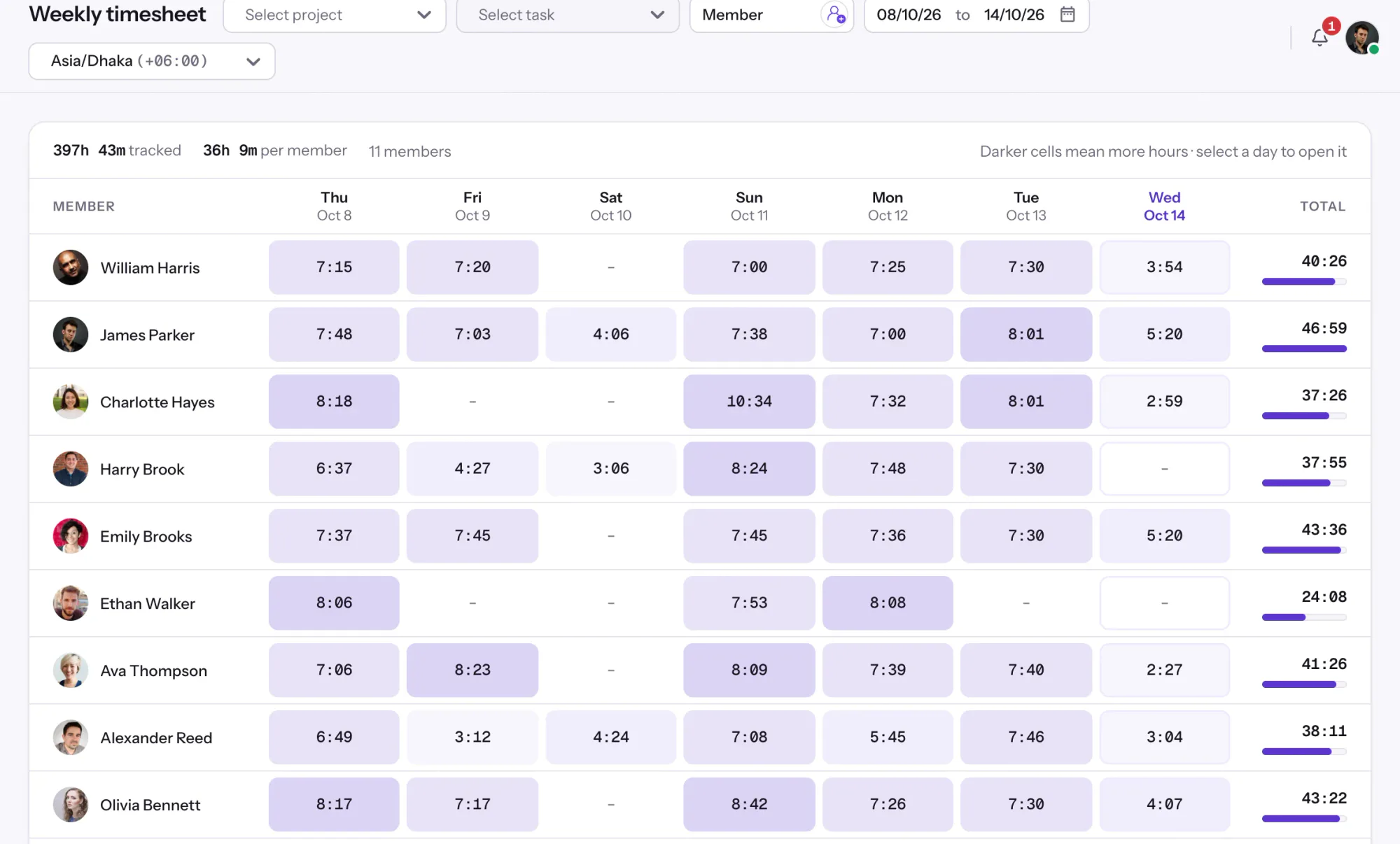

Staffic's weekly timesheet shows 7 days of tracked hours per member, one day per column, with Total hours beside each name.

Staffic turns tracked work into workforce analytics: a dashboard, time and activity reports, work against estimates, Staffic AI and an MCP server.
Free for up to 2 members
Create your workspace, invite your team, and the first timesheet builds itself.