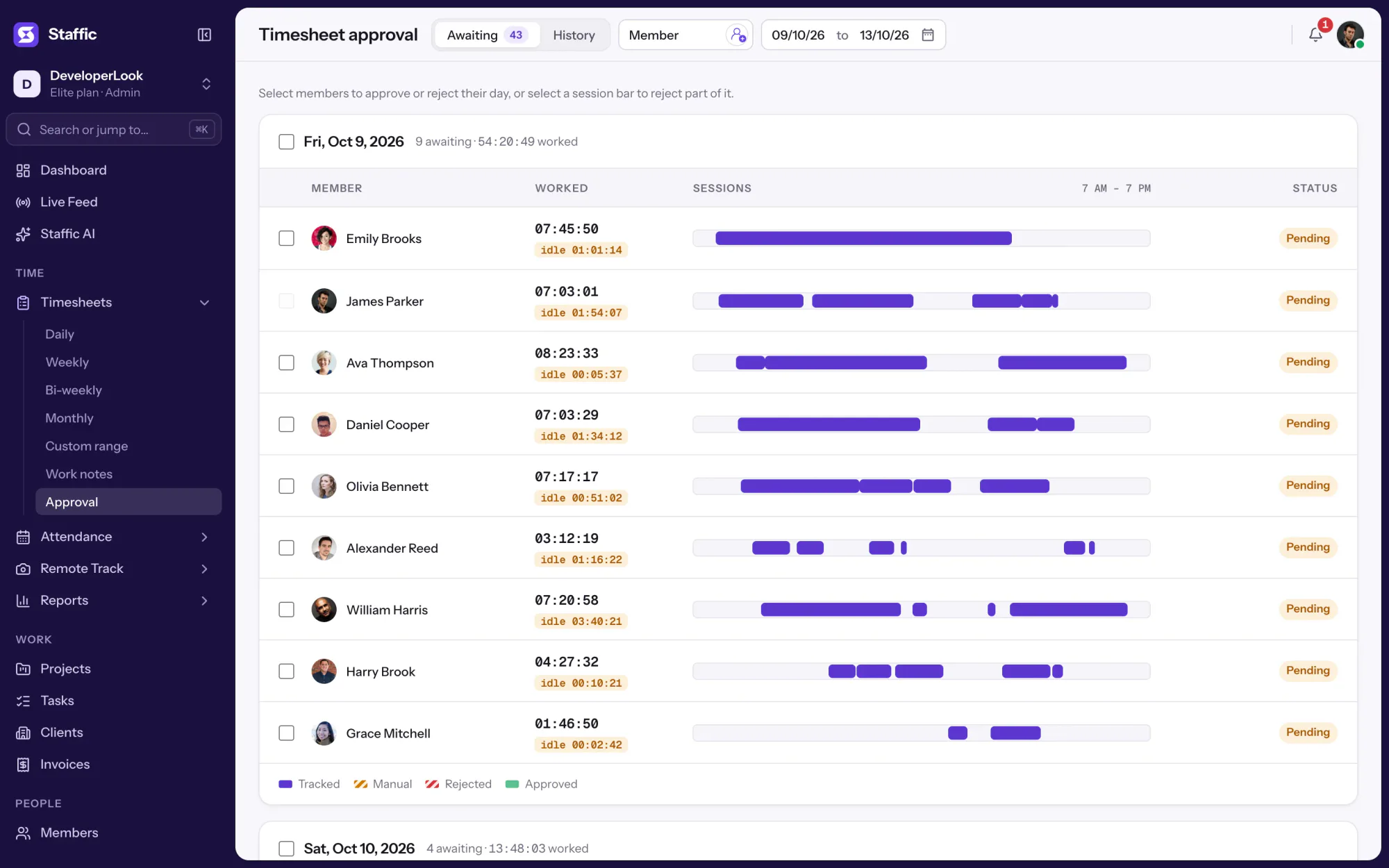
Staffic records time, activity and optional screenshots on each remote member’s computer, then turns them into timesheets you approve, so you can trust the hours without daily check-ins.
Time tracking & employee monitoring softwareEvery hour, tracked.
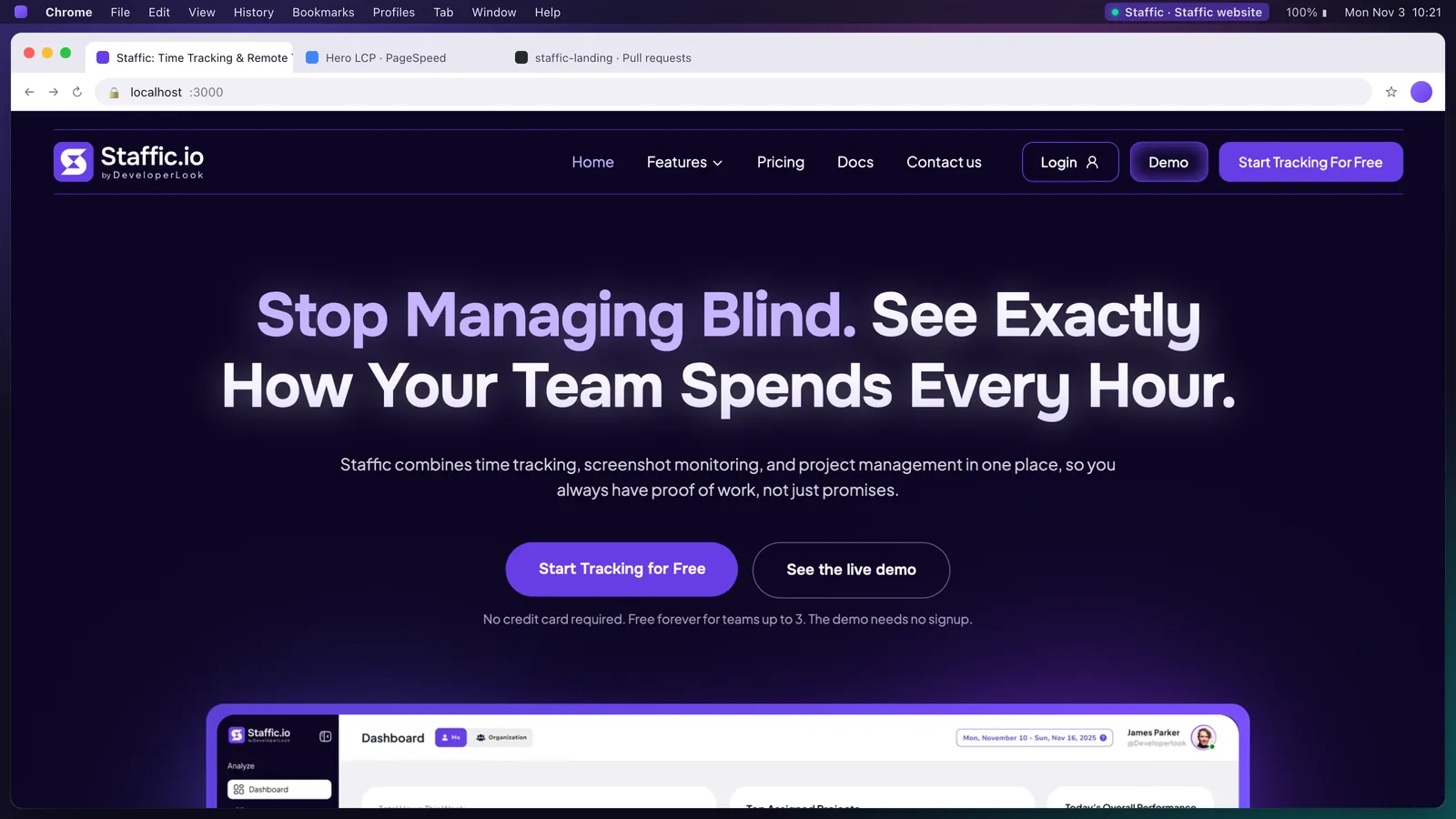
Staffic tracks time, apps, URLs and screenshots for remote and hybrid teams, then turns them into timesheets, payroll and invoices. Watch the real app below.
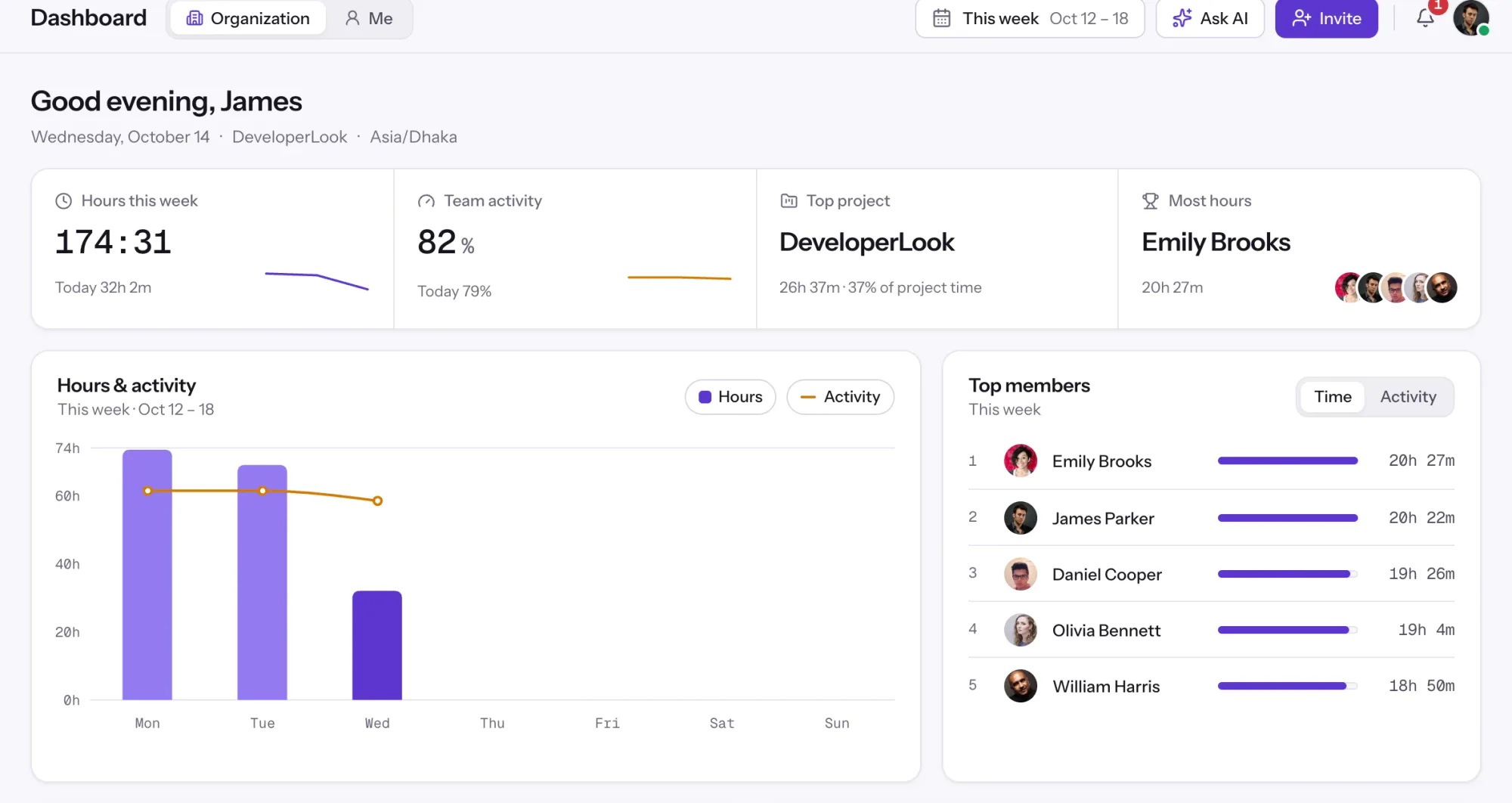
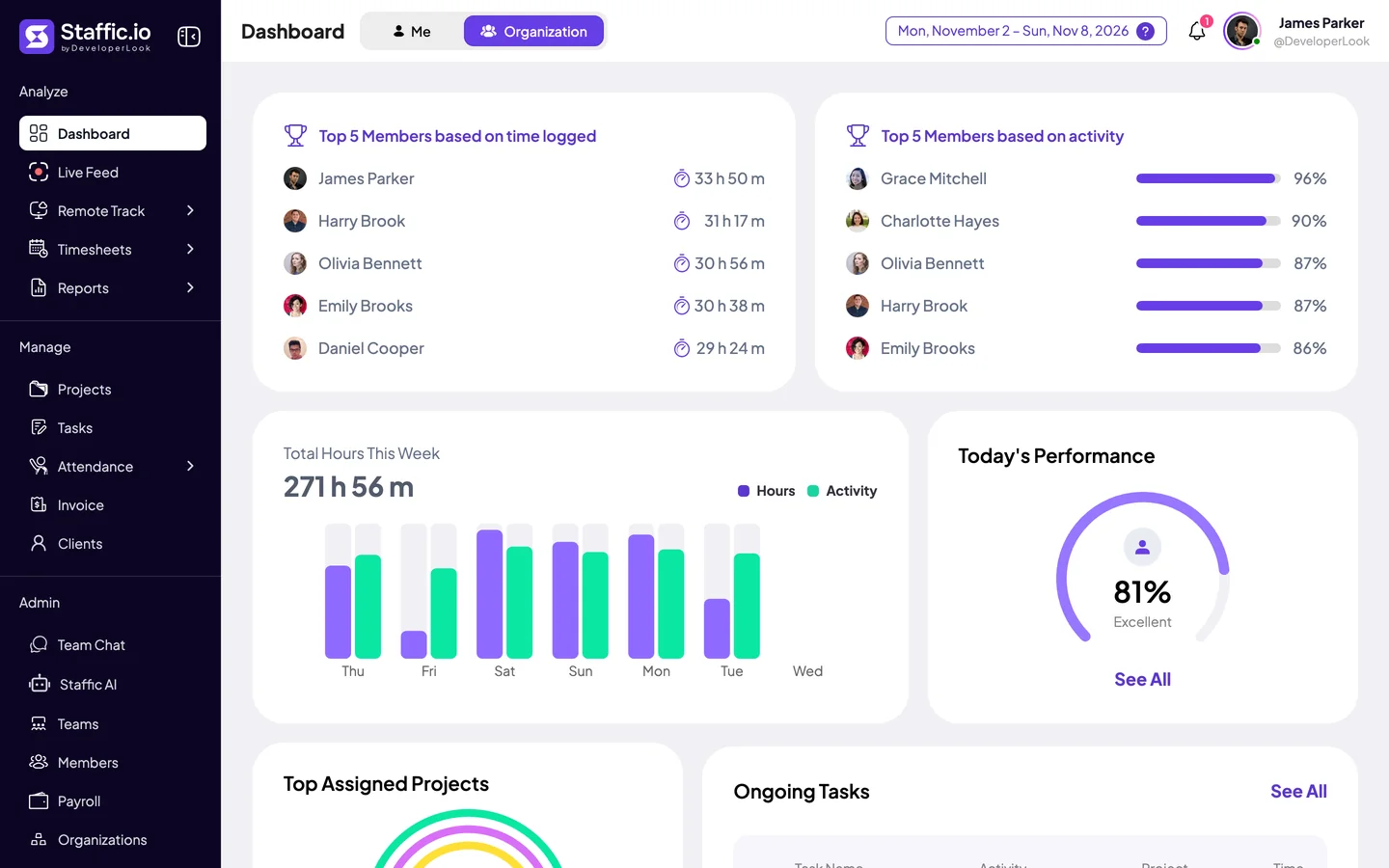
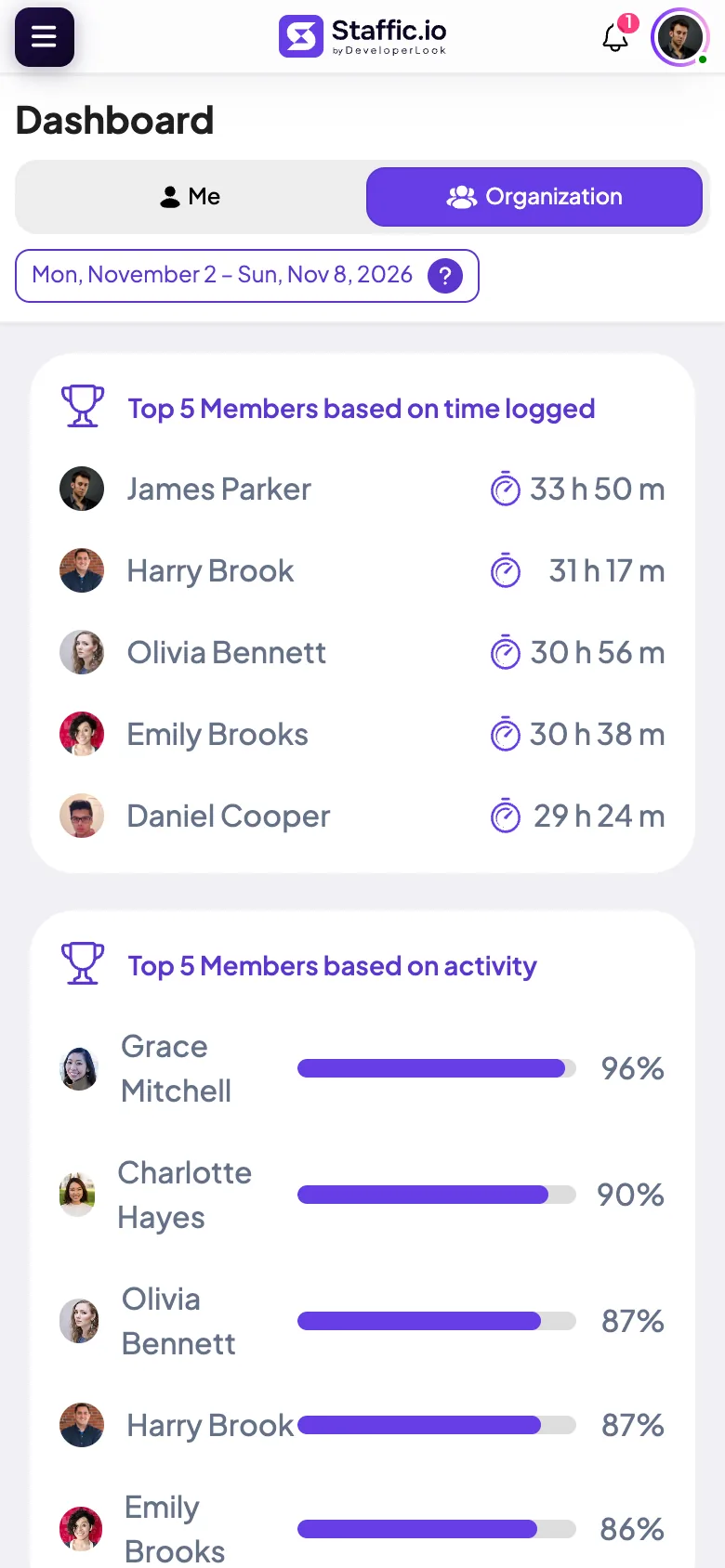
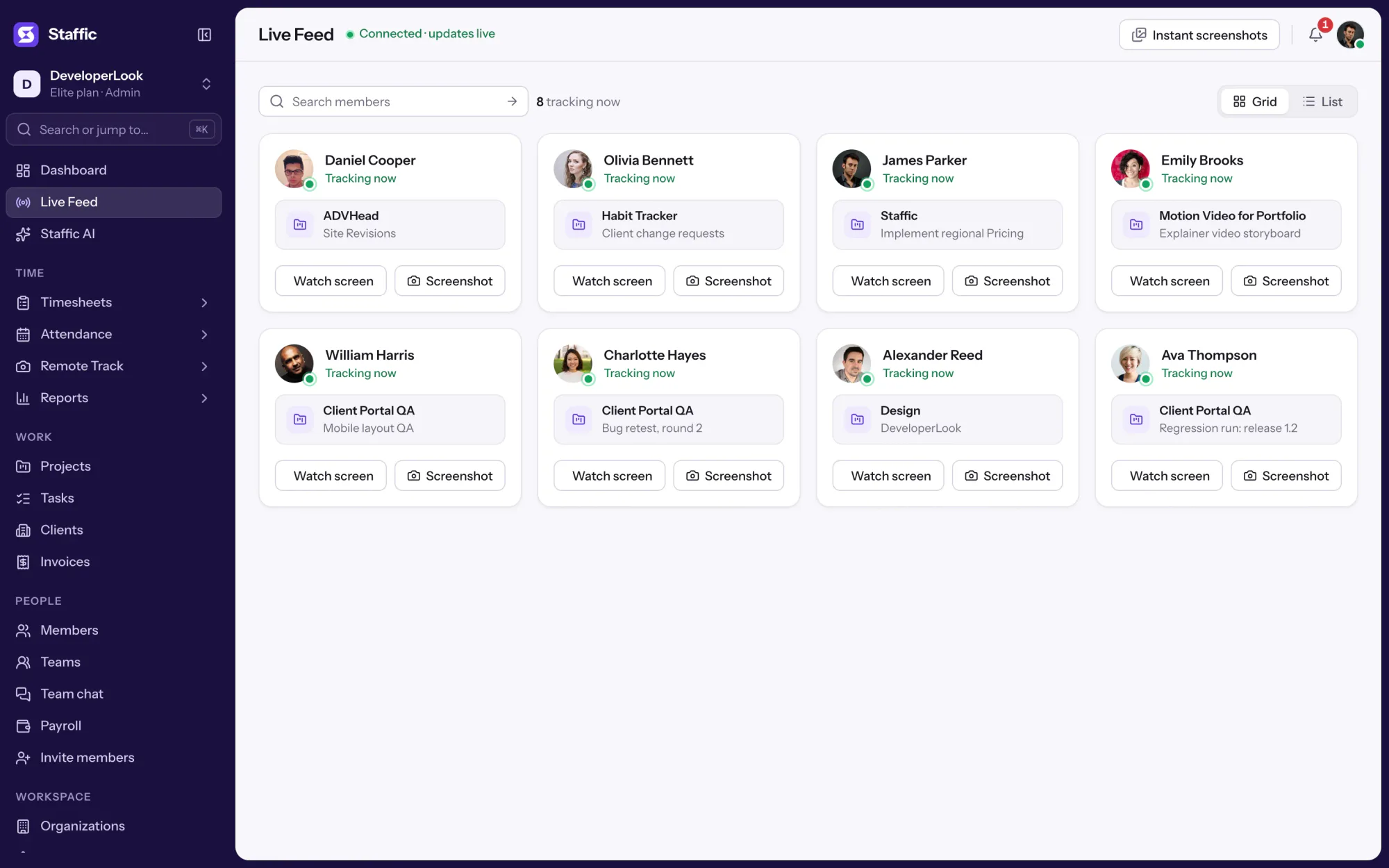
Dashboard. Hours, activity, top members and the most used apps at a glance.
Click any highlighted item to take control. Every menu item is clickable.
174:31hours tracked this week
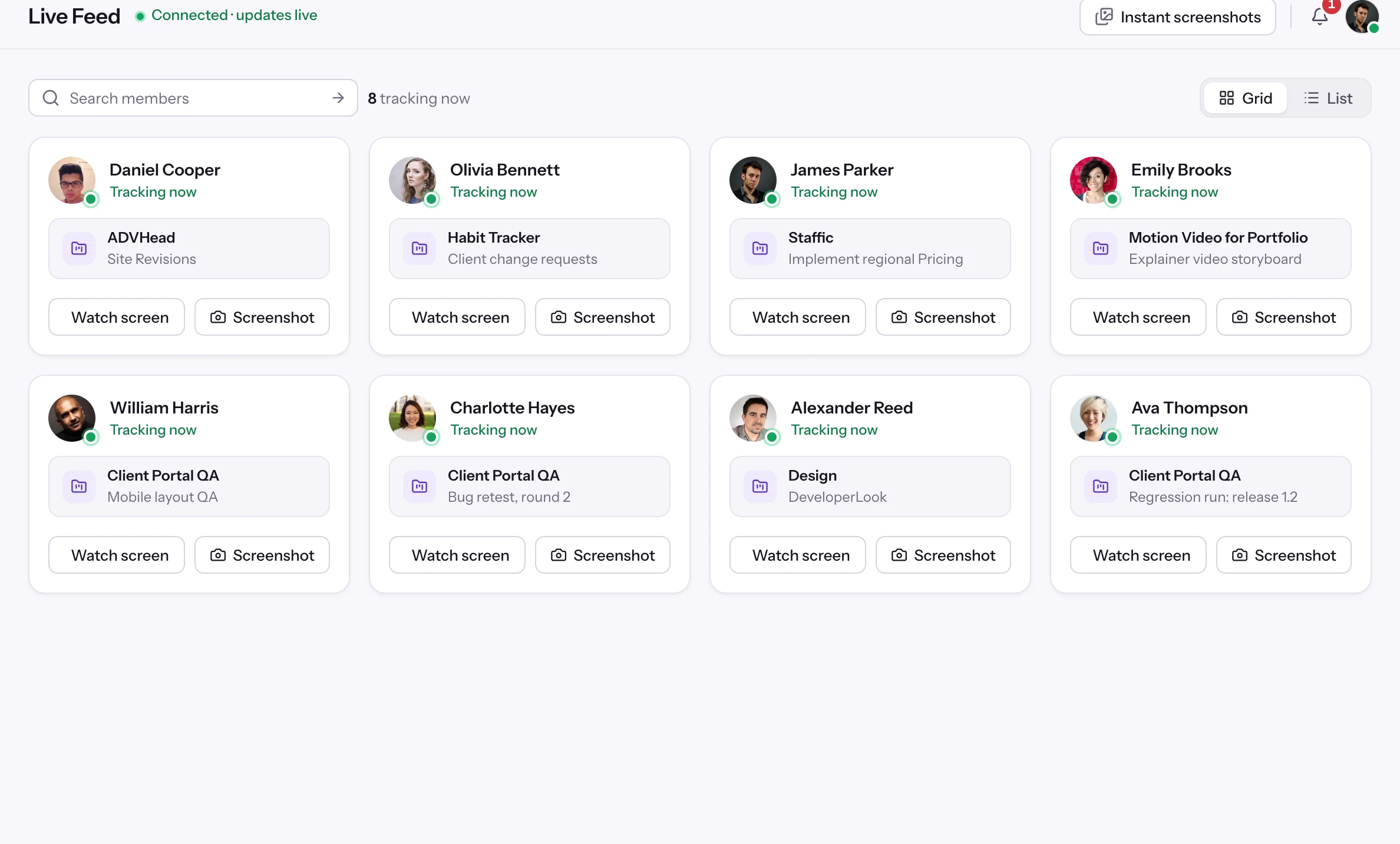
8members tracking right now
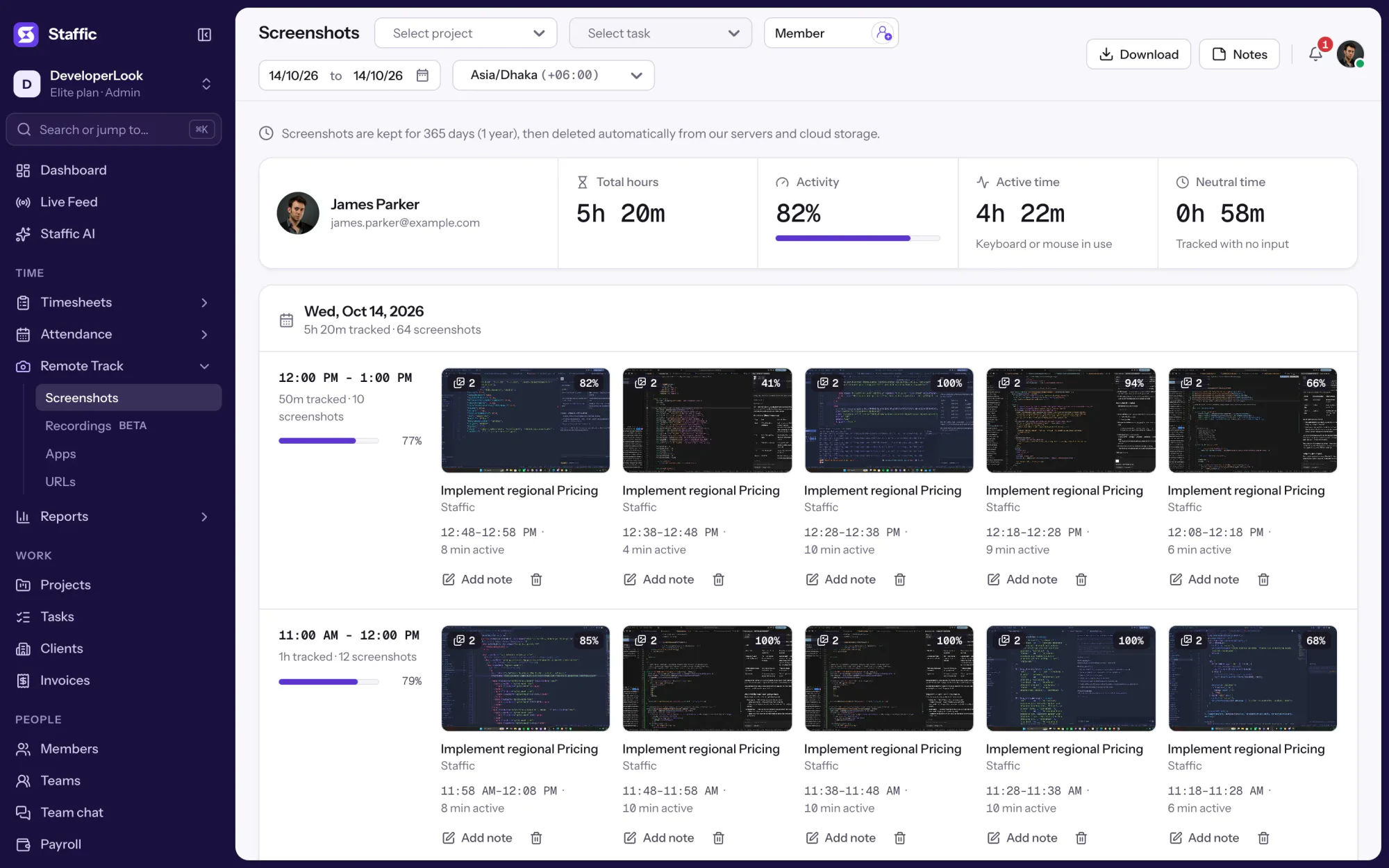
64screenshots from James’s day
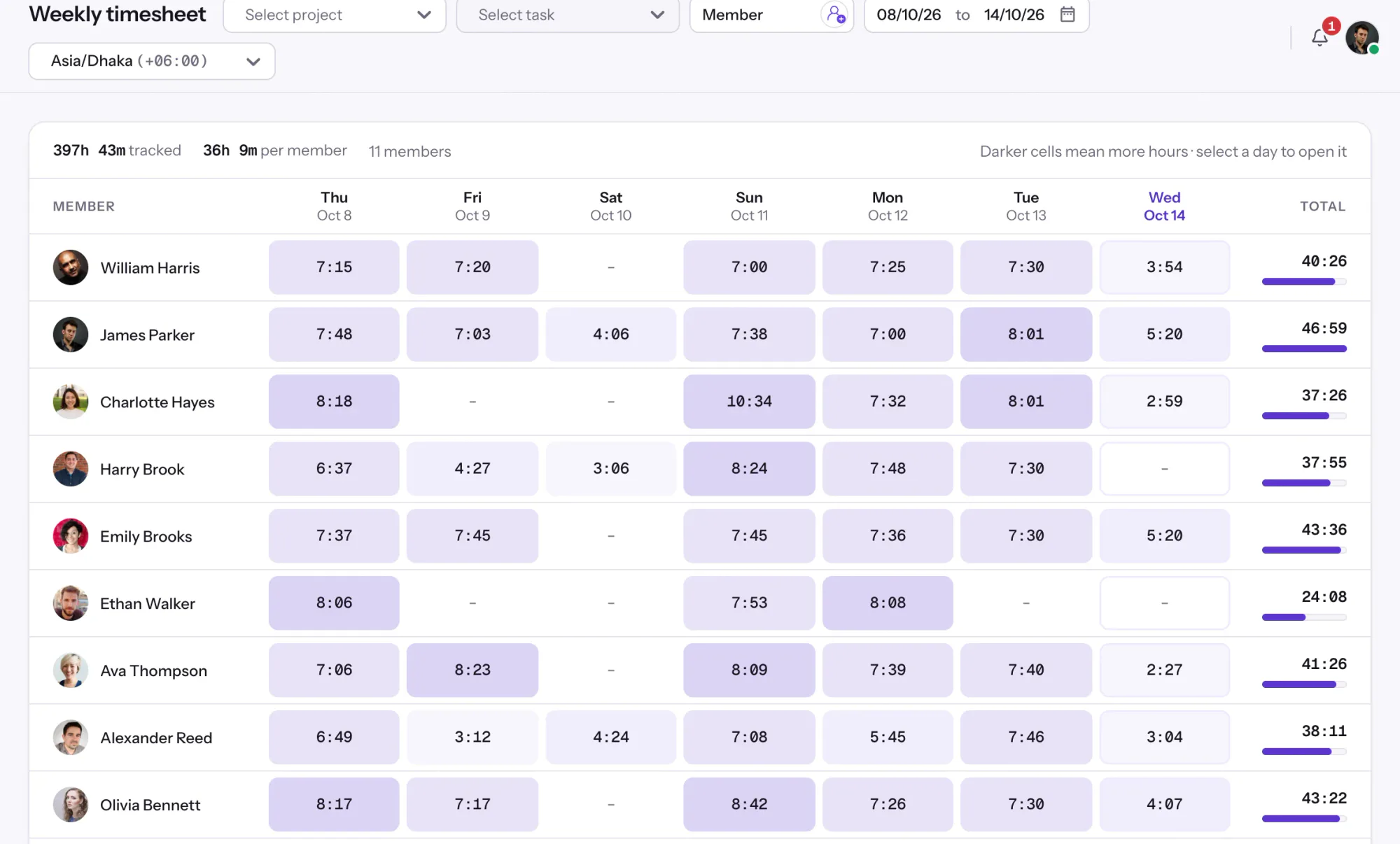
397h 43mon the weekly timesheet
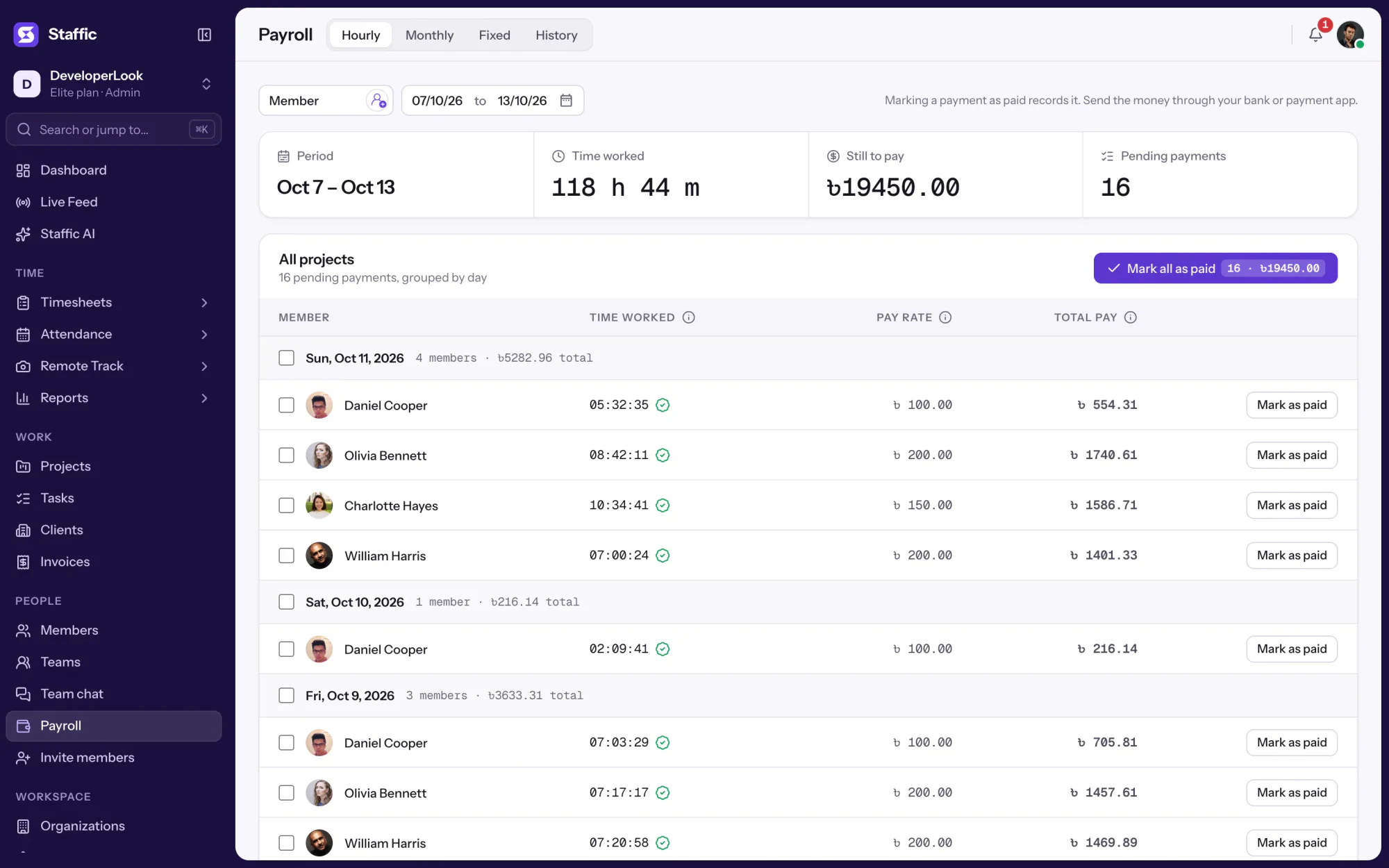
16pending payroll payments
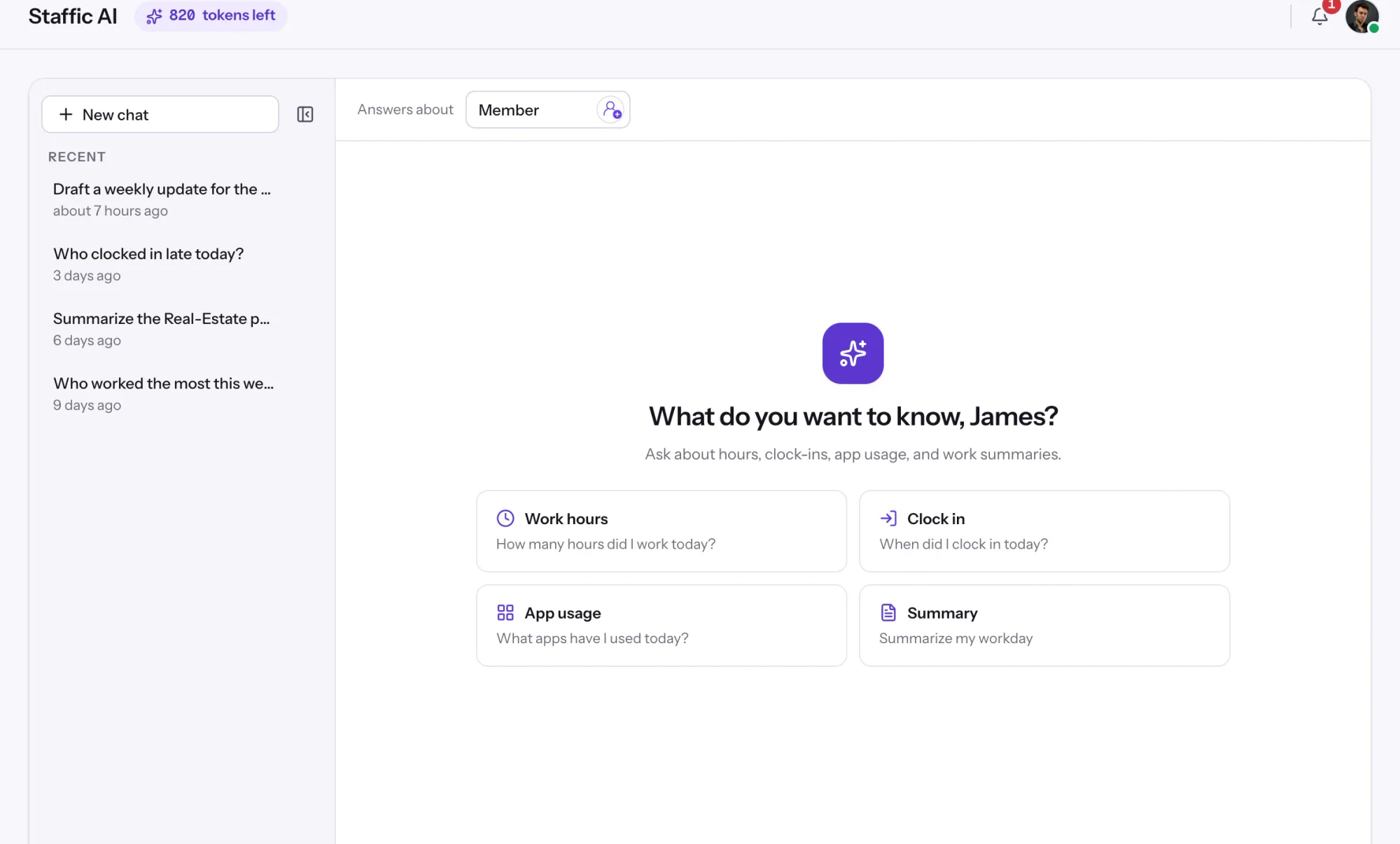
38h 20mtop member, per Staffic AI
Sample data from the Staffic demo workspace. Click any highlighted item in the app to take control.
Trusted by teams at
Microsoft Azure
1,000+users tracking their time with Staffic
16modules on one login, from screenshots to payroll
4platforms: Windows, macOS, Linux and web
$0for teams of up to 3, with every core feature
Remote Track · Screenshots
Rewind any workday with automatic screenshots.
Staffic’s time tracker takes screenshots only while the timer runs and files each one with its time, project, task and activity. Drag the timeline through a real day in the Staffic demo workspace.
Use Staffic AI inside the app, or connect Claude, Cursor or any MCP-compatible assistant to your live workspace. Pick a client, then a question.
Read-only keys answer questions without changing anything
Every key is locked to one organization
Revoke access any time from settings
SStaffic AIIn-app · your own data
How many hours did I work today?
How many hours did I work today?
You’ve tracked 8h 1m today with 78% average activity.
Active time6h 13m
Neutral time1h 48m
Screenshot sessions10
Integrations and apps
Works with the tools your team already uses.
Jira, Trello, ClickUp and Asana tasks come into Staffic and tracked time goes back to them. Slack gets the daily summary and leave requests, AI assistants connect through the Staffic MCP server, and members sign in with Google or Microsoft.
“Staffic.io brings transparency without micromanagement. Our team feels trusted, and productivity has never been higher.”
LMLucas MeyerFounder
Compare
Staffic vs Hubstaff, Time Doctor and ActivTrak.
Looking for a Hubstaff alternative? Here is the short version, taken from each company’s pricing page. Prices are per user per month, billed yearly, in US dollars.
Staffic compared with Hubstaff, Time Doctor and ActivTrak
Feature
Staffic
Hubstaff
Time Doctor
ActivTrak
Free plan
Free forever for up to 3 members
14-day trial
14-day trial
Free for up to 3 people, limited features
Lowest paid plan
$7.50
$4.99, 2-seat minimum
$6.67
$10
Screenshots
Every plan
Every plan (500 a month per seat on Starter)
Every plan
Paid add-on
Payroll
Elite, $10.00
Team, $10
Standard, $11.67
Not listed
Client invoices
Elite, $10.00
Every plan
Not listed
Not listed
Linux desktop app
Yes
Yes
Yes
Not listed
AI assistant and MCP server
Every plan
Not listed
Not listed
MCP add-on (beta)
Sources: hubstaff.com/pricing, timedoctor.com/pricing and activtrak.com/pricing, checked October 1, 2026. “Not listed” means the feature isn’t on that pricing page. Staffic prices come from the live pricing page; local pricing may apply.
Pricing
Pay for team size, not features.
Staffic is free for teams of up to 3, with every core feature. Standard removes the member limit, and Elite adds payroll, invoicing, screen recordings and Live Screening. Set your team size to see what you’d pay.
1255075100
I need payroll, invoicing, recordings or Live Screening
Free
For freelancers and small teams, up to 3 members
$0forever
Up to 3 membersYour team of 12 needs Standard or Elite
Staffic is time tracking and employee monitoring software for remote and hybrid teams. Desktop apps for Windows, macOS and Linux record work time, apps, URLs and optional screenshots. The web app turns that data into timesheets, attendance, reports, payroll and client invoices. Staffic is built by DeveloperLook.
How does Staffic track time?
Each member installs the desktop app and starts the timer on a project and task. While the timer runs, Staffic logs the time, calculates an activity level and records the apps and websites in use. Managers see it live in the dashboard and as timesheets they can review and approve.
Is Staffic free?
Yes. Staffic is free forever for teams of up to 3 members, with every core feature and no credit card. Bigger teams pay per active user: Standard is $7.50 per user per month billed yearly, and Elite, which adds payroll, invoicing, screen recordings and Live Screening, is $10.00. Local pricing may apply in your region.
Does Staffic take screenshots, and how often?
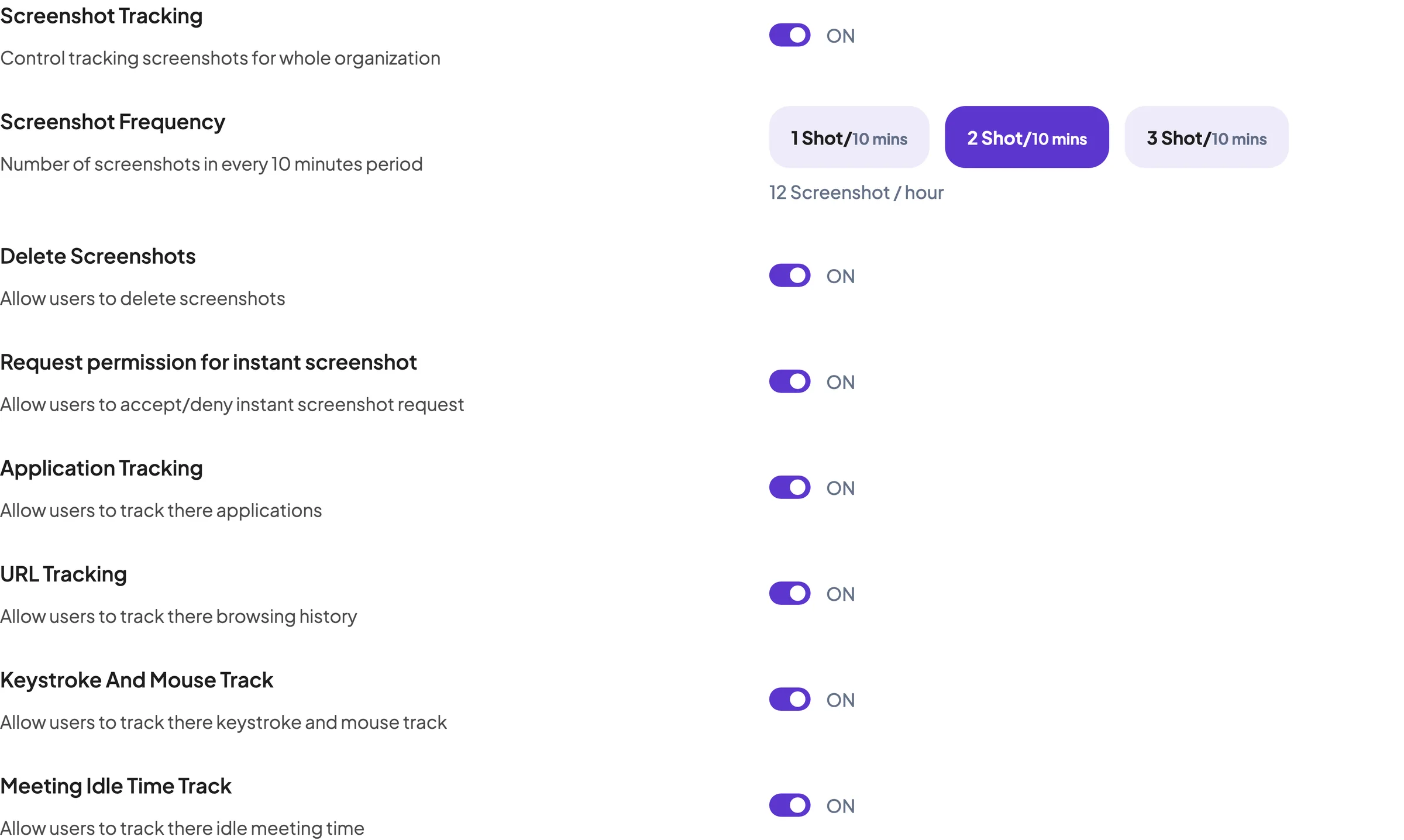
Only if you turn screenshots on. Admins choose 1, 2 or 3 screenshots in every 10-minute period, and Staffic captures them at random moments, only while a member’s timer is running. You also decide whether members can delete their screenshots.
Is employee monitoring software legal?
In most countries it is legal to monitor work devices during work time when employees are told what is tracked and why. Rules differ by country and state, and the EU’s GDPR expects a clear purpose and proportionate monitoring, so check the law where your team works. This is general information, not legal advice.
Does Staffic work on Mac and Linux?
Yes. Staffic has desktop apps for Windows, macOS and Linux, and a web app for the whole team. The desktop app tracks time, activity, apps, URLs and screenshots. Reports, timesheets, attendance, payroll and invoices live in the web app.
How is Staffic different from Hubstaff and Time Doctor?
Staffic is free for up to 3 members and includes screenshots, an AI assistant and an MCP server on every plan. Its lowest paid plan is $7.50 per user per month billed yearly, compared with $4.99 for Hubstaff Starter and $6.67 for Time Doctor Basic, according to their pricing pages on October 1, 2026.
Can I connect Staffic to Claude or Cursor?
Yes. The Staffic MCP server connects Claude, Cursor and other MCP-compatible AI assistants to your workspace, so you can ask questions such as who logged the most hours this week. Keys can be read-only, each key is locked to one organization, and you can revoke access at any time.
Which tools does Staffic integrate with?
Jira, Trello, ClickUp and Asana: their tasks come into Staffic and tracked time goes back to them. Slack gets the daily team summary, leave requests and budget alerts. AI assistants such as Claude, Cursor, OpenAI Codex and Google Antigravity connect through the Staffic MCP server, and members can sign in with Google or Microsoft.
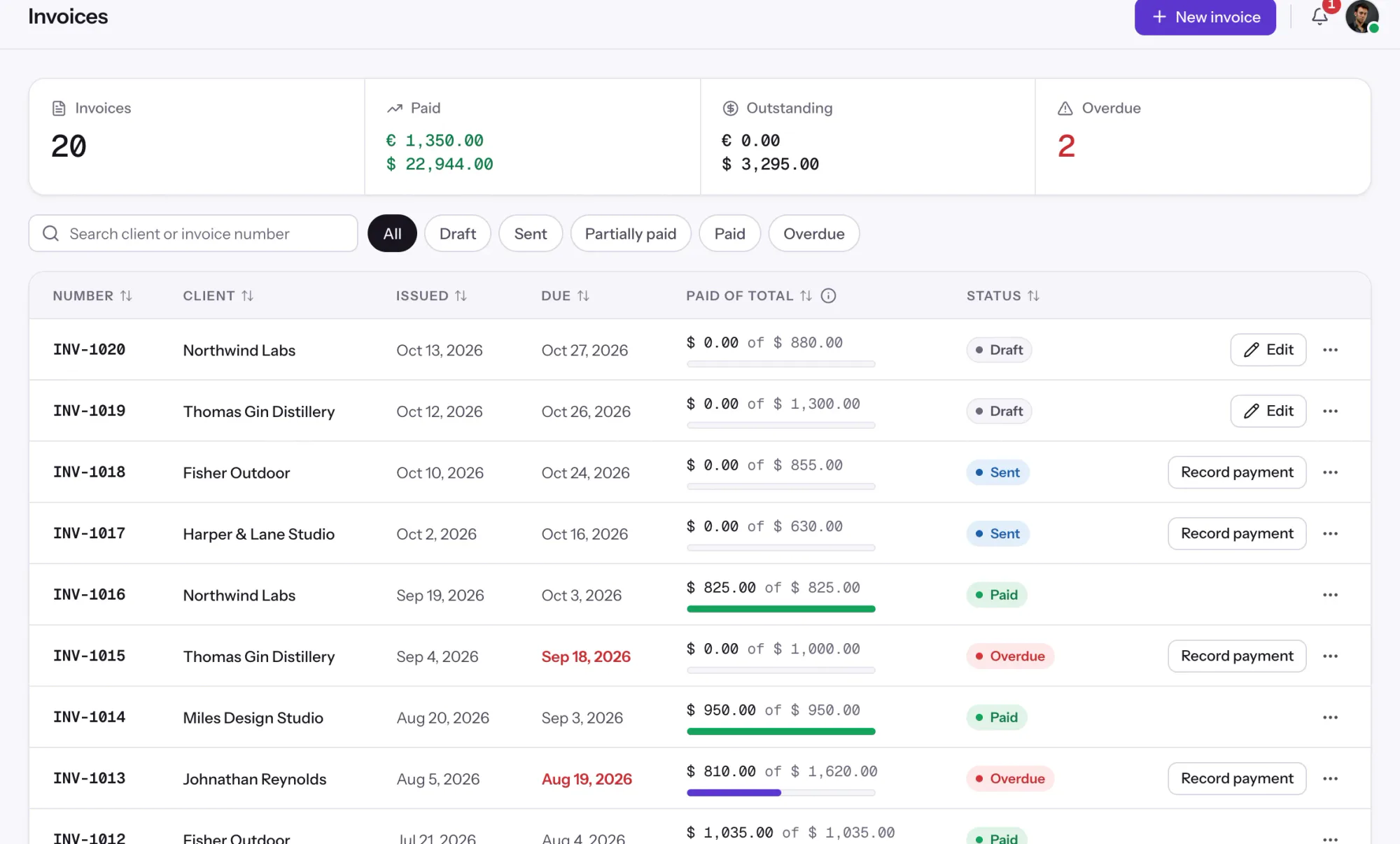
Can Staffic run payroll and send client invoices?
Yes, on the Elite plan. Staffic calculates pay from tracked hours and each member’s pay rate, and turns tracked time into client invoices, so timesheets, payroll and billing all come from the same data.
Free for up to 3 members
See the work, not just the hours.
Create your workspace, invite your team, and the first timesheet builds itself.























 VS Code
 Windsurf
 JetBrains
 Gemini CLI