Consultants and agencies
Calls and meetings away from the desk
Add the hour of a client call afterward, on the right project, with a reason that says why it was added by hand.

Features
All 38 featuresSee the work while it happens.
 DashboardYour team's week at a glance, Monday to Sunday
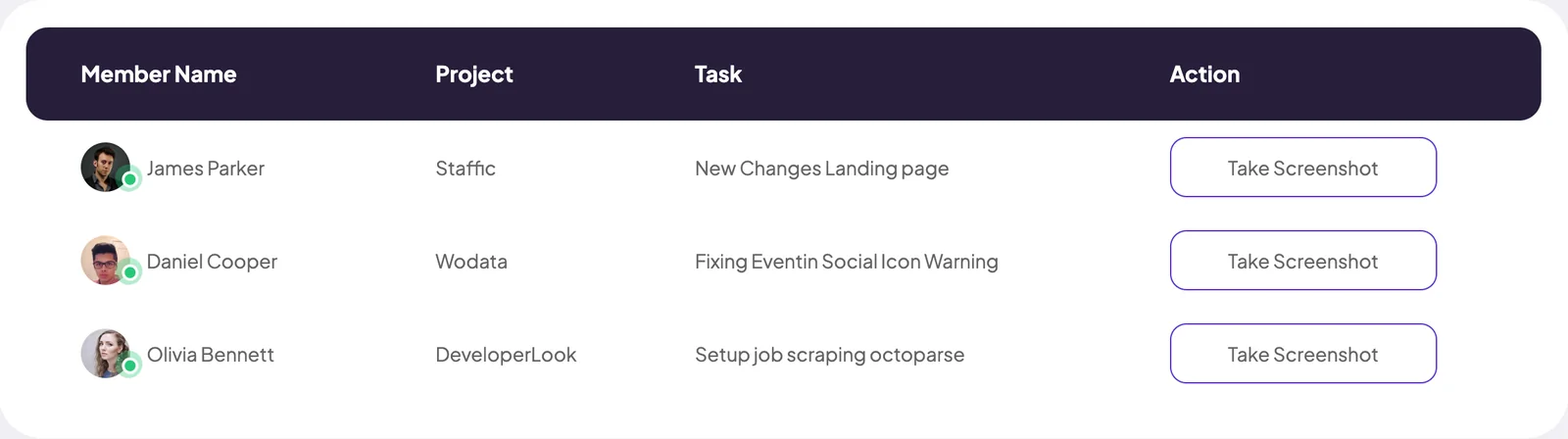
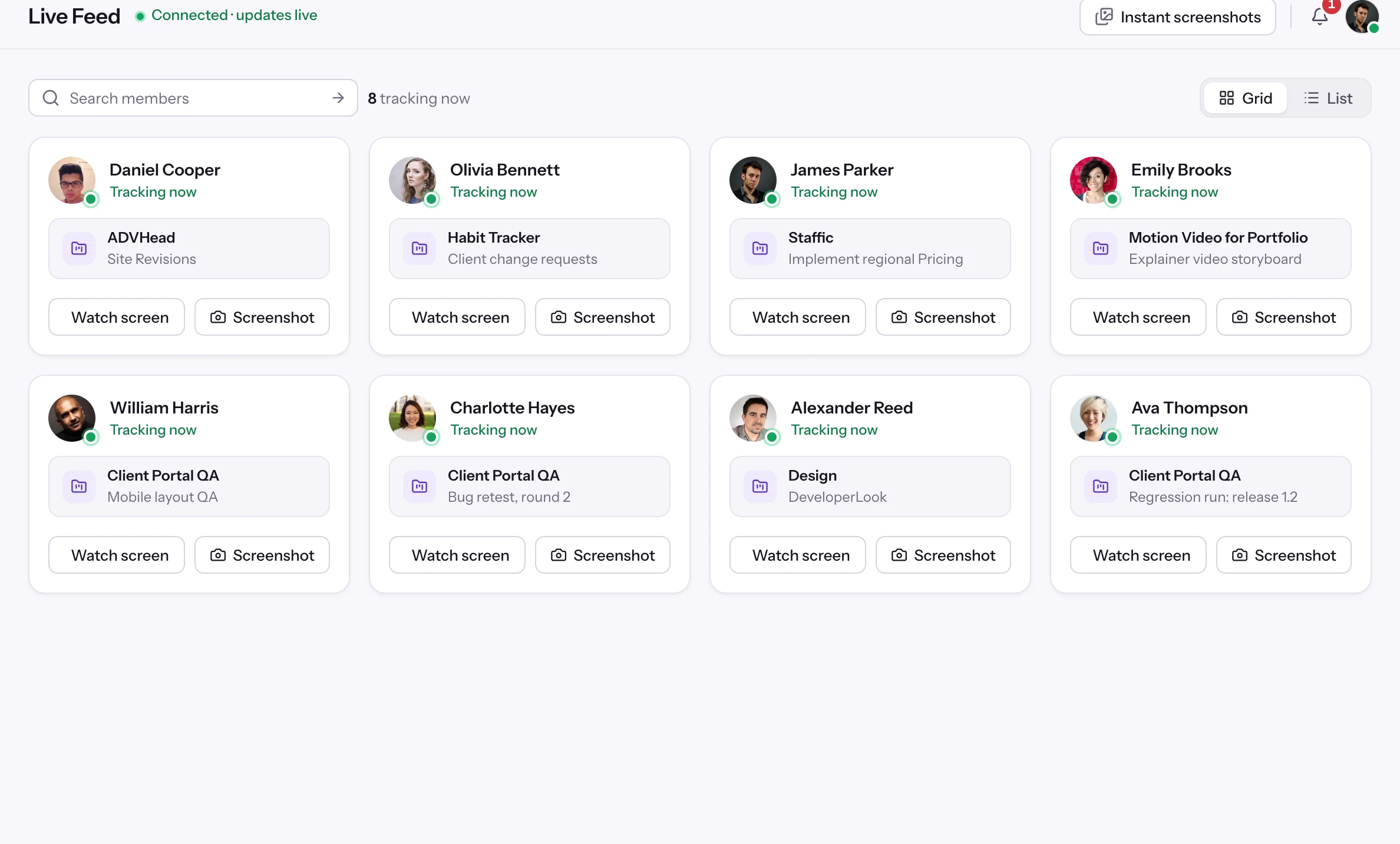
 Live FeedSee who's tracking time right now, and on what
 ScreenshotsVisual proof of work, captured automatically
 AppsWhich apps each tracked session used
 URLsThe websites behind the tracked time
 Screen RecordingsEliteFull session video, beyond a screenshot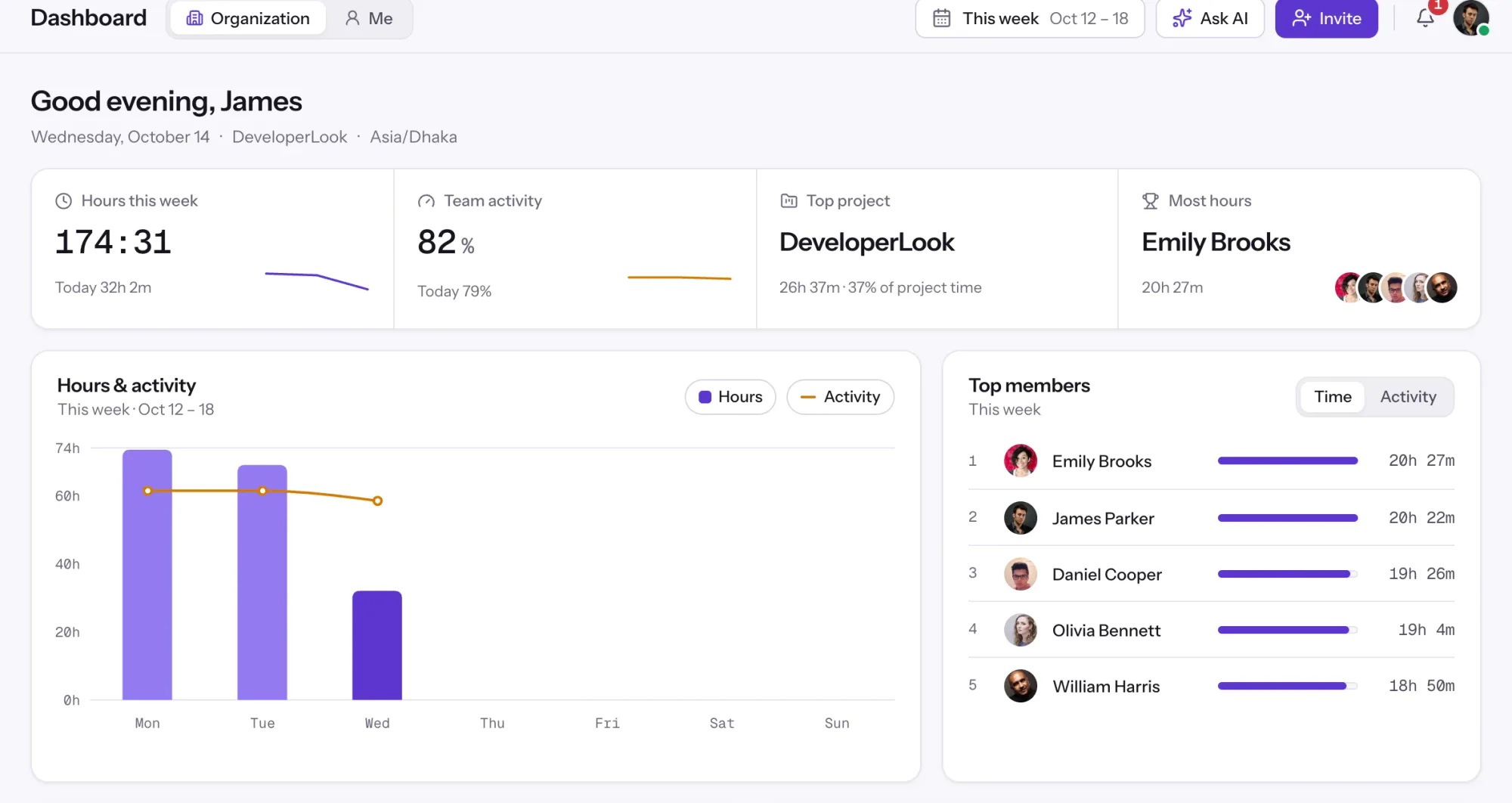
01 / 38
Dashboard
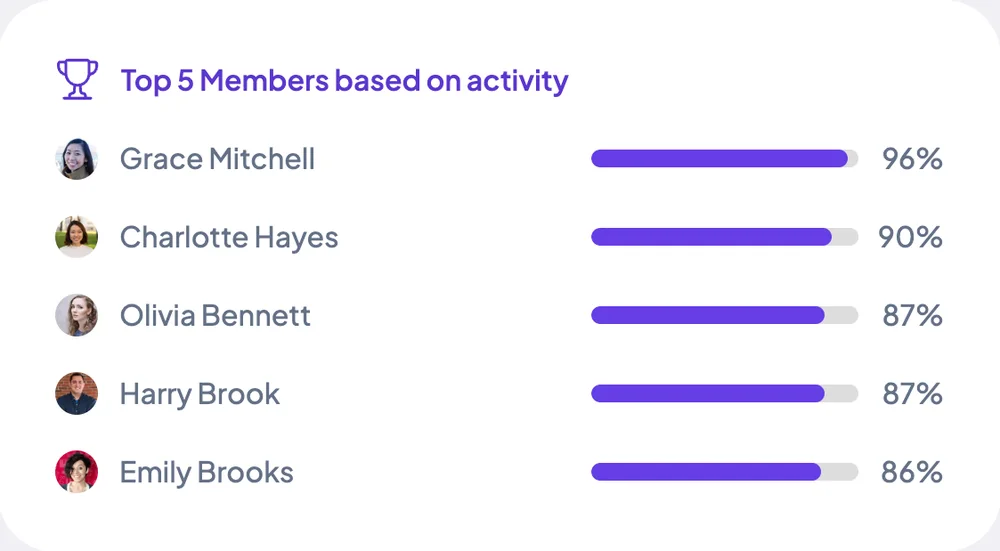
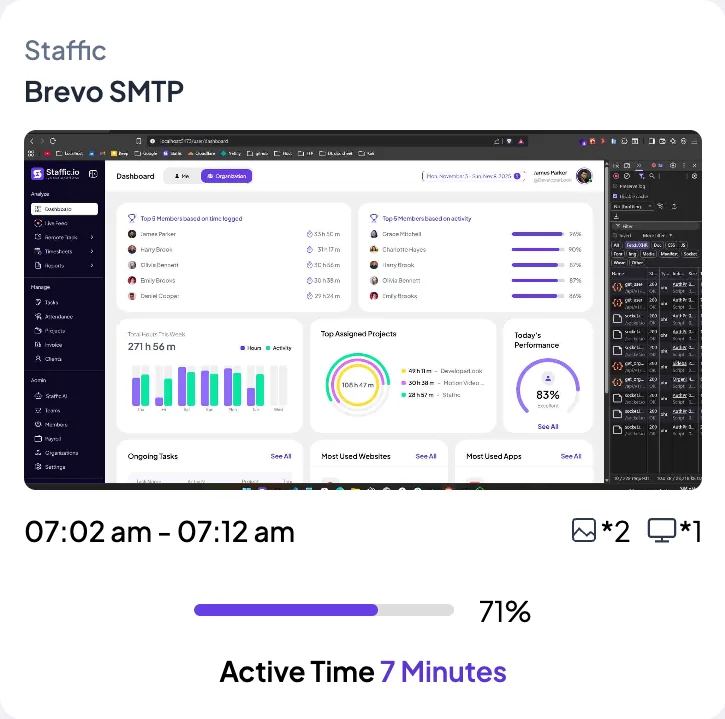
The team dashboard: this week's hours, team activity, top members, ongoing tasks, top projects and the most used apps and websites.
View DashboardSolutions
All 38 featuresHow remote, hybrid and growing teams run Staffic.
Staffic for the way you work, from freelancing to client billing.
 FreelancersFreelance time tracking
 Small businessesTimekeeping software for small business
 Call centersCall center monitoring software
 ConsultantsTime tracking software for consultants
 Companies with contractorsContractor time tracking
 Virtual assistantsTime tracking software for virtual assistants
 AgenciesAgency time tracking software
 Accounting firmsTime tracking software for accountants
 Software teamsTime tracking software for engineers
Staffic set up for your industry's records and reports.
01 / 19
Track remote hours across every time zone.
Staffic records time, activity and optional screenshots on each remote member’s computer, then turns them into timesheets you approve, so you can trust the hours without daily check-ins.
View Remote teamsManual Time
When the desktop timer wasn't running, Staffic lets members or admins add the time by hand with a project and a reason. Every manual add, and every deletion of tracked time, lands in the Manual Time report. It's for teams that want complete hours and a record of every change, on every plan.
1/8Click Manual time
In short
Staffic Manual Time is manual time tracking for the hours the desktop timer missed, such as a call away from the computer. A member or admin adds an entry with a project, a time range and a required reason. The Manual Time report logs it beside every deletion of tracked time. Admins decide whether members may add their own. It's on every plan.
How it works
The desktop timer records most of the day. Manual time covers the rest, with a record of why.
Manual time tracking
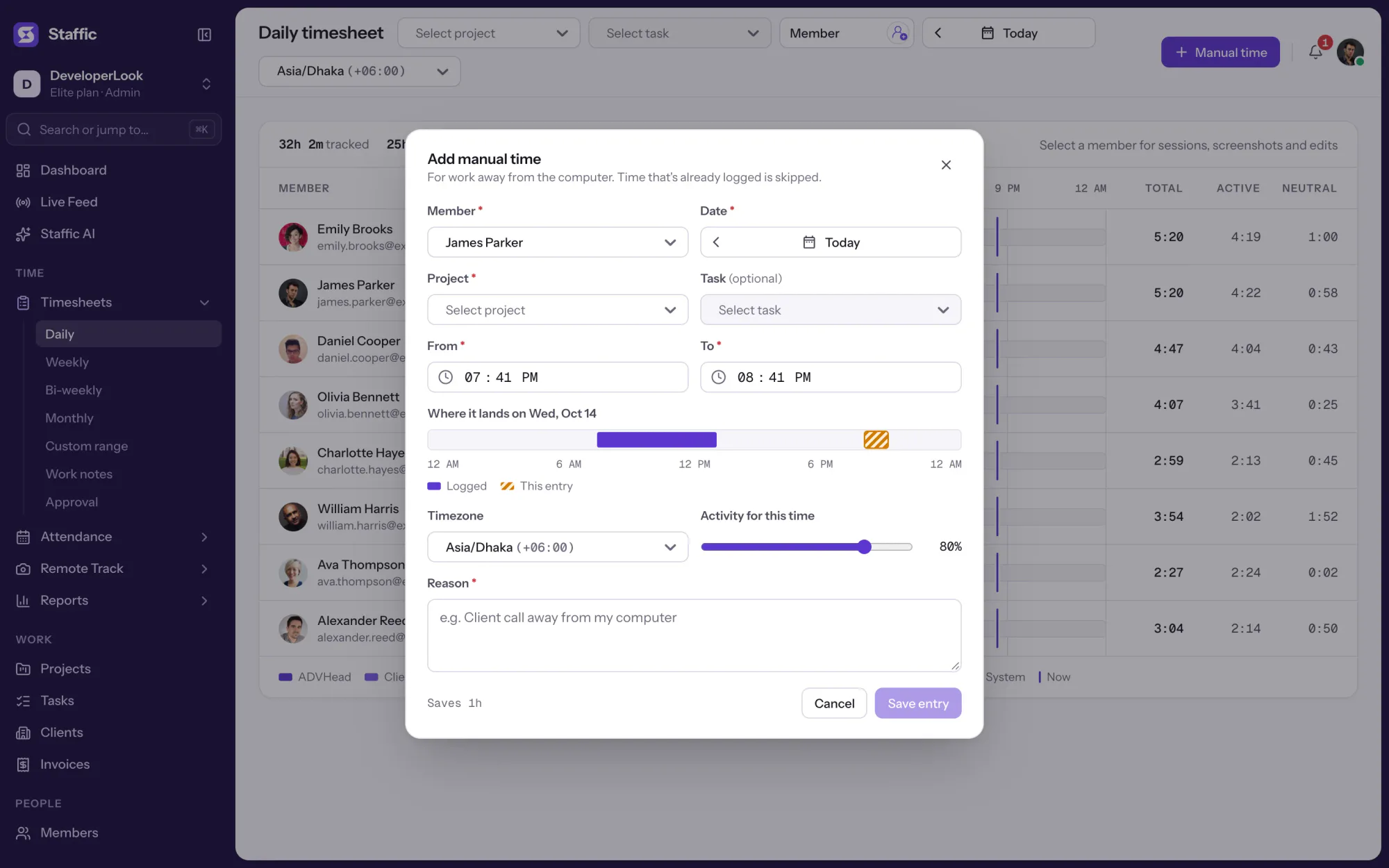
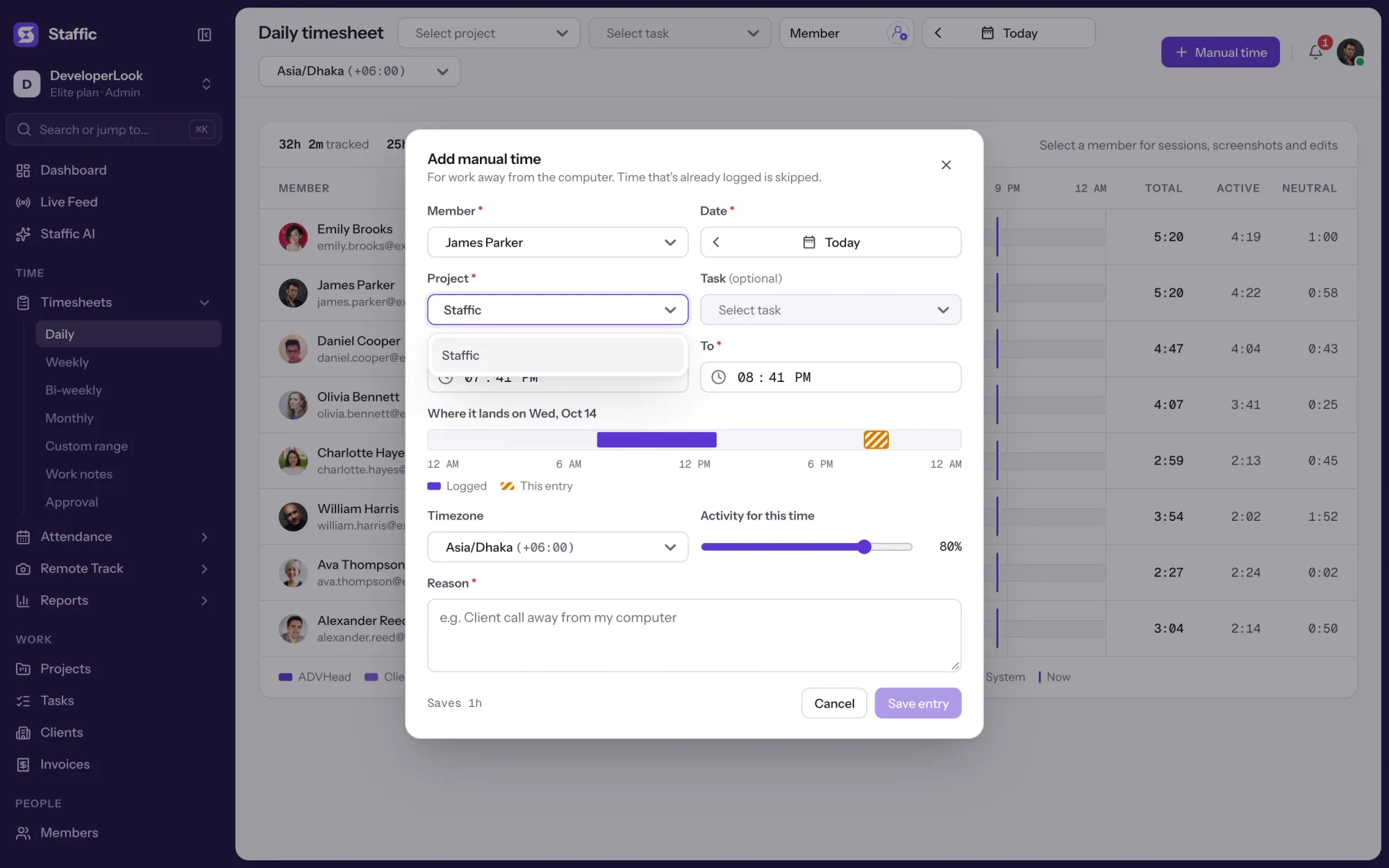
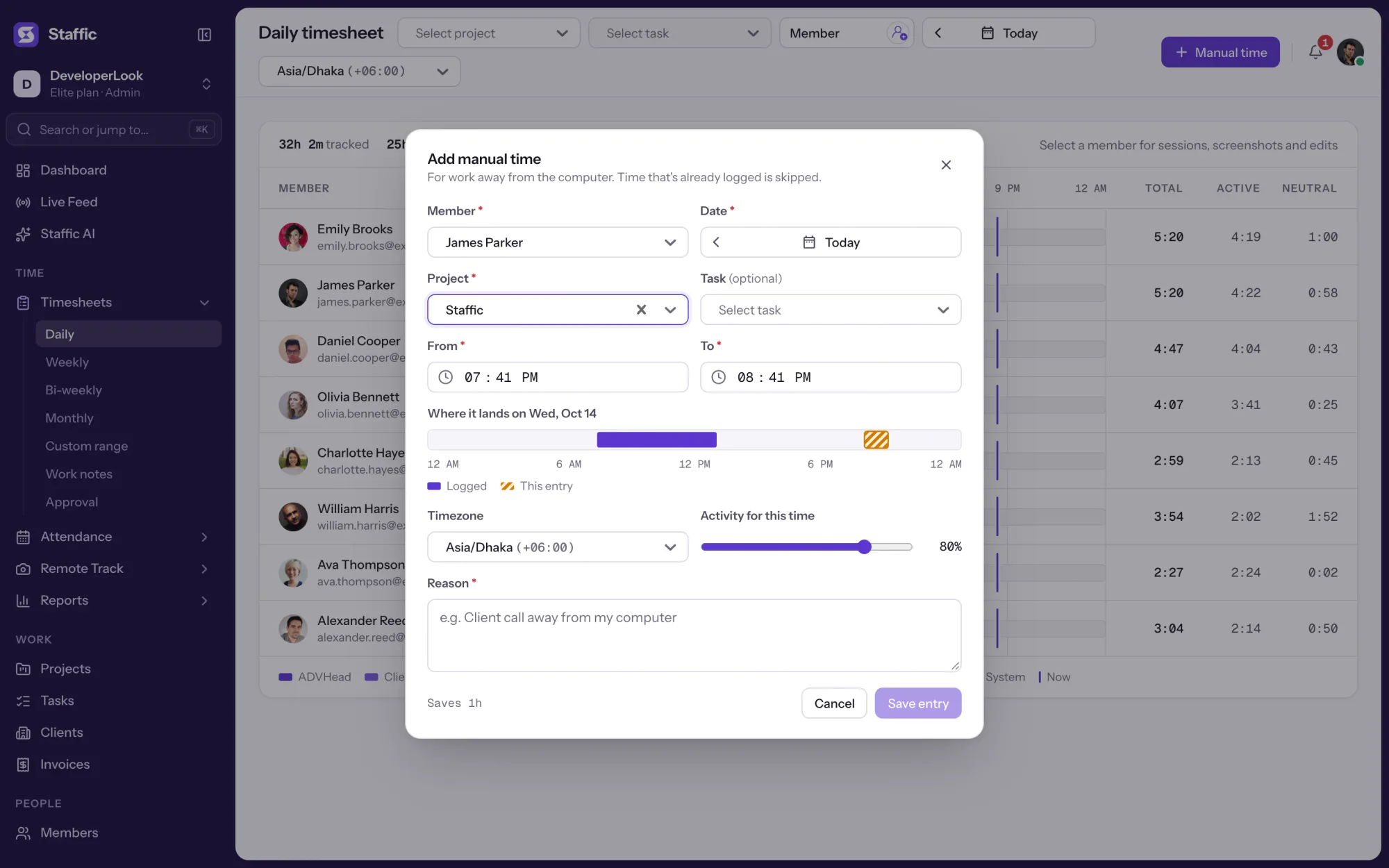
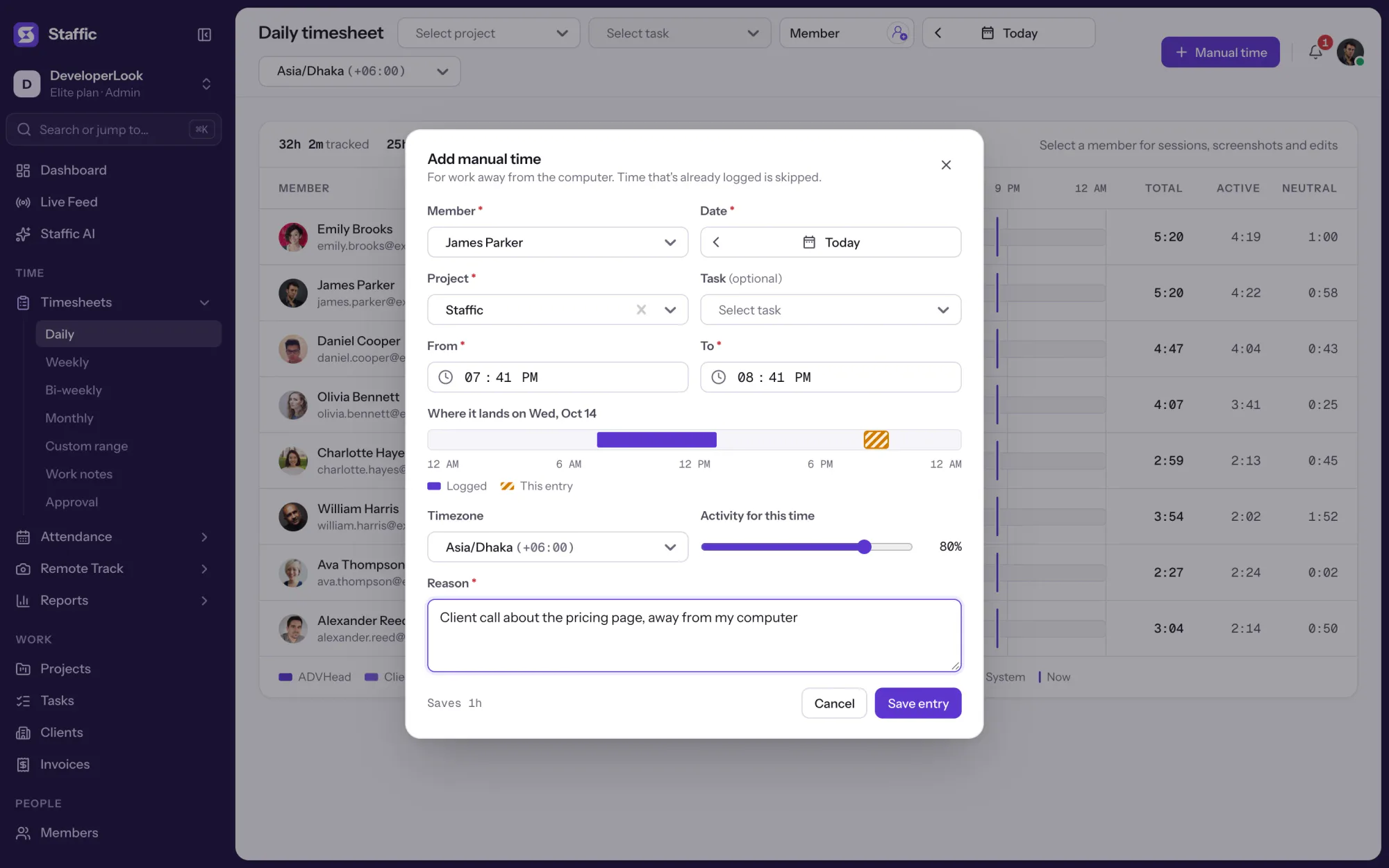
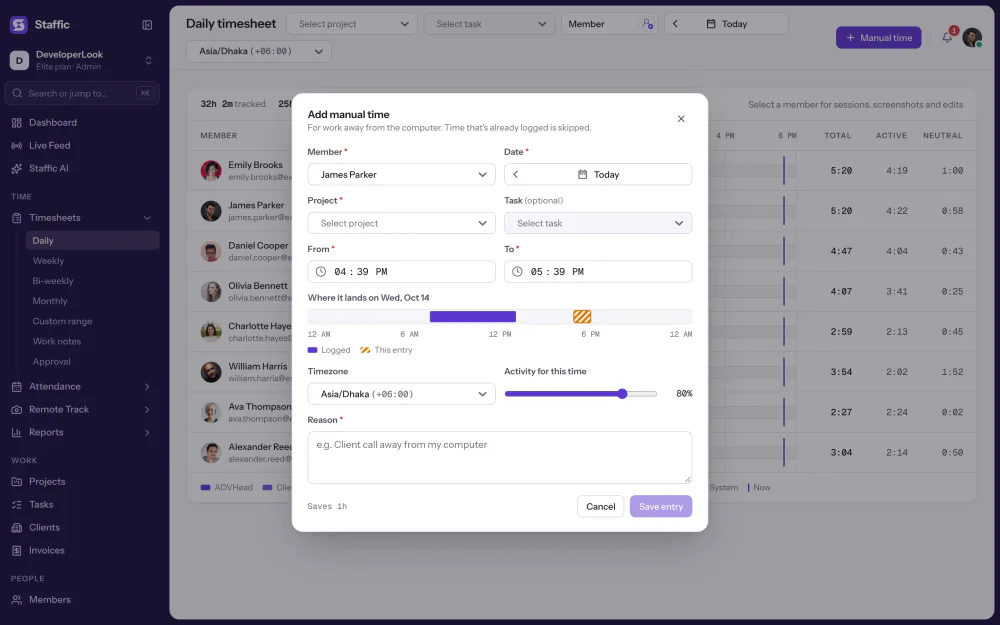
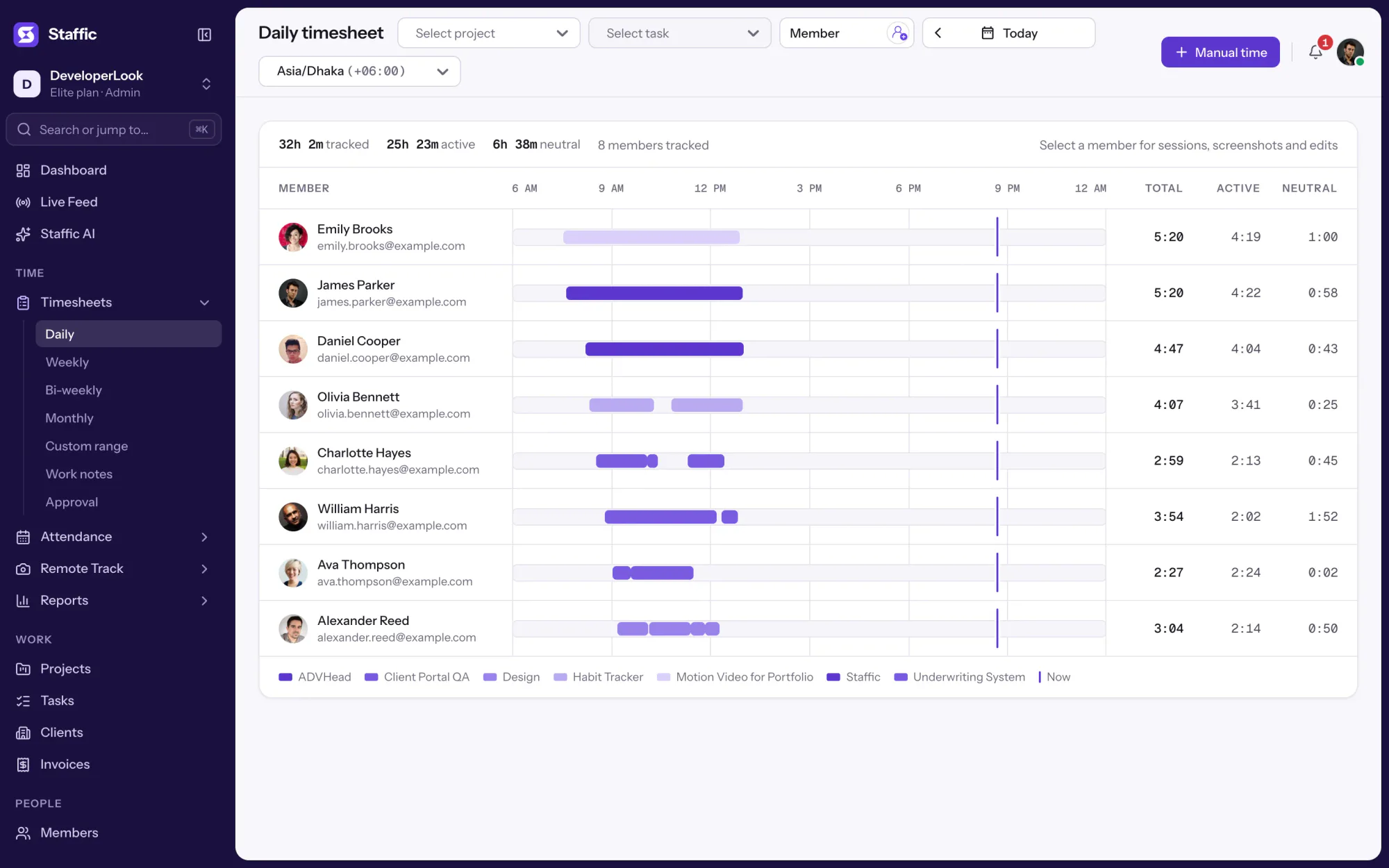
Open the daily timesheet, click Manual time and fill in one short form. Staffic checks the entry before it saves it.
Pick the member, project and task, the date and time range, and the activity level to record, then say why the time is being added. The reason is required.
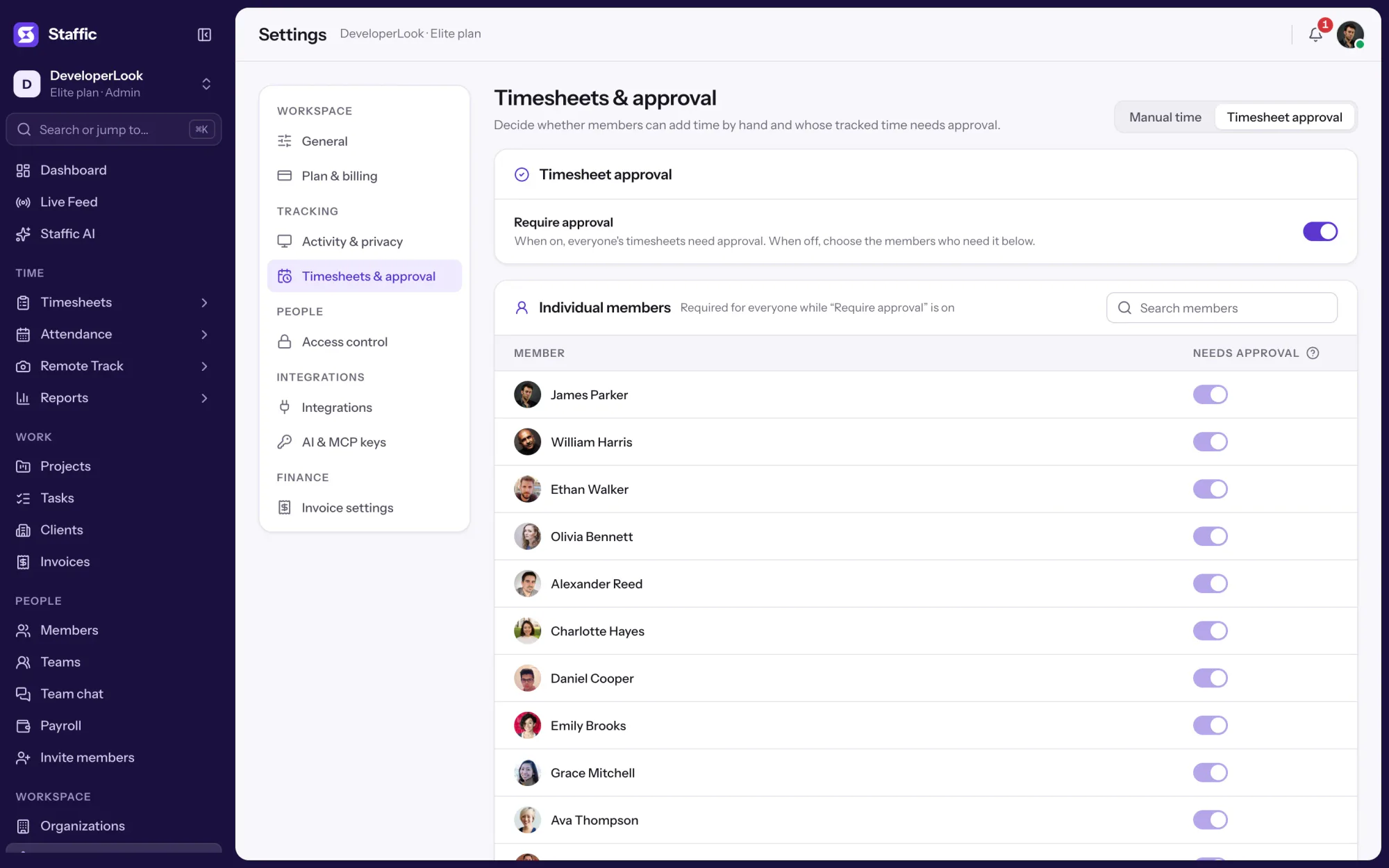
Members can add manual time is one switch in Timesheets & approval. With it on, members add their own time, and roles with the Timesheets module in Access control can add time for others. With it off, only admins add time, for any member.
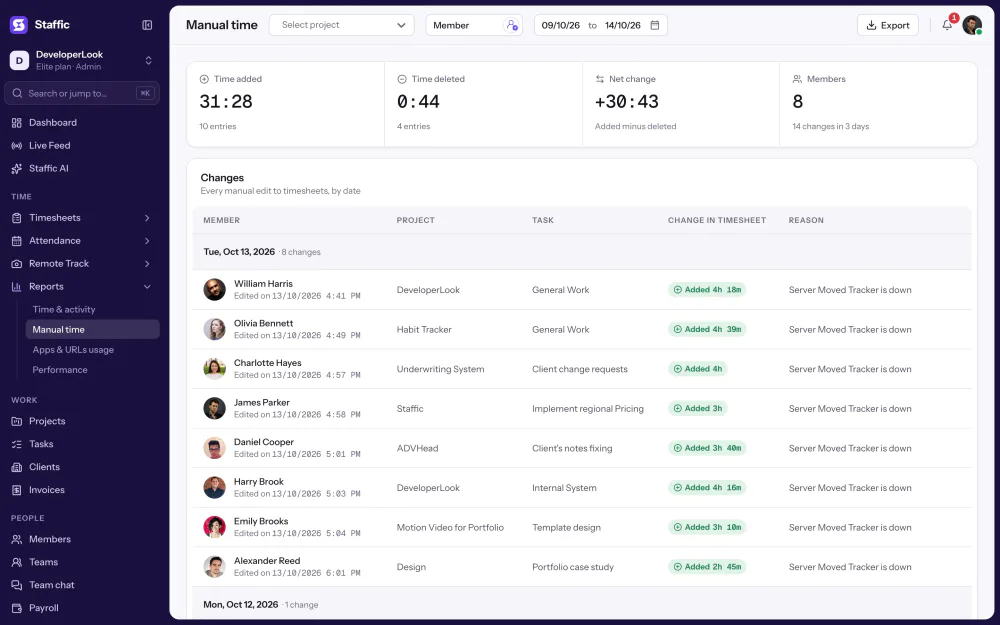
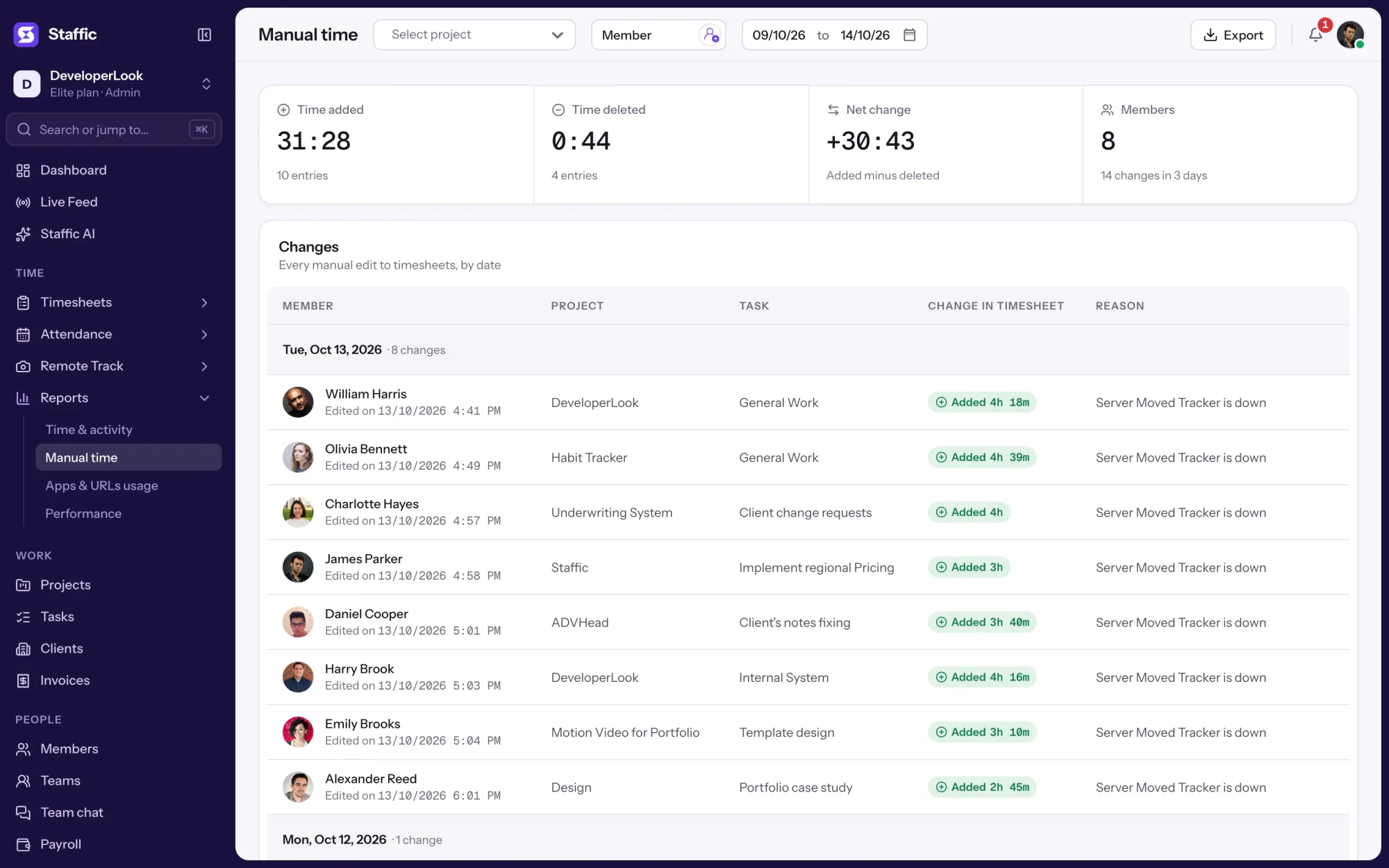
Reports, Manual time lists each change by the day it was made: whose time it was, the project and task, Added or Deleted with the amount, and the reason. Time deleted on the daily timesheet, Screenshots or Recordings pages shows up here too, each with its reason.
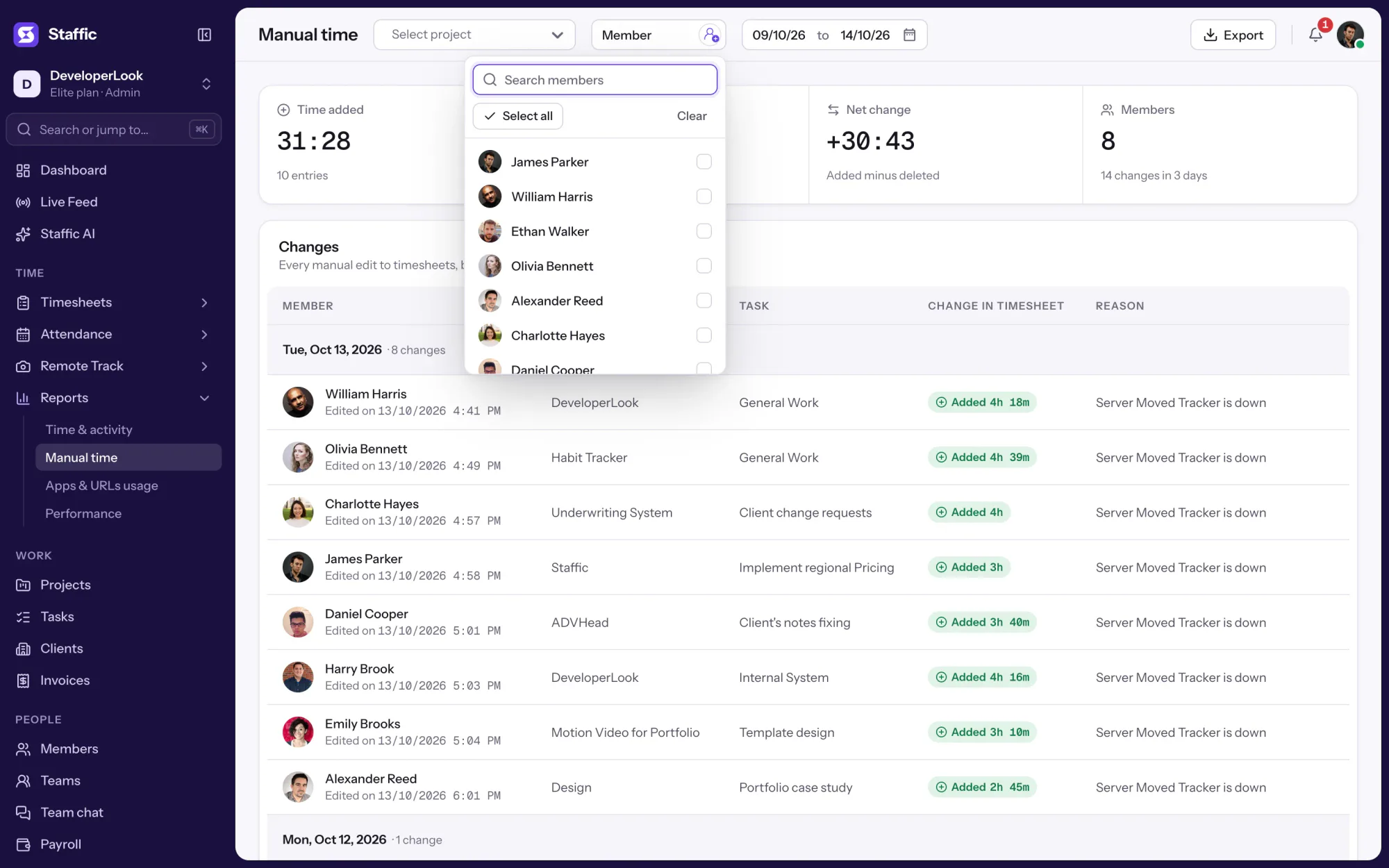
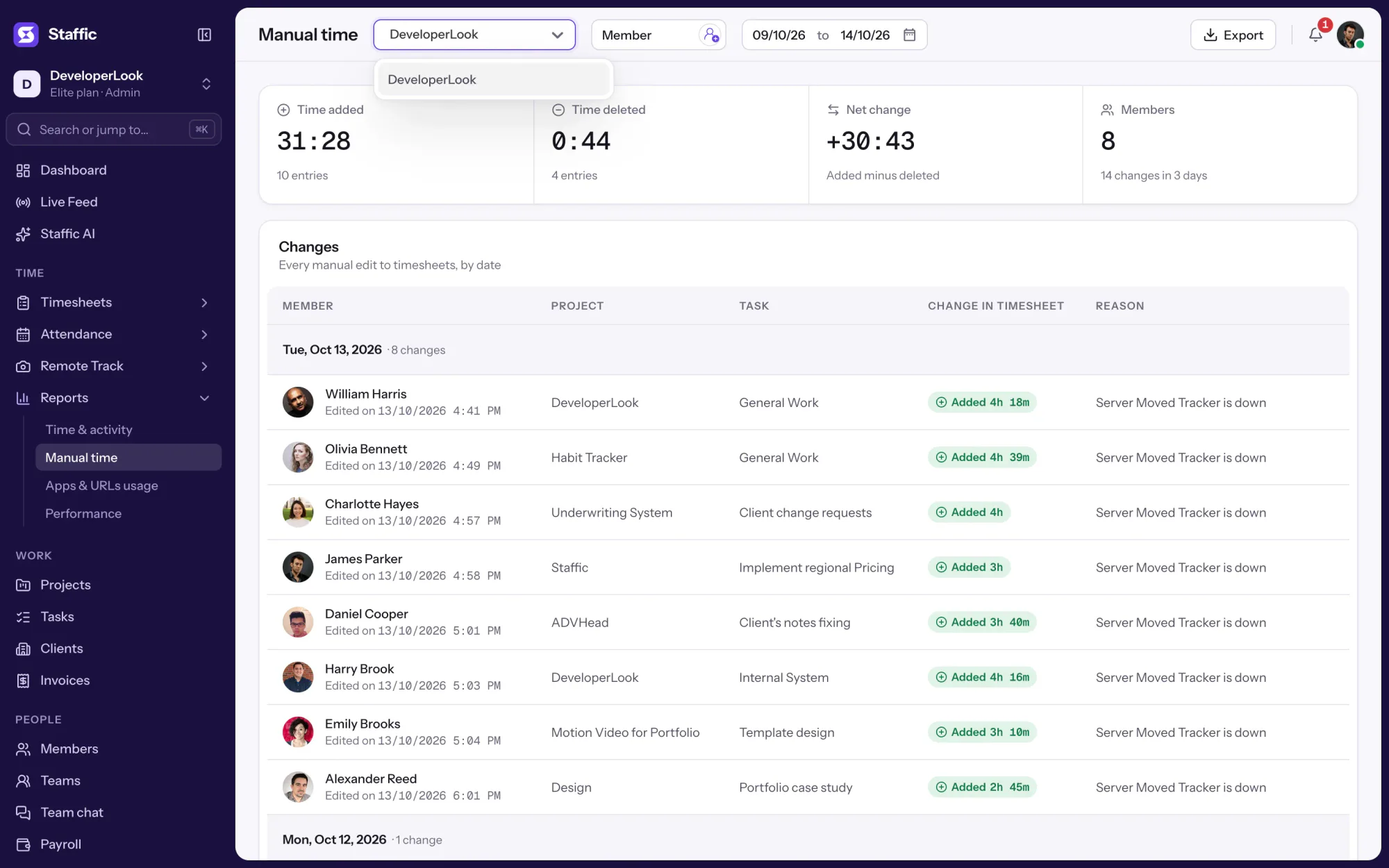
Narrow the report to one project, several members and any date range. Export what's on screen to PDF or Excel for a payroll check or a client's question.
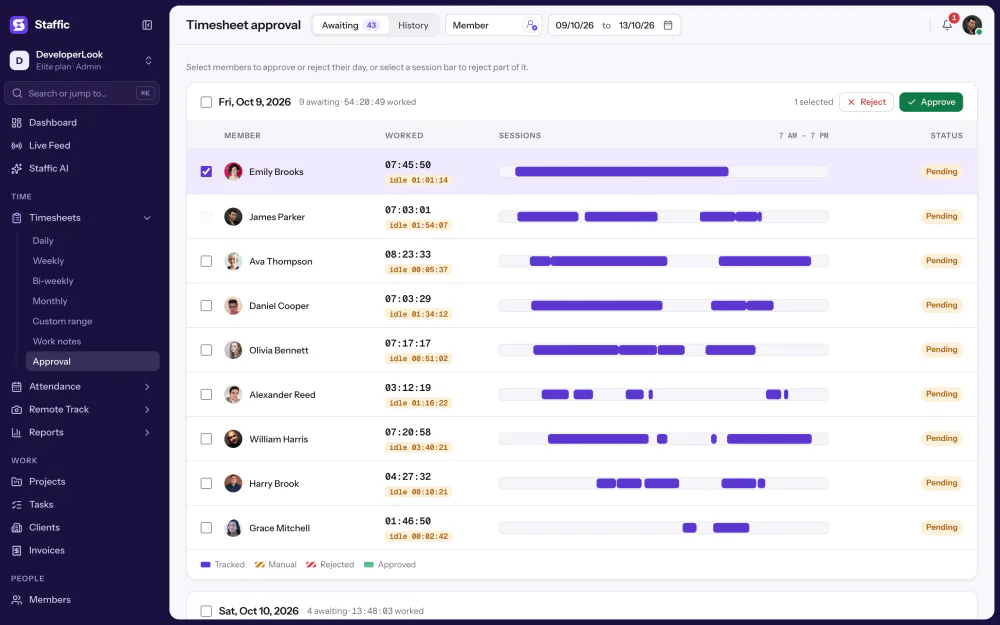
Manual time counts in timesheets, Clock In/Out and reports like tracked time. With Timesheet Approval on, it waits for a manager on the Awaiting tab, and on Elite, hourly payroll pays it once approved.
Showing The Add manual time form.
1/5Click Manual time
Control and privacy
Hand-added time is allowed only where you allow it, and every change says why.
Set it up
Three steps on any plan.
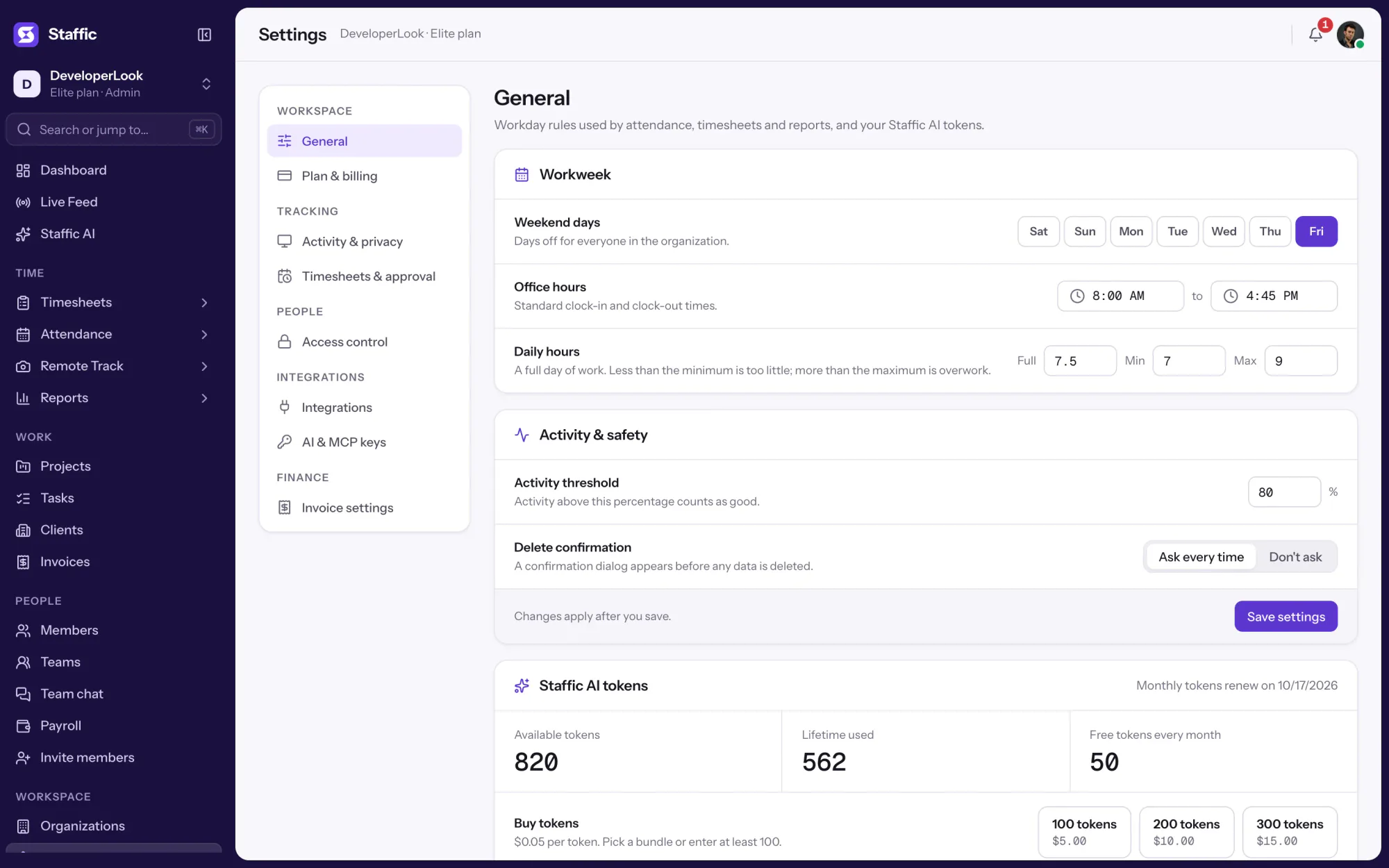
Turn the Members can add manual time switch on or off. New organizations start with it on.
Settings › Timesheets & approval › Manual timeClick Manual time, fill in the form and give the reason.
Timesheets › DailyFilter by project, members and dates, and export to PDF or Excel.
Reports › Manual time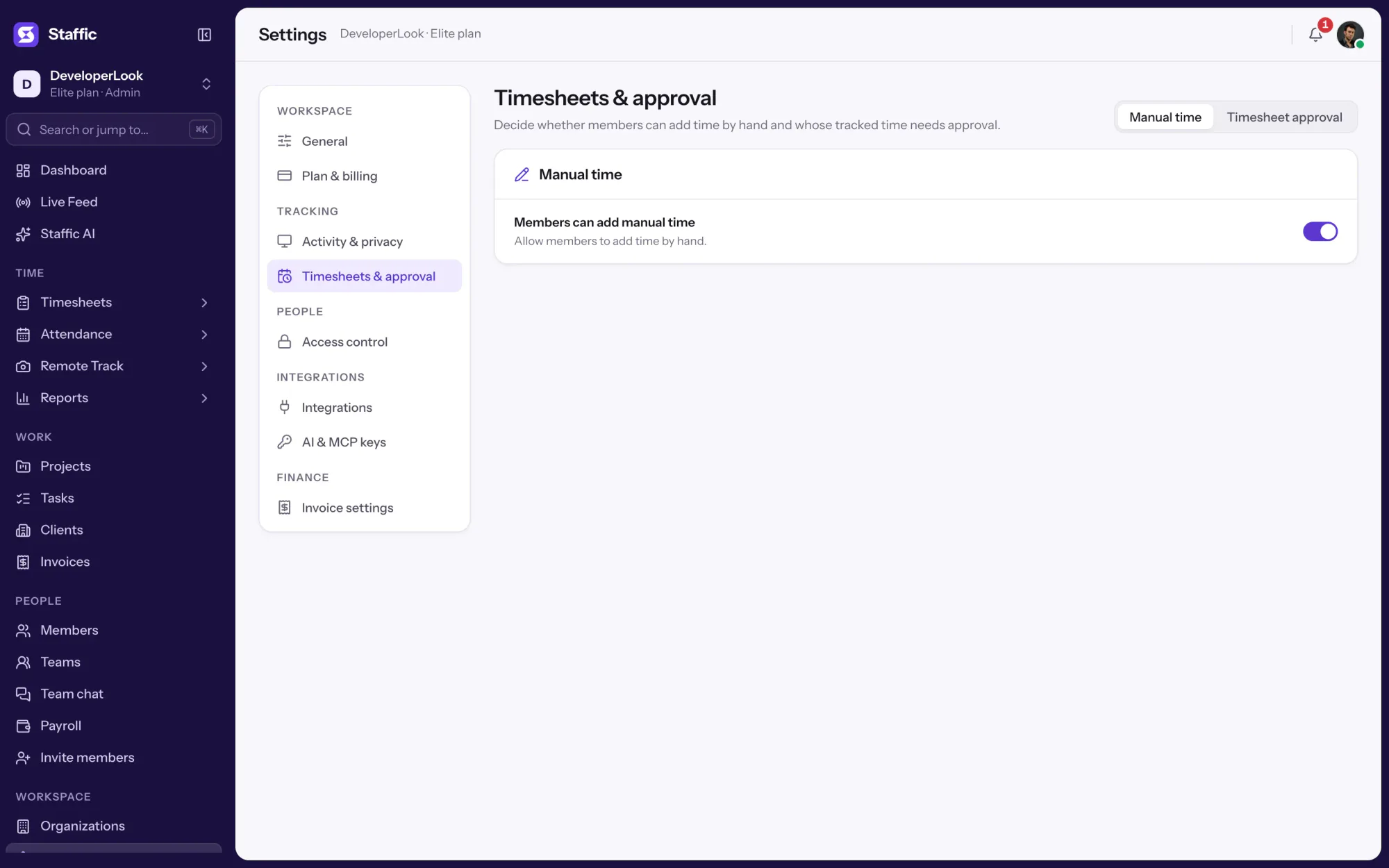
1Settings › Timesheets & approval › Manual time
Compare
Most of your hours come from the desktop timer. Here is how a manual entry differs.
Swipe the table to compare
| Compare | Manual timeThis page | Desktop timerTracked automatically |
|---|---|---|
| Starts with | A form on the daily timesheet | Starting the timer in the desktop app |
| Activity level | Chosen on the entry, 80% by default | Measured from keyboard and mouse |
| Screenshots, apps and URLs | None | Recorded while the timer runs, by plan |
| Reason | Required | Not needed |
| In the Manual Time report | Every entry | Only when tracked time is deleted |
| Plans | Every plan | All plans, including Free |
| Link | You are here | Desktop timer |
Specs and terms
The facts behind the feature, and what each number on the Manual Time page means.
Who it’s for
For teams whose work doesn't all happen at the computer.
Add the hour of a client call afterward, on the right project, with a reason that says why it was added by hand.
When someone forgot to start the timer, an admin adds the time for them, and the Manual Time report shows it was added by hand.
With Timesheet Approval on, manual time waits for a manager like tracked time, so nothing added by hand is paid unchecked.
Customer stories
Stop juggling tools. Staffic gives your team time tracking, projects, payroll and performance analytics in one platform.
Try Staffic for free“Staffic.io brings transparency without micromanagement. Our team feels trusted, and productivity has never been higher.”
Pricing
Manual Time is included on every plan, Free included. You pay per active user only when your team grows past 2 members.
Compare every planFor freelancers and small teams, up to 2 members
No card needed.
Includes Manual TimeEvery core feature, for teams of up to 2 members.
Everything in Free, without the 2 member limit
Offer price until October 30, 2026, then $7.50
Card at checkout. Cancel within 7 days and pay nothing.
Includes Manual TimeEverything in Free without the 2 member limit.
For organizations running payroll, billing and approvals
Offer price until October 30, 2026, then $10
Card at checkout. Cancel within 7 days and pay nothing.
Includes Manual TimeEverything in Standard, plus Screen Recordings, Invoices, Clients and 1 more.
Prices in USD per active user. Billed monthly, Standard is $9.50 and Elite is $13 per user.
Manual time tracking means entering hours by hand instead of recording them with a running timer. In Staffic it fills the gaps the desktop timer missed: a member or admin adds the date, time range, project and a reason, and the entry counts in the timesheet like tracked time.
Partly. Staffic's desktop timer is one members start and stop themselves, so if you want time tracking software with a manual timer, that's how it works. On top of it, manual time lets people type in the hours the timer missed, each with a reason.
Use both: let the timer record the work and keep manual entries for the gaps. While the Staffic timer runs, it measures activity from keyboard and mouse and can take screenshots. A manual entry has none of that, only an activity level someone chose, which is why each one needs a reason and shows in its own report.
The main challenges in manual employee time tracking are memory and trust: hours typed in later get rounded, forgotten or disputed. Staffic limits that in four ways. It requires a reason for every entry, refuses overlaps and future times, caps each entry at 24 hours and lists every change in the Manual Time report.
Admins can add manual time for any member on every plan. Members can add their own only while Members can add manual time is on in Timesheets & approval. While it's on, roles with the Timesheets module in Access control can add time for others too.
Yes. Turn off Members can add manual time in Settings, Timesheets & approval, Manual time, and members no longer see the Manual time button. Admins can still add time, so a forgotten timer can be fixed without switching the setting back on.
Only when Timesheet Approval is on, which works on every plan. Manual entries then wait on the Awaiting tab with tracked time, in their own color, and on Elite, hourly payroll pays them once a manager approves. With approval off, manual time counts as soon as it's saved.
Yes. On Reports, Manual time, filter by one project, several members and any date range, then export to PDF or Excel. The Excel file lists the date, member, project, task, change in timesheet and reason for each entry.
Every plan includes Manual Time. Free covers up to 2 members. Standard is $7.50 per user per month billed yearly ($3.80 during the current offer, until October 30, 2026) or $9.50 billed monthly, and Elite is $10.00 per user per month billed yearly ($4.80 during the current offer, until October 30, 2026) or $13.00 billed monthly.
Explore more
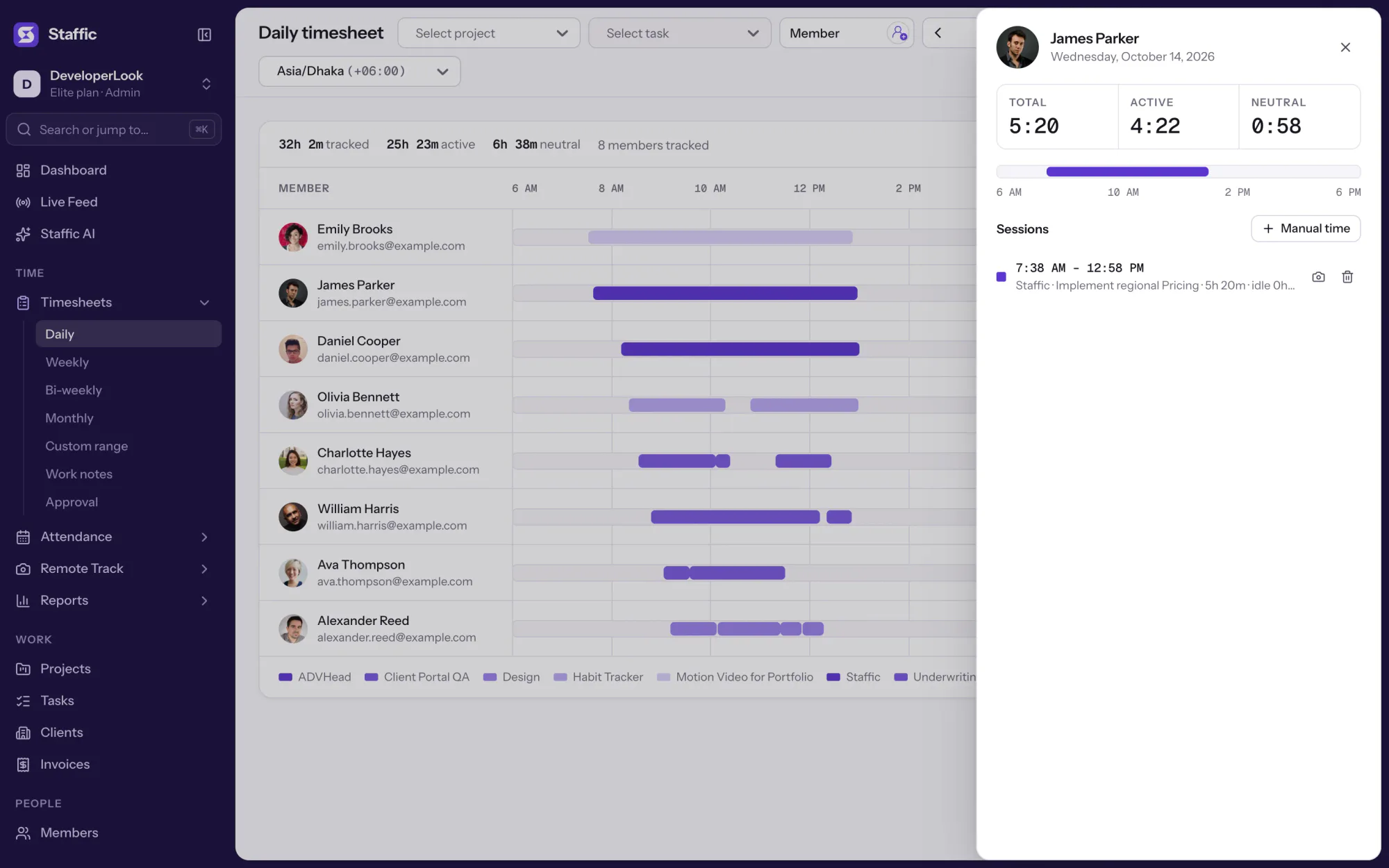

Staffic's daily timesheet shows one member's tracked sessions for a day on a timeline, with project, task, start and end times and the day's total.
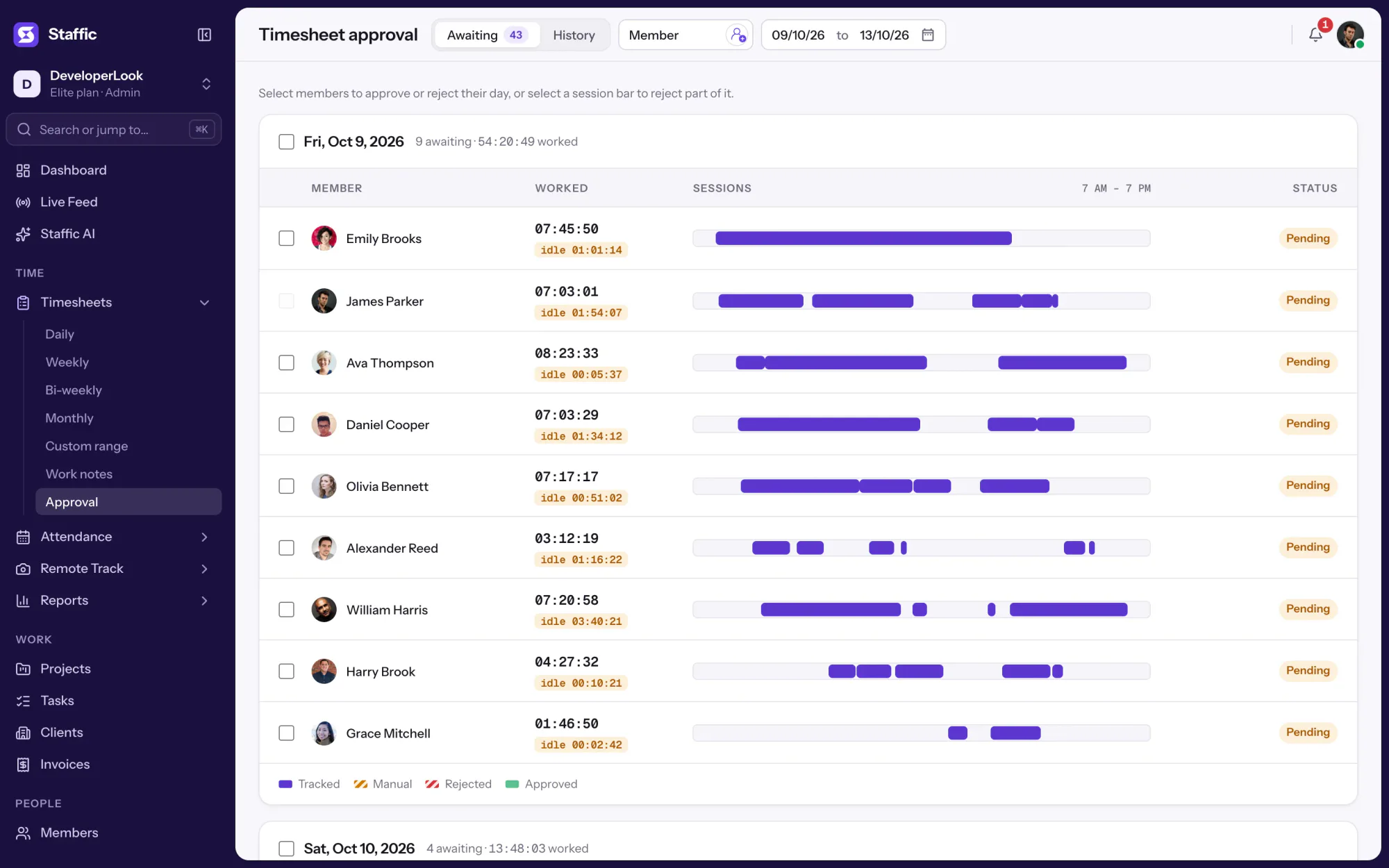

Approve or reject each member's tracked and manual time day by day, so hourly payroll pays only the hours you signed off.
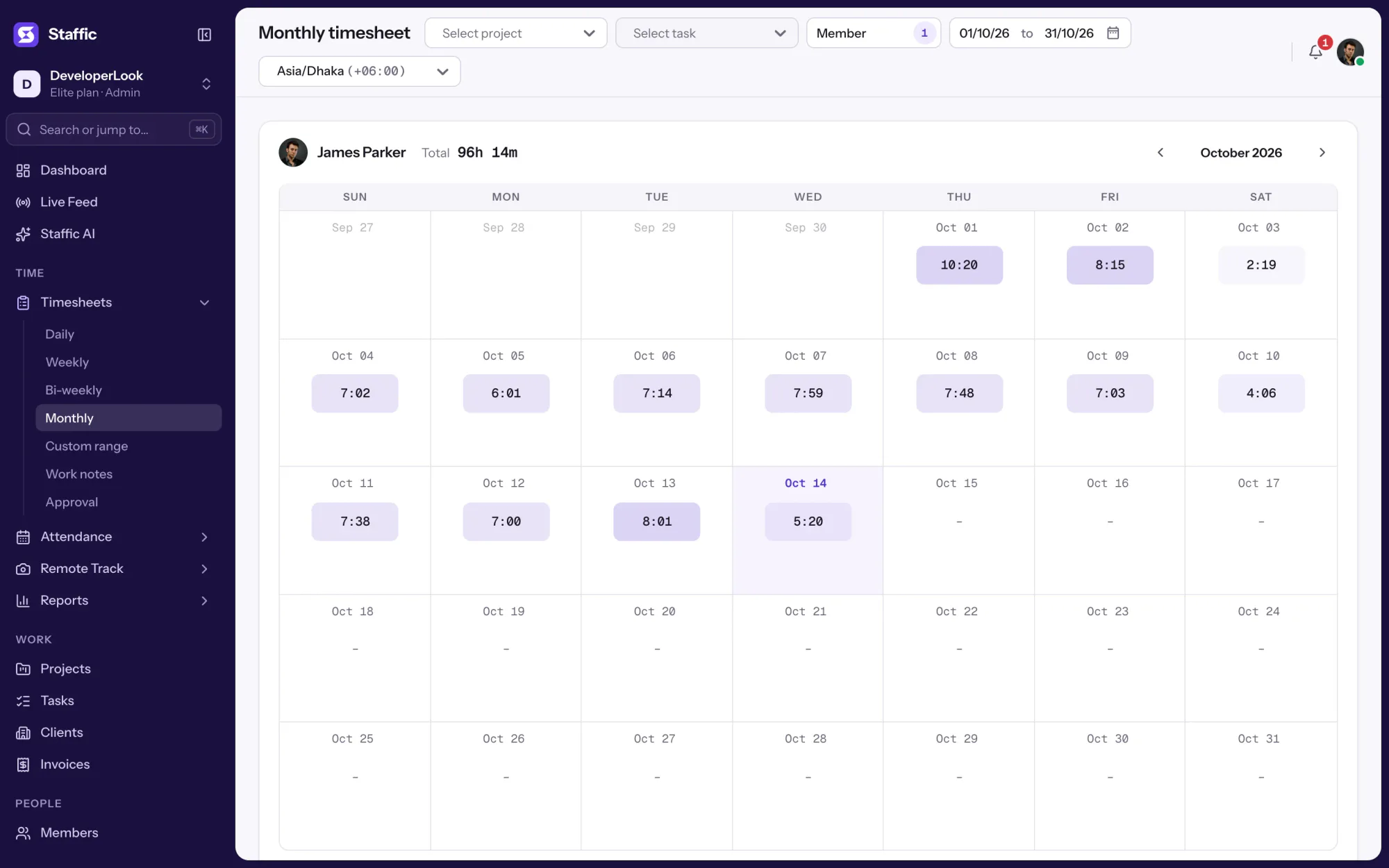

Once a member starts the desktop timer, Staffic records time, keyboard and mouse activity, apps and URLs, and fills their timesheets.
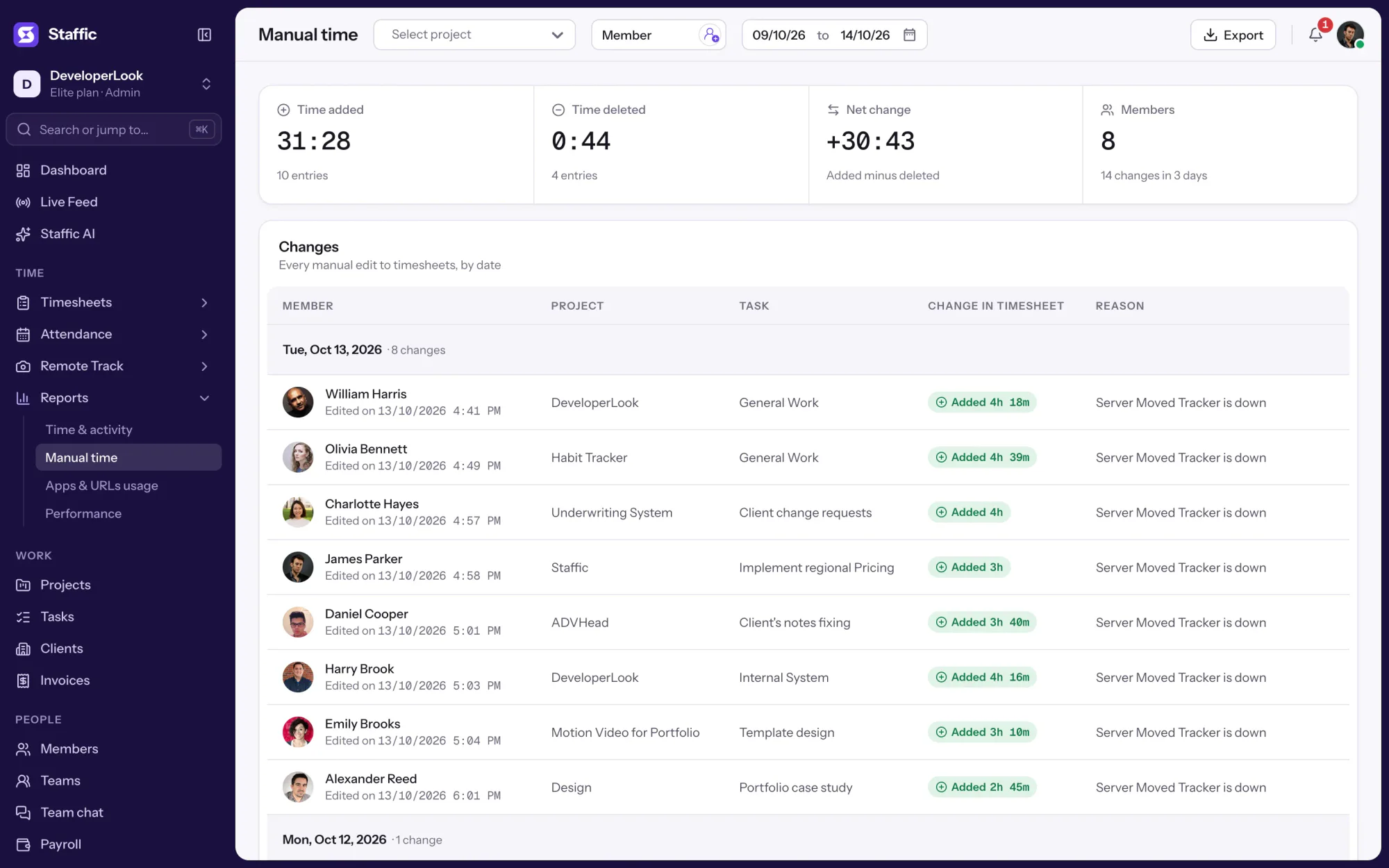

Staffic keeps a record of hours you can pay from: tracked sessions, every manual change with its reason and each approval, plus payroll on Elite.
Free for up to 2 members
Create your workspace, invite your team, and the first timesheet builds itself.