Agencies and studios
Know which clients still owe you
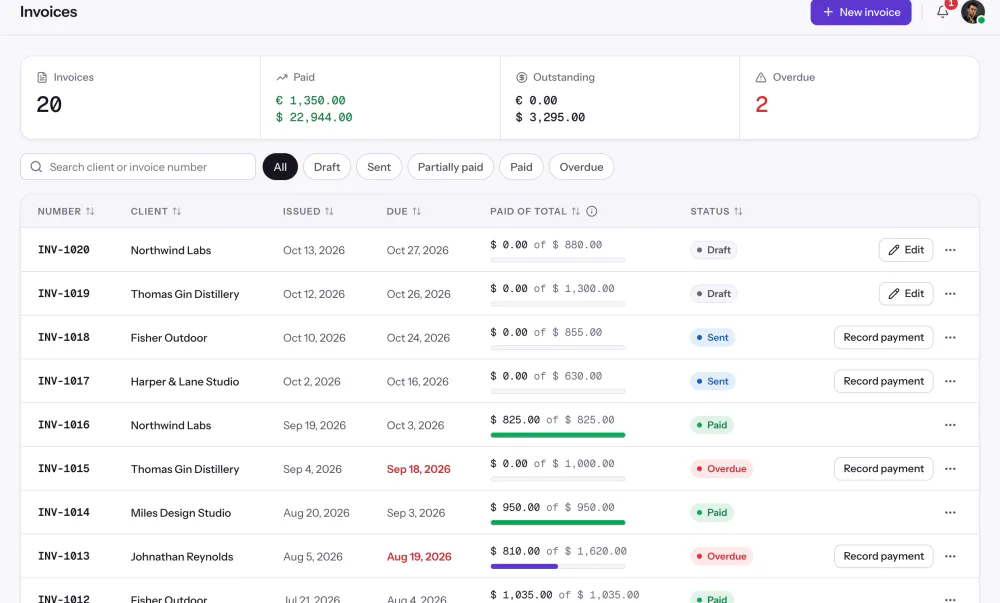
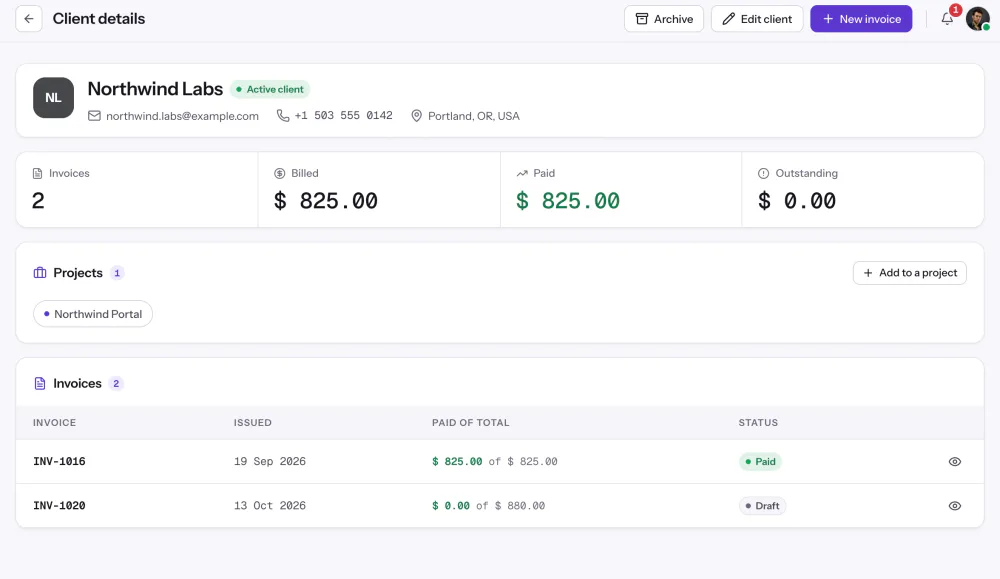
Outstanding and Overdue sit above the list, and each client's page shows what they were billed and what they've paid.

Features
All 38 featuresSee the work while it happens.
 DashboardYour team's week at a glance, Monday to Sunday
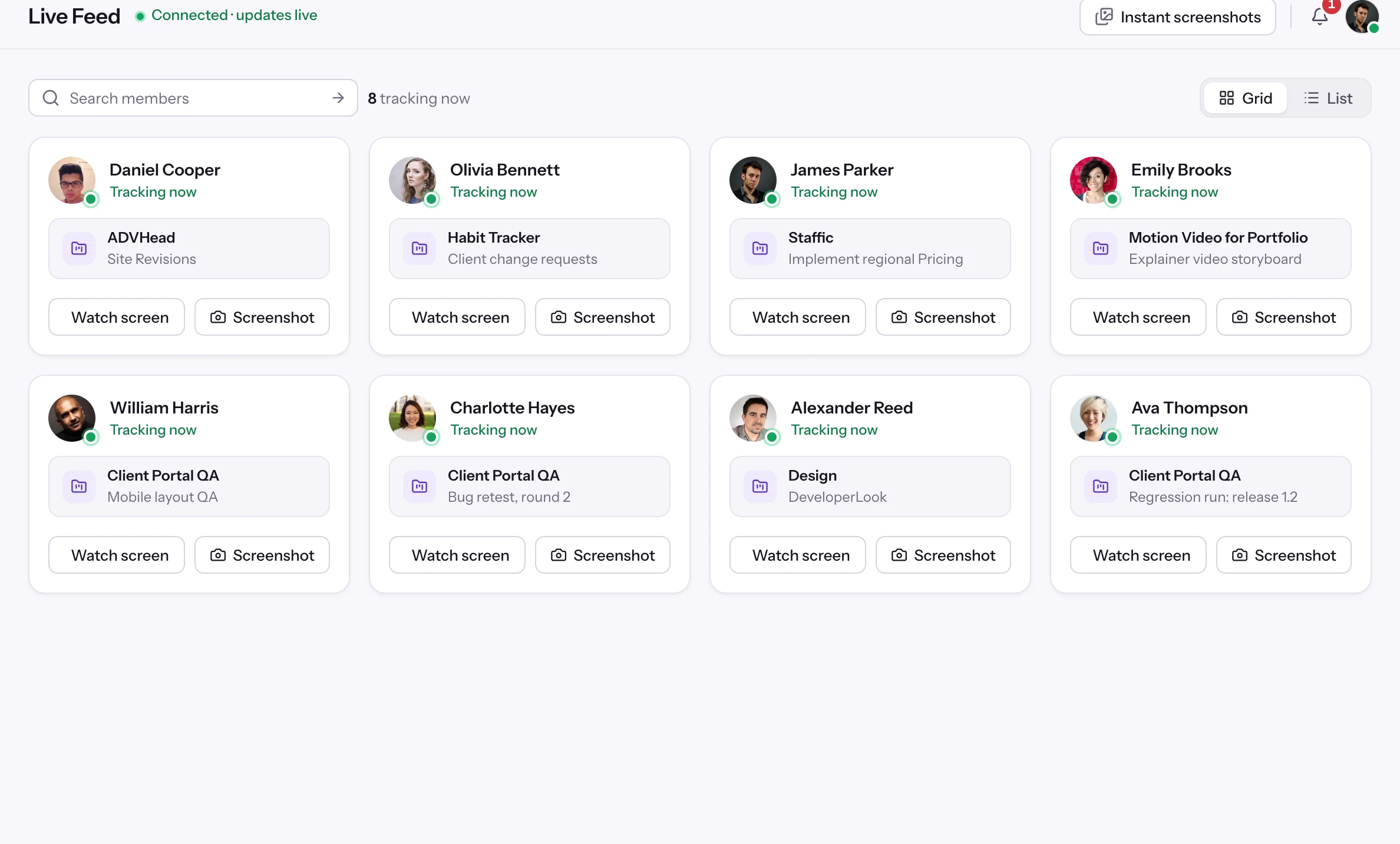
 Live FeedSee who's tracking time right now, and on what
 ScreenshotsVisual proof of work, captured automatically
 AppsWhich apps each tracked session used
 URLsThe websites behind the tracked time
 Screen RecordingsEliteFull session video, beyond a screenshot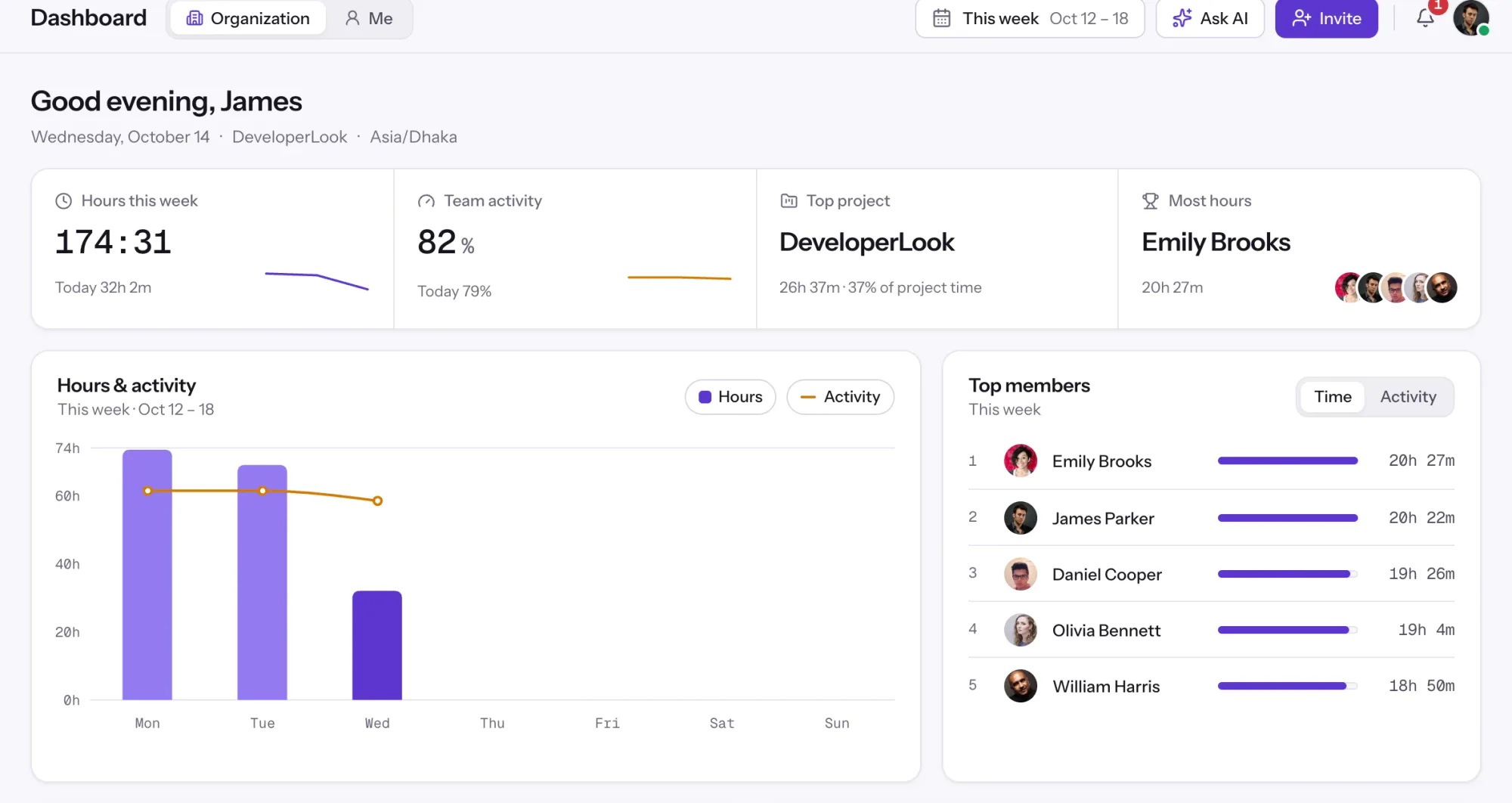
01 / 38
Dashboard
The team dashboard: this week's hours, team activity, top members, ongoing tasks, top projects and the most used apps and websites.
View DashboardSolutions
All 38 featuresHow remote, hybrid and growing teams run Staffic.
Staffic for the way you work, from freelancing to client billing.
 FreelancersFreelance time tracking
 Small businessesTimekeeping software for small business
 Call centersCall center monitoring software
 ConsultantsTime tracking software for consultants
 Companies with contractorsContractor time tracking
 Virtual assistantsTime tracking software for virtual assistants
 AgenciesAgency time tracking software
 Accounting firmsTime tracking software for accountants
 Software teamsTime tracking software for engineers
Staffic set up for your industry's records and reports.
01 / 19
Track remote hours across every time zone.
Staffic records time, activity and optional screenshots on each remote member’s computer, then turns them into timesheets you approve, so you can trust the hours without daily check-ins.
View Remote teamsInvoices
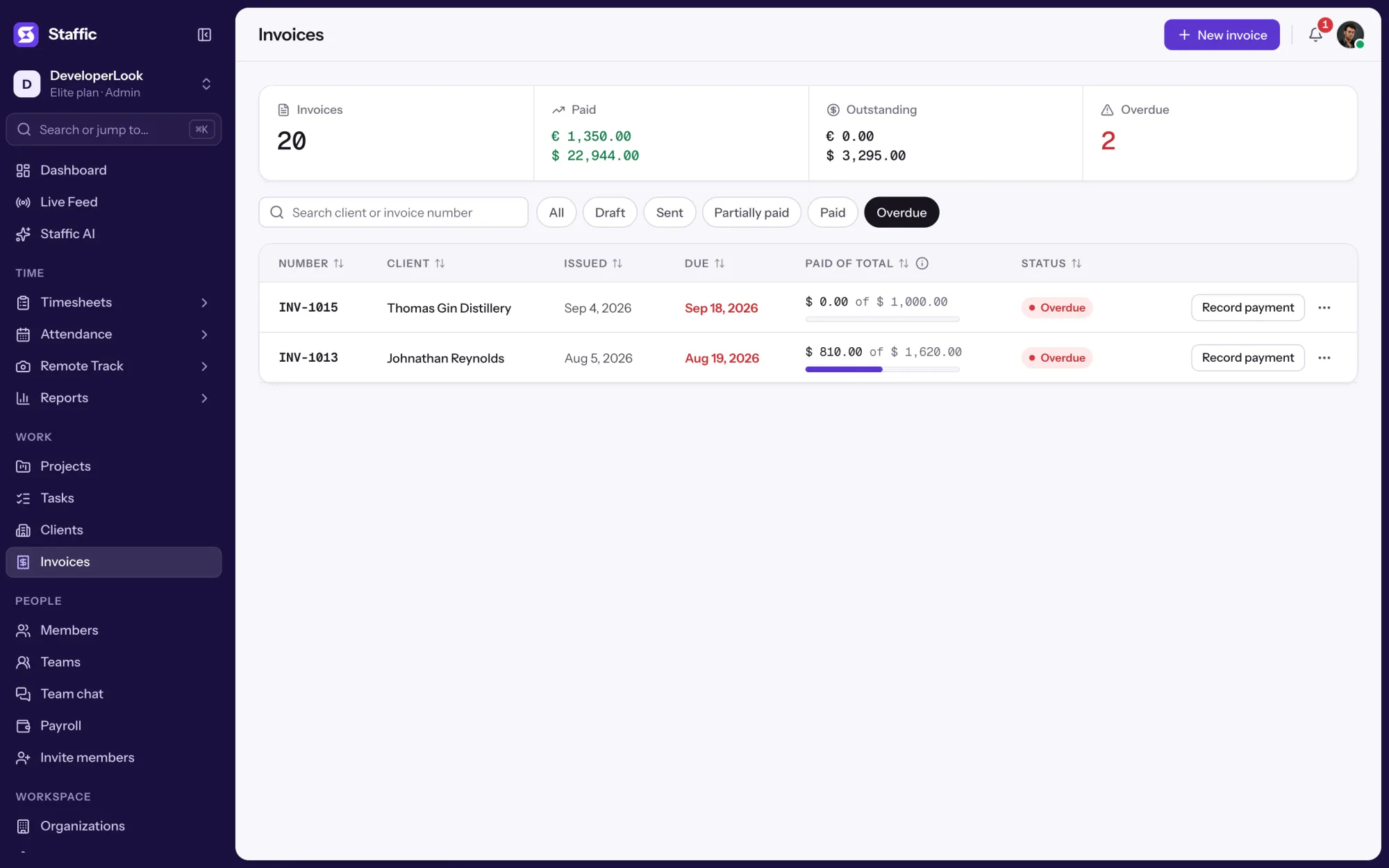
Staffic Invoices keeps every client invoice in one list with its status, amount paid against total and due date. Email an invoice and your client gets a link to view it in any browser, then record payments as they arrive. It's for agencies and service teams that bill clients, on the Elite plan.
1/8Filter by Overdue
In short
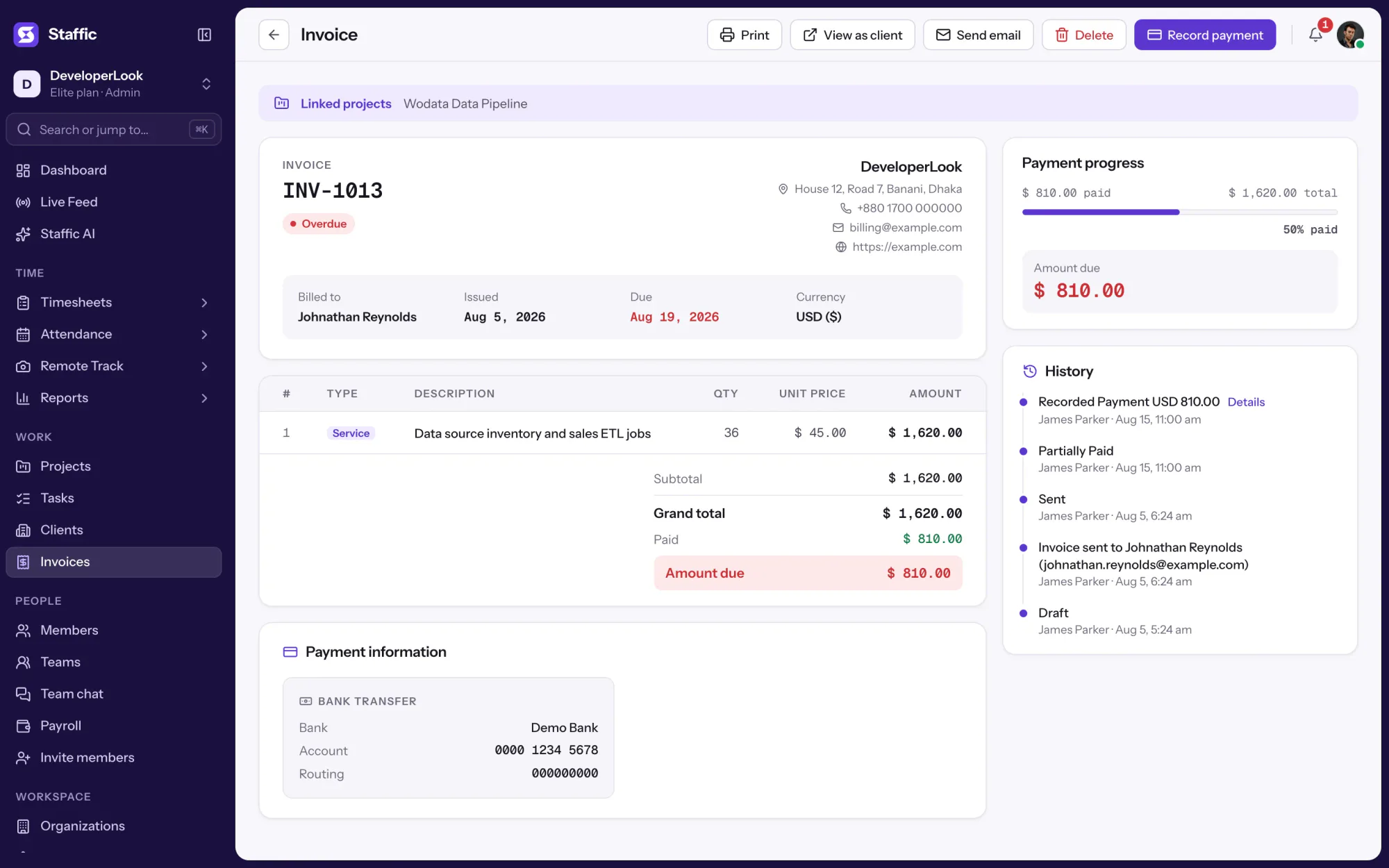
Staffic Invoices is the invoice management tool inside the Staffic time tracker. An invoice moves from Draft to Sent when you email it, then to Partially Paid or Paid as you record payments, and it's flagged Overdue once the due date passes. Summary cards show total paid, outstanding and overdue, and each client gets a link to view their invoice in a browser. It's on the Elite plan.
How it works
An invoice tracking system in four steps, on the same page as your clients and projects.
Invoice management tool
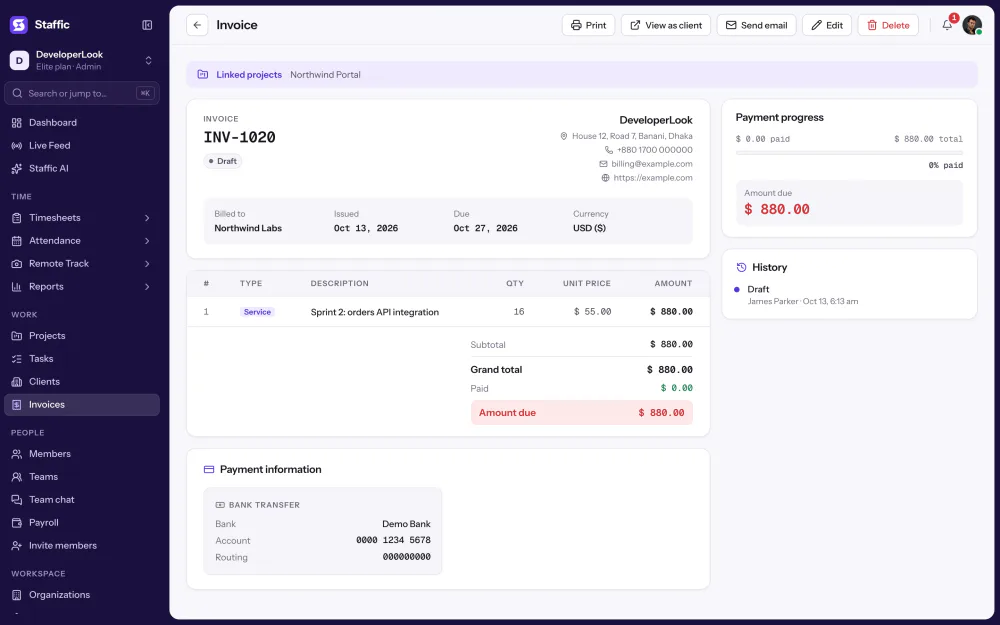
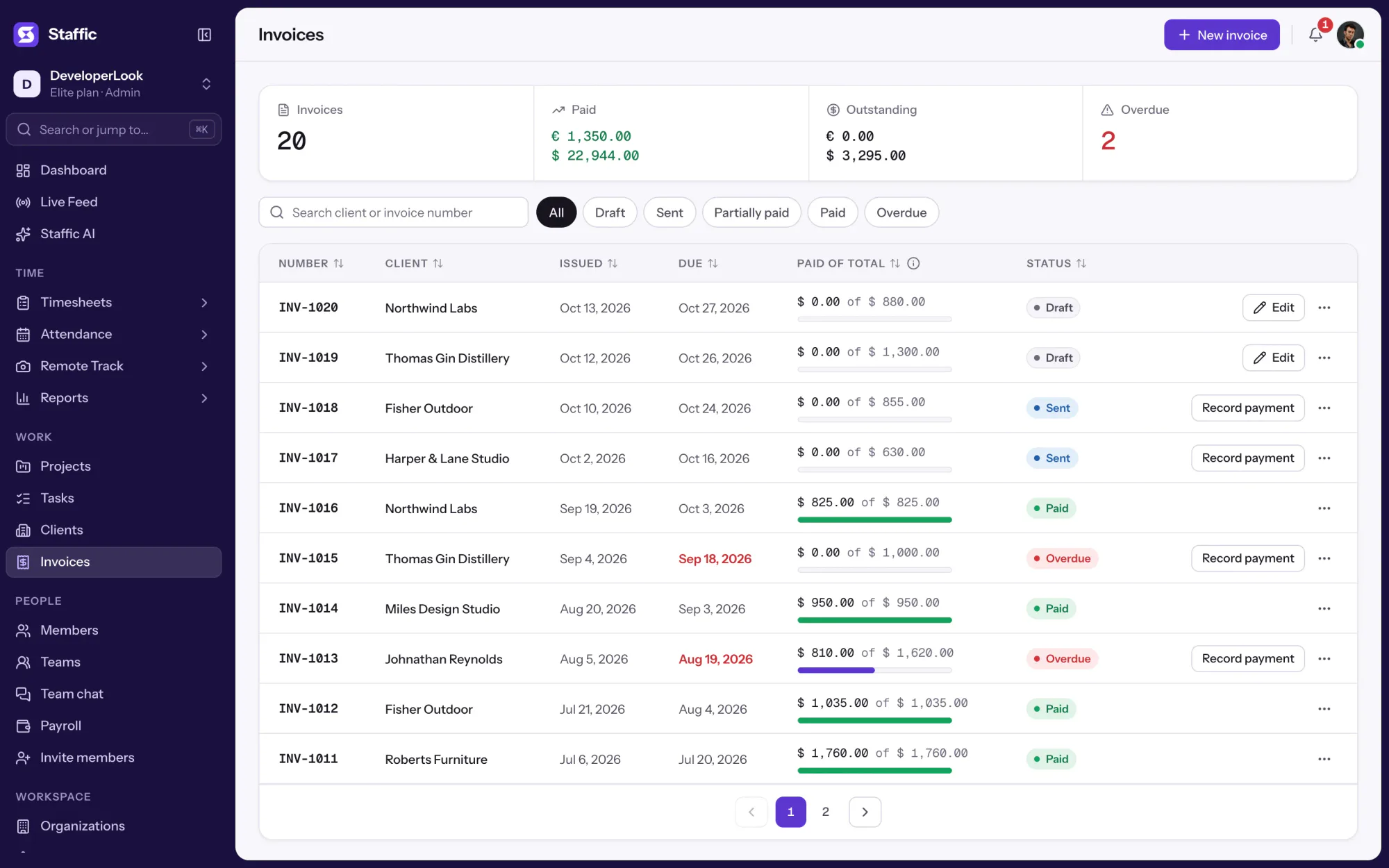
The Invoices page lists every invoice with its client, issued and due dates, amount paid against total and status. Search by client or invoice number, or filter by status.
Four cards sit above the list: Total Invoices, Total Paid, Outstanding and Overdue. They change as you send invoices and record payments.
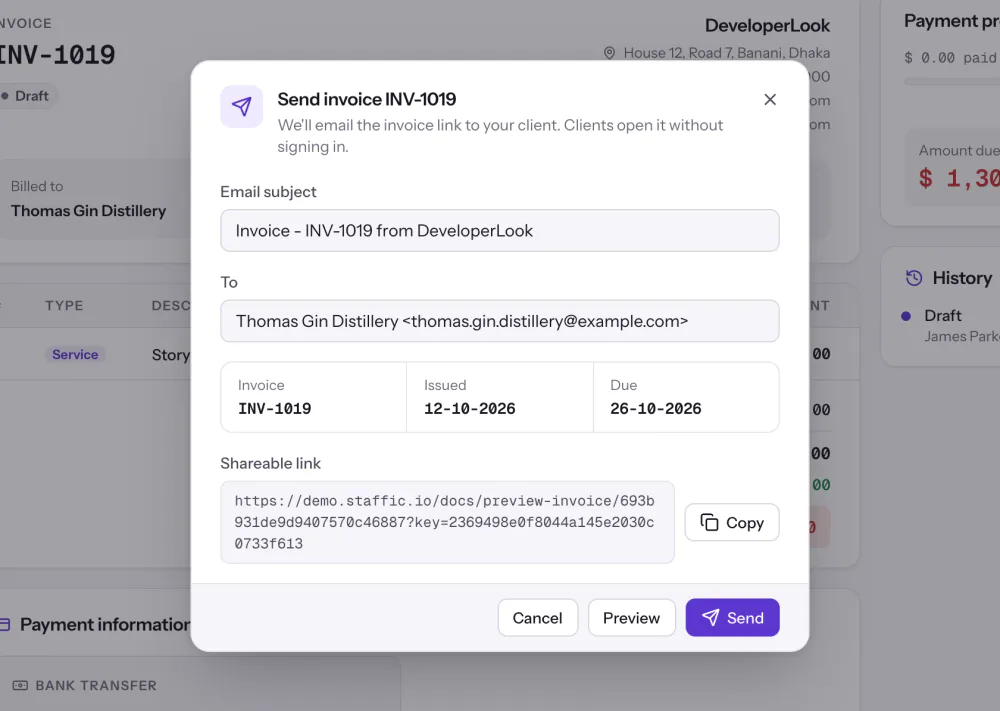
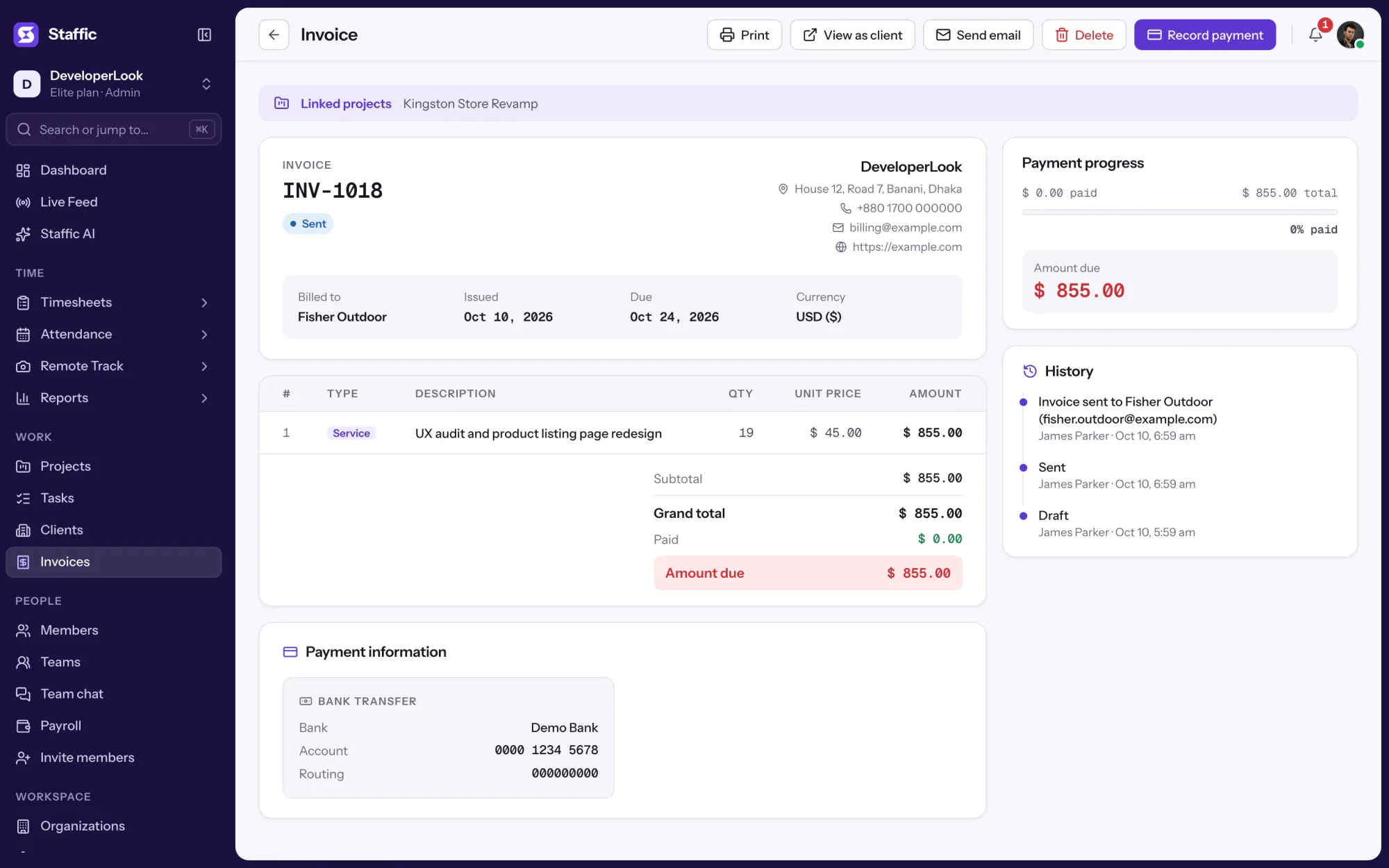
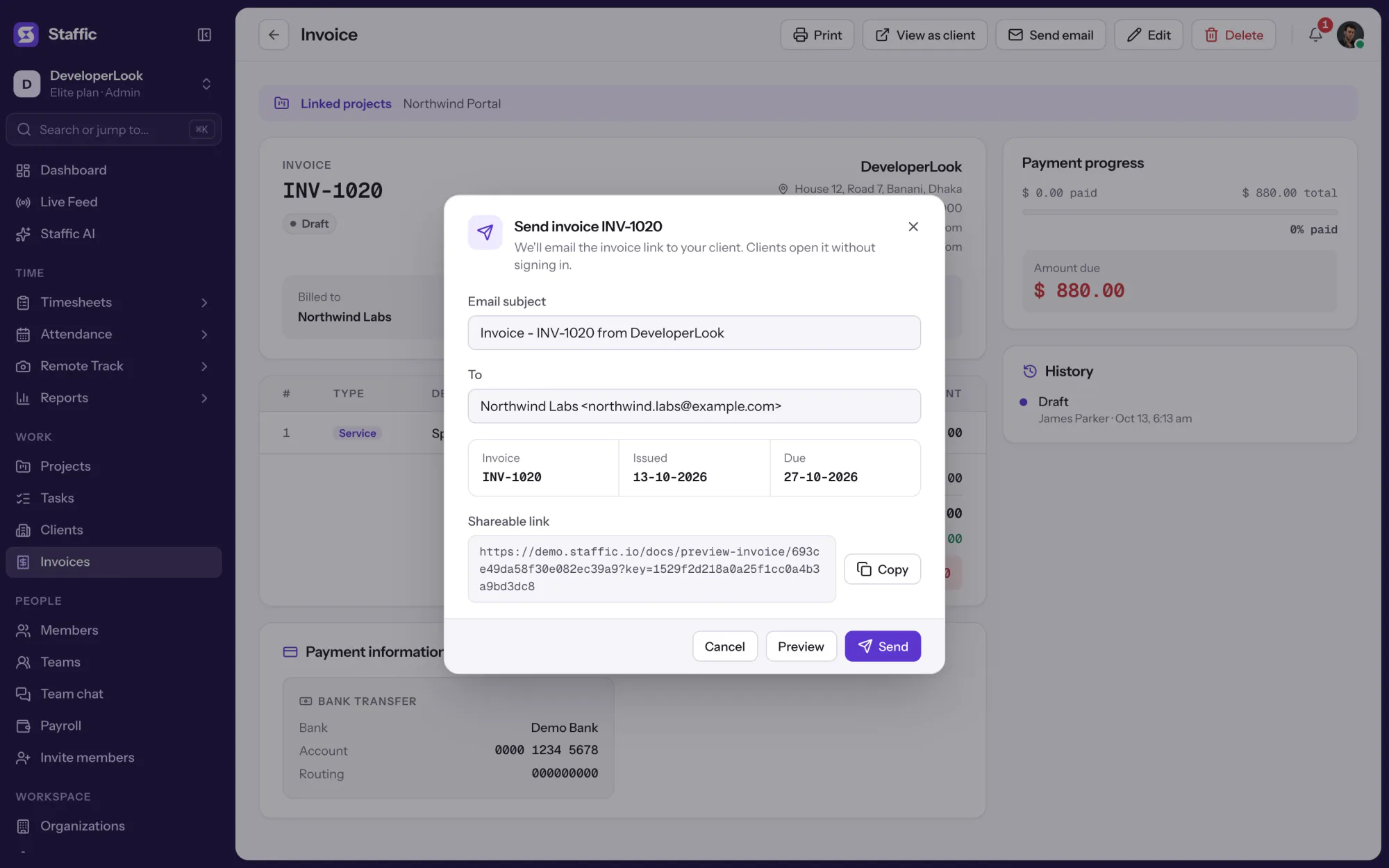
Send an invoice by email from Staffic and its status moves to Sent. The email gives your client a private link to view the invoice in any browser, with the bank details and payment instructions from your Invoice settings. The Send dialog also shows the shareable URL to copy.
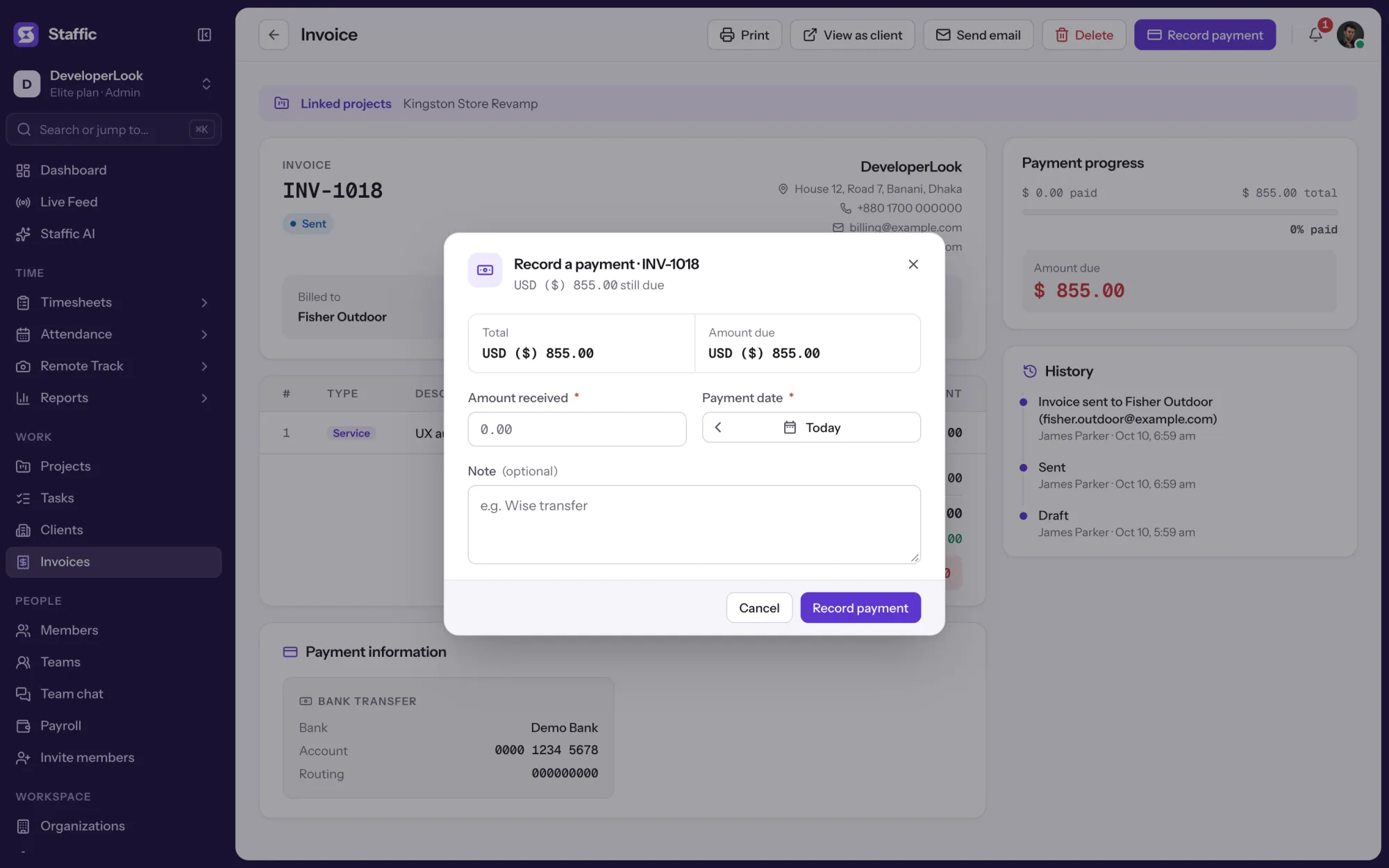
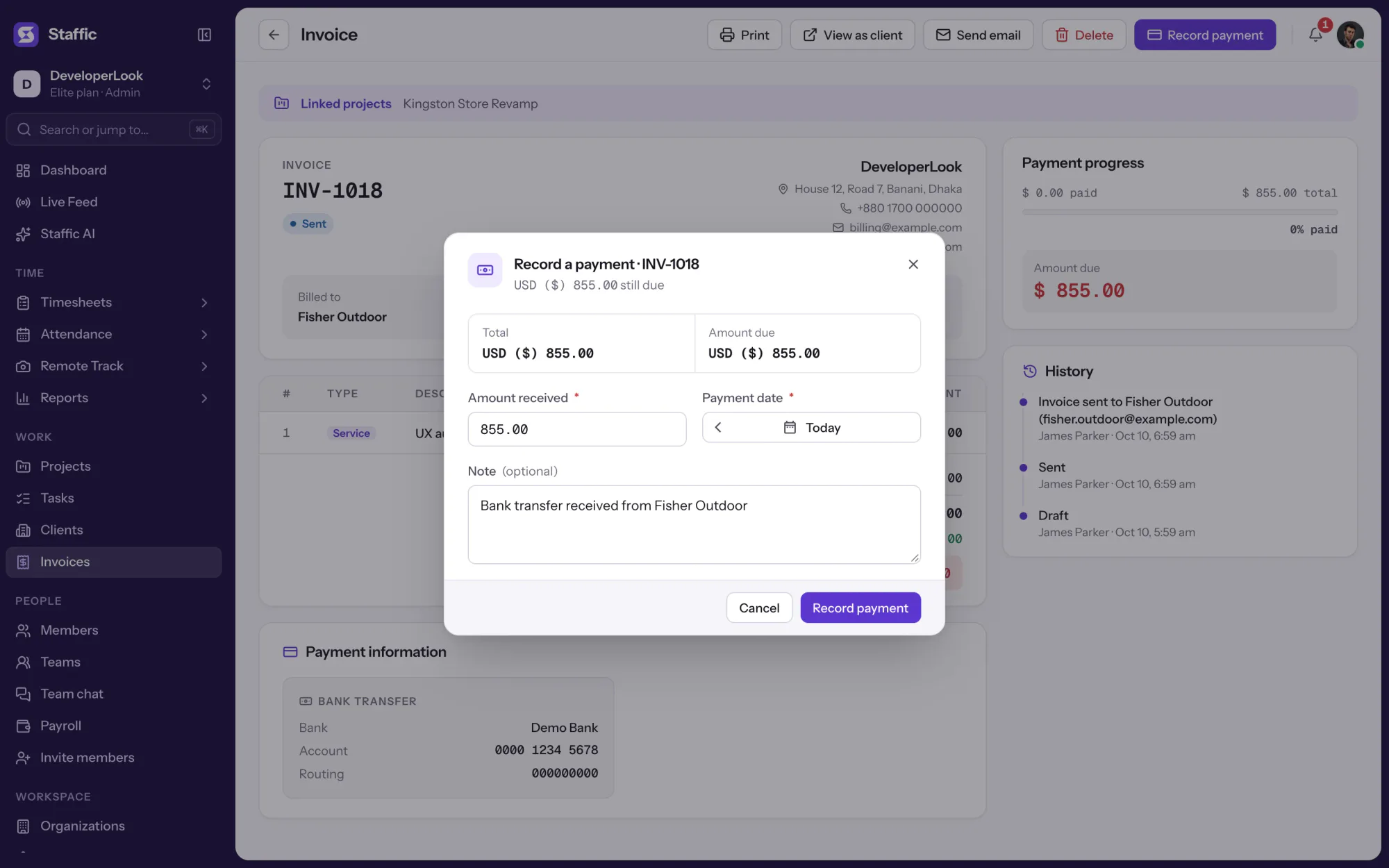
When money arrives, record the amount, date and a note. Staffic adds it to the amount paid, sets the status to Partially Paid or Paid, and logs it in the invoice history next to each status change.
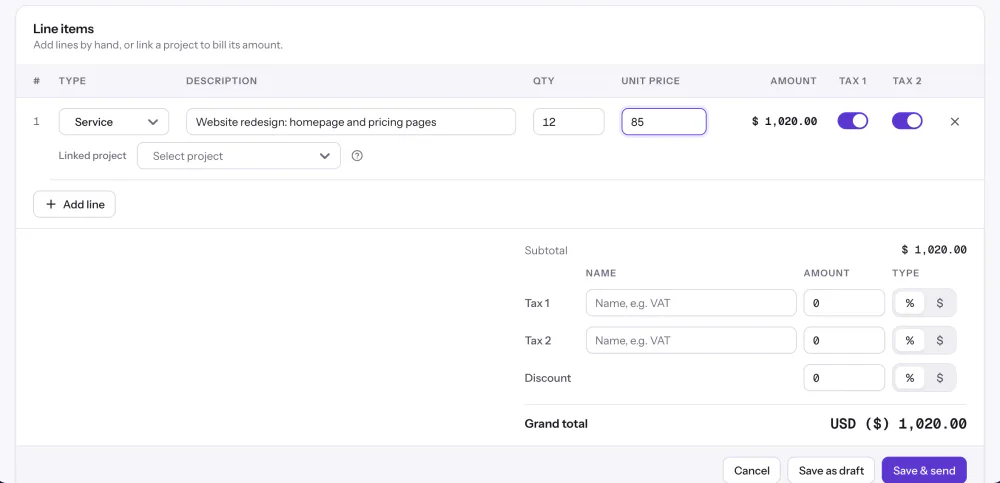
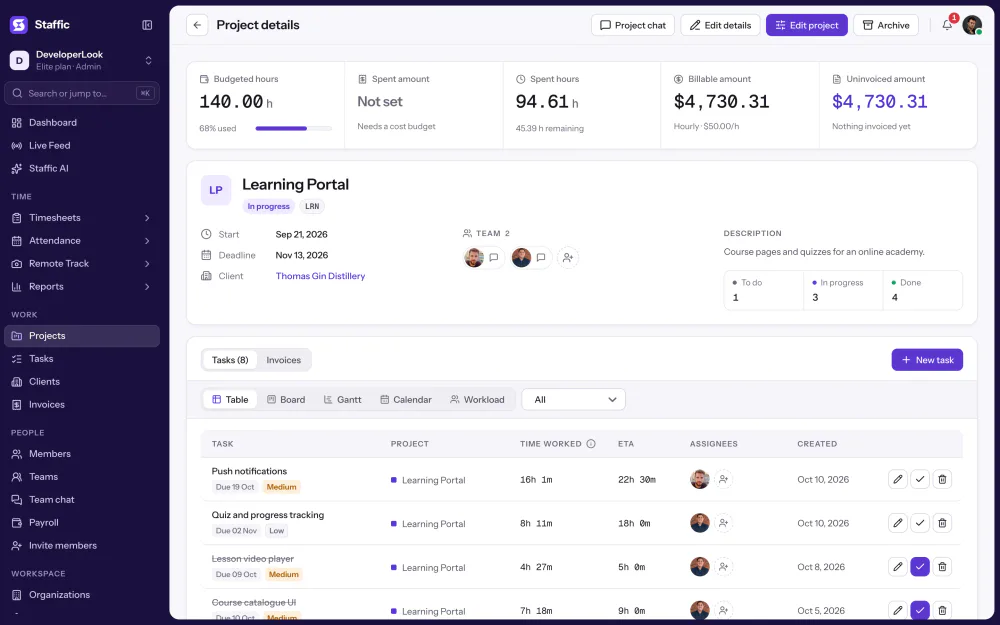
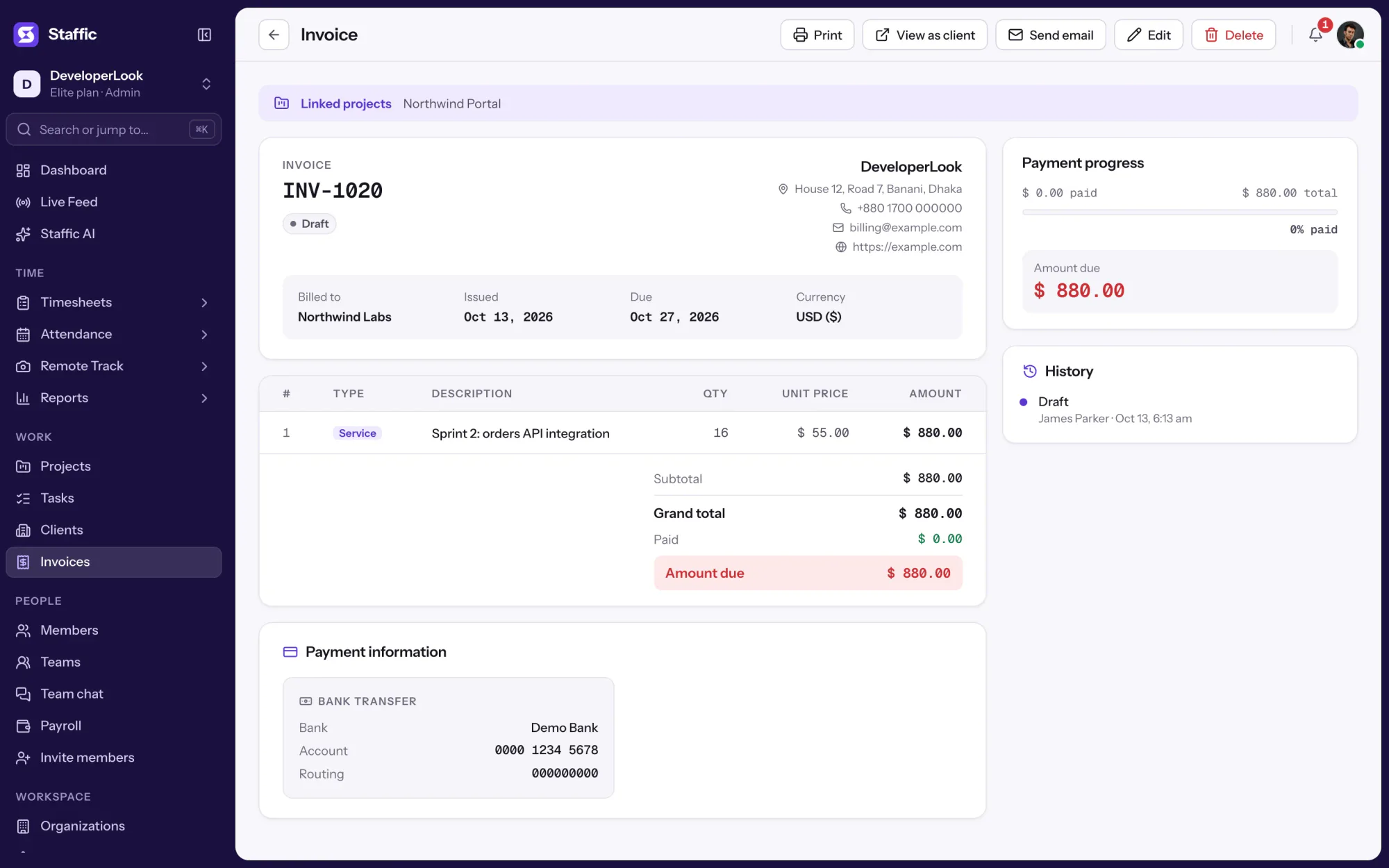
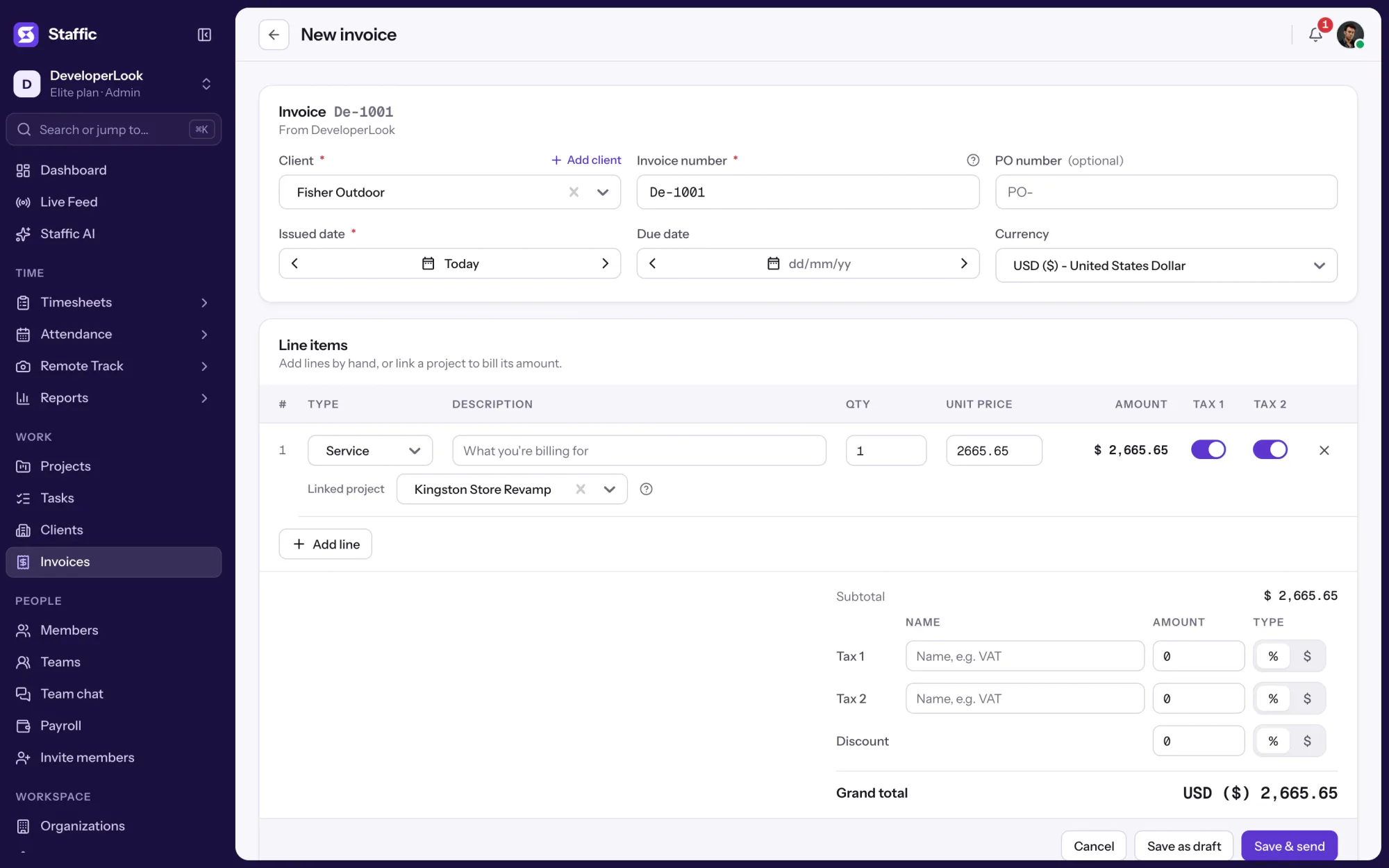
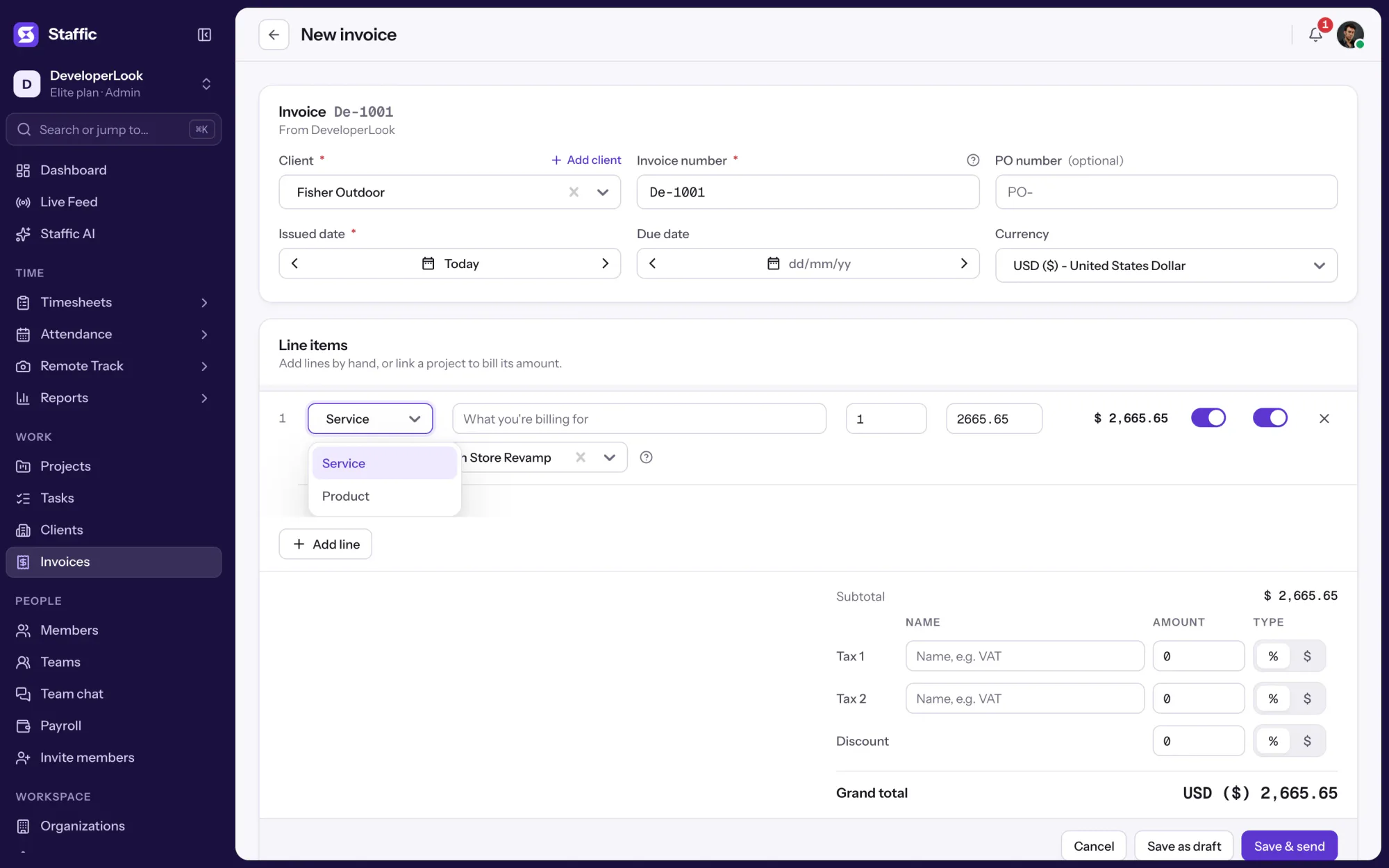
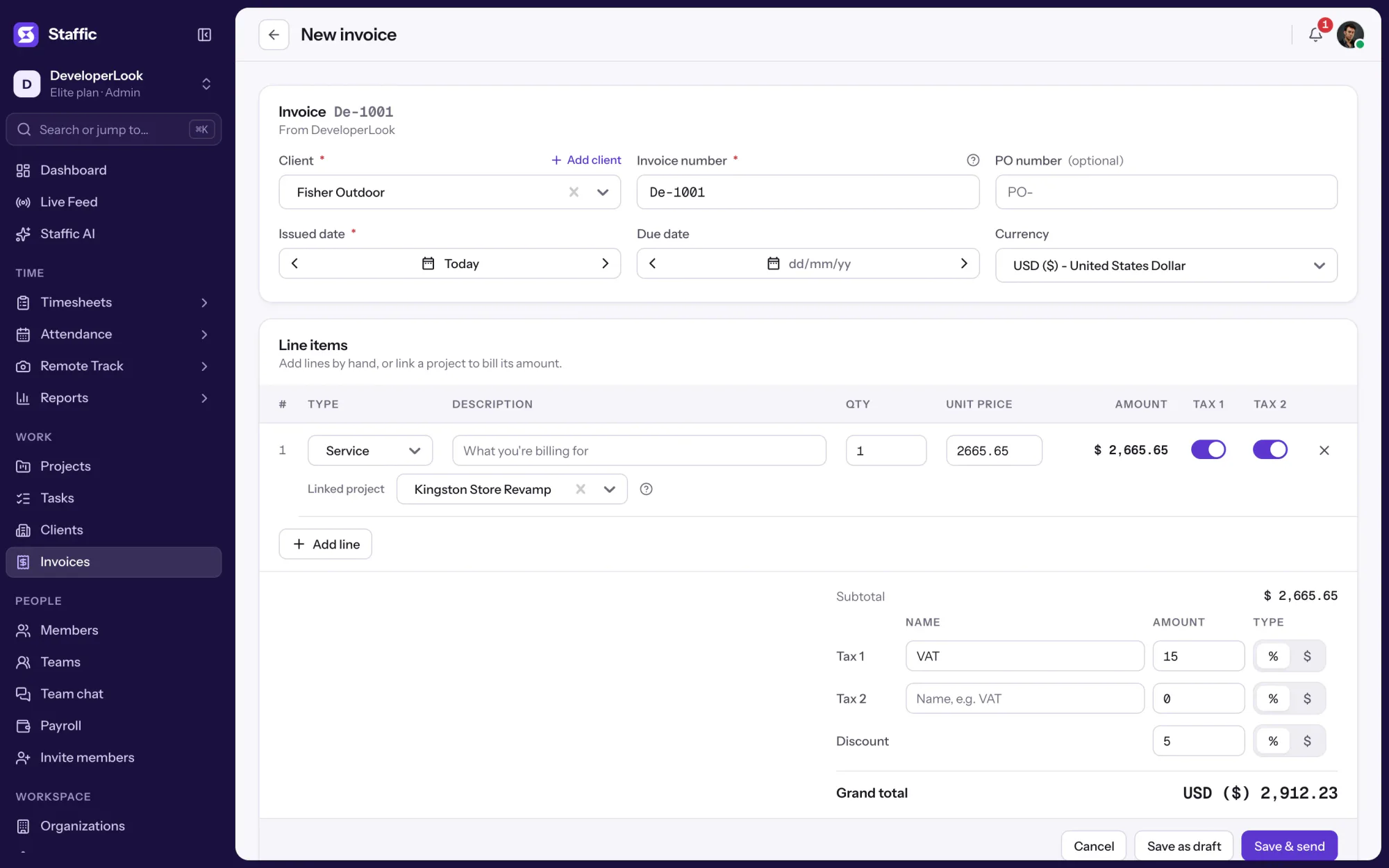
Each invoice holds Service or Product lines, two named taxes and one discount. Link a line to a project and Staffic fills in the part of the project's billable amount that earlier invoices haven't billed yet, from its tracked hours or its fixed fee.
Each client's page lists their previous invoices with paid against total and status, under totals for billed, paid and outstanding. It's the quickest way to see who still owes you before a follow-up.
Showing See what's paid and what's outstanding.
1/3Filter by Overdue
Control and privacy
Invoices is an admin page. A client sees only the invoice behind their own link.
Set it up
Five steps take you from your business details to your first recorded payment on the Elite plan.
Add your address, contact details, VAT number, bank details and payment instructions.
Settings › Invoice settingsChoose the client, check the invoice number, set the dates and currency, then add lines, taxes and a discount.
Invoices › New invoiceSend the invoice to the client's email or copy the shareable URL.
Invoice › Send emailRecord each payment with its date. Outstanding and Overdue update on the summary cards.
Read the Invoices guideInvoices › Record payment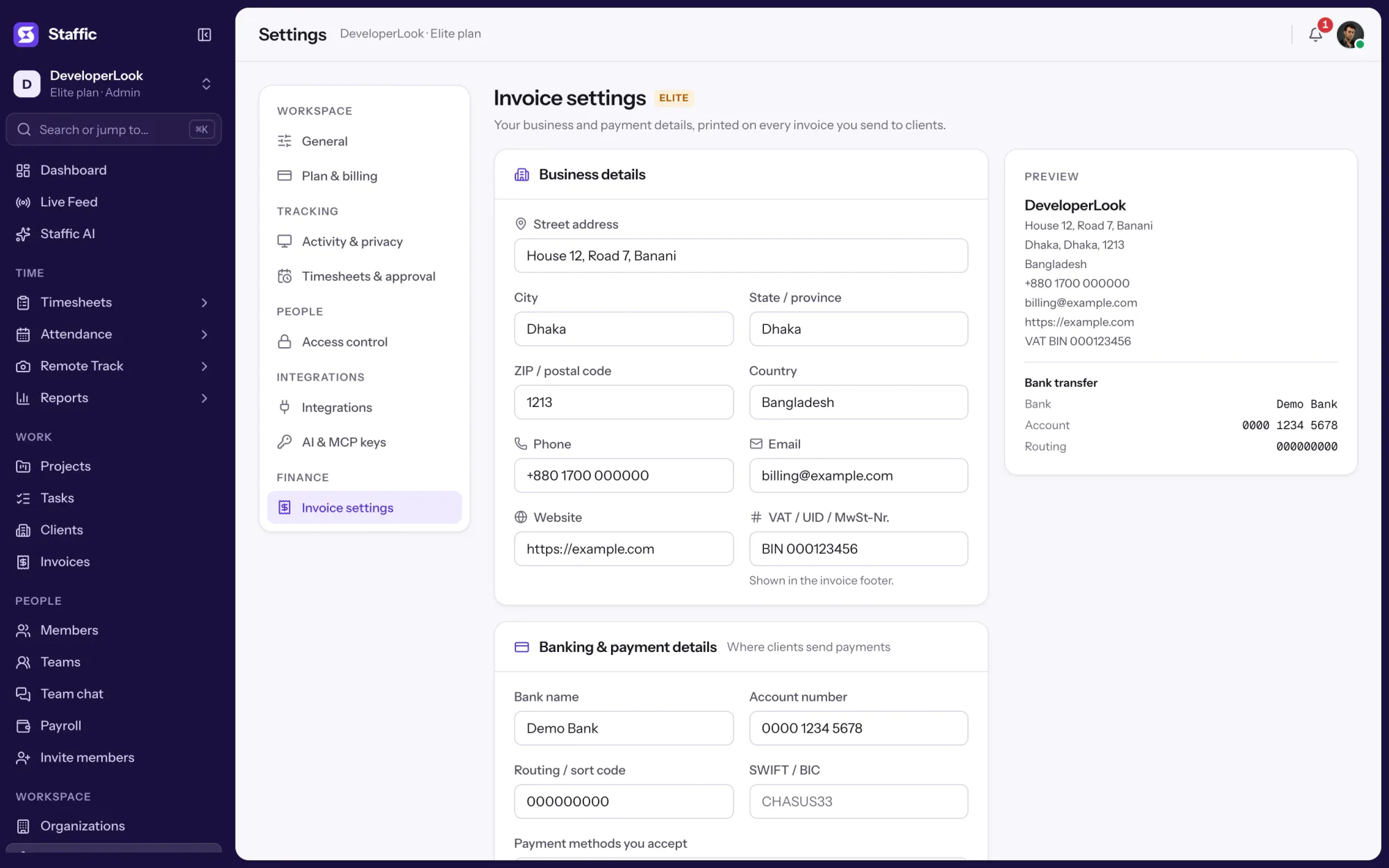
1Settings › Invoice settings
Compare
Money in and money out live side by side in Staffic. Here is what each one tracks.
Swipe the table to compare
| Compare | InvoicesThis page | PayrollWhat you pay your team |
|---|---|---|
| Tracks | What clients owe you | What you owe members |
| Amounts from | Lines you add, or a project's billing amount | Tracked hours times pay rate, salaries, one-time amounts |
| Rates | Project rates and member bill rates | Member pay rates and salaries |
| Recording | Record payment, with a date and note | Mark as paid, with a payment reference |
| Statuses | Draft, Sent, Partially Paid, Paid, Overdue | Pending, then in History once paid |
| Plans | Elite | Elite |
| Link | You are here | Payroll |
Specs and terms
The facts behind the feature, and what each number on the Invoices page means.
Who it’s for
For teams that need invoice control software next to the hours behind each bill.
Outstanding and Overdue sit above the list, and each client's page shows what they were billed and what they've paid.
Link an invoice line to a project and Staffic fills in what's still unbilled: tracked time at the project's hourly rate, or its fixed fee, minus earlier invoices.
Clients open the invoice from a link in their email, which also carries your bank details and payment instructions.
Customer stories
Stop juggling tools. Staffic gives your team time tracking, projects, payroll and performance analytics in one platform.
Try Staffic for free“Staffic.io brings transparency without micromanagement. Our team feels trusted, and productivity has never been higher.”
Pricing
Invoices is part of the Elite plan, with a 7-day free trial. You pay per active user.
Compare every planFor freelancers and small teams, up to 2 members
No card needed.
Without InvoicesThe core features, for teams of up to 2 members.
Everything in Free, without the 2 member limit
Offer price until October 30, 2026, then $7.50
Card at checkout. Cancel within 7 days and pay nothing.
Without InvoicesEverything in Free without the 2 member limit.
For organizations running payroll, billing and approvals
Offer price until October 30, 2026, then $10
Card at checkout. Cancel within 7 days and pay nothing.
Includes InvoicesEverything in Standard, plus Screen Recordings, Clients and Payroll.
Prices in USD per active user. Billed monthly, Standard is $9.50 and Elite is $13 per user.
Invoice management software, or invoicing software, keeps track of the invoices you send: who owes what, which are paid and which are late. As an invoice management tool, Staffic gives every invoice a status, an amount paid against its total and a due date, and its summary cards show total paid, outstanding and overdue.
Each invoice has two taxes, Tax 1 and Tax 2, which you name and set as a percent or a fixed amount, plus one discount. Tick which taxes apply to each line. The discount comes off the subtotal first, and percent taxes are charged on the discounted amount.
Sent, paid and overdue, yes. An invoice starts as Draft, becomes Sent when you email it, and moves to Partially Paid or Paid as you record payments; it's flagged Overdue when the due date passes while money is still owed. There's no Cancelled status, but you can delete an invoice raised by mistake.
Yes, through projects. Link an invoice line to a project with hourly billing and Staffic fills in its billable amount: the project's tracked hours times its hourly rate, or each member's hours times their bill rate. Amounts already on earlier invoice lines for that project, drafts included, are subtracted, so each invoice picks up only what hasn't been billed.
Yes. You pick the currency for each invoice, so one client can be billed in euros and another in US dollars. Every amount on that invoice, including taxes and the grand total, shows in its currency.
Both. Sending an invoice emails your client a link to view it in a browser, and the Send dialog shows the shareable URL so you can copy it. You can also download any invoice as a PDF from the list.
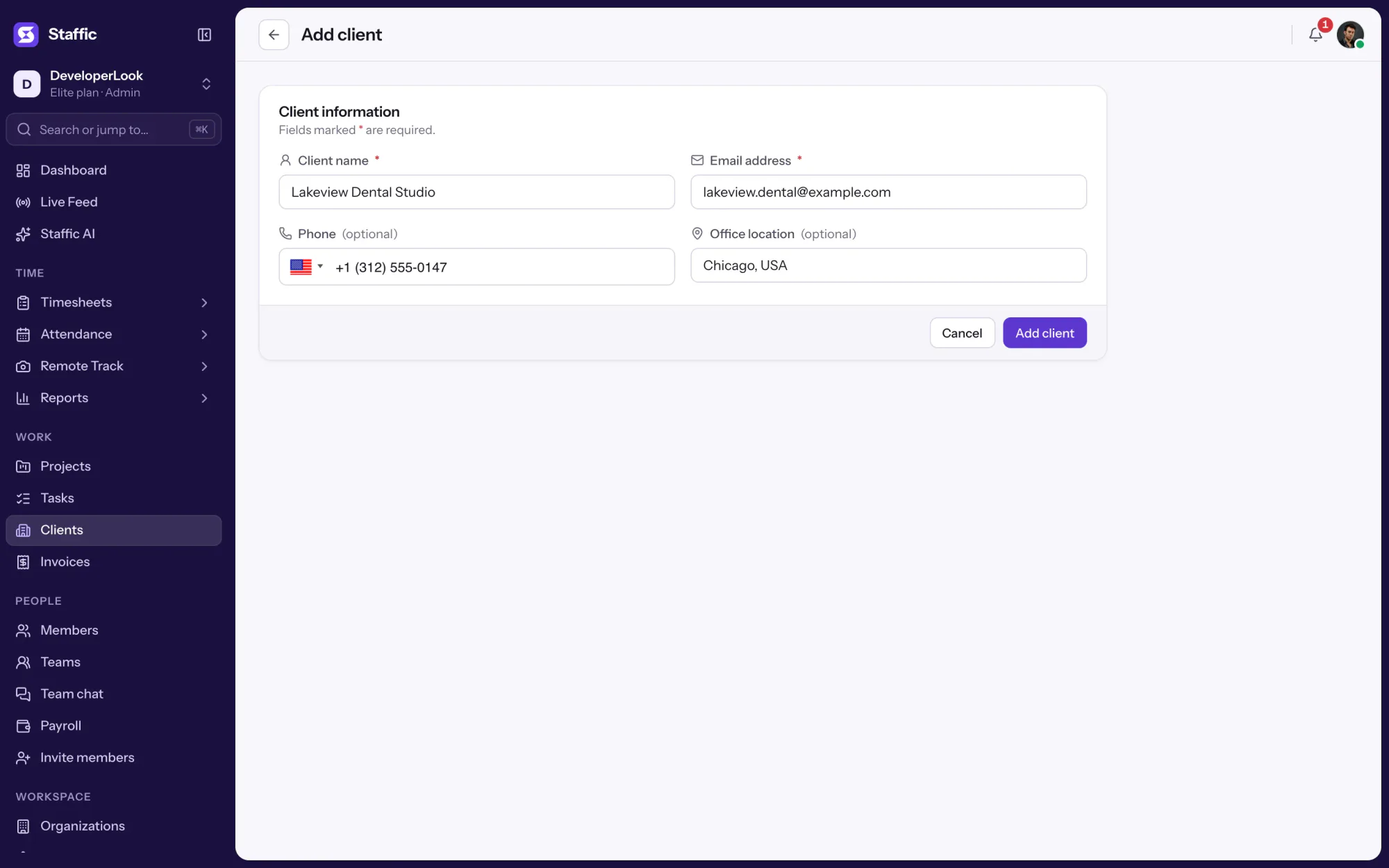
Save each client once under Clients with a name and email, plus phone and office location if you like; invoices pick them from a list. Your own business details, bank account and payment instructions live in Invoice settings, so the invoice management application uses the same details every time.
It depends on where your billable work is recorded. If your team already tracks time in Staffic, its invoices sit next to the clients, projects and hours they bill for, which saves copying numbers between invoice management tools. If you need accounting ledgers or tax filing, pair Staffic with your accounting software.
The Elite plan includes Invoices: $10.00 per user per month billed yearly ($4.80 during the current offer, until October 30, 2026) or $13.00 billed monthly, with a 7-day free trial.
Explore more
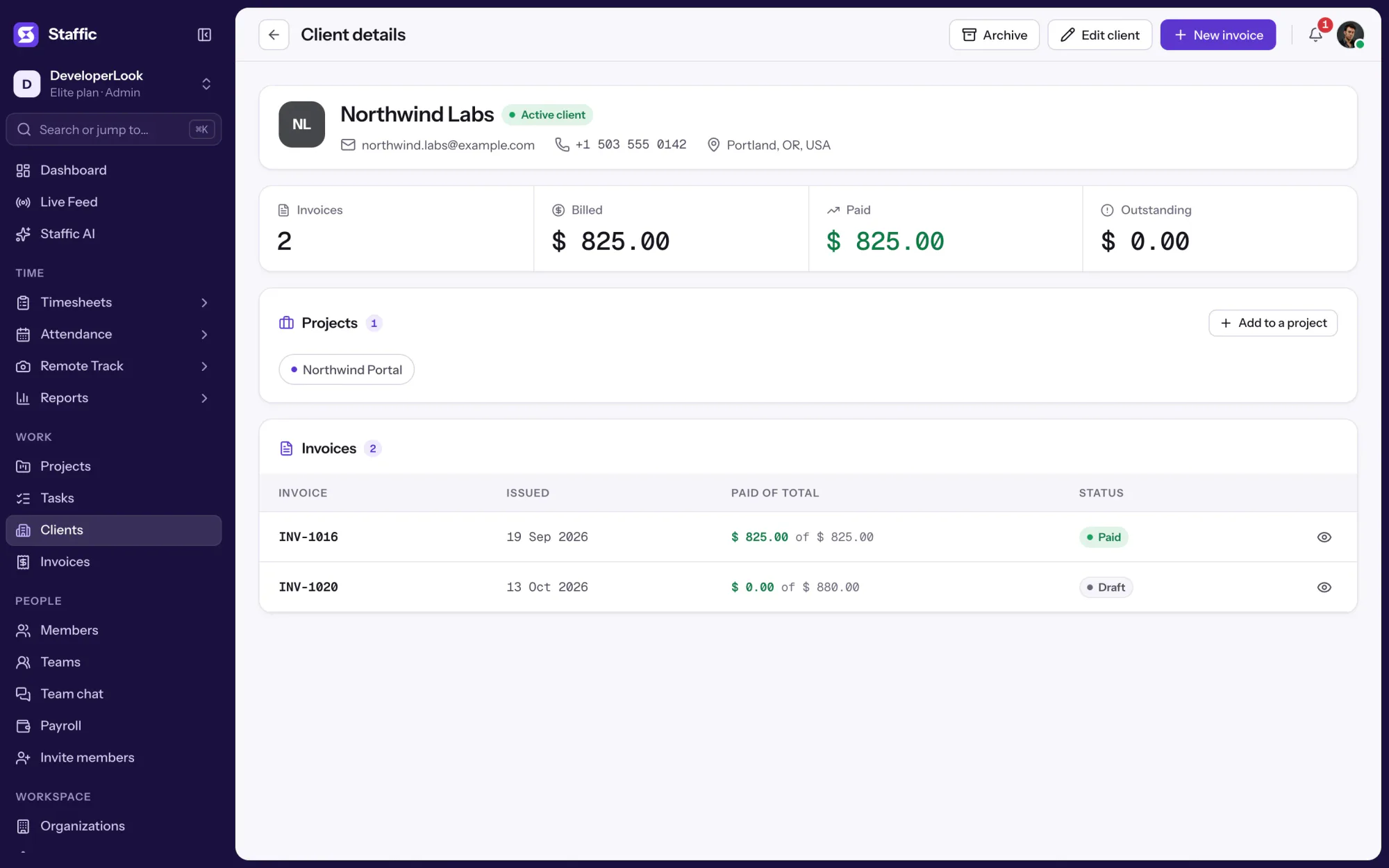

Clients holds each client's profile, projects and invoices, so hours on billed projects become billable time you can invoice.
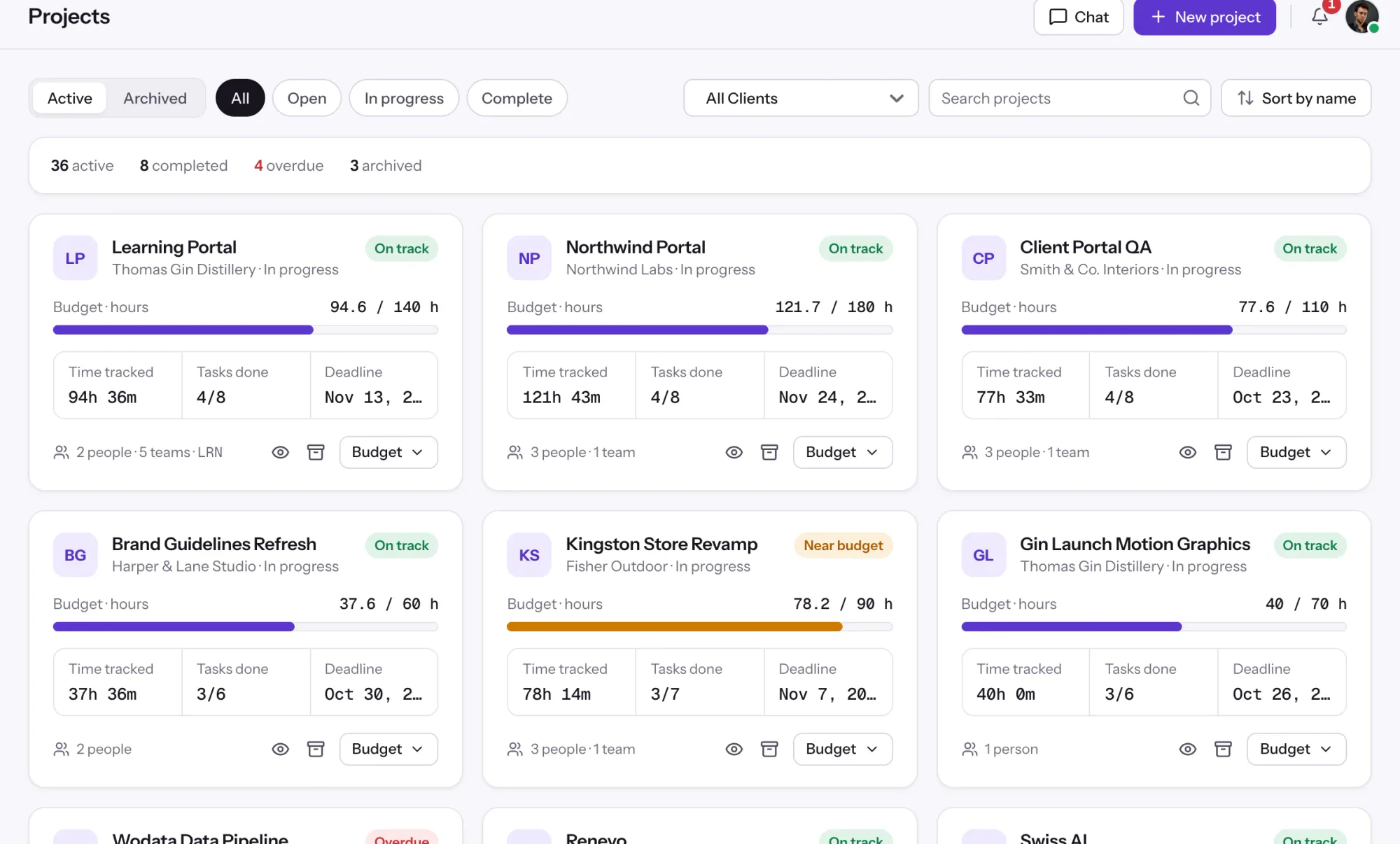

Projects tracks time per project, task and member, with status and task progress, plus budgets and billing on every plan.
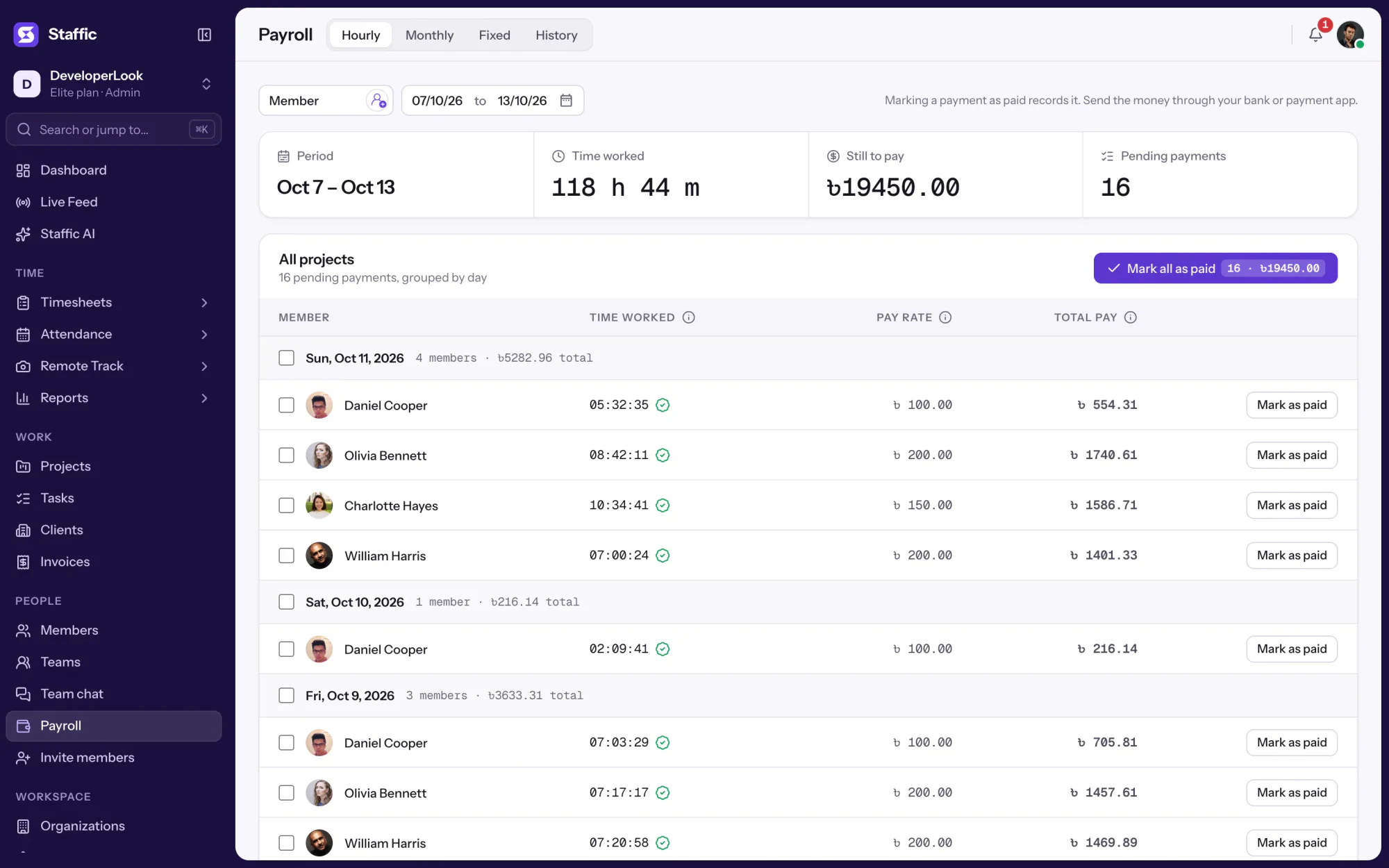

Payroll works out hourly pay from tracked time, lists monthly salaries, records one-time payments and keeps a payment history.
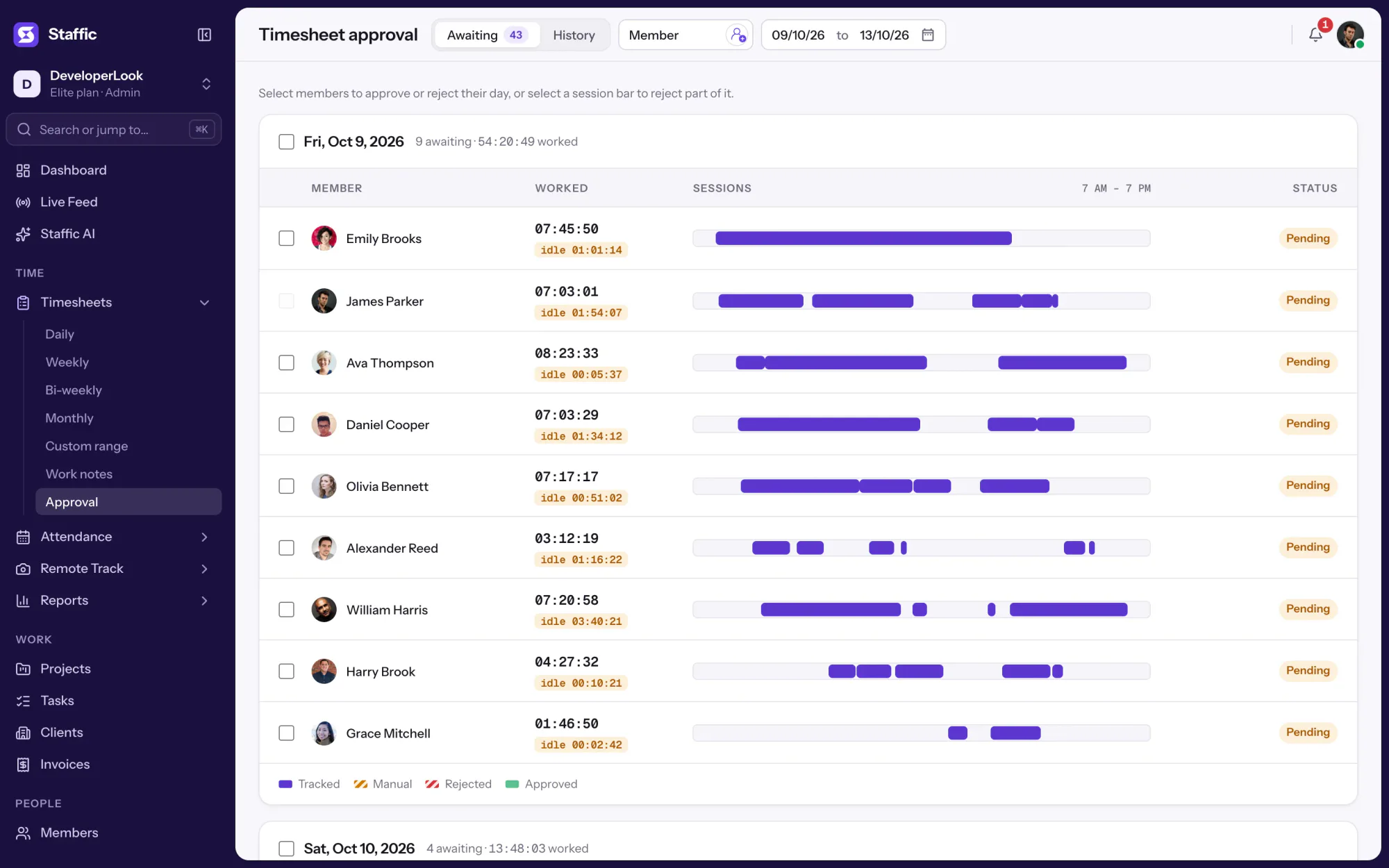

Approve or reject each member's tracked and manual time day by day, so hourly payroll pays only the hours you signed off.
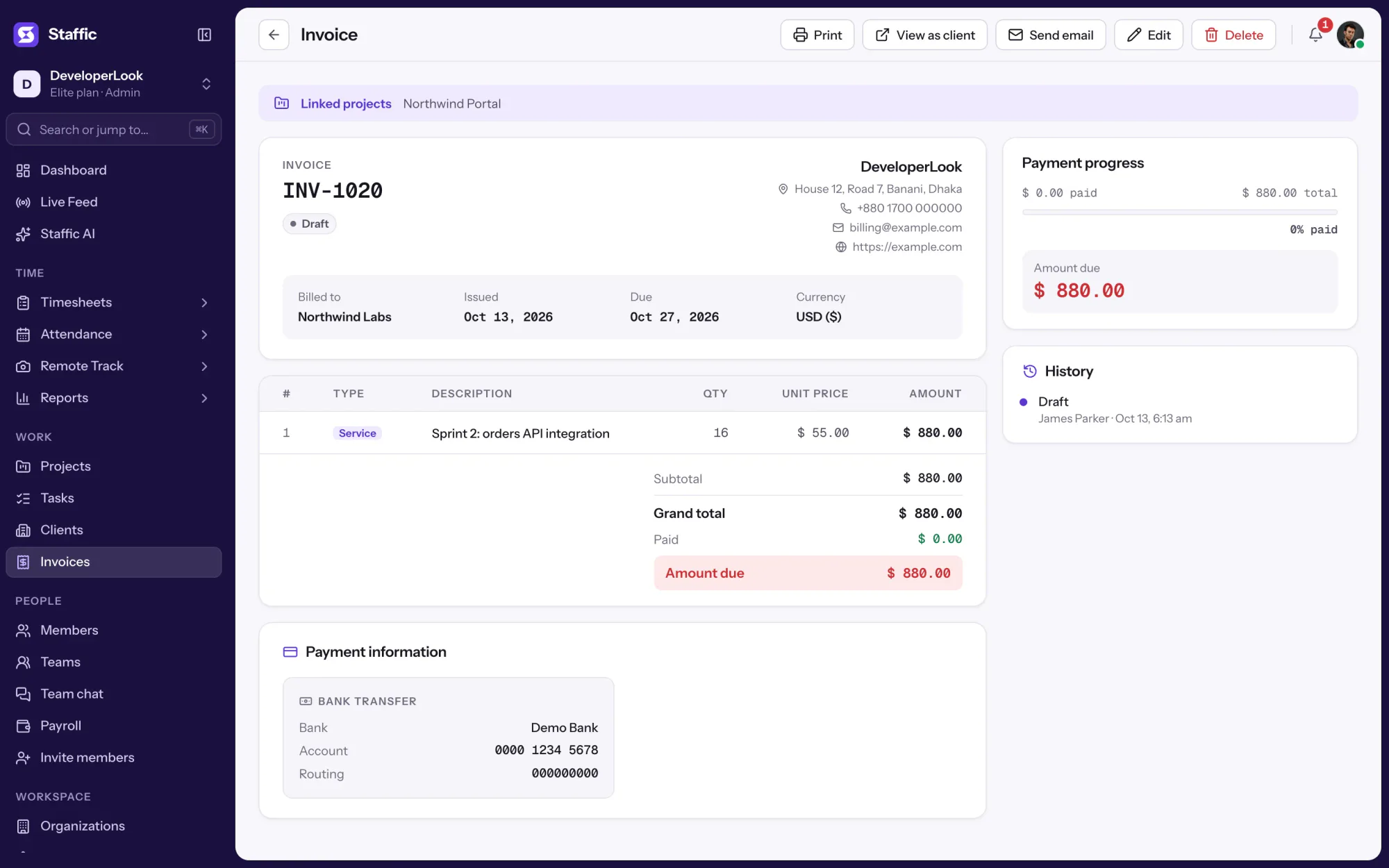

Staffic's invoice maker builds a client invoice from tracked hours or a fixed fee, with taxes, a discount and a private link to send.
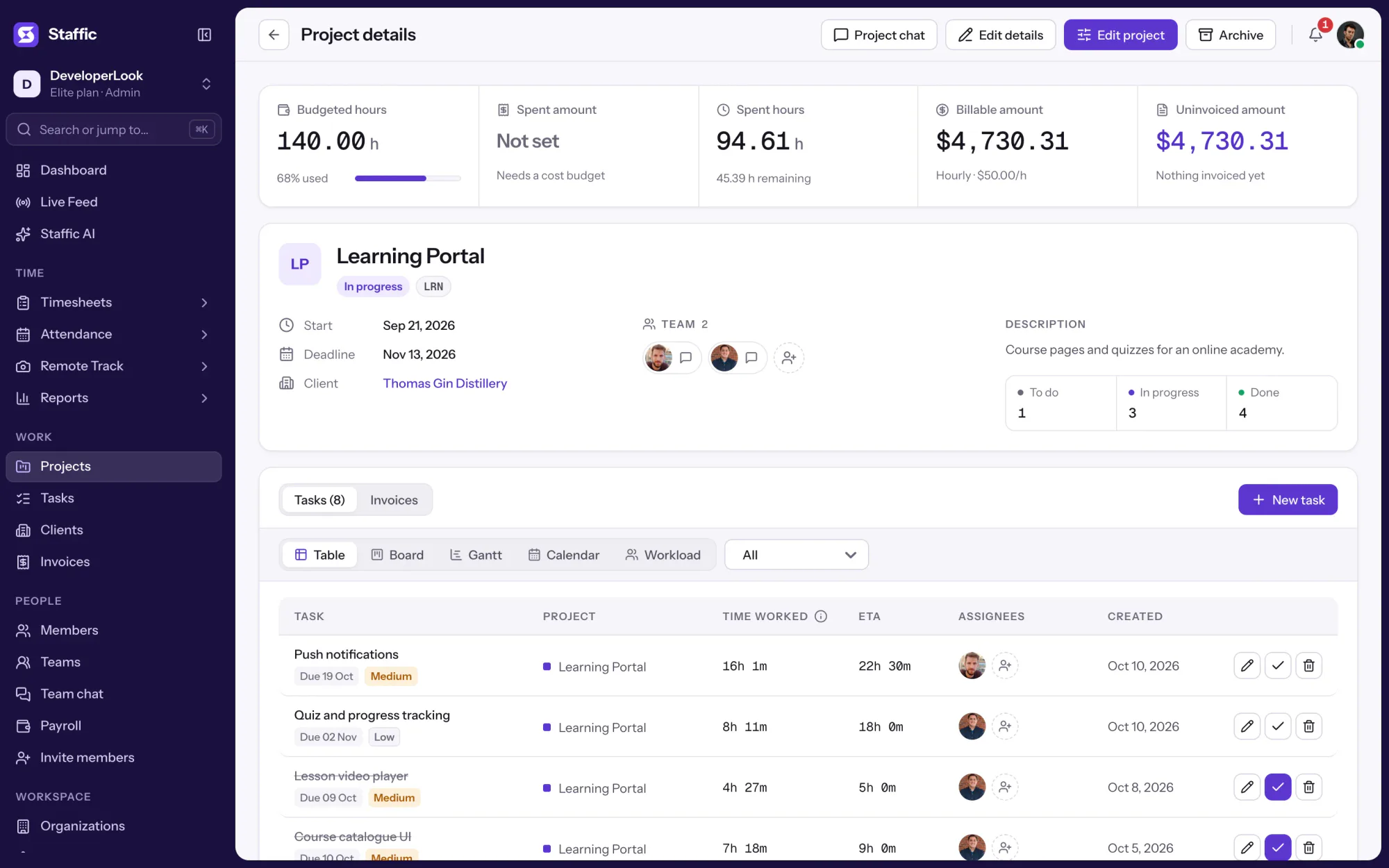

Staffic is time and billing software: track hours on client projects, see the billable amount at your rates, and bill it on an invoice.
Free for up to 2 members
Create your workspace, invite your team, and the first timesheet builds itself.