Team leads
Last week's hours without building a report
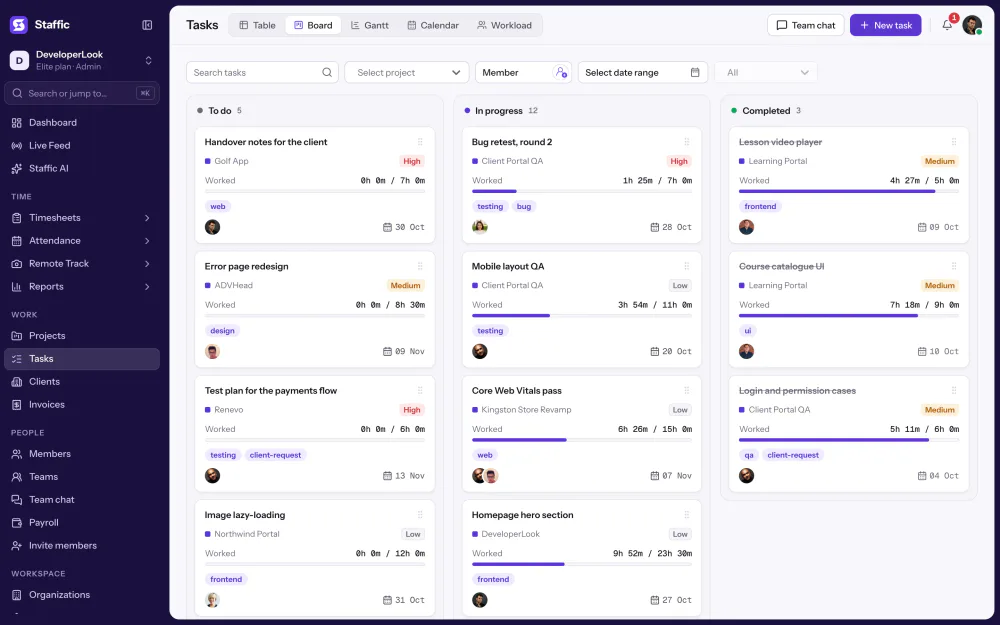
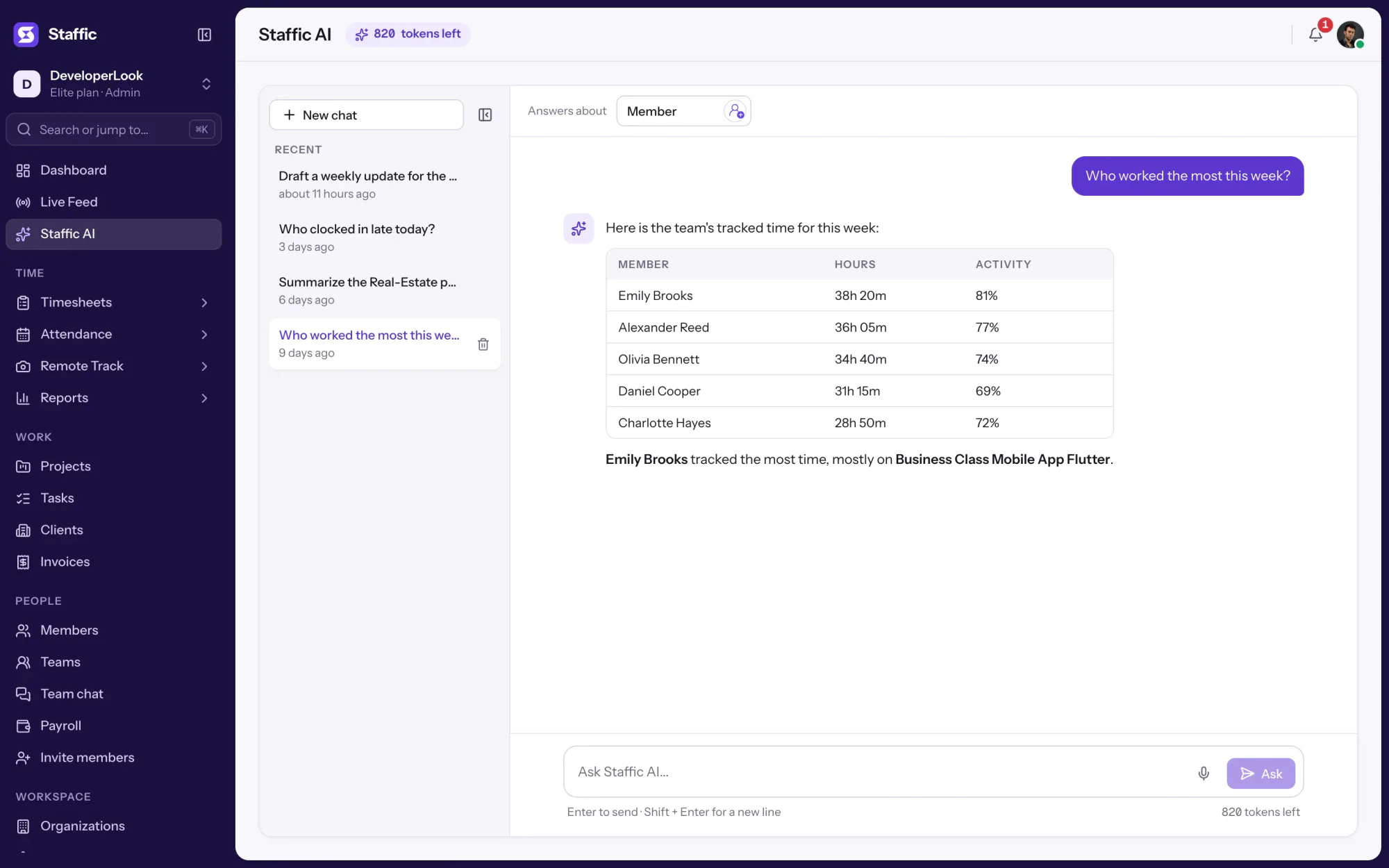
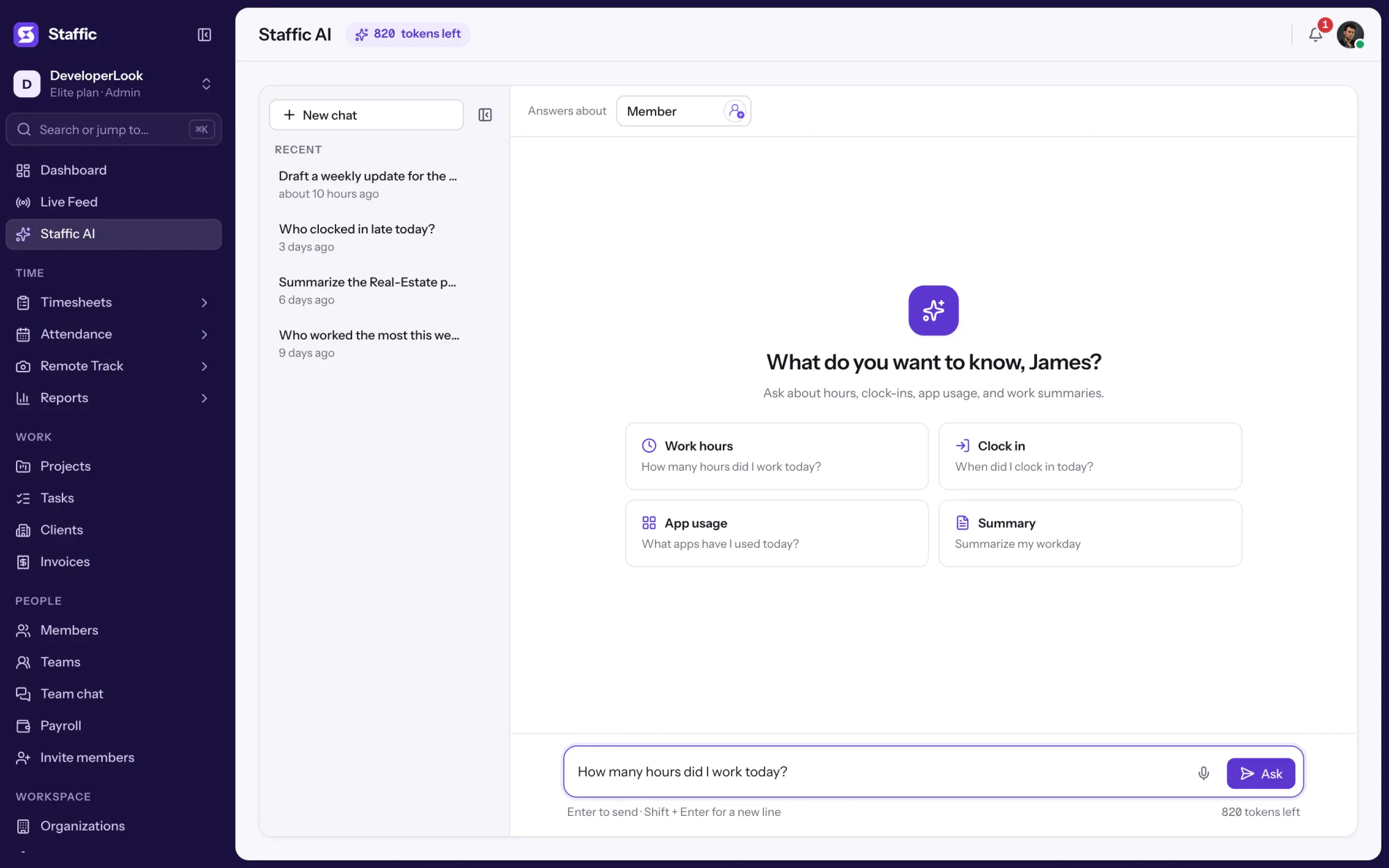
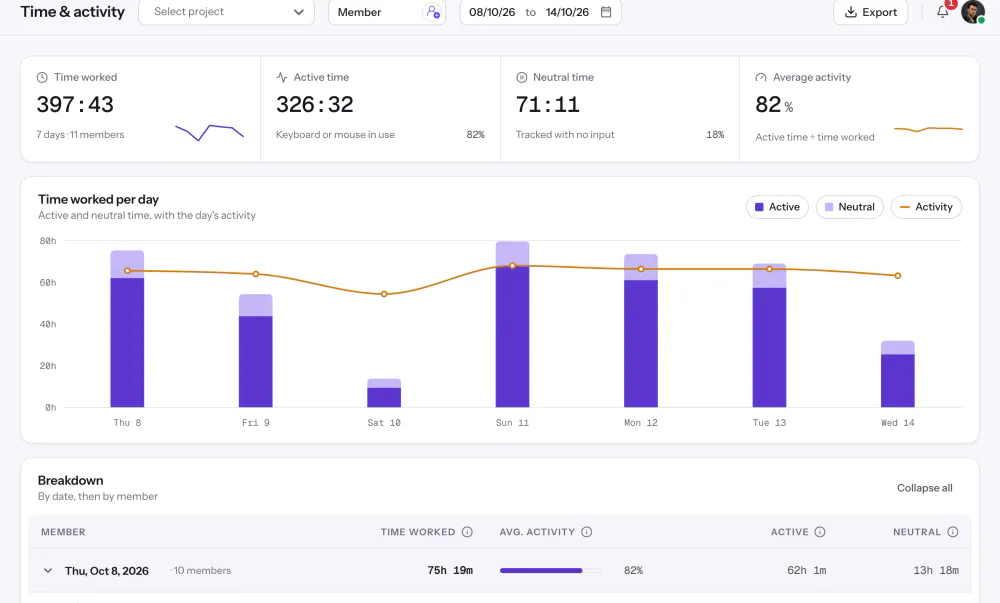
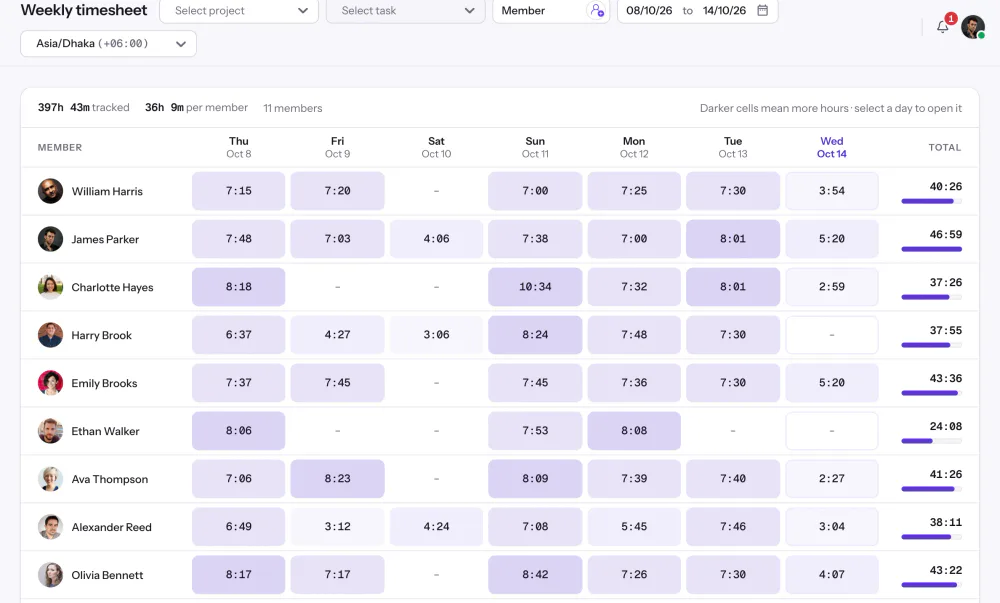
Pick your team in the Member picker and ask how many hours each person worked last week, and at what activity. Open the Time and Activity report when you need the full table or an export.

Features
All 38 featuresSee the work while it happens.
 DashboardYour team's week at a glance, Monday to Sunday
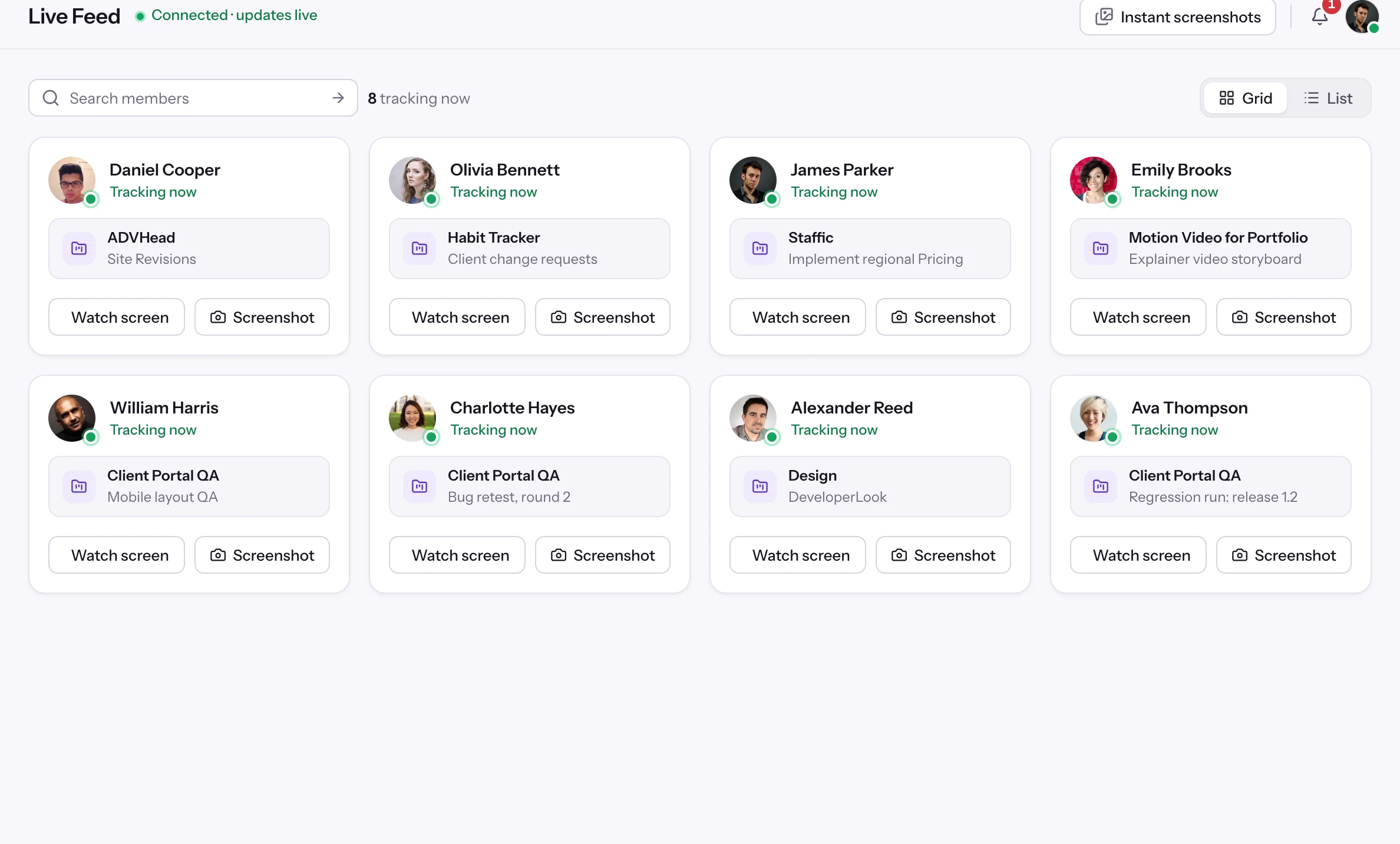
 Live FeedSee who's tracking time right now, and on what
 ScreenshotsVisual proof of work, captured automatically
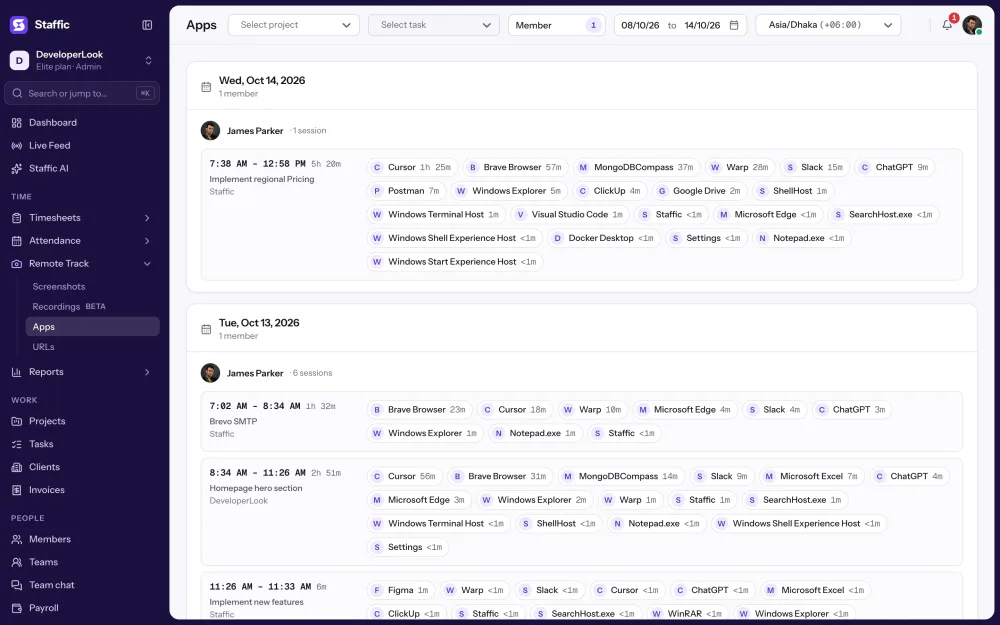
 AppsWhich apps each tracked session used
 URLsThe websites behind the tracked time
 Screen RecordingsEliteFull session video, beyond a screenshot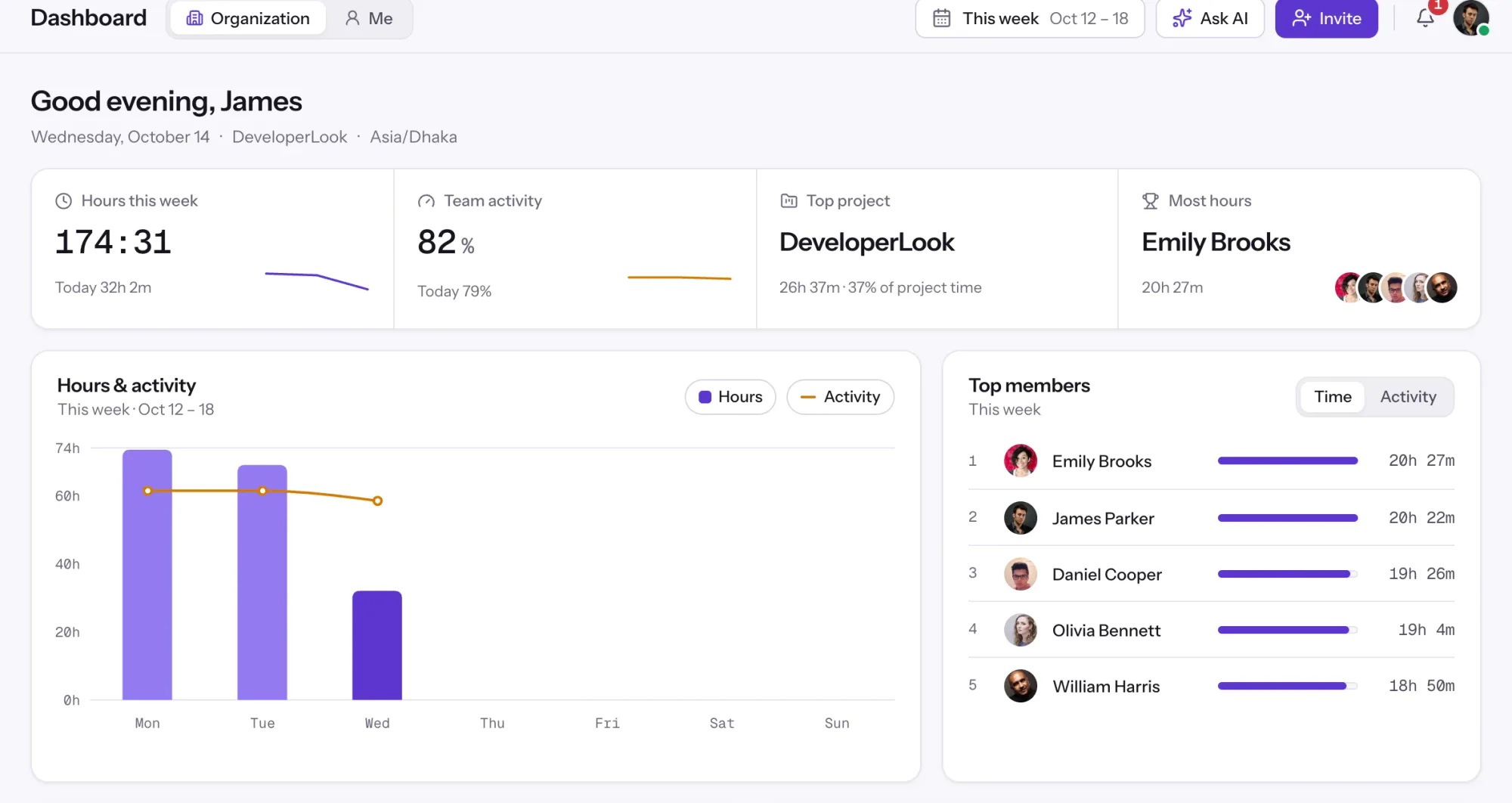
01 / 38
Dashboard
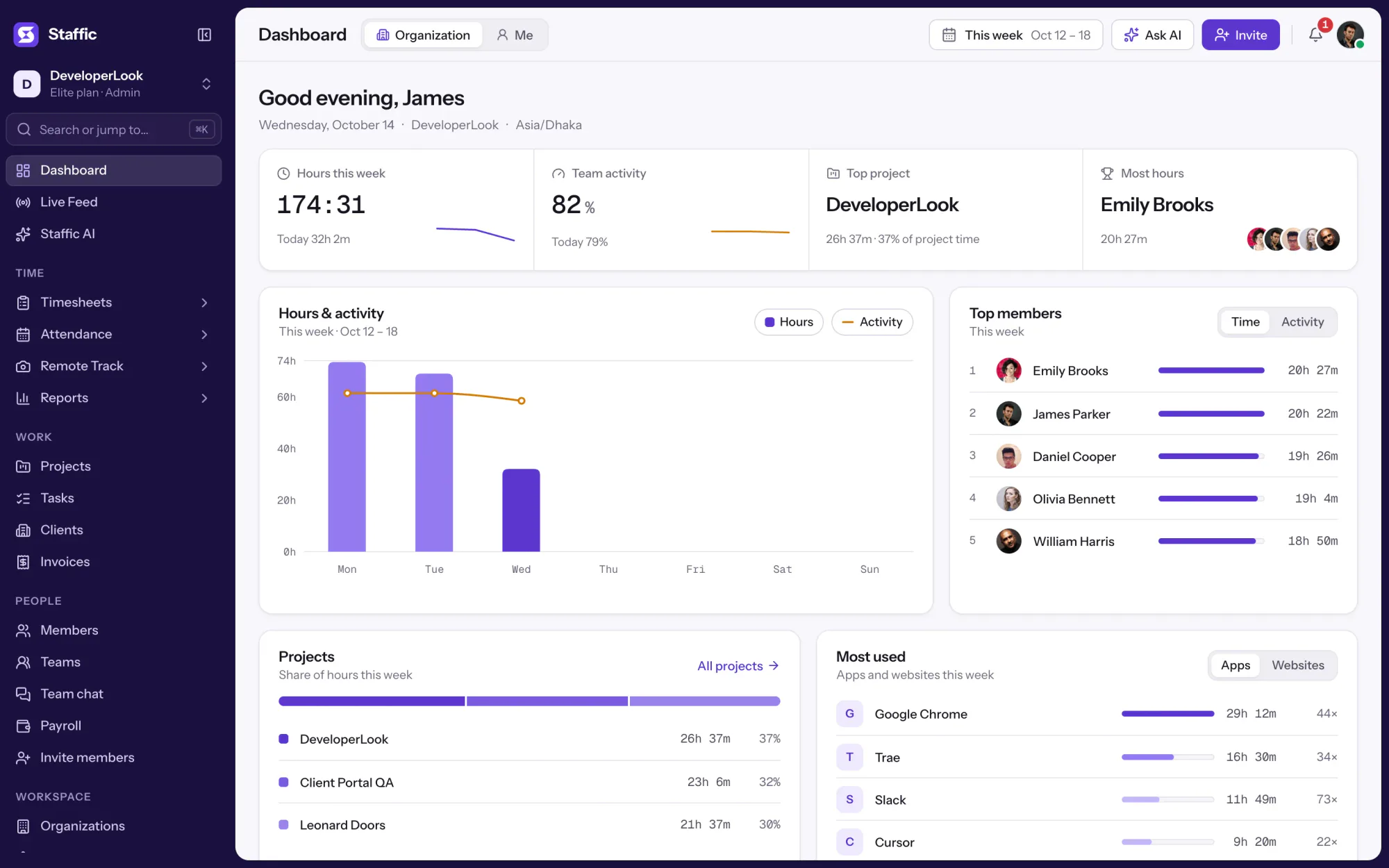
The team dashboard: this week's hours, team activity, top members, ongoing tasks, top projects and the most used apps and websites.
View DashboardSolutions
All 38 featuresHow remote, hybrid and growing teams run Staffic.
Staffic for the way you work, from freelancing to client billing.
 FreelancersFreelance time tracking
 Small businessesTimekeeping software for small business
 Call centersCall center monitoring software
 ConsultantsTime tracking software for consultants
 Companies with contractorsContractor time tracking
 Virtual assistantsTime tracking software for virtual assistants
 AgenciesAgency time tracking software
 Accounting firmsTime tracking software for accountants
 Software teamsTime tracking software for engineers
Staffic set up for your industry's records and reports.
01 / 19
Track remote hours across every time zone.
Staffic records time, activity and optional screenshots on each remote member’s computer, then turns them into timesheets you approve, so you can trust the hours without daily check-ins.
View Remote teamsStaffic AI
Staffic AI lets you ask about your team's hours, clock-ins, app usage and workdays in plain English. It answers from the time your team already tracks in Staffic, so a quick question doesn't need a report. Standard includes 50 Staffic AI credits a month and Elite includes 100. Free has none, but any plan can buy more. Each question uses one credit.
1/6Click Ask AI
In short
Staffic AI is the AI time tracking assistant inside the Staffic web app. You ask a question such as "When did I clock in today?" and it looks up the answer in your organization's tracked hours, activity, clock-ins, tasks and apps. It can also create tasks, projects and teams when you ask. Standard includes 50 Staffic AI credits a month and Elite includes 100. Free has none, but any plan can buy more. Each question uses one credit.
How it works
An AI time tracker should start from real records, so each answer begins with a lookup in your organization's Staffic data.
AI time tracking
Staffic AI reads the same records as your timesheets and reports, then writes the answer in the chat.
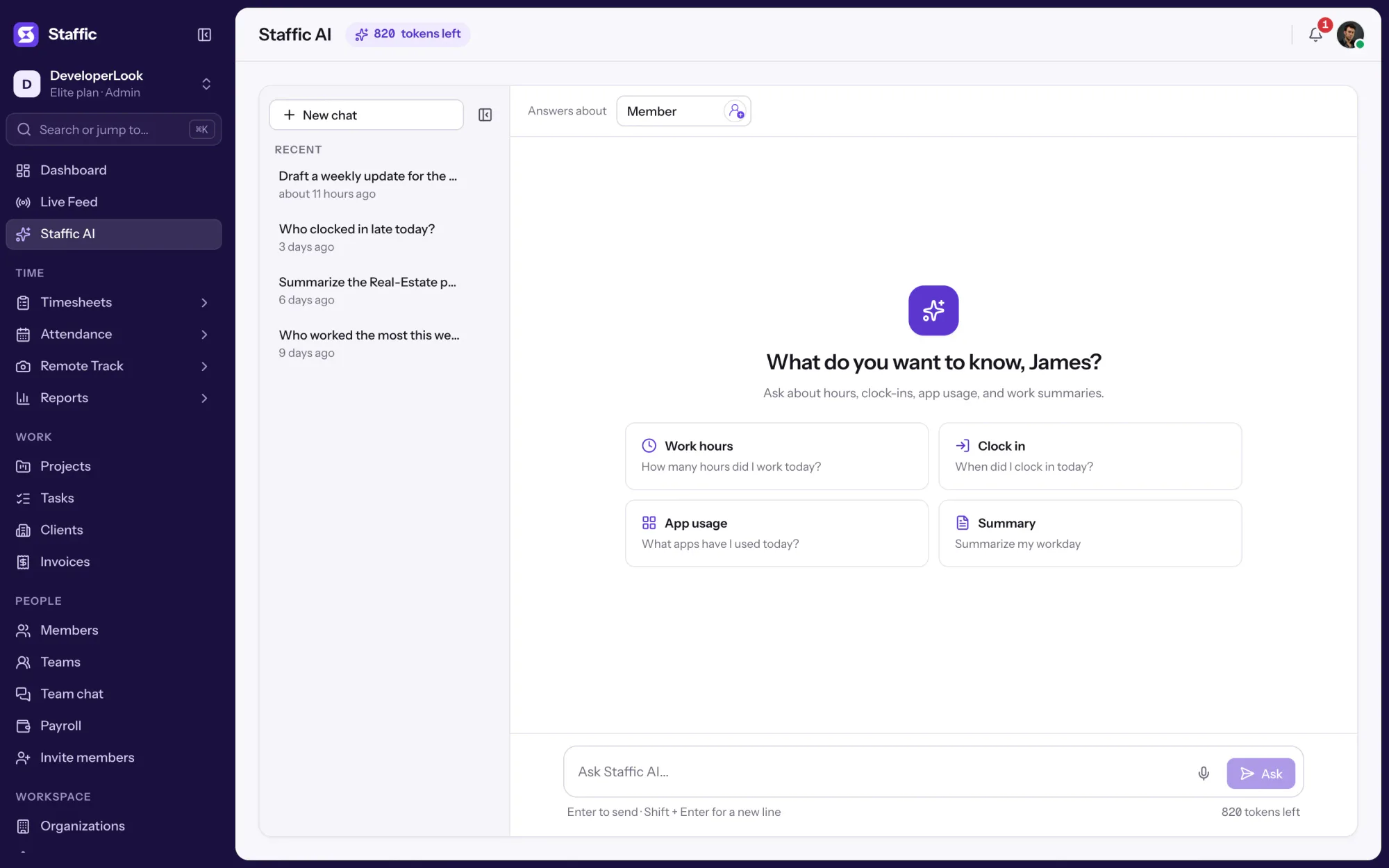
Ask "How many hours did I work today?", "When did I clock in today?" or "What apps have I used today?", or tap one of the four suggested questions. Questions about me or my day stay on your own data.
Pick members with the Member button at the top of the page, then ask without naming anyone, and Staffic AI answers for that group. Name someone in the question and it answers for that person instead. Admins can ask about anyone; other roles see what their Access control role allows.
Ask Staffic AI to create a task, add someone to a project or set up a team, and it makes the change in Staffic. On Elite it can also update clients and record salary and fixed payments. Payments, invitations and client changes always ask for your confirmation, and deletes do too unless an admin turned that prompt off.
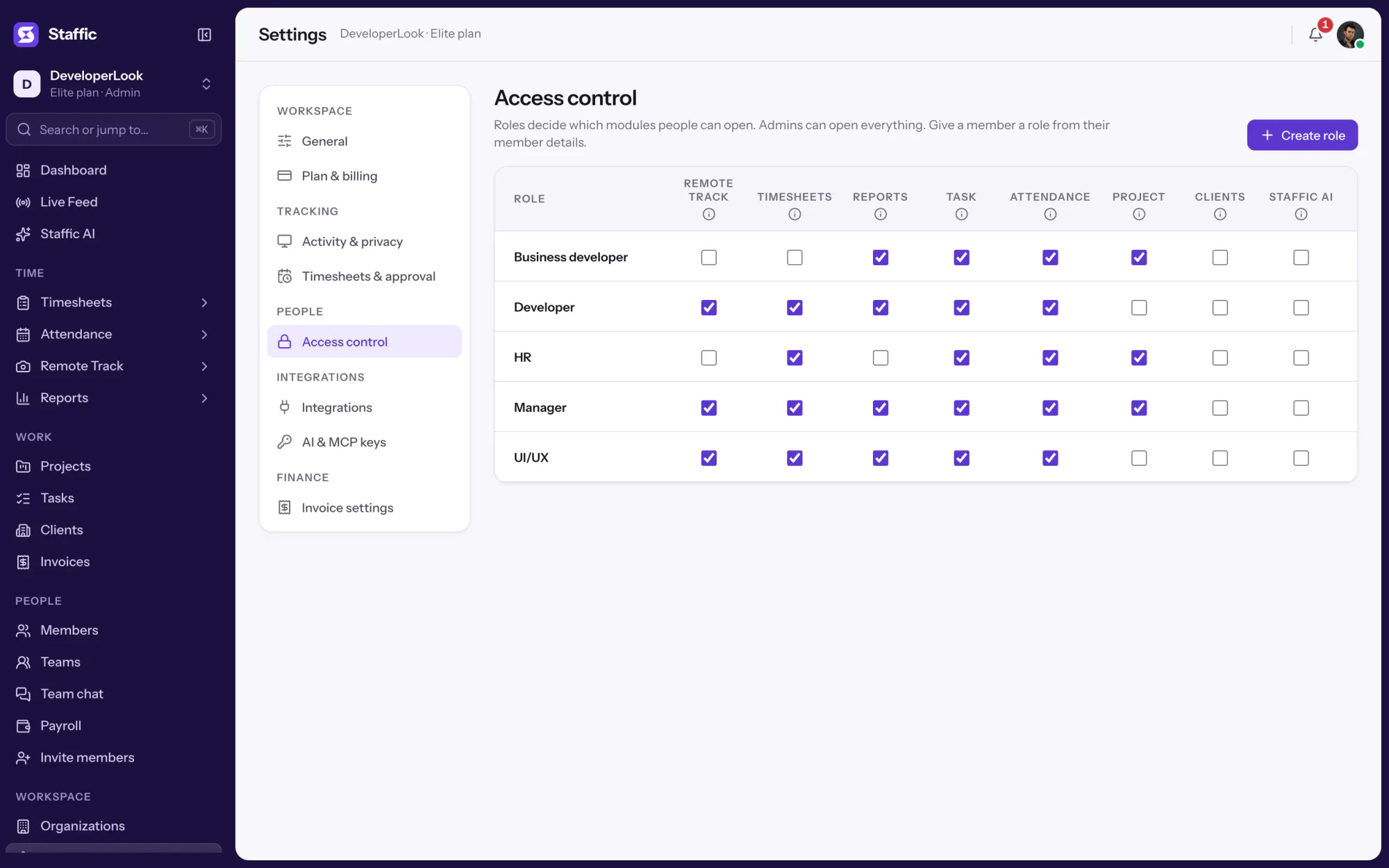
Admins can open Staffic AI right away; give other roles access with the Staffic AI switch in Access control. Each question uses one credit, however many steps the answer takes. Your organization gets 50 credits a month on Standard and 100 on Elite, and Free has none. Any plan can buy more at $0.05 a credit. Monthly credits reset on the renewal date, and bought credits stay until used. If an answer fails or is stopped before any lookup runs, the credit comes back.
Showing Your own day in one question.
1/3Click Ask AI
Control and privacy
If you're looking at AI employee monitoring software, note that Staffic AI records nothing itself: it reads what Staffic already holds, with the access of the person asking.
Set it up
There's no separate AI time tracking app to install: Staffic AI is part of the web app you already use.
Admins find it in the sidebar. Try one of the four suggested questions to start.
Staffic AITurn on Staffic AI for the roles that should use it, then assign the role on a member's details page.
Settings › Access controlChoose the members a team question should cover, or leave it empty to ask about yourself.
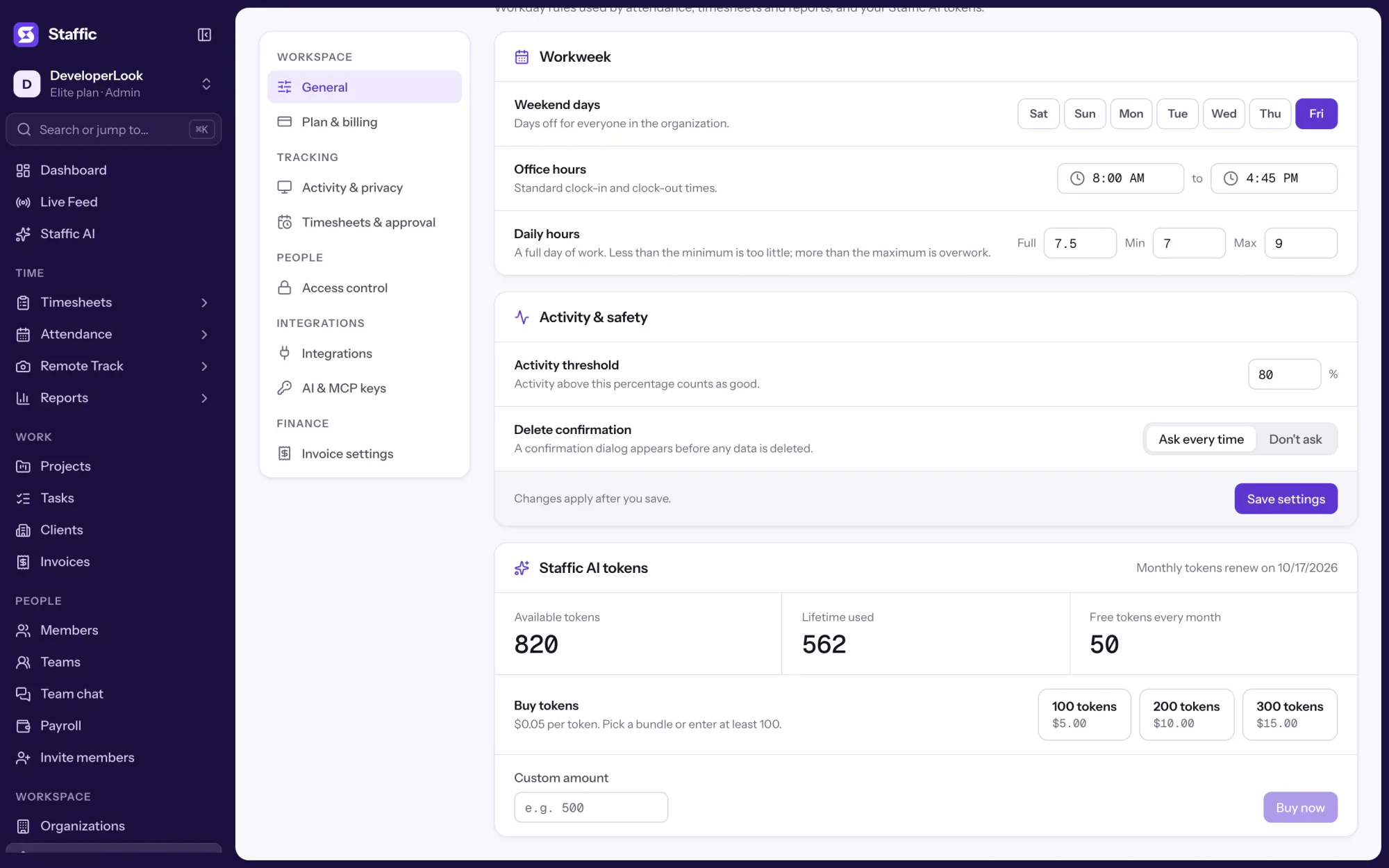
Staffic AI › MemberSee the balance and buy more credits when the monthly ones run low.
Settings › General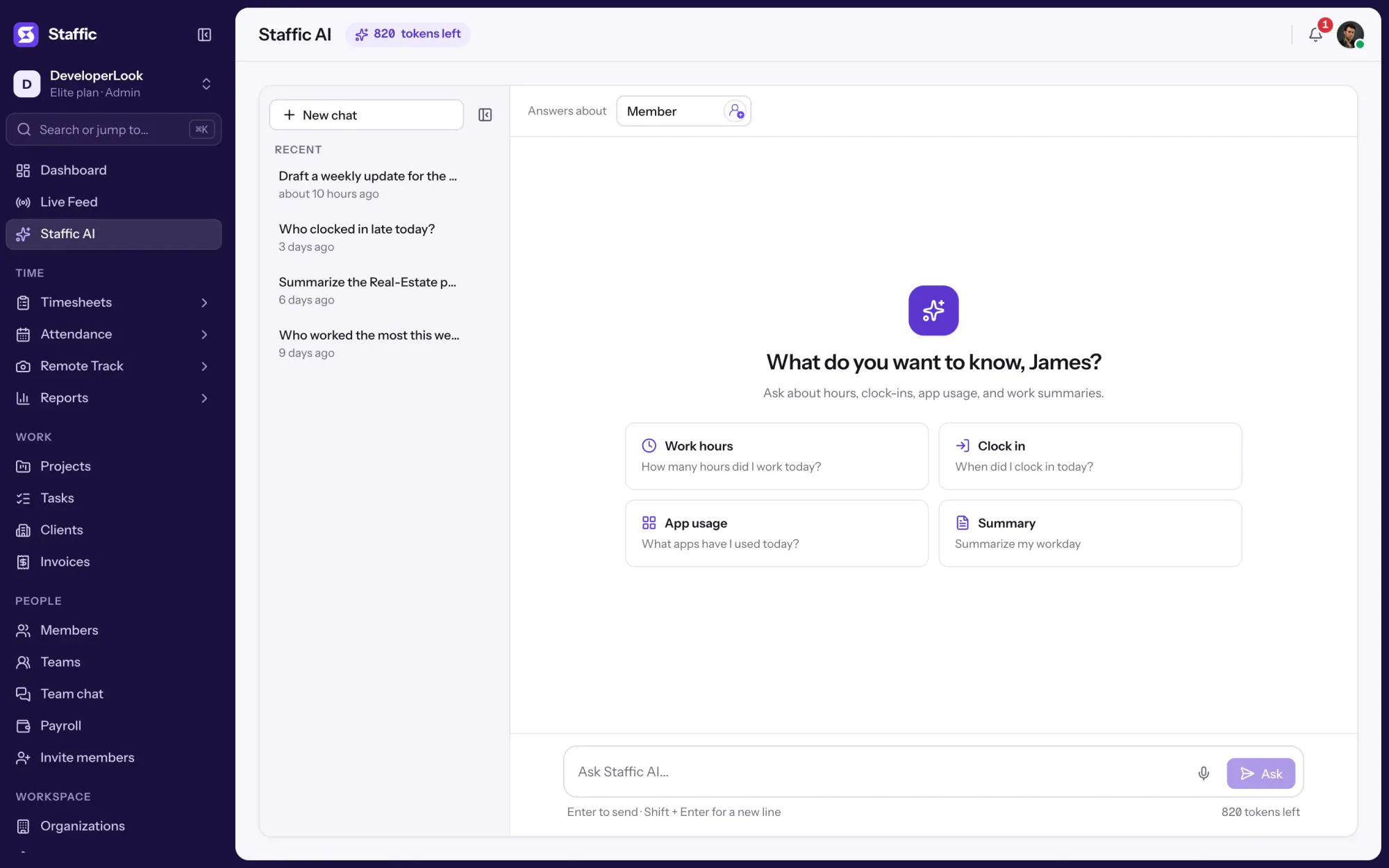
1Staffic AI
Compare
If you're comparing AI time tracking software, these are the three ways Staffic answers questions about tracked time.
Swipe the table to compare
| Compare | Staffic AI | MCP server | Time & Activity report |
|---|---|---|---|
| Where you ask | Staffic web app | Claude, Cursor, Codex and other MCP clients | Reports in the web app |
| Plan | Standard and Elite; Free can buy credits | Every plan, including Free | Every plan |
| Staffic AI credits | 1 per question | None | None |
| Makes changes | Yes, with a confirmation for payments and invitations | With a read and write key | No |
| Screenshots and recordings | No | Yes | No |
| Best for | A quick question while you're in Staffic | Staffic data inside your own AI tool | Exact numbers for any dates, with export |
| Link | You are here | MCP server | Time & Activity report |
Plans follow what the Staffic app enforces today.
Specs and terms
The facts behind the feature, and what each number on the Staffic AI page means.
Who it’s for
Anyone with access asks about the data their role can see.
Pick your team in the Member picker and ask how many hours each person worked last week, and at what activity. Open the Time and Activity report when you need the full table or an export.
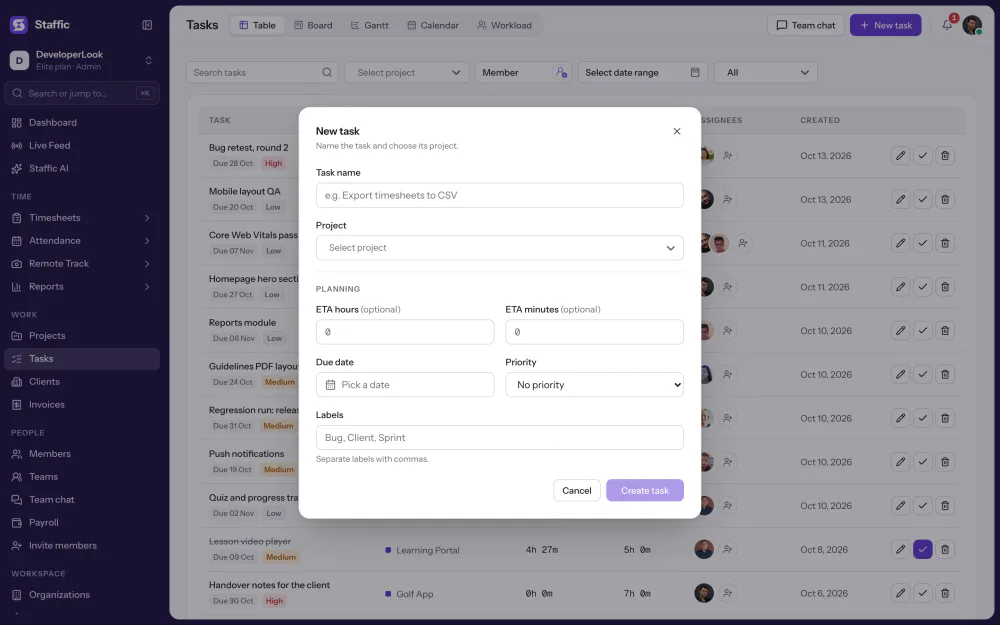
Ask Staffic AI to create a task on a project and add two people to it. It reports back in the chat, and the task shows up in Tasks like any other.
Members with Staffic AI access ask when they clocked in, how long they've worked or which apps they used today. The answers stay on their own data.
Customer stories
Stop juggling tools. Staffic gives your team time tracking, projects, payroll and performance analytics in one platform.
Try Staffic for free“Staffic.io brings transparency without micromanagement. Our team feels trusted, and productivity has never been higher.”
Pricing
Staffic AI is included on every plan, Free included. You pay per active user only when your team grows past 2 members.
Compare every planFor freelancers and small teams, up to 2 members
No card needed.
Includes Staffic AIEvery core feature, for teams of up to 2 members.
Everything in Free, without the 2 member limit
Offer price until October 30, 2026, then $7.50
Card at checkout. Cancel within 7 days and pay nothing.
Includes Staffic AIEverything in Free without the 2 member limit.
For organizations running payroll, billing and approvals
Offer price until October 30, 2026, then $10
Card at checkout. Cancel within 7 days and pay nothing.
Includes Staffic AIEverything in Standard, plus Screen Recordings, Invoices, Clients and 1 more.
Prices in USD per active user. Billed monthly, Standard is $9.50 and Elite is $13 per user.
FAQ
Answers about AI time tracking with Staffic AI.
Read the Staffic AI guideIt answers questions about your team's tracked time and makes routine changes when you ask. Staffic AI reports hours, activity, idle time, clock-ins, tasks, projects and apps for you or the members you pick. It can also create tasks, projects and teams, invite people, and update clients or record payments after you confirm.
It looks up your organization's tracked sessions for the people and dates in your question, then writes the answer. With "me" or "my", it uses your own data; without a name, it uses the members chosen in the Member picker. Dates and times follow your time zone, or the organization's if you haven't set one.
Yes. Ask something like "Summarize Olivia Bennett's activity last week" and Staffic AI returns her work time, activity level and idle time for those dates. You need access to that member's timesheets, which admins have and other roles get through Access control.
No, Staffic AI reads your timesheets; it doesn't keep them. Members start the timer in the Staffic desktop app on a project and task, and daily, weekly and bi-weekly timesheets fill from those sessions. That pairing is what most people mean by AI timesheets: the hours are recorded for you, and you ask about them in plain English.
Not inside Staffic AI, which doesn't approve timesheets or leave. Through the Staffic MCP server, an AI tool connected with a read and write key can approve or reject timesheets and leave requests for you. It acts with the access of the admin who created the key.
Staffic AI works only inside your organization and only with data the person asking is allowed to see. To write an answer, it sends your question and the records it looked up to the AI model that powers it, and the chat is saved to your own history. Payments, invitations and client changes wait for your confirmation.
Yes, through the Staffic MCP server, on every plan. MCP is an open standard that lets AI tools such as Claude, Cursor, OpenAI Codex and Google Antigravity work with another app's data. An admin creates a key in Settings > AI & MCP keys, and the tool can then read your organization's timesheets, attendance and reports.
None. Free has no monthly Staffic AI credits. Your organization gets 50 a month on Standard and 100 on Elite. Any plan, including Free, can buy more under General in Settings at $0.05 a credit: bundles of 100 ($5), 200 ($10) or 300 ($15), or a custom amount from 100. Each question uses one credit, however many steps the answer takes. Monthly credits reset on your renewal date and don't carry over. They are used before bought credits, which stay until used. The MCP server uses no Staffic AI credits.
Every plan includes Staffic AI. Free covers up to 2 members. Standard is $7.50 per user per month billed yearly ($3.80 during the current offer, until October 30, 2026) or $9.50 billed monthly, and Elite is $10.00 per user per month billed yearly ($4.80 during the current offer, until October 30, 2026) or $13.00 billed monthly.
Explore more
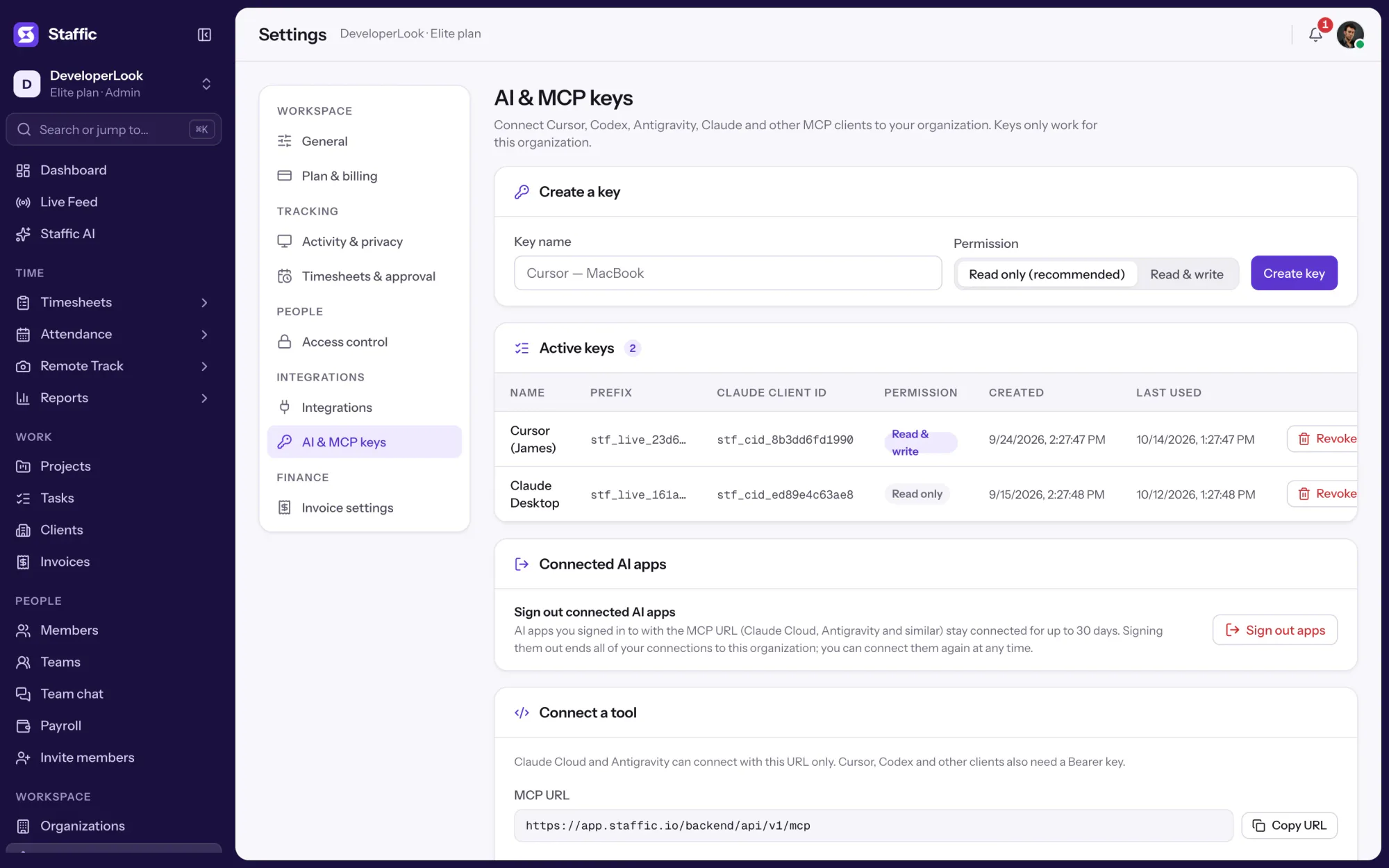

The built-in MCP server lets Claude, Cursor, Codex and other MCP clients read and update your Staffic data with a key you control.
The team dashboard: this week's hours, team activity, top members, ongoing tasks, top projects and the most used apps and websites.
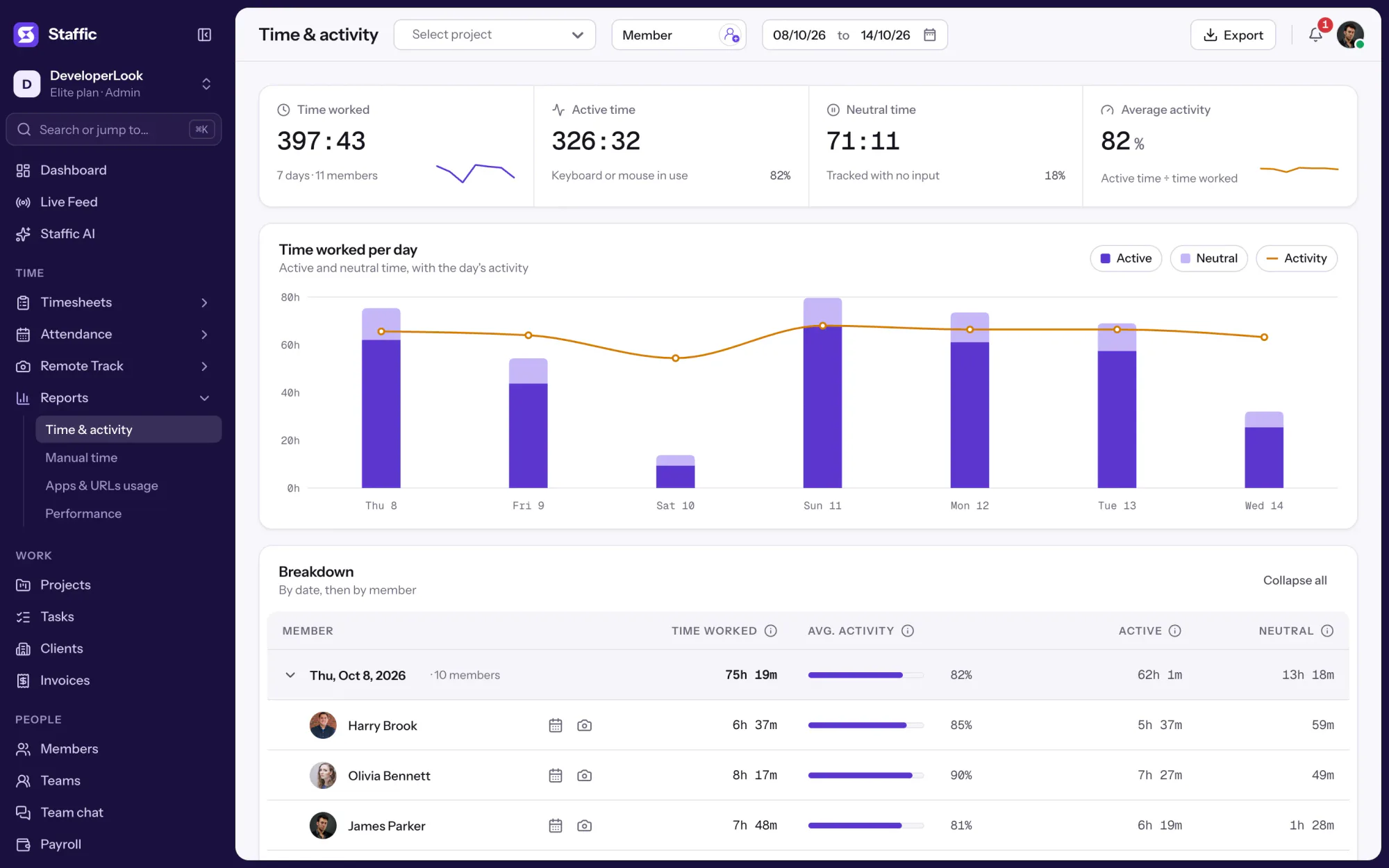

The Time & Activity Report shows each member's time worked, average activity, active time and neutral time for every day you pick.
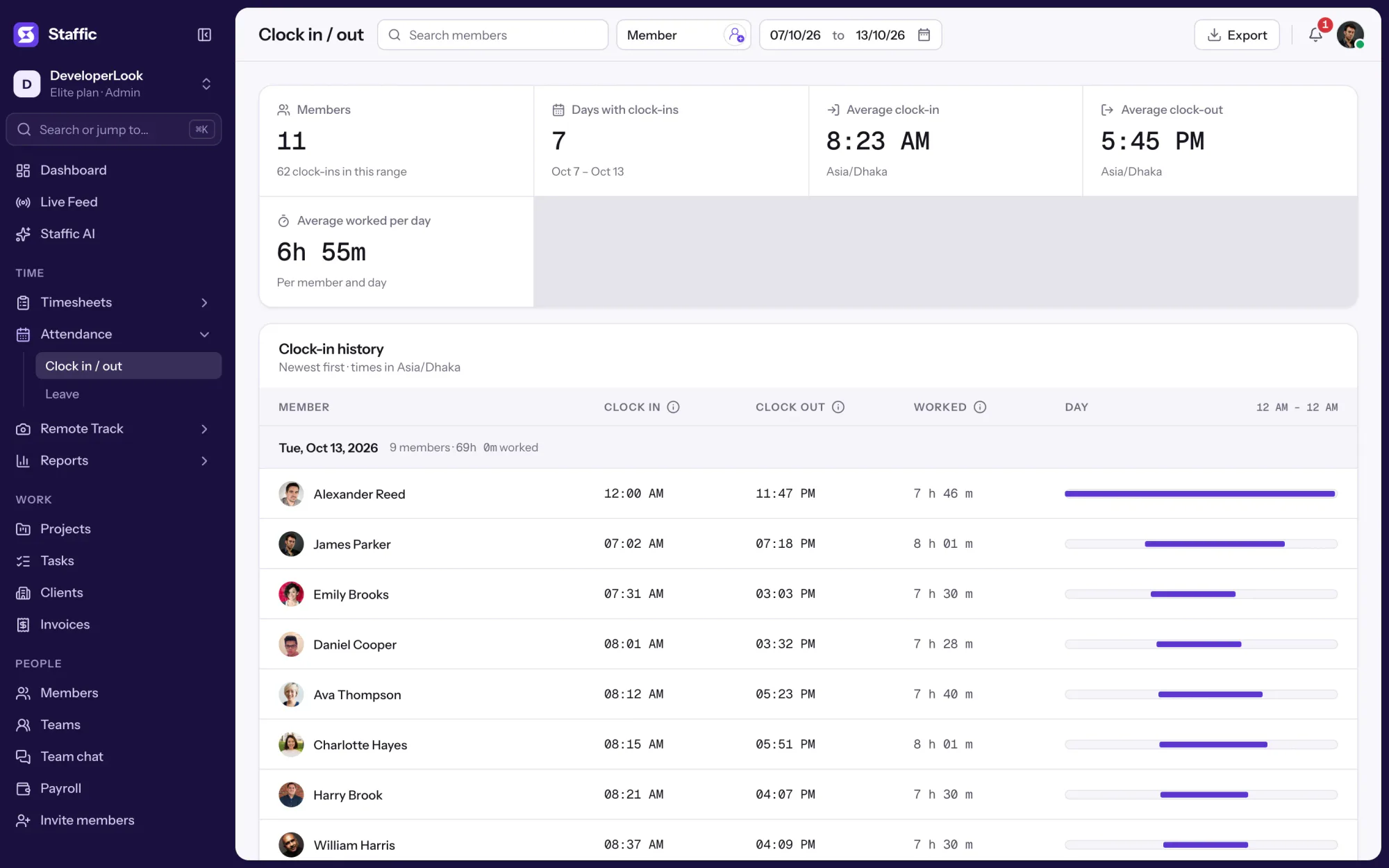

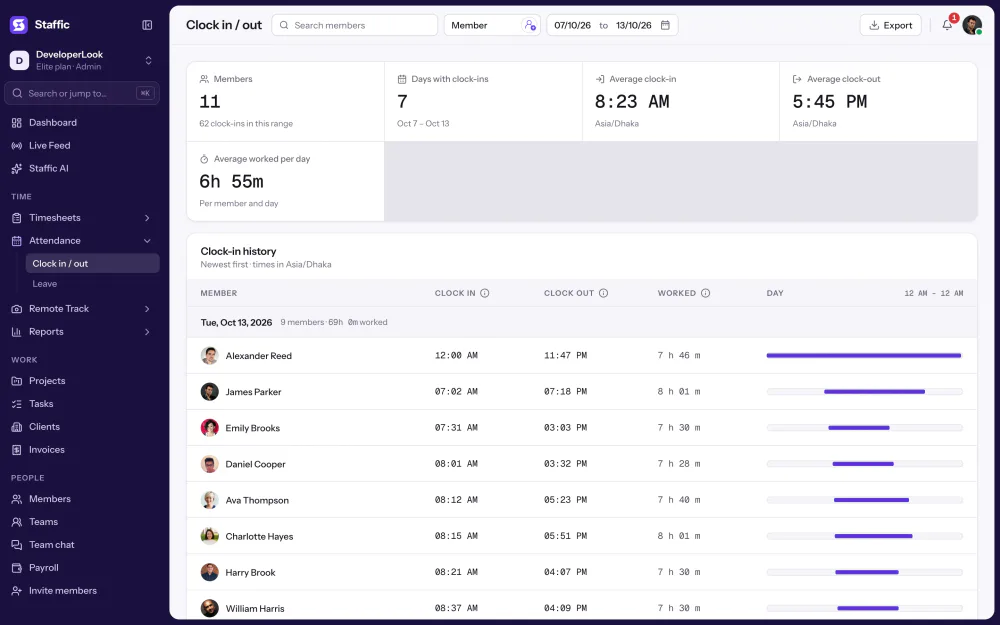
Clock In/Out records when each member starts and stops work from the desktop timer, with time worked per day and PDF or Excel export.
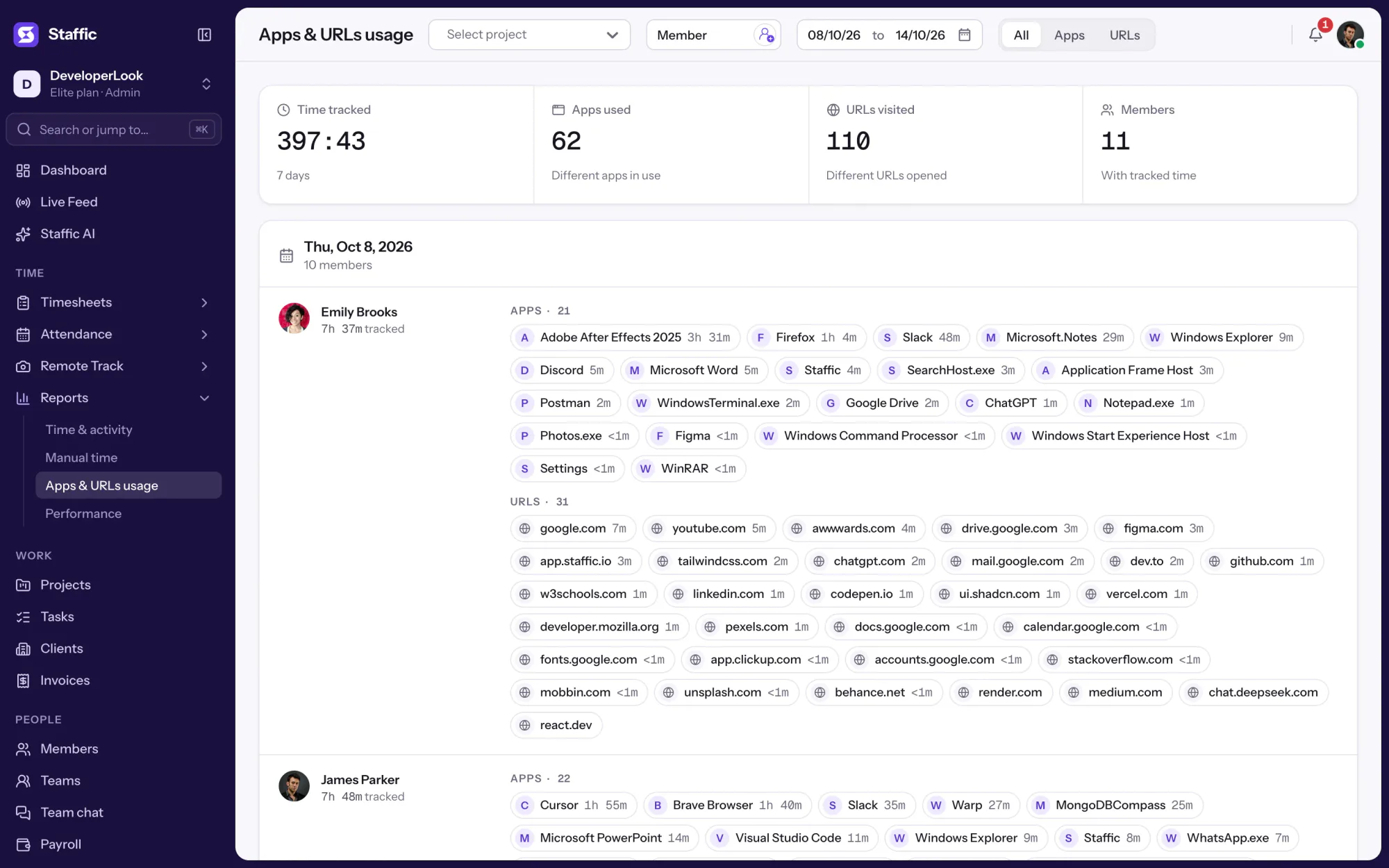

Employee internet monitoring in one report: the apps and websites each member used per day of tracked time, with total time. On every plan.
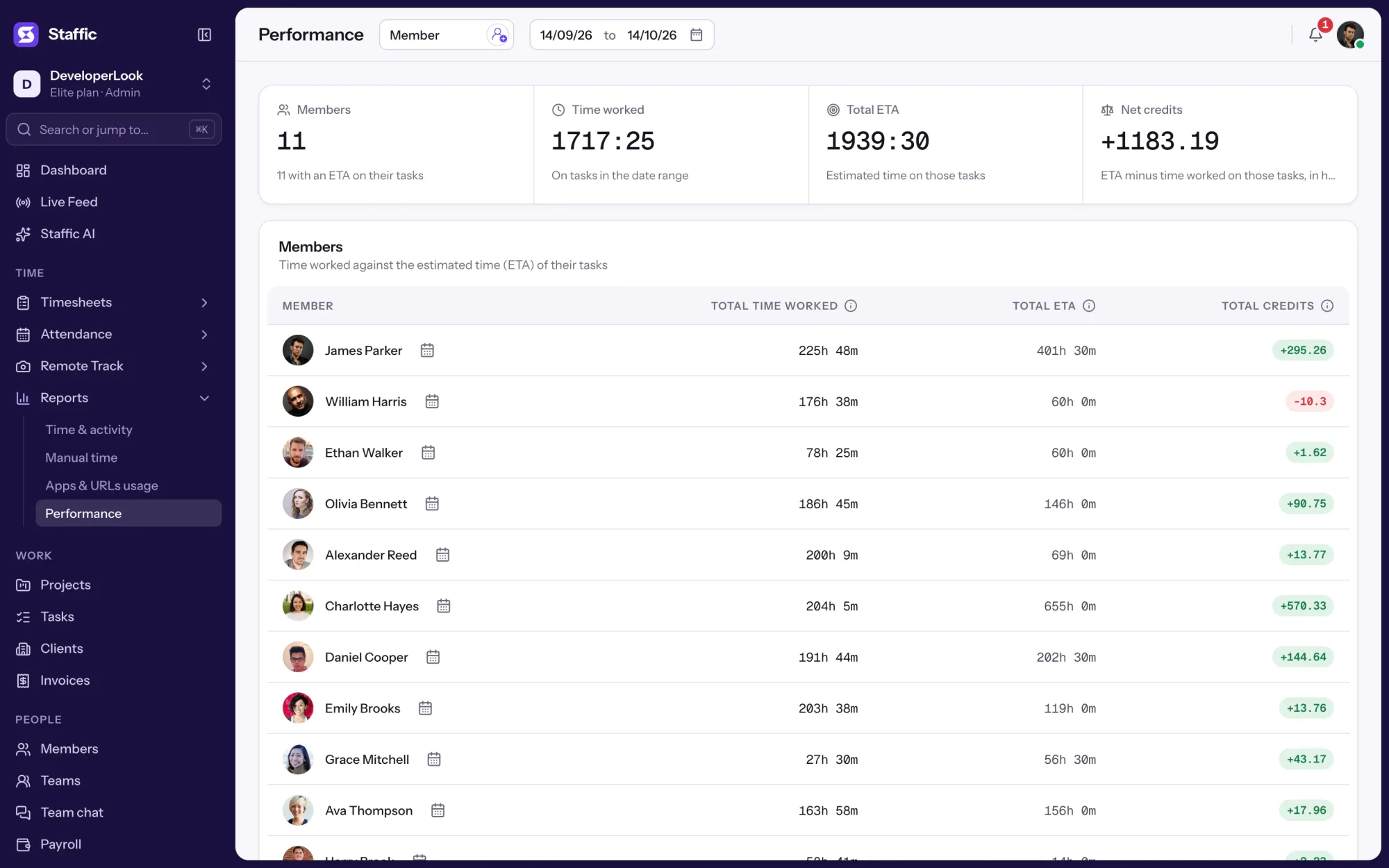

Staffic turns tracked work into workforce analytics: a dashboard, time and activity reports, work against estimates, Staffic AI and an MCP server.
Free for up to 2 members
Create your workspace, invite your team, and the first timesheet builds itself.