Agencies and studios
Back every billable hour
Time tracking with screenshots puts proof behind each billed hour: every capture carries its time range, task and activity level.

Features
All 38 featuresSee the work while it happens.
 DashboardYour team's week at a glance, Monday to Sunday
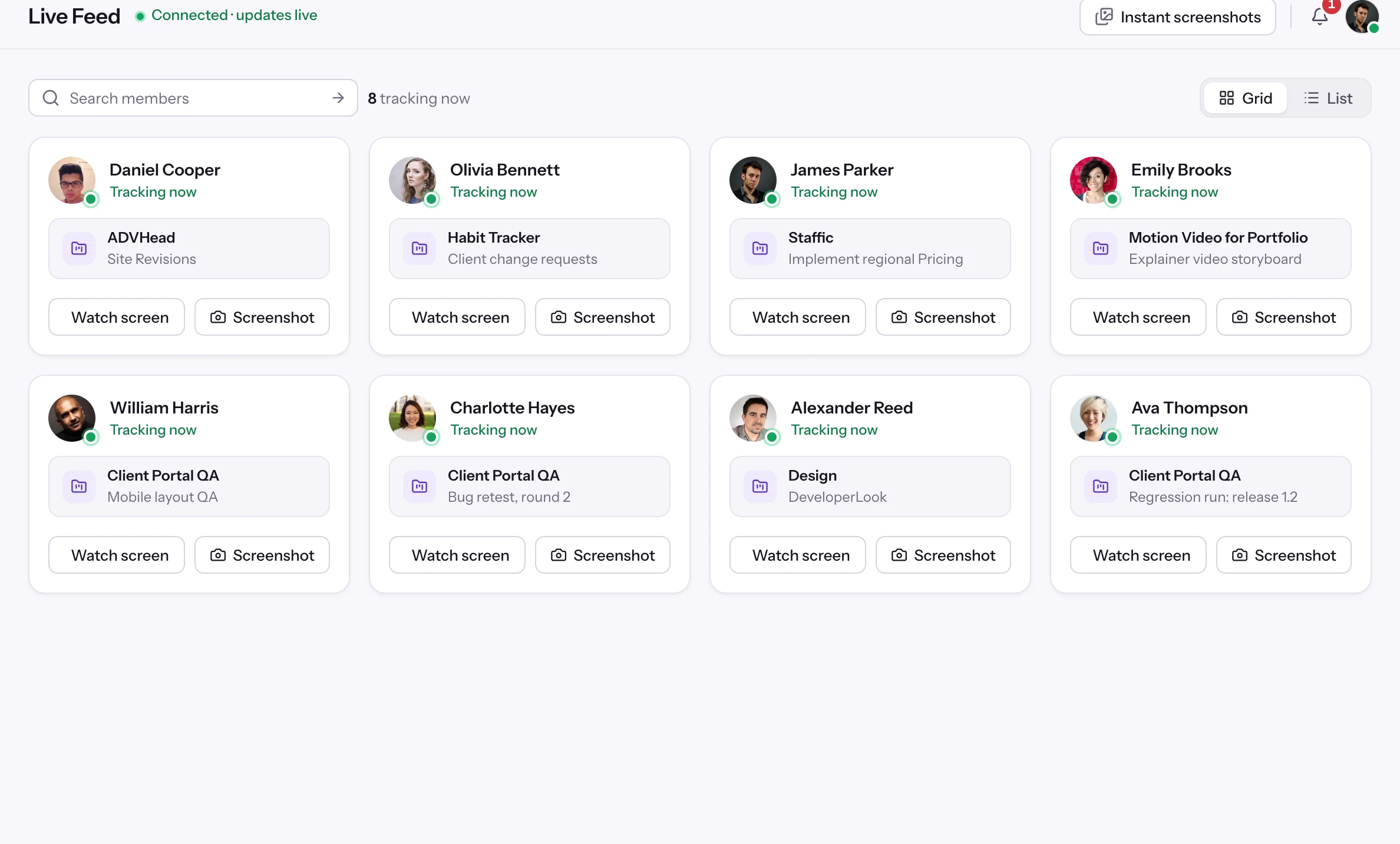
 Live FeedSee who's tracking time right now, and on what
 ScreenshotsVisual proof of work, captured automatically
 AppsWhich apps each tracked session used
 URLsThe websites behind the tracked time
 Screen RecordingsEliteFull session video, beyond a screenshot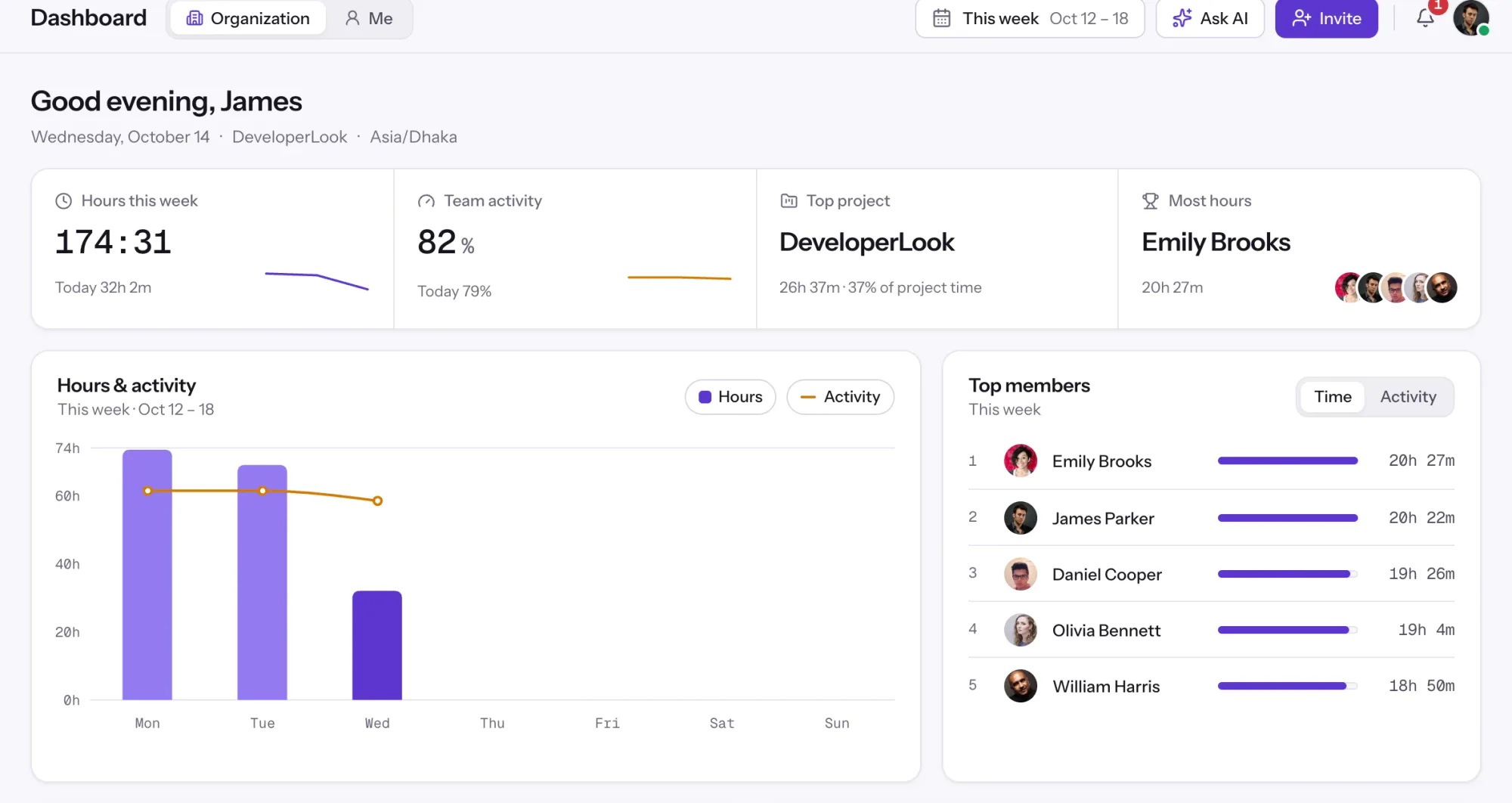
01 / 38
Dashboard
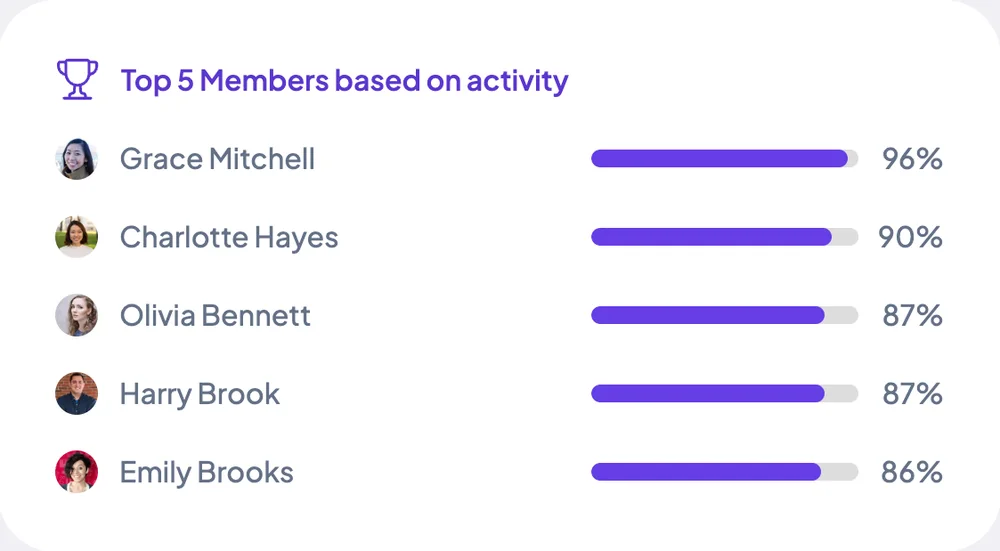
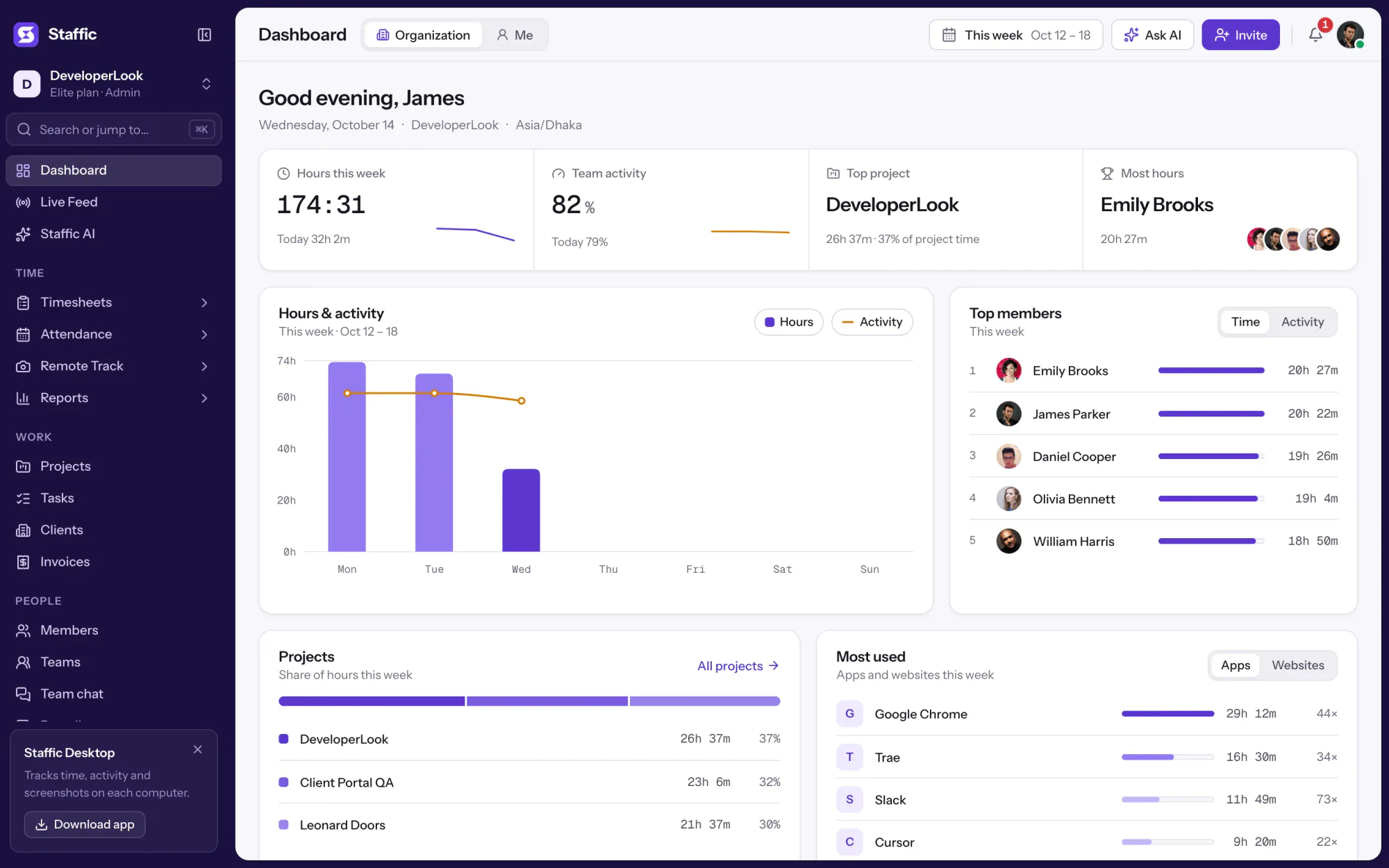
The team dashboard: this week's hours, team activity, top members, ongoing tasks, top projects and the most used apps and websites.
View DashboardSolutions
All 38 featuresHow remote, hybrid and growing teams run Staffic.
Staffic for the way you work, from freelancing to client billing.
 FreelancersFreelance time tracking
 Small businessesTimekeeping software for small business
 Call centersCall center monitoring software
 ConsultantsTime tracking software for consultants
 Companies with contractorsContractor time tracking
 Virtual assistantsTime tracking software for virtual assistants
 AgenciesAgency time tracking software
 Accounting firmsTime tracking software for accountants
 Software teamsTime tracking software for engineers
Staffic set up for your industry's records and reports.
01 / 19
Track remote hours across every time zone.
Staffic records time, activity and optional screenshots on each remote member’s computer, then turns them into timesheets you approve, so you can trust the hours without daily check-ins.
View Remote teamsScreenshots
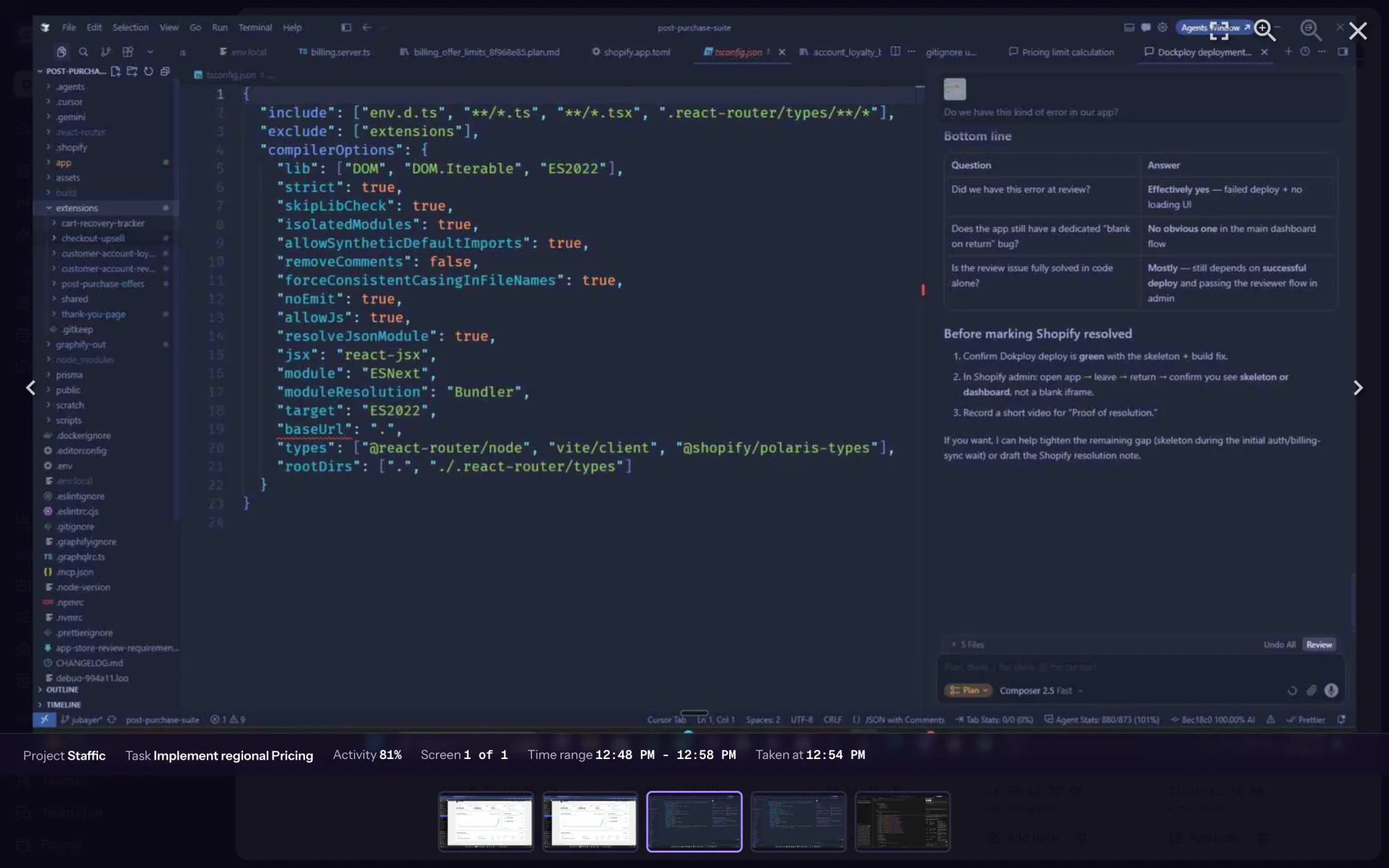
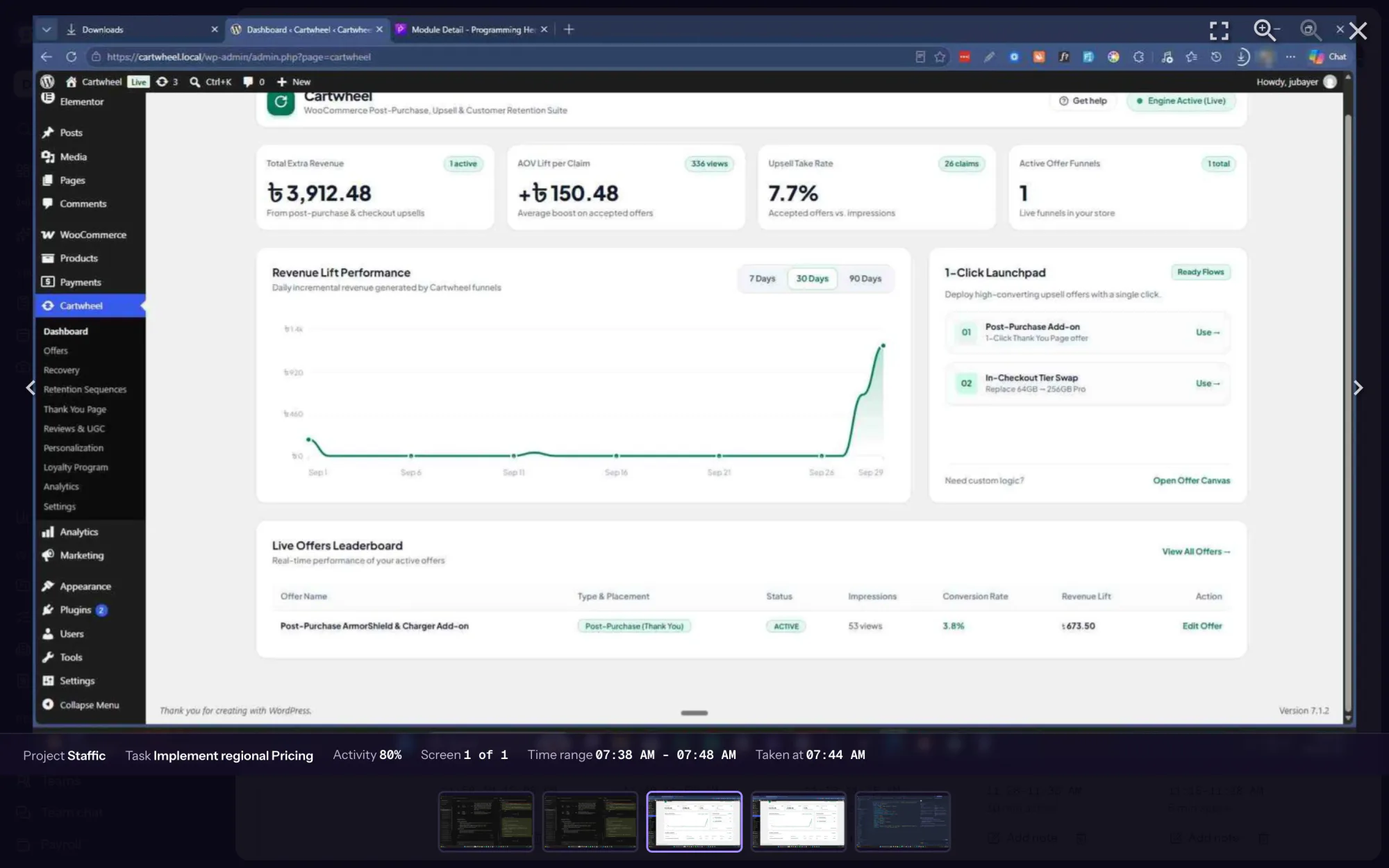
Staffic captures each member's screens while their timer runs in the desktop app: 2 screenshots in every 10 minutes by default, or 1, 2 or 3. Every capture is filed with its time range, project, task and activity level, so a whole day of work takes minutes to review. Members see their own screenshots.
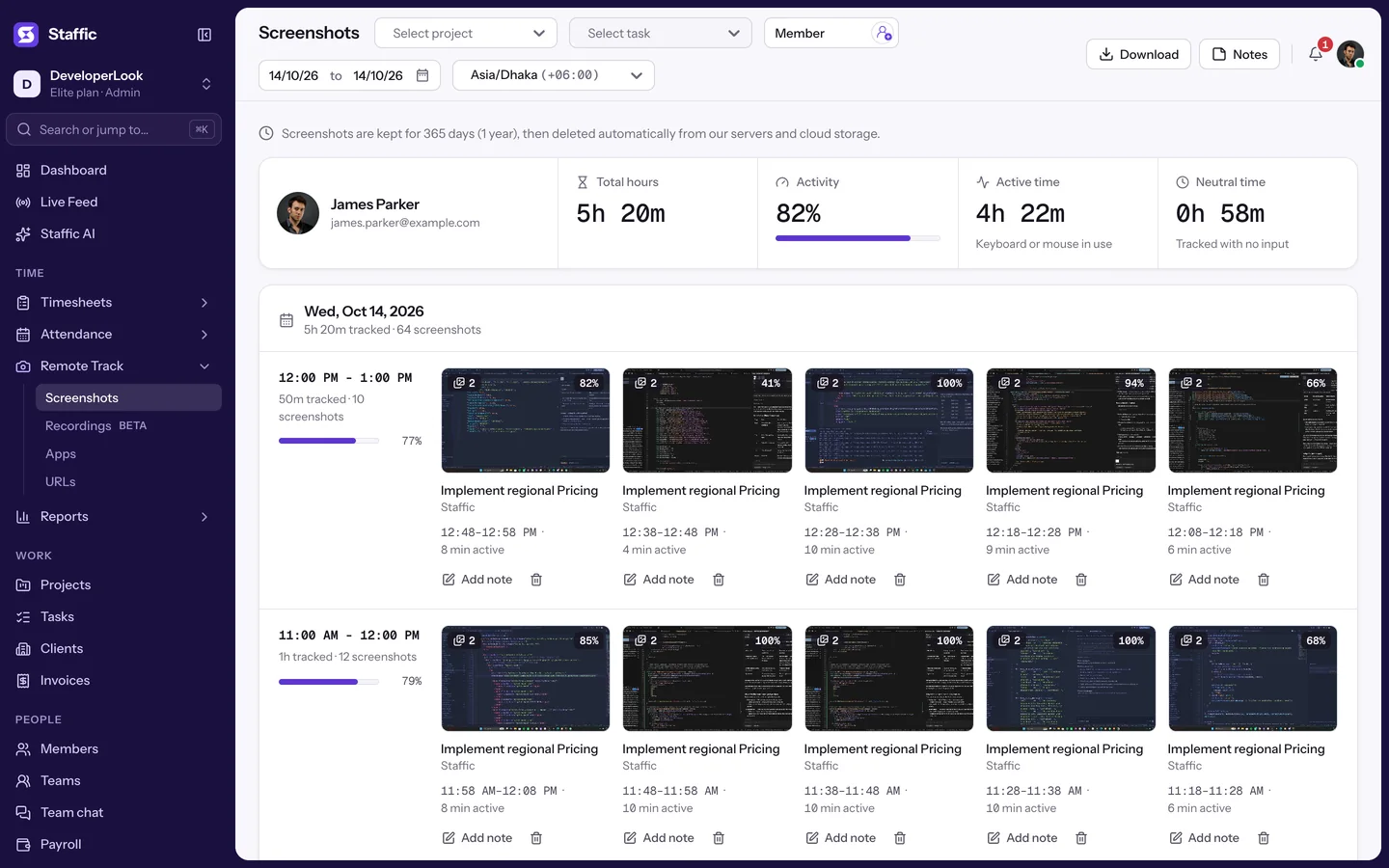
Gallery. Every capture is filed by hour, with its project, task and activity level.
Hover over the app to take control, then click a capture, the member picker or the calendar.
In short
Staffic Screenshots is screen monitoring software built into the Staffic time tracker. While a member's timer runs in the desktop app for Windows, macOS or Linux, Staffic captures every connected screen 2 times in every 10 minutes by default (or 1, 2 or 3) and files each capture with its time range, project, task and activity level. Admins review captures by member and day; members see their own. Captures are kept for 365 days.
How it works
Screenshots are taken only while the timer runs. Each one lands on the member's timeline with its time range, project, task and activity level.
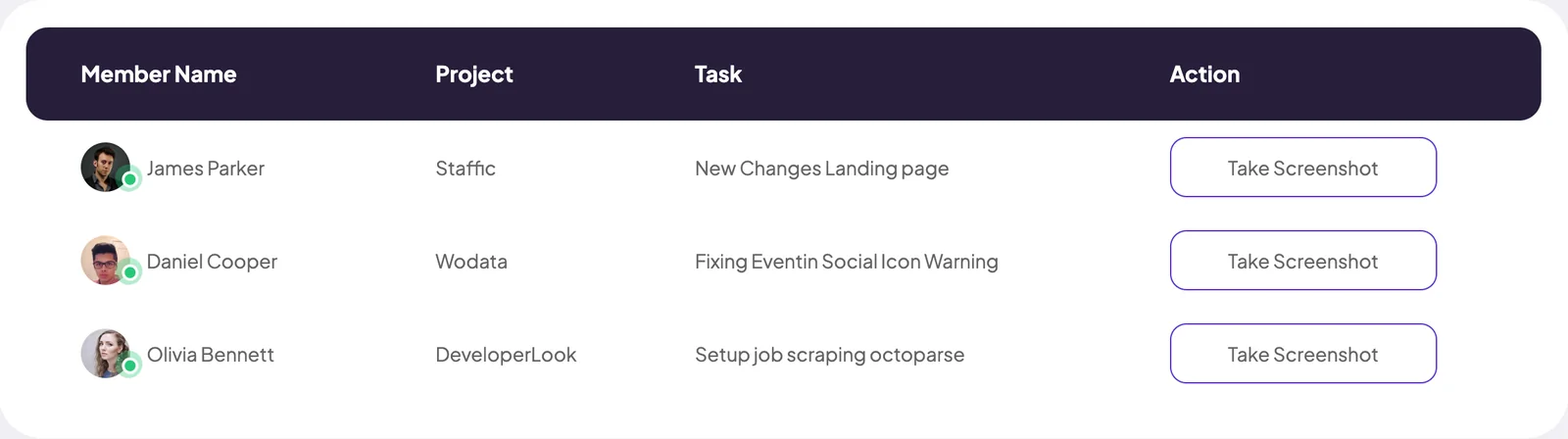
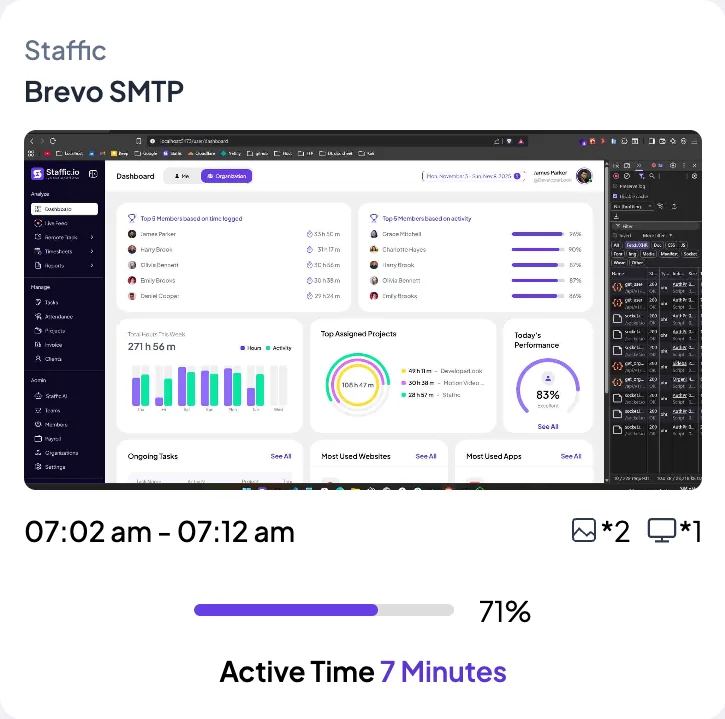
 James ParkerStaffic · Brevo SMTP · Mon, Nov 3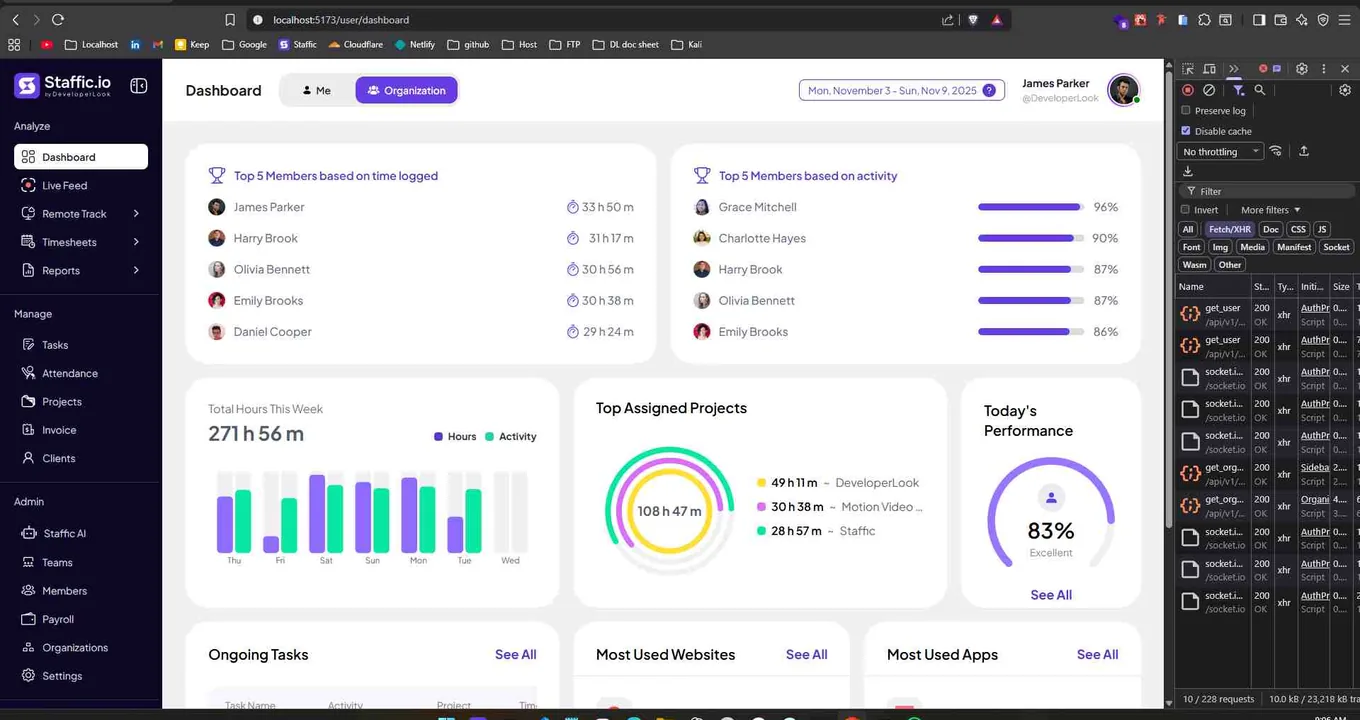
Inside Screenshots
Pick a tool to watch it work, with the same sample data as the live demo.
Pick a member and a date to see their screenshots grouped by hour. Summary cards show Total hours, Activity, Active time and Neutral time, and each card shows its project, task, time range and activity level.
Open a capture and add a note to its 10-minute block, so the reason behind the work sits next to the screen. Anyone reviewing the day can read it from the card.
The Notes button opens every note a member added in the dates you picked, each with its project and task. You get the story of the day without opening each capture.
Choose a project, then one of its tasks, to see only the captures logged to that work. It's the quickest way to check the screens behind a client's hours.
Admins and roles with Remote Track access choose whose screenshots to review: one member at a time, or several at once. Members see only their own.
Pick a date to open that day's screenshots and notes, in the time zone you choose. Captures from the last 365 days are there; older ones are deleted automatically.
Showing A day of captures, hour by hour.
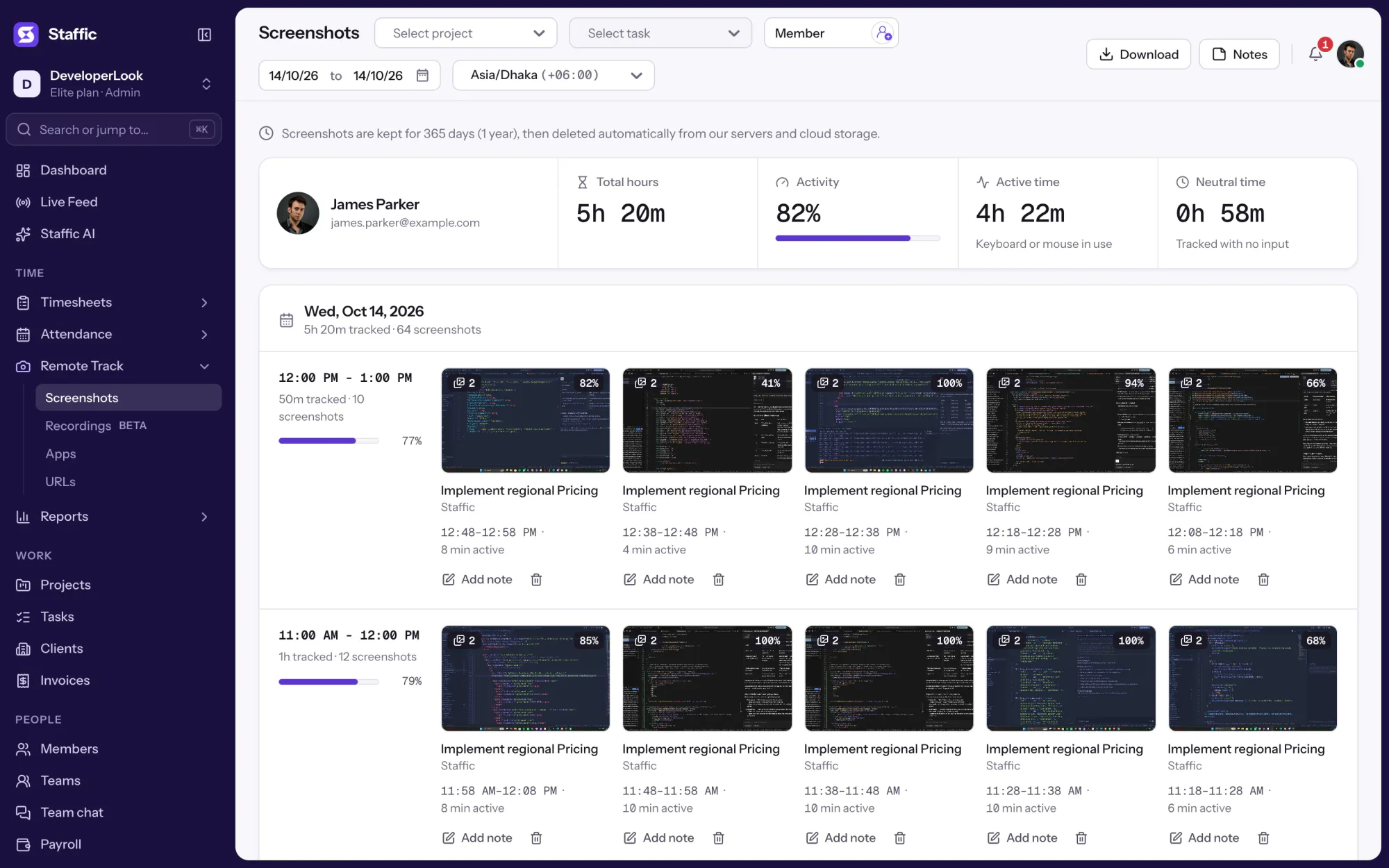
1/3Open the 12:48 PM capture
Control and privacy
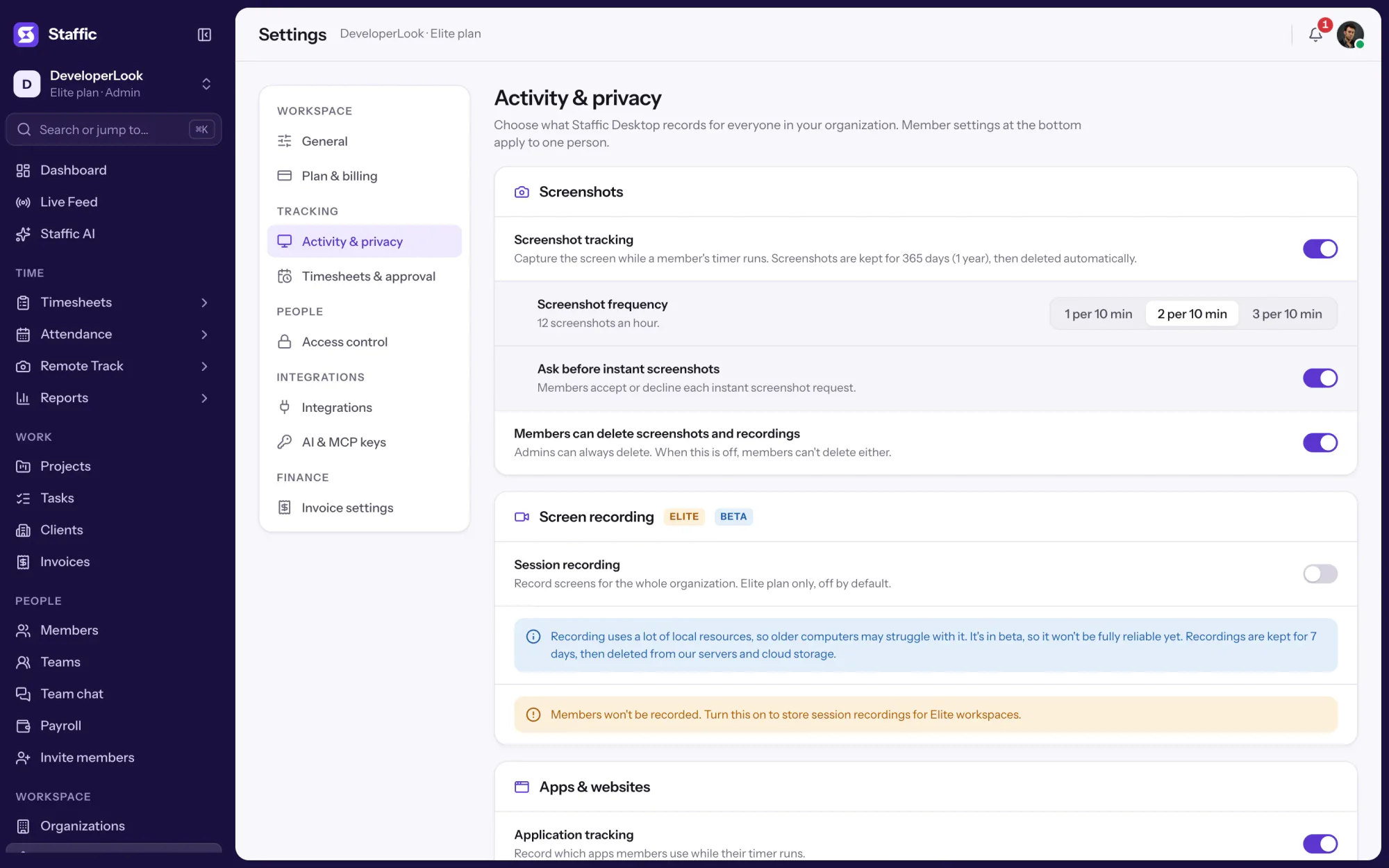
Employee screen monitoring software works when the rules are clear. Admins set them under Settings, Activity & privacy, for the whole organization or one member at a time. Try the settings.
07:12 am - 07:22 am*2*191%Active Time 9 Minutes2 screenshots every 10 minutes for James Parker, at random minutes. Only admins can delete them.
Set it up
Five steps from sign-up to your first reviewed day. Screenshots are on every plan.
Sign up and invite your team by email. Screenshots, the frequency choice and instant screenshots come with every plan, including Free.
Start freeEach member installs Staffic on Windows, macOS or Linux and signs in. Screenshots come from the desktop app.
Download StafficSwitch on Screenshot tracking for the organization, and pick 1, 2 or 3 shots per 10 minutes under Screenshot frequency.
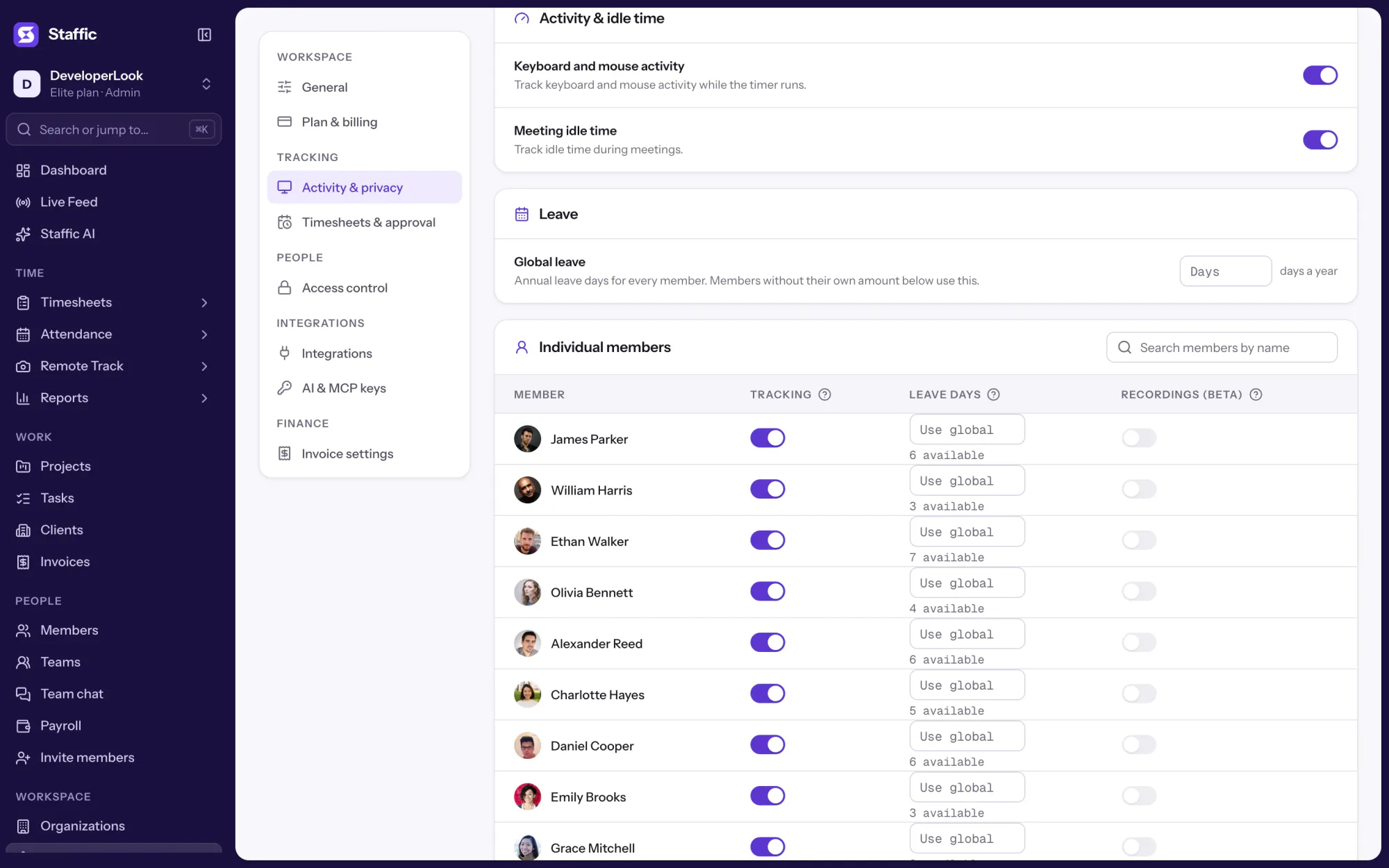
Settings › Activity & privacyTurn on the Members can delete screenshots and recordings switch if members may delete their own captures, and switch off Tracking for anyone who should not be monitored.
Settings › Activity & privacy › Individual membersMembers start their timer as usual. Open Screenshots, pick a member and a date, and the day is there, hour by hour.
Remote Track › Screenshots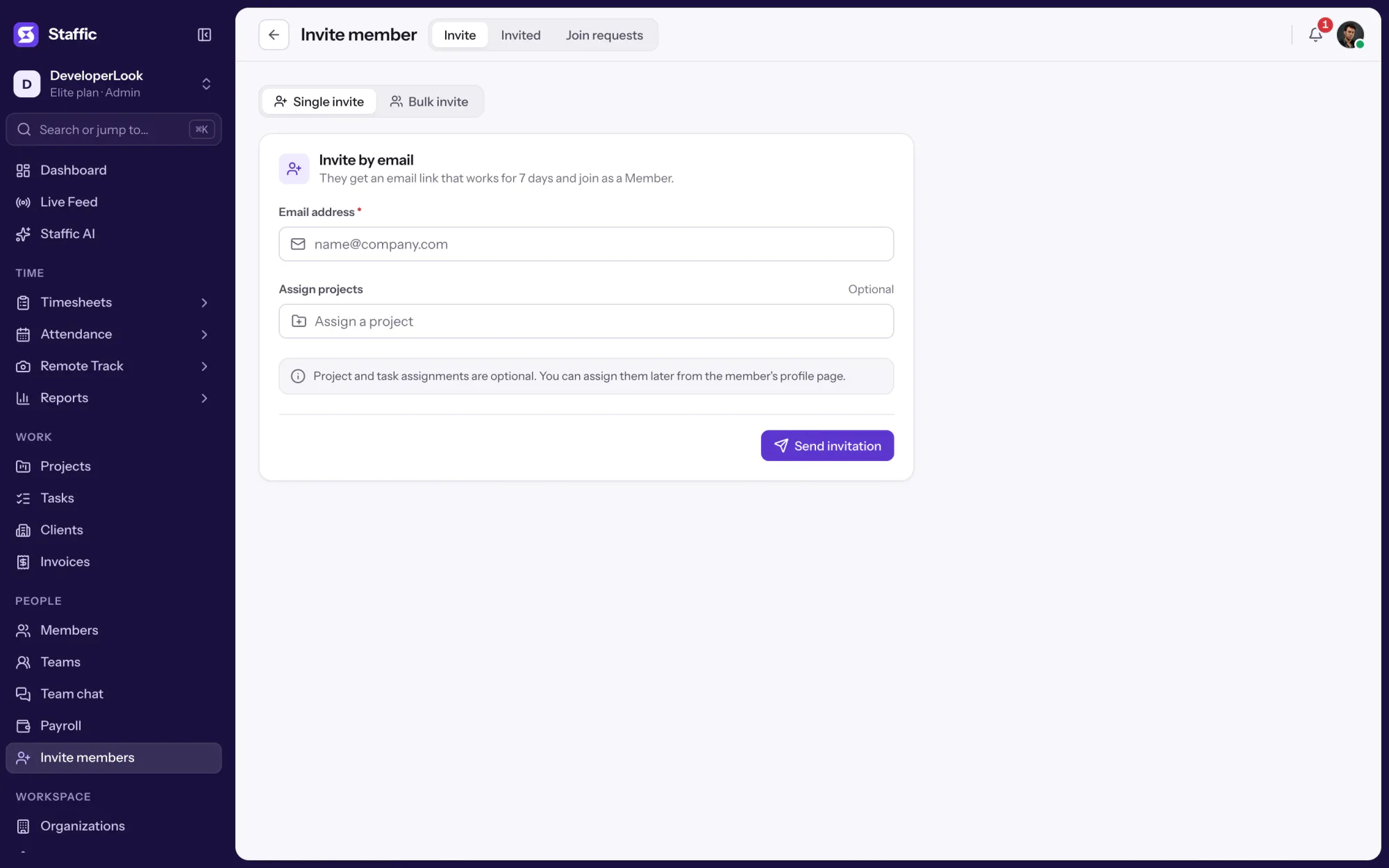
What members see in the desktop app
Staffic is monitoring your
Screen monitoring software
Staffic's computer screen monitoring software has three parts: Screenshots, Screen Recordings and Live Feed. Here is when to use each, and how Staffic's screenshots compare with Hubstaff and Time Doctor.
Swipe the table to compare
| Compare | ScreenshotsThis page | Screen RecordingsBeta | Live FeedWho is working now |
|---|---|---|---|
| What you get | Still images of every connected screen | Video of tracked time, filed by block | Everyone tracking right now, plus a screenshot on request |
| How often | 2 per 10 minutes by default, or 1, 2 or 3 | Throughout tracked time | Right now, and when you ask |
| Kept for | 365 days | 7 days | Instant screenshots: 365 days |
| Best for | Proof of work behind every billed hour | Work a single image can’t explain | Quick checks without interrupting anyone |
| Plans | Every plan | Elite | Every plan |
| Link | You are here | Screen Recordings | Live Feed |
Swipe the table to compare
| Compare | Staffic | Hubstaff | Time Doctor |
|---|---|---|---|
| Free plan | Free forever for up to 2 members | 14-day trial | 14-day trial |
| Screenshots | Every plan | Every plan (500 a month per seat on Starter) | Every plan |
| Capture rate | 2 per 10 minutes by default, or 1, 2 or 3, at random minutes | 1, 2 or 3 per 10 minutes, at random times; up to 10 with an add-on | One every 3 to 30 minutes, at a random time in each interval |
| Lowest paid plan | $3.80 during the current offer (list price $7.50) | $4.99, 2-seat minimum | $6.67 |
| Linux desktop app | Yes | Yes | Yes |
Prices are per user per month, billed yearly, in US dollars. Sources: support.hubstaff.com and support.timedoctor.com for screenshot settings, checked October 2, 2026, and each company’s pricing page, checked October 1, 2026. Staffic’s price comes from the plans API.
Specs and terms
The facts behind the feature, and what each number on the Screenshots page means.
Who it’s for
For managers who need glanceable evidence of activity, without micromanaging every minute.
Time tracking with screenshots puts proof behind each billed hour: every capture carries its time range, task and activity level.
See what each person worked on through the day, without status meetings or pings. It's remote screen monitoring software that runs only on tracked time.
A time tracker with screenshots keeps a record of your own day: every hour has the screens it went into, ready for a client who asks.
Customer stories
Stop juggling tools. Staffic gives your team time tracking, projects, payroll and performance analytics in one platform.
Try Staffic for free“Staffic.io brings transparency without micromanagement. Our team feels trusted, and productivity has never been higher.”
Pricing
Screenshots is included on every plan, Free included. You pay per active user only when your team grows past 2 members.
Compare every planFor freelancers and small teams, up to 2 members
No card needed.
Includes ScreenshotsEvery core feature, for teams of up to 2 members.
Everything in Free, without the 2 member limit
Offer price until October 30, 2026, then $7.50
Card at checkout. Cancel within 7 days and pay nothing.
Includes ScreenshotsEverything in Free without the 2 member limit.
For organizations running payroll, billing and approvals
Offer price until October 30, 2026, then $10
Card at checkout. Cancel within 7 days and pay nothing.
Includes ScreenshotsEverything in Standard, plus Screen Recordings, Invoices, Clients and 1 more.
Prices in USD per active user. Billed monthly, Standard is $9.50 and Elite is $13 per user.
FAQ
Answers about screen monitoring with Staffic Screenshots.
Read the Screenshots guideScreen monitoring software captures what is on an employee's screen during work time, so managers can see how tracked hours were spent. Staffic is employee monitoring software with screenshots: its desktop app for Windows, macOS and Linux is the screenshot monitor app, and it captures screens only while a member's timer runs. Each capture is filed with its project, task, time range and activity level.
Staffic takes 2 screenshots in every 10-minute block by default, which is 12 an hour. Admins can choose 1, 2 or 3 per block under Settings, Activity & privacy, Screenshot frequency. Captures fall at random minutes inside each block, and nothing is captured while the timer is stopped.
Members see their own screenshots in the web app, and they can delete them only if an admin turns on the Members can delete screenshots and recordings switch, which is off by default. Deleting a capture removes its whole 10-minute block, including the tracked time, and asks for a reason that is logged. Admins can delete any capture.
Yes. Under Settings, Activity & privacy, Individual members, switch Tracking off for anyone whose role shouldn't be monitored: their screenshots, apps, URLs and activity stop while their time tracking continues. You can also turn Screenshot tracking off for the whole organization.
Staffic keeps screenshots, including instant screenshots, for 365 days. After that they are deleted automatically from Staffic's servers and cloud storage, and the tracked time stays in your timesheets. Download any day you need to keep from the Screenshots page before then.
Yes. Every screenshot belongs to the tracked block it was taken in, so it carries that block's project, task, time range and activity level. That is what time tracking software with screenshots should do: filter captures by project or task, then check them against the member's timesheet for the same day.
Screenshots aren't the heavy part: they are still images taken a few times in every 10 minutes, and Staffic's settings carry no performance warning for them. The warning is for Screen Recordings (beta), which uses a lot of local resources, so older computers may not work well with it. If a machine struggles, turn recording off for that member and keep screenshots.
In many countries it is legal to monitor work computers during work time when employees are told what is captured and why, but the rules differ by country and state. The EU's GDPR, for example, expects a clear purpose and proportionate monitoring. Introduce it before you switch it on: say what Staffic captures, when, who sees it and how long it's kept. This is general information, not legal advice.
Every plan includes Screenshots. Free covers up to 2 members. Standard is $7.50 per user per month billed yearly ($3.80 during the current offer, until October 30, 2026) or $9.50 billed monthly, and Elite is $10.00 per user per month billed yearly ($4.80 during the current offer, until October 30, 2026) or $13.00 billed monthly.
Explore more
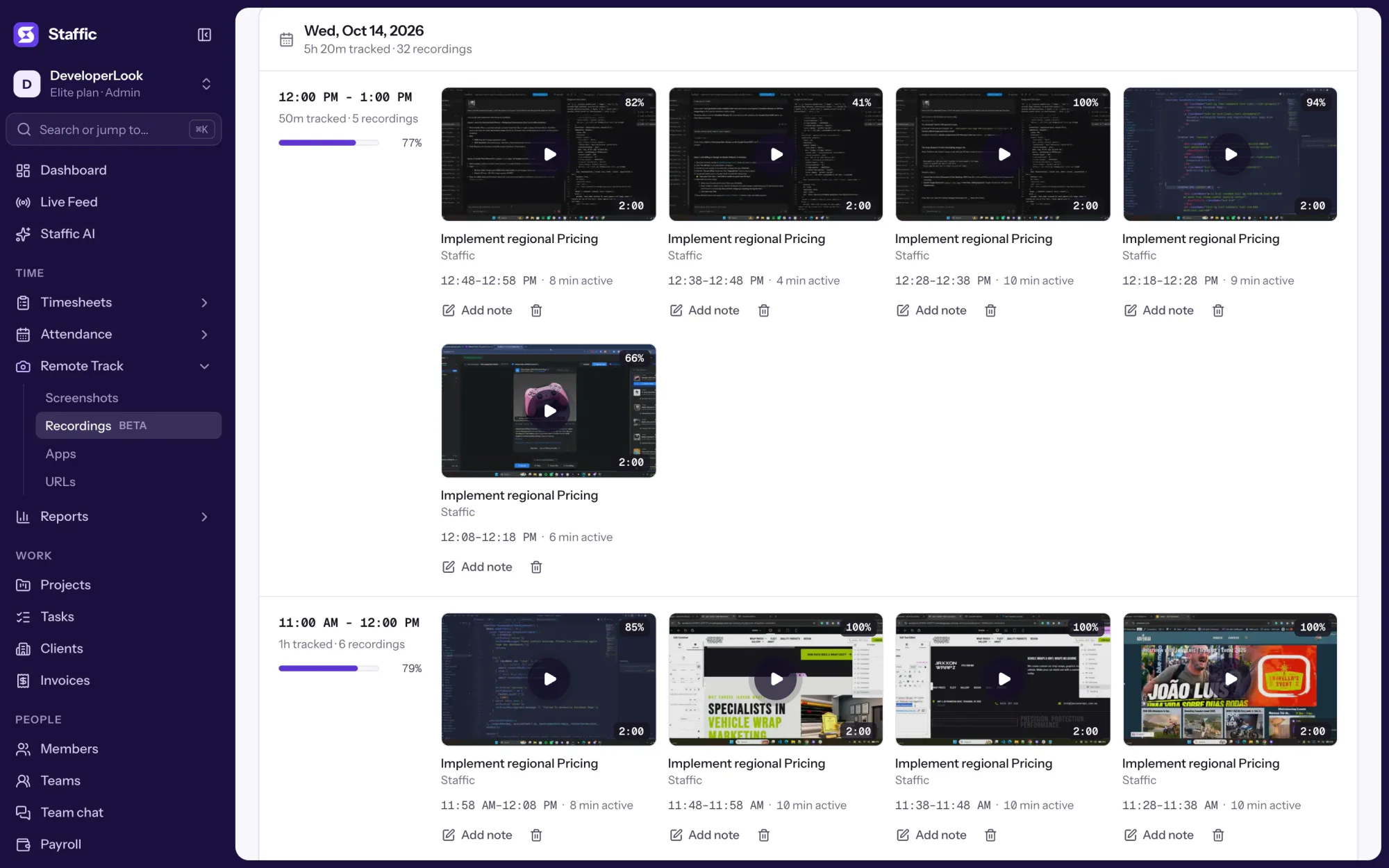
Screen Recordings capture video of tracked work sessions on Elite, filed with project, task and activity, for work a screenshot can't explain.
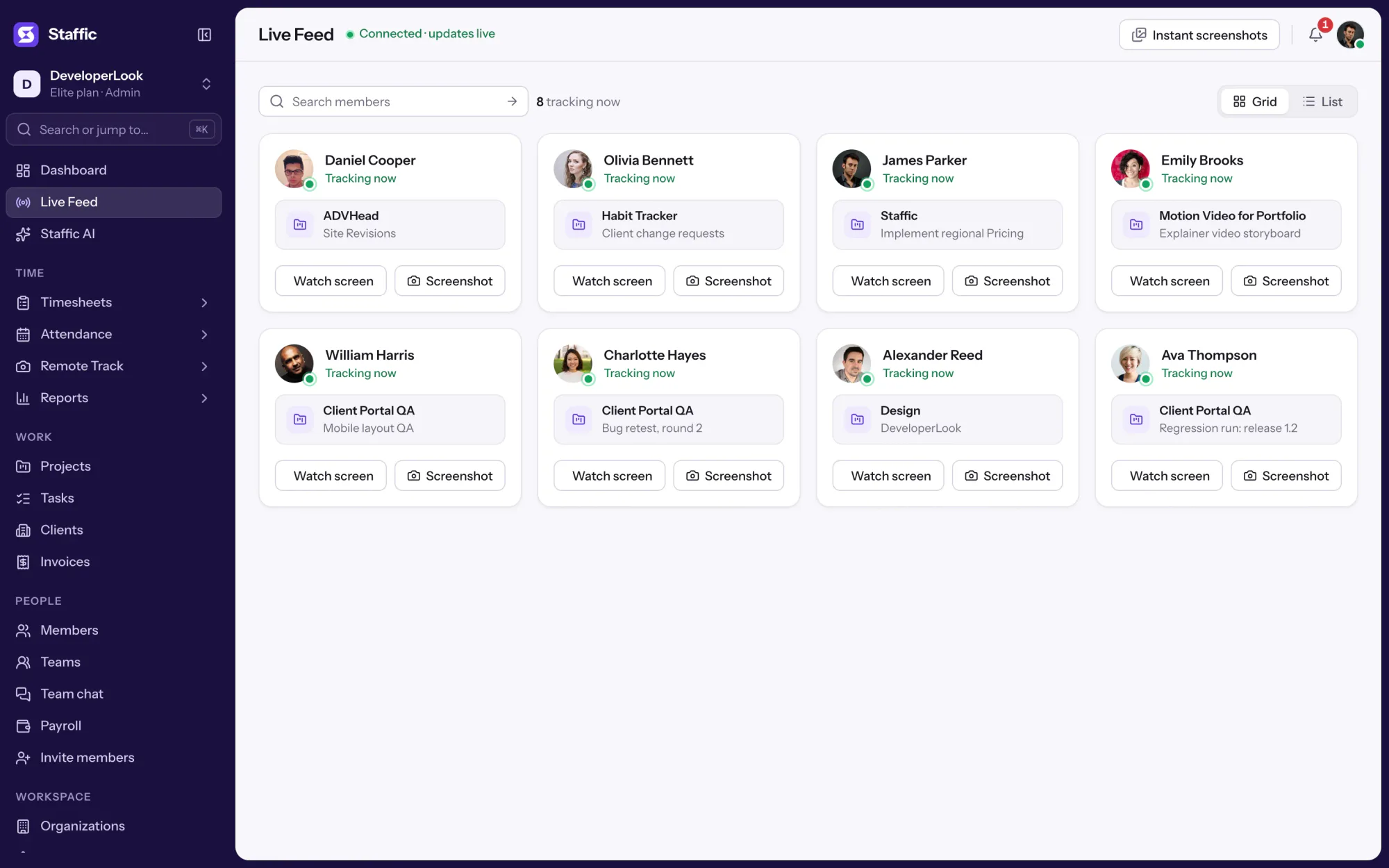
Live Feed lists the members tracking time right now, with each one's project and task, and takes an instant screenshot on request.
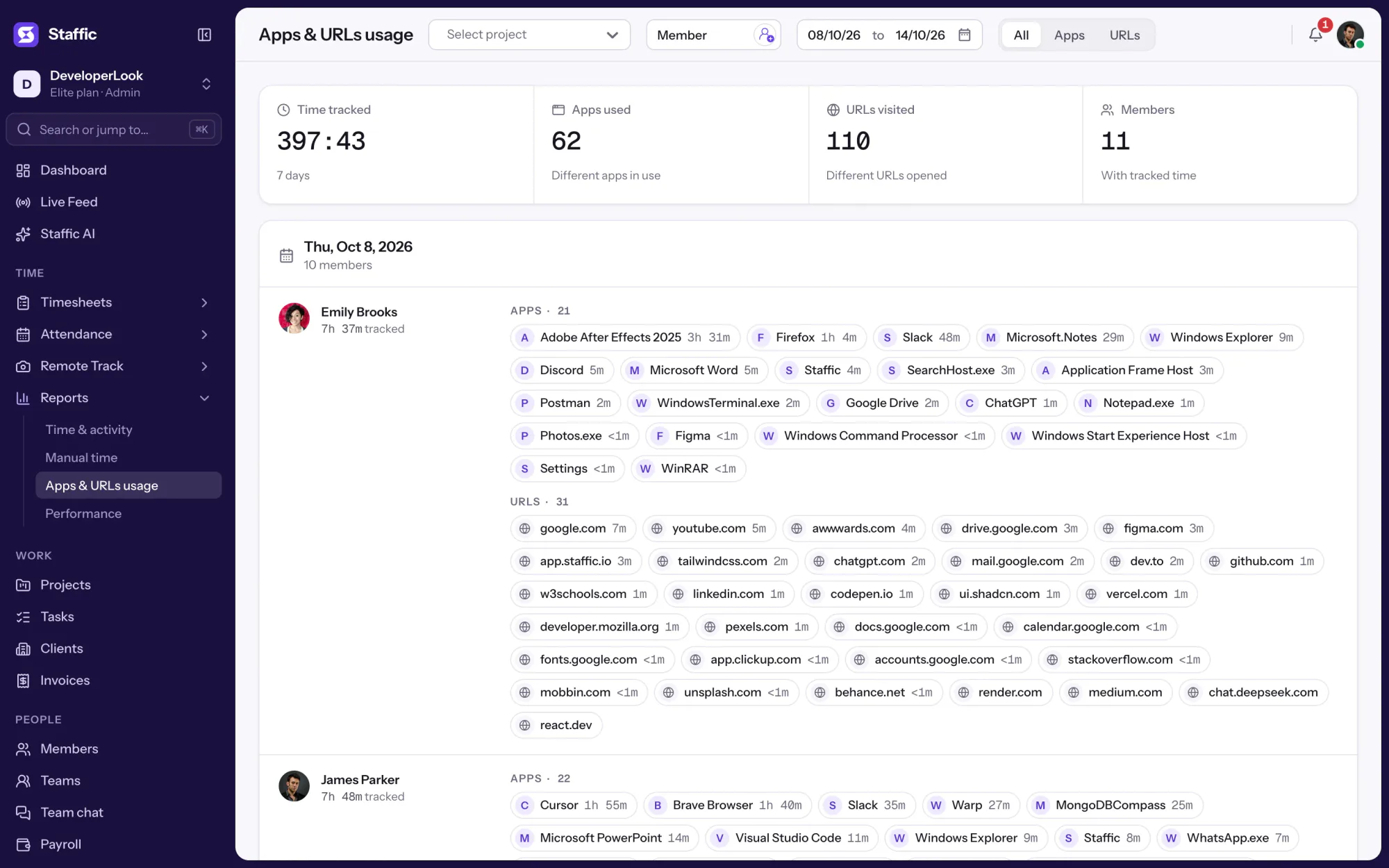

Employee internet monitoring in one report: the apps and websites each member used per day of tracked time, with total time. On every plan.
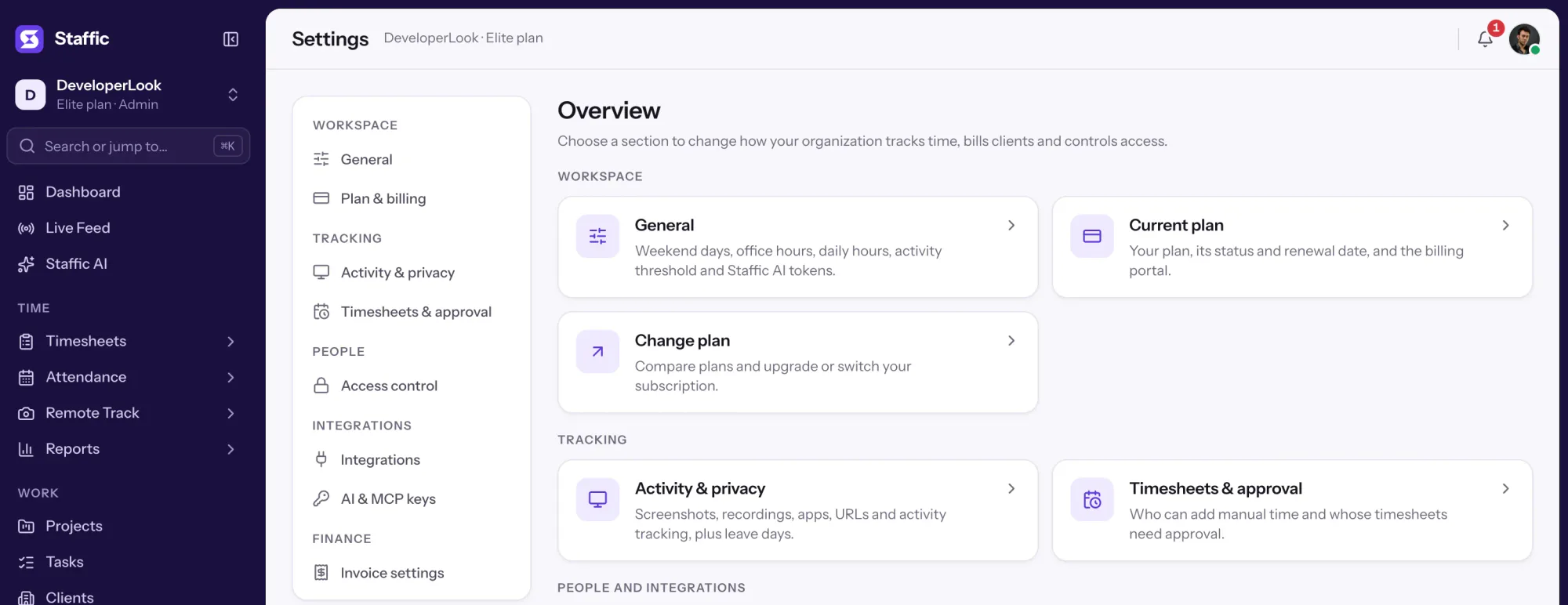

Settings is where admins choose what Staffic tracks, set timesheet rules and build Access control roles, with each switch marked by its plan.
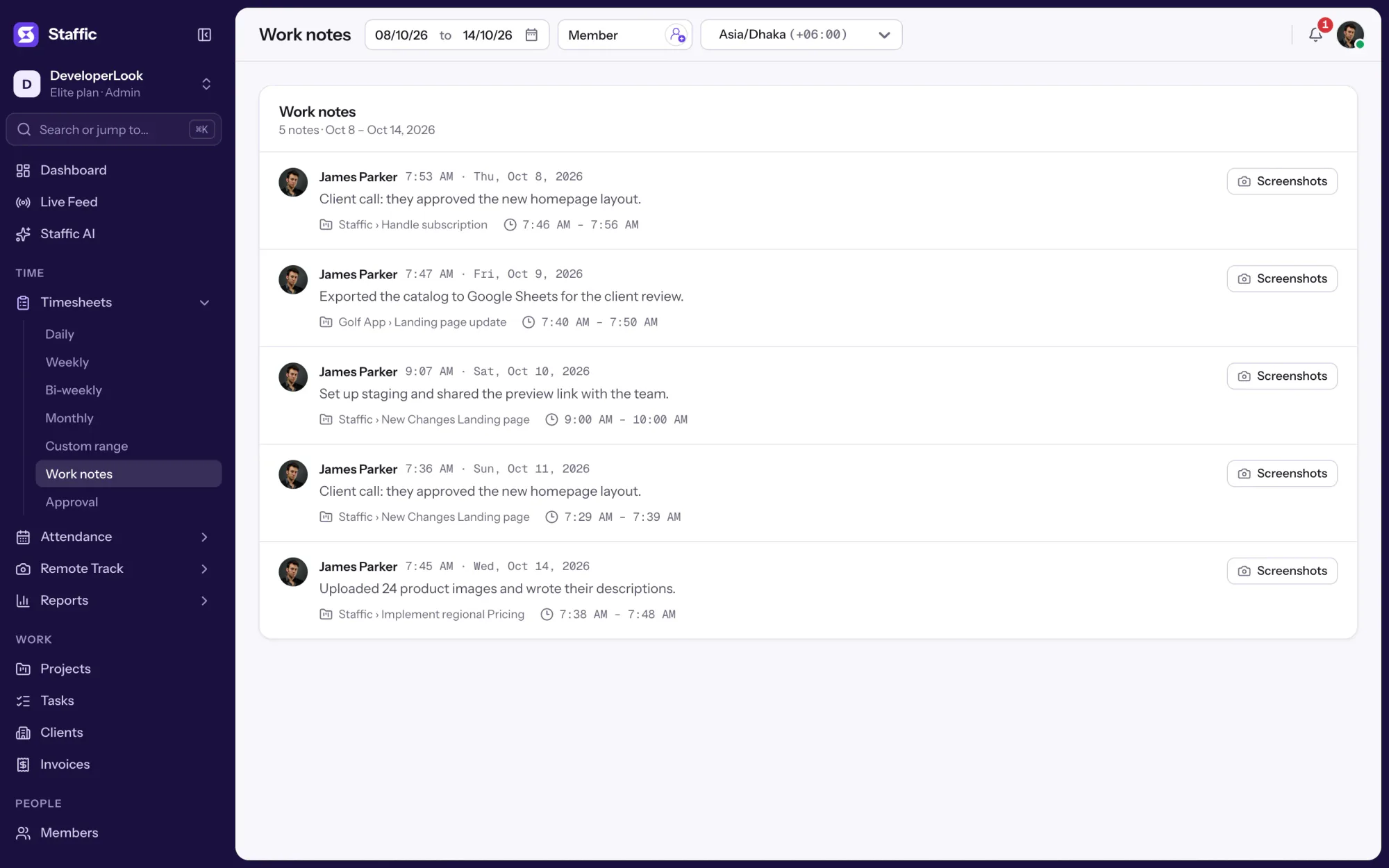

Notes written while time is tracked, saved with the project, task and session, and listed by date as a daily work log for the team.
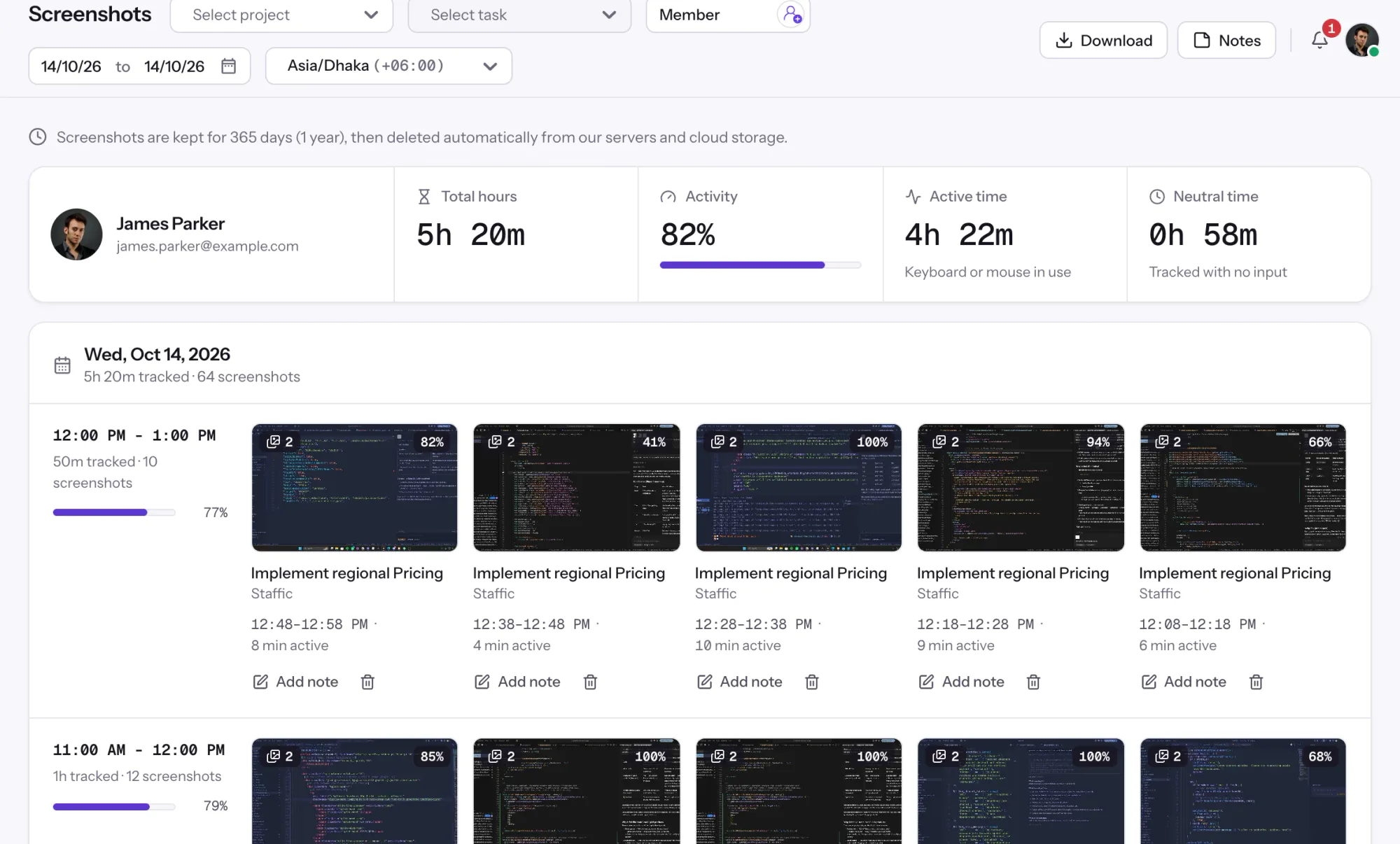

Staffic is employee monitoring software that records screenshots, apps, URLs and activity only while the timer runs, with Live Feed on every plan and recordings on Elite.
Free for up to 2 members
Create your workspace, invite your team, and the first timesheet builds itself.