Remote and hybrid teams
Check in without a message
See who has started work and what they picked before you ping anyone. It's the quickest way to know whether someone is on the task you assigned.

Features
All 38 featuresSee the work while it happens.
 DashboardYour team's week at a glance, Monday to Sunday
 Live FeedSee who's tracking time right now, and on what
 ScreenshotsVisual proof of work, captured automatically
 AppsWhich apps each tracked session used
 URLsThe websites behind the tracked time
 Screen RecordingsEliteFull session video, beyond a screenshot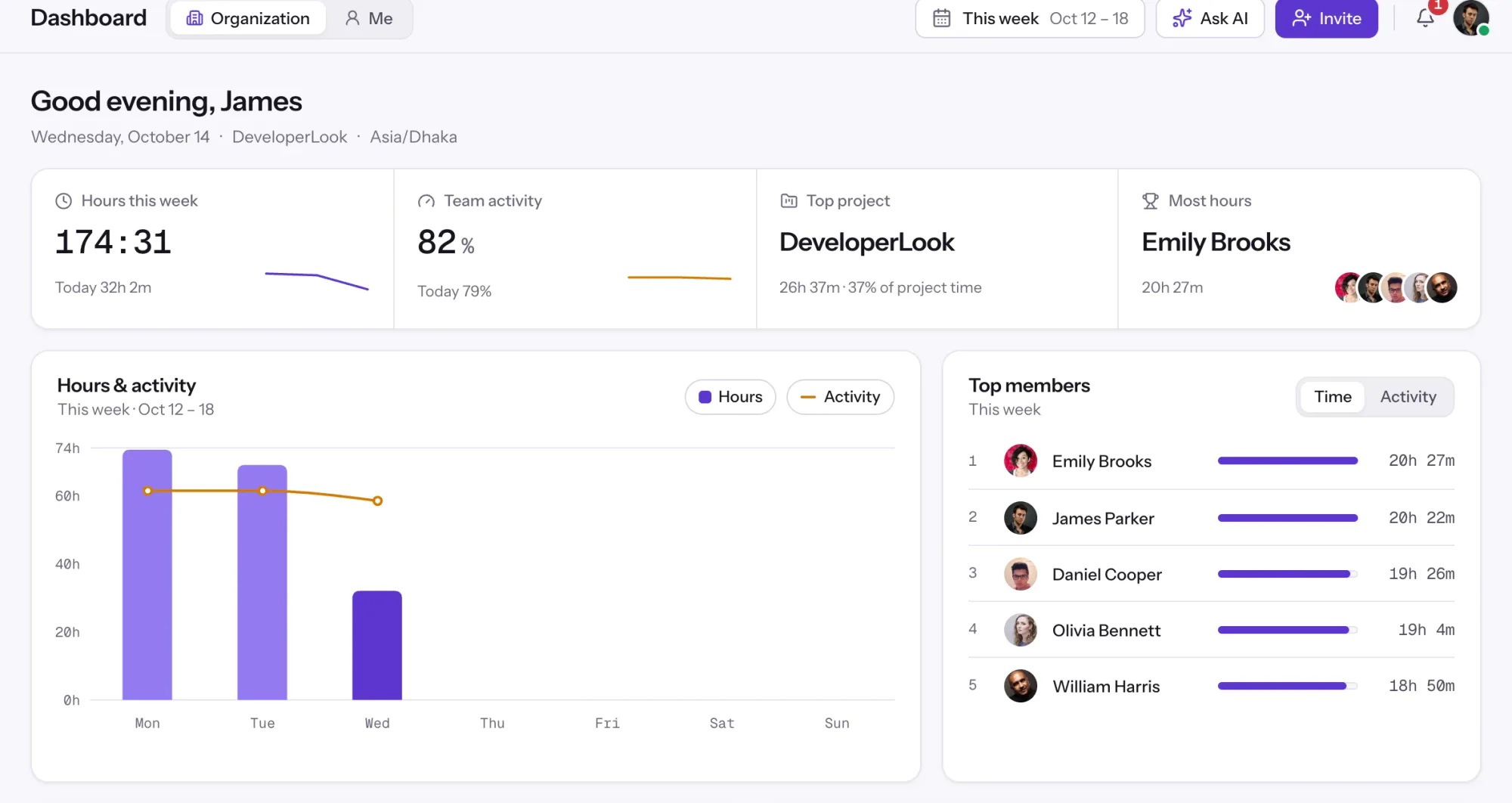
01 / 38
Dashboard
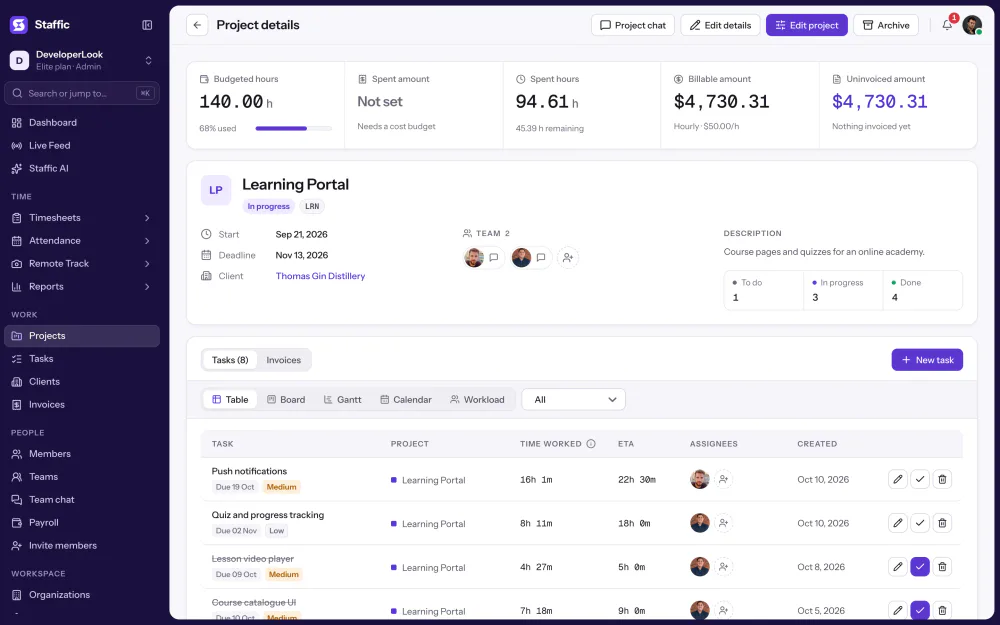
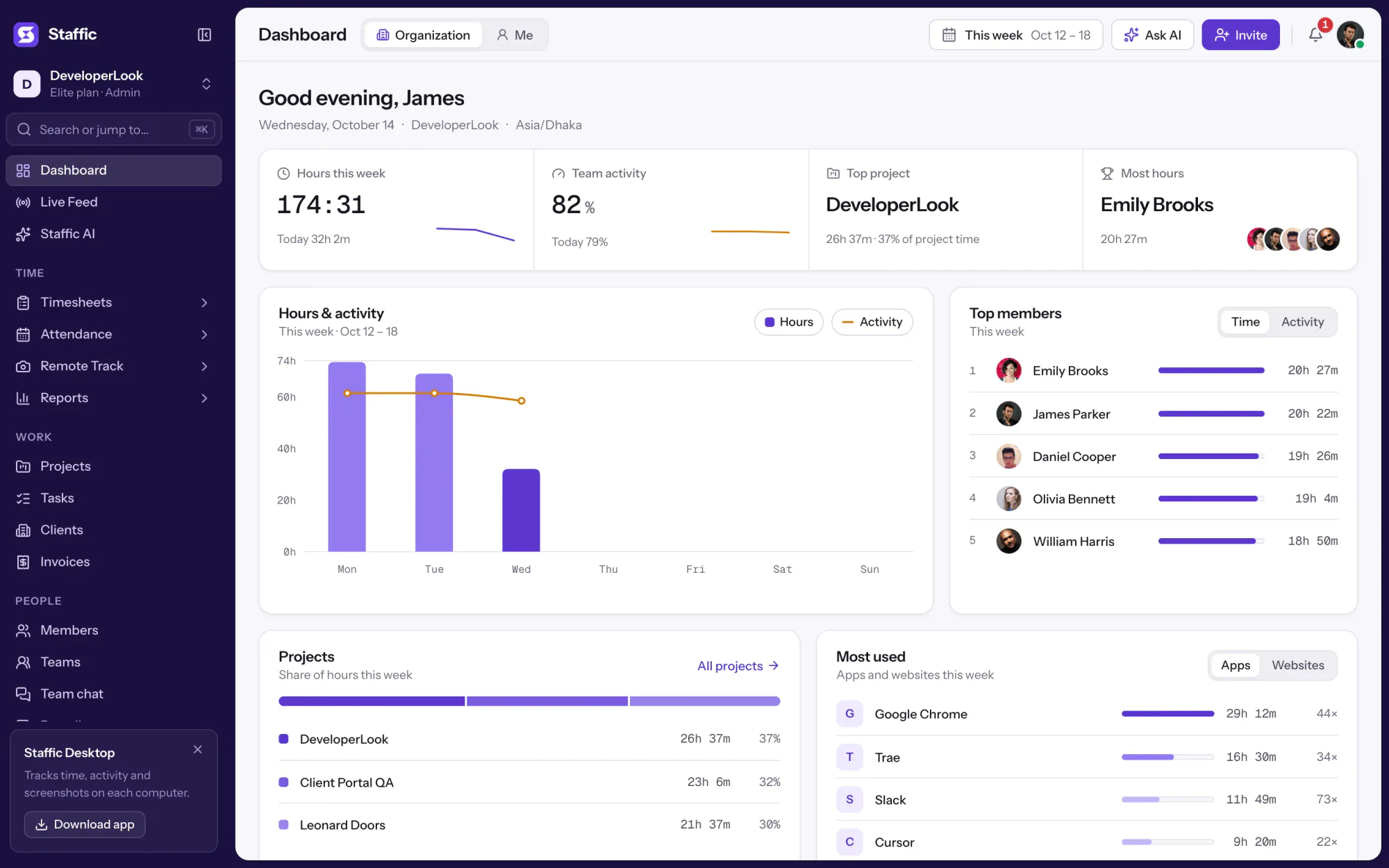
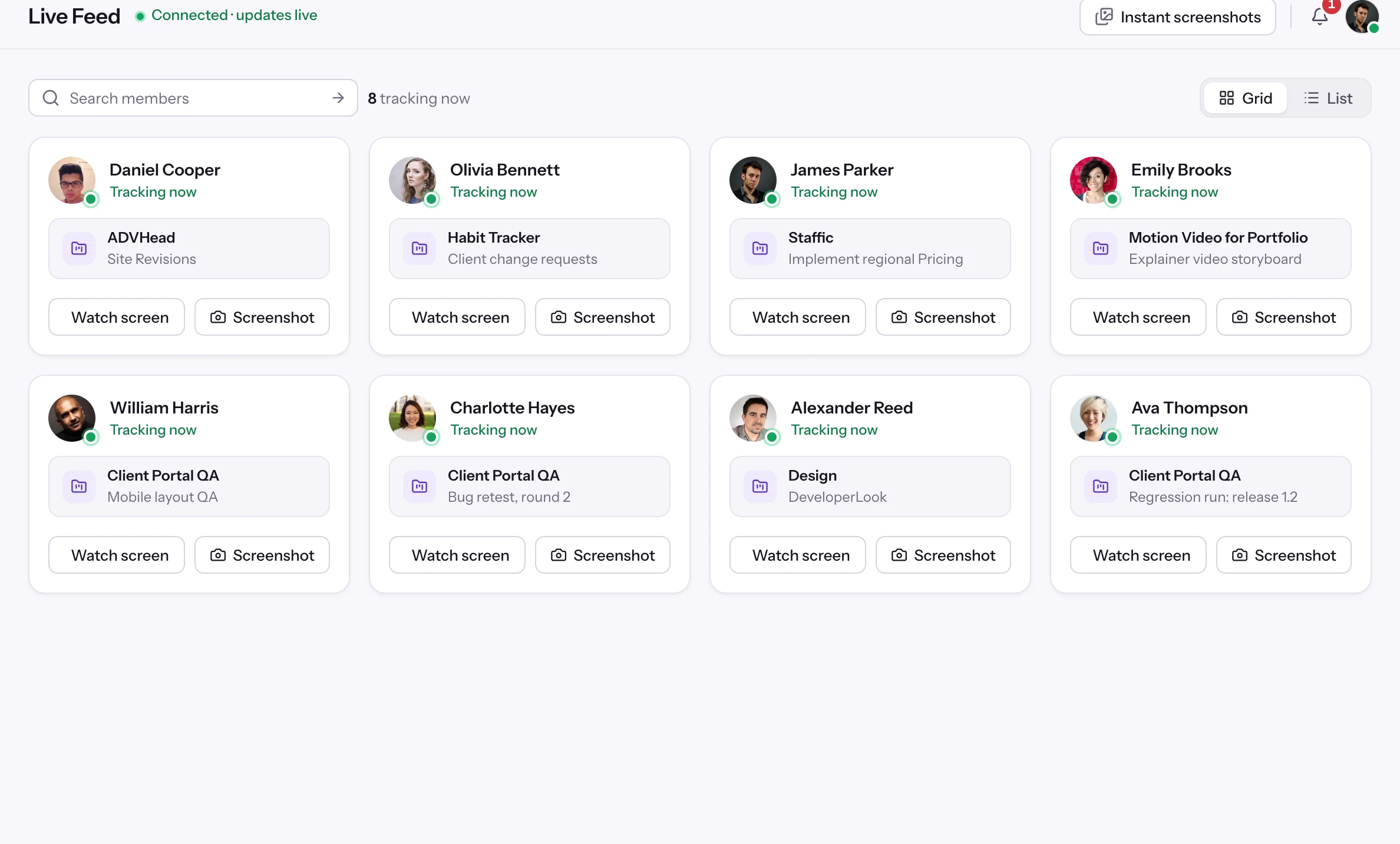
The team dashboard: this week's hours, team activity, top members, ongoing tasks, top projects and the most used apps and websites.
View DashboardSolutions
All 38 featuresHow remote, hybrid and growing teams run Staffic.
Staffic for the way you work, from freelancing to client billing.
 FreelancersFreelance time tracking
 Small businessesTimekeeping software for small business
 Call centersCall center monitoring software
 ConsultantsTime tracking software for consultants
 Companies with contractorsContractor time tracking
 Virtual assistantsTime tracking software for virtual assistants
 AgenciesAgency time tracking software
 Accounting firmsTime tracking software for accountants
 Software teamsTime tracking software for engineers
Staffic set up for your industry's records and reports.
01 / 19
Track remote hours across every time zone.
Staffic records time, activity and optional screenshots on each remote member’s computer, then turns them into timesheets you approve, so you can trust the hours without daily check-ins.
View Remote teamsLive Feed
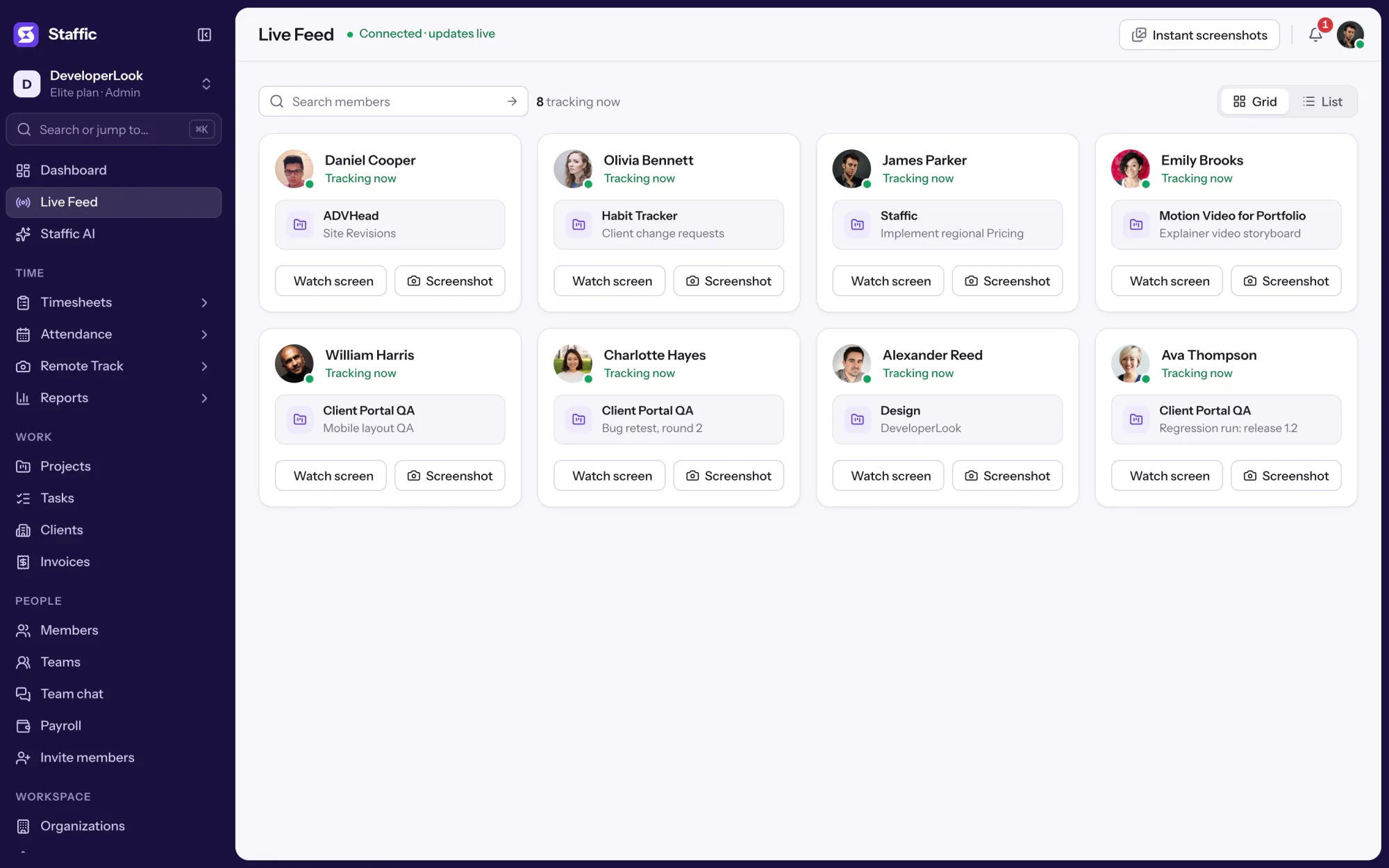
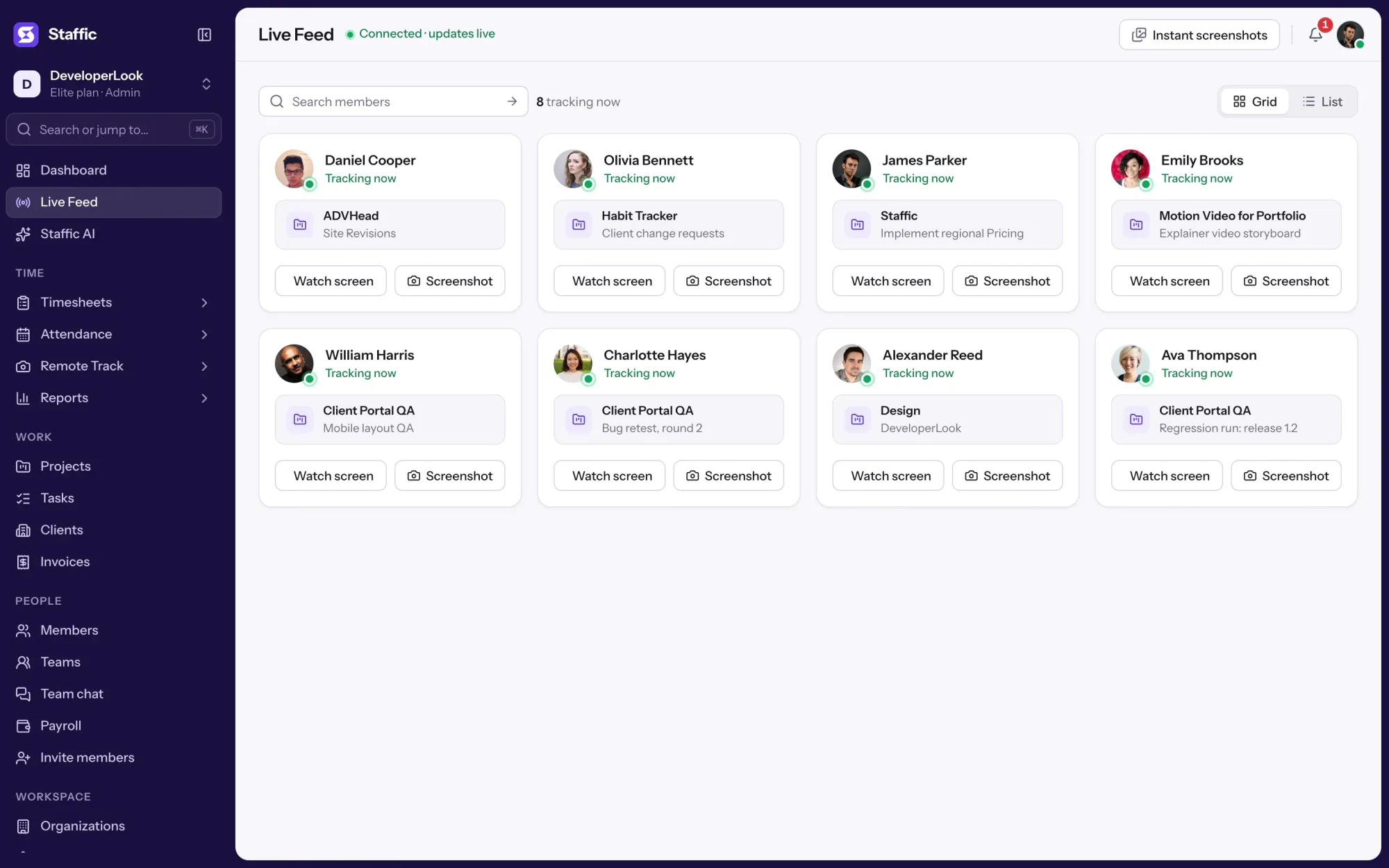
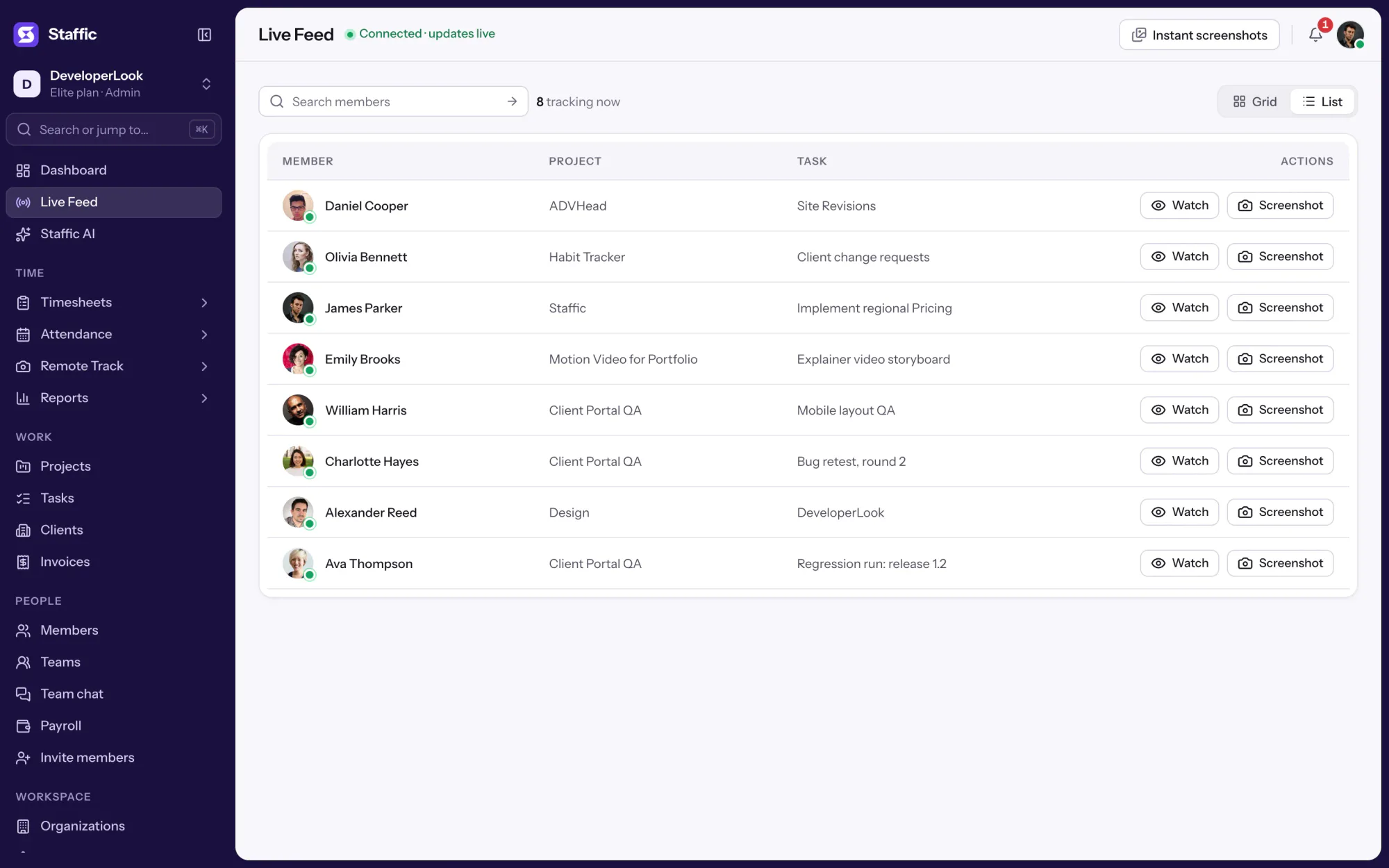
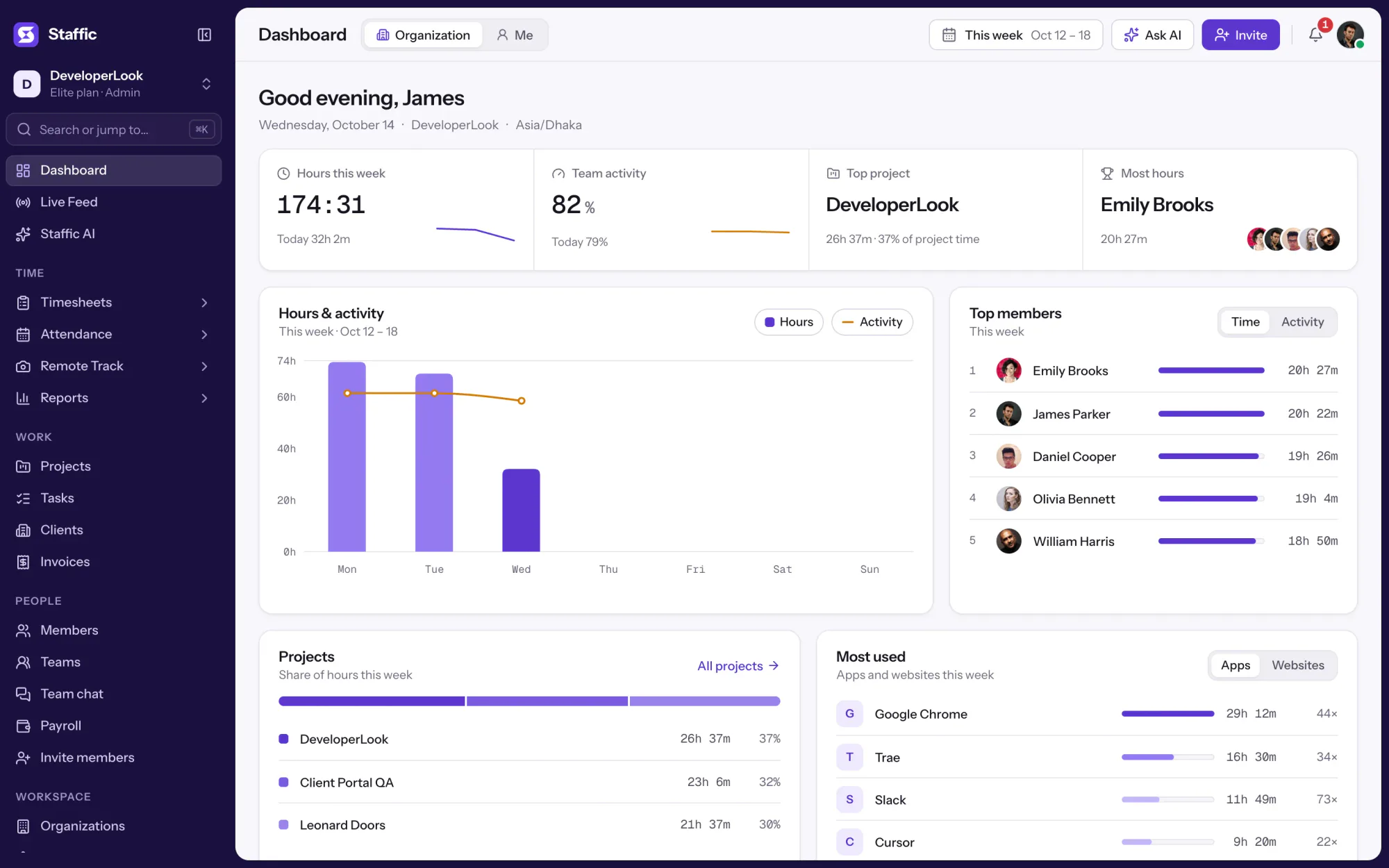
Staffic Live Feed lists every member whose timer is running in the desktop app, with the project and task they're tracking. It's for admins, on every plan, who want to know who is working without sending a message. When you need to see the work itself, the Screenshot button captures that member's screen from the same row.
1/6Open Live Feed
In short
Staffic Live Feed is a live activity feed of the members who are tracking time right now. Each row shows the member, the project and task their timer runs on, and a Screenshot button for an instant screenshot. The list changes as members start and stop their timers in the desktop app for Windows, macOS or Linux. Live Feed is on every plan, and only admins can open it.
How it works
Live Feed has no setup of its own: it reads the timers your team already runs in the desktop app.
Live activity feed
Live Feed reads the timers running in your team's desktop apps, so every row is work that's happening now.
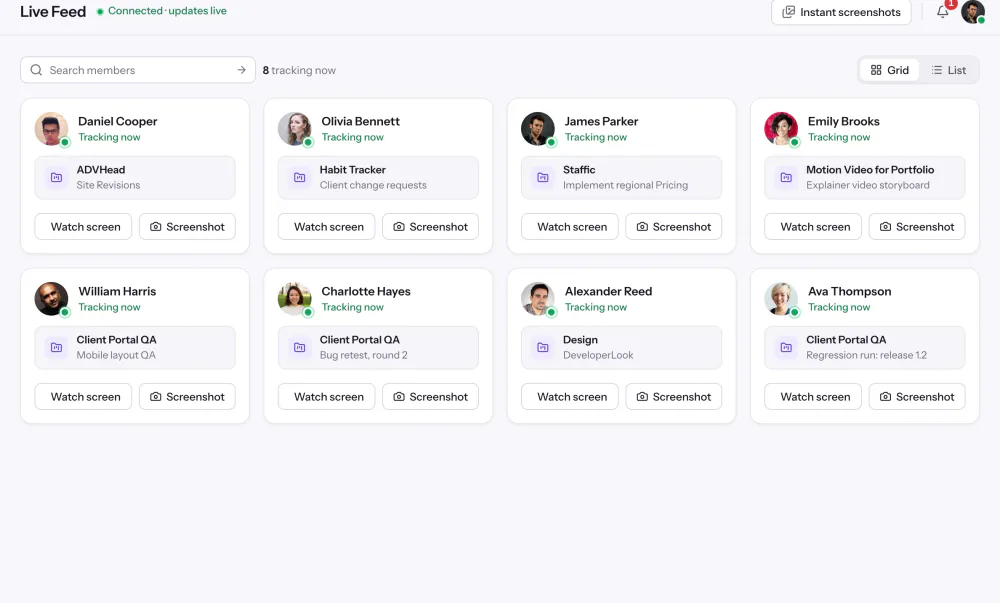
Open Live Feed to see each member whose timer is running, the project and task it runs on, and a button to capture their screen. When nobody is tracking, the page tells you no one is live right now.
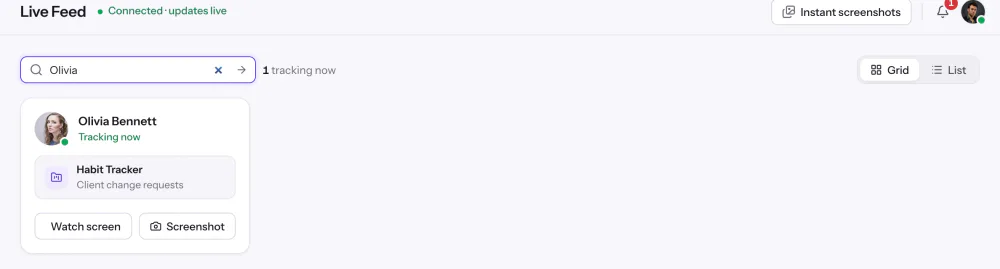
Type a name in the search box to narrow the list to that member and their current project and task. Clear the box and everyone who is tracking comes back.
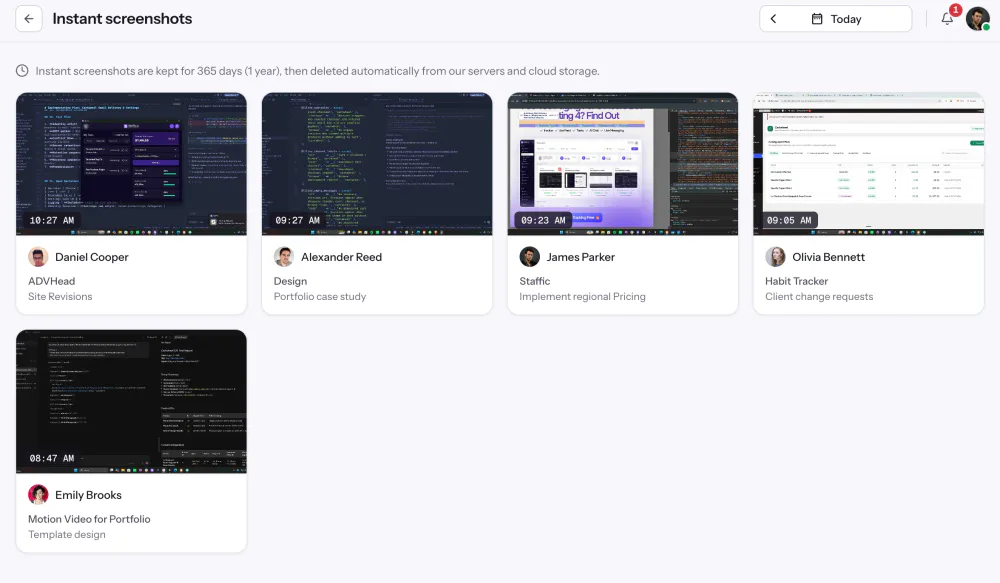
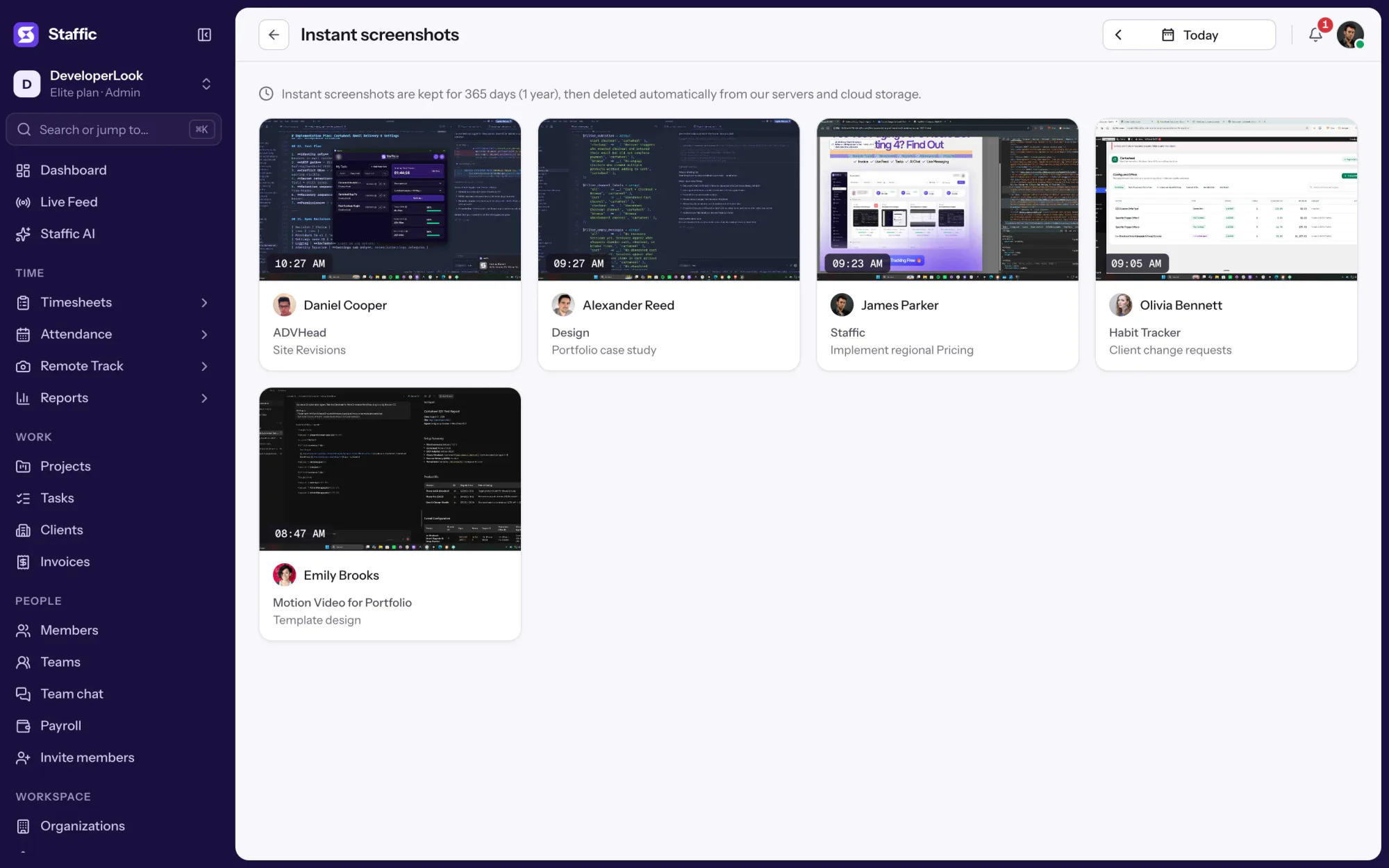
The Screenshot button asks that member's desktop app to capture their screen while their timer runs. The capture is filed with the project and task they're tracking and listed on the Instant screenshots page, with the member and the time it was taken.
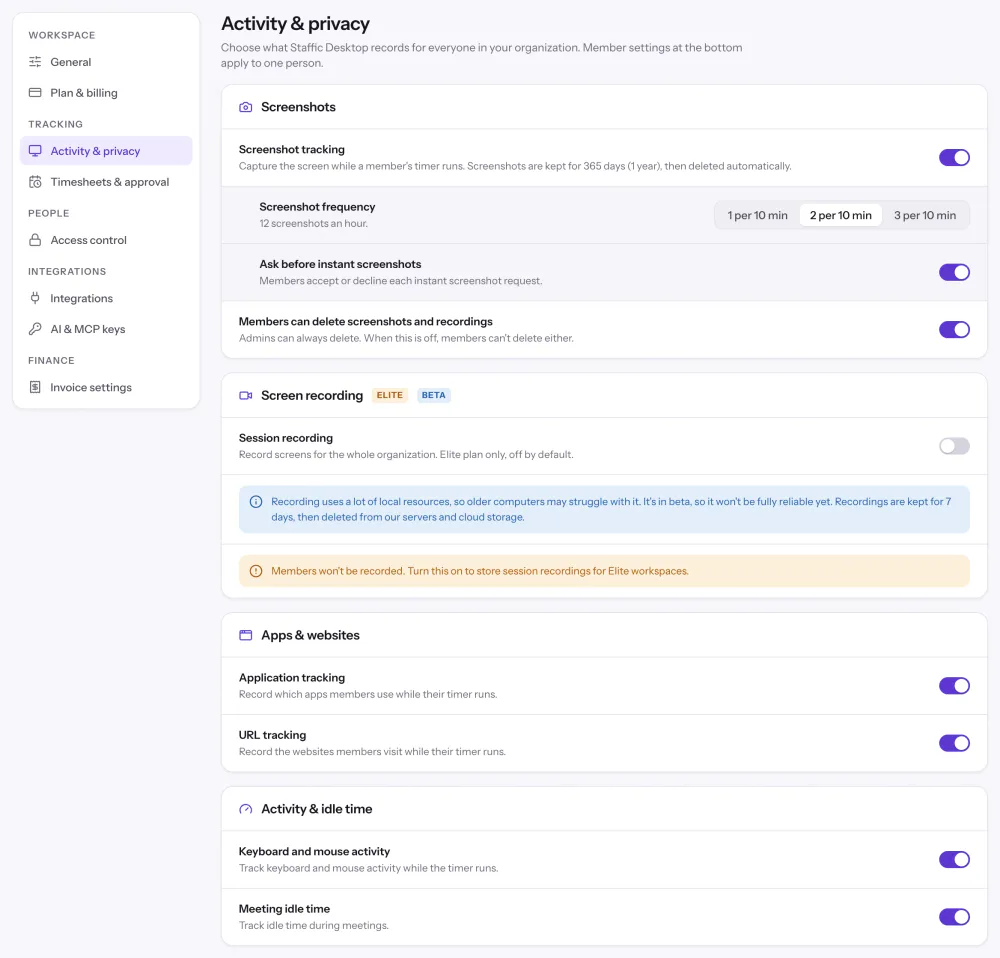
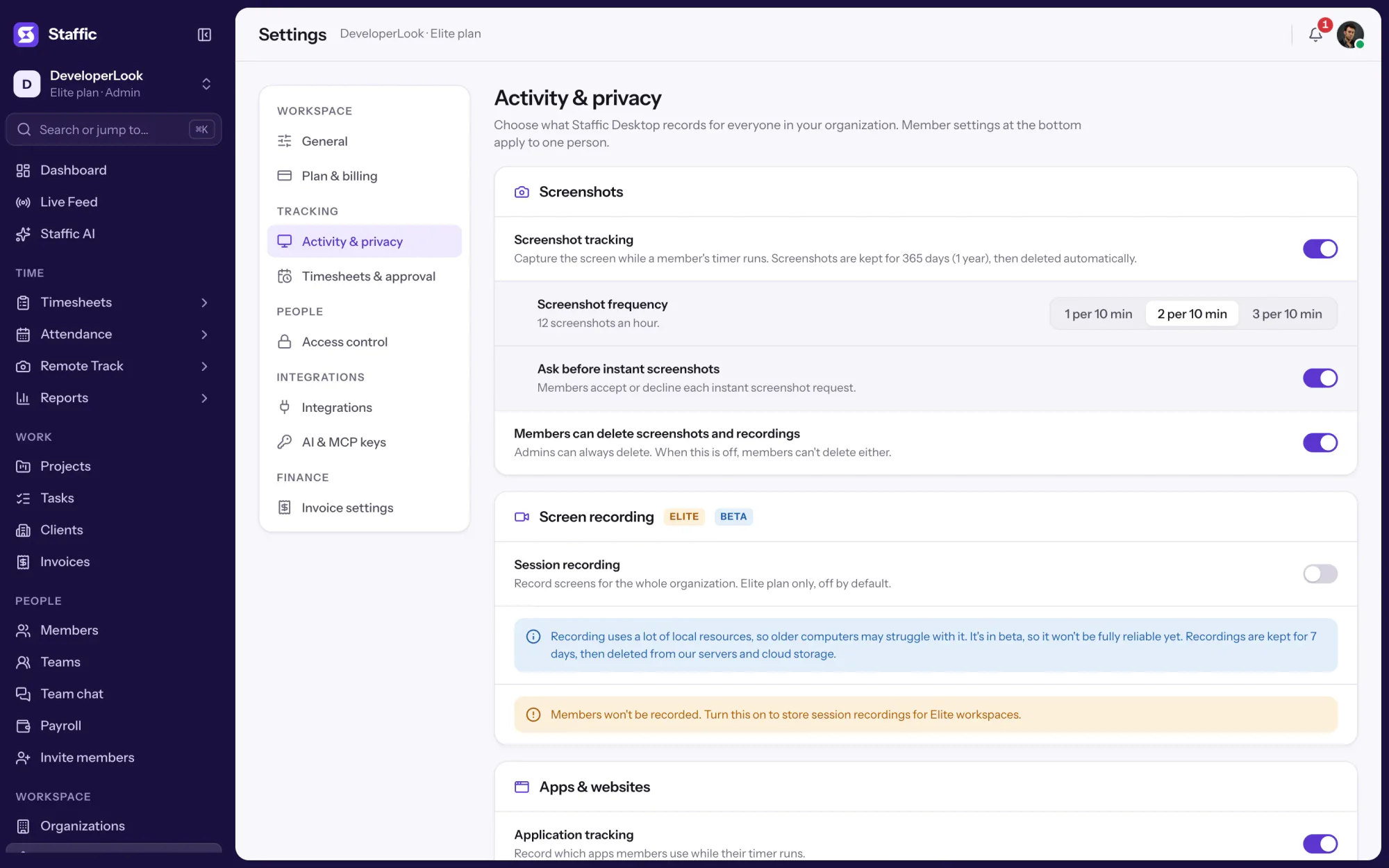
Turn on Ask before instant screenshots in Settings, Activity & privacy, and each instant screenshot request asks the member to accept or deny it. Use it when your monitoring policy says members approve every on-demand capture.
Showing Everyone tracking right now, in one list.
1/3Open Live Feed
Control and privacy
Live Feed shows only work that's being tracked, and only to admins.
Set it up
Four steps, then Live Feed fills in as soon as someone starts a timer. Live Feed is on every plan, for admins.
Sign up and invite your team by email. Live Feed and instant screenshots work on every plan, including Free.
Start freeEach member installs Staffic on Windows, macOS or Linux and signs in. Live Feed reads the timer in the desktop app.
Download StafficTurn on Ask before instant screenshots if members should accept or deny each capture.
Settings › Activity & privacyWhen members start their timers, they appear here with their project and task.
Live Feed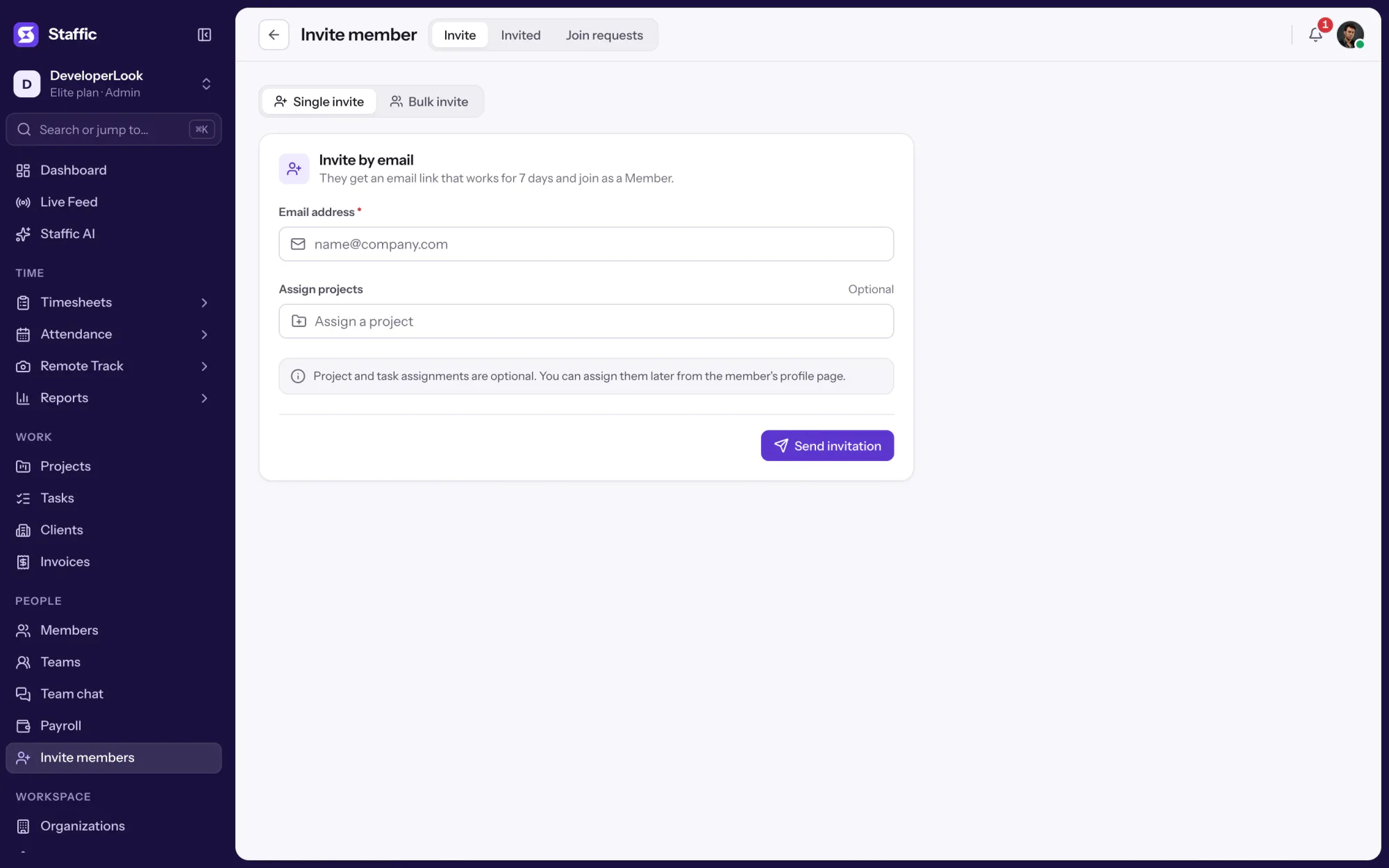
Compare
Three ways to see your team's work, each for a different question.
Swipe the table to compare
| Compare | Live FeedThis page | DashboardThe week so far | ScreenshotsTaken automatically |
|---|---|---|---|
| What it answers | Who is working right now, and on what | How the week is going for the team | What each tracked block looked like |
| Time span | Now | This week, Monday to Sunday, and today | Any day in the last 365 days |
| Screenshots | Instant, when an admin asks | None | 2 per 10 minutes by default, or 1, 2 or 3 |
| Who opens it | Admins | Everyone sees their own; admins see the team | Admins, allowed roles and the member |
| Plans | Every plan | Every plan | Every plan |
| Link | You are here | Dashboard | Screenshots |
Plans follow what the Staffic app enforces today.
Specs and terms
The facts behind the feature, and what each number on the Live Feed page means.
Who it’s for
Admins who need a quick answer about who is working, without interrupting anyone.
See who has started work and what they picked before you ping anyone. It's the quickest way to know whether someone is on the task you assigned.
Before a client call, check who is tracking time on that client's project right now, and on which task.
Support leads see which agents have their timers running and on which task, without walking the floor or asking in chat.
Customer stories
Stop juggling tools. Staffic gives your team time tracking, projects, payroll and performance analytics in one platform.
Try Staffic for free“Staffic.io brings transparency without micromanagement. Our team feels trusted, and productivity has never been higher.”
Pricing
Live Feed is included on every plan, Free included. You pay per active user only when your team grows past 2 members.
Compare every planFor freelancers and small teams, up to 2 members
No card needed.
Includes Live FeedEvery core feature, for teams of up to 2 members.
Everything in Free, without the 2 member limit
Offer price until October 30, 2026, then $7.50
Card at checkout. Cancel within 7 days and pay nothing.
Includes Live FeedEverything in Free without the 2 member limit.
For organizations running payroll, billing and approvals
Offer price until October 30, 2026, then $10
Card at checkout. Cancel within 7 days and pay nothing.
Includes Live FeedEverything in Standard, plus Screen Recordings, Invoices, Clients and 1 more.
Prices in USD per active user. Billed monthly, Standard is $9.50 and Elite is $13 per user.
Live Feed is a live activity feed of the members tracking time right now in Staffic. Each row shows the member, their project and task, and a Screenshot button. It's on every plan, and admins open it from the sidebar.
Live Feed changes as things happen: a member who starts the timer appears, and one who stops it or closes the desktop app drops off. You don't need to reload the page. A search keeps the list narrowed to one name until you clear the box.
Yes, on every plan. The Screenshot button captures that member's screen through their desktop app while their timer runs, and saves it on the Instant screenshots page with the project and task. Instant screenshots are kept for 365 days.
Yes, when you turn on Ask before instant screenshots in Settings, Activity & privacy. Each request then asks the member to accept or deny it. The switch covers the whole organization.
Only admins can open Live Feed, so members don't see who else is tracking. The instant screenshots it takes are filed on the Instant screenshots page, which also opens for admins only.
No. Live Feed lists a member only while their timer runs in the desktop app. For the hours someone tracked earlier, open their daily timesheet or the dashboard.
Yes. Live Feed reads the timer in each member's desktop app over the internet, so it lists people wherever they work, on Windows, macOS or Linux. Admins open it in the Staffic web app.
Live Feed shows who is tracking right now and takes a screenshot only when an admin asks. Screenshots are taken automatically during tracked time, 2 per 10 minutes by default, and filed on each member's timeline. Use Live Feed for a quick check and Screenshots for the record.
Every plan includes Live Feed. Free covers up to 2 members. Standard is $7.50 per user per month billed yearly ($3.80 during the current offer, until October 30, 2026) or $9.50 billed monthly, and Elite is $10.00 per user per month billed yearly ($4.80 during the current offer, until October 30, 2026) or $13.00 billed monthly.
Explore more
The team dashboard: this week's hours, team activity, top members, ongoing tasks, top projects and the most used apps and websites.
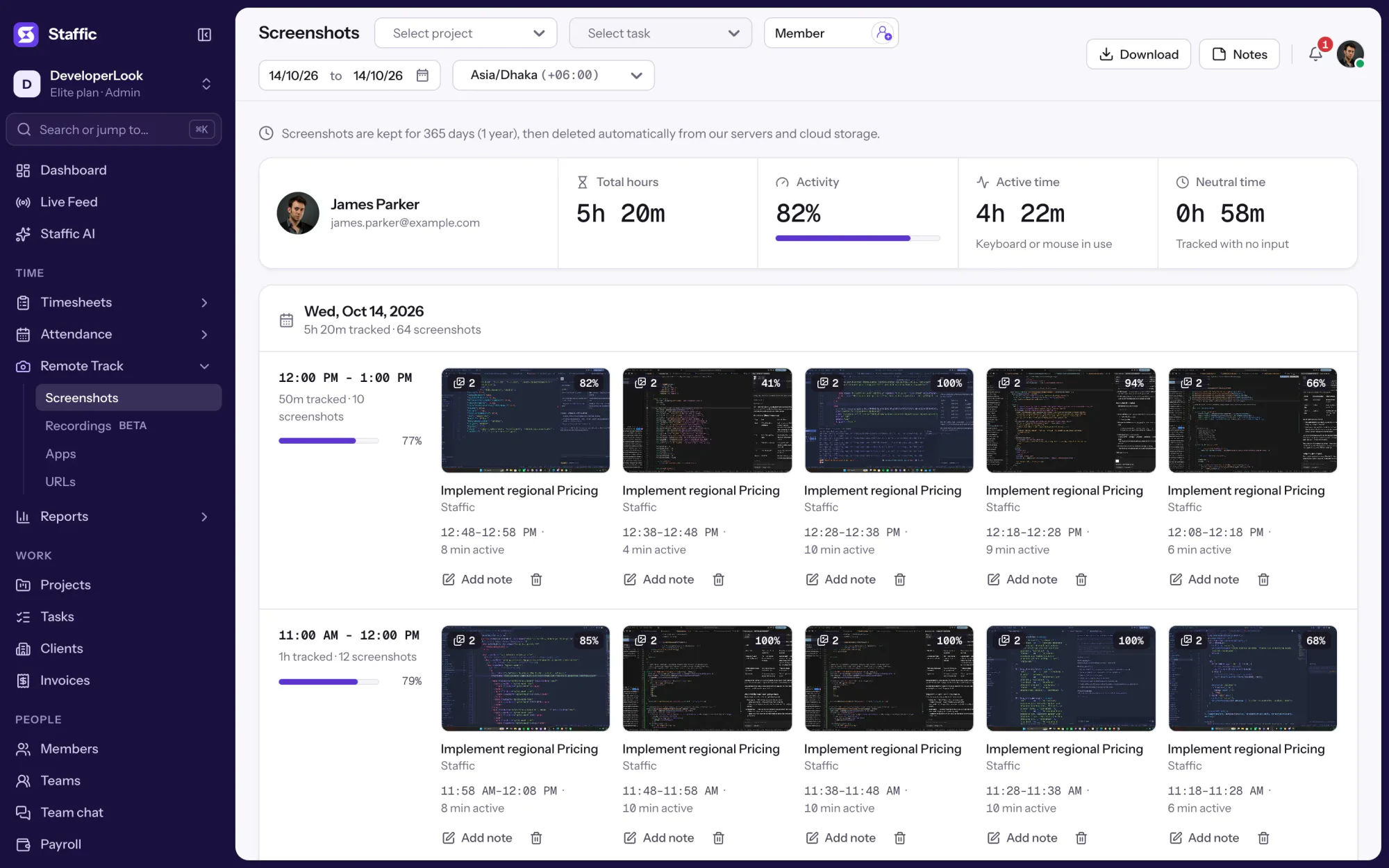
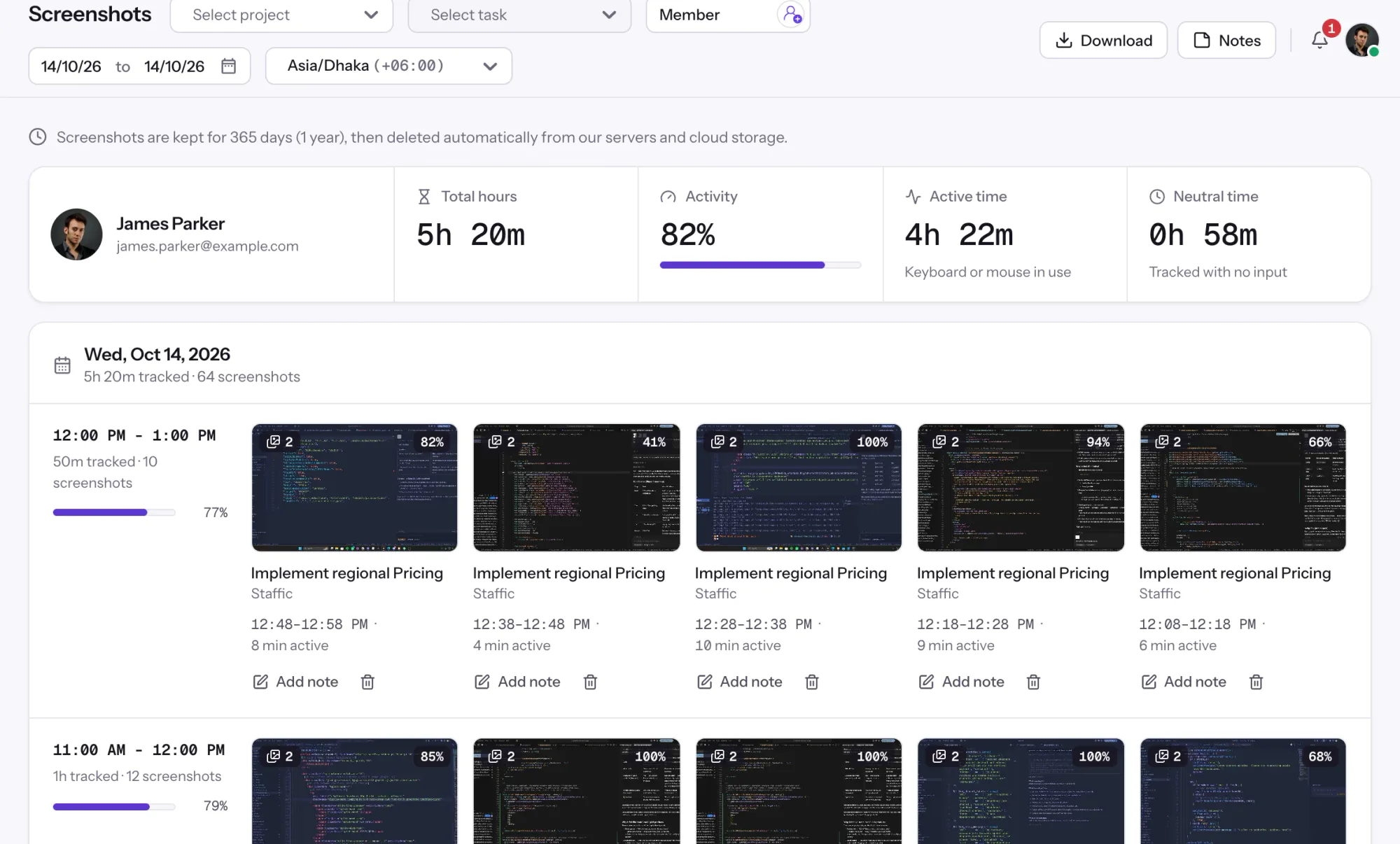
Screen monitoring that captures screenshots only while the timer runs, each filed with its time range, project, task and activity level.
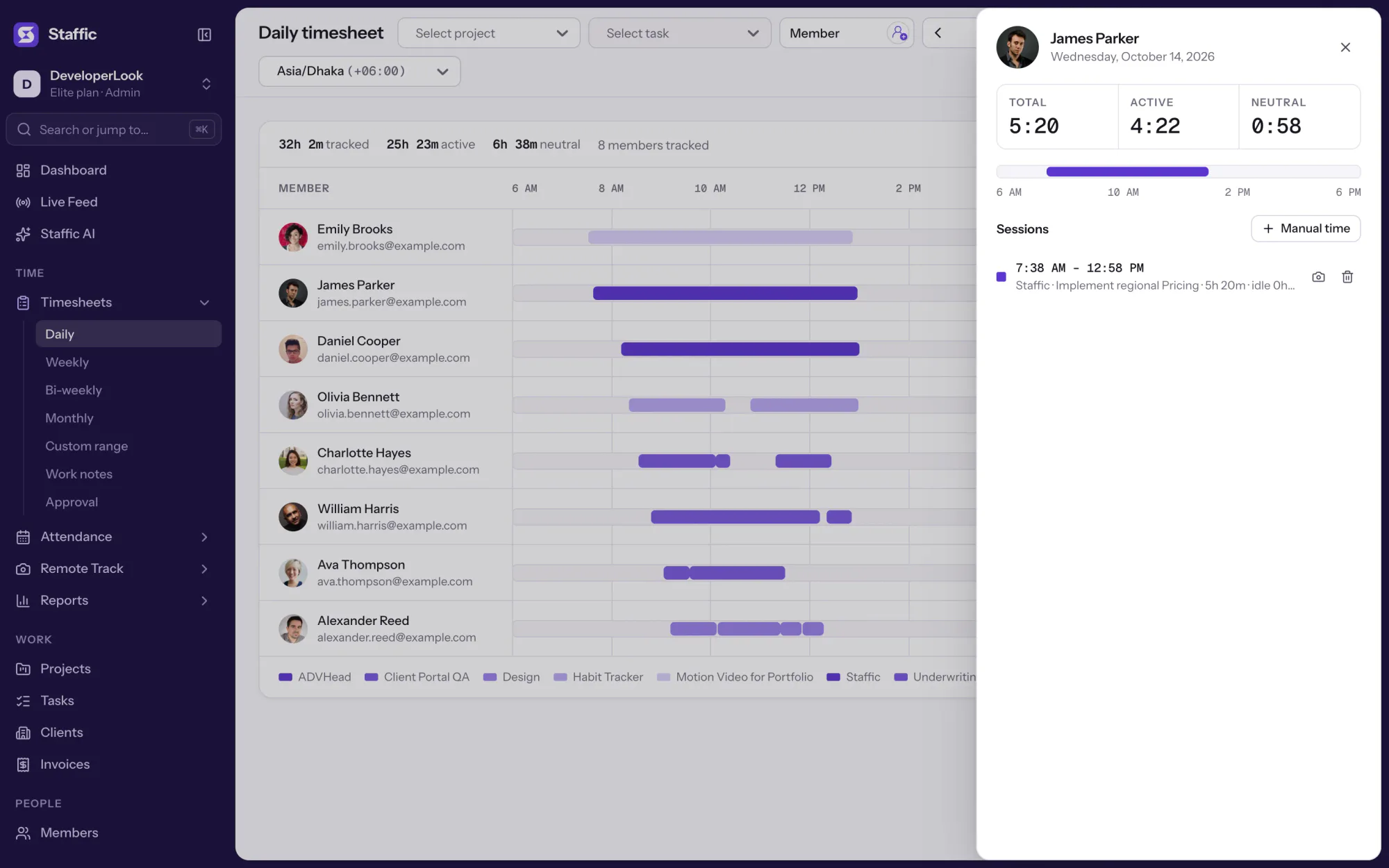

Staffic's daily timesheet shows one member's tracked sessions for a day on a timeline, with project, task, start and end times and the day's total.
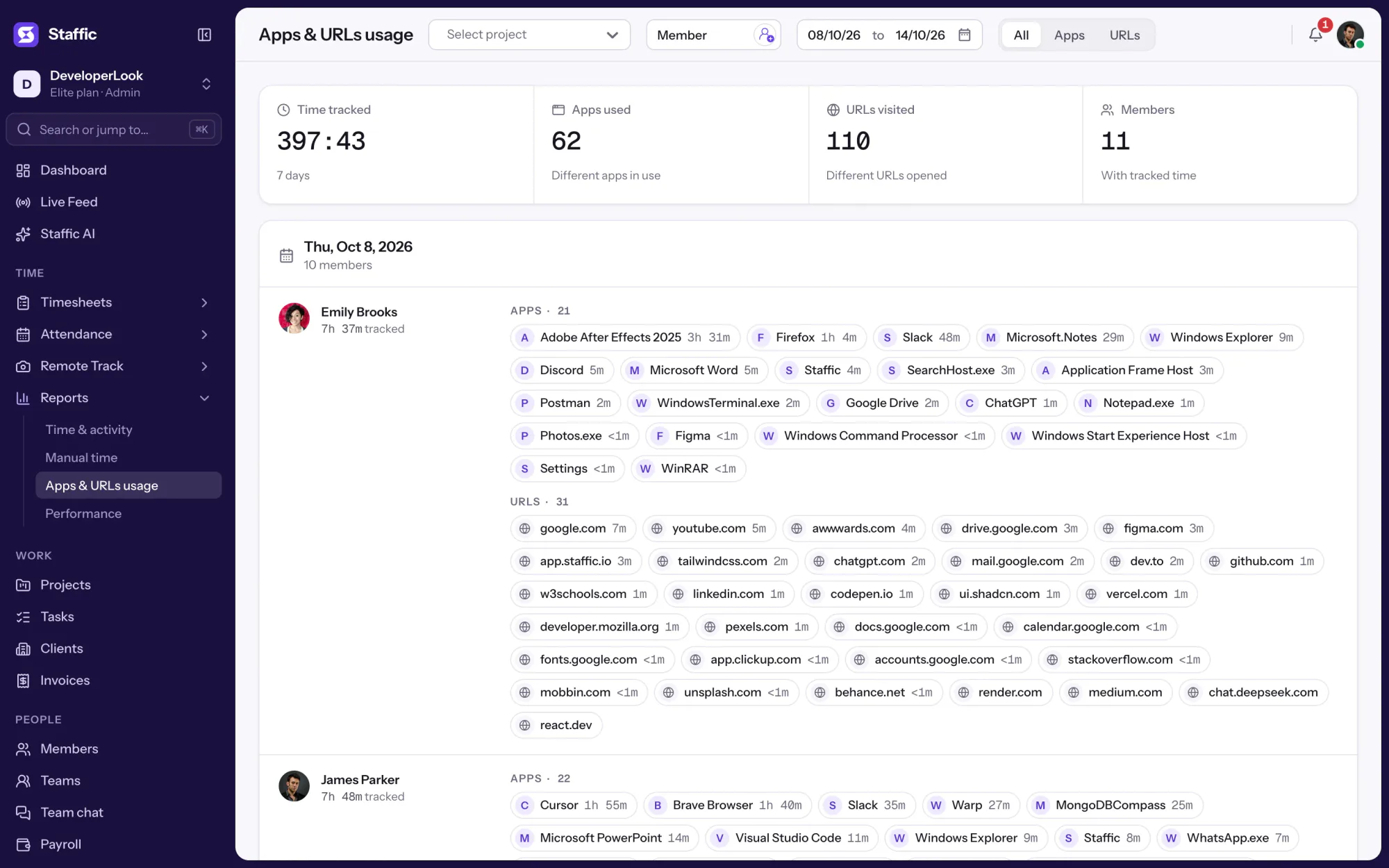

Employee internet monitoring in one report: the apps and websites each member used per day of tracked time, with total time. On every plan.
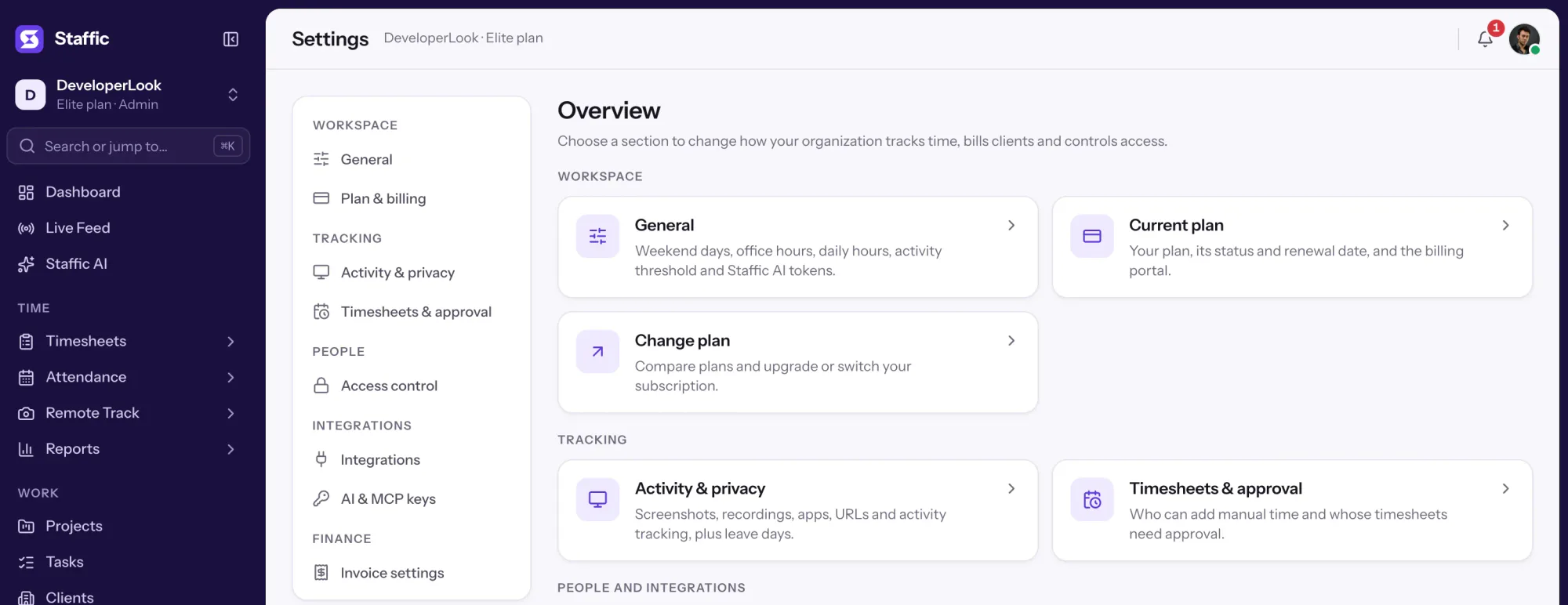

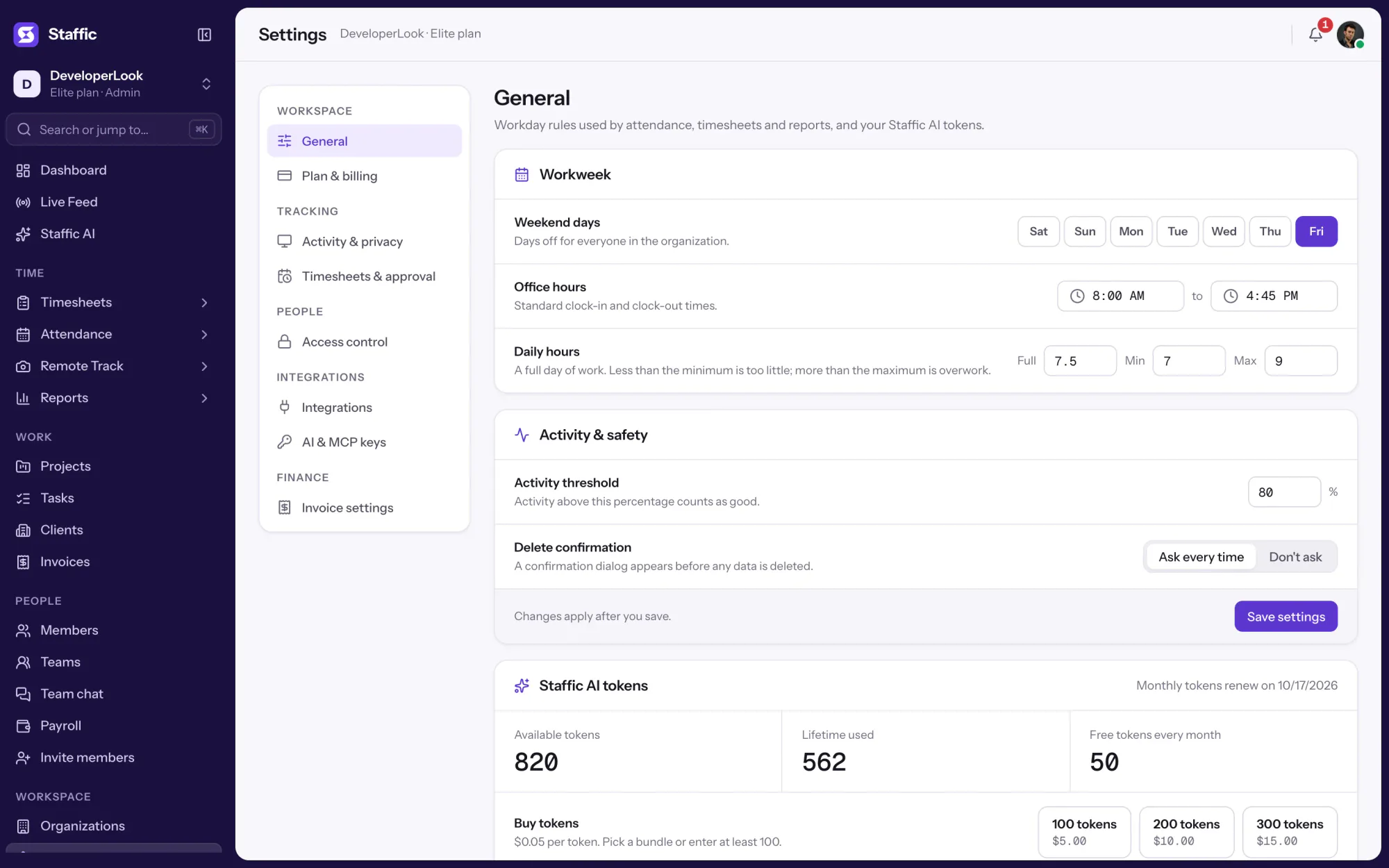
Settings is where admins choose what Staffic tracks, set timesheet rules and build Access control roles, with each switch marked by its plan.

Staffic is employee monitoring software that records screenshots, apps, URLs and activity only while the timer runs, with Live Feed on every plan and recordings on Elite.
Free for up to 2 members
Create your workspace, invite your team, and the first timesheet builds itself.