Remote contractors
Pay hourly contractors for approved time
Contractors track time in the desktop app, you approve their timesheets, and Hourly works out each day's pay from their rate.

Features
All 38 featuresSee the work while it happens.
 DashboardYour team's week at a glance, Monday to Sunday
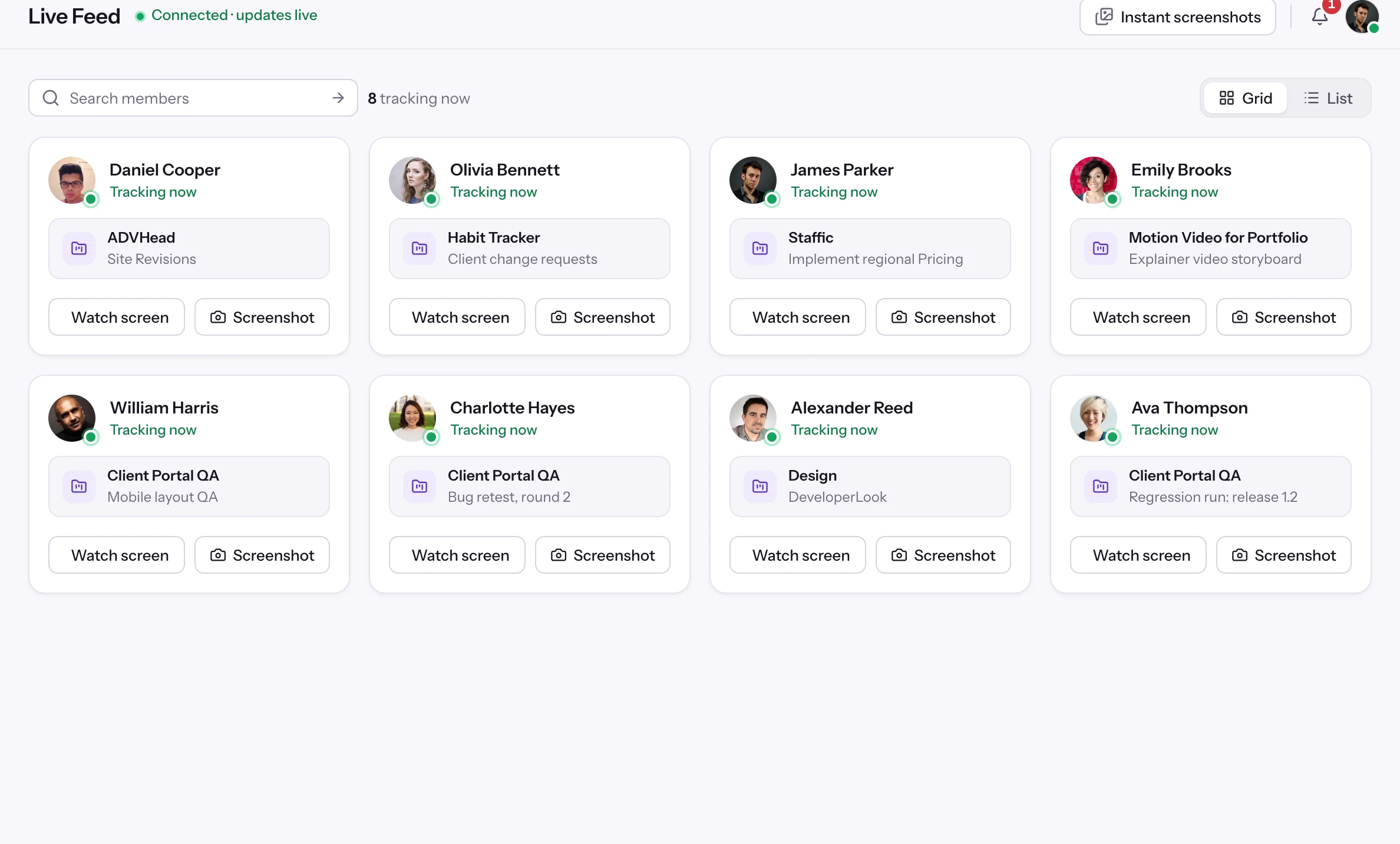
 Live FeedSee who's tracking time right now, and on what
 ScreenshotsVisual proof of work, captured automatically
 AppsWhich apps each tracked session used
 URLsThe websites behind the tracked time
 Screen RecordingsEliteFull session video, beyond a screenshot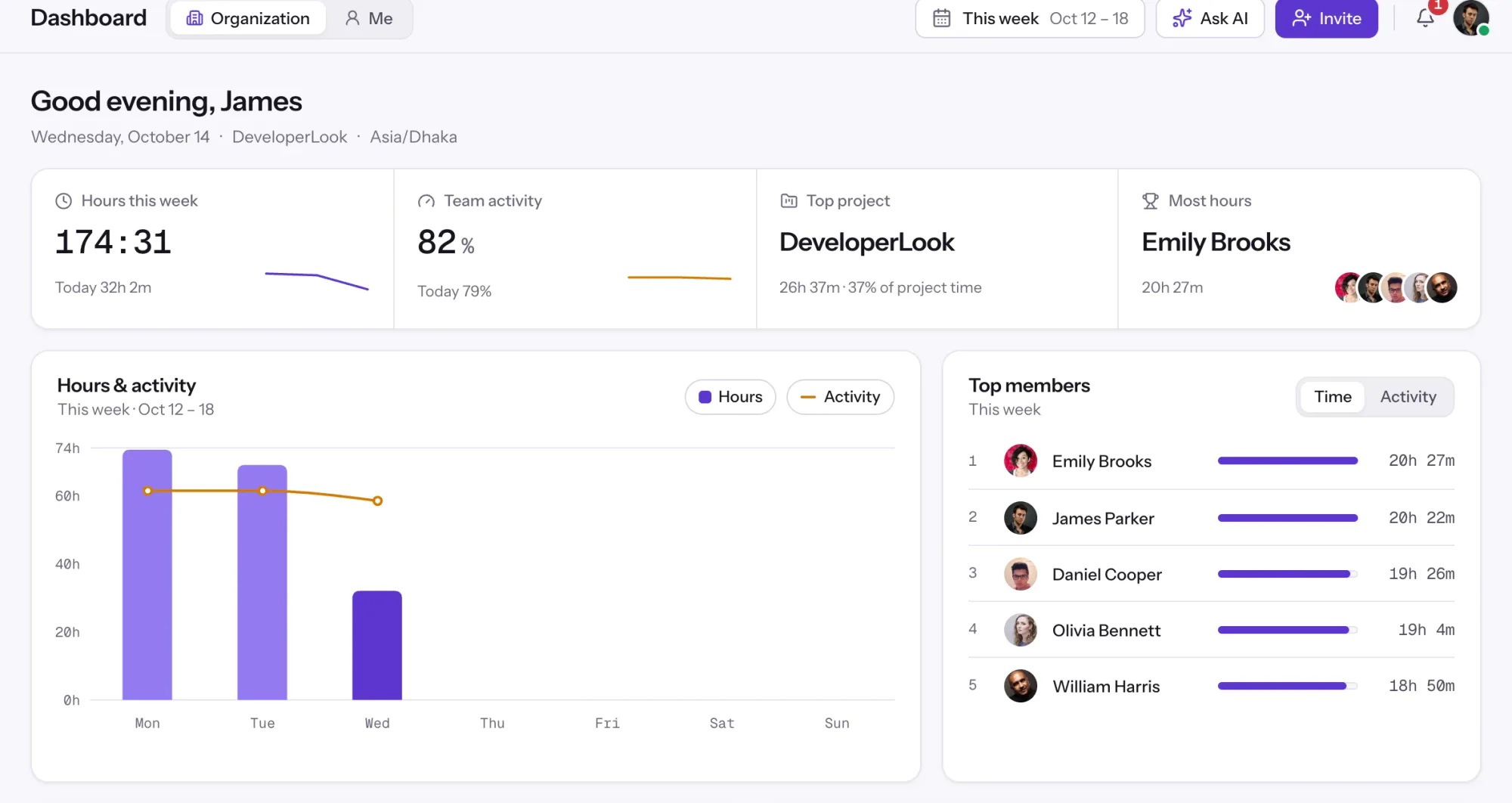
01 / 38
Dashboard
The team dashboard: this week's hours, team activity, top members, ongoing tasks, top projects and the most used apps and websites.
View DashboardSolutions
All 38 featuresHow remote, hybrid and growing teams run Staffic.
Staffic for the way you work, from freelancing to client billing.
 FreelancersFreelance time tracking
 Small businessesTimekeeping software for small business
 Call centersCall center monitoring software
 ConsultantsTime tracking software for consultants
 Companies with contractorsContractor time tracking
 Virtual assistantsTime tracking software for virtual assistants
 AgenciesAgency time tracking software
 Accounting firmsTime tracking software for accountants
 Software teamsTime tracking software for engineers
Staffic set up for your industry's records and reports.
01 / 19
Track remote hours across every time zone.
Staffic records time, activity and optional screenshots on each remote member’s computer, then turns them into timesheets you approve, so you can trust the hours without daily check-ins.
View Remote teamsPayroll
Staffic Payroll works out what each member is owed from their tracked hours and pay rate, lists monthly salaries, and records one-time payments such as bonuses. You pay through your bank or payment service, then mark the payment as paid and Staffic keeps the history. It's for admins paying remote employees and contractors on the Elite plan.
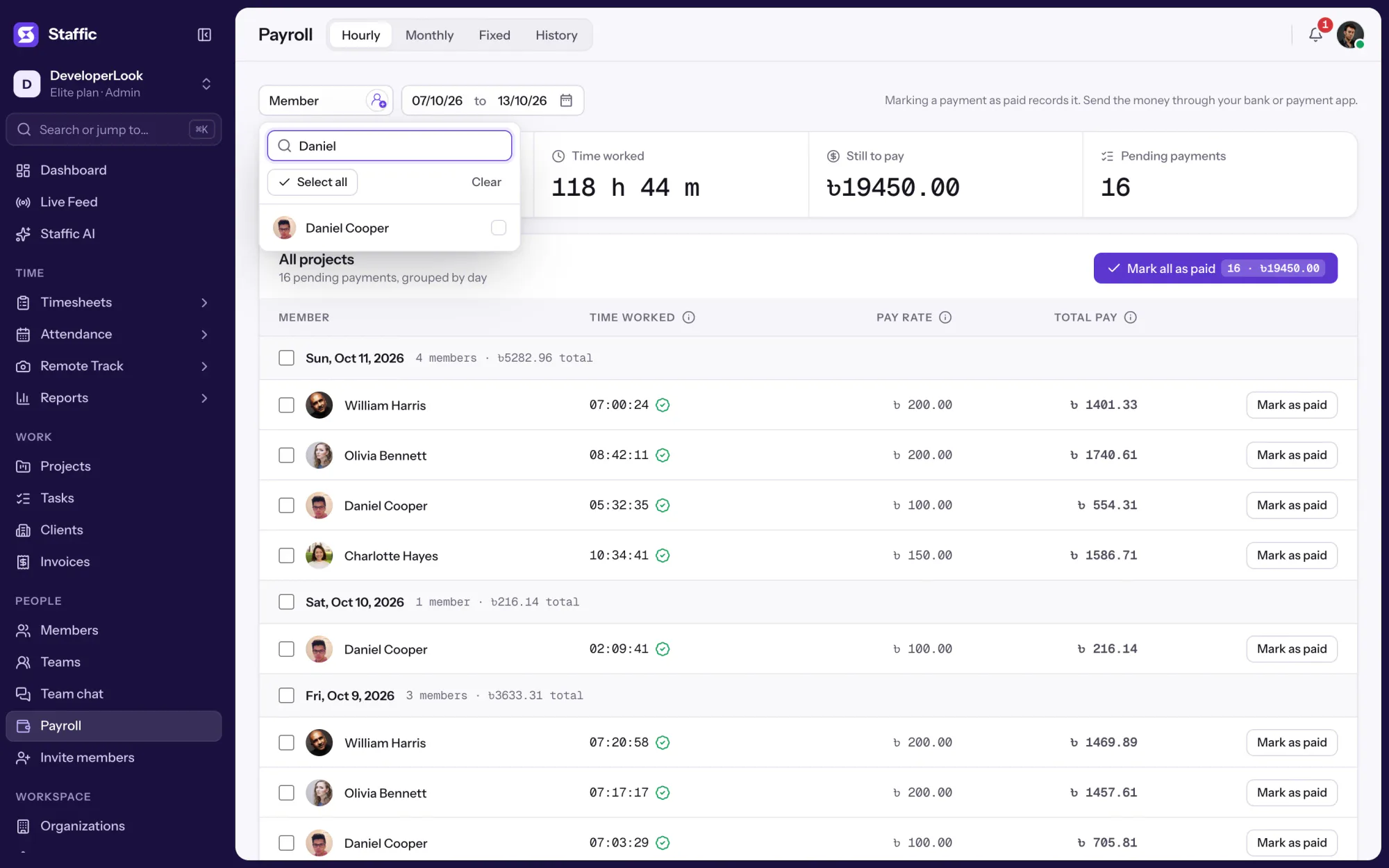
1/8Pick the members
In short
Staffic Payroll is the payroll management software inside the Staffic time tracker. It multiplies each member's tracked hours by their hourly pay rate, day by day, lists monthly salaries for the month, and records one-time payments such as bonuses. When timesheet approval is on, only approved time counts. Staffic doesn't move money or withhold tax: you pay through your usual channel, mark it as paid, and the member gets a payment statement by email.
How it works
Payroll management system software usually starts from a spreadsheet of hours. Staffic starts from the hours your team already tracks.
Payroll management software
Payroll has four tabs: Hourly, Monthly, Fixed and History. Each one starts from data Staffic already holds: tracked time, the pay rate and salary on each member's profile, and the payments you've marked.
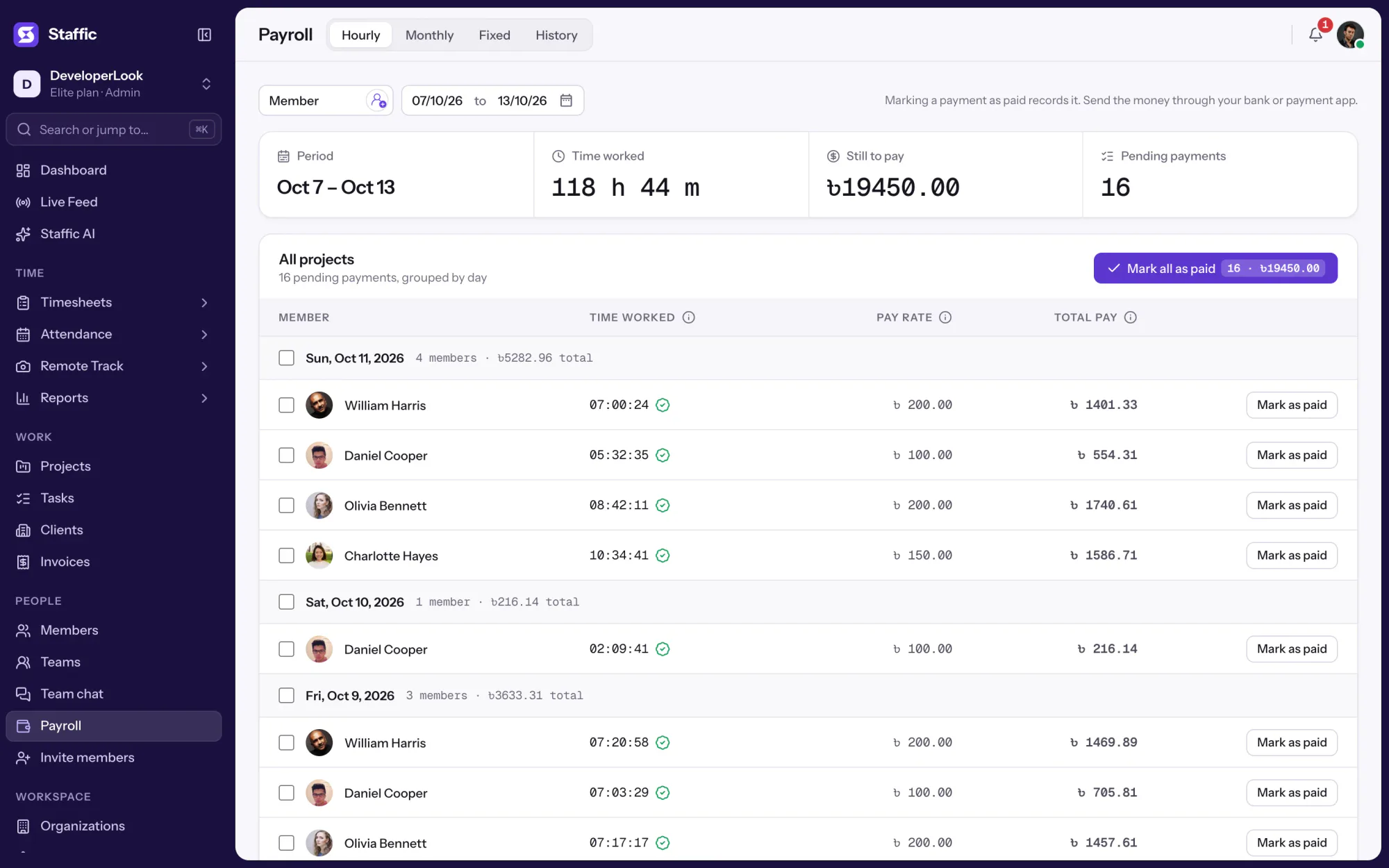
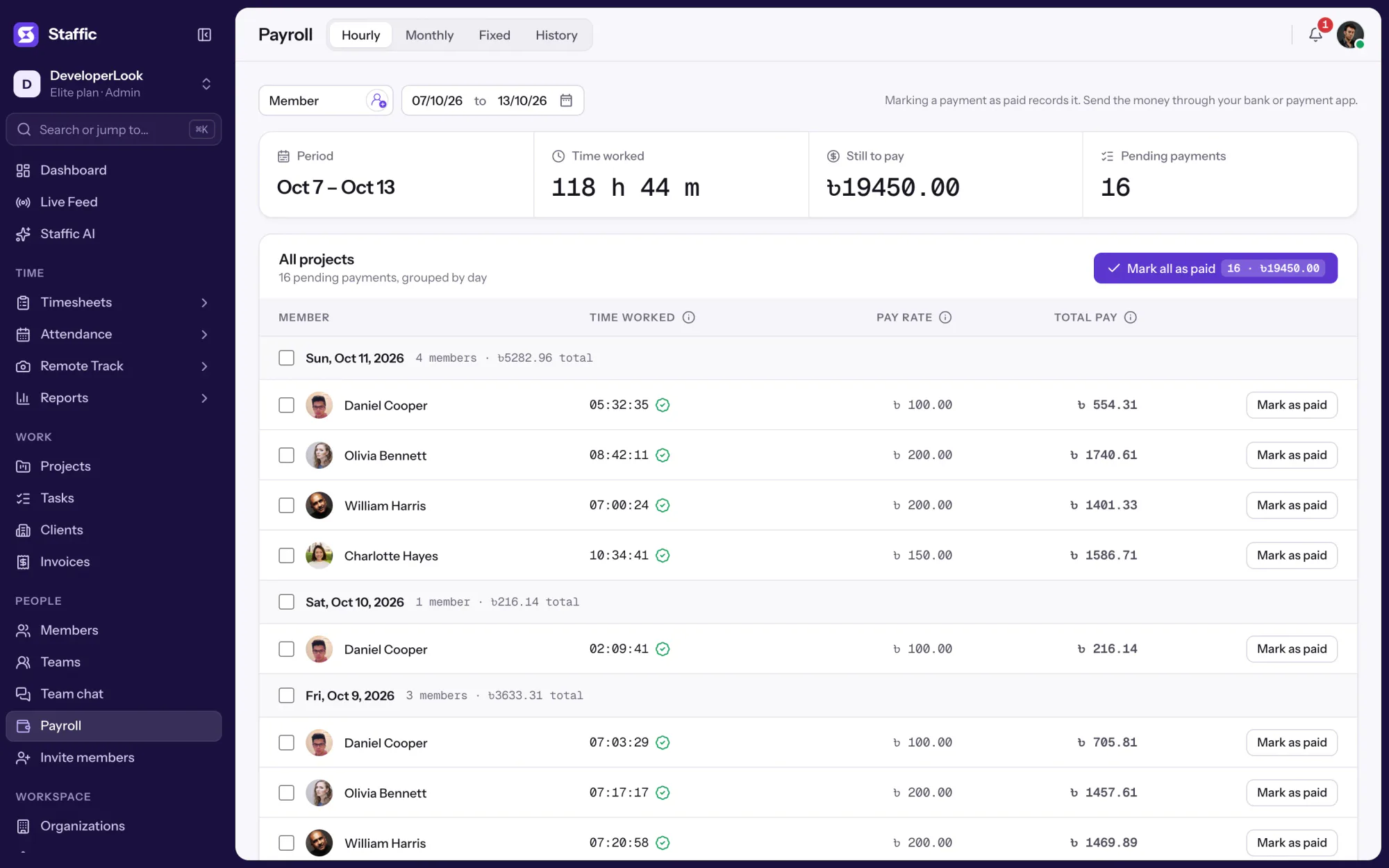
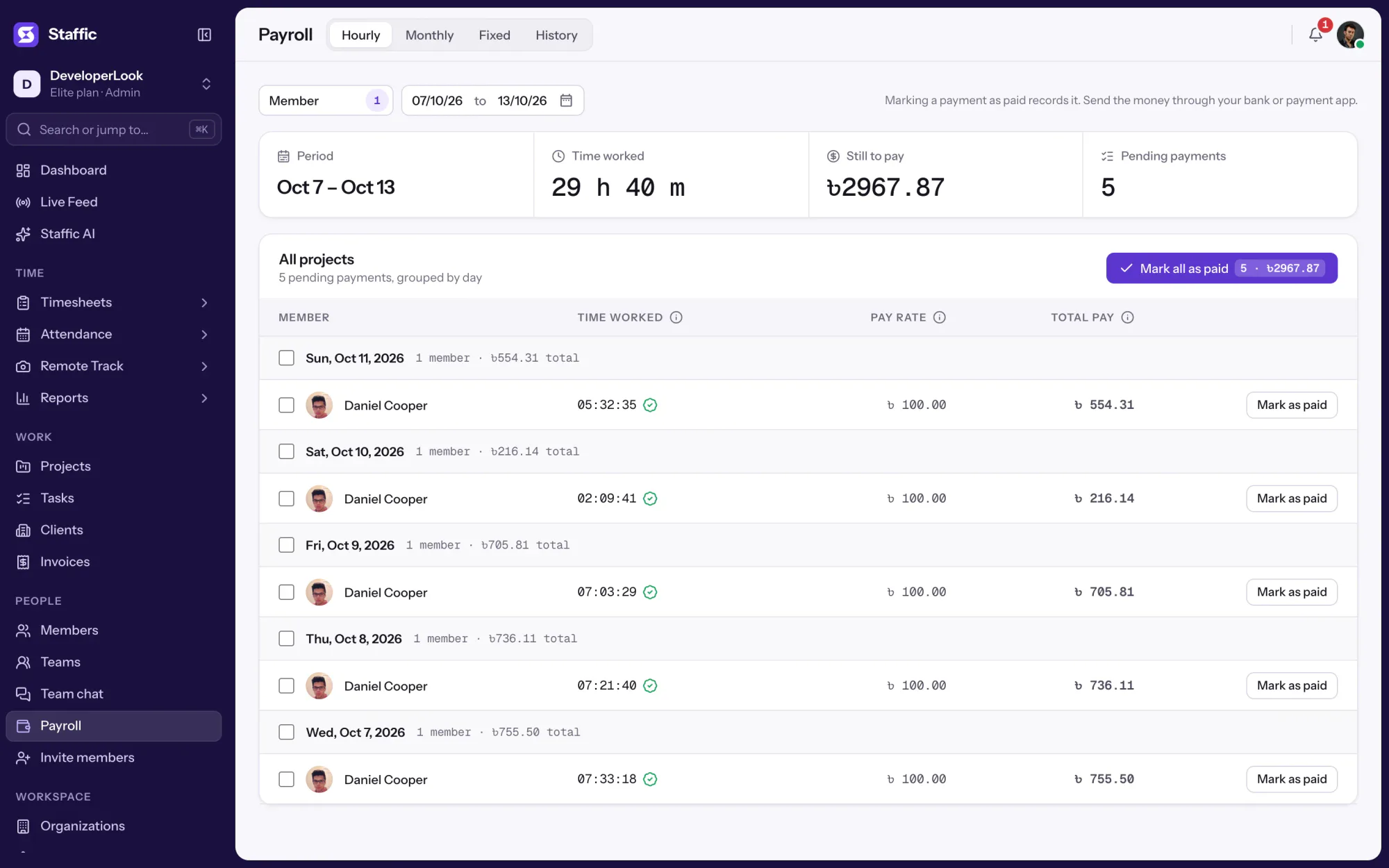
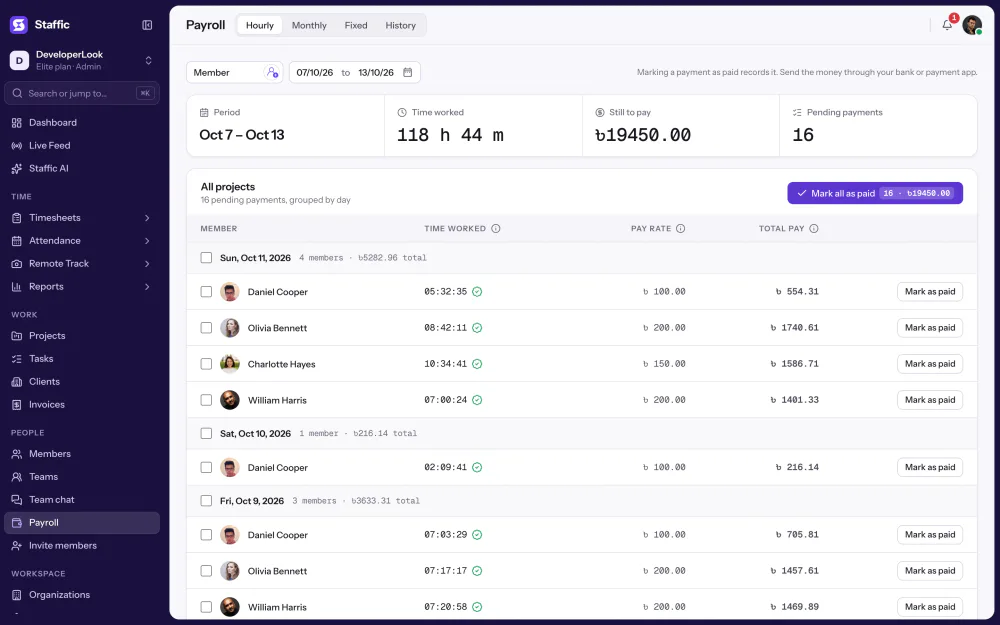
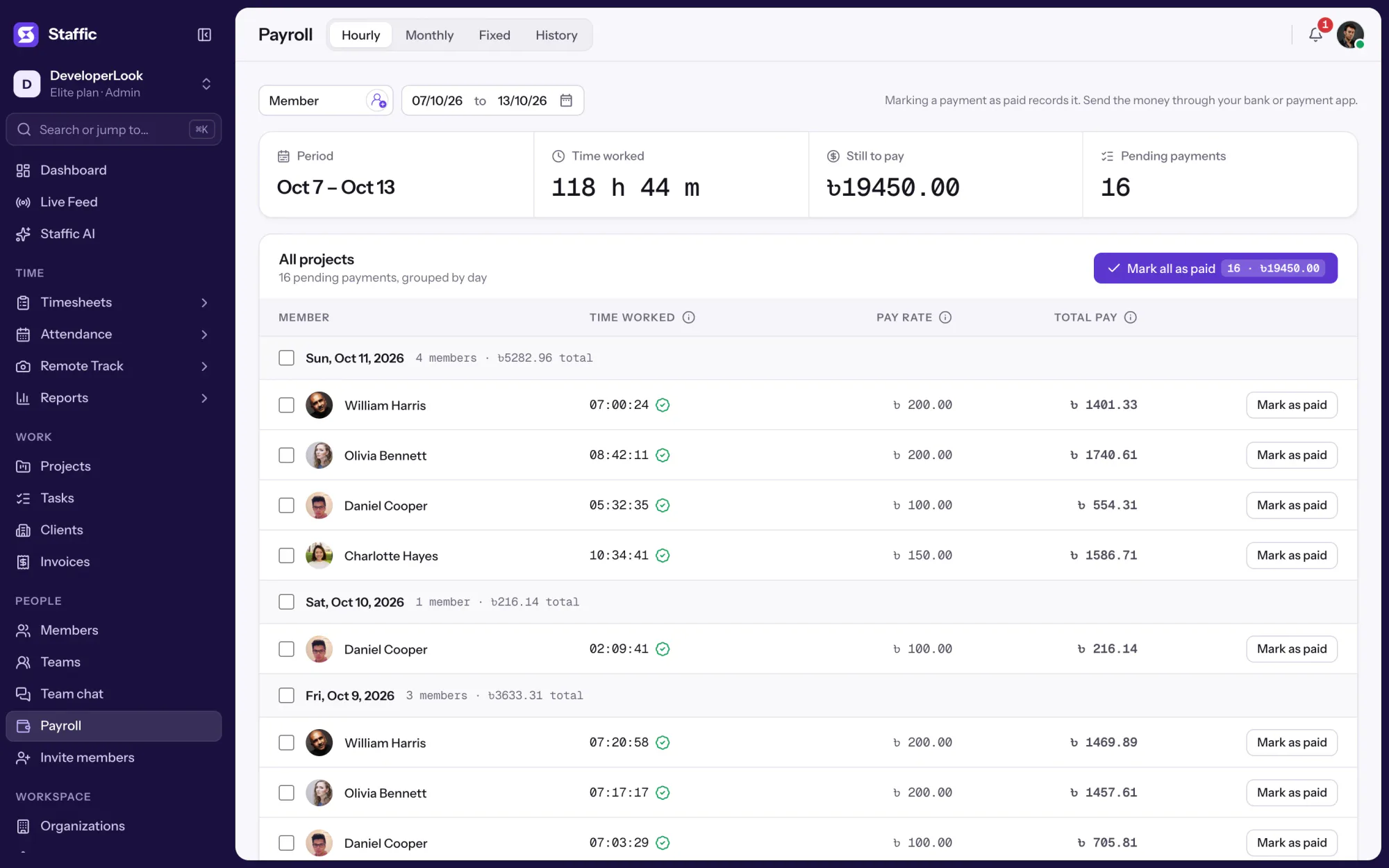
Pick a date range up to yesterday and the members. Each day lists the members who tracked time, with time worked, pay rate and total pay, which is time worked times the rate. Pay with the project filter on All Projects, because marking a row paid closes that member's whole day.
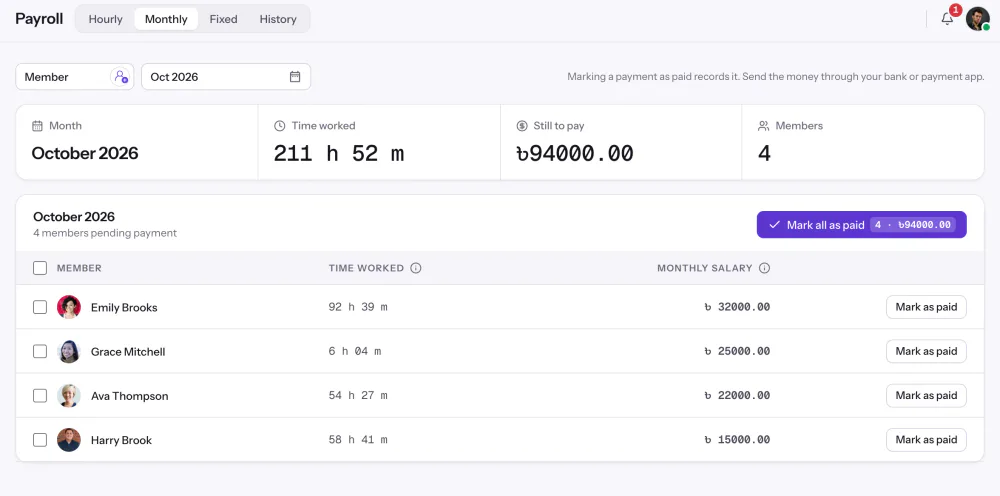
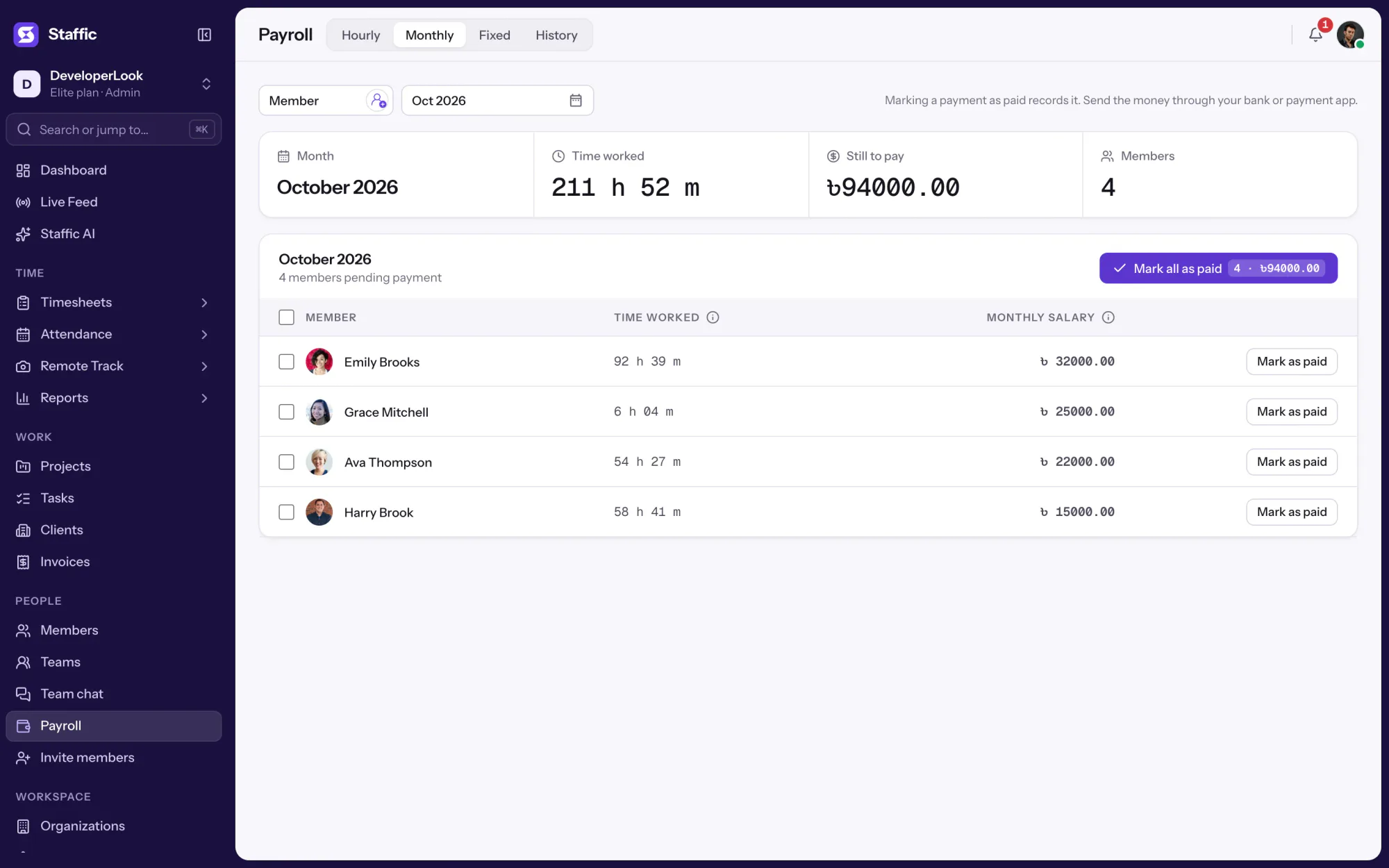
Members with a monthly salary on their profile appear on the Monthly tab for the month you pick, with their time worked beside the salary for reference. Mark one salary or the whole month as paid.
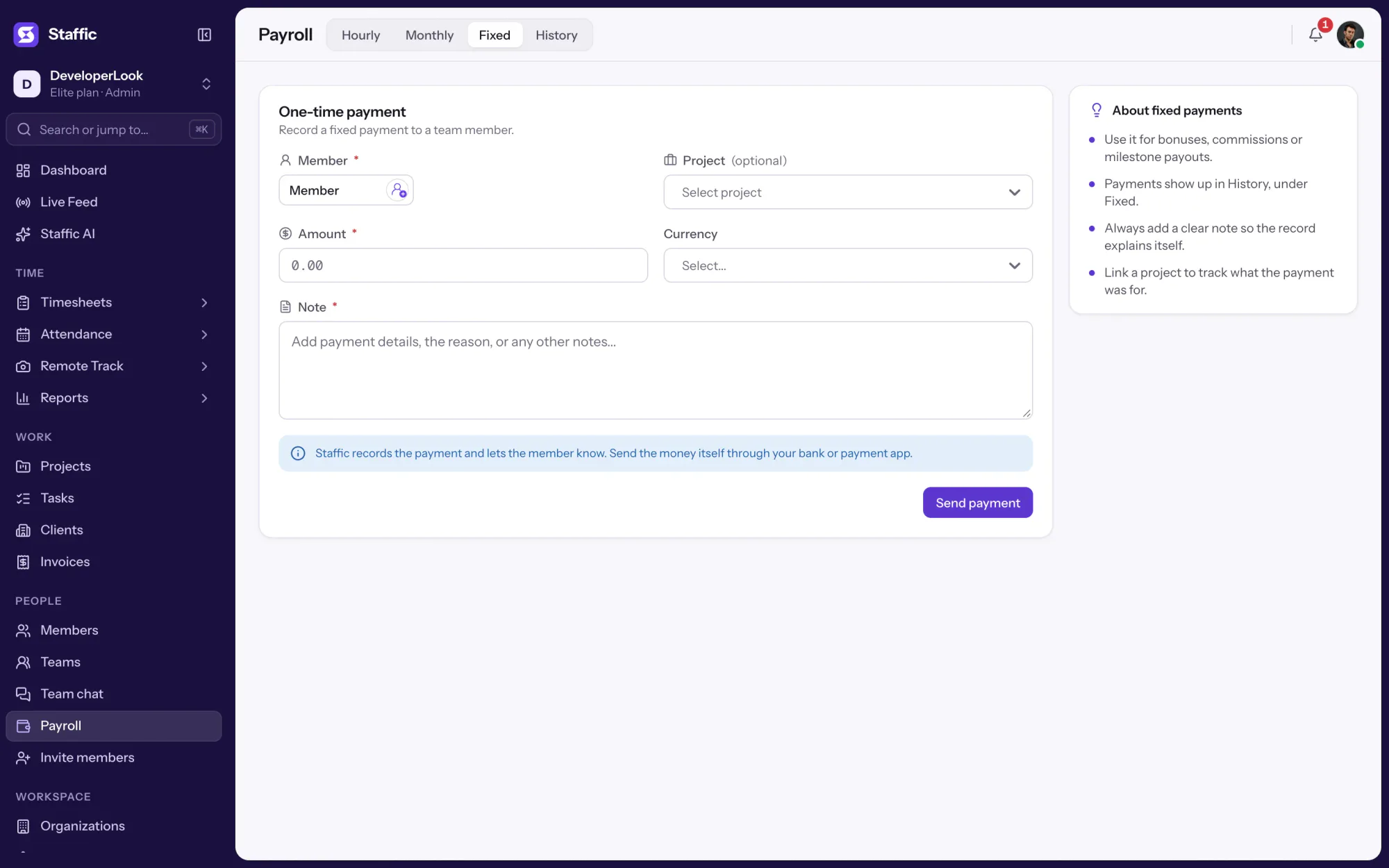
The Fixed tab records a one-time payment: pick the member, optionally a project, enter the amount and currency, and add a note. The note is required, so every bonus or commission explains itself later in History.
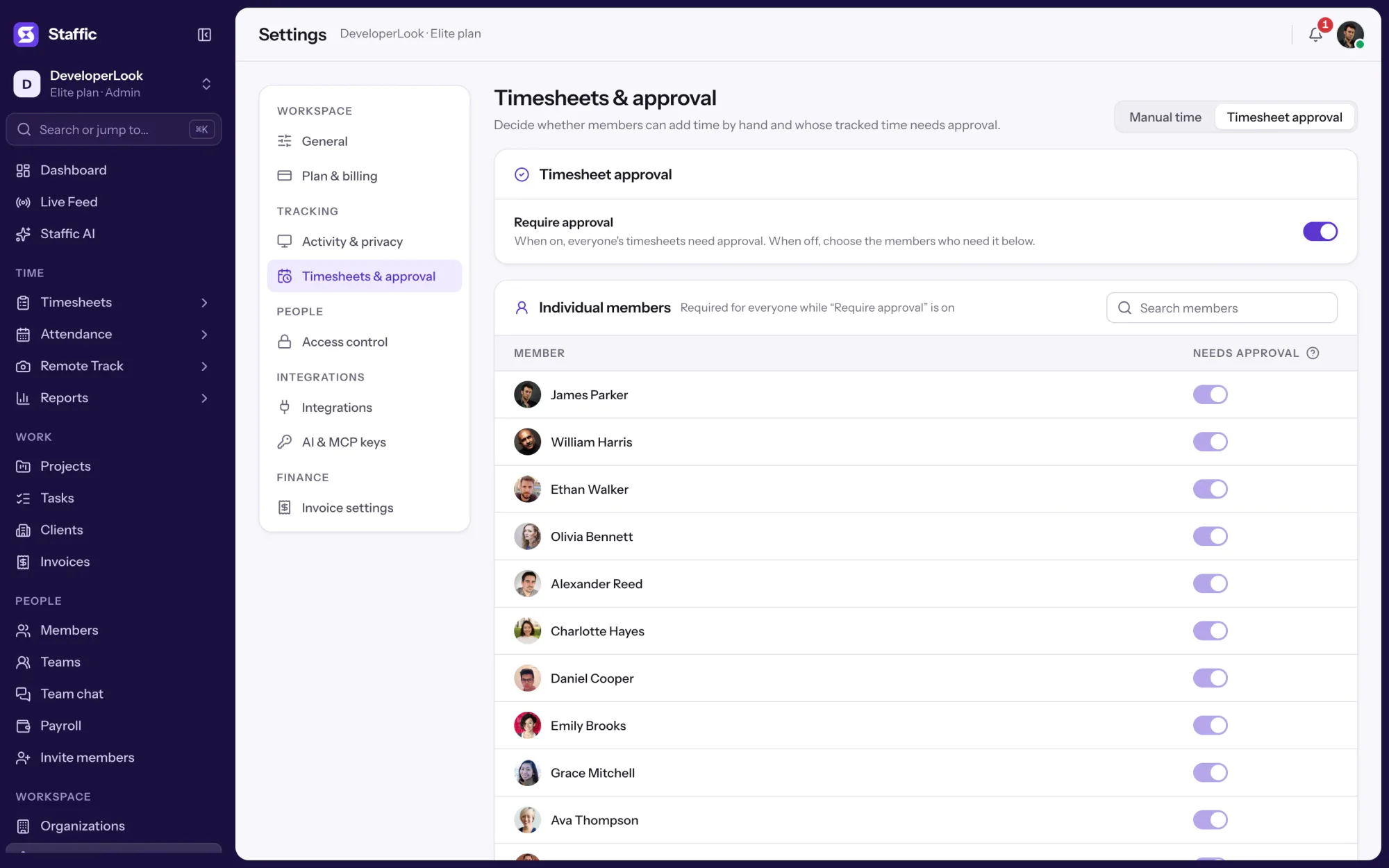
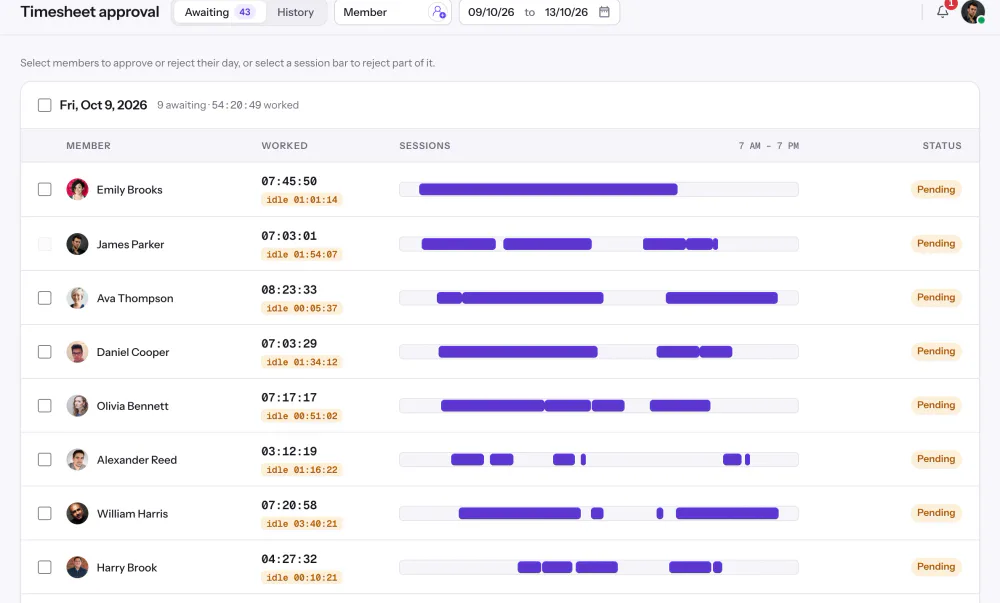
When timesheet approval is on for everyone or for one member, Hourly pays only that member's approved time. Without approval, all tracked time counts except time a manager rejected.
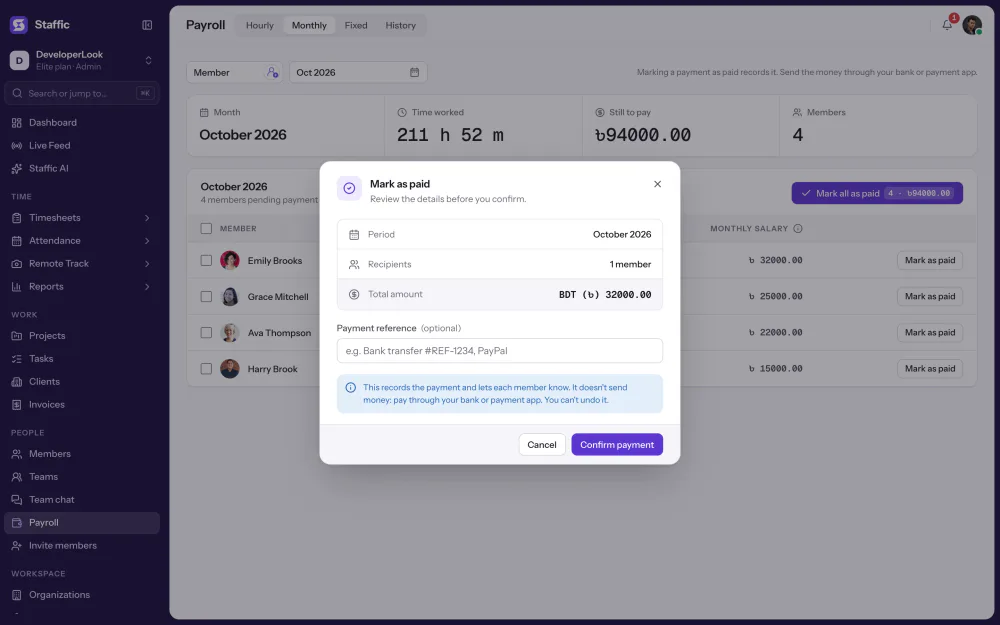
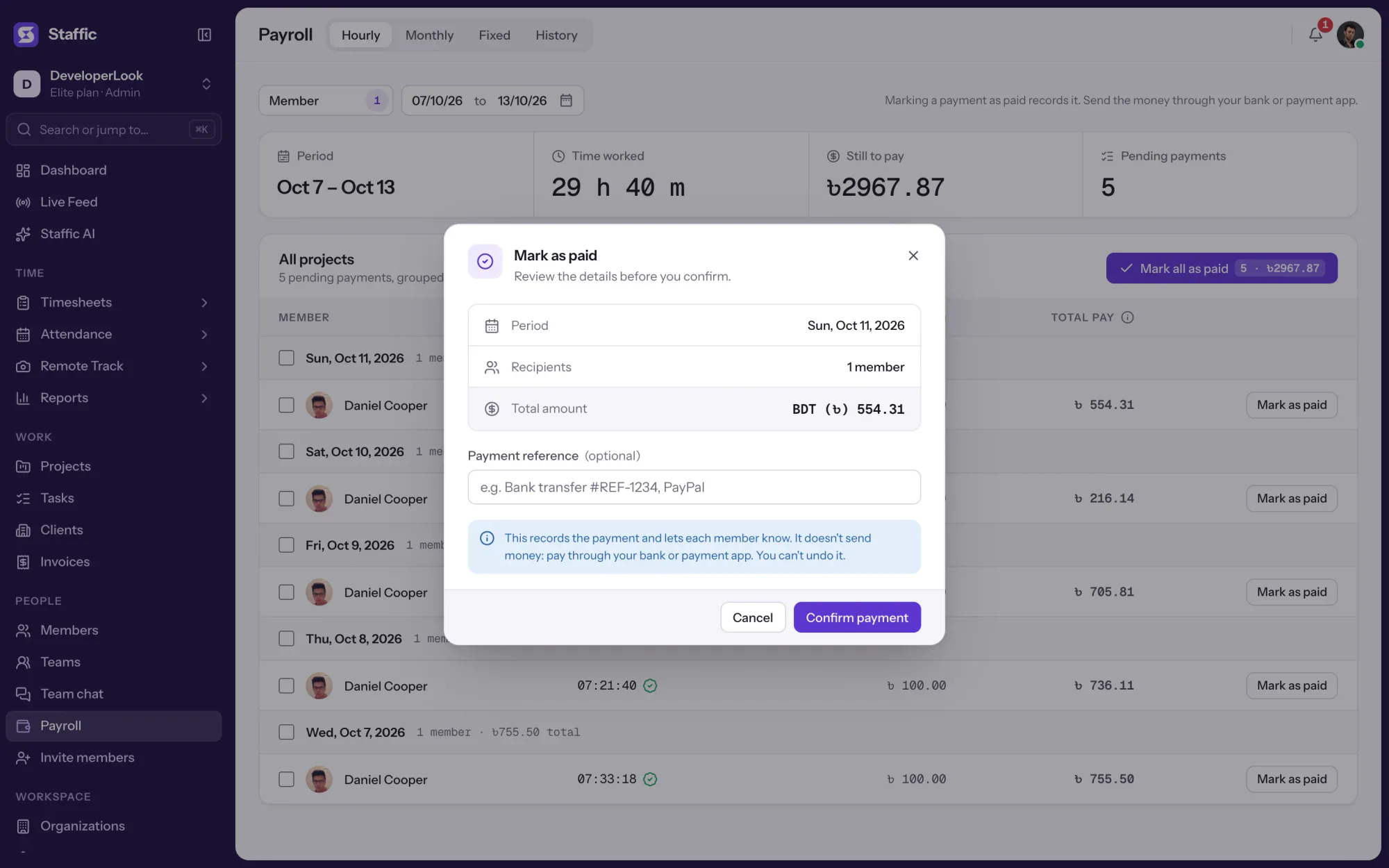
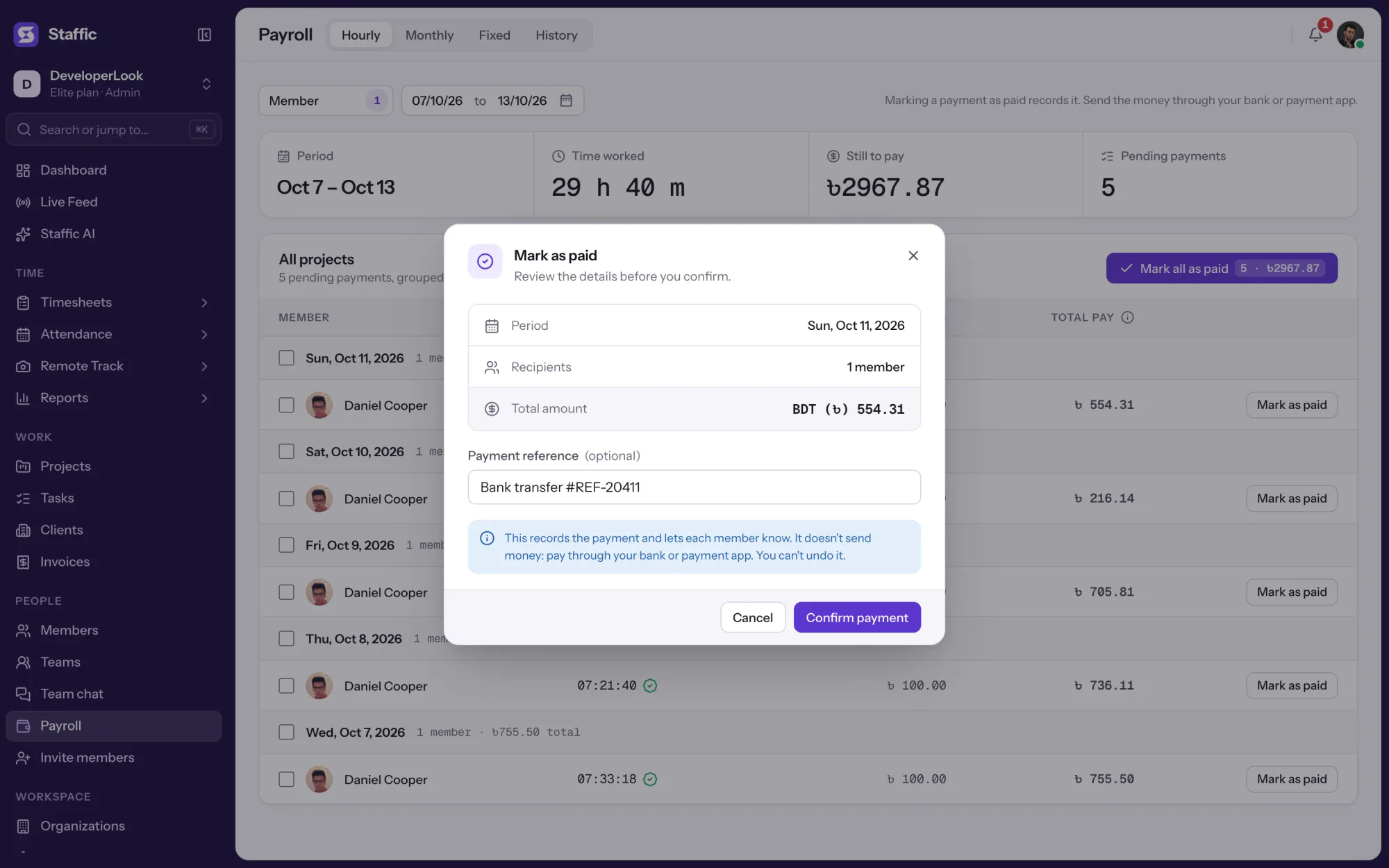
Staffic doesn't send money. Pay through your bank or payment service, then confirm in Staffic: the dialog shows the period, recipients and total, and takes an optional payment reference. The payment moves to History, where you can filter, total and export it.
Showing Hourly pay from tracked time.
1/4Pick the members
Control and privacy
Payroll is an admin page, so members don't open it. Each member hears about their own payments only.
Set it up
Five steps take you from pay rates to your first payment record on the Elite plan.
Hourly pay and salaries use your organization's currency. Set it before you add pay rates.
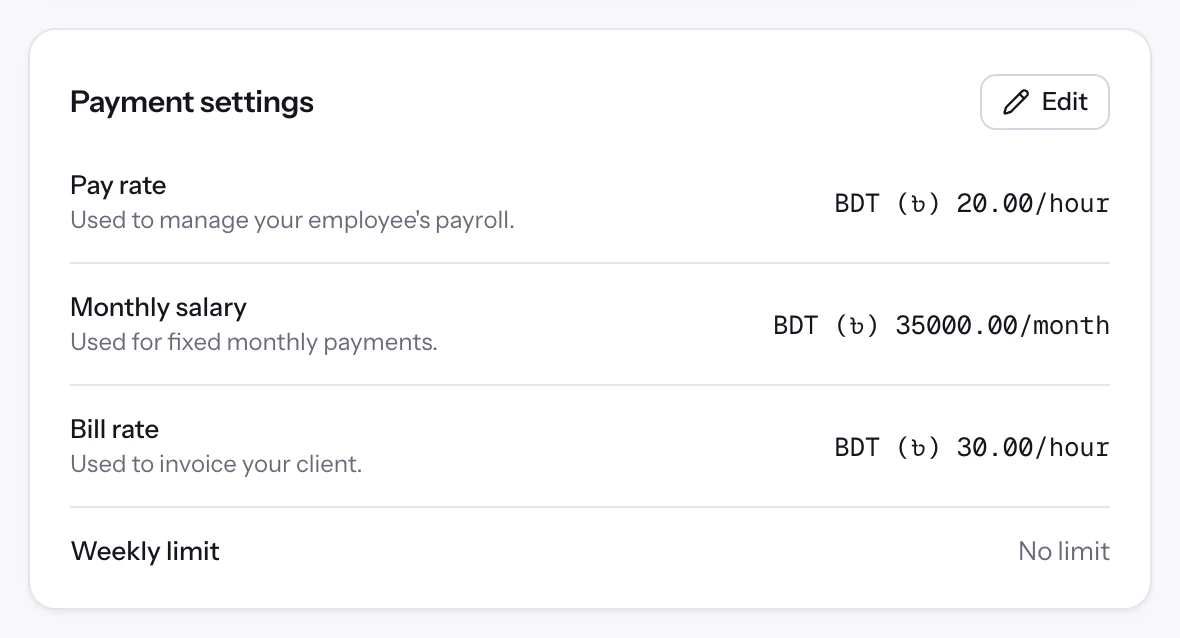
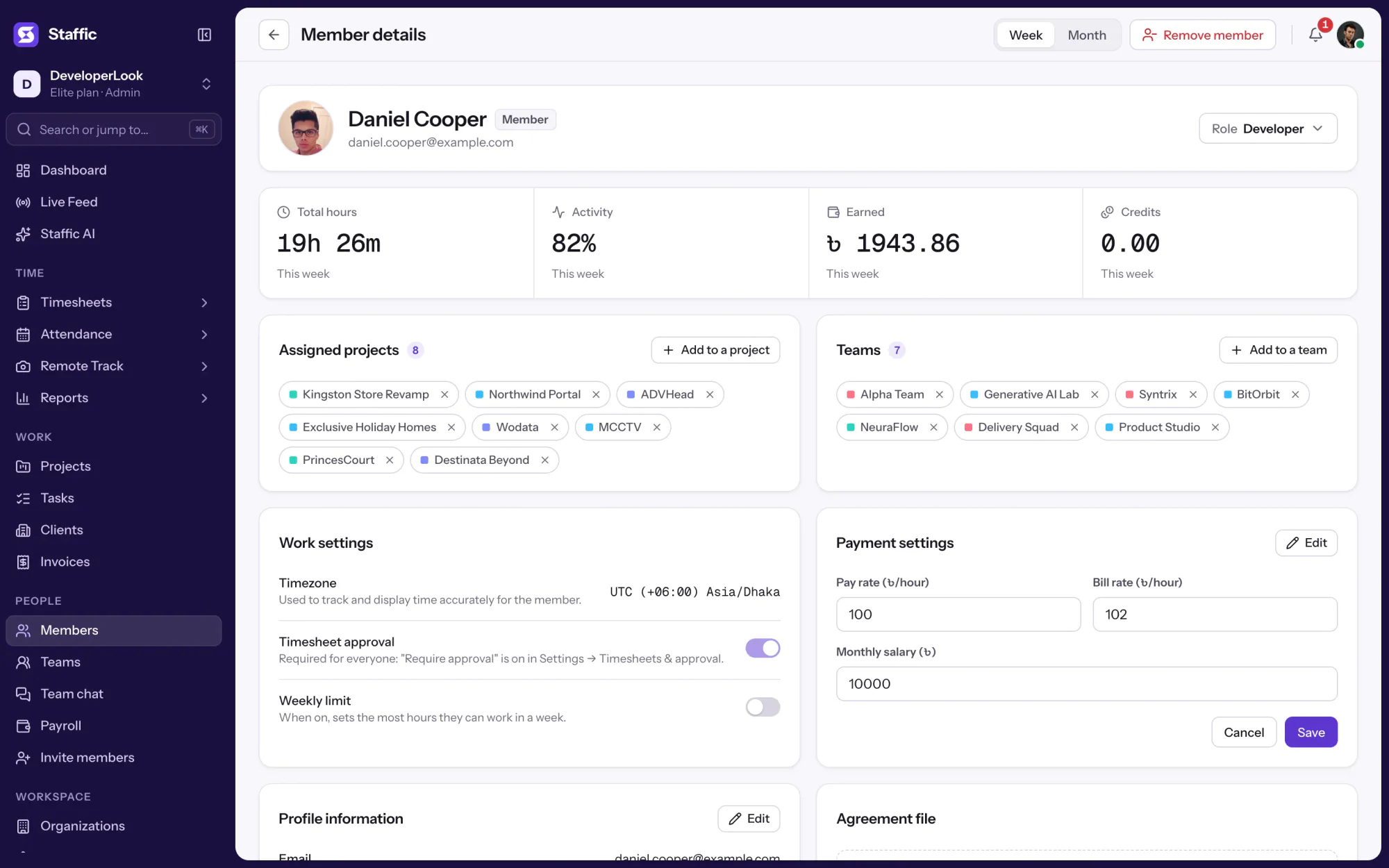
OrganizationsOpen each member and enter their pay rate per hour, their monthly salary or both.
Members › Member details › Payment settingsTurn on Timesheet Approval if you'll only pay approved time. You can also switch it on for single members.
See Timesheet ApprovalSettings › Timesheets & approvalFilter by members and dates or month, and check time worked and totals.
Payroll › Hourly or MonthlyAfter you pay, confirm with an optional payment reference. The payment moves to History.
Read the Payroll guidePayroll › Mark as paid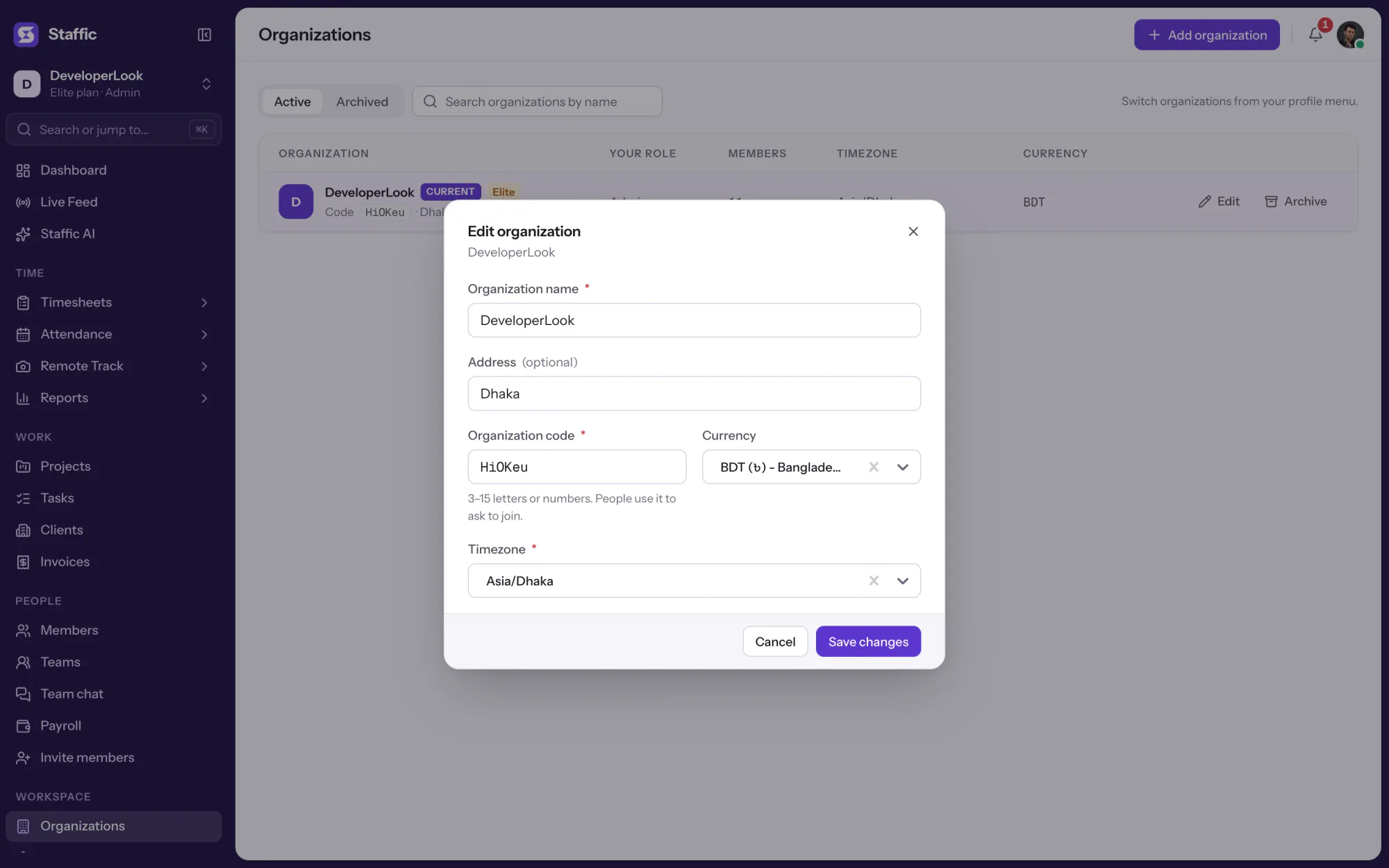
1Organizations
Compare
Payroll solutions software often handles one kind of pay. Staffic has three, and a member can have a pay rate, a salary or both.
Swipe the table to compare
| Compare | HourlyPay from tracked time | MonthlyFixed monthly salary | FixedOne-time payment |
|---|---|---|---|
| Amount | Time worked times the pay rate | The salary on the member's profile | The amount you enter |
| Period | Each day, up to yesterday | One month | When you send it |
| Approval | Approved time only, when approval is on | Not used | Not used |
| Currency | Organization currency | Organization currency | Any currency you pick |
| Good for | Hourly employees and contractors | Salaried staff | Bonuses, commissions and milestones |
Specs and terms
The facts behind the feature, and what each number on the Payroll page means.
Who it’s for
Most payroll software systems expect one kind of pay. These are the setups Staffic handles side by side.
Contractors track time in the desktop app, you approve their timesheets, and Hourly works out each day's pay from their rate.
Everyone on a salary is listed for the month with their time worked beside it, so you can check before you mark the month paid.
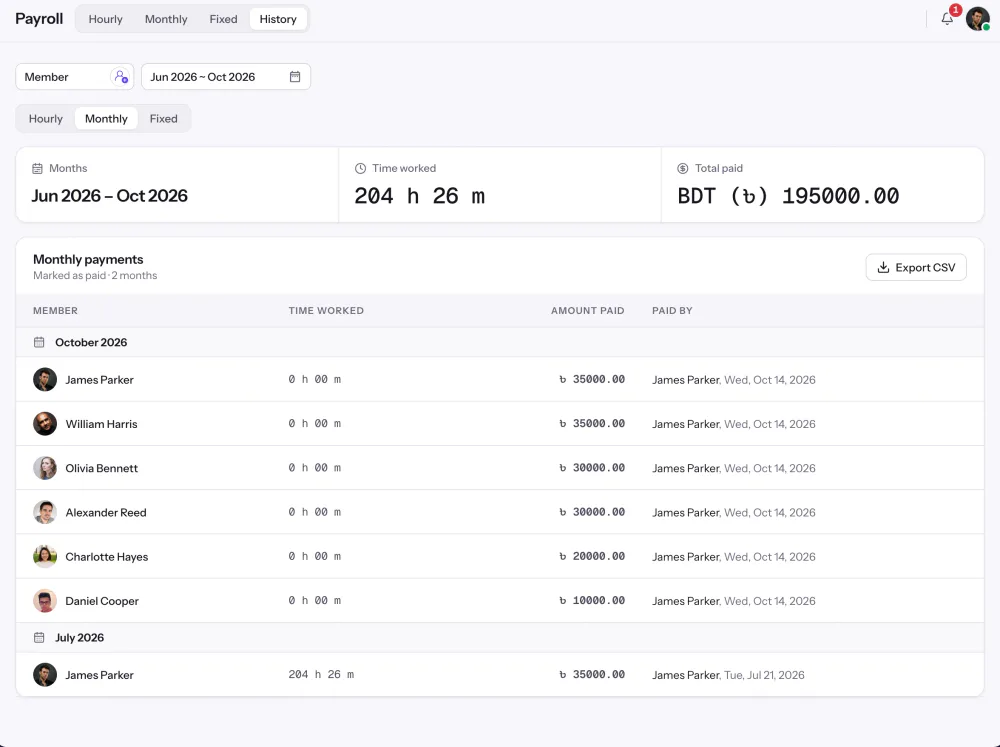
History lists every payment with time worked, amount and who marked it paid, and exports to CSV for your accountant or payroll provider.
Customer stories
Stop juggling tools. Staffic gives your team time tracking, projects, payroll and performance analytics in one platform.
Try Staffic for free“Staffic.io brings transparency without micromanagement. Our team feels trusted, and productivity has never been higher.”
Pricing
Payroll is part of the Elite plan, with a 7-day free trial. You pay per active user.
Compare every planFor freelancers and small teams, up to 2 members
No card needed.
Without PayrollThe core features, for teams of up to 2 members.
Everything in Free, without the 2 member limit
Offer price until October 30, 2026, then $7.50
Card at checkout. Cancel within 7 days and pay nothing.
Without PayrollEverything in Free without the 2 member limit.
For organizations running payroll, billing and approvals
Offer price until October 30, 2026, then $10
Card at checkout. Cancel within 7 days and pay nothing.
Includes PayrollEverything in Standard, plus Screen Recordings, Invoices and Clients.
Prices in USD per active user. Billed monthly, Standard is $9.50 and Elite is $13 per user.
Payroll management software works out what each person is owed, records the payments and keeps a pay history. Staffic does this from data it already holds: tracked hours, each member's pay rate or monthly salary, and the payments you mark as paid. Unlike full payroll systems software, it doesn't withhold tax or send money.
Staffic Payroll has four tabs: Hourly pay from tracked time, Monthly salaries, Fixed one-time payments and History. Around them you get member pay rates and salaries, approval rules for hourly pay, payment references, email statements to members and CSV export. Tax and benefits calculations aren't part of it.
Payroll is on the Elite plan, and the server accepts payroll actions from Elite workspaces only. Time tracking itself works on every plan, including Free, so your hours are already there when you upgrade to run payroll.
Hourly pay is time worked times the member's pay rate, listed for each day. Salaried members appear once a month with the salary from their profile. One-time payments are amounts you enter for a member, with a currency and a required note, for bonuses or commissions.
Through tracked time. The hours a member tracks in the desktop app are the hours Hourly pays, and when timesheet approval is on, only approved time counts. Clock In/Out shows that same tracked time as daily attendance, so attendance and pay come from one record.
Yes. Hourly lists each member's time worked, pay rate and total pay for every day in the range, and Monthly lists each salary for the month, with totals at the top. Filter by member, then mark one row or the whole list as paid. Keep the project filter on All Projects when you pay, because a paid row closes that member's whole day.
Set each member's pay rate or salary, let the team track time in the desktop app on Windows, macOS or Linux, and approve timesheets if you require approval. Then open Payroll, check the totals, pay through your bank or payment service and mark the payments as paid. Hourly pay and salaries use your organization's currency, wherever members live.
Yes. History has Hourly, Monthly and Fixed views: pick one or more members and a date range, or months for salaries, to see what they were paid, when and who marked it. Export the view as a CSV file for your records.
The Elite plan includes Payroll: $10.00 per user per month billed yearly ($4.80 during the current offer, until October 30, 2026) or $13.00 billed monthly, with a 7-day free trial.
Explore more

Staffic is time tracking and payroll software: approve tracked hours, work out pay at each member's rate and keep a record of every payment.
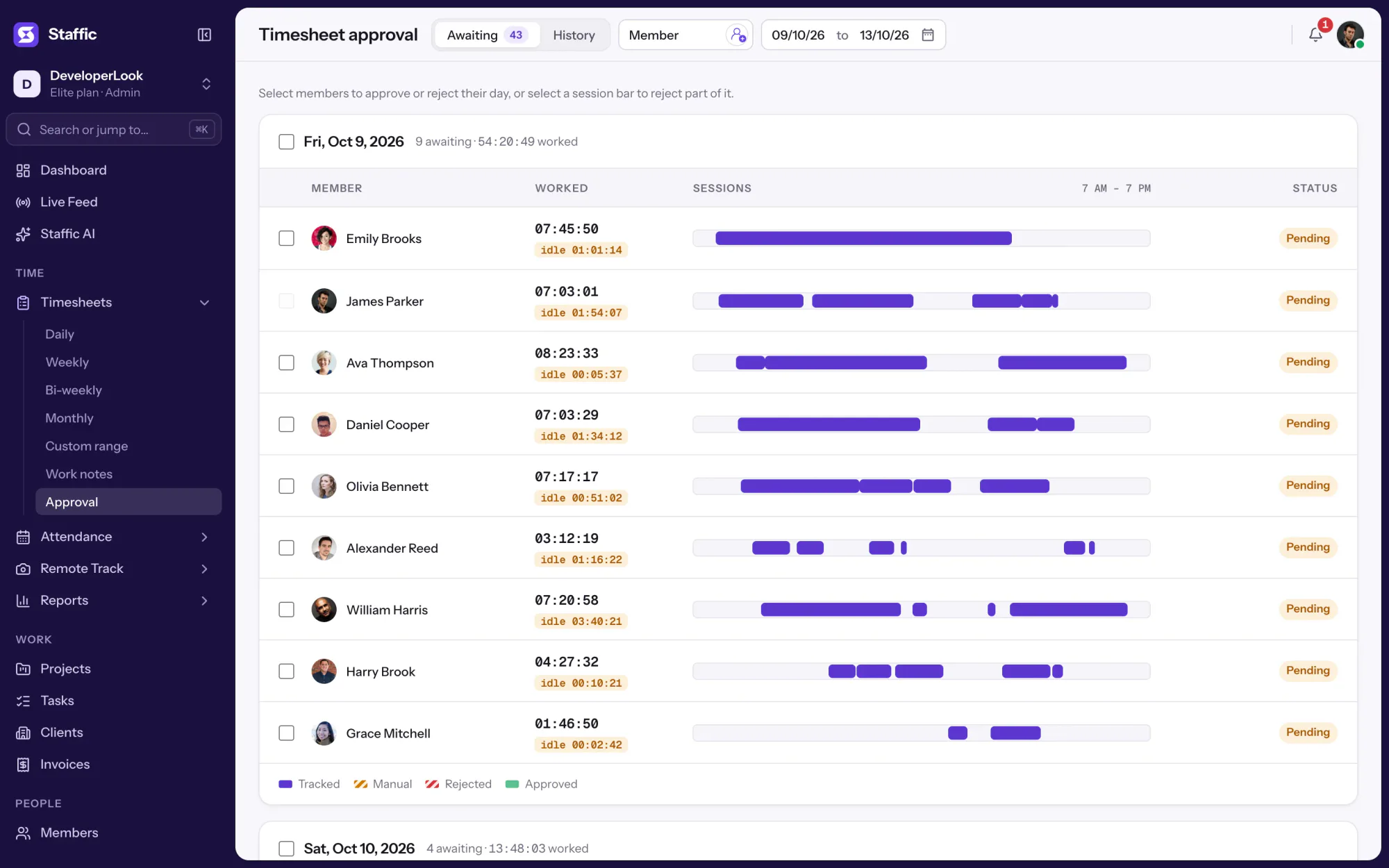

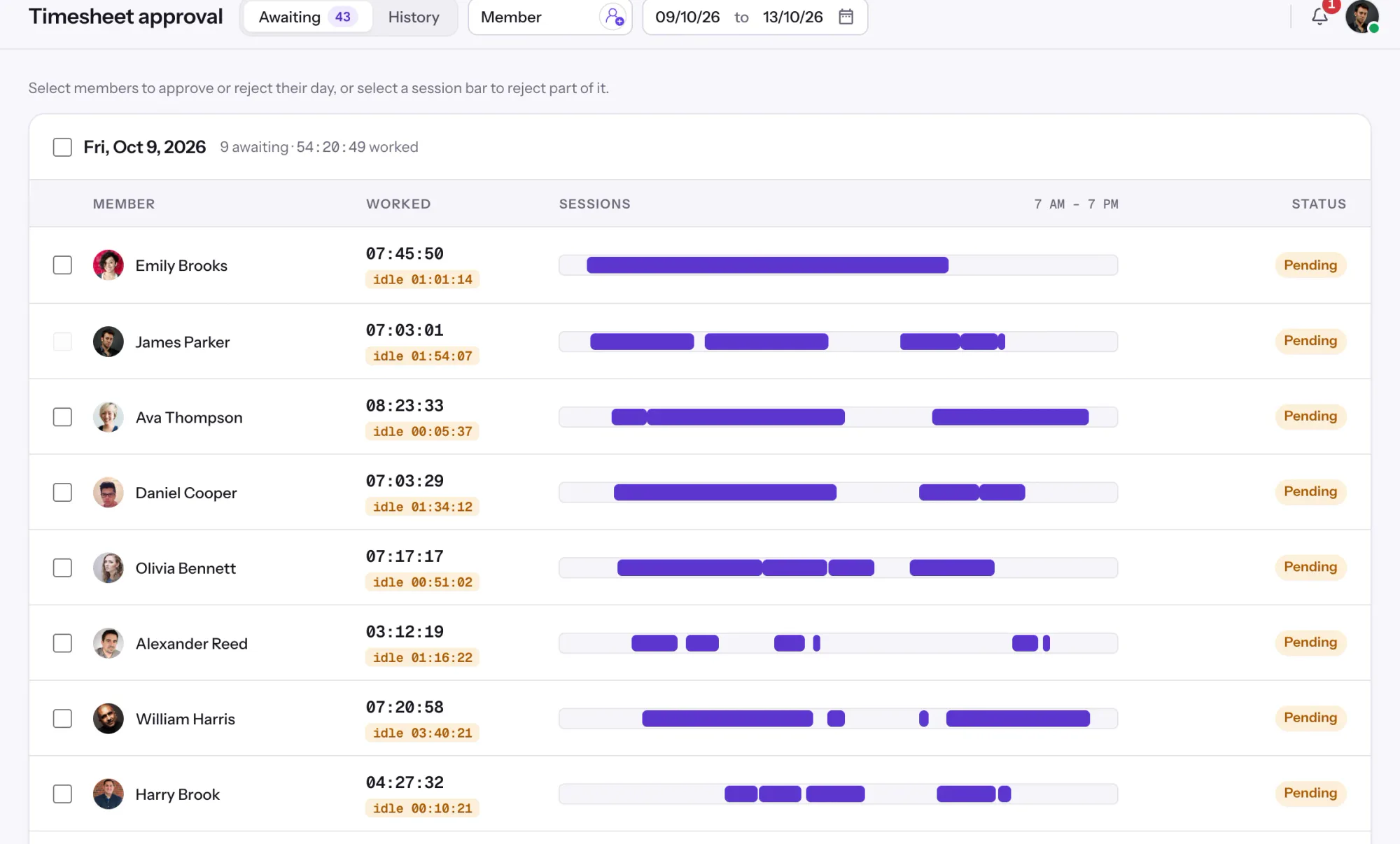
Approve or reject each member's tracked and manual time day by day, so hourly payroll pays only the hours you signed off.
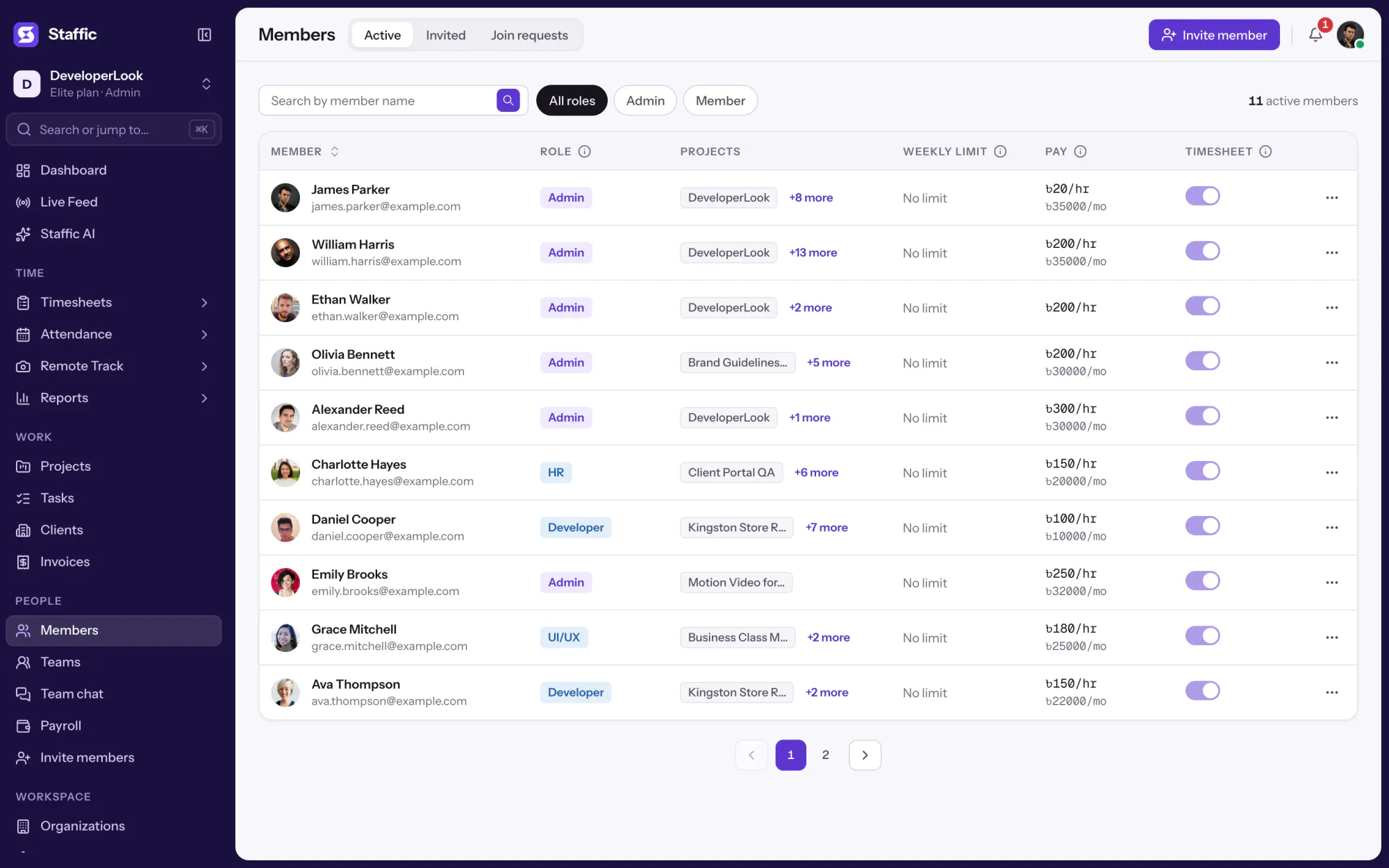

Members lists every person with their projects, pay and approval switch, and holds invitations, join requests and each member's page.
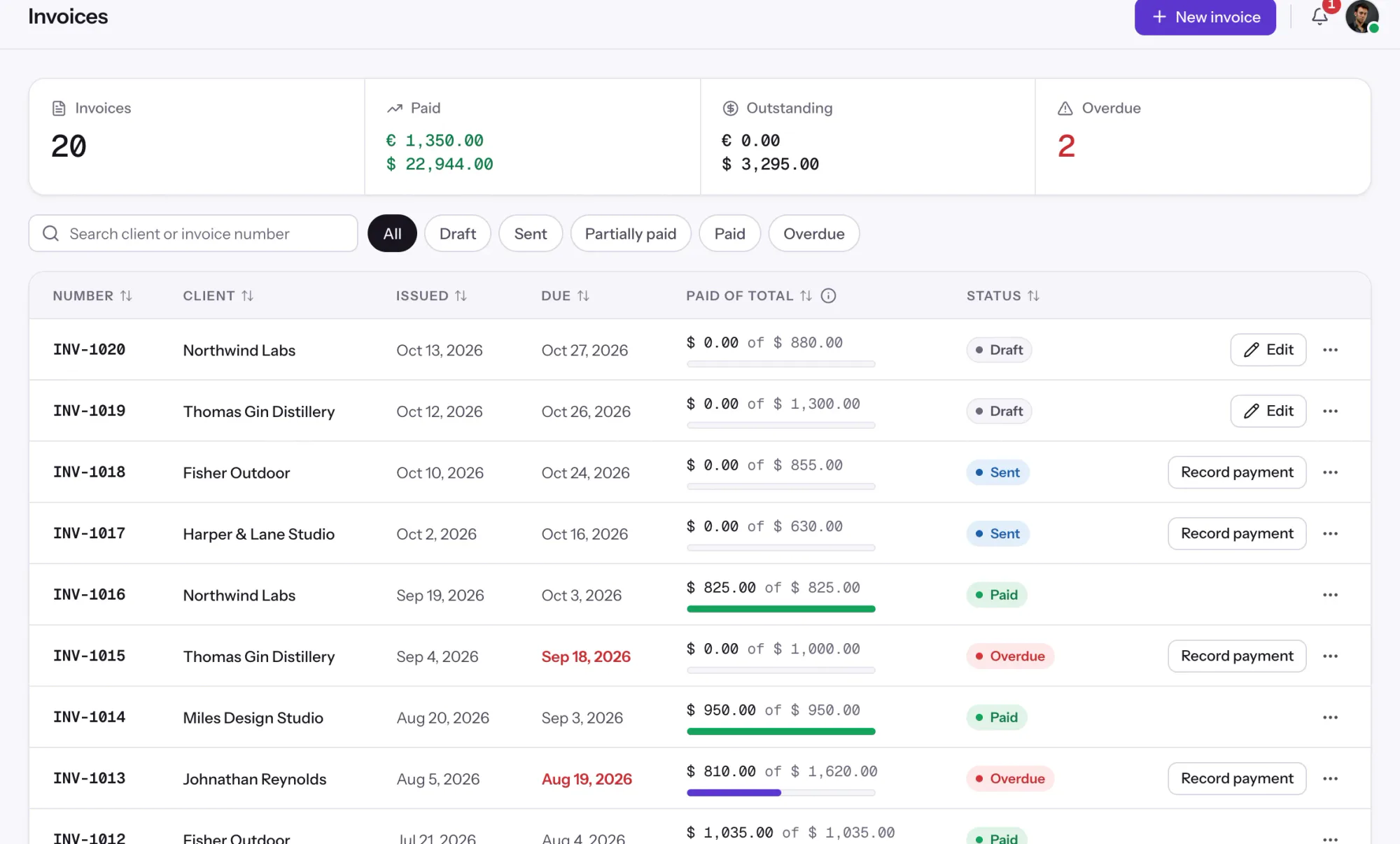

Invoices tracks every client invoice from draft to paid, with payments, outstanding balances and a link clients open in a browser.
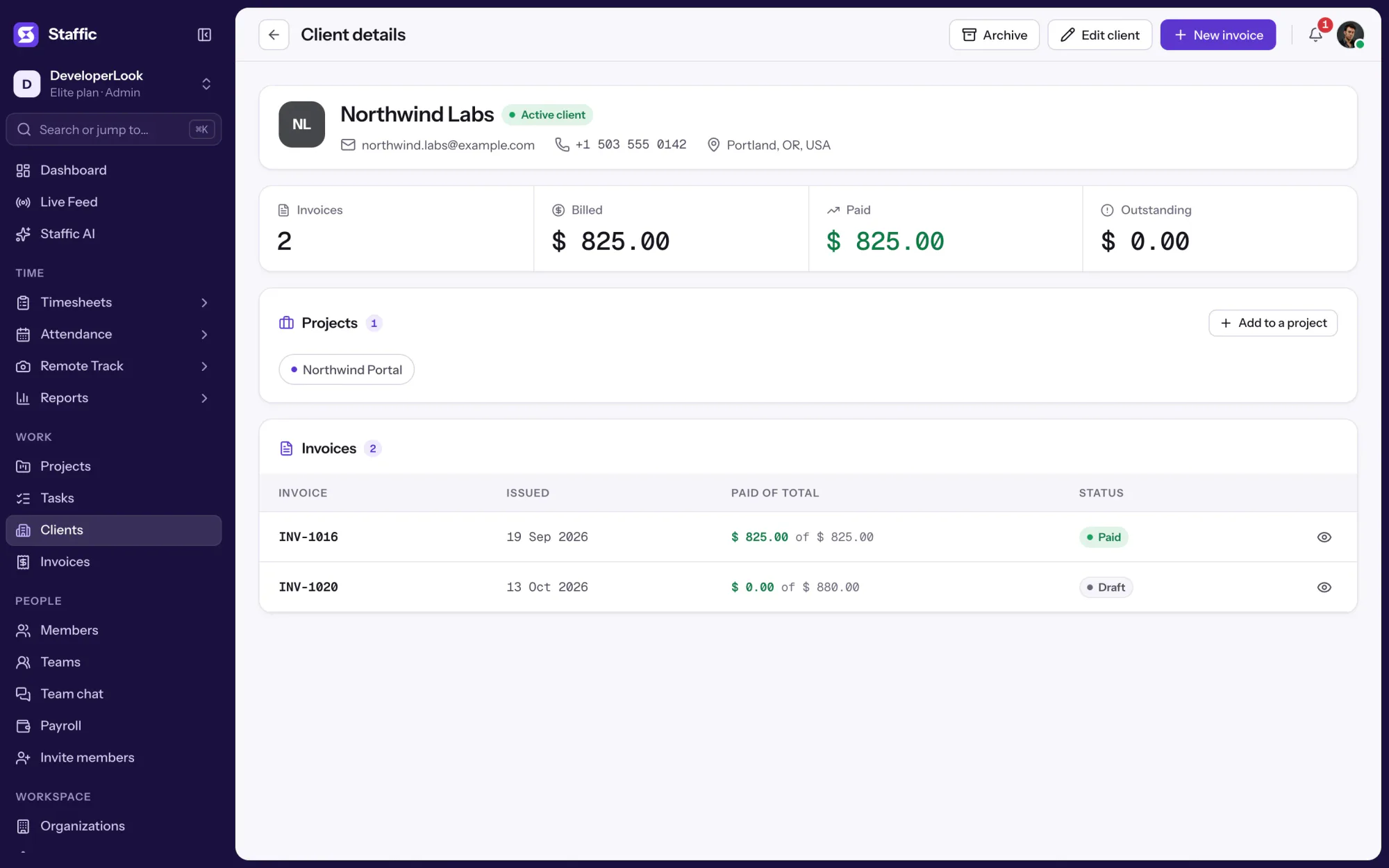

Clients holds each client's profile, projects and invoices, so hours on billed projects become billable time you can invoice.
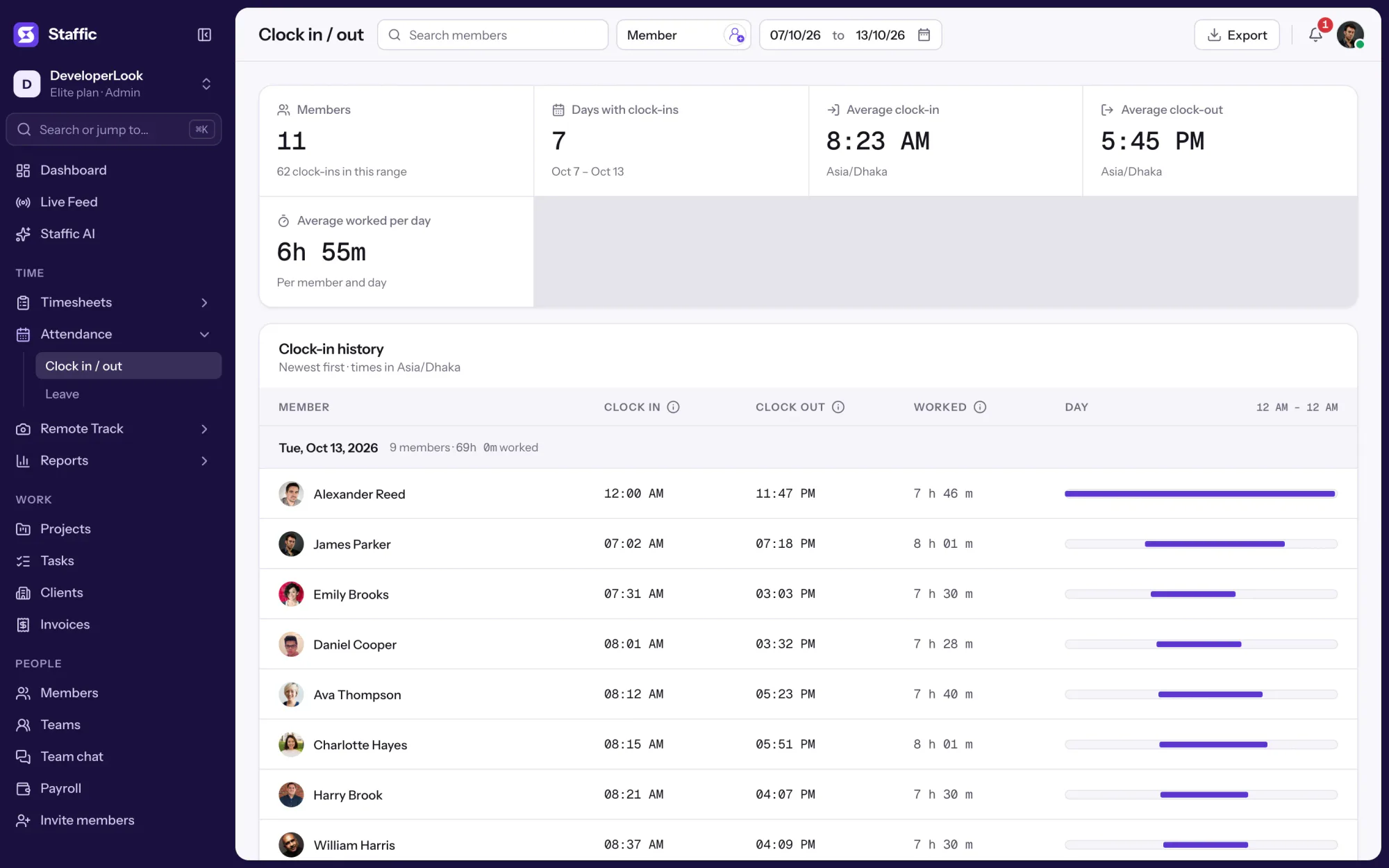

Clock In/Out records when each member starts and stops work from the desktop timer, with time worked per day and PDF or Excel export.
Free for up to 2 members
Create your workspace, invite your team, and the first timesheet builds itself.