Remote teams
Know who's off without asking around
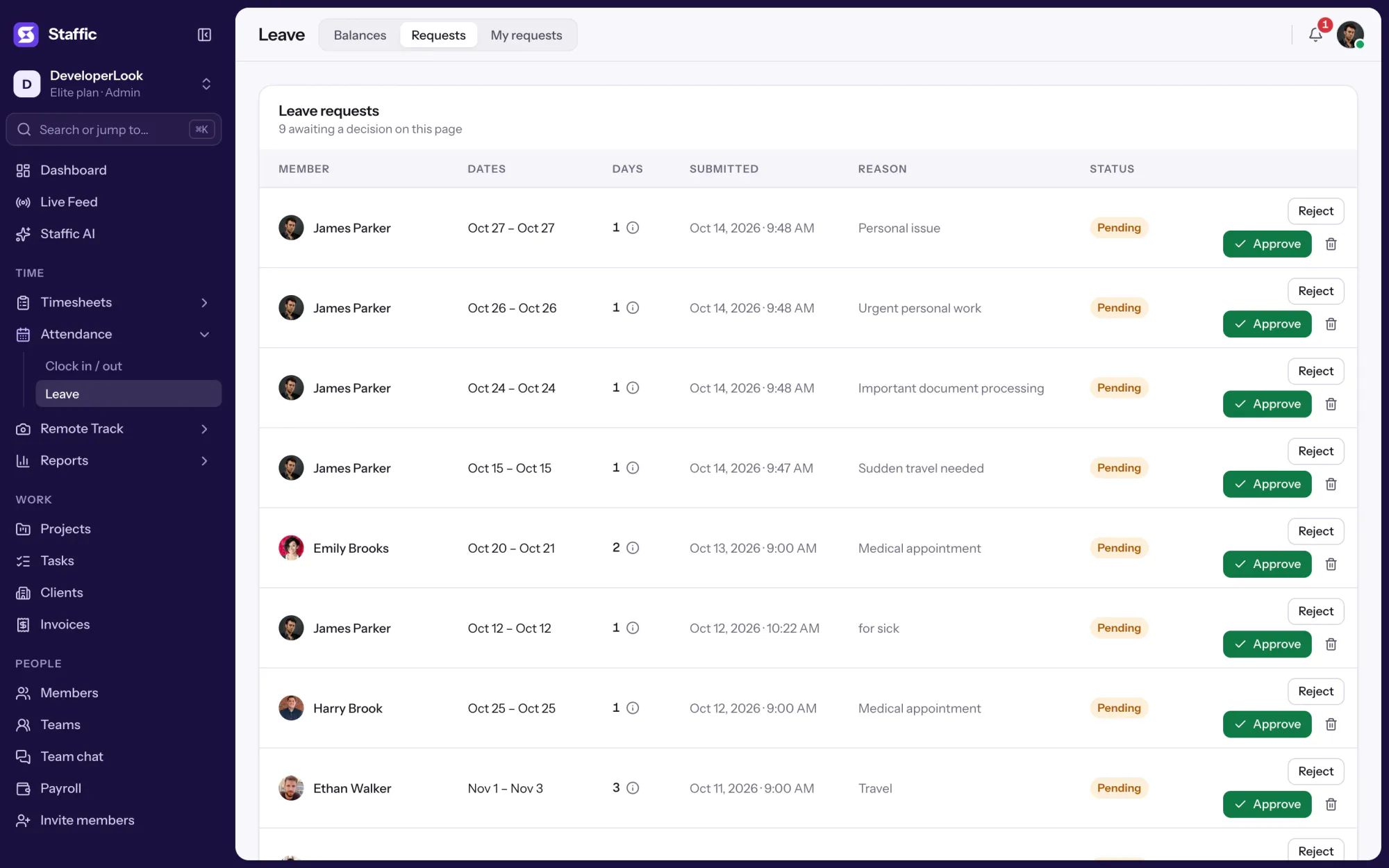
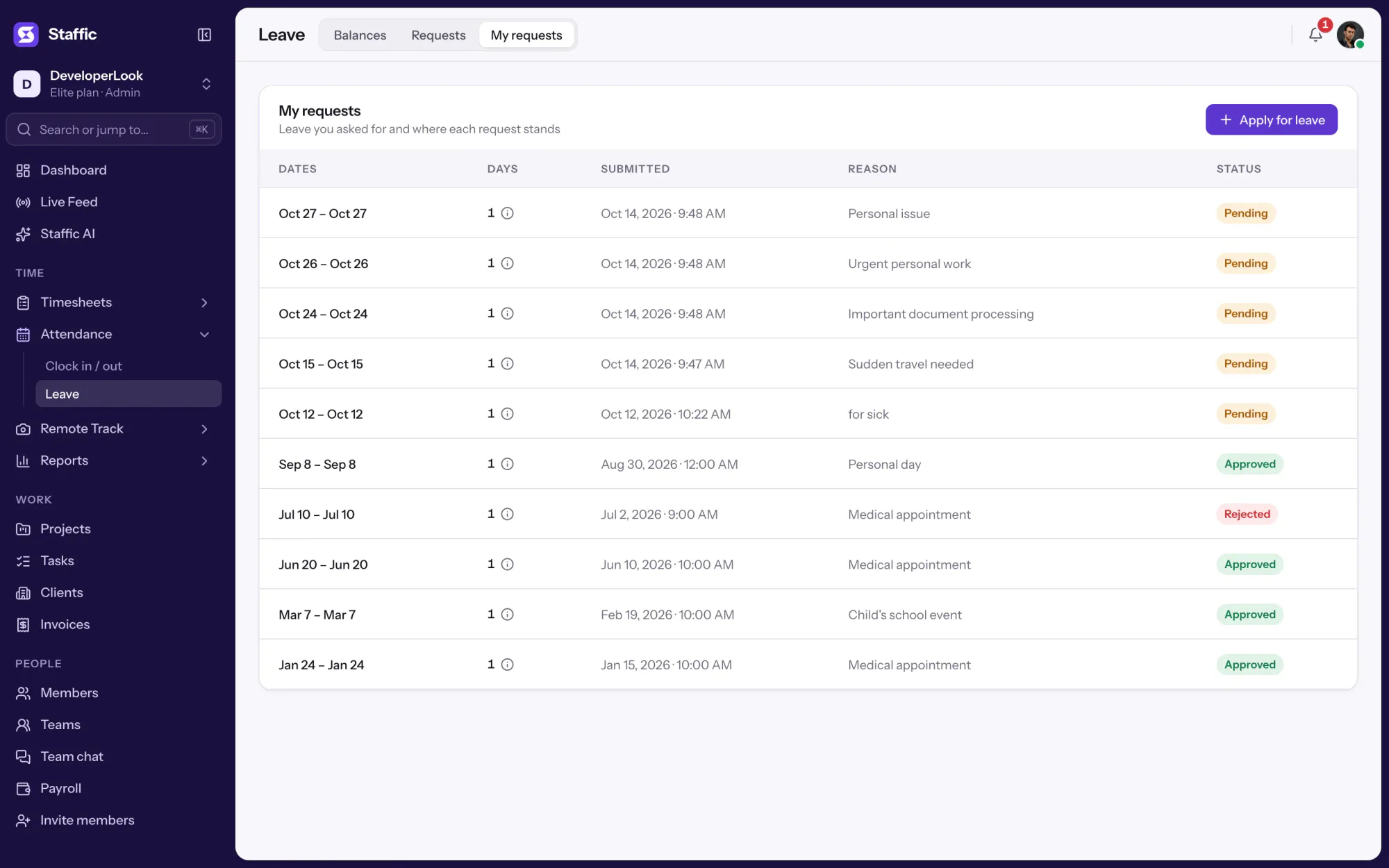
Every request sits in one list with its dates and reason, so nobody's leave gets lost in a chat thread.

Features
All 38 featuresSee the work while it happens.
 DashboardYour team's week at a glance, Monday to Sunday
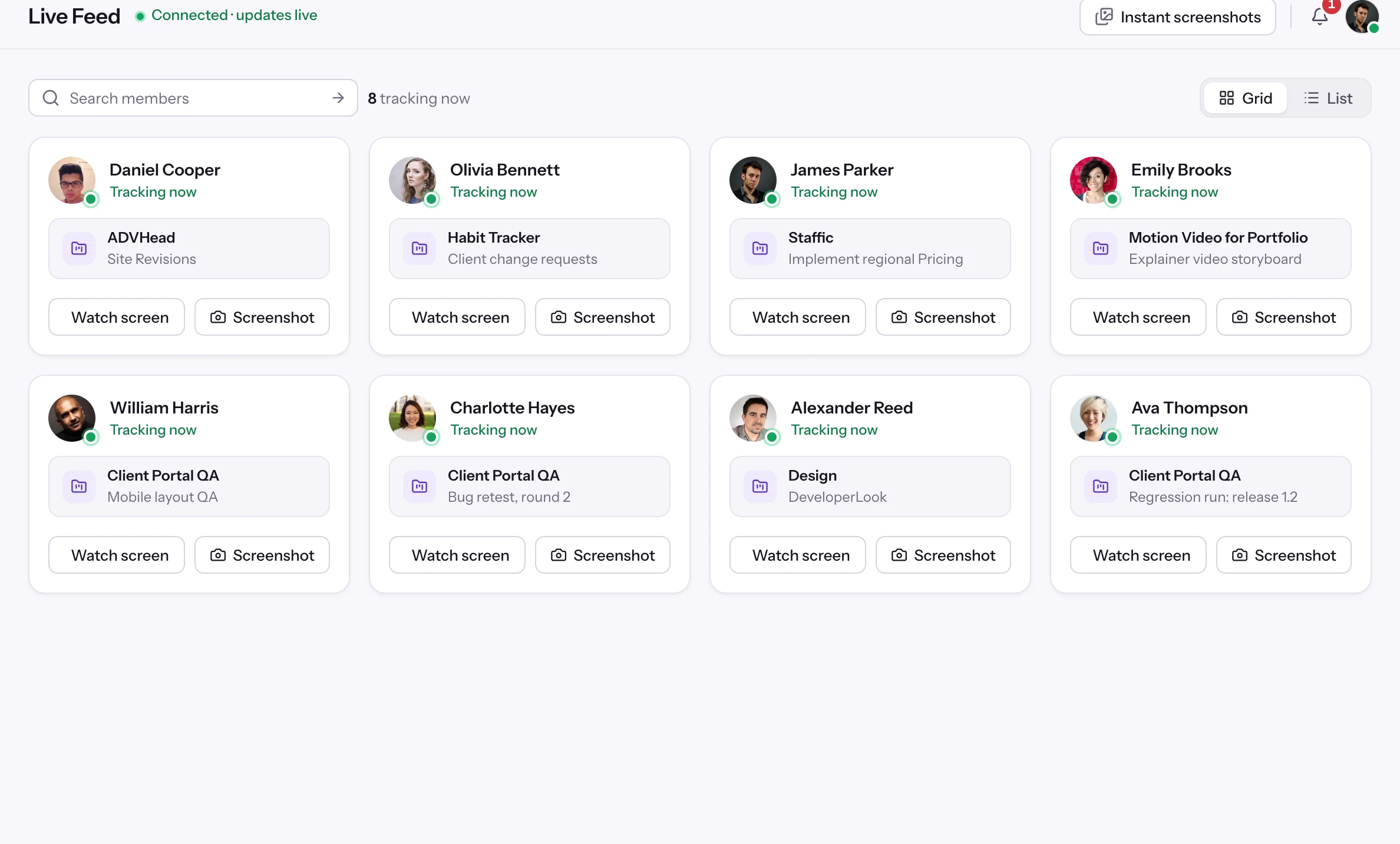
 Live FeedSee who's tracking time right now, and on what
 ScreenshotsVisual proof of work, captured automatically
 AppsWhich apps each tracked session used
 URLsThe websites behind the tracked time
 Screen RecordingsEliteFull session video, beyond a screenshot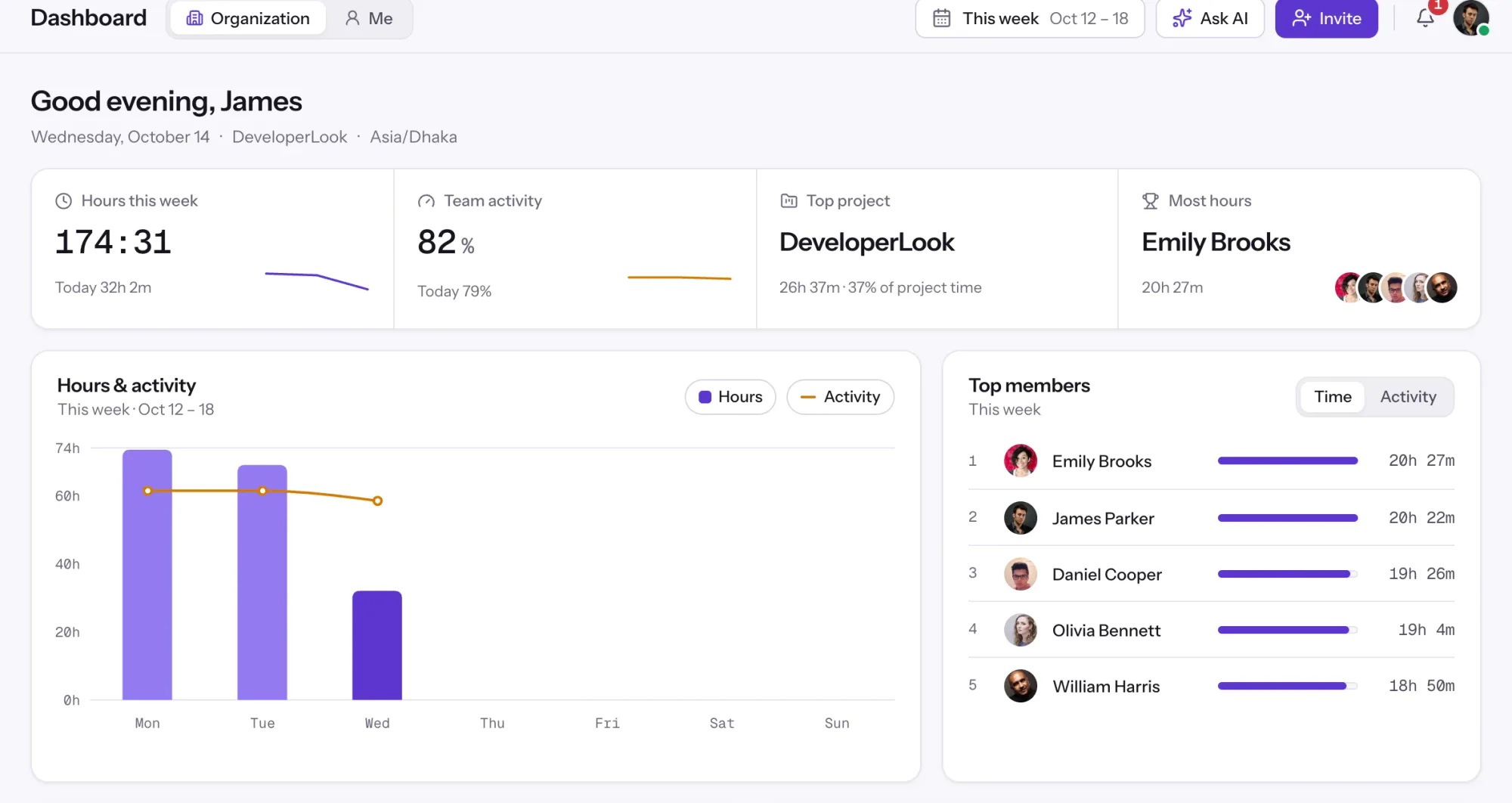
01 / 38
Dashboard
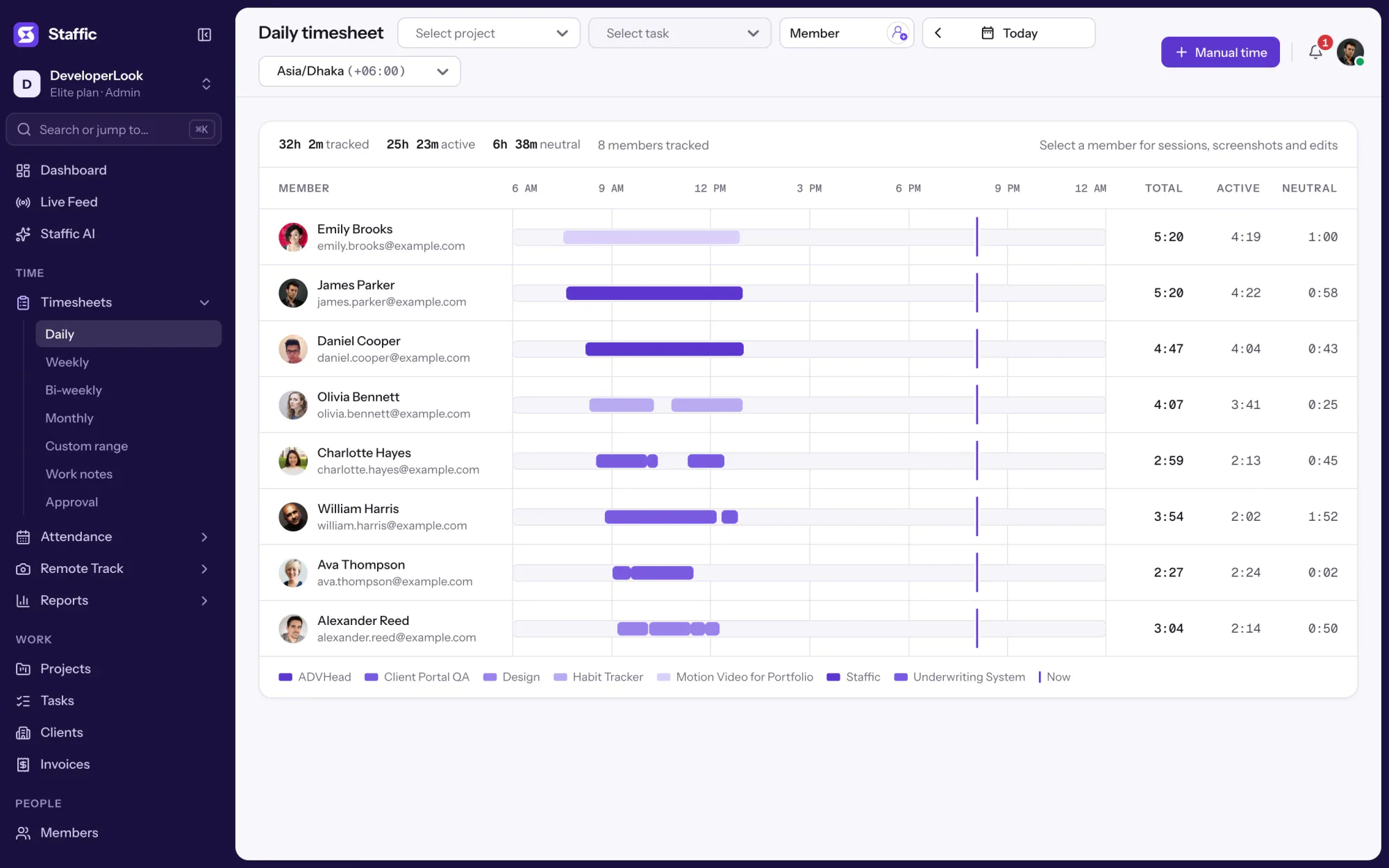
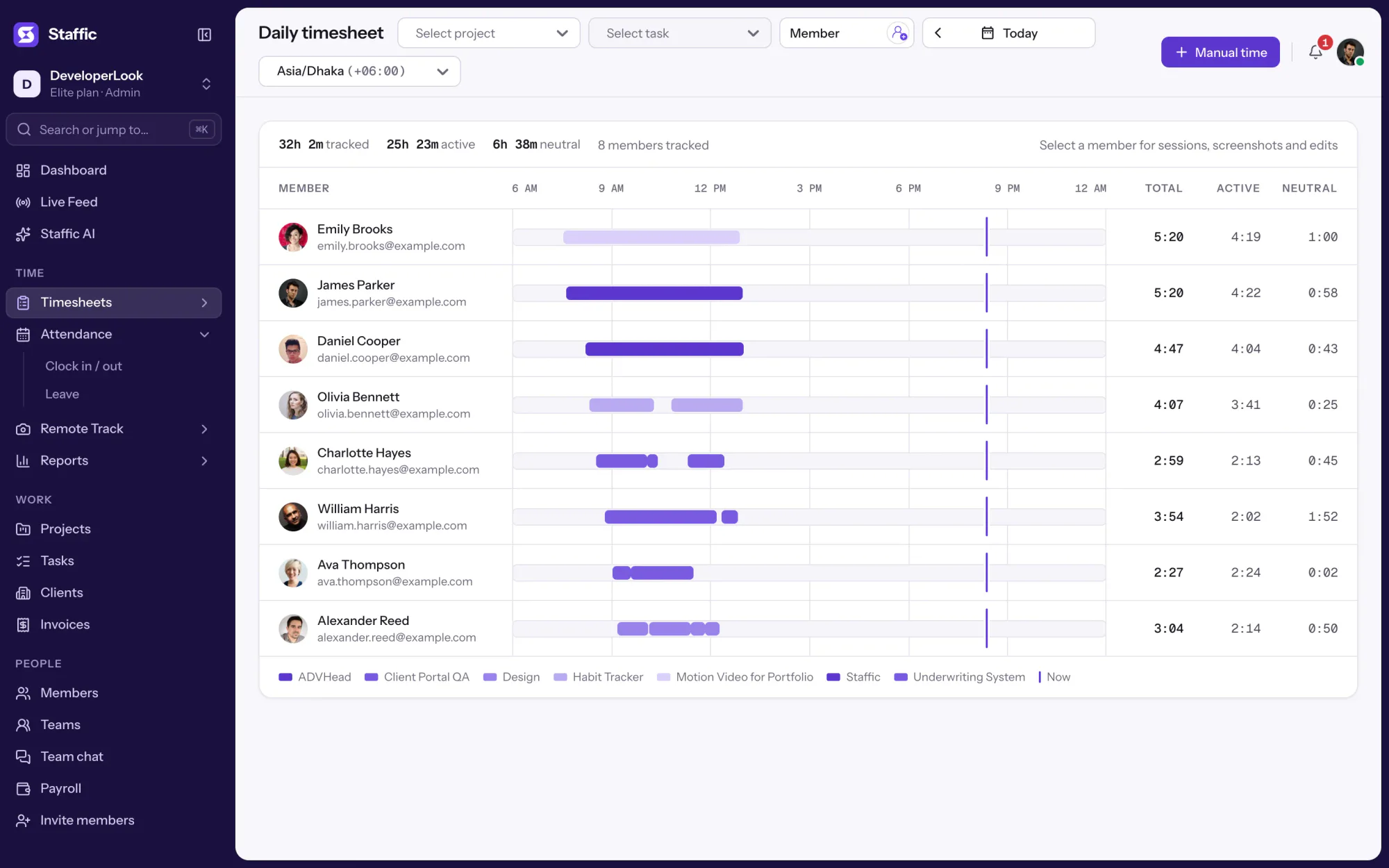
The team dashboard: this week's hours, team activity, top members, ongoing tasks, top projects and the most used apps and websites.
View DashboardSolutions
All 38 featuresHow remote, hybrid and growing teams run Staffic.
Staffic for the way you work, from freelancing to client billing.
 FreelancersFreelance time tracking
 Small businessesTimekeeping software for small business
 Call centersCall center monitoring software
 ConsultantsTime tracking software for consultants
 Companies with contractorsContractor time tracking
 Virtual assistantsTime tracking software for virtual assistants
 AgenciesAgency time tracking software
 Accounting firmsTime tracking software for accountants
 Software teamsTime tracking software for engineers
Staffic set up for your industry's records and reports.
01 / 19
Track remote hours across every time zone.
Staffic records time, activity and optional screenshots on each remote member’s computer, then turns them into timesheets you approve, so you can trust the hours without daily check-ins.
View Remote teamsLeave Management
Track paid time off in the same app your team uses for time tracking. Members request leave with a date range and a reason, admins approve or reject it in one list, and approved days come off each member's annual balance.
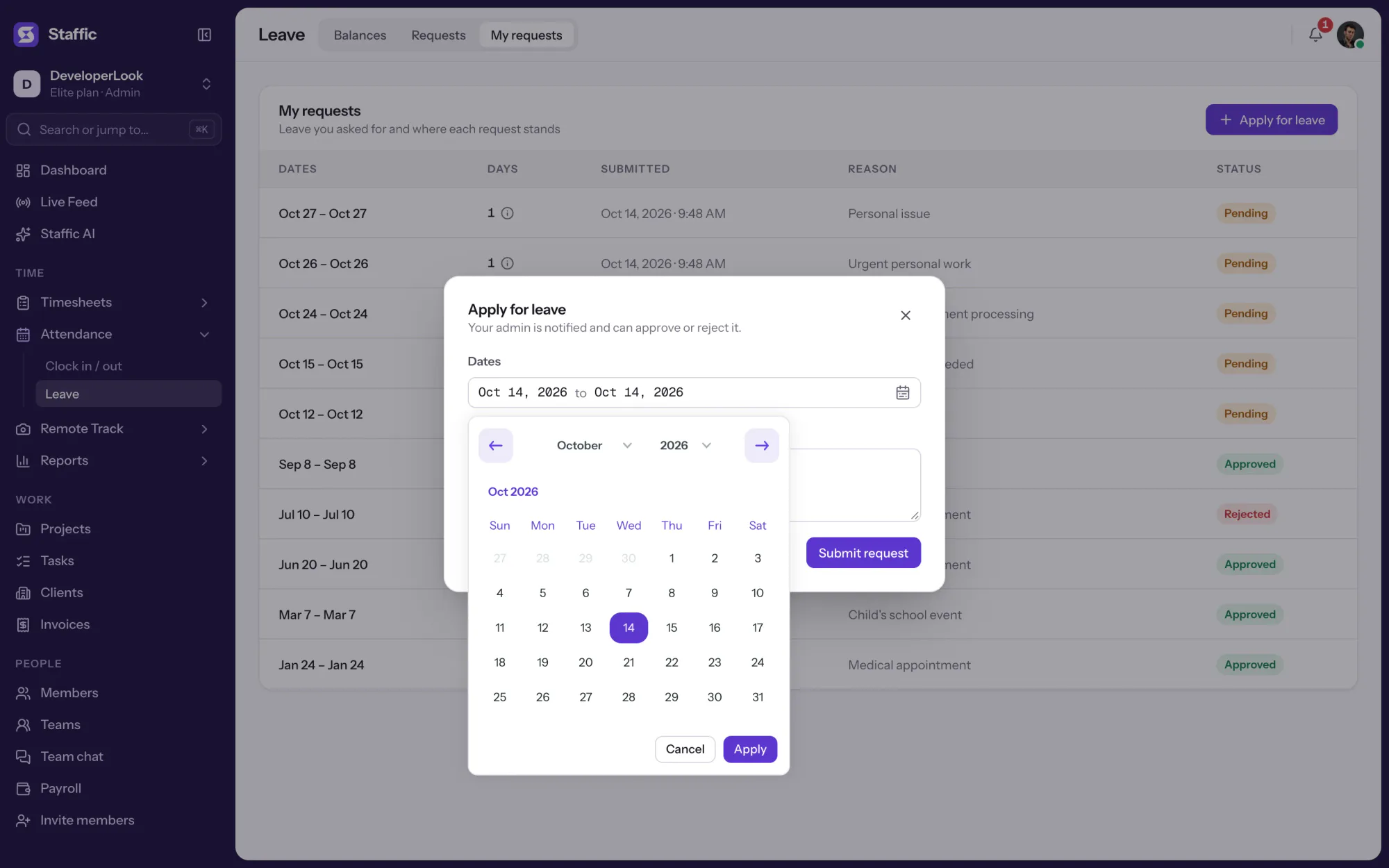
1/6Click Apply for leave
In short
Staffic Leave Management is the PTO tracking software inside the Staffic time tracker, on every plan. A member picks the days off and writes a reason. An admin or a leave manager approves or rejects the request, and the member gets a notification. Approved days come off the member's annual leave allowance, which you set once for everyone and can change for one person.
How it works
Set one allowance, and your team can start requesting time off the same day.
Leave Management
Requests, approvals and balances sit in one place in Staffic, next to your team's tracked time.
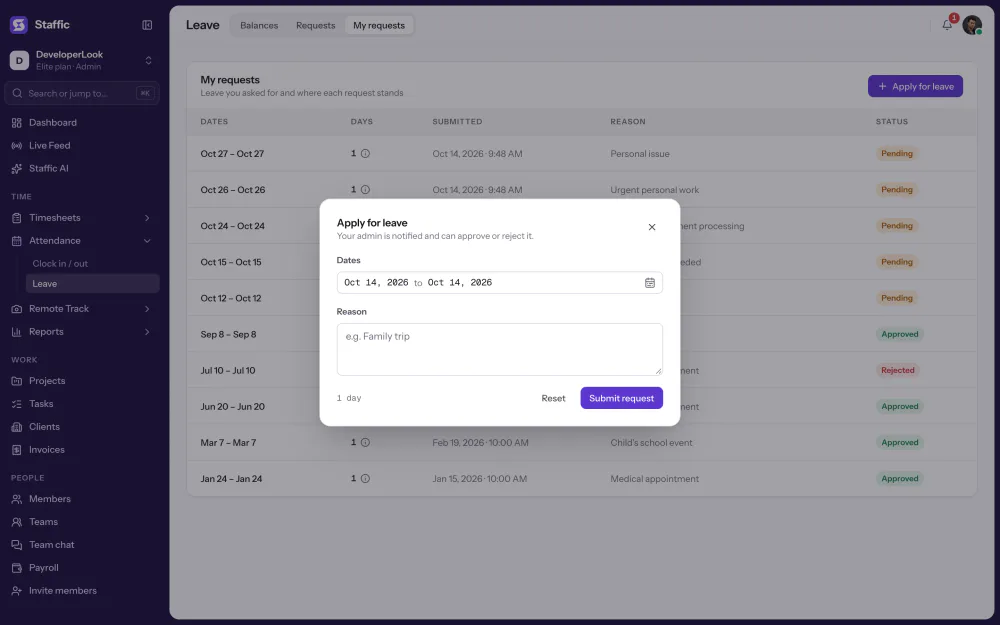
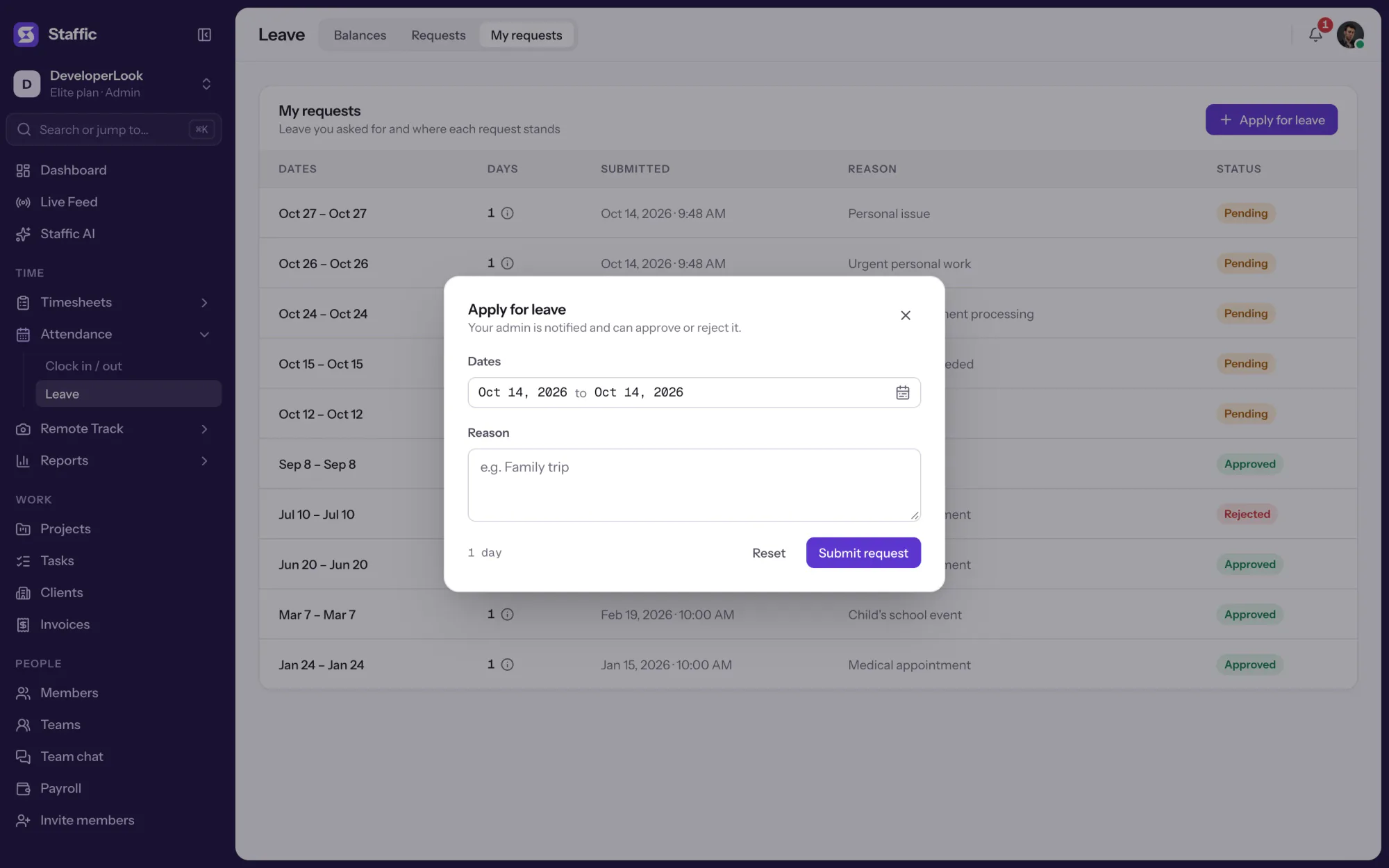
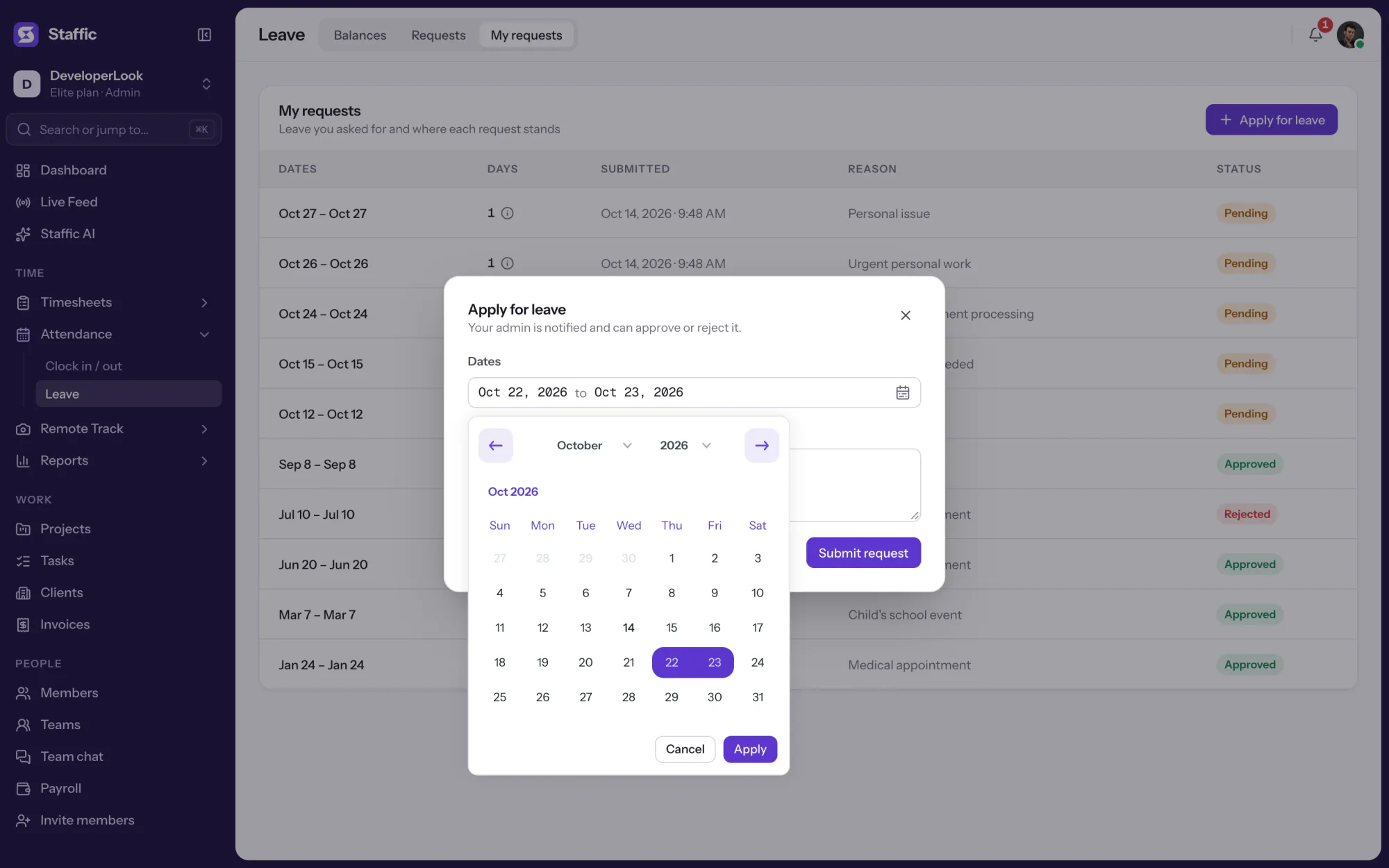
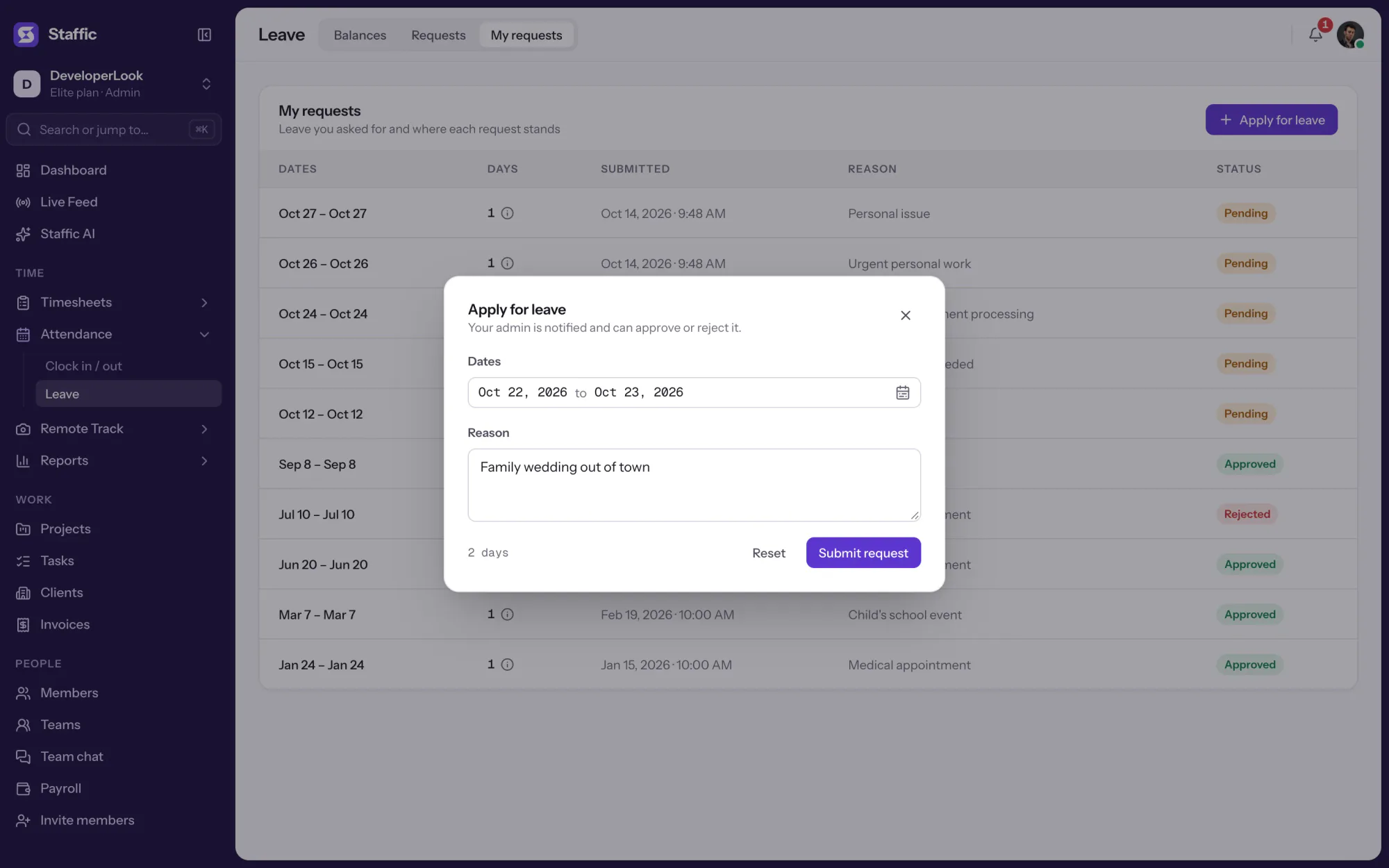
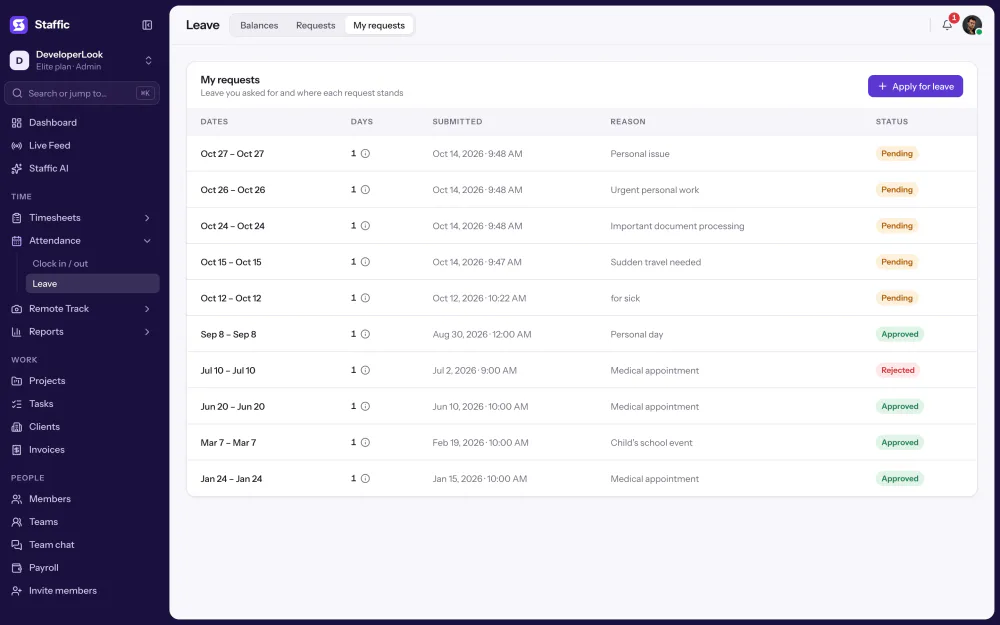
Members click Apply for leave under My requests, pick a date range and write a reason. Each request shows its dates, days, submission date and status.
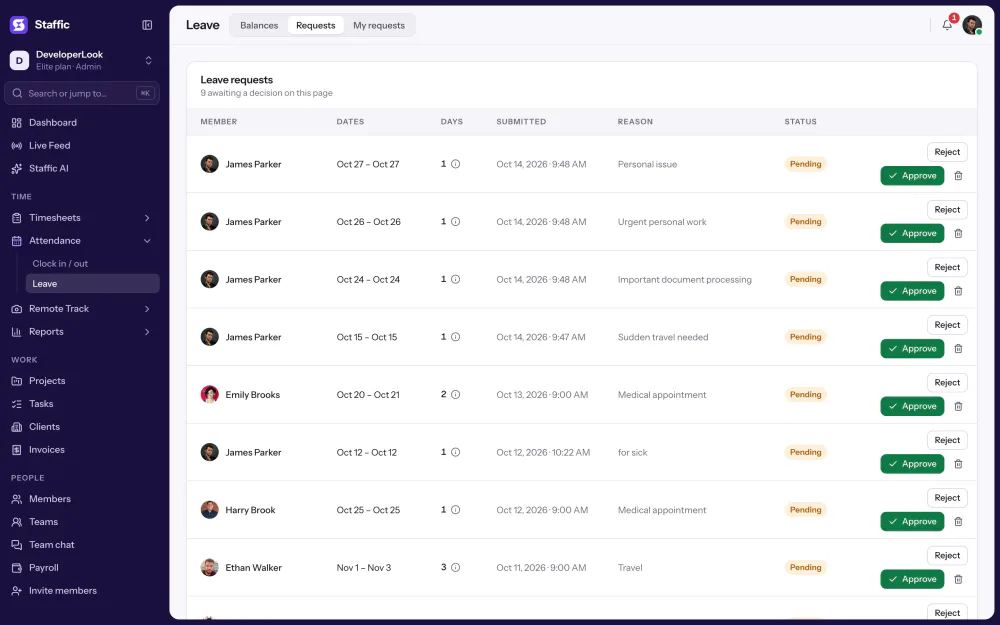
The Requests tab lists every request from the team with its member, dates, days and reason. Admins, and members whose role includes Leave Management, approve, reject or delete each one. The member gets a notification in Staffic.
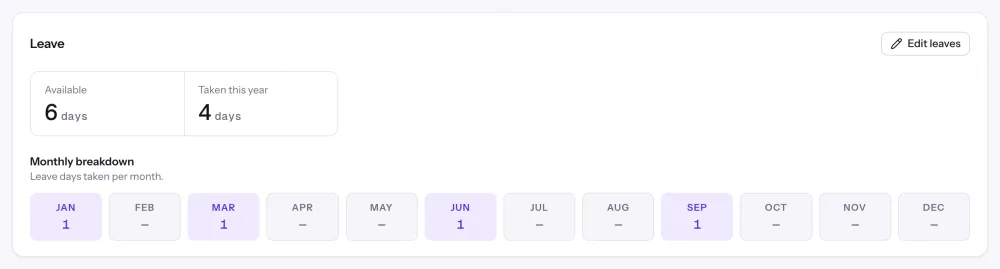
Every member starts with an annual allowance. Approving a request takes its days off the balance, and rejecting or deleting an approved one gives them back. Each member's profile shows days available, days taken this year and a monthly breakdown.
Showing Requests with dates and a reason.
1/5Click Apply for leave
Control and privacy
Leave requests and balances are visible to admins and the roles you choose. Members see only their own.
Set it up
Five steps from sign-up to your first approved request, on any plan.
Sign up and invite your team by email. Leave Management is on every plan, Free included.
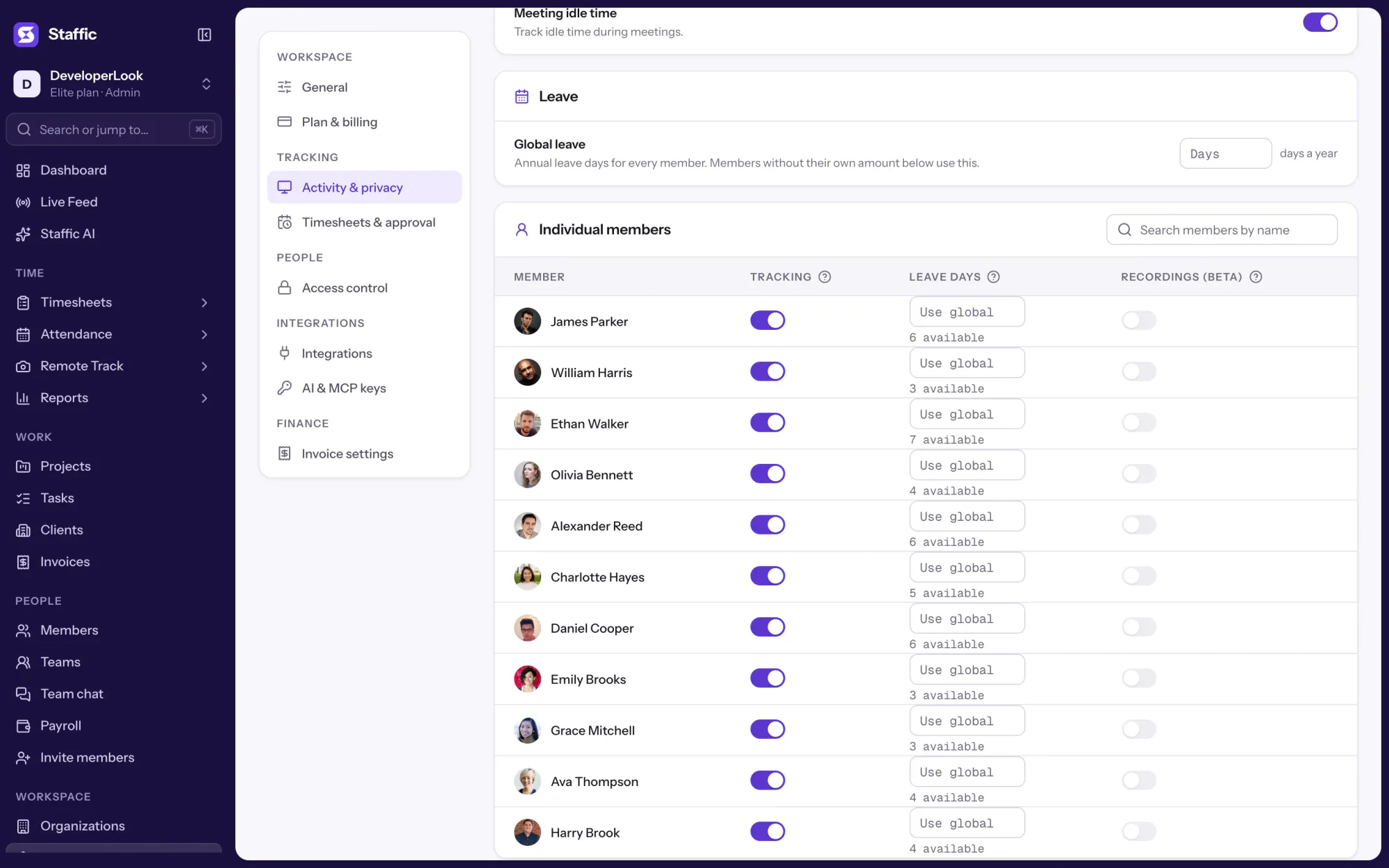
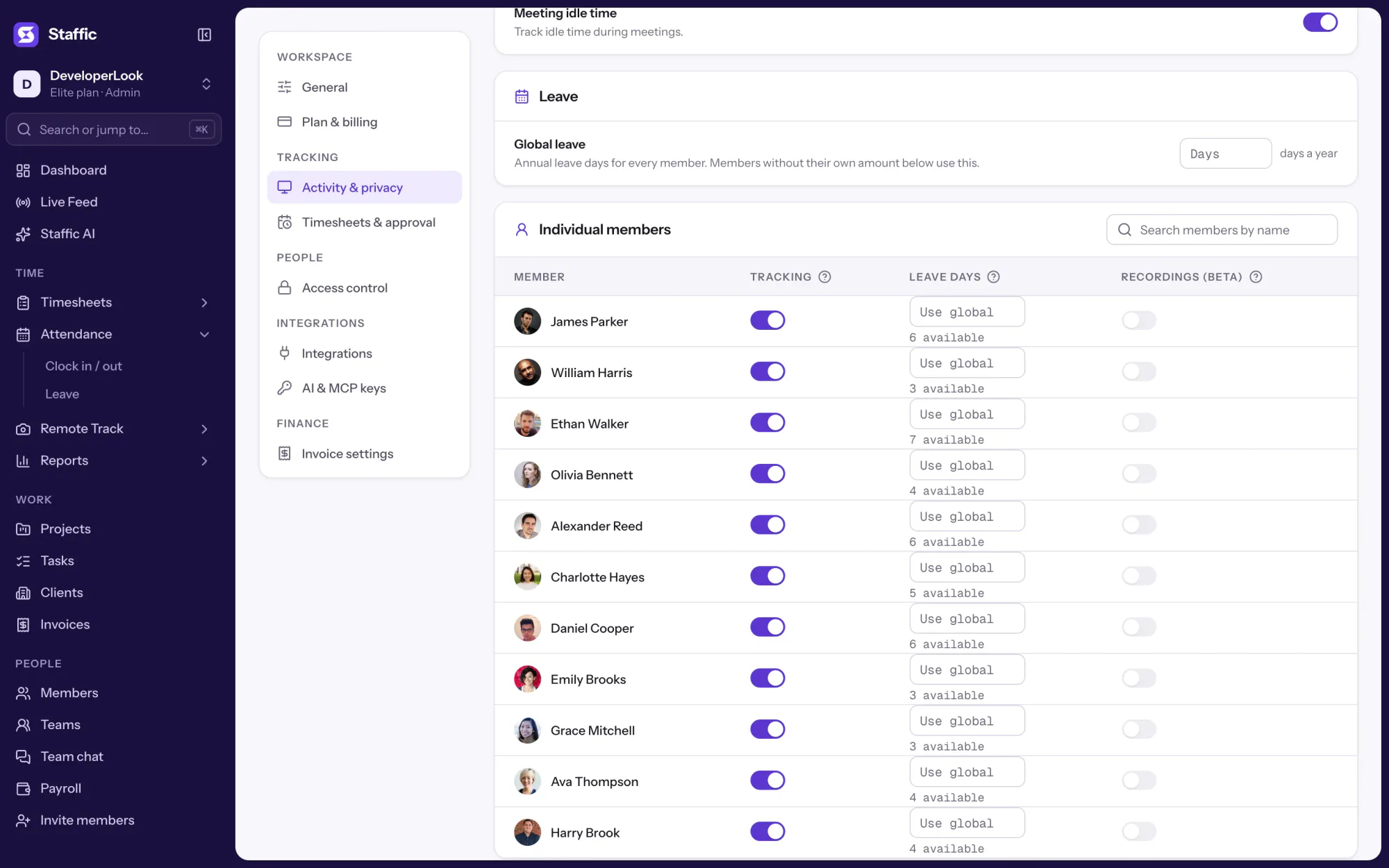
Start freeEnter Global leave, the default days a year for every member. Add a Leave days value for anyone who gets more or fewer days.
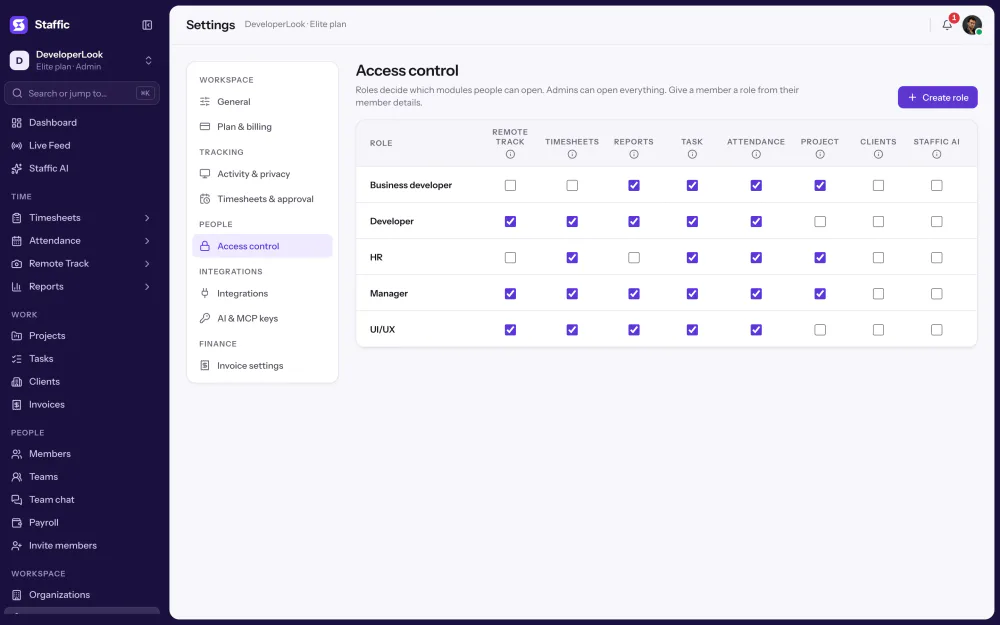
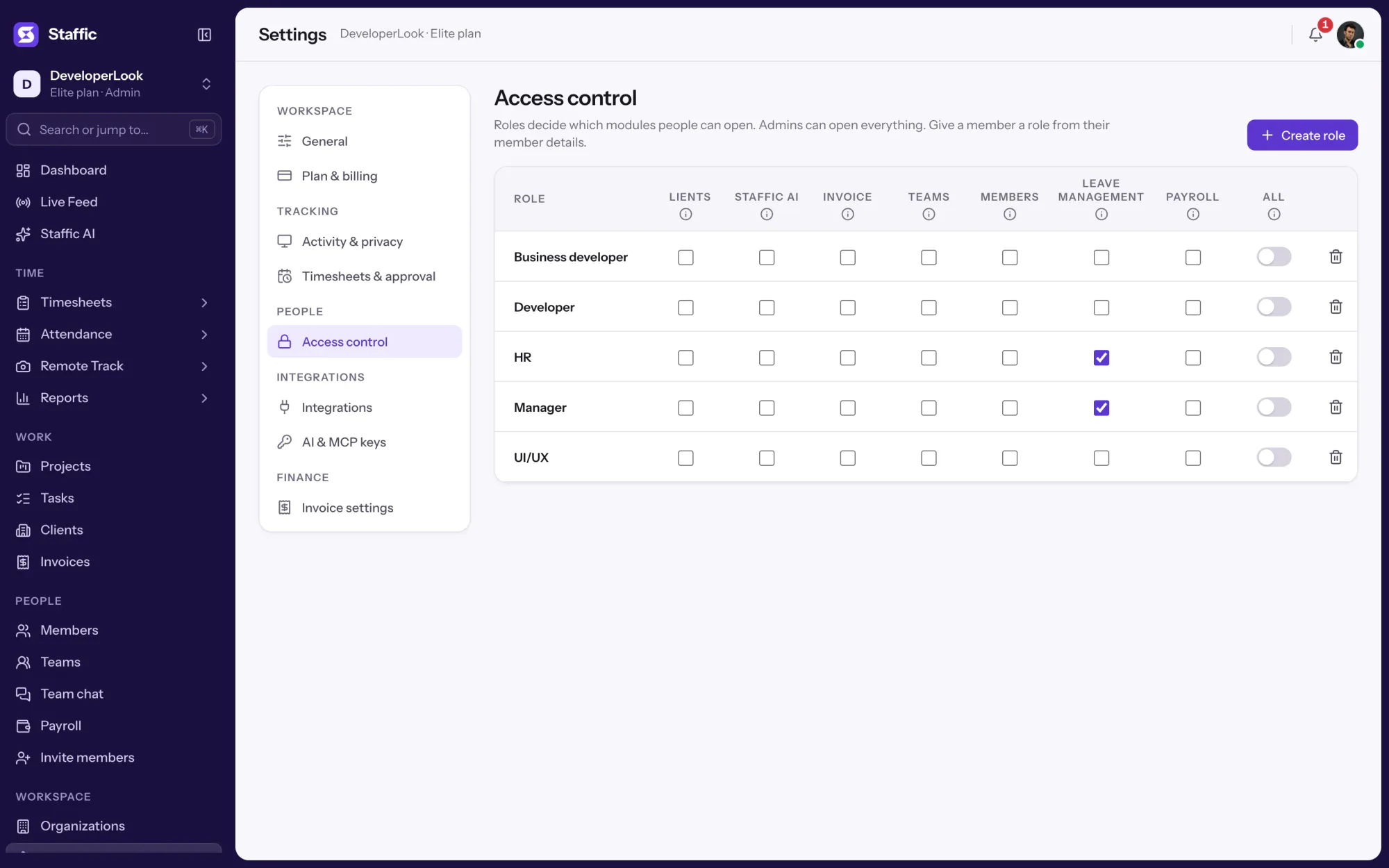
Settings › Activity & privacyAdmins can always approve. Give a manager's role Leave Management access so they can answer requests too.
Settings › Access controlMembers click Apply for leave, pick the dates and write a reason.
Attendance › Leave › My requestsApprove or reject each request, then check the Balances tab for days taken per month and days left.
Attendance › Leave › Requests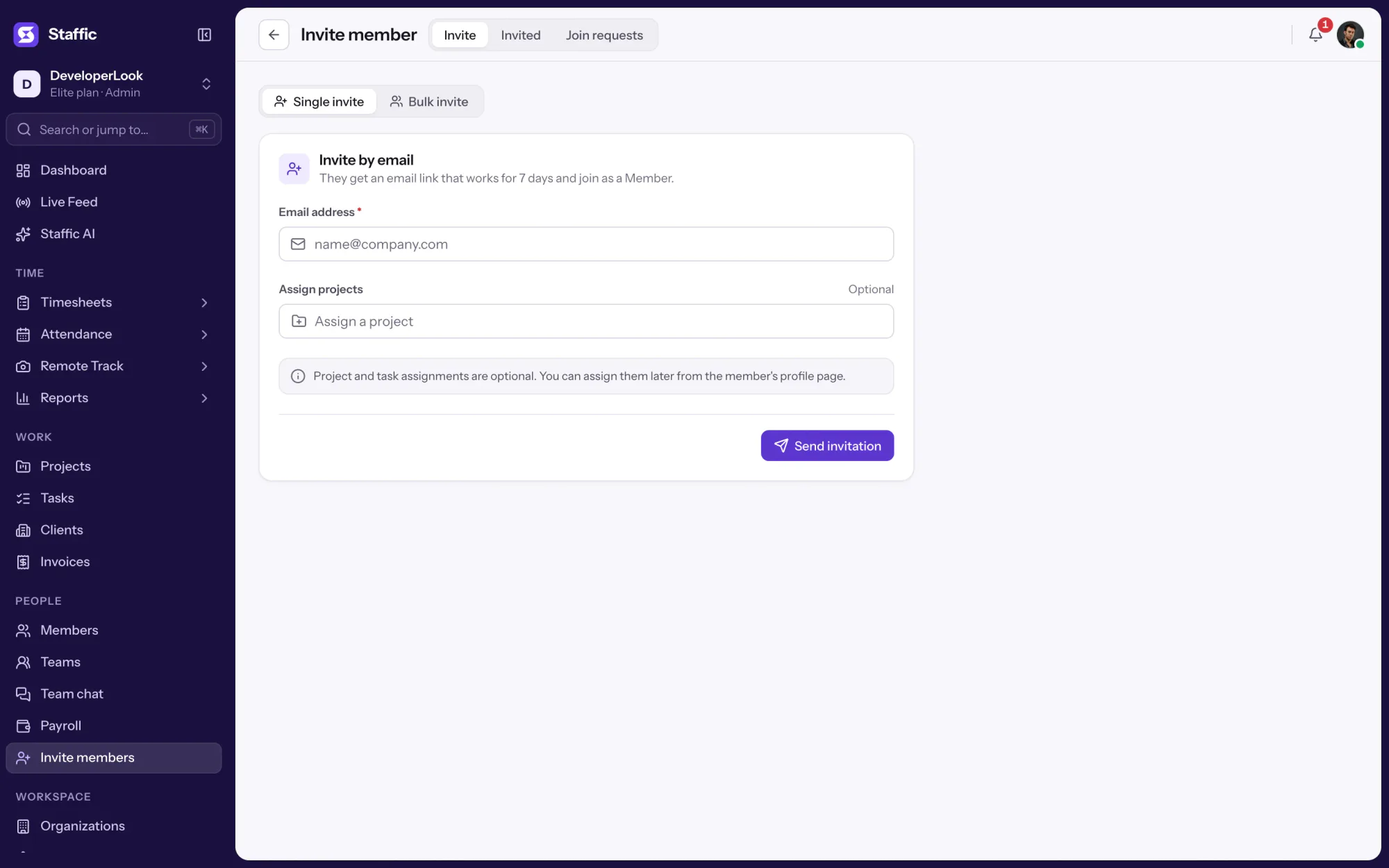
Specs and terms
The facts behind the feature, and what each number on the Leave Management page means.
Who it’s for
Employee leave management software for small and remote teams that track leave in spreadsheets or chat today.
Every request sits in one list with its dates and reason, so nobody's leave gets lost in a chat thread.
Set an allowance once, and each member's balance updates when you approve a request.
Give a team lead's role Leave Management access, and they can approve or reject requests without waiting for an admin.
Customer stories
Stop juggling tools. Staffic gives your team time tracking, projects, payroll and performance analytics in one platform.
Try Staffic for free“Staffic.io brings transparency without micromanagement. Our team feels trusted, and productivity has never been higher.”
Pricing
Leave Management is included on every plan, Free included. You pay per active user only when your team grows past 2 members.
Compare every planFor freelancers and small teams, up to 2 members
No card needed.
Includes Leave ManagementEvery core feature, for teams of up to 2 members.
Everything in Free, without the 2 member limit
Offer price until October 30, 2026, then $7.50
Card at checkout. Cancel within 7 days and pay nothing.
Includes Leave ManagementEverything in Free without the 2 member limit.
For organizations running payroll, billing and approvals
Offer price until October 30, 2026, then $10
Card at checkout. Cancel within 7 days and pay nothing.
Includes Leave ManagementEverything in Standard, plus Screen Recordings, Invoices, Clients and 1 more.
Prices in USD per active user. Billed monthly, Standard is $9.50 and Elite is $13 per user.
FAQ
Answers about requesting, approving and tracking leave in Staffic.
Read the Leave Management guidePTO tracking software records paid time off: who asked for which days, who approved them and how many days each person has left. Staffic does this in the same app your team uses for time tracking, so leave and tracked hours live in one place instead of in separate PTO software.
Members open Attendance, Leave, go to My requests and click Apply for leave. They pick a date range, write a reason and submit. The request shows as Pending until an admin or a leave manager answers it.
Yes. Admins, and members whose Access control role includes Leave Management, approve or reject each request in the Requests tab. The member gets a notification in Staffic, and an approved request takes its days off their balance.
A member's balance is their annual allowance minus approved leave days. The allowance is the Global leave value in Settings, Activity & privacy, or the member's own Leave days value. A request counts every calendar day in its range, weekends included, and rejecting or deleting an approved request gives the days back.
Not by team or country. Unlike larger leave management systems, Staffic has one annual allowance per organization, with a Leave days value for any member who needs a different number. If you run teams in different countries as separate organizations, each one has its own Global leave value.
No, leave stays in Leave Management. Clock In/Out and Payroll work from tracked time, so approved leave doesn't add clock-ins or change pay on its own. Check the Balances tab for approved days when you run payroll.
There's no calendar view. The Balances tab shows each member's leave days for every month from January to December and the days they have left. The Requests tab lists every request with its dates, days and status.
Staffic doesn't keep a public holiday calendar, so holidays only count as leave when someone requests them. Because a request counts every calendar day in its range, members can request the days around a holiday separately. Admins can also correct a balance on the member's profile.
Every plan includes Leave Management. Free covers up to 2 members. Standard is $7.50 per user per month billed yearly ($3.80 during the current offer, until October 30, 2026) or $9.50 billed monthly, and Elite is $10.00 per user per month billed yearly ($4.80 during the current offer, until October 30, 2026) or $13.00 billed monthly.
Explore more
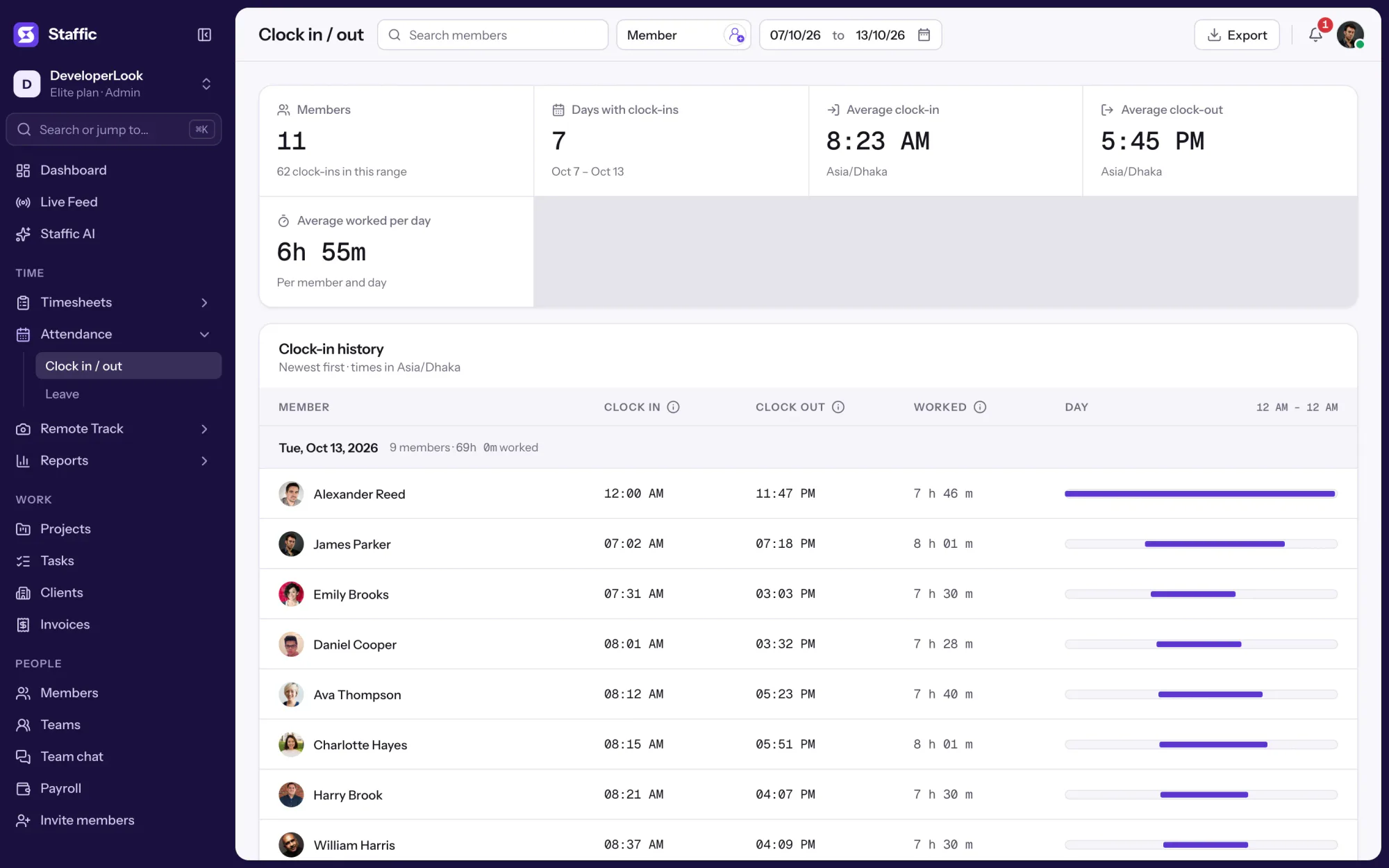

Clock In/Out records when each member starts and stops work from the desktop timer, with time worked per day and PDF or Excel export.
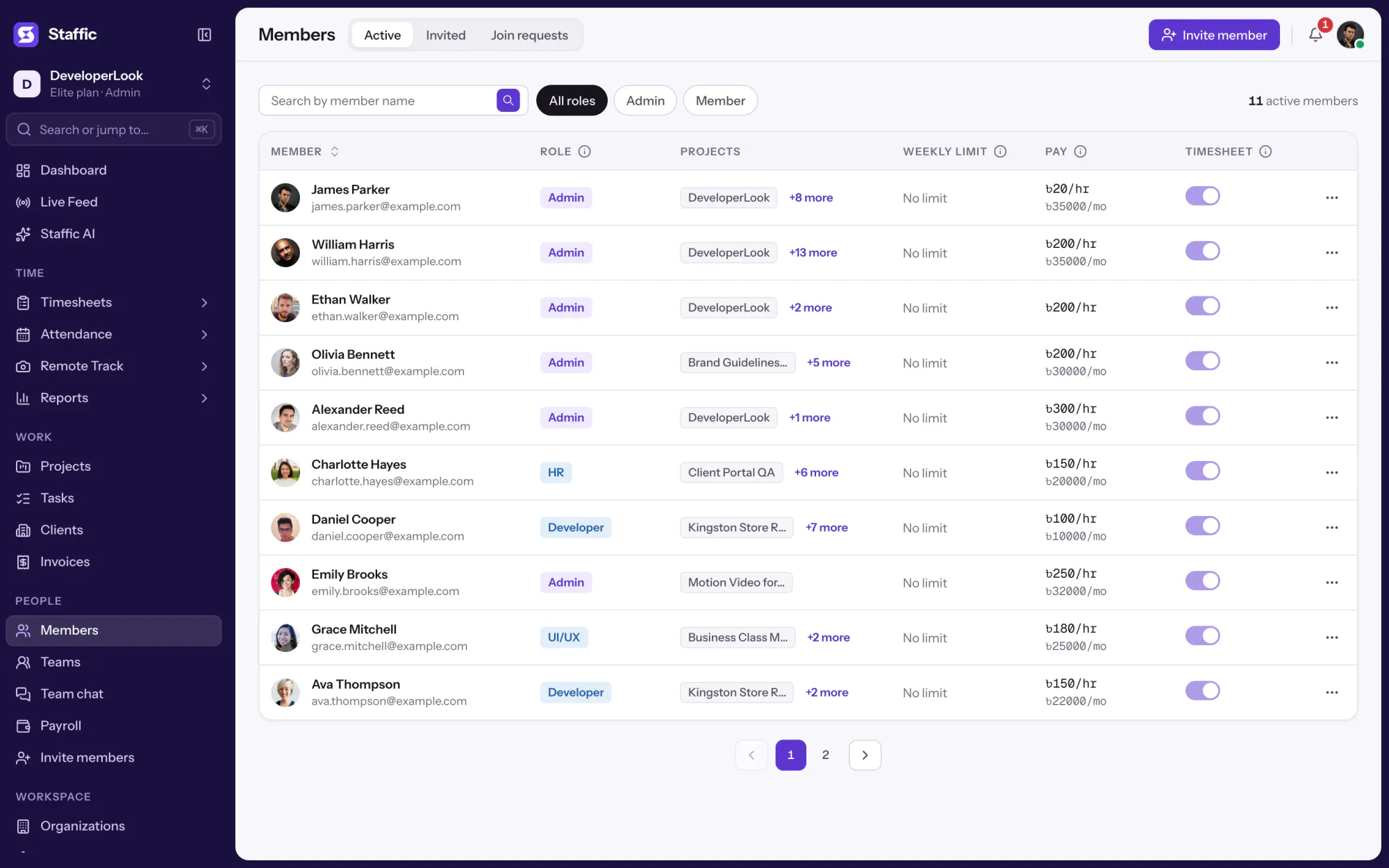

Members lists every person with their projects, pay and approval switch, and holds invitations, join requests and each member's page.
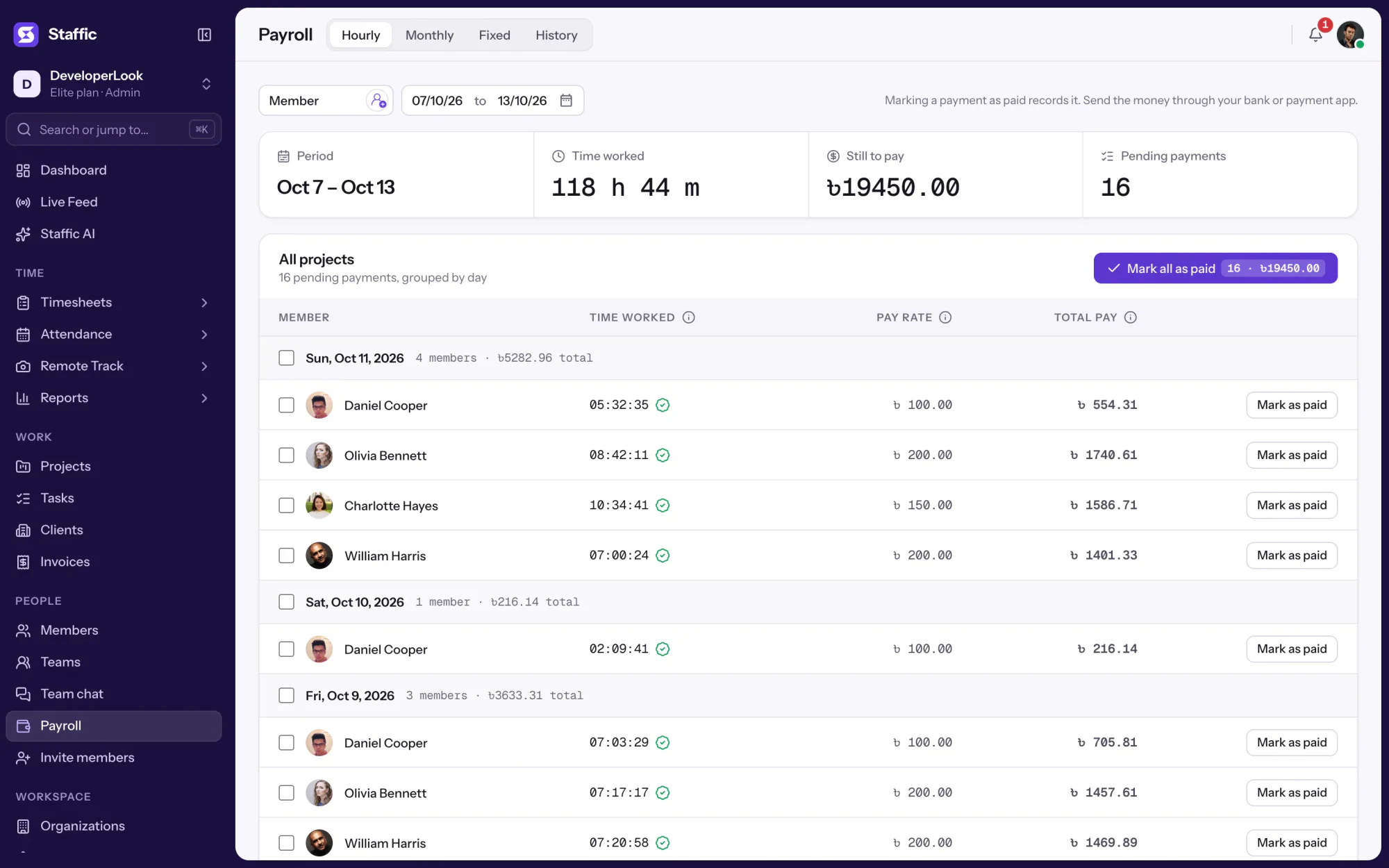

Payroll works out hourly pay from tracked time, lists monthly salaries, records one-time payments and keeps a payment history.
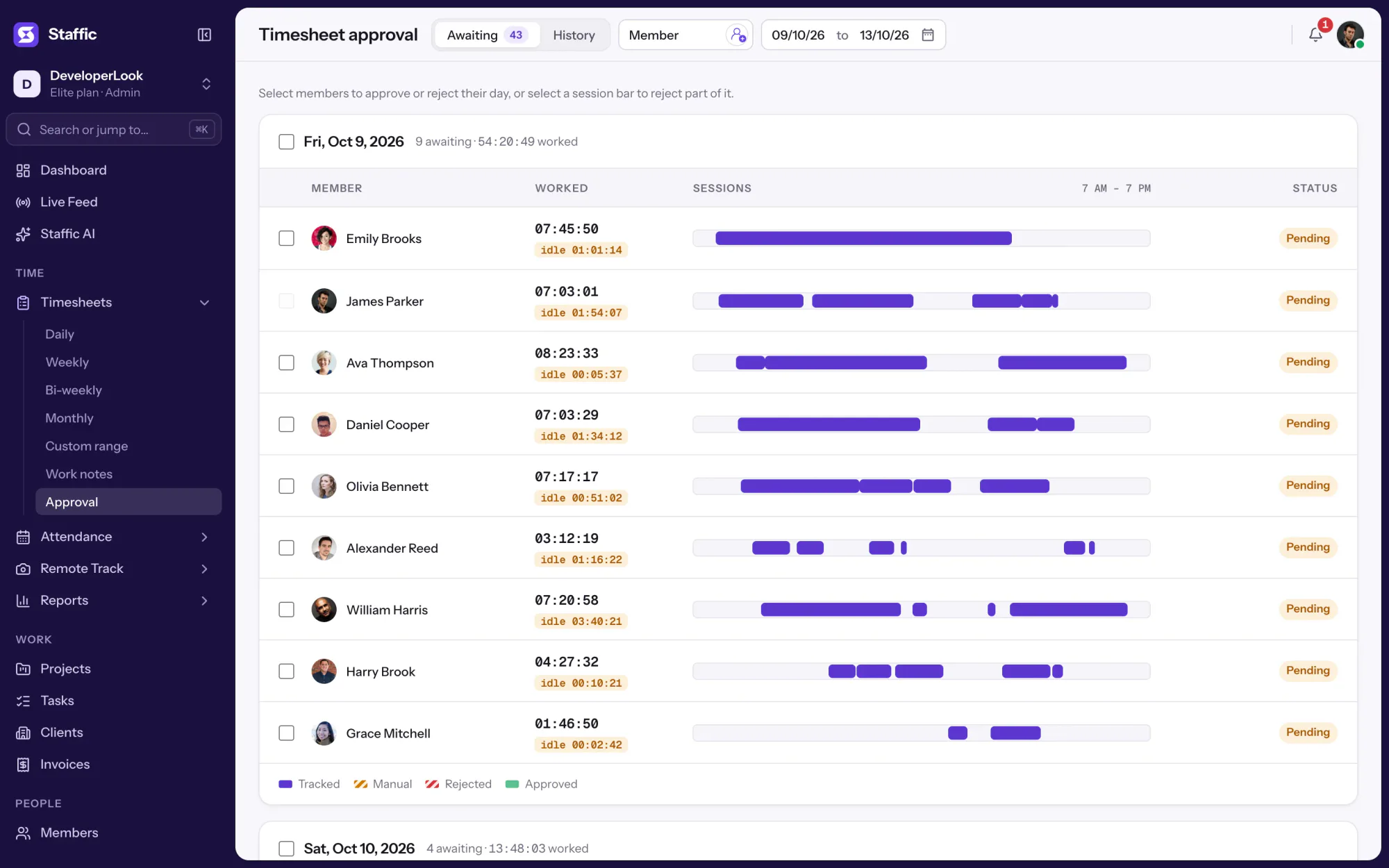

Approve or reject each member's tracked and manual time day by day, so hourly payroll pays only the hours you signed off.
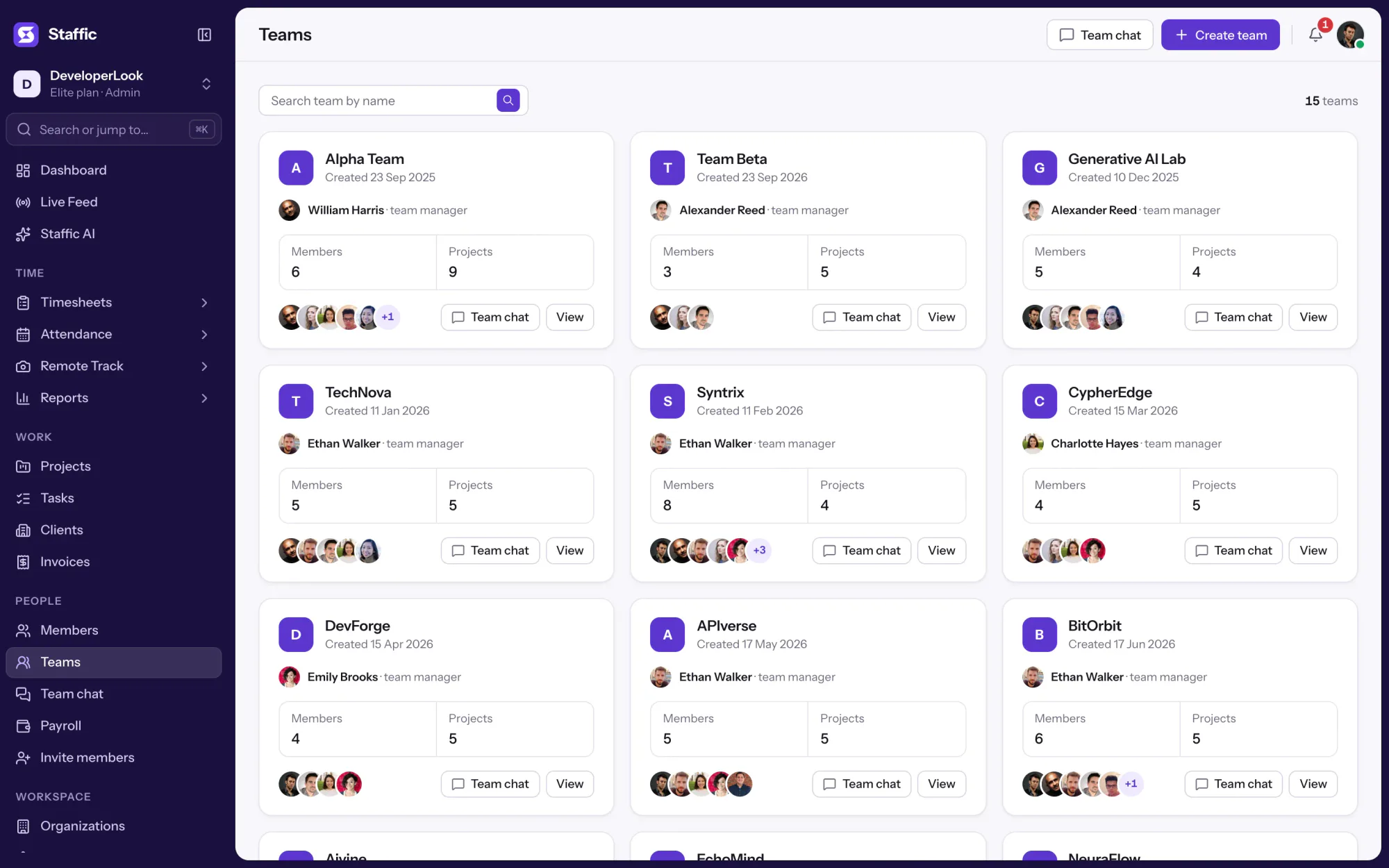

Teams groups members on every plan, gives each team its projects and a chat channel, and shows its hours for the last 30 days.

Staffic is time and attendance software for remote and hybrid teams: tracked hours, clock-ins, leave, timesheet approval and payroll in one record.
Free for up to 2 members
Create your workspace, invite your team, and the first timesheet builds itself.