


- All features
- Team & attendance
- Settings
Settings
Control every setting
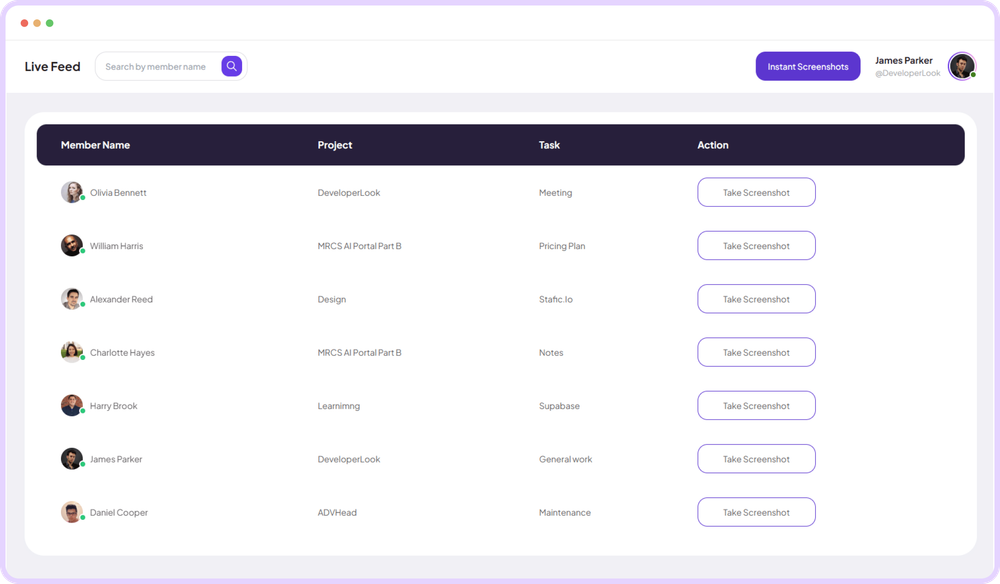
Staffic Settings centralizes workspace features, billing, and preferences in one control panel. It is for admins configuring how tracking works for the team. Adjust what you need without hunting through scattered menus.
- Free for up to 3 members
- No credit card
Activity settings
Complete control over your workspace
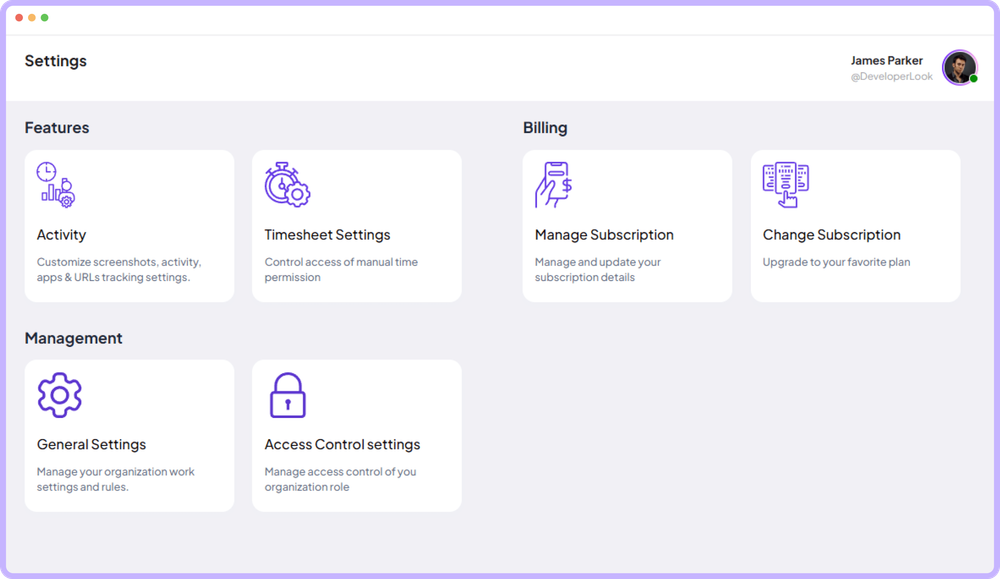
Toggle screenshot tracking features controls for frequency and idle time monitoring options.
- Enable or disable screenshot features individually
- Control screenshot frequency
- Set idle detection and activity thresholds
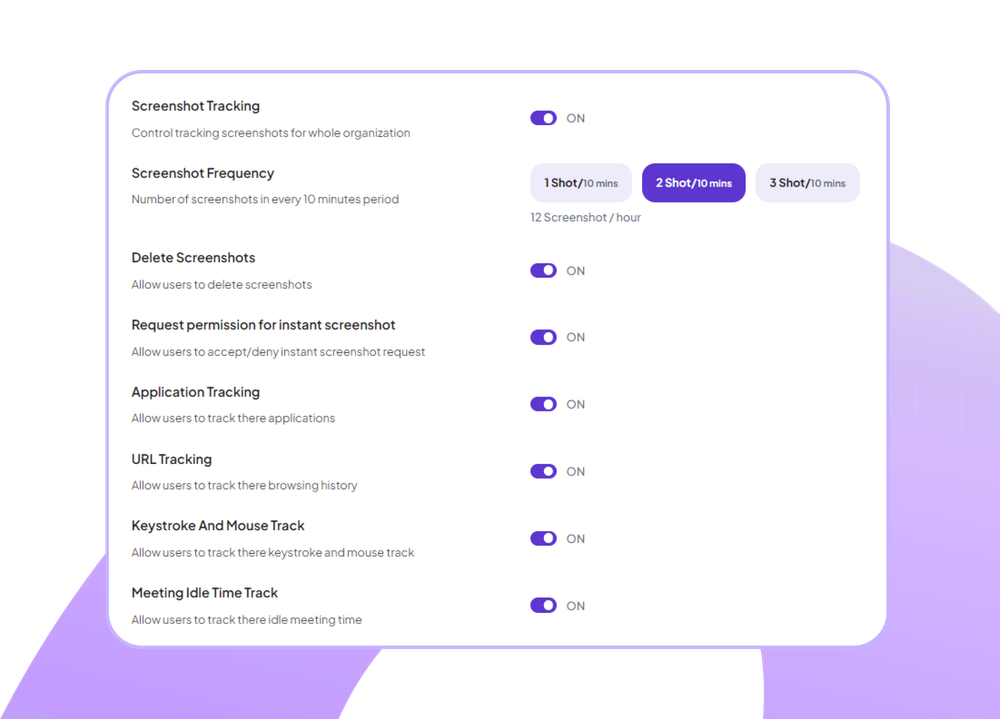
Control screenshot and activity tracking permissions for each team member with toggle switches and expandable detail views per person.
- Toggle activity and screenshot tracking independently
- View and manage all team permissions centrally
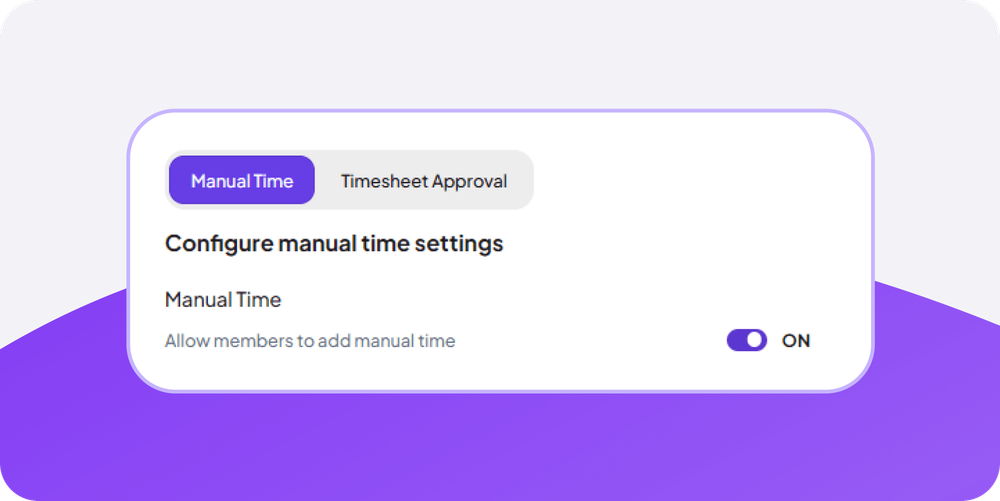
Switch between manual entry and timesheet approval modes with clear toggle controls and time range settings for flexible time tracking.
- Choose manual time entry or approval workflows
- Set allowed time ranges for entries clearly
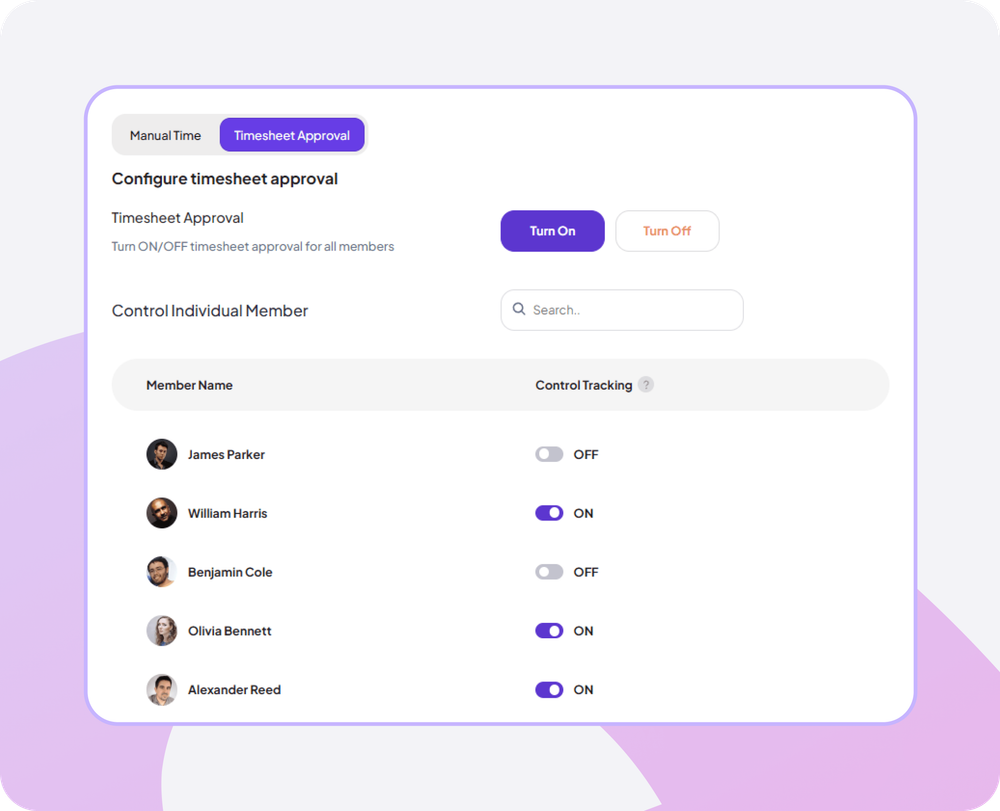
Set up timesheet approval requirements with team member selection, approval status tracking, and currency display controls for payroll accuracy.
- Select which members require timesheet approvals
- View associated currencies and rates per person
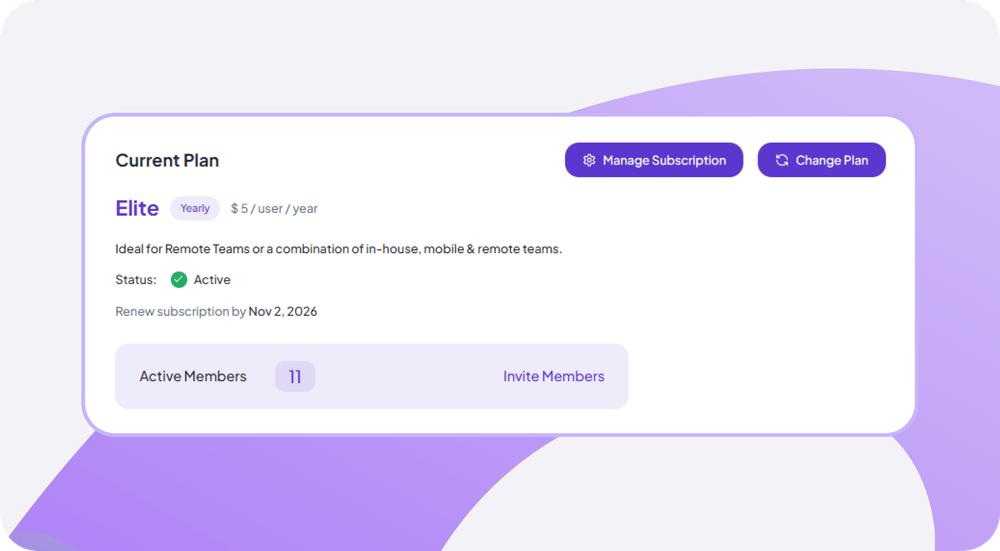
View your current plan details, limits, renewal dates, and payment methods with options to change plans or cancel subscriptions directly.
- See plan limits and usage clearly displayed
- Manage payment methods and renewal dates easily
- Upgrade or cancel with simple actions
Showing Screenshot monitoring configuration panel.
Organization overview
Complete control over your workspace
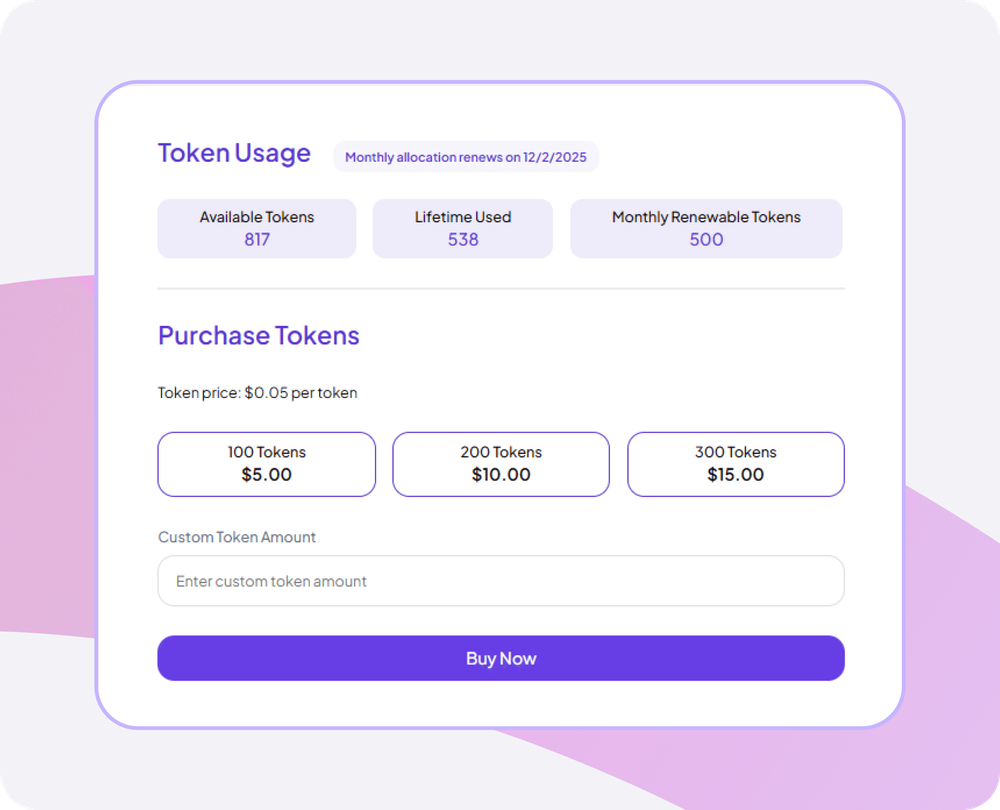
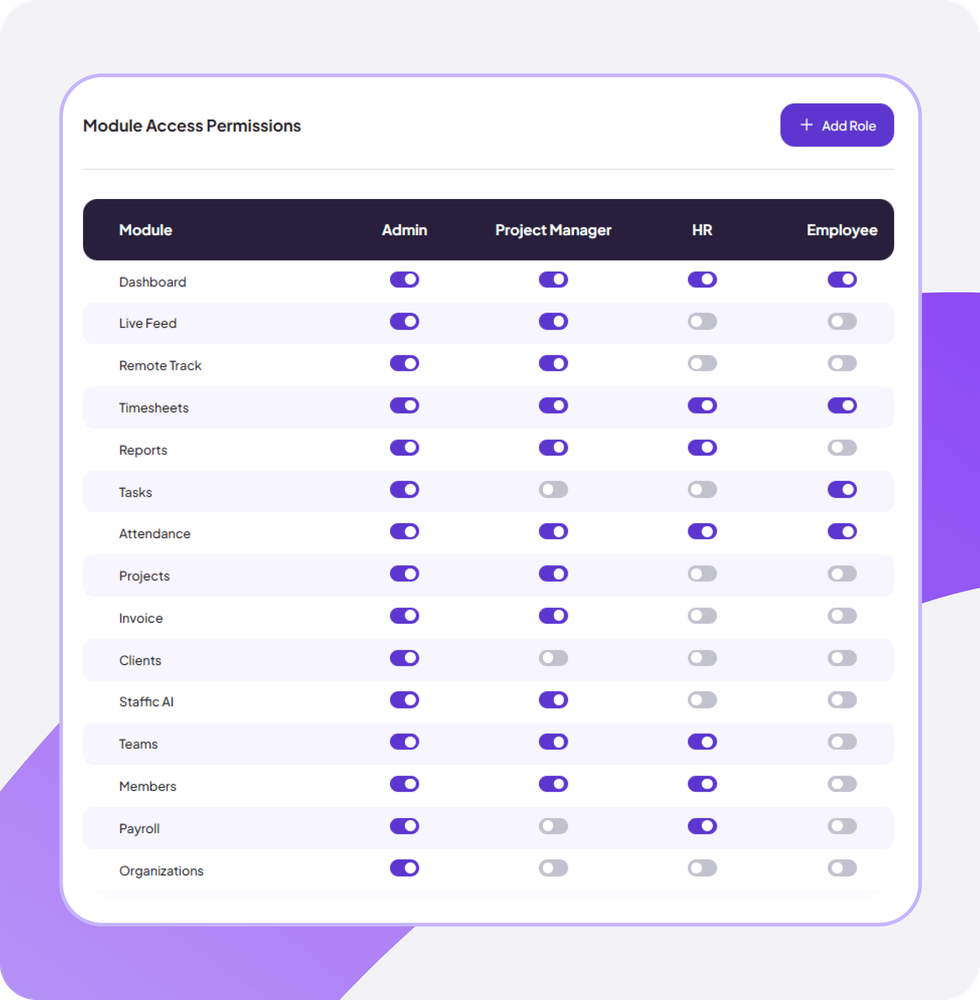
Configure work hours, token usage, purchase options, and module permissions with granular controls for your entire organization.
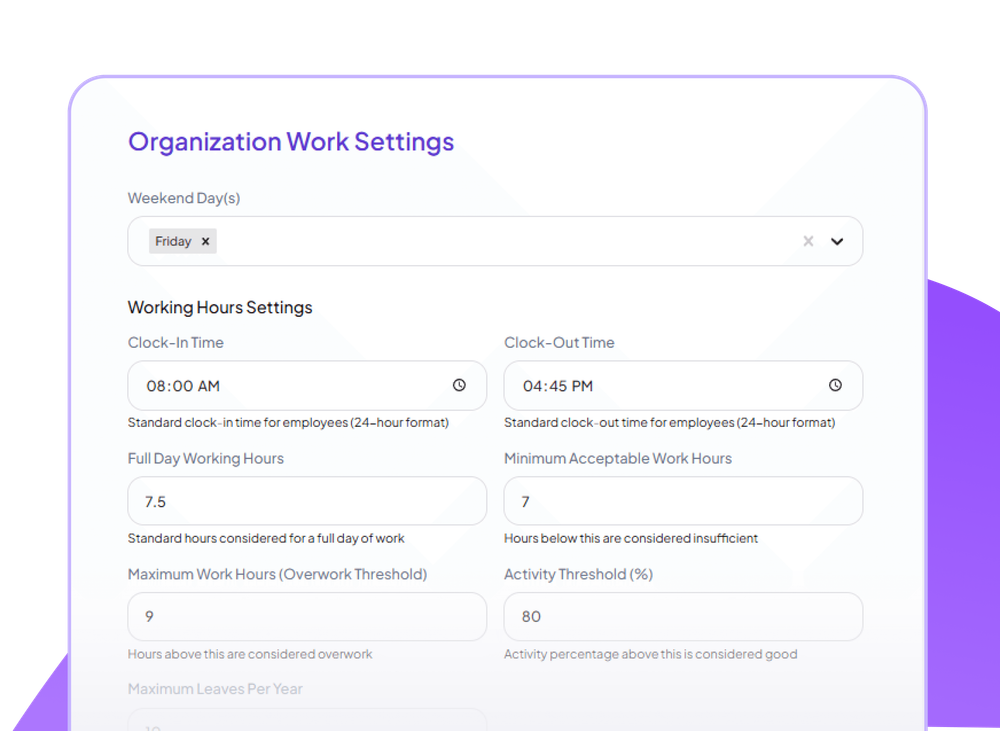
Define work schedules with clock-in/out times, full-day hours, overtime thresholds, and activity tracking rules with weekend and confirmation settings.
- Set specific clock-in and clock-out times daily
- Configure full-day hours and overtime thresholds
- Enable weekend tracking and delete confirmations
Track available tokens, lifetime usage, and monthly renewable allocations with clear metrics and date ranges for better resource planning.
- See available token balance at a glance
- View renewable token reset dates clearly
Manage permissions across all modules for different roles including admin, project manager, HR, and employee with comprehensive toggle controls.
- Set permissions for every module per role
- Control dashboard, timesheet, and report access
- Manage project, task, and client permissions
Showing Organization work settings.
Customer stories
What our users say
Stop juggling tools. Staffic gives your team time tracking, projects, payroll and performance analytics in one platform.
Try Staffic for free“Staffic.io brings transparency without micromanagement. Our team feels trusted, and productivity has never been higher.”
Pricing
How much does Staffic Settings cost?
Settings is included on every plan, Free included. You pay per active user only when your team grows past 3 members.
Compare every planPrices in USD per active user. Billed monthly, Standard is $7.50 and Elite is $9.80 per user.
FAQ
Frequently asked questions
Find answers to the questions we get asked the most about our subscriptions.
Read the Settings guideWhat can I configure in Settings?
Settings controls all system behavior: work schedules, tracking preferences, permissions, payment settings, leave policies, notification preferences, and more.
Who can access Settings?
Settings access is typically restricted to Admin roles. Configure in Module Access Permissions who can view and modify various settings sections.
How do I configure work hours?
Go to Organization Work Settings to set clock-in/out times, full-day hours, overtime thresholds, and weekend tracking preferences.
Can I customize tracking behavior?
Yes, configure screenshot frequency, activity thresholds, idle detection time, and which tracking features are enabled for your organization.
How much does it cost to use Settings?
Every plan includes Settings. Free covers up to 3 members. Standard is $5.50 per user per month billed yearly ($1.00 during the current offer, until September 12, 2027) or $7.50 billed monthly, and Elite is $5.80 per user per month billed yearly or $9.80 billed monthly.
Explore more
Explore more features


Free for up to 3 members
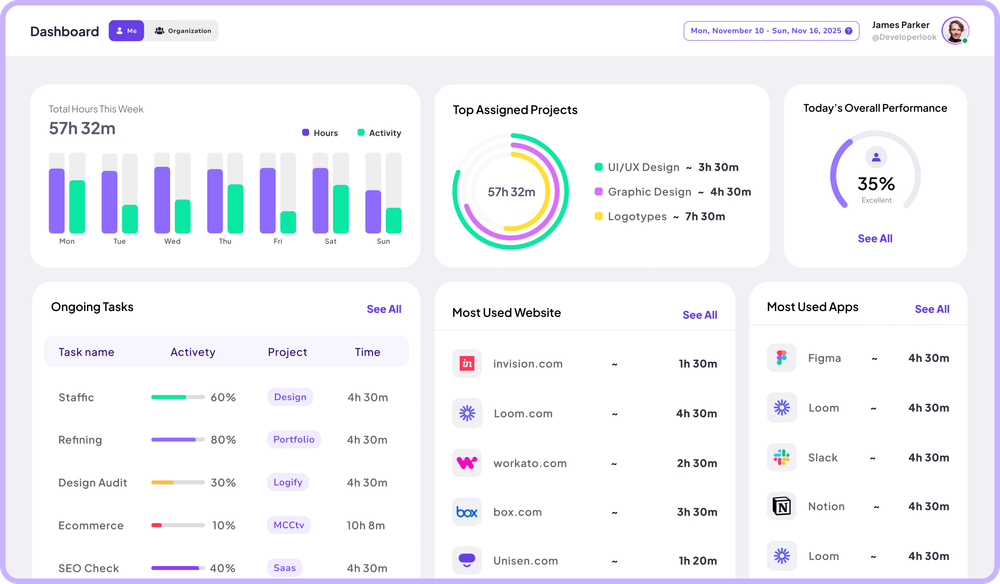
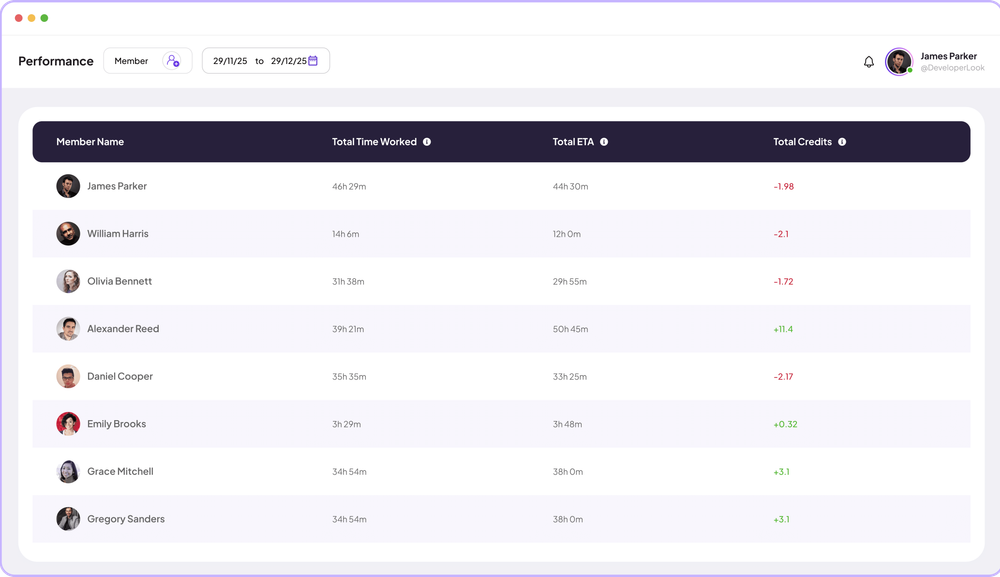
See the work, not just the hours.
Create your workspace, invite your team, and the first timesheet builds itself.
- No credit card
- 7-day trial on paid plans
- Windows, macOS, Linux


