

Skip to content
  1. Home
  2. Compare
  3. ActivTrak alternatives

ActivTrak alternatives

ActivTrak alternatives: Staffic adds timesheets and payroll.

ActivTrak alternatives make sense when you need timesheets and payroll, not only activity analytics. ActivTrak records app and website use automatically and classifies it by productivity. Staffic tracks time on projects and tasks, takes screenshots on Standard and Elite, and builds timesheets and payroll from those hours. ActivTrak facts come from activtrak.com, not ActivTrak reviews.

Last checked

Sources (3)

Quick verdict

Staffic or ActivTrak: the short answer.

The short answer

Choose Staffic if you pay or bill people for tracked hours. It records time on projects and tasks, takes screenshots on Standard and Elite, and adds timesheets, Clock In/Out and payroll. Choose ActivTrak if you want automatic productivity analytics: activity classification, goals, alarms and website blocking, on Windows, macOS and ChromeOS.

Choose Staffic if you want

  • Time tracked on projects and tasks, with daily, weekly and bi-weekly timesheets on every plan
  • Screenshots on Standard and Elite, taken only while the timer runs
  • Clock In/Out on Standard, and payroll and invoices on Elite
  • Monthly or yearly billing, and a desktop app for Linux

Best for teams that pay or bill by the hour.
Choose ActivTrak if you need

  • Automatic productivity classification with custom rules
  • Compliance alarms, website blocking and mouse-jiggler detection
  • Goals, benchmarks and capacity planning on higher plans
  • An agent for Chromebooks as well as Windows and macOS

Best for teams that want productivity analytics more than timesheets.

Feature by feature

Staffic vs ActivTrak, feature by feature.

20 rows in 5 topics. Every competitor fact links to its source.

Only differences
Staffic compared with ActivTrak
FeatureStafficFree for 3, then $5.50ActivTrakFrom $10.00 per user
Plans and price4 rows
Free planStafficFree forever for up to 3 membersActivTrakUp to 3 workers, with 30 days of data history1
Lowest paid plan, billed yearlyStafficStandard, $5.50 per user ($1.00 during the current offer)ActivTrakWork Activity Tracking, $10 per worker1
Monthly billingStafficStandard, $7.50 per userActivTrakAnnual plans only1
History keptStafficScreenshots 365 days, recordings 7 daysActivTrak6 months on Work Activity Tracking; up to 3 years at $1 per worker a month1
Time and attendance5 rows
How time is trackedStafficA timer on a project and task in the desktop appActivTrakAutomatically, from the activity its agent records12
Projects and tasksStafficEvery planActivTrakNot listed1
TimesheetsStafficDaily, weekly and bi-weekly on every planActivTrakA reconciliation BI template, with the ActivConnect add-on1
AttendanceStafficClock In/Out on Standard and EliteActivTrakAttendance on paid plans1
Time offStafficBalances on Standard; requests and approval on EliteActivTrakTime off synced from your HR system, with the HRIS add-on1
Monitoring6 rows
Apps and websitesStafficEvery plan, per tracked sessionActivTrakFree and Work Activity Tracking; full URLs need Screen Details or a higher plan13
Keyboard and mouse activityStafficActivity levels on every planActivTrakMouse and keyboard input in the active window3
Productivity classificationStafficNot availableActivTrakAutomatic on every plan; custom rules on paid plans1
ScreenshotsStafficStandard and Elite, only while the timer runsActivTrakWith the Screen Details add-on, when an alarm triggers13
Screen recordingsStafficEliteActivTrakNot listed1
Alarms and website blockingStafficNot availableActivTrakWork Activity Tracking and Workforce Management1
Payroll and billing3 rows
PayrollStafficElite, $5.80 per userActivTrakNot listed1
Client invoicesStafficEliteActivTrakNot listed; a contractor billing BI template comes with ActivConnect1
Project budgetsStafficStandard and EliteActivTrakNot listed1
Platforms and AI2 rows
PlatformsStafficWindows, macOS and Linux desktop appsActivTrakWindows, macOS and ChromeOS agents2
AI and MCPStafficMCP server on every plan; Staffic AI on EliteActivTrakWork Advisor on Workforce Management and up; MCP server (beta) as an add-on1
IncludedOn a higher planNot available, or not listedSource, listed at the end of the pageShowing 20 of 20 rows
How we compare

We read each company’s public pricing, download and help pages and note the date we checked each one. “Not listed” means the pricing page did not mention the feature on that date. Staffic prices come from the Staffic plans API, the same source as the Staffic pricing page.

Key differences

Where Staffic and ActivTrak really differ.

Five differences that change which tool fits. Pick one to read it and see it in Staffic.

ActivTrak tracks time automatically from the apps and websites its agent records, and its pricing page doesn't list projects, tasks or timesheets. Staffic members start a timer on a project and task in the desktop app, and the hours land in daily, weekly and bi-weekly timesheets on every plan.

Staffic
Timer on projects and tasks, timesheets on every plan
ActivTrak
Automatic tracking, no timesheets listed
How Staffic timesheets work

ActivTrak takes screenshots only with its Screen Details add-on, whose price isn't listed, and only when an alarm triggers. Staffic takes screenshots on Standard and Elite while the timer runs: 2 per 10 minutes on Standard, and 1, 2 or 3 on Elite.

Staffic
Standard and Elite, while the timer runs
ActivTrak
Add-on, when an alarm triggers
How Staffic screenshots work

Both tools record the apps and websites people use. ActivTrak classifies that activity by productivity and shows full URLs with Screen Details or a higher plan. Staffic lists apps and URLs per tracked session on every plan, next to keyboard and mouse activity levels, without a productivity score.

Staffic
Apps and URLs per session, every plan
ActivTrak
Productivity classification
How the Apps & URLs report works

ActivTrak's paid plans include attendance, but its pricing page doesn't list payroll or invoices; BI templates for timesheet and contractor billing reconciliation come with the ActivConnect add-on. Staffic adds Clock In/Out on Standard, and payroll, clients and invoices on Elite at $5.80 per user.

Staffic
Clock In/Out on Standard, payroll on Elite
ActivTrak
Attendance, no payroll listed
Staffic time and attendance

ActivTrak Work Activity Tracking is $10 per worker a month, billed annually, and ActivTrak offers only annual plans. Staffic is free for up to 3 members, then Standard is $5.50 per user billed yearly, or $7.50 billed monthly. Both free plans cover 3 people.

Staffic
Free for 3, then $5.50
ActivTrak
$10, annual plans only
Work out your team's cost
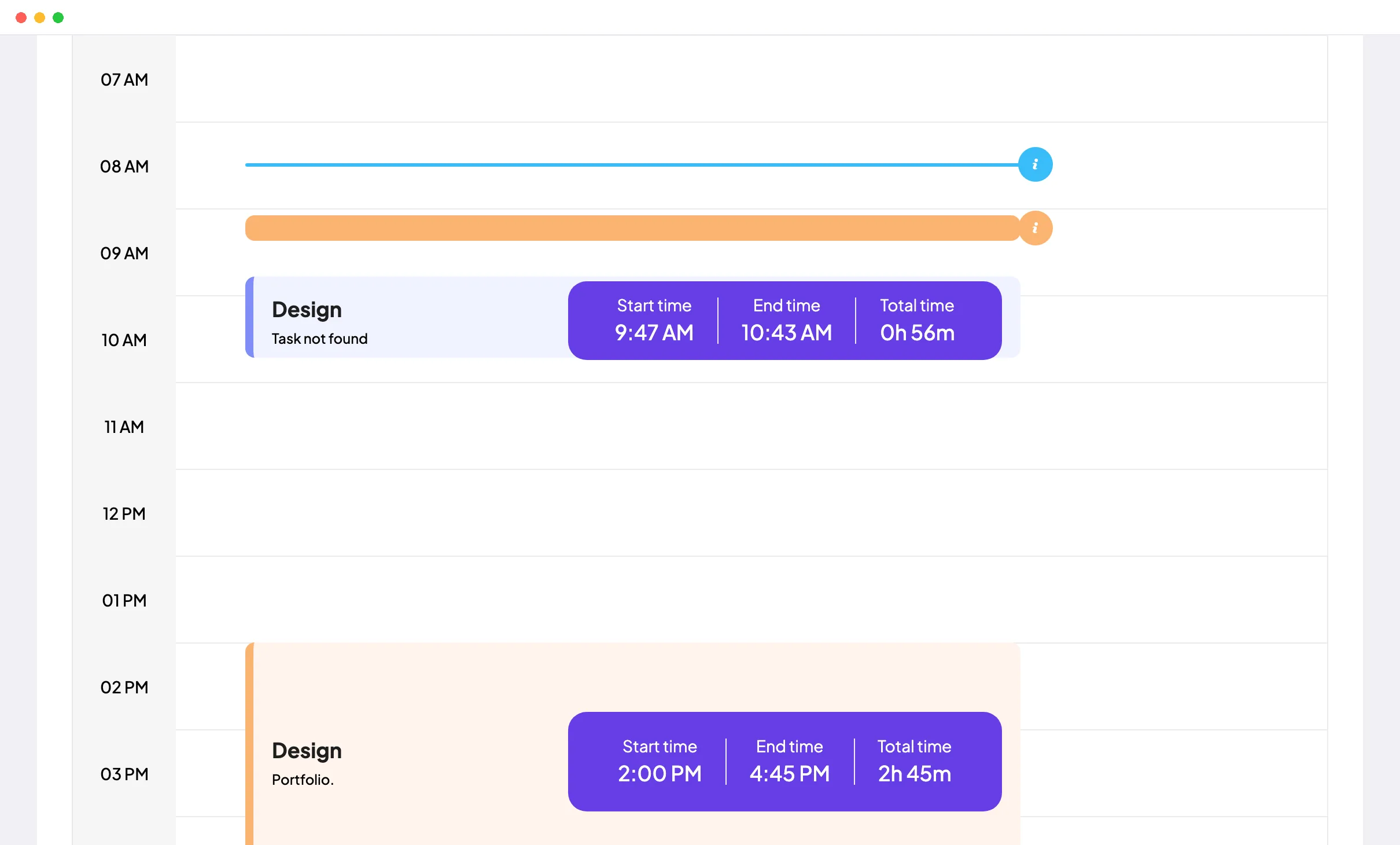
Staffic Daily Timesheet: a day's tracked sessions on a timeline with project, task, start time, end time and total
A day of tracked sessions in the Staffic daily timesheet

FAQ

Staffic vs ActivTrak, answered.

Short answers to what teams ask before they switch.

Explore the live demo

How does ActivTrak work?

ActivTrak runs an agent on each Windows, macOS or ChromeOS device that records which apps and websites a person uses, and for how long. It classifies that activity by productivity and builds dashboards and reports, according to ActivTrak's site on October 12, 2026. Data can take up to 24 hours to appear after the first agent is installed.

What does ActivTrak monitor?

ActivTrak monitors app and website use, and it defines activity as mouse movement, clicks and key presses in the active window. Window titles and full URLs need Screen Details or a higher plan, and screenshots need Screen Details. ActivTrak says it never collects keystroke logs or webcam video.

Why do teams switch from ActivTrak?

Reasons vary by team, and we have no survey data on them. ActivTrak's pricing page on October 12, 2026 shows annual plans only, screenshots only through an add-on, and no payroll, invoices or project time tracking. If you need those, ActivTrak competitors that track time, such as Staffic, cover them.

How does Staffic compare to ActivTrak on price?

ActivTrak's lowest paid plan, Work Activity Tracking, is $10 per worker a month and billed annually only, according to its pricing page on October 12, 2026. Staffic Standard costs $5.50 per user billed yearly ($1.00 during the current offer, until September 12, 2027), or $7.50 billed monthly. Both are free for up to 3 people.

Does Staffic include time tracking and attendance?

Yes, every Staffic plan tracks time on projects and tasks from the desktop app. Standard and Elite add Clock In/Out, which shows each member's first and last tracked session of the day. Leave balances are on Standard, and leave requests with approval are on Elite.

How does Staffic handle privacy compared with ActivTrak?

Both limit what they collect, in different ways. Staffic records screenshots, activity levels and apps and URLs only while the timer runs, keeps screenshots for 365 days, and lets admins allow members to delete their own. ActivTrak hides title bars and URL subpages and turns screenshots off by default, offers anonymized data, and says it never collects keystroke logs.

Can I migrate from ActivTrak to Staffic?

Yes, though your ActivTrak history stays in ActivTrak, since Staffic has no importer. Paste your team's emails into Bulk Invite, create projects and tasks, and have each person install the Staffic desktop app on Windows, macOS or Linux. ActivTrak bills annually, so plan the move around your renewal date.

Free for up to 3 members

An ActivTrak alternative built on tracked hours.

Install the desktop app, start the timer on a project and watch timesheets, apps and URLs fill in.

  • No credit card
  • 7-day trial on paid plans
  • Windows, macOS, Linux


