


Different time zones
A workday means something different in every city, which makes hours hard to compare.
See step 2: Keep every time zone straight
Features
All 30 featuresSee the work while it happens.
01 / 30
Live Feed
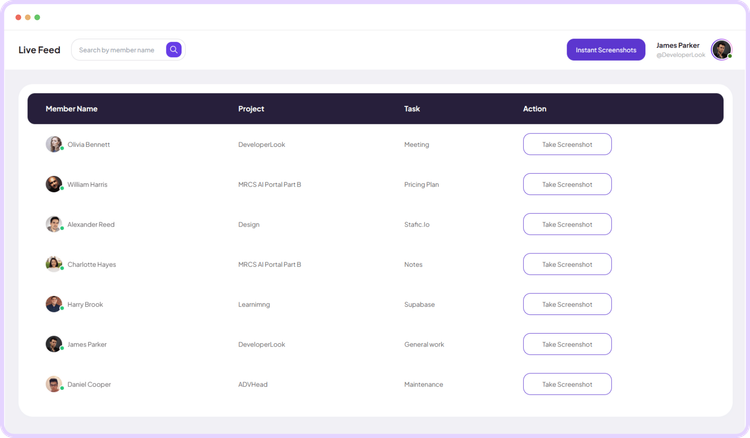
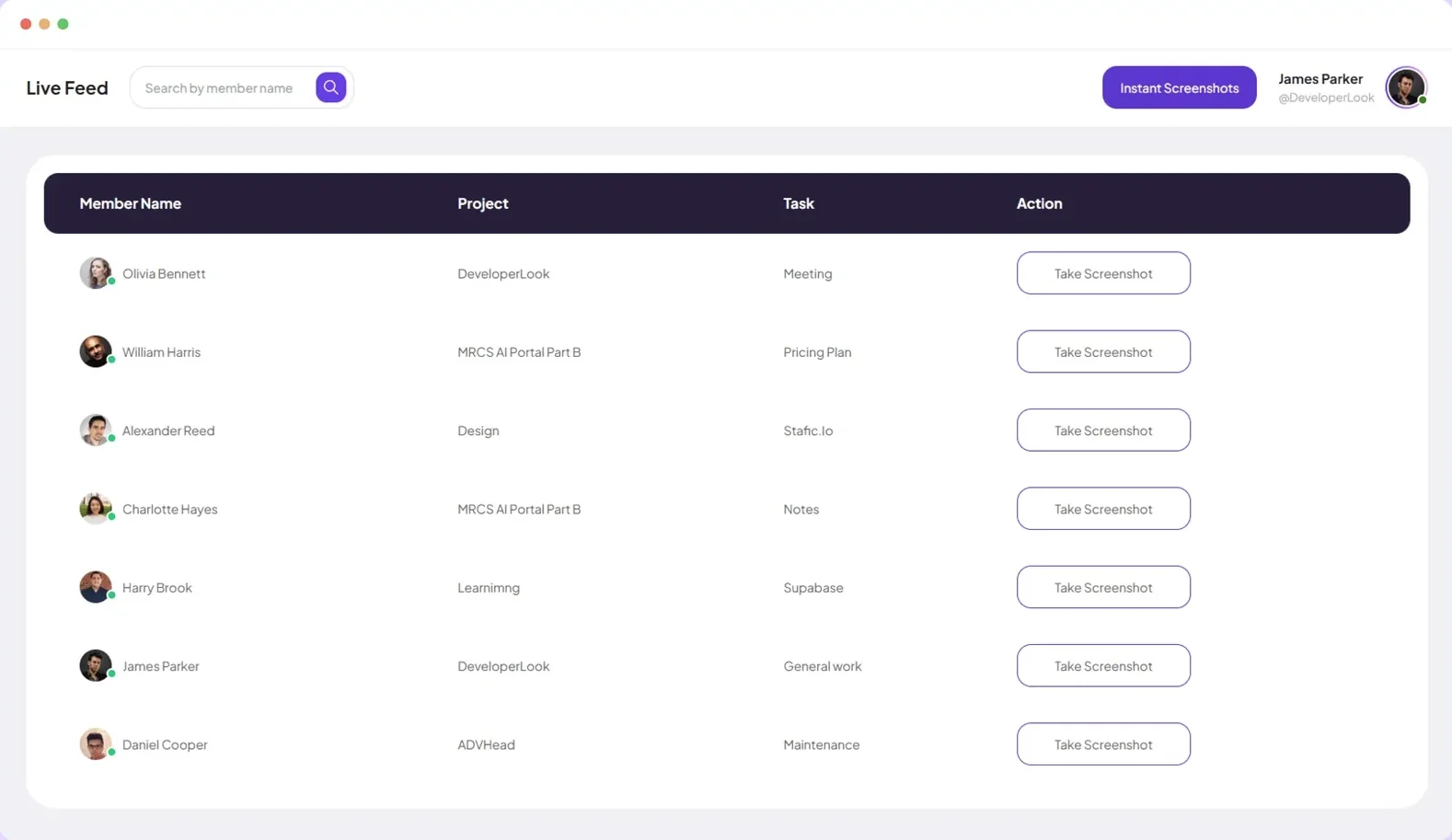
Live Feed streams task-level updates as work happens, so you can check activity in real time without interrupting anyone.
View Live FeedRemote employee time tracking
Staffic records time, activity and optional screenshots on each remote member’s computer, then turns them into timesheets you approve, so you can trust the hours without daily check-ins.
Remote team challenges
Four problems every distributed team runs into.
A workday means something different in every city, which makes hours hard to compare.
See step 2: Keep every time zone straightWithout an office, you cannot see who is in or what they are on.
See step 1: See who is working nowA number of hours alone does not show what the time was spent on.
See step 3: Understand the hoursPayroll and client invoices need hours someone has checked.
See step 4: Approve before payrollHow Staffic helps
Four steps from seeing who is online to approving the hours.
Step 1 of 4
Live Feed shows who is tracking right now, on which project and task, so you do not need a status message to know where work stands.
Fixes: Knowing who is working now
Step 2 of 4
Each organization keeps its own timezone, and the screenshots view can show any member’s local time, so capture intervals line up with their real workday.
Fixes: Different time zones
Step 3 of 4
Activity levels, the apps and websites in use and optional screenshots explain every tracked hour, including time tracked offline and synced later.
Fixes: Trusting the hours
Step 4 of 4
Managers accept each member’s day with Timesheet Approval before hours reach payroll or client invoices. Payroll and invoicing are on Elite.
Fixes: Approving hours for pay
Recommended plan
Teams of more than 3 start on Standard. Add payroll or invoices to see Elite.
Your team needs
Billing
Standard
$1.00per user per month, billed yearly
Offer price until September 12, 2027. List price $5.50.
$12.00 a month for 12 members, $144.00 a year.
More than 3 members, and no invoices, payroll or recordings: Standard covers the rest.
Customer stories
Staffic.io's live feed lets me check in without interrupting my team. Remote management finally feels natural. I can see progress in real-time without constant meetings or status updates that drain productivity.
Staffic.io brings transparency without micromanagement. Our team feels trusted, and productivity has never been higher. The balance between oversight and autonomy is perfect for building strong remote culture.
Staffic.io transformed how we track productivity. Our remote team is now more accountable and transparent than ever. The detailed reports and activity monitoring have been game-changing for us.
Each member installs the Staffic desktop app, picks a project and task, and starts the timer. Staffic records time, activity, apps and URLs, and optional screenshots until they stop it. You review it as daily, weekly or monthly timesheets.
Set your organization’s timezone in Staffic. When you review screenshots, you can show times in a member’s local timezone, so capture intervals line up with their workday.
Yes. The timer and screenshots keep running without a connection. Everything is saved on the computer and uploaded when the app reconnects.
Review timesheets instead of asking for updates. Activity levels, the apps and websites in use and optional screenshots explain tracked time, and Timesheet Approval lets you accept each day before payroll.
Yes, on every plan. Activity is calculated from keyboard and mouse input. Screenshots are optional: admins choose 1, 2 or 3 per 10 minutes, taken only while the timer runs.
Staffic is free for up to 3 members. Standard is $5.50 per user per month billed yearly ($1.00 during the current offer), or $7.50 monthly, and Elite, which adds clients, invoices, payroll and screen recordings, is $5.80 billed yearly.
Free for up to 3 members
Invite your team, install the desktop app and watch the first timesheets fill in.




