Software teams
Developers on Linux, managers anywhere
Developers track time on Linux while managers read timesheets and reports in the web app from any browser.

Features
All 33 featuresSee the work while it happens.
 DashboardYour team's week at a glance, Monday to Sunday
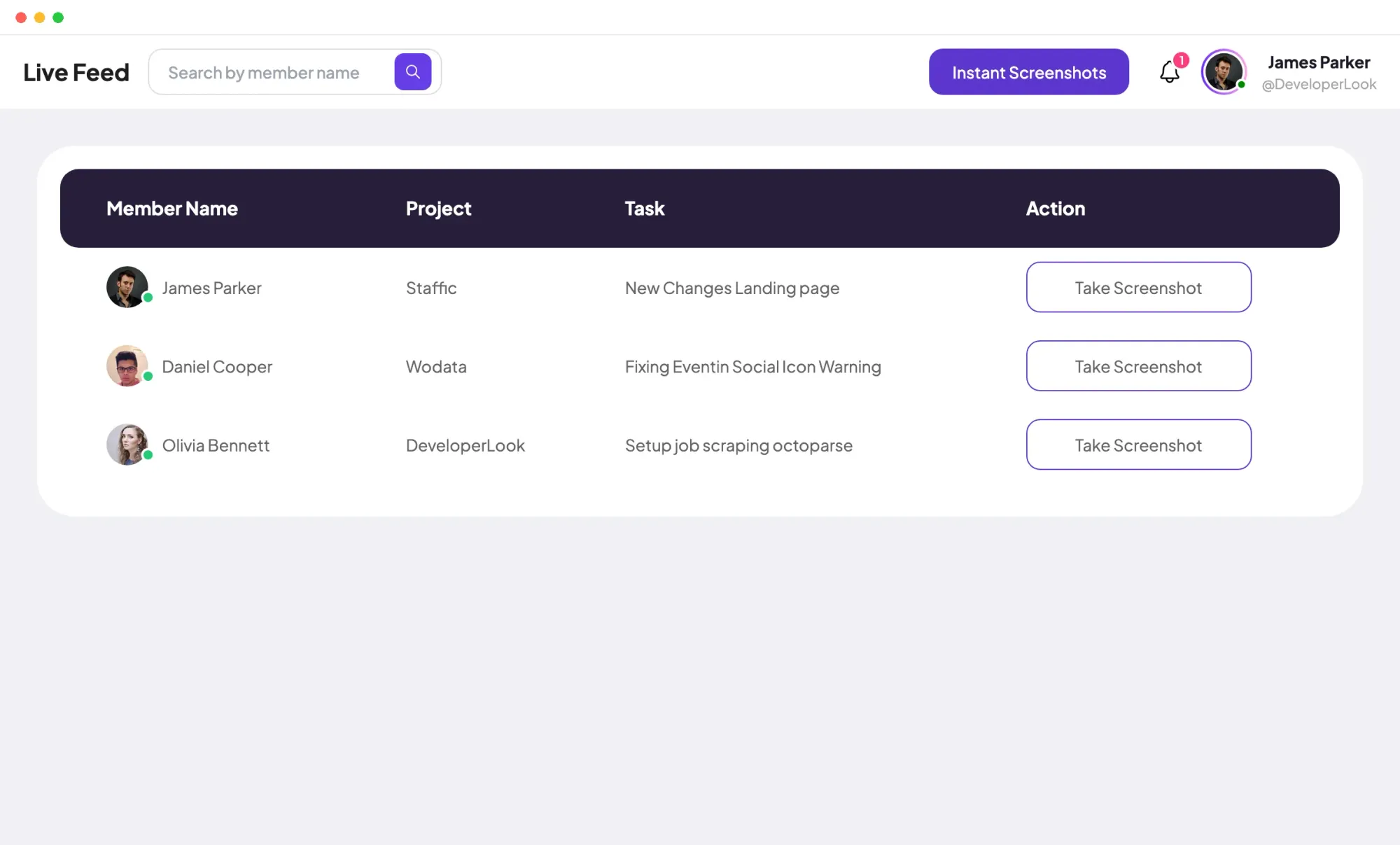
 Live FeedEliteSee who's tracking time right now, and on what
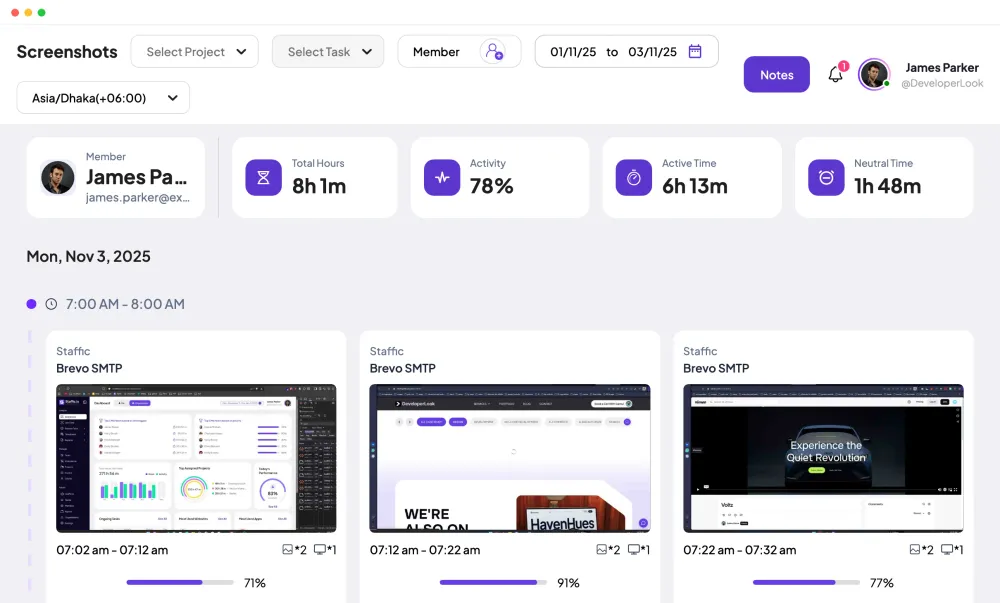
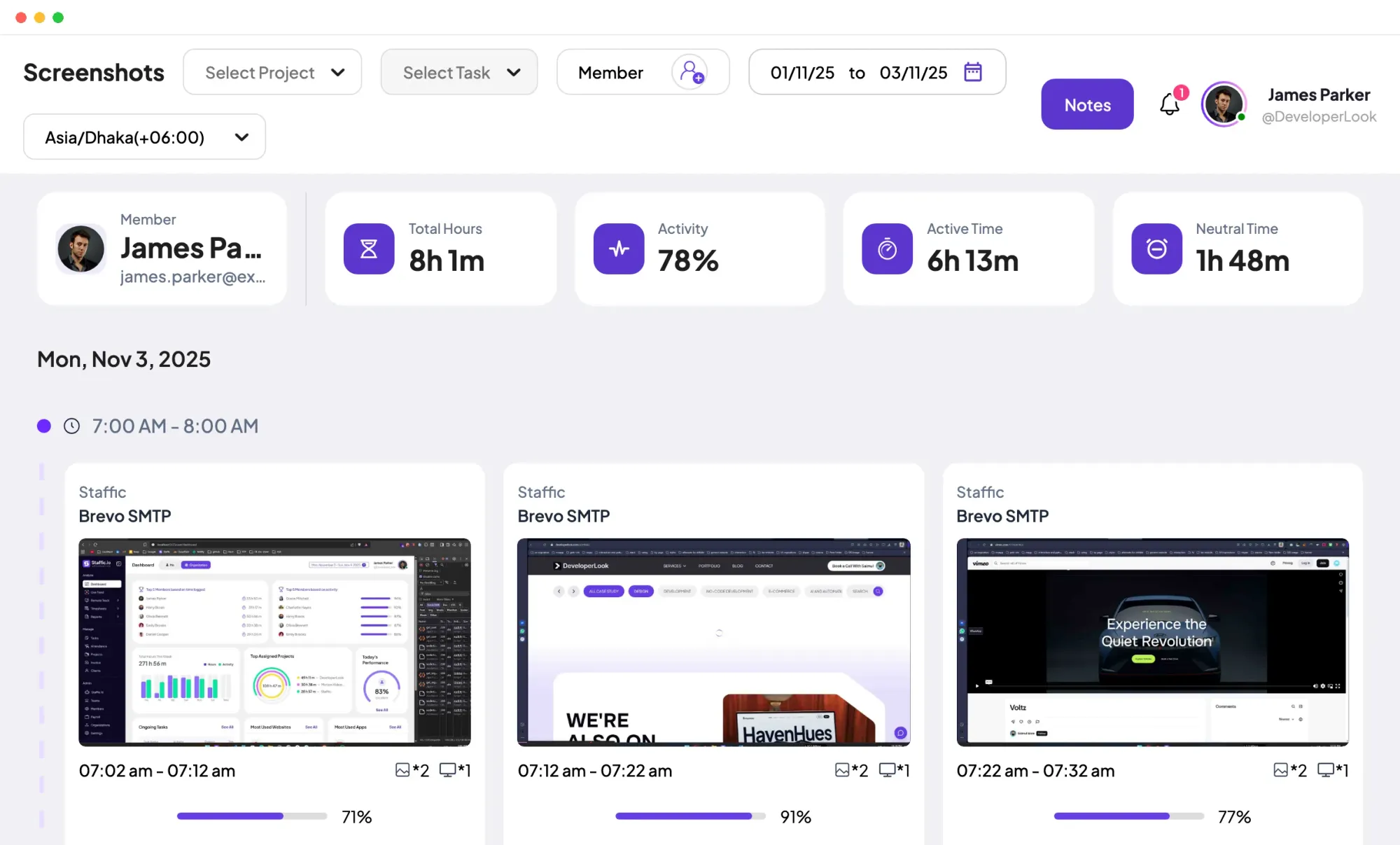
 ScreenshotsStandardVisual proof of work, captured automatically
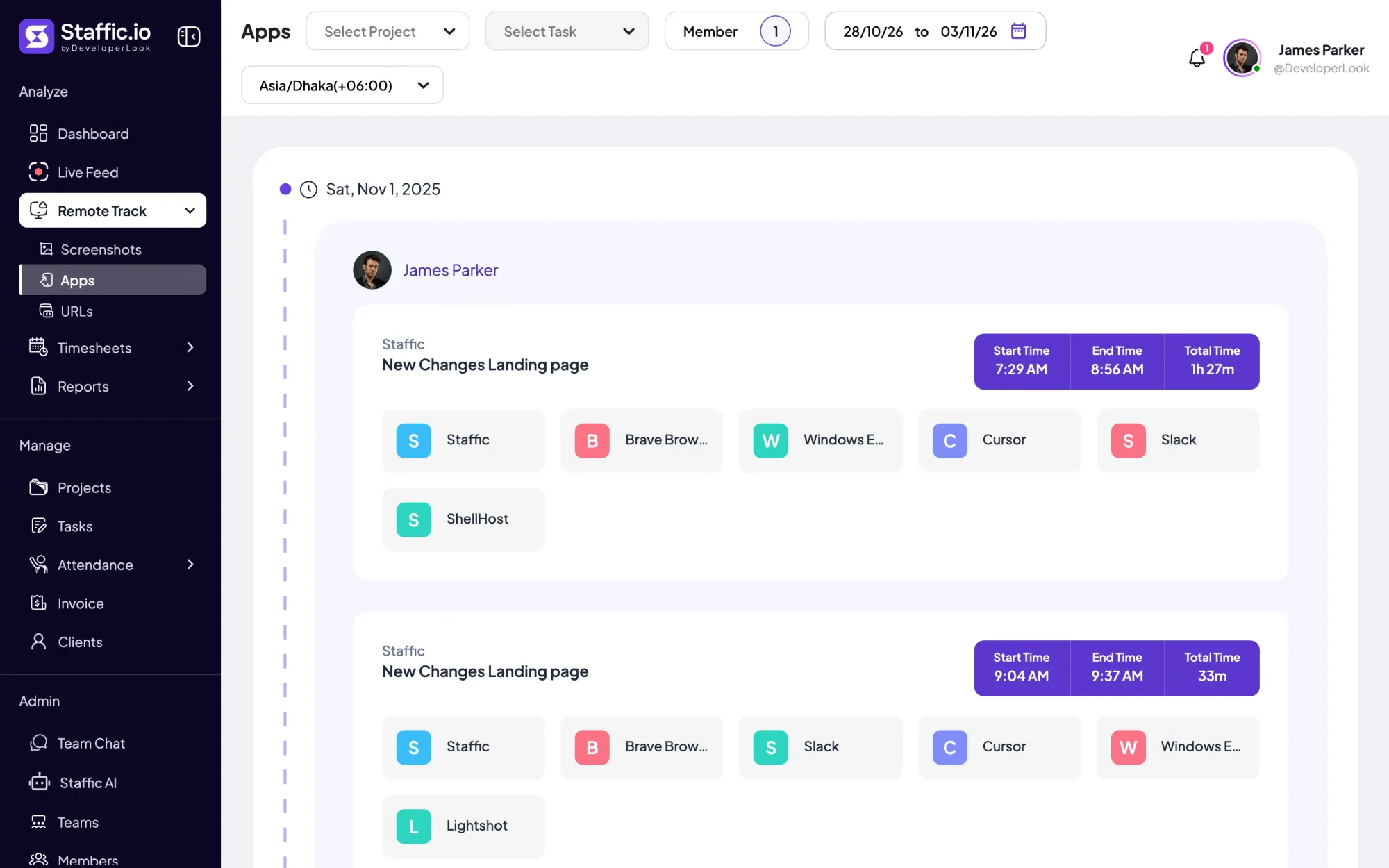
 AppsWhich apps each tracked session used
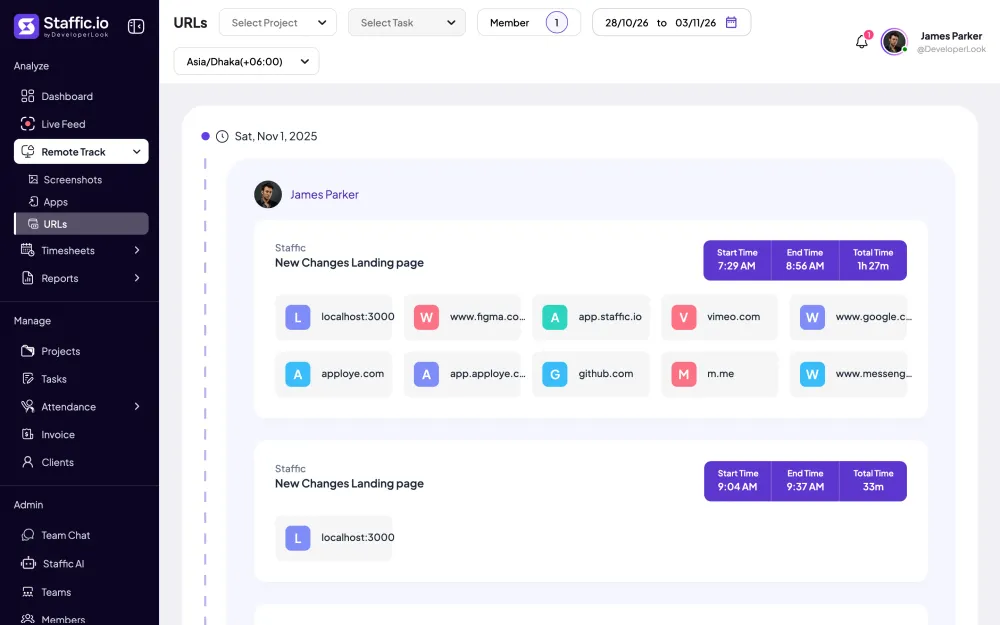
 URLsThe websites behind the tracked time
 Screen RecordingsEliteFull session video, beyond a screenshot
01 / 33
Dashboard
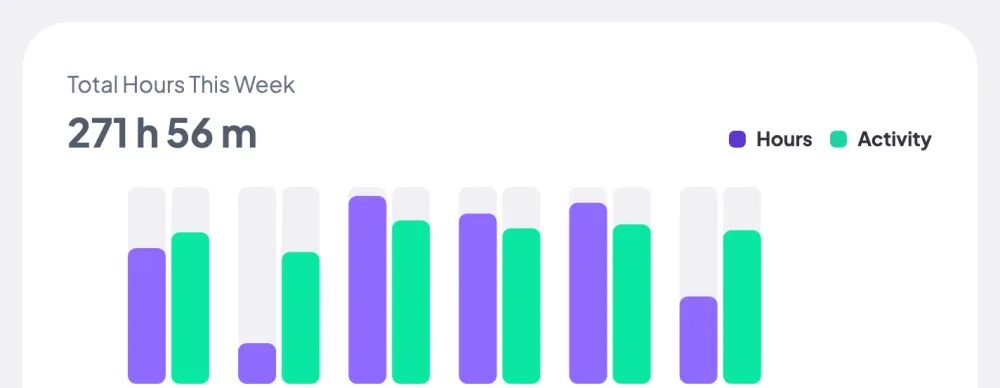
The team dashboard: this week's hours, today's performance, top members, ongoing tasks, top projects and the most used apps and websites.
View DashboardLinux
Staffic is a Linux time tracker that installs from a .deb package on Ubuntu, Debian and other Debian-based systems, on x64 and ARM64. Members track time on projects and tasks, and the app records activity, apps and websites while the timer runs. Linux, Windows and Mac members share one organization.
In short
Staffic for Linux is the desktop time tracker for Debian-based Linux: one .deb for x64 and one for ARM64, installed with apt or your software center. While the timer runs, it records time on the chosen project and task, an activity level, apps and websites, and syncs them to the same timesheets and reports as Windows and Mac.
How it works
From the package to the first session in the web app.
Linux time tracker
The Linux app records the same things as the Windows and Mac apps, and the web app shows them in the same places.
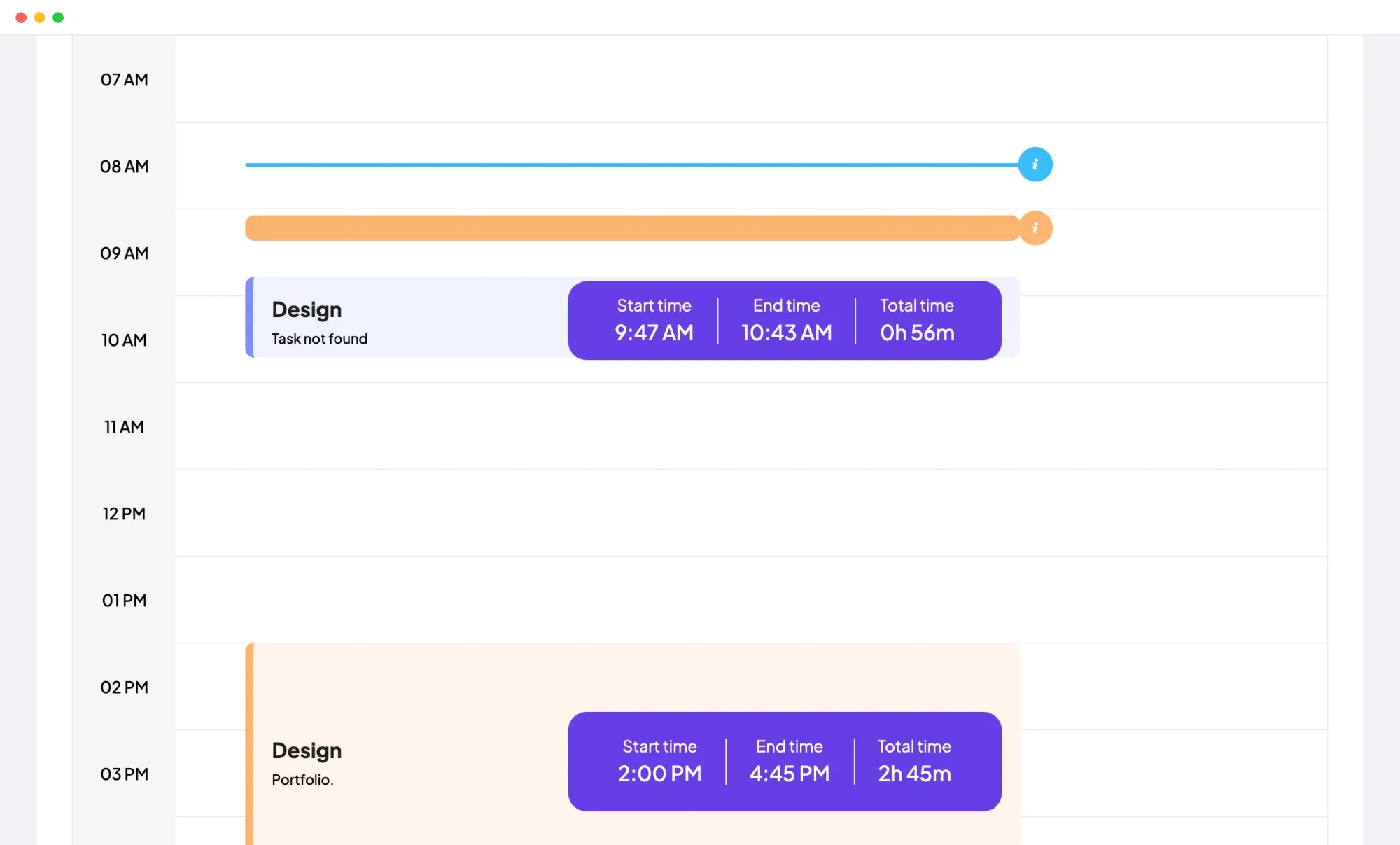
A session tracked on a Linux machine sits next to sessions from Windows and Mac in every timesheet, report and dashboard card. Nothing is recorded while the timer is off.
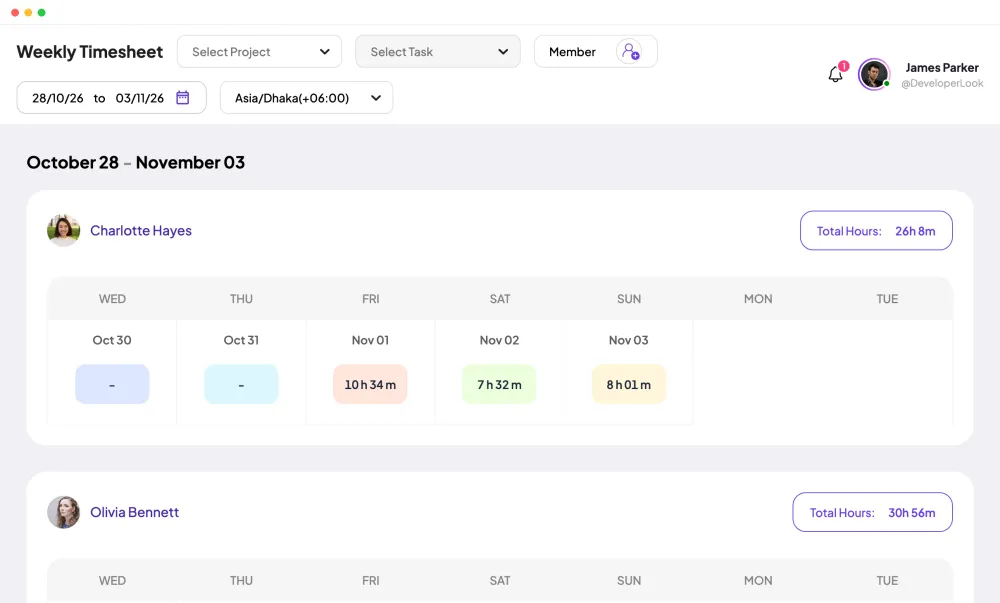
Linux users track on the same projects and tasks as everyone else. A session tracked on Ubuntu lands on the same Daily Timesheet as one tracked on Windows or a Mac, and weekly and bi-weekly timesheets add them up on every plan.
Linux sessions get the same breakdown as any other: the applications that ran and the websites visited, filed under the session's project and task. On Standard and Elite, the Apps & URLs usage report adds them up across members.
On Standard and Elite, the app adds screenshots at random minutes, 2 per 10 minutes or 1, 2 or 3 on Elite. The Screenshots page also totals each member's hours, activity, active time and neutral time for the day.
Showing One organization, every system.
Control and privacy
Staffic is Linux employee monitoring software that records only tracked time, so members know when it's on.
Set it up
Four steps. The admin's settings apply to Linux, Windows and Mac alike.
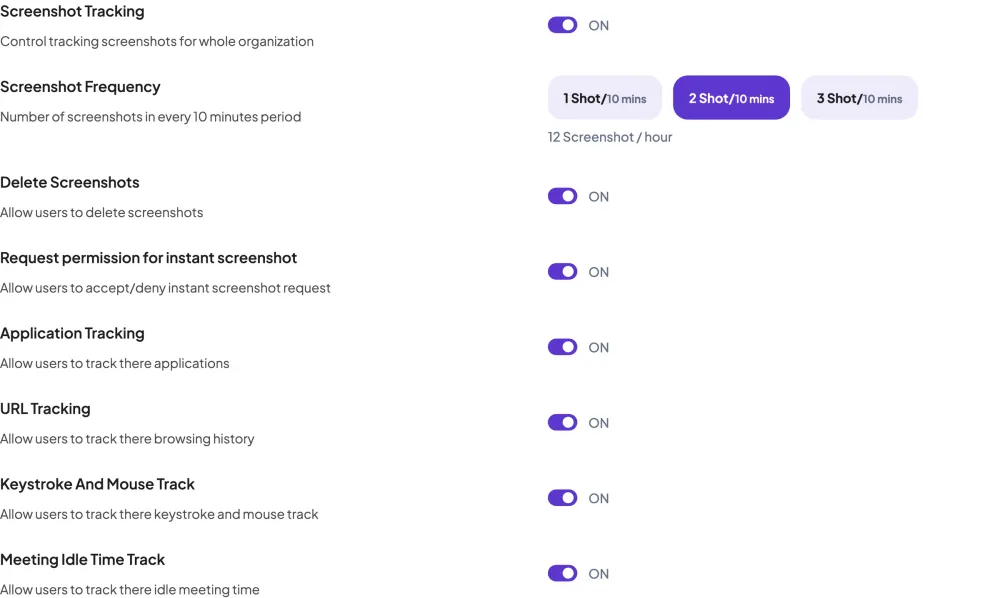
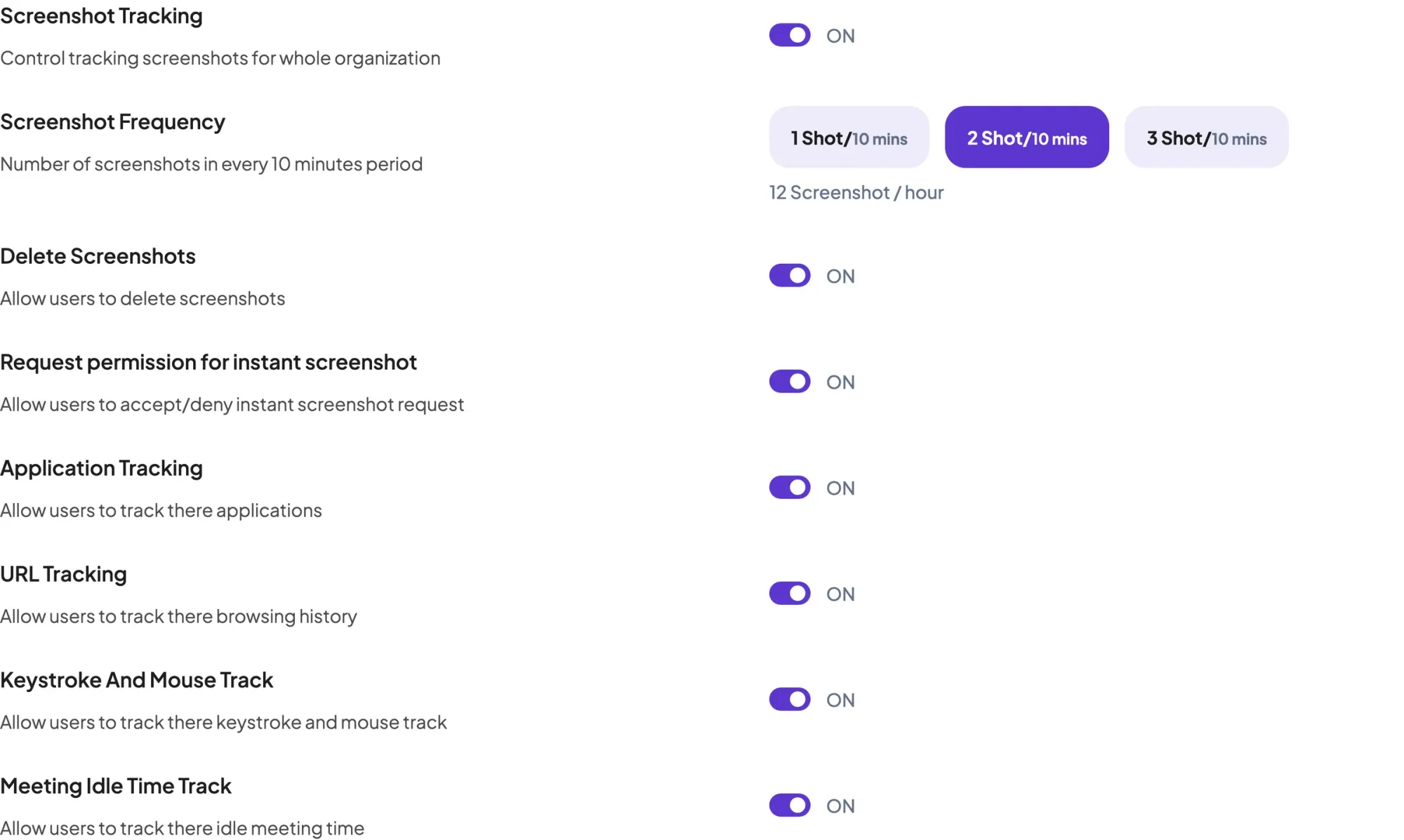
Turn screenshot, application, URL and keystroke and mouse tracking on or off once, for every computer in the organization.
Settings › ActivityInvite Linux users by email and assign them to projects.
Admin › MembersDownload the AMD (x64) or ARM package and install it with sudo apt install, or with your software center.
Download StafficDesktop App › LinuxOpen Staffic from your applications, sign in and press Start Tracking on a project and task.
Compare
Both packages are .deb files with the same app inside. Pick the one that matches the machine's processor.
Swipe the table to compare
| Compare | x64AMD in the web app | ARM64ARM in the web app |
|---|---|---|
| Download page label | x64 | ARM64 |
| Web app label | AMD | ARM |
| File name | staffic_<version>_amd64.deb | staffic_<version>_arm64.deb |
| Systems | Ubuntu, Debian and other Debian-based | Ubuntu, Debian and other Debian-based |
| Install | sudo apt install or your software center | sudo apt install or your software center |
From staffic.io/download and the web app's Desktop App menu, checked 2026-10-12.
Specs and terms
The facts behind the feature, and what each number on the Linux page means.
Who it’s for
Engineering and IT teams that work on Linux keep their hours in the same organization as everyone else.
Developers track time on Linux while managers read timesheets and reports in the web app from any browser.
Sessions from every system land in the same Time and Activity report on Standard and Elite, so nobody needs separate time tracking software on Linux machines.
Teams running ARM64 Linux install the ARM package, which holds the same app as the x64 one.
Customer stories
Stop juggling tools. Staffic gives your team time tracking, projects, payroll and performance analytics in one platform.
Try Staffic for free“Staffic.io brings transparency without micromanagement. Our team feels trusted, and productivity has never been higher.”
Pricing
Linux is included on every plan, Free included. You pay per active user only when your team grows past 3 members.
Compare every planPrices in USD per active user. Billed monthly, Standard is $7.50 and Elite is $9.80 per user.
Yes. Staffic's desktop app runs on Ubuntu, Debian and other Debian-based systems, from a .deb package for x64 or ARM64. It's the same time tracker for Linux, Windows and Mac, free to download, and the Free plan covers up to 3 members.
Debian-based systems: Ubuntu, Debian and others built on Debian, because the app ships as a .deb package. There's no package for systems outside the Debian family, such as Fedora or Arch.
Download the .deb for your processor from staffic.io/download, then run sudo apt install with the path to the file, or open it in your software center. Open Staffic from your applications and sign in.
Yes. Linux has two packages: x64, shown as AMD in the web app, and ARM64, shown as ARM. Install the one that matches the machine's processor.
Yes, within tracked time. A Linux member's activity level, apps and websites appear on the same Remote Track pages as everyone else's, with screenshots on Standard and Elite, and Settings, Access Control decides which roles can see them. With the timer off, the app records nothing.
Yes. A Linux member's sessions count in the Weekly Timesheet on every plan and in the Time and Activity report on Standard and Elite, like anyone else's, because Staffic stores every session the same way whatever system tracked it.
Every plan includes Linux. Free covers up to 3 members. Standard is $5.50 per user per month billed yearly ($1.00 during the current offer, until September 12, 2027) or $7.50 billed monthly, and Elite is $5.80 per user per month billed yearly or $9.80 billed monthly.
Explore more
Staffic's Windows time tracking software: a desktop app for Windows 10 or later that records time, activity, apps and URLs while the timer runs.
Staffic is Mac employee monitoring software and a time tracker for macOS 12 or later, on Apple Silicon and Intel, with screenshots on Standard.
Staffic tracks employee time on projects and tasks with desktop apps, then turns it into timesheets, reports and approvals. Free for up to 3 members.
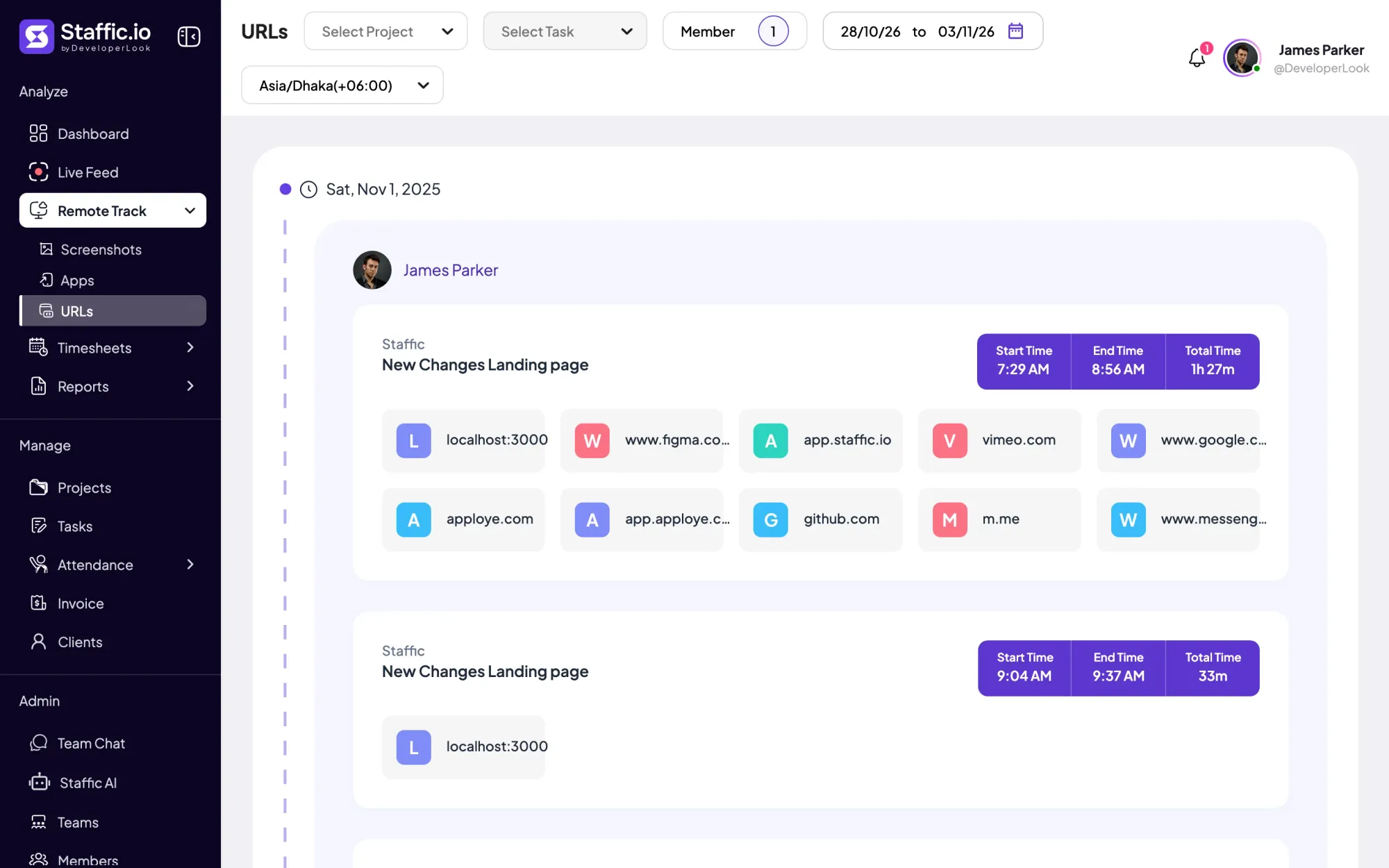
See the websites each member visited during tracked time, session by session, with the project, task and time. On every plan, and on by default.
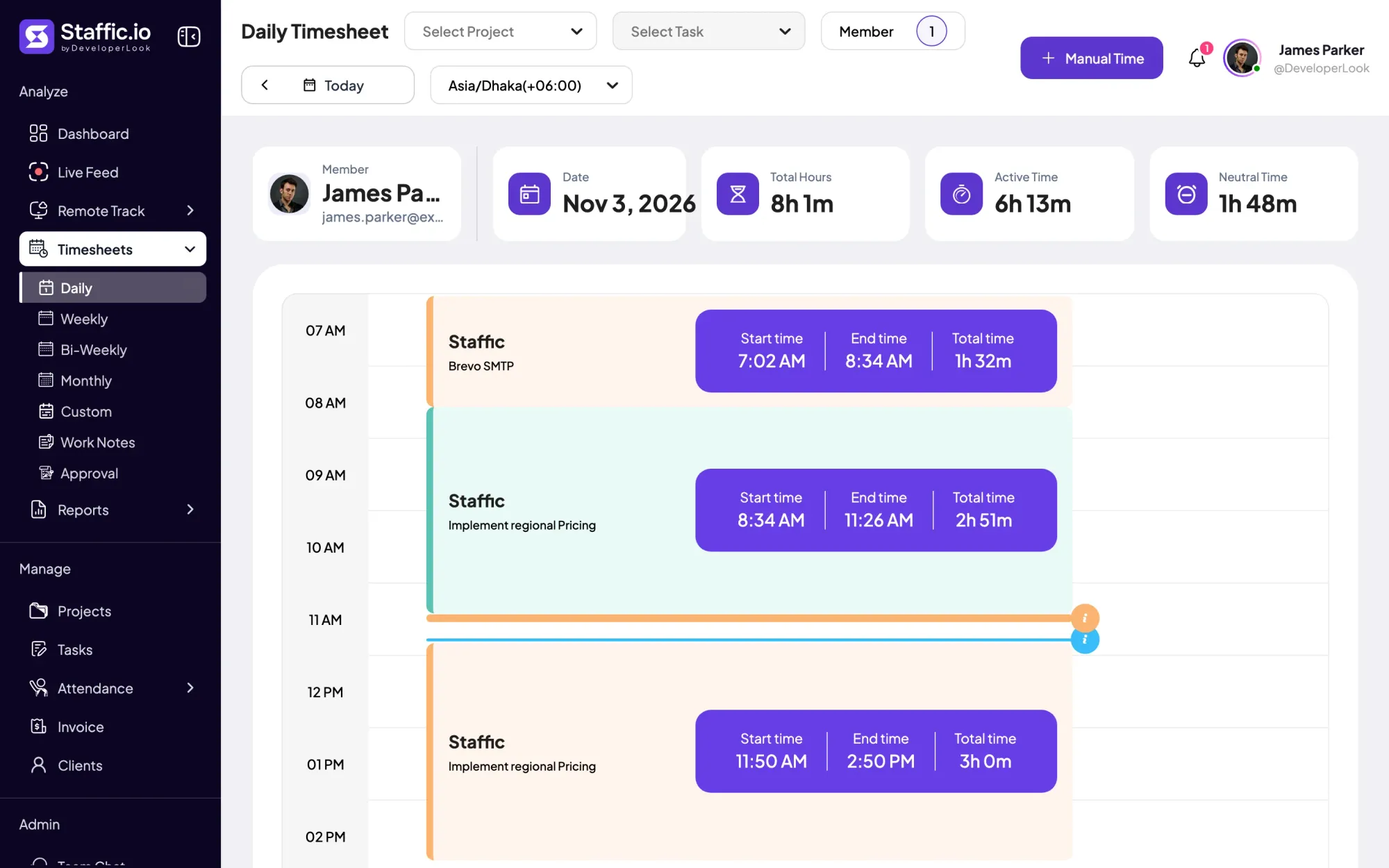

Staffic's daily timesheet shows one member's tracked sessions for a day on a timeline, with project, task, start and end times and the day's total.
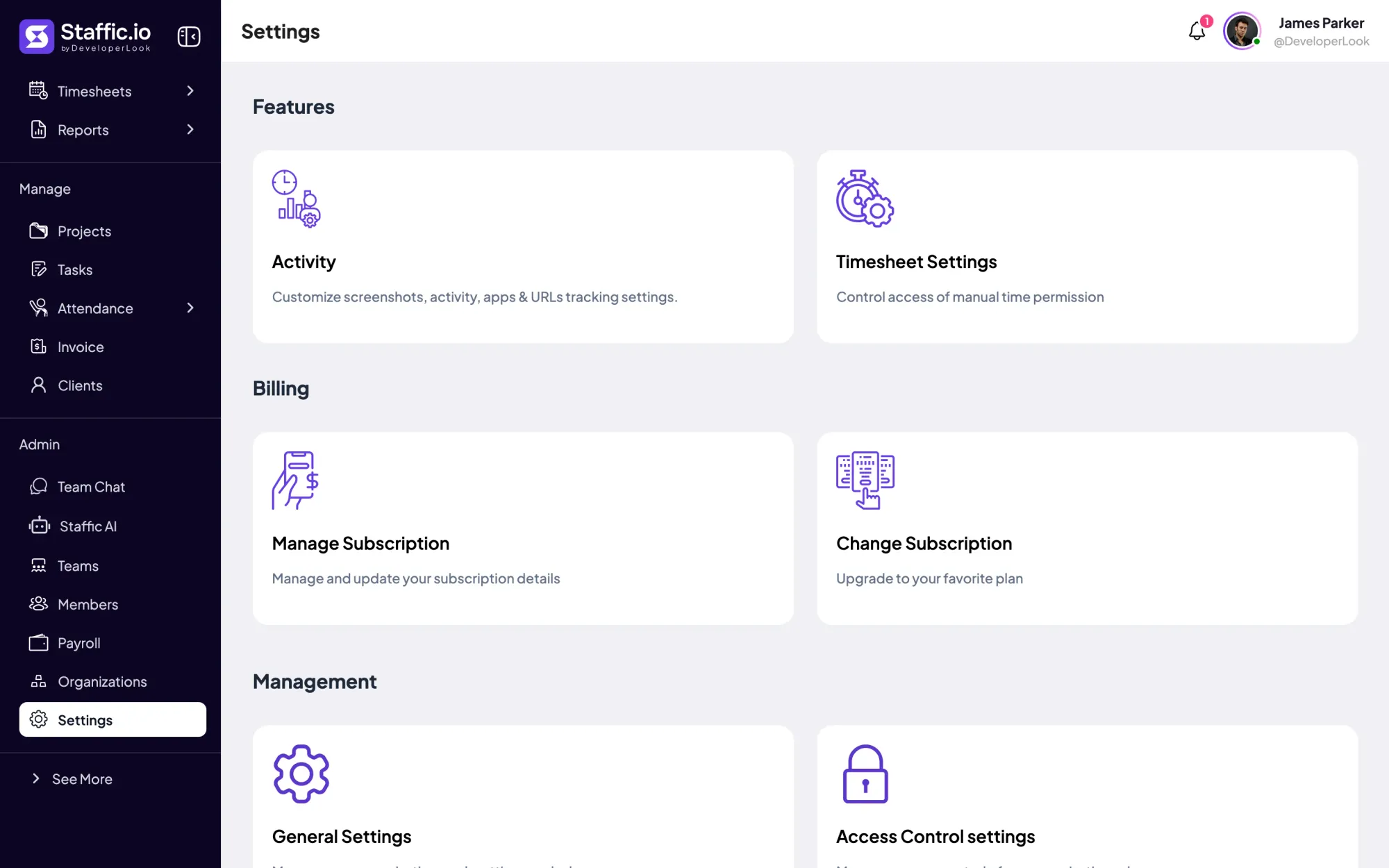

Settings is where admins choose what Staffic tracks, set timesheet rules and build Access Control roles, with each switch marked by its plan.
Free for up to 3 members
Create your workspace, invite your team, and the first timesheet builds itself.