Remote teams
Hours without check-in calls
Everyone tracks in the desktop app wherever they work, and you read the week on one timesheet instead of asking for status updates.

Features
All 33 featuresSee the work while it happens.
 DashboardYour team's week at a glance, Monday to Sunday
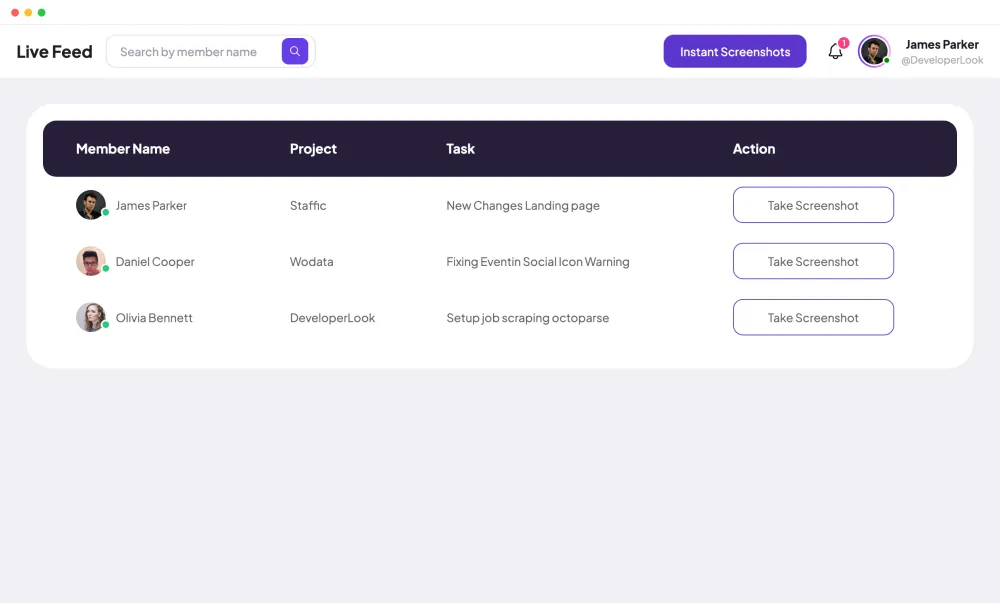
 Live FeedEliteSee who's tracking time right now, and on what
 ScreenshotsStandardVisual proof of work, captured automatically
 AppsWhich apps each tracked session used
 URLsThe websites behind the tracked time
 Screen RecordingsEliteFull session video, beyond a screenshot
01 / 33
Dashboard
The team dashboard: this week's hours, today's performance, top members, ongoing tasks, top projects and the most used apps and websites.
View DashboardEmployee Time Tracking
Staffic is an employee time tracking app for teams that work on computers. Members start a timer in the desktop app for Windows, macOS or Linux, and every hour lands on a project, a task and a timesheet. Managers review the team's hours in the web app, and it's free for up to 3 members.
In short
Staffic Employee Time Tracking is the employee time tracking app at the core of Staffic. Members track hours against projects and tasks in the desktop app for Windows, macOS or Linux, which also records activity levels, apps and URLs. Each session fills the daily, weekly and bi-weekly timesheets, and admins review the team's hours in the web app. Standard adds monthly timesheets, reports and manual time; Elite adds timesheet approval and payroll.
How it works
The same four steps for every member, whether they work in the office or at home.
Employee time tracking app
One timer in the desktop app feeds every page below: projects, tasks, timesheets, reports, attendance and approval.
Each tracked session carries its start and end time, project, task and activity level. Staffic adds it to the member's timesheets, so nobody types hours into a spreadsheet at the end of the week.
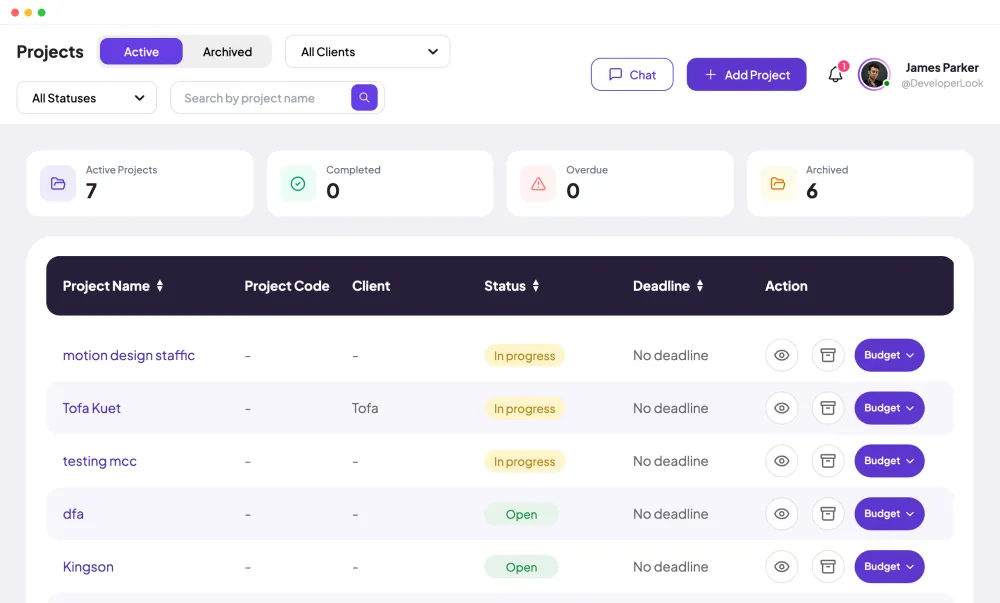
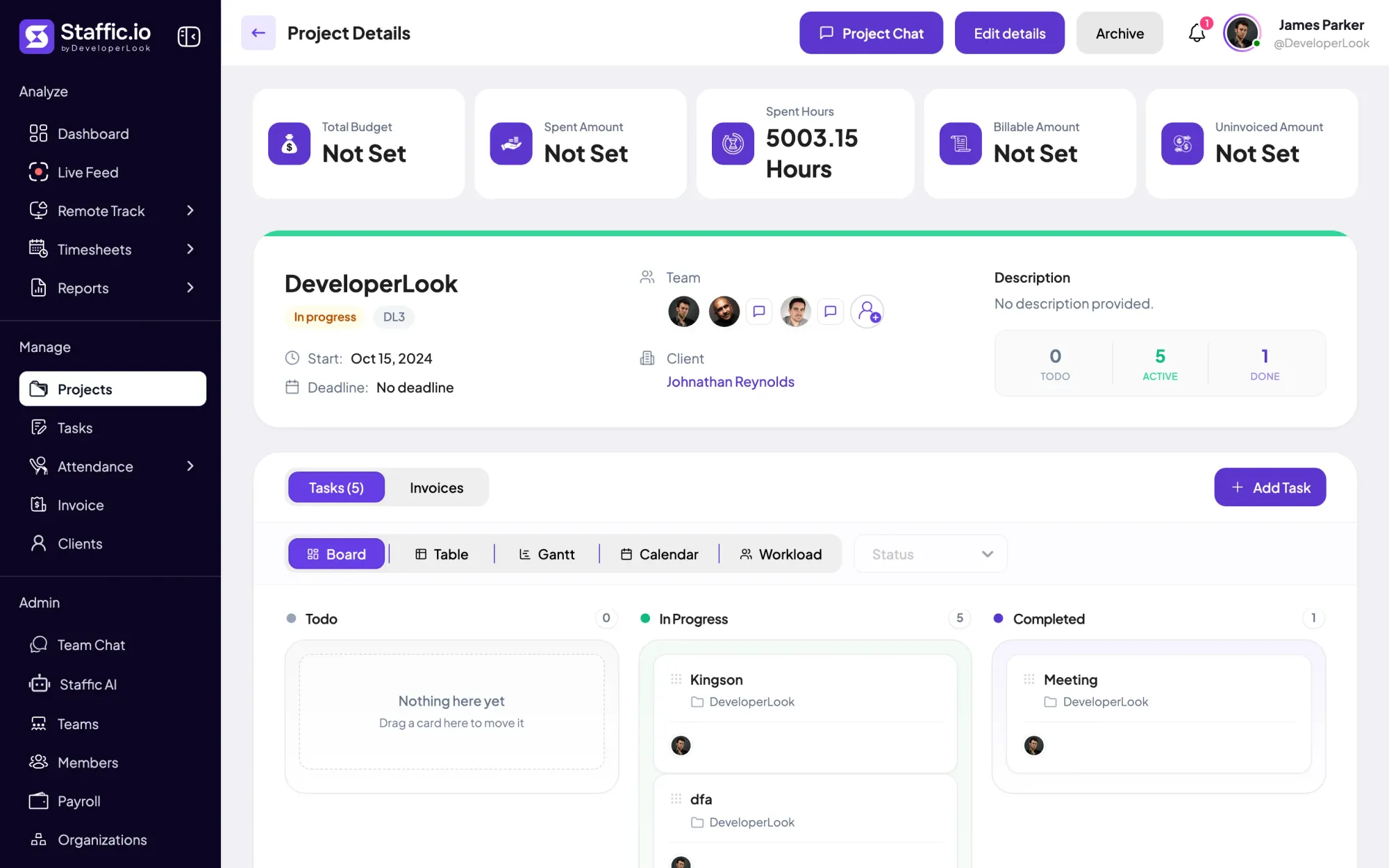
Members track time against the projects you assign them, so every hour belongs to a project. On Standard and Elite, each project's page shows its spent hours next to budgets, billing details and project managers.
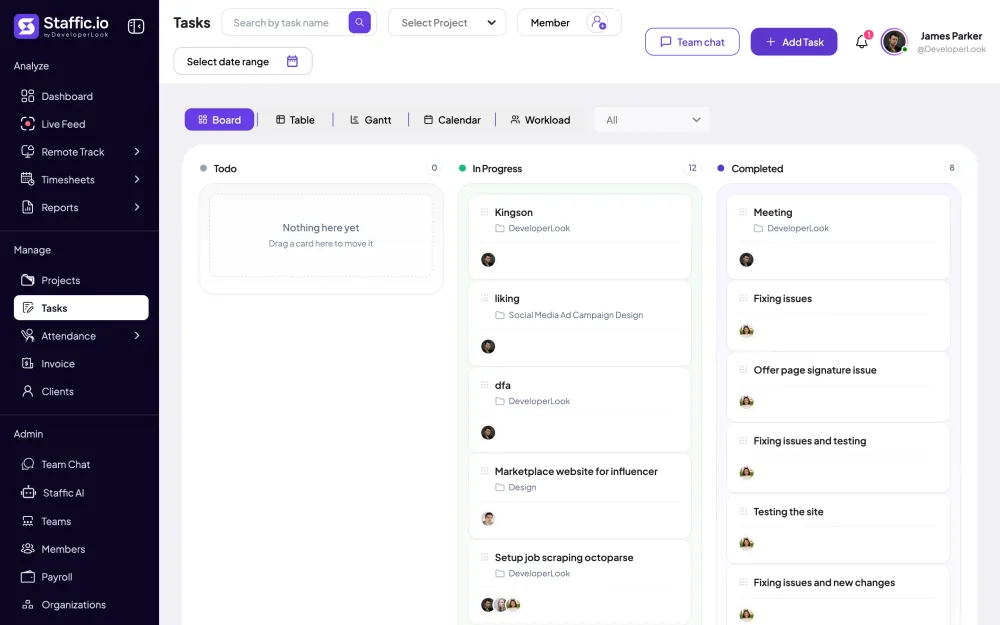
Break a project into tasks and assign them. The tasks table shows the time worked on each task beside its estimate, and members see their assigned tasks in the desktop app when they start the timer.
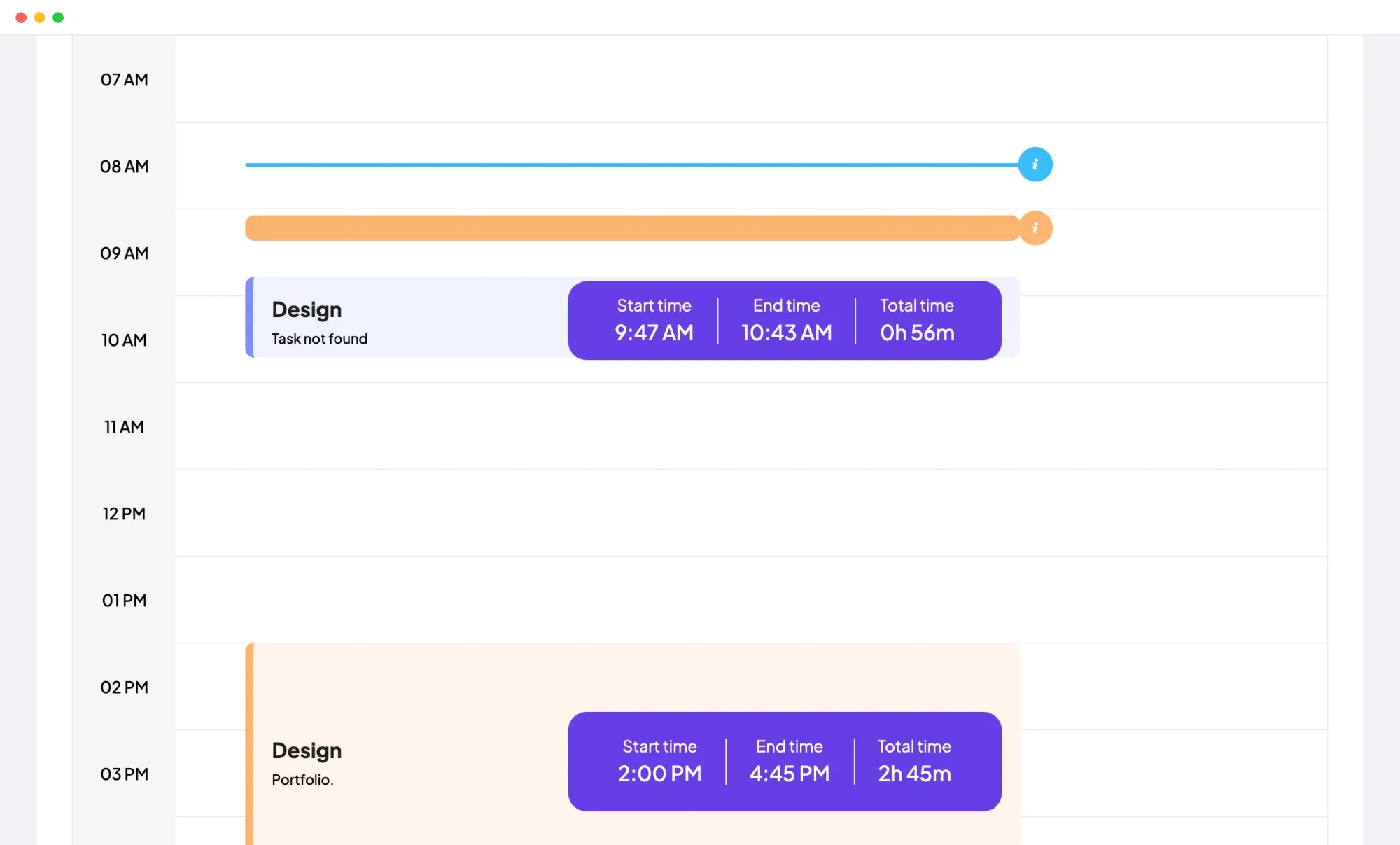
The daily timesheet lays out a member's tracked sessions hour by hour. Each block shows its start time, end time and total, with the project and task it belongs to.
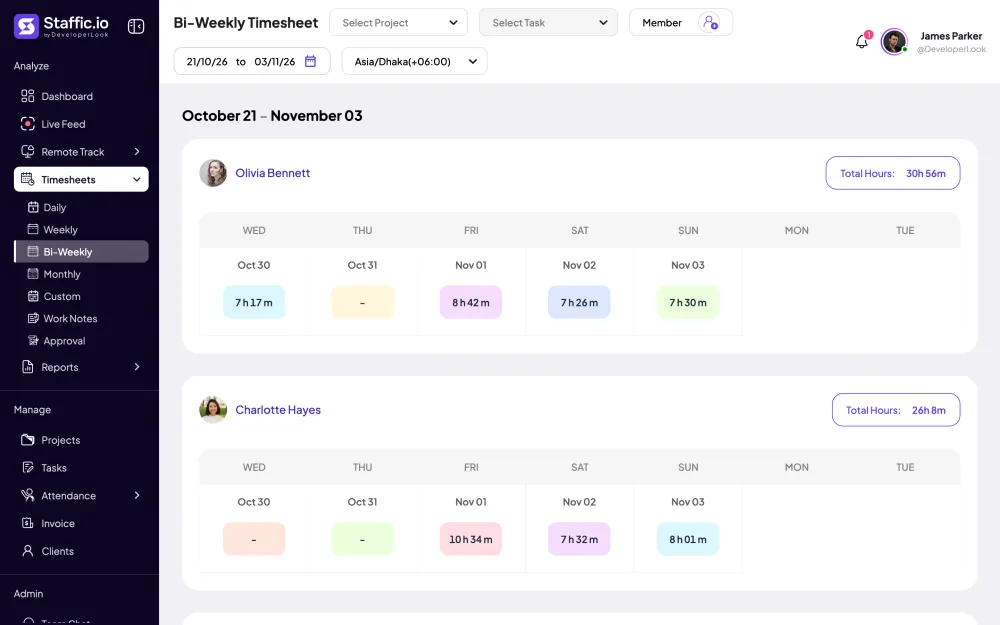
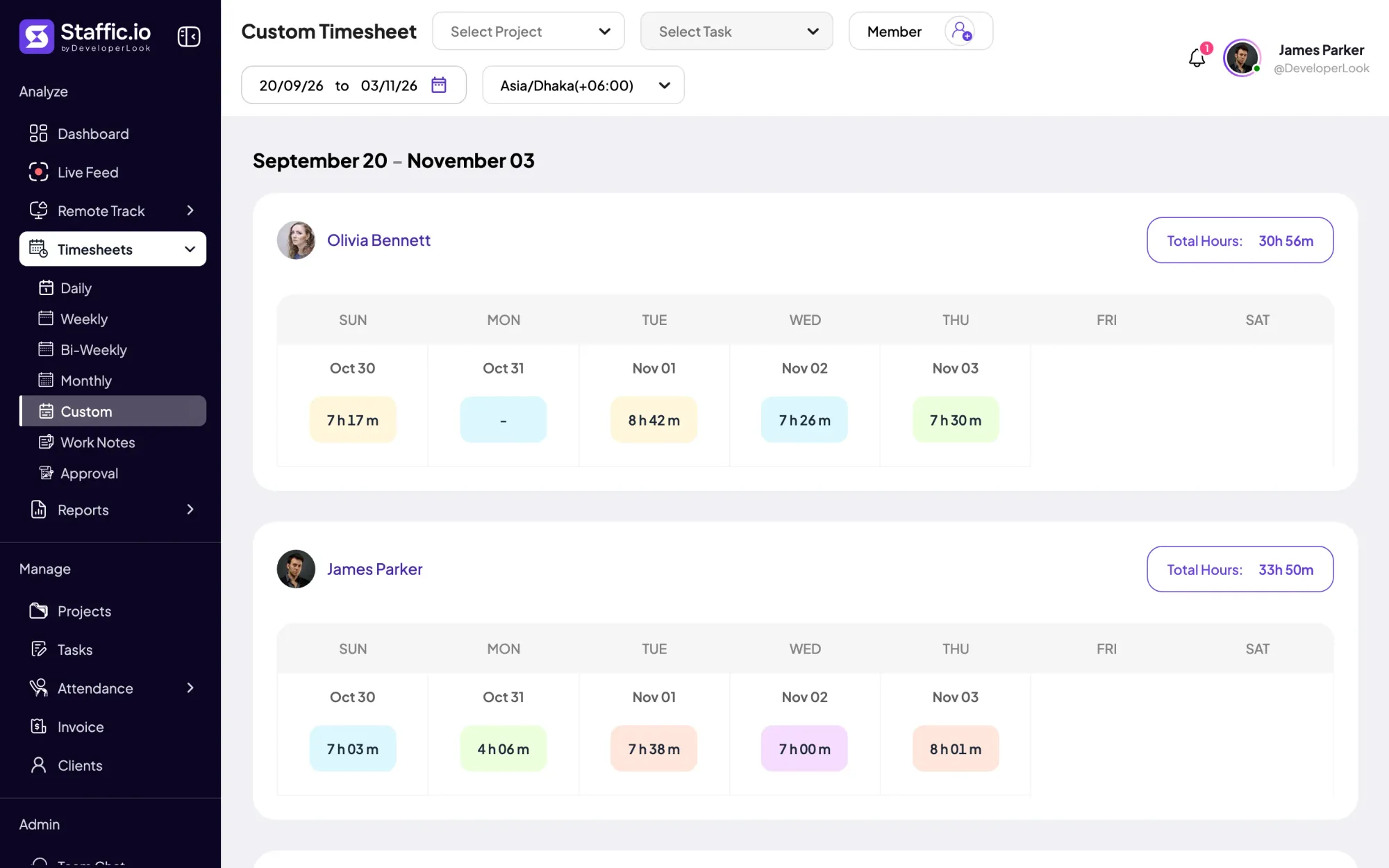
See each member's hours day by day for the week, with a total for the period. Filter by project, task or member, pick a time zone, and switch to bi-weekly, monthly or a custom range.
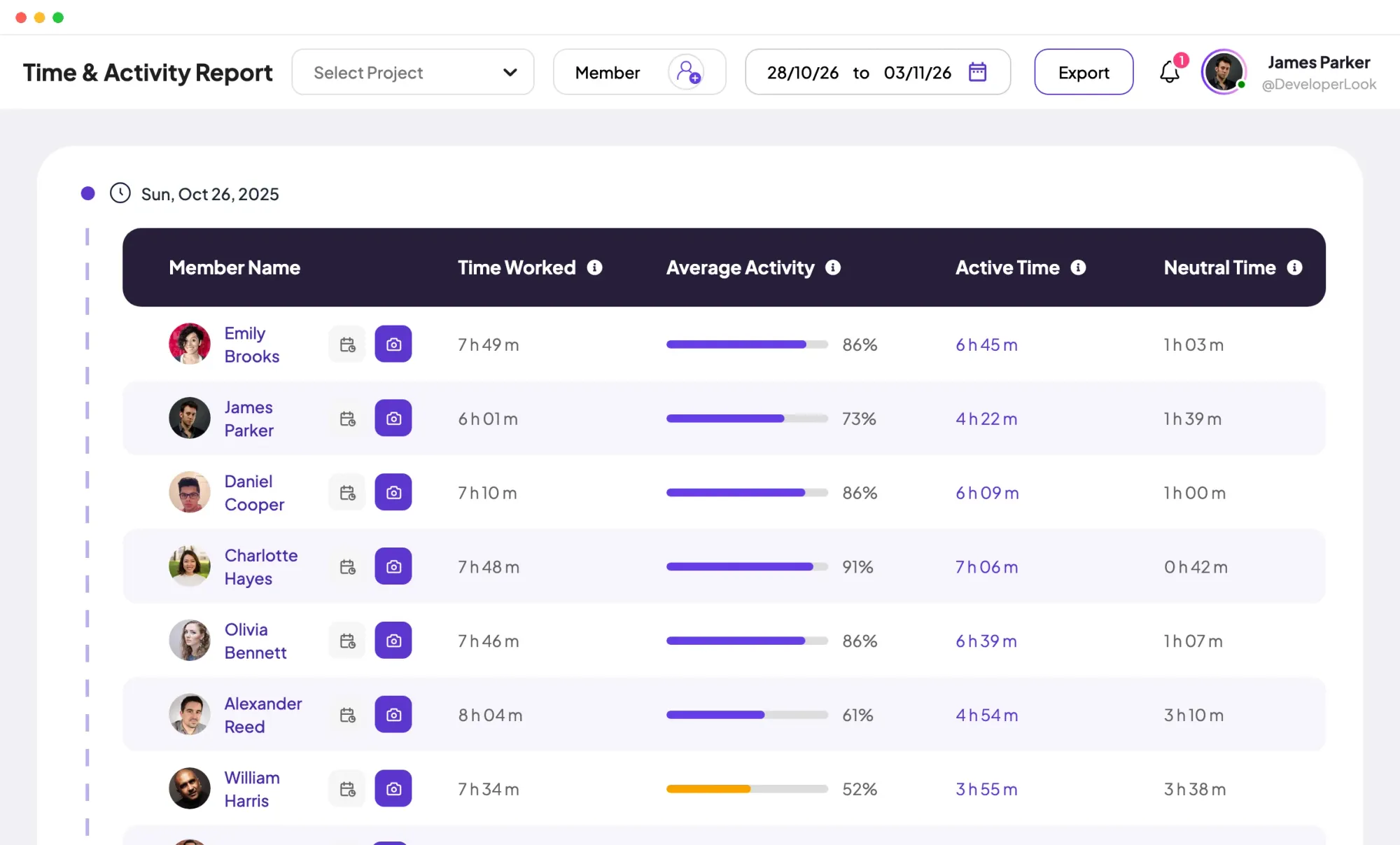
The Time and Activity report lists each member's time worked, average activity, active time and neutral time for the dates you pick. You can filter it and export it on the Standard and Elite plans.
A member's first tracked time of the day is their clock in, and the last stop is their clock out. Clock In/Out lists both with the time worked per day, on the Standard and Elite plans.
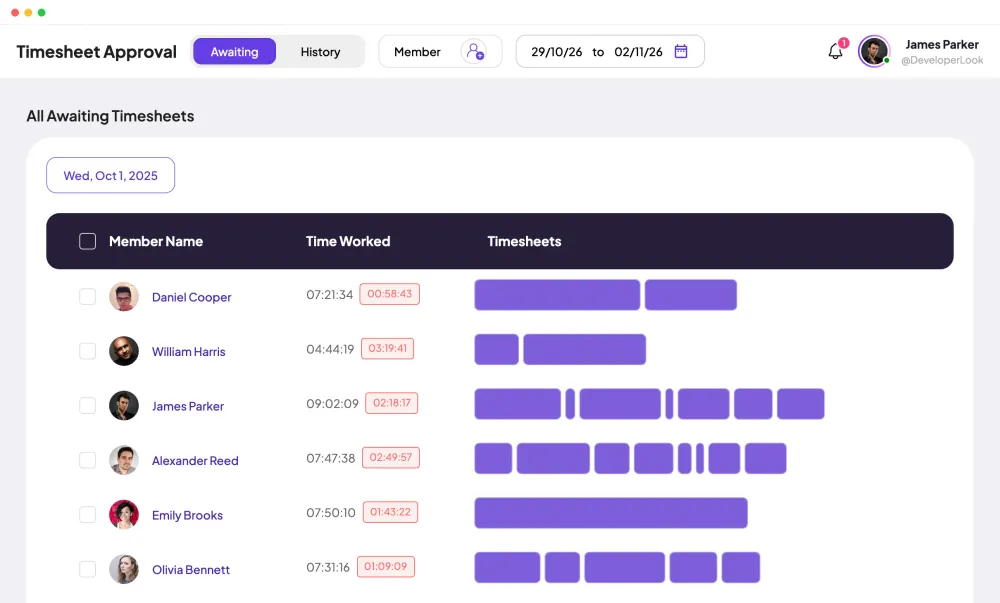
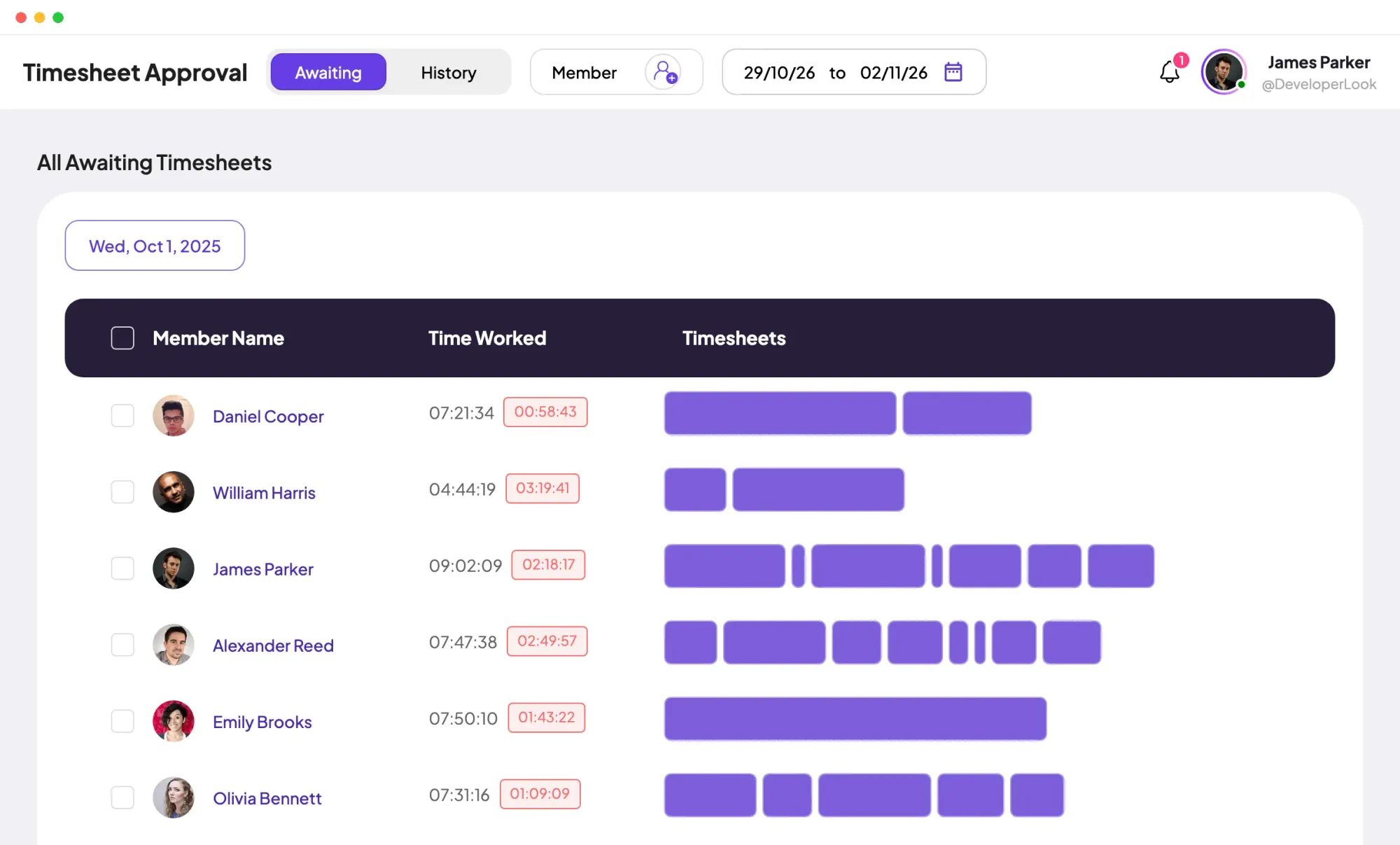
On Elite, managers open each member's timesheet, check the sessions behind it with idle time marked, and approve or reject it. You turn approval on or off per member in Timesheet Settings.
Showing One record of every hour.
Control and privacy
Time is recorded only while a member's timer runs in the desktop app. Admins set the rules in Settings, and members see their own hours in the web app.
Set it up
Five steps from sign-up to your team's first timesheet. All of them work on the Free plan for up to 3 members.
Create the projects your team works on and add tasks to each one.
Manage › ProjectsSend email invites and assign each member to their projects.
Admin › MembersEach member installs Staffic on Windows, macOS or Linux, signs in and starts the timer on a project and task.
Download StafficCheck each member's hours for the week, or open one day on the daily timesheet.
Timesheets › Weekly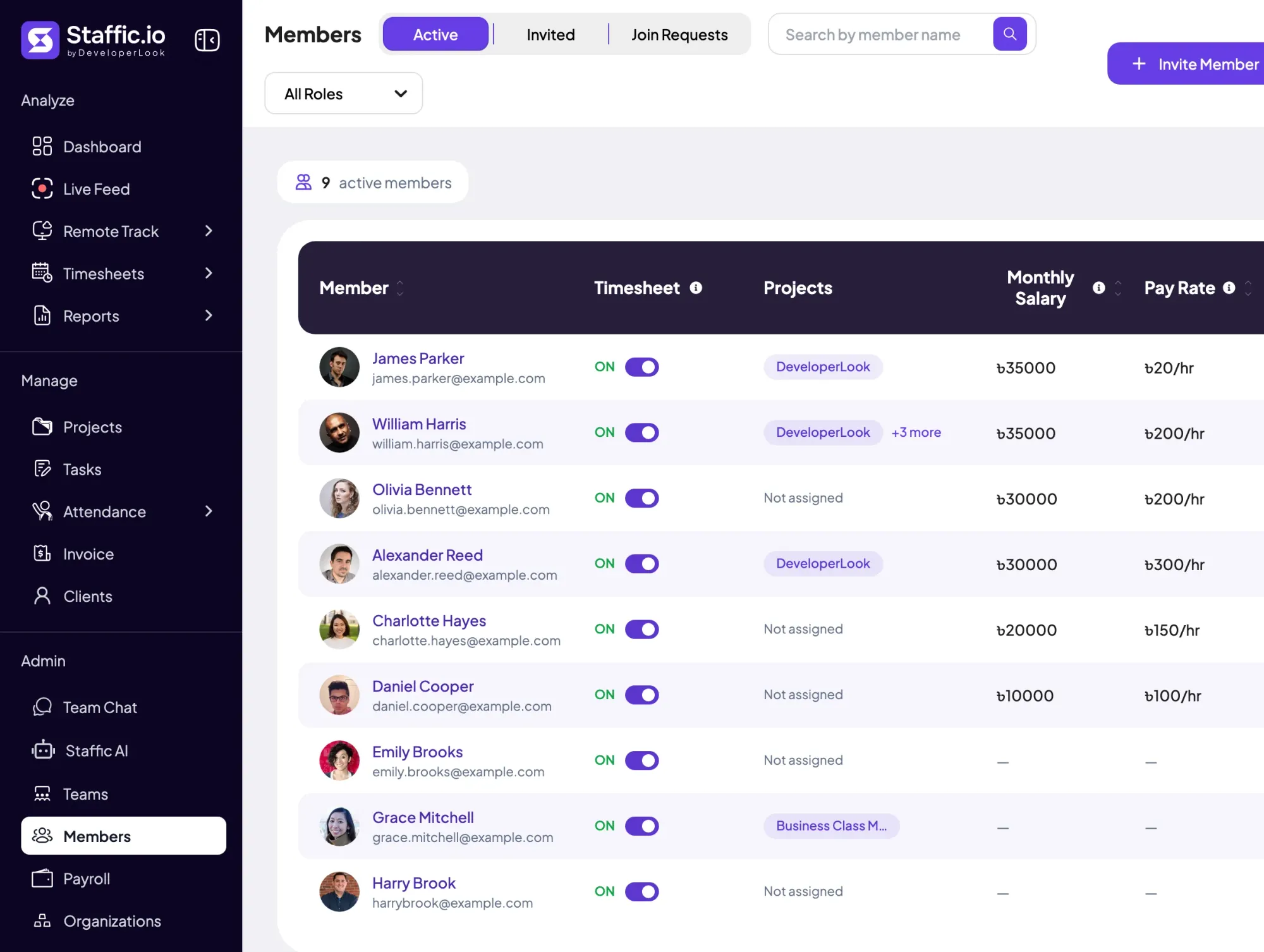
Compare
How Staffic compares with two employee time tracking tools teams often look at, using facts from each company's own website.
Swipe the table to compare
| Compare | Staffic | Hubstaff | Time Doctor |
|---|---|---|---|
| Free option | Free plan for up to 3 members | 14-day trial | 14-day trial |
| Lowest paid plan | $1.00 during the current offer (list price $5.50) | $4.99 per seat, 2-seat minimum | $6.67 per user |
| Desktop apps | Windows, macOS and Linux | Windows, macOS and Linux | Windows, Mac and Linux |
| App and website tracking | Every plan | Every plan, capped on Starter and Grow | Standard and up |
| Timesheet approval | Elite | Team and up | Standard and up |
| Payroll | Elite | Team, $10 per seat | Standard, $11.67 per user |
Prices are per seat or user per month, billed yearly, in US dollars. Sources: hubstaff.com/pricing, hubstaff.com/download and timedoctor.com/pricing, checked October 7, 2026; the free trials and Time Doctor's time approvals and payroll rechecked October 12, 2026. Staffic's price comes from the plans API.
Specs and terms
The facts behind the feature, and what each number on the Employee Time Tracking page means.
Who it’s for
A staff time tracking app for remote teams, agencies and hourly staff, wherever they sit.
Everyone tracks in the desktop app wherever they work, and you read the week on one timesheet instead of asking for status updates.
Track every hour against a project and task, compare it with the task estimate and see which projects take more time than planned.
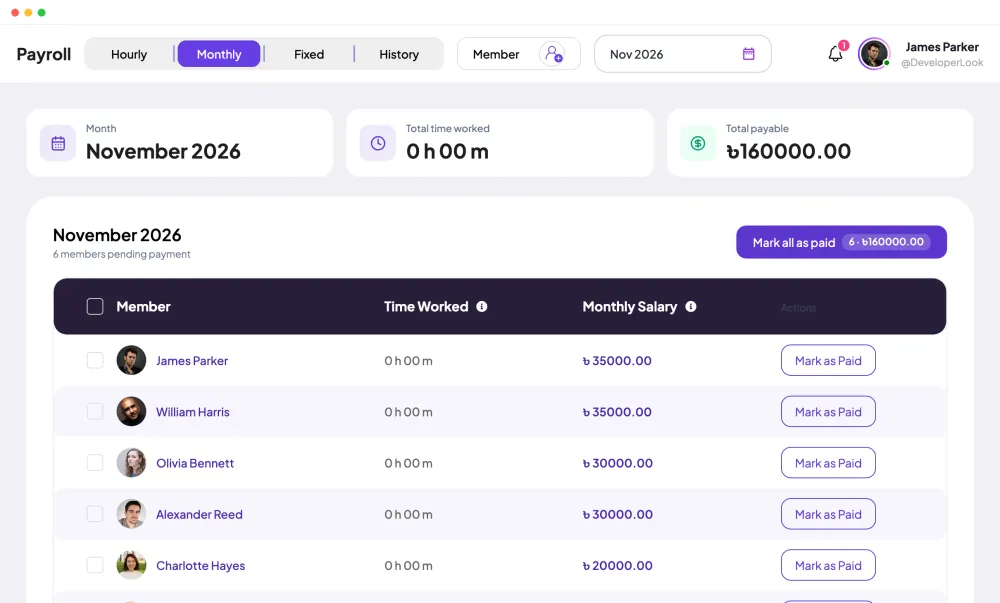
Timesheets add up each member's hours. On Elite, managers approve them, and payroll uses the time worked.
Customer stories
Stop juggling tools. Staffic gives your team time tracking, projects, payroll and performance analytics in one platform.
Try Staffic for free“Staffic.io brings transparency without micromanagement. Our team feels trusted, and productivity has never been higher.”
Pricing
Employee Time Tracking is included on every plan, Free included. You pay per active user only when your team grows past 3 members.
Compare every planPrices in USD per active user. Billed monthly, Standard is $7.50 and Elite is $9.80 per user.
Give each employee a timer that records time against a project and task, then review the hours in timesheets. In Staffic, members start the timer in the desktop app for Windows, macOS or Linux, and each session appears in their daily and weekly timesheets. That's employee time tracking without anyone typing hours into a spreadsheet.
Use timesheets that fill themselves from tracked time. Staffic's daily, weekly and bi-weekly timesheets show every member's hours on every plan, and Standard adds monthly and custom ranges plus the Time and Activity report. On Elite, managers approve each timesheet before payroll.
In the Staffic desktop app. A member picks the project and task they're working on, starts the timer, and stops it when they finish or take a break. Time is recorded only while the timer runs, and members see their own hours in the web app.
Tell your team what is tracked and why, then set up projects and tasks so the hours land in the right place. In Staffic you create the workspace, invite members, choose what the desktop app records in Settings, Activity, and have everyone install the app. Most apps for employee time tracking follow these steps, and Staffic's Free plan lets you try them with up to 3 members.
The one your team will run every day without extra work: a timer on the computer they already use, timesheets that fill themselves, and reports managers can check. When you compare the best employee time tracking software, look at what each tool records, which plan includes timesheet approval and payroll, and whether there's a free plan. Staffic is free for up to 3 members, so you can test it on real work.
To know where the hours go: which projects and tasks take the time, who is over or under their hours, and what to bill or pay. A time tracking system for employees replaces end-of-week guesses with recorded sessions. Staffic also records activity levels, apps and URLs, so you see the work behind each hour.
They create a project for each client or job and track every hour against it. In Staffic, each job is a project with its own tasks, so hours add up per job and per member. Standard adds project budgets and billing details, and Elite adds clients and invoices.
Every plan includes Employee Time Tracking. Free covers up to 3 members. Standard is $5.50 per user per month billed yearly ($1.00 during the current offer, until September 12, 2027) or $7.50 billed monthly, and Elite is $5.80 per user per month billed yearly or $9.80 billed monthly.
Explore more
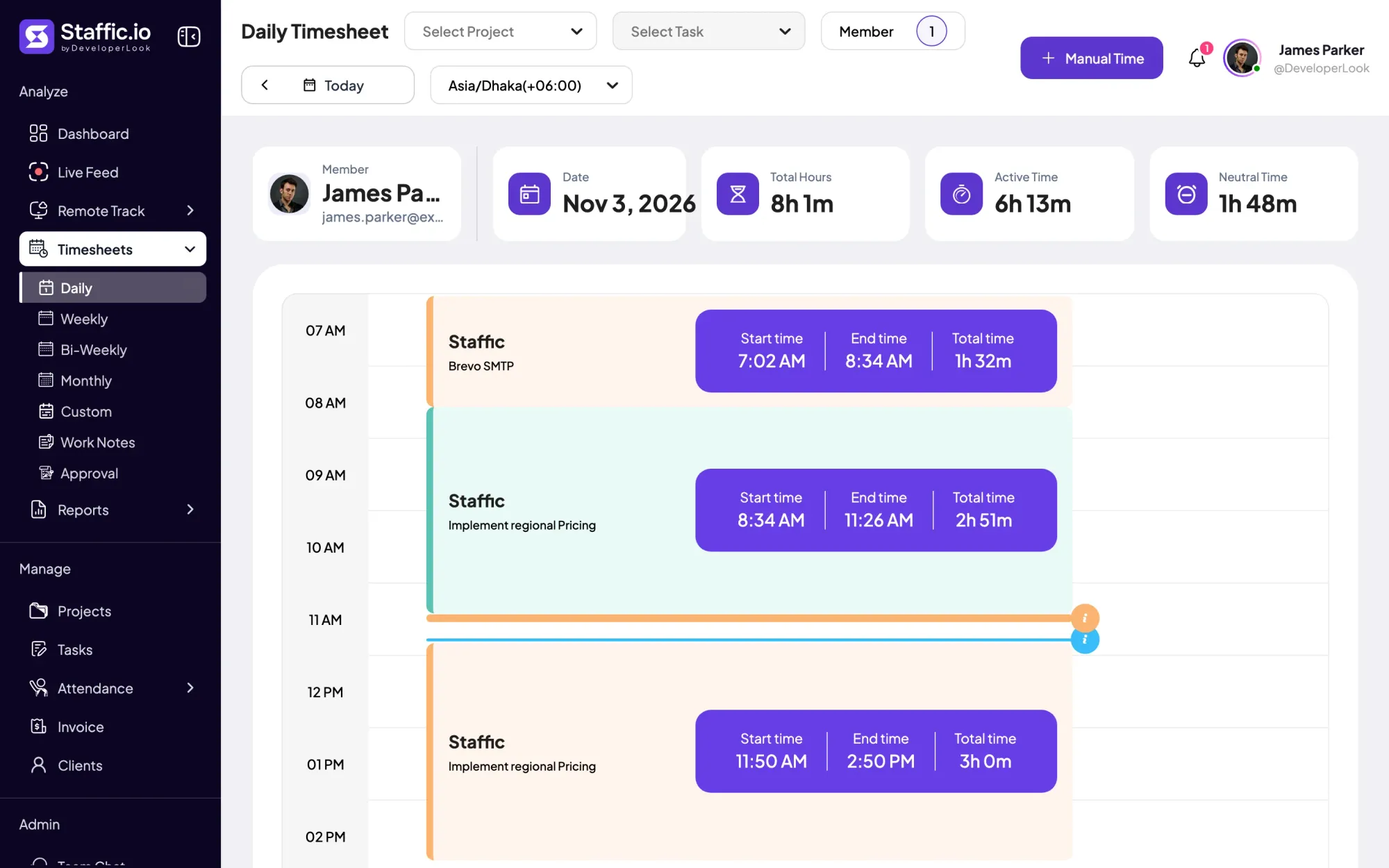

Staffic's daily timesheet shows one member's tracked sessions for a day on a timeline, with project, task, start and end times and the day's total.
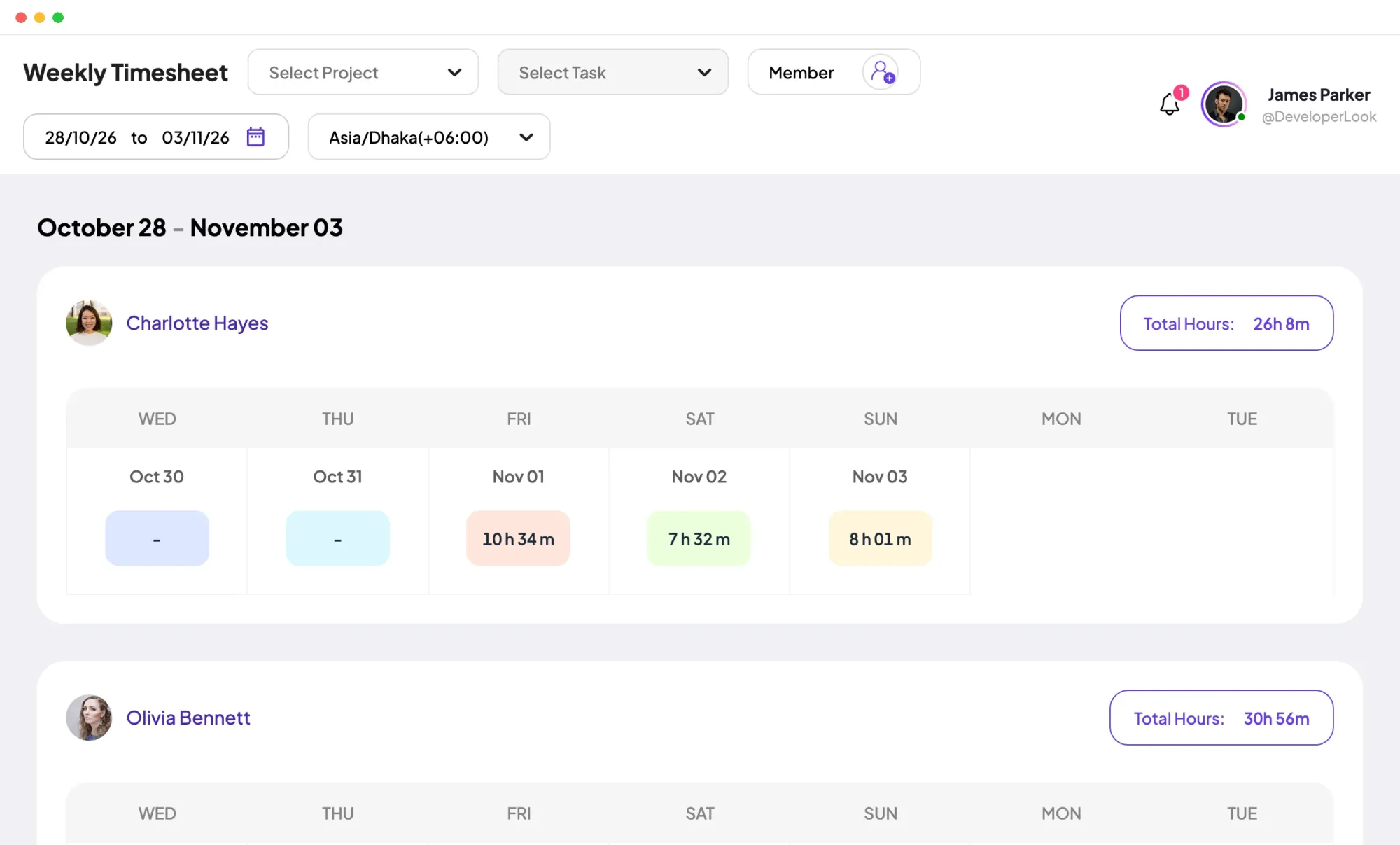

Staffic's weekly timesheet shows 7 days of tracked hours per member, one day per column, with Total Hours beside each name.
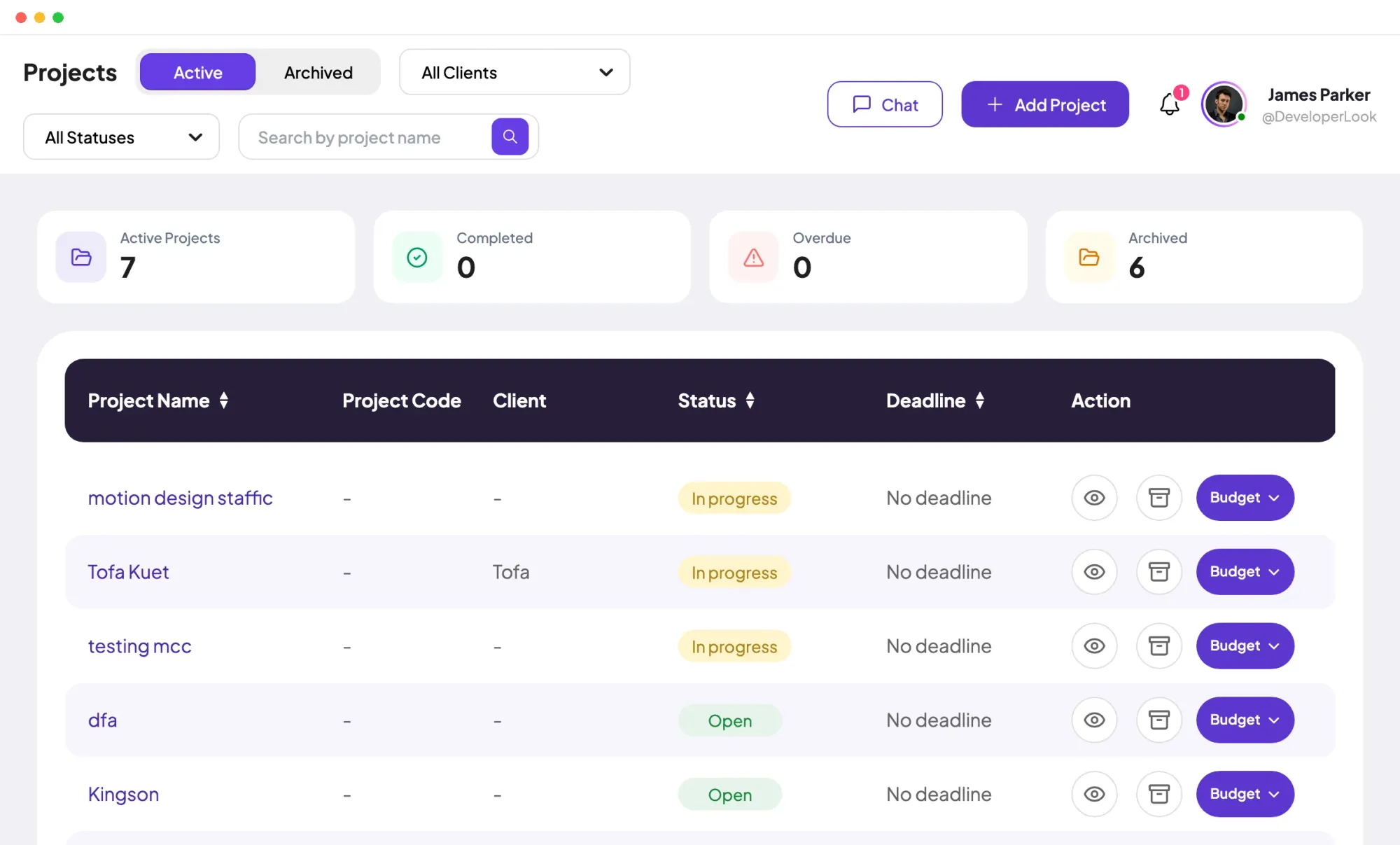

Projects tracks time per project, task and member, with status and task progress, plus budgets and billing on Standard and Elite.
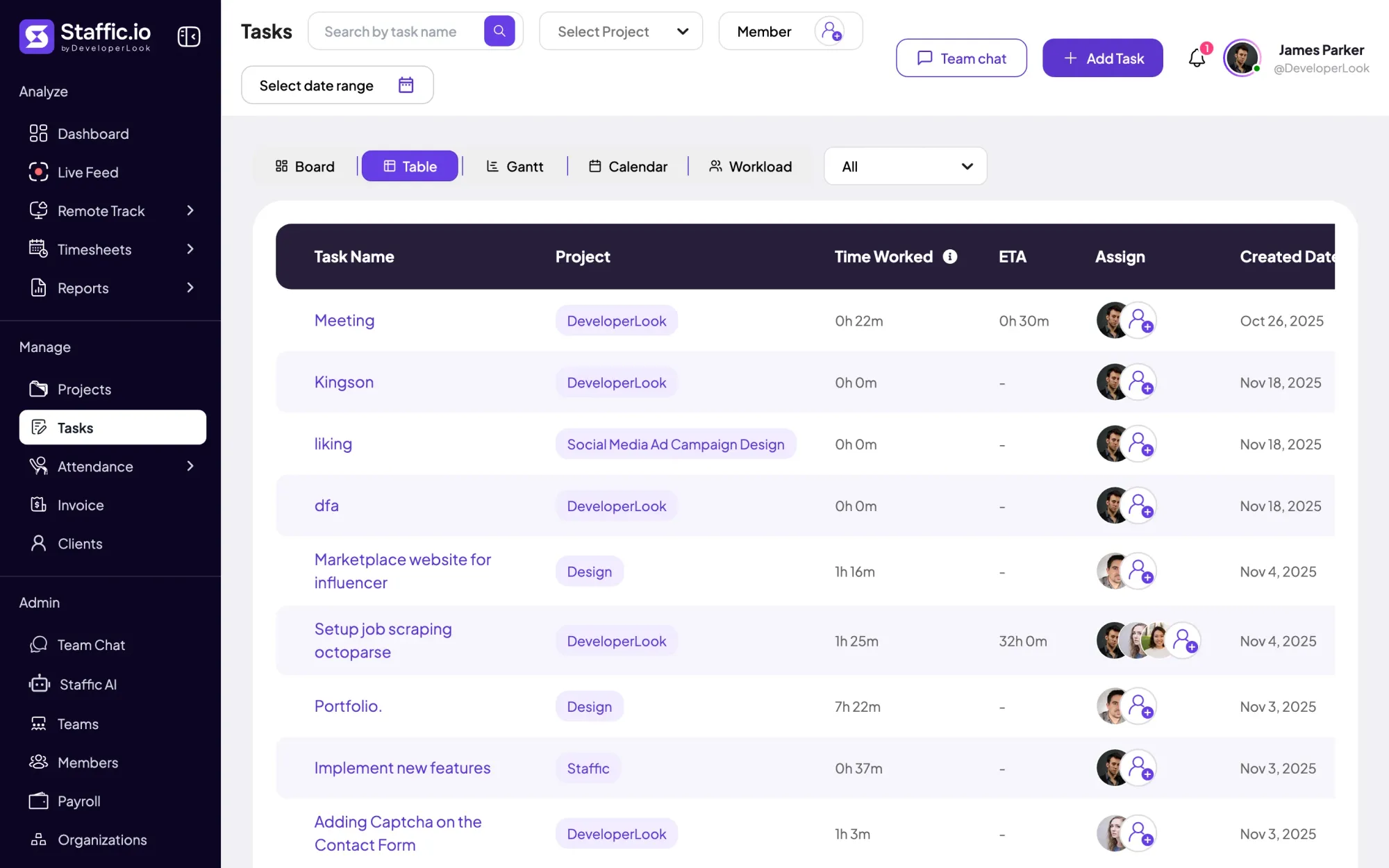

Tasks holds the work inside each project, with estimates, assignees, due dates and time worked, in table, board, Gantt, calendar and workload views.
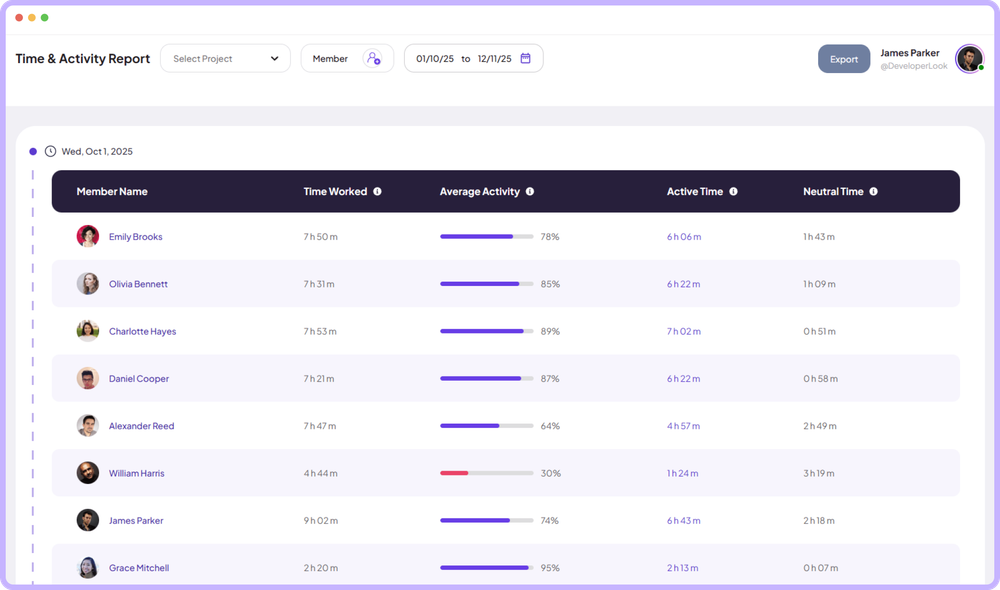

The Time & Activity Report shows each member's time worked, average activity, active time and neutral time for every day you pick.
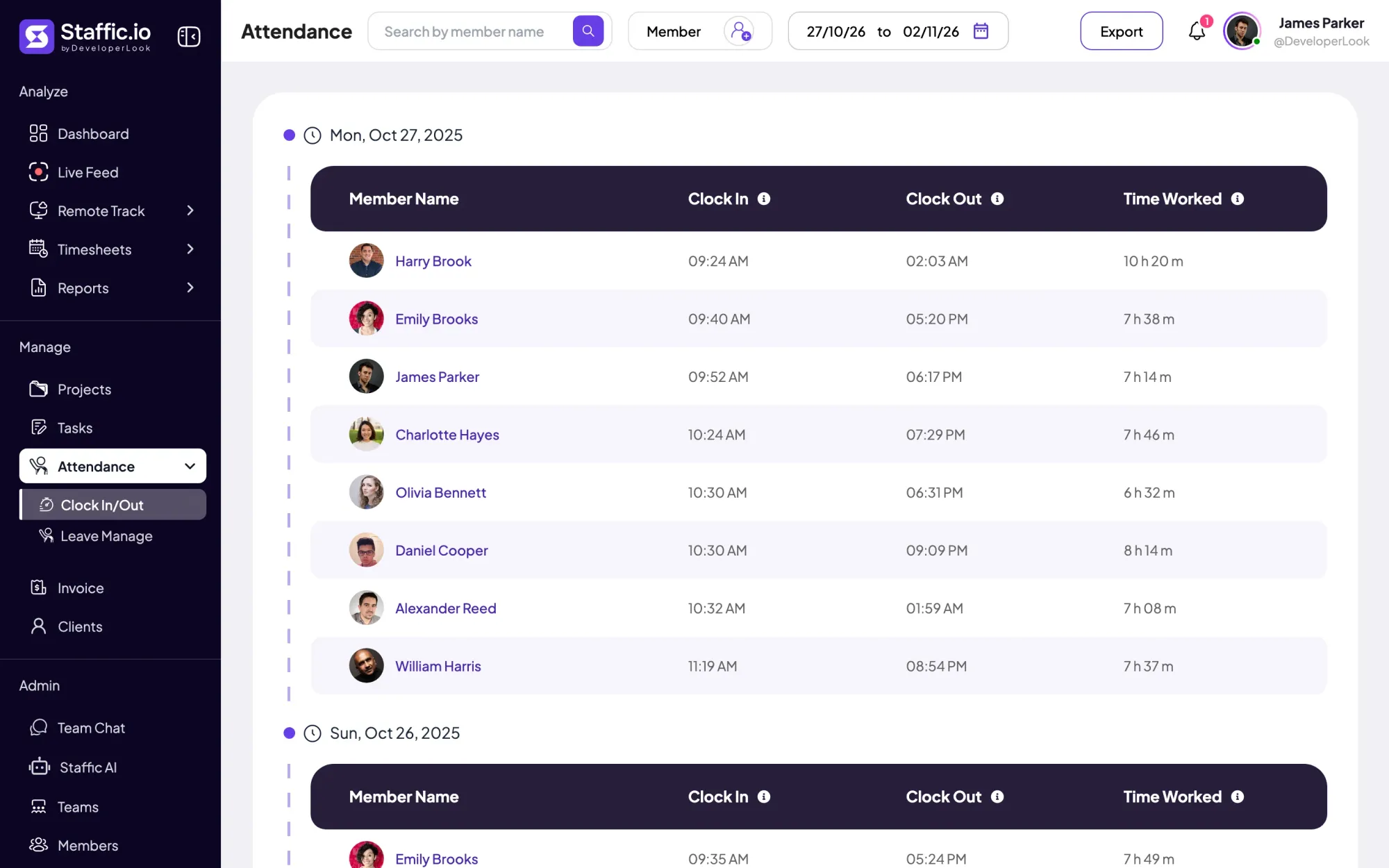

Clock In/Out records when each member starts and stops work from the desktop timer, with time worked per day and PDF or Excel export.
Free for up to 3 members
Create your workspace, invite your team, and the first timesheet builds itself.