Hours reported, not recorded
A contractor sends a weekly total. You can accept it or argue about it, and neither feels good.
See step 1: Invite contractors to your projects
Features
All 33 featuresSee the work while it happens.
 DashboardYour team's week at a glance, Monday to Sunday
 Live FeedEliteSee who's tracking time right now, and on what
 ScreenshotsStandardVisual proof of work, captured automatically
 AppsWhich apps each tracked session used
 URLsThe websites behind the tracked time
 Screen RecordingsEliteFull session video, beyond a screenshot
01 / 33
Dashboard
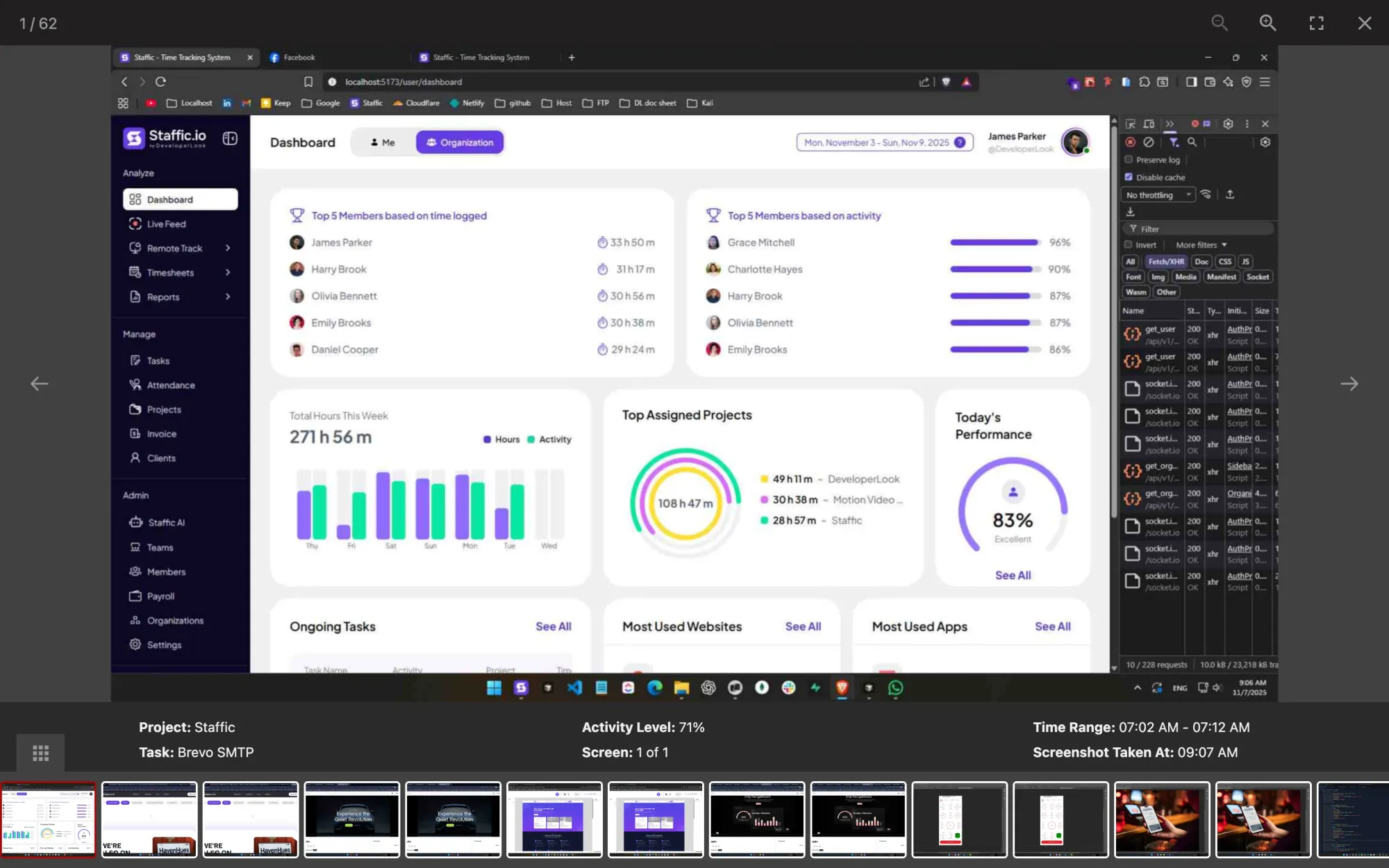
The team dashboard: this week's hours, today's performance, top members, ongoing tasks, top projects and the most used apps and websites.
View DashboardContractor time tracking
Contractor time tracking in Staffic runs on the contractor’s own computer: the desktop app records time on your projects with activity levels and, on Standard and Elite, screenshots. On Elite, you approve each day’s hours and pay from them in Payroll.
Contractor challenges
Four problems that come with paying people you don’t see at work.
A contractor sends a weekly total. You can accept it or argue about it, and neither feels good.
See step 1: Invite contractors to your projectsThe invoice lists hours on your project but not the work in them, so a slow week looks the same as a busy one.
See step 2: See the work behind the hoursHours go straight from the contractor’s invoice to payment, and a mistake only turns up after the money has left.
See step 3: Approve each day before you payHourly contractors and salaried staff share a spreadsheet, and working out who is owed what eats a payday afternoon.
See step 4: Pay from approved hoursHow Staffic helps
Time tracking software for contractors, from the invite to the payment, with the hours checked before anyone is paid.
Step 1 of 4
Invite each contractor by email and add them to the projects they work on. They install the desktop app on their own Windows, macOS or Linux computer and start the timer on your project and task. On Standard and Elite, a Contractors team keeps them apart from staff.
Fixes: Hours reported, not recorded
Step 2 of 4
Each session records activity levels from keyboard and mouse and the apps and sites used. On Standard and Elite, screenshots are taken only while the timer runs (2 per 10 minutes, or 1, 2 or 3 on Elite), and each contractor sees their own.
Fixes: No sign of what the time was for
Step 3 of 4
On Elite, turn on timesheet approval for all members or for each contractor in Timesheet Settings. Each day’s hours then wait in Timesheet Approval until an approver accepts them or rejects part of the day.
Fixes: Paid before anyone checks
Step 4 of 4
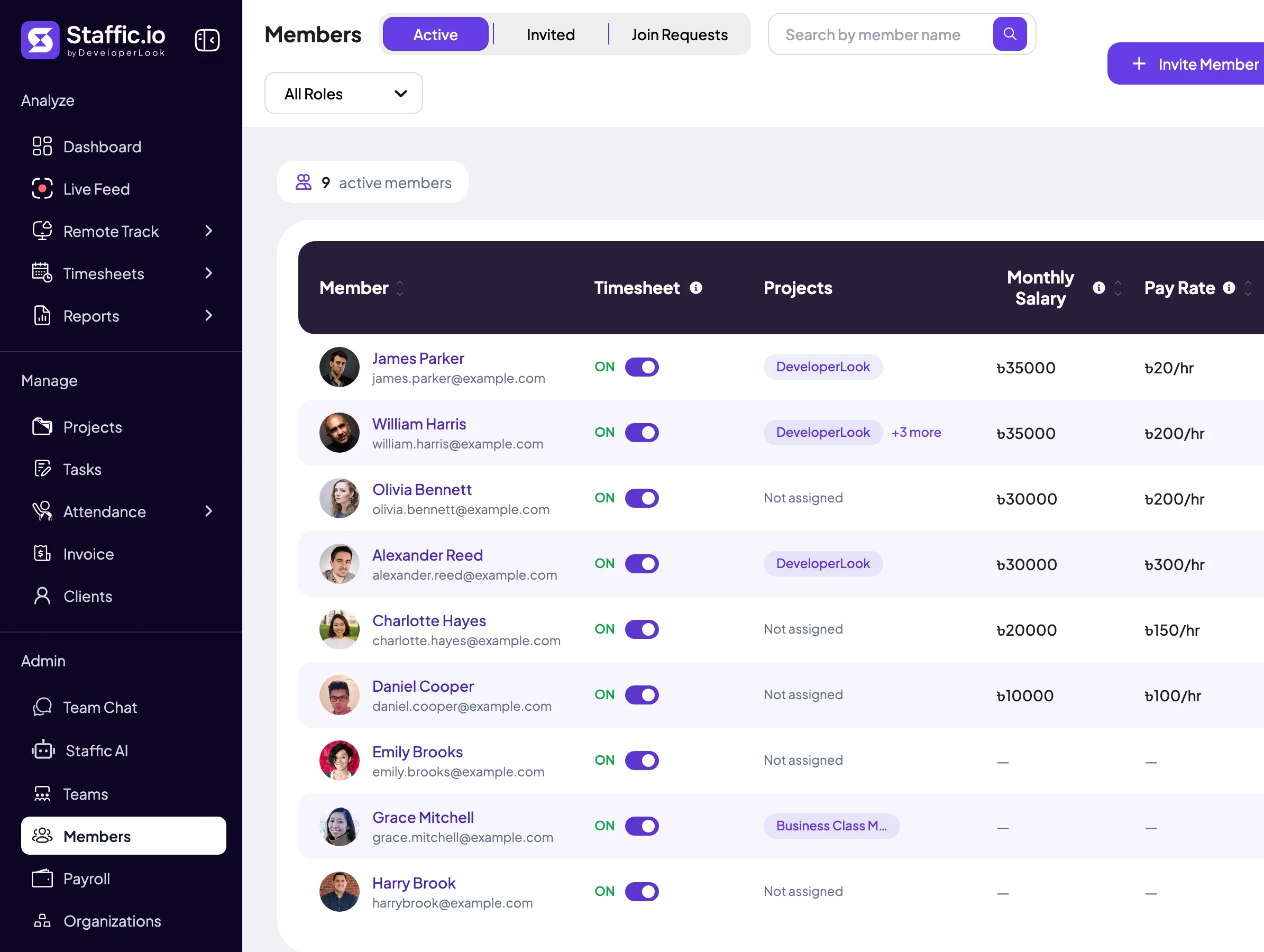
On Elite, give each contractor an hourly pay rate and Payroll multiplies it by their approved hours, day by day, while salaried staff sit on the Monthly tab. Pay them your usual way, then mark the payment as paid.
Fixes: Contractor and staff pay in one sheet
Recommended plan
Screenshots start on Standard. Timesheet approval and Payroll need Elite, so the picker starts there. Set the number of people you track to see the price.
Your team needs
Billing
Elite
$5.80per user per month, billed yearly
$58.00 a month for 10 members, $696.00 a year.
Elite adds the payroll you picked.
Customer stories
Staffic.io brings transparency without micromanagement. Our team feels trusted, and productivity has never been higher. The balance between oversight and autonomy is perfect for building strong remote culture.
Staffic.io transformed how we track productivity. Our remote team is now more accountable and transparent than ever. The detailed reports and activity monitoring have been game-changing for us.
FAQ
What companies ask before they pay contractors from tracked hours.
Explore the live demoInvite them to your Staffic organization and add them to the projects they work on. They track time with the desktop app, and their hours land in the same daily, weekly and bi-weekly timesheets as everyone else’s, on every plan.
Check the work behind the hours, then approve them. Contractors don’t submit timesheets: the desktop app builds them as they work, with activity levels, apps and URLs and, from Standard, screenshots. On Elite, timesheet approval holds each day’s hours until an approver accepts them or rejects part of the day.
Yes. Contractors install the Staffic desktop app on their own Windows, macOS or Linux computer and sign in to your organization. The app records only while their timer runs, so time outside your work stays off the record.
Put contractors in their own team and on their own projects; teams are on Standard and Elite. In Payroll on Elite, give contractors an hourly pay rate and staff a monthly salary, and they’re paid from the Hourly and Monthly tabs.
Yes, on Elite. Payroll multiplies each contractor’s tracked hours by their pay rate, and with timesheet approval on it counts approved hours only. Staffic doesn’t send money: you pay as usual, mark the payment as paid, and the contractor gets an email statement.
Yes, on Standard and Elite. Screenshots are taken only while the contractor’s timer runs, 2 per 10 minutes unless Elite sets 1 or 3, and they’re kept for 365 days. Admins, and anyone you give Remote Track access in Access Control, can view them.
Generally yes, when the contractor knows what Staffic records and agrees to it in your contract: U.S. federal wiretap law permits interception with a party’s prior consent (18 U.S.C. 2511). The IRS also weighs whether you control how a contractor does the job when deciding if they’re an employee (irs.gov; both read October 12, 2026). This is general information, not legal advice: rules differ by state and country, and our employee monitoring laws guide covers the U.S., EU and UK.
Free for up to 3 members
Invite a contractor, have them install the desktop app and see their hours in today’s timesheet. Free for up to 3 members.




