


Small tasks that never get billed
Emails, calls and quick fixes add up, but they are easy to forget when you fill in hours later.
See step 1: Time each client separately
Features
All 30 featuresSee the work while it happens.
01 / 30
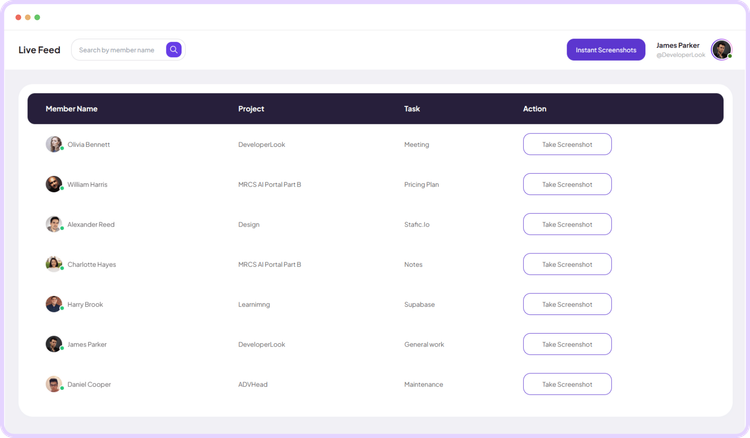
Live Feed
Live Feed streams task-level updates as work happens, so you can check activity in real time without interrupting anyone.
View Live FeedFreelance time tracking
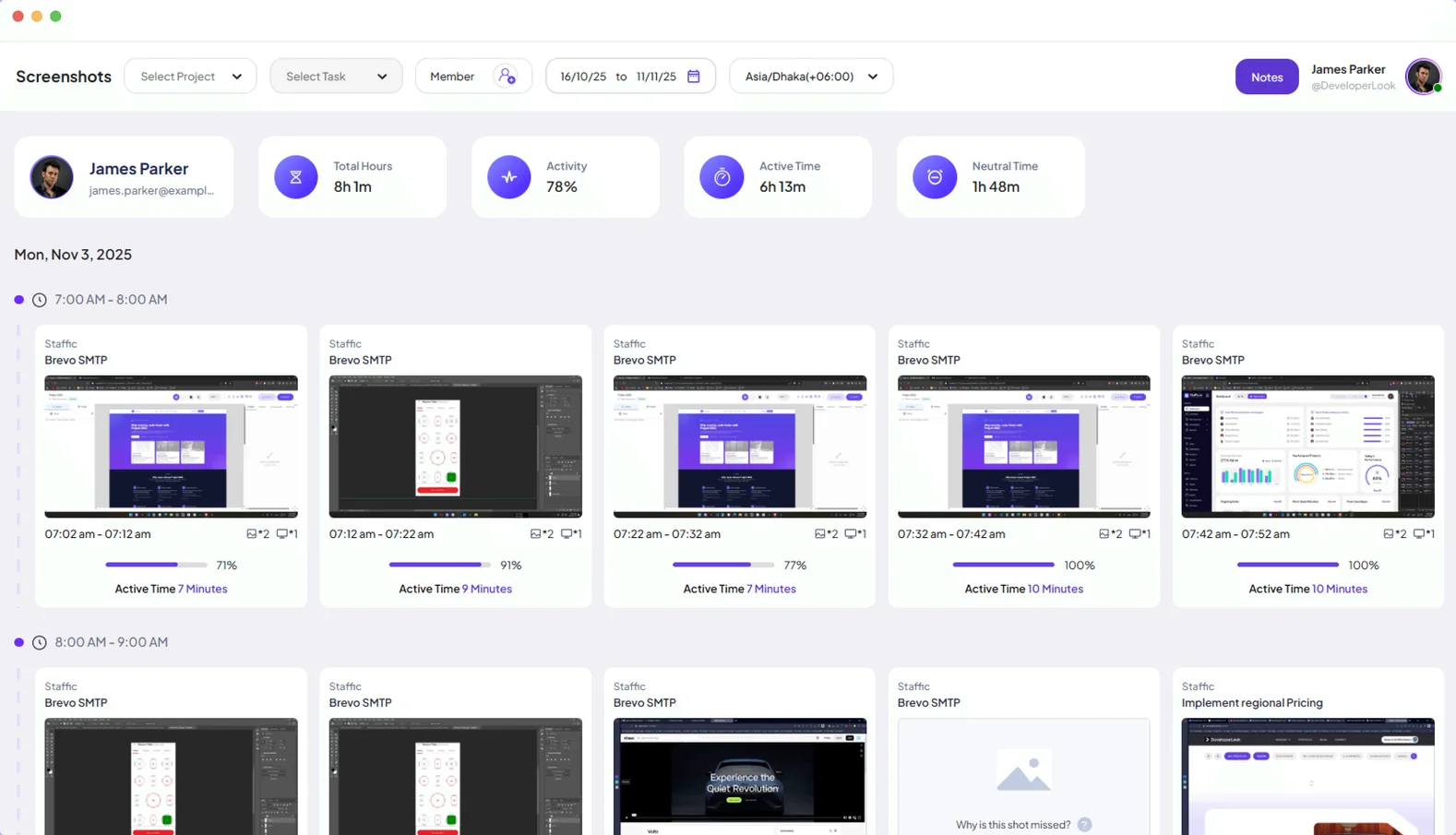
Staffic times your work on each client’s project from your desktop, keeps a note with every entry and can add screenshots and activity as proof of work. Free for up to 3 members, so working solo costs nothing.
Freelancer challenges
Four ways paid work slips through when hours are tracked by hand.
Emails, calls and quick fixes add up, but they are easy to forget when you fill in hours later.
See step 1: Time each client separatelyAn hourly invoice is easier to accept when each block of time shows what you did.
See step 2: Show what the time was forSwitching between clients makes it hard to keep their hours apart.
See step 1: Time each client separatelyAdding up a month of hours and building the invoice by hand takes an evening.
See step 4: Invoice from your hoursHow Staffic helps
Four steps from the timer to the invoice.
Step 1 of 4
Create a project for each client and start the timer on the right one. The desktop app tracks until you stop it, even offline, and syncs when you reconnect.
Fixes: Small tasks that never get billed, Several clients in one day
Step 2 of 4
Add a work note to each entry. If a client wants to see the work, turn on screenshots, 1, 2 or 3 per 10 minutes, and activity levels.
Fixes: Clients who ask what they paid for
Step 3 of 4
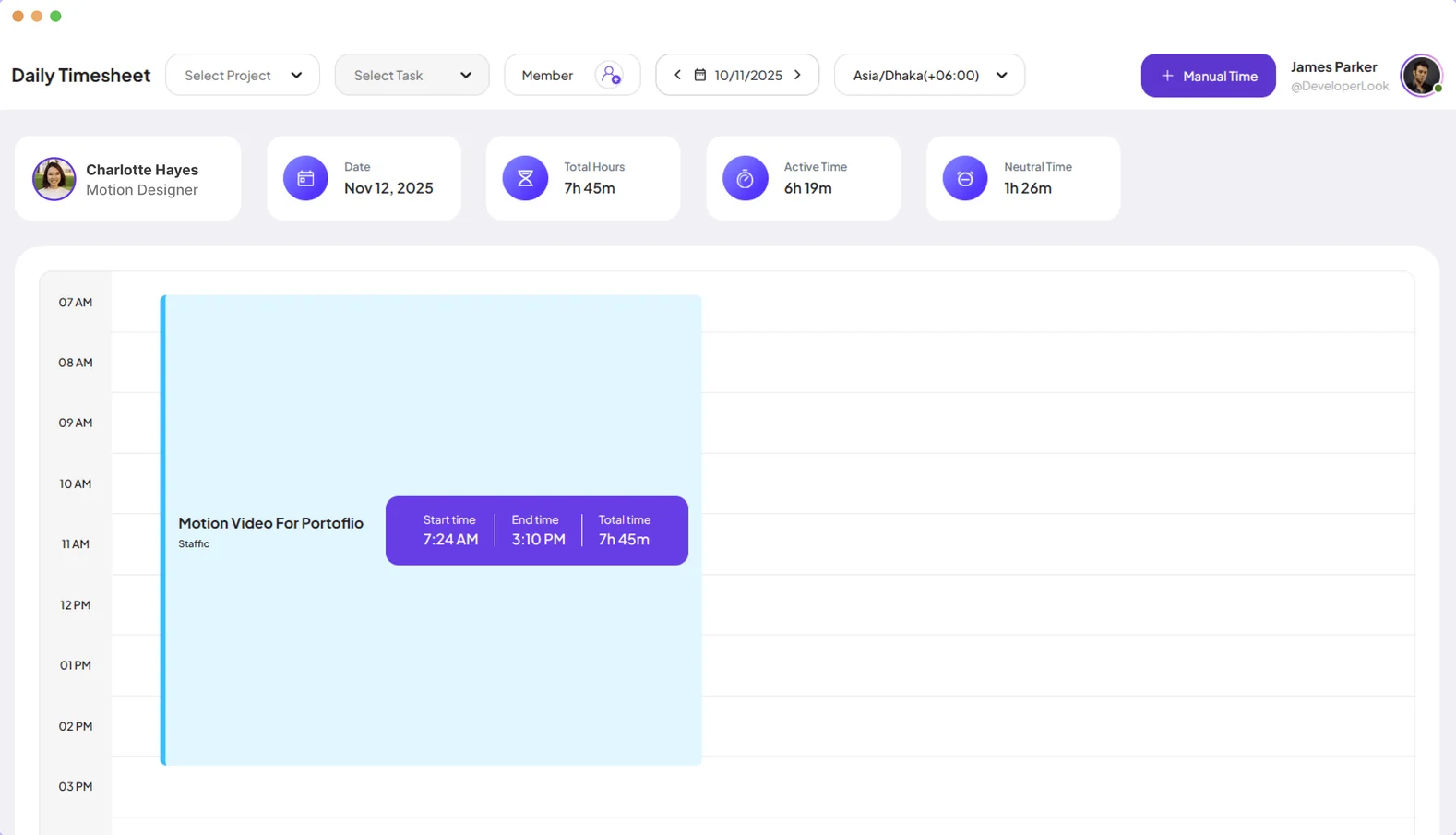
Weekly and monthly timesheets show your hours per day and project, so you can check them before you bill.
Recommended plan
Working alone or with up to 2 others? Free covers you. Turn on client invoices to see Elite.
Your team needs
Billing
Free
$0for up to 3 members
$0 a month, with no time limit.
Up to 3 members fit the Free plan, with every core feature and no time limit.
Customer stories
Staffic.io transformed how we track productivity. Our remote team is now more accountable and transparent than ever. The detailed reports and activity monitoring have been game-changing for us.
Staffic.io brings transparency without micromanagement. Our team feels trusted, and productivity has never been higher. The balance between oversight and autonomy is perfect for building strong remote culture.
Staffic.io's live feed lets me check in without interrupting my team. Remote management finally feels natural. I can see progress in real-time without constant meetings or status updates that drain productivity.
FAQ
Straight answers for people who bill by the hour.
Explore the live demoInstall the Staffic desktop app, create a project for each client and start the timer on the right project and task. Staffic records your time until you stop it, and you can add a note to each entry.
Yes. The Free plan covers up to 3 members with no time limit, including screenshots, timesheets and Staffic AI. Client invoicing is on Elite, at $5.80 per user per month billed yearly.
Yes. Turn on screenshots, 1, 2 or 3 per 10 minutes, and activity levels, and add a work note to each time entry. Screenshots are only taken while your timer runs.
Yes. Create a project for each client, with tasks inside, and switch the timer between them. Your timesheets then show hours per project.
Yes, on Elite. Add your clients, assign their projects and create invoices for hours worked or a fixed fee, with tax and discounts.
Yes. The desktop timer keeps running without a connection and syncs your time when you reconnect.
Free for up to 3 members
Install the desktop app, start the timer and see your first timesheet today.




