Remote teams
One place for a distributed team
Members, teams and attendance live in one organization, so you don't keep a separate sheet of who works where and when they started.

Features
All 33 featuresSee the work while it happens.
 DashboardYour team's week at a glance, Monday to Sunday
 Live FeedEliteSee who's tracking time right now, and on what
 ScreenshotsStandardVisual proof of work, captured automatically
 AppsWhich apps each tracked session used
 URLsThe websites behind the tracked time
 Screen RecordingsEliteFull session video, beyond a screenshot
01 / 33
Dashboard
The team dashboard: this week's hours, today's performance, top members, ongoing tasks, top projects and the most used apps and websites.
View DashboardWorkforce Management
Staffic is workforce management software for teams that work on computers, in an office or at home. You keep members, teams and access in one organization, and the time they track in the desktop app feeds attendance, performance and payroll. It's free for up to 3 members.
In short
Staffic Workforce Management is a workforce management platform for remote and hybrid teams that work on computers. You run members, teams and access from one organization, and the time members track in the desktop app feeds the rest. Standard adds teams, Clock In/Out and the Performance report; Elite adds leave requests, payroll and Staffic AI. It's free for up to 3 members.
How it works
Staffic works as software for workforce management in four steps, whether your team sits in one office, at home or across time zones.
Workforce management software
Members, teams, attendance, leave, performance and payroll share one record of who works for you and the hours they track.
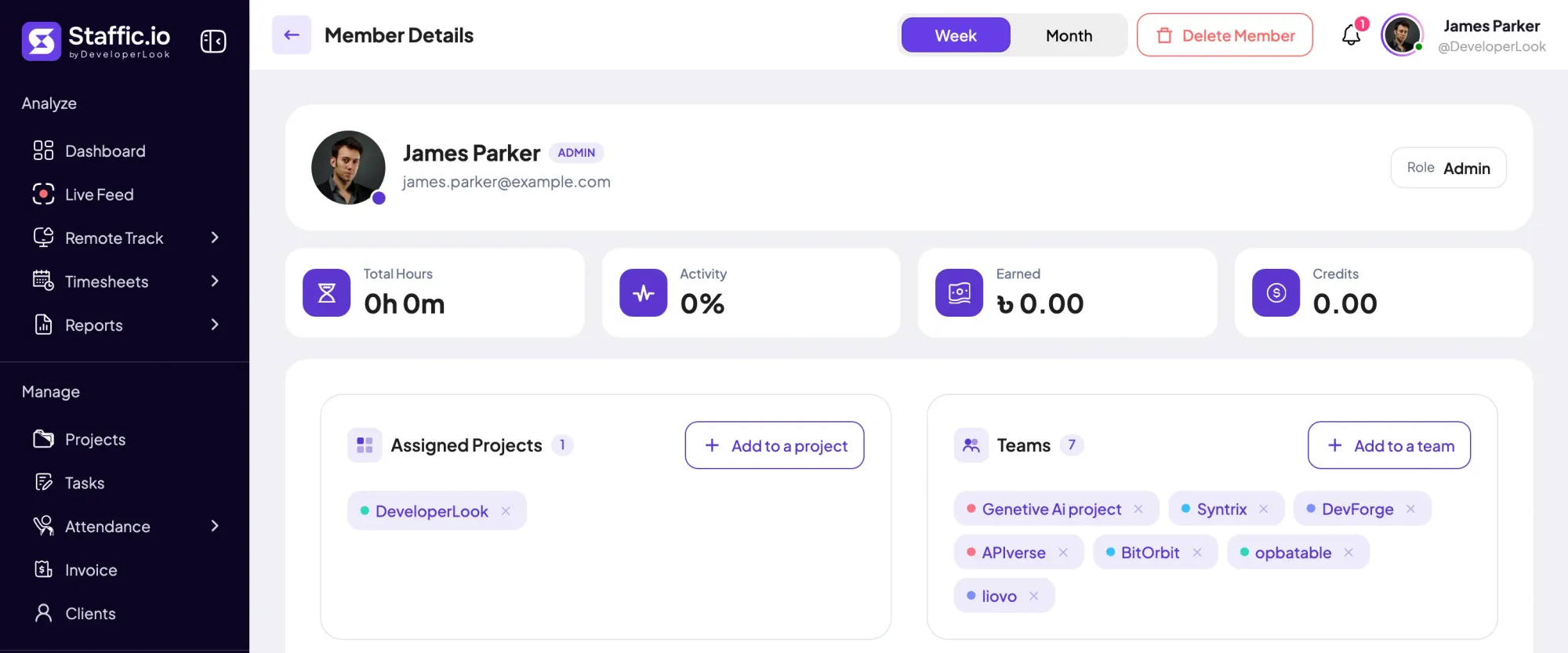
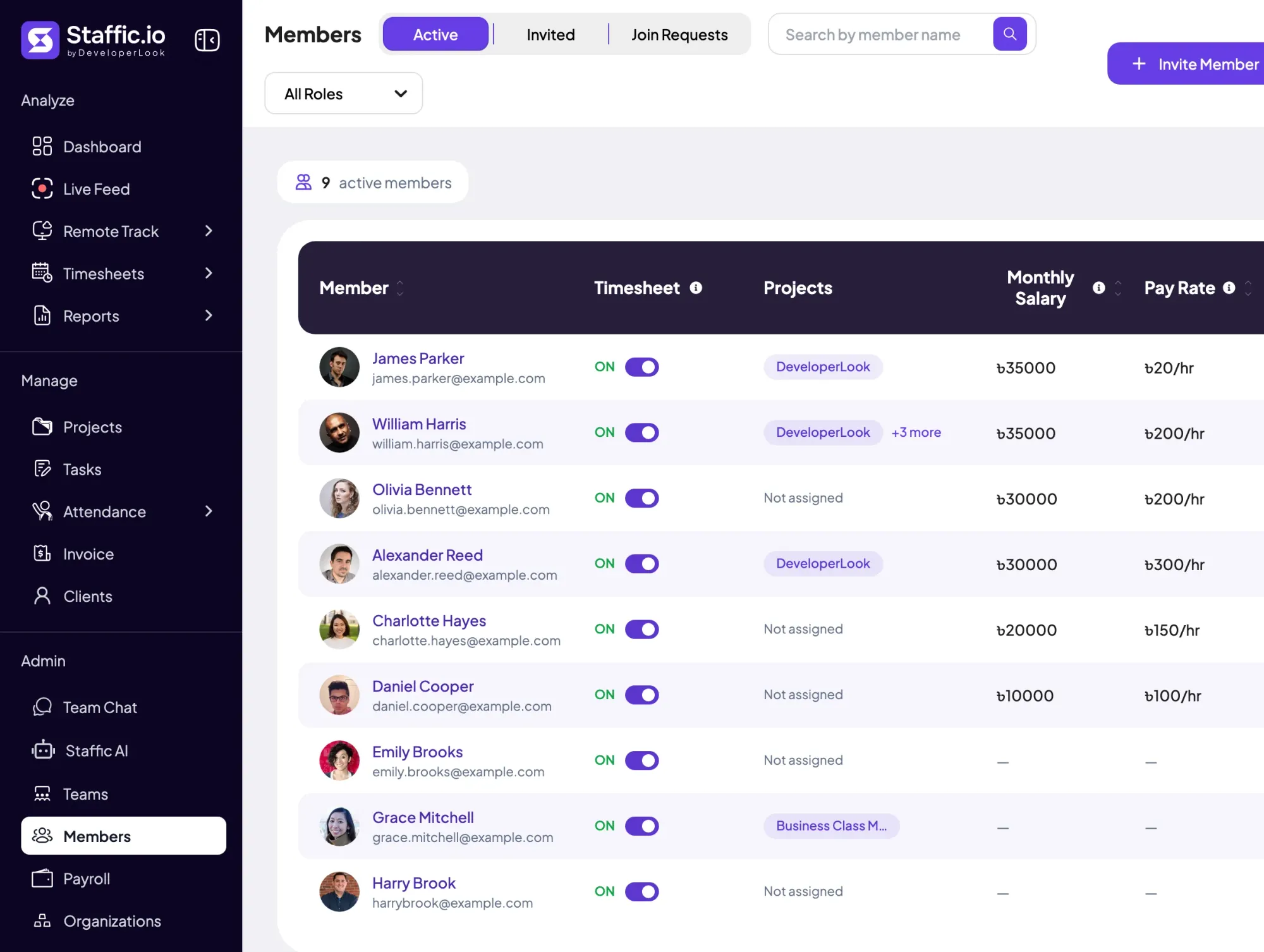
Each member belongs to your organization with a role, projects, teams and pay details. The hours they track in the desktop app flow into attendance, performance and payroll, so every page shows the same numbers.
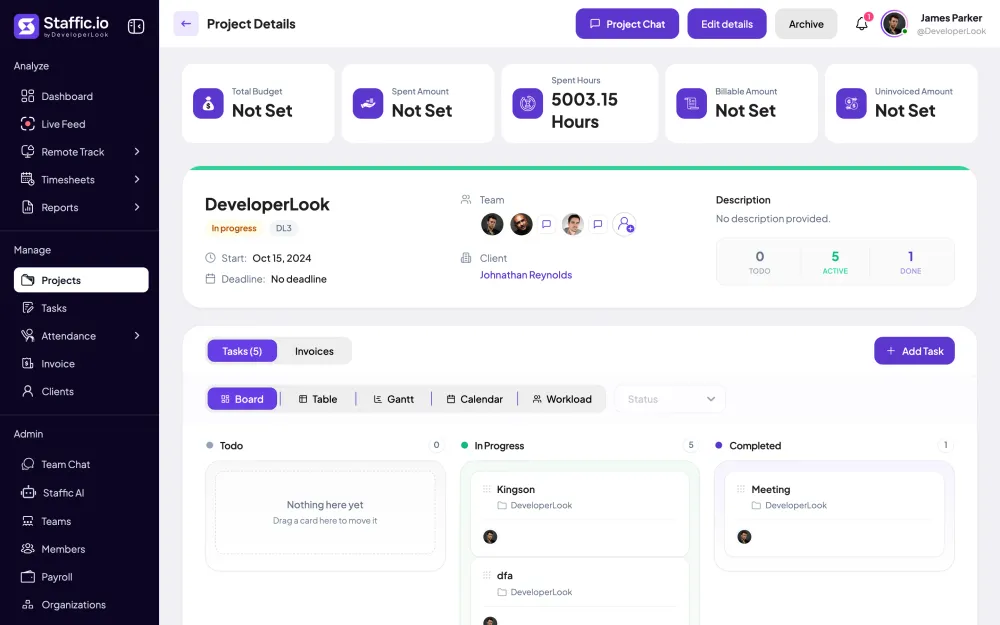
Invite members by email, one at a time or in bulk, and assign their projects and tasks as you invite them. Admins manage the organization, and Access Control decides which modules every other role can open.
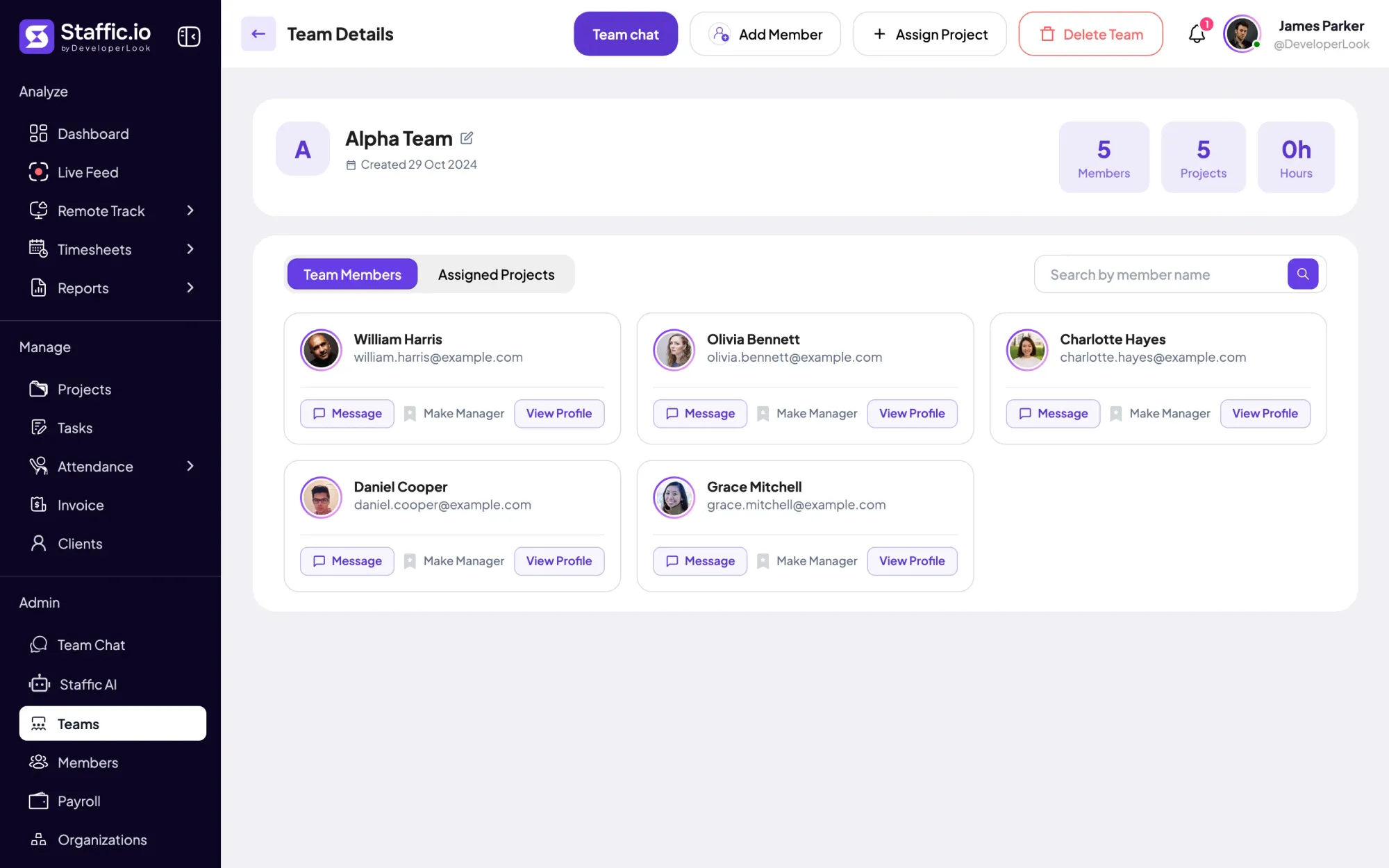
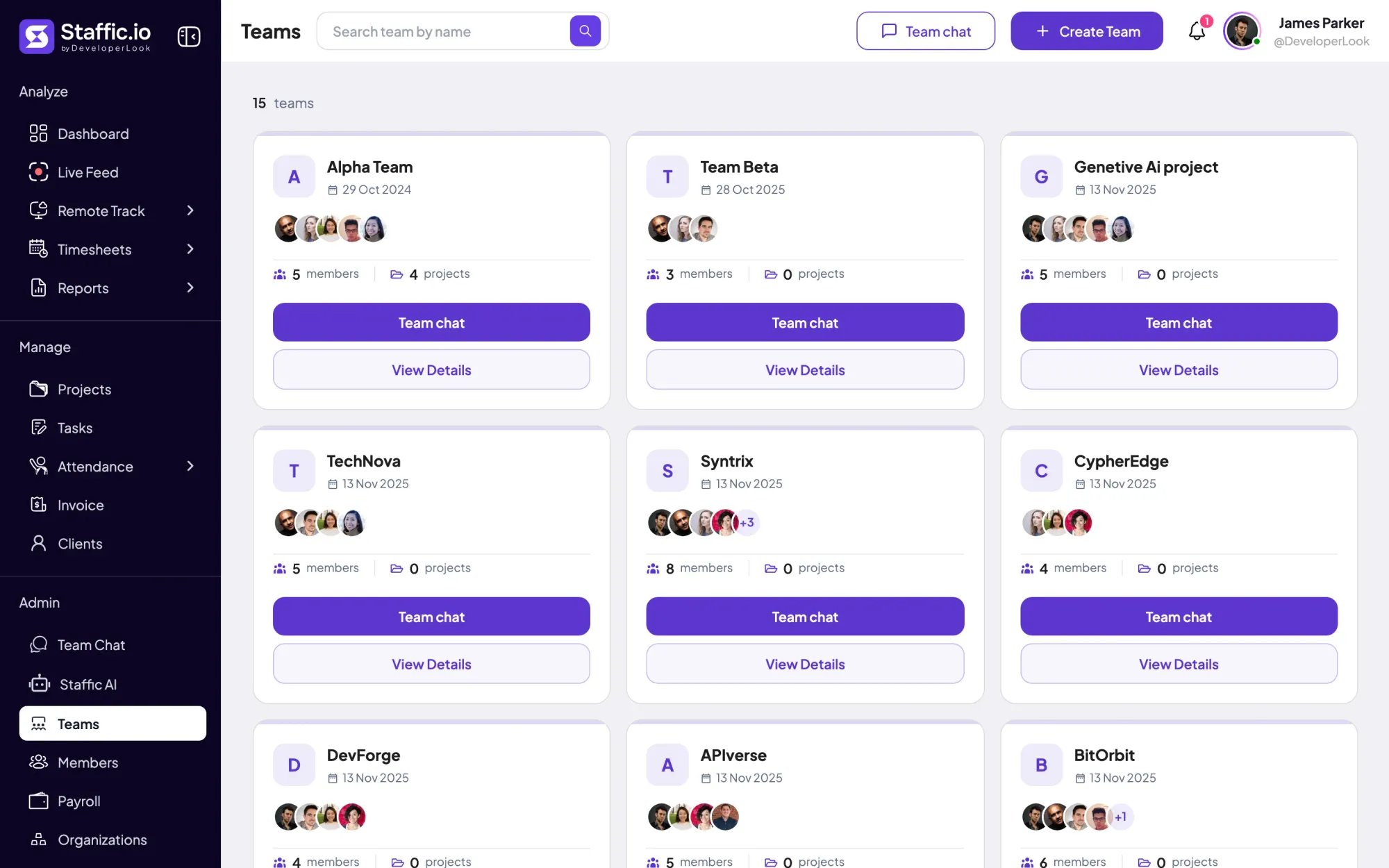
Group members into teams, such as support or design, and assign each team its projects. Each team shows its members, projects and hours, and on Elite you make one of its members the team manager.
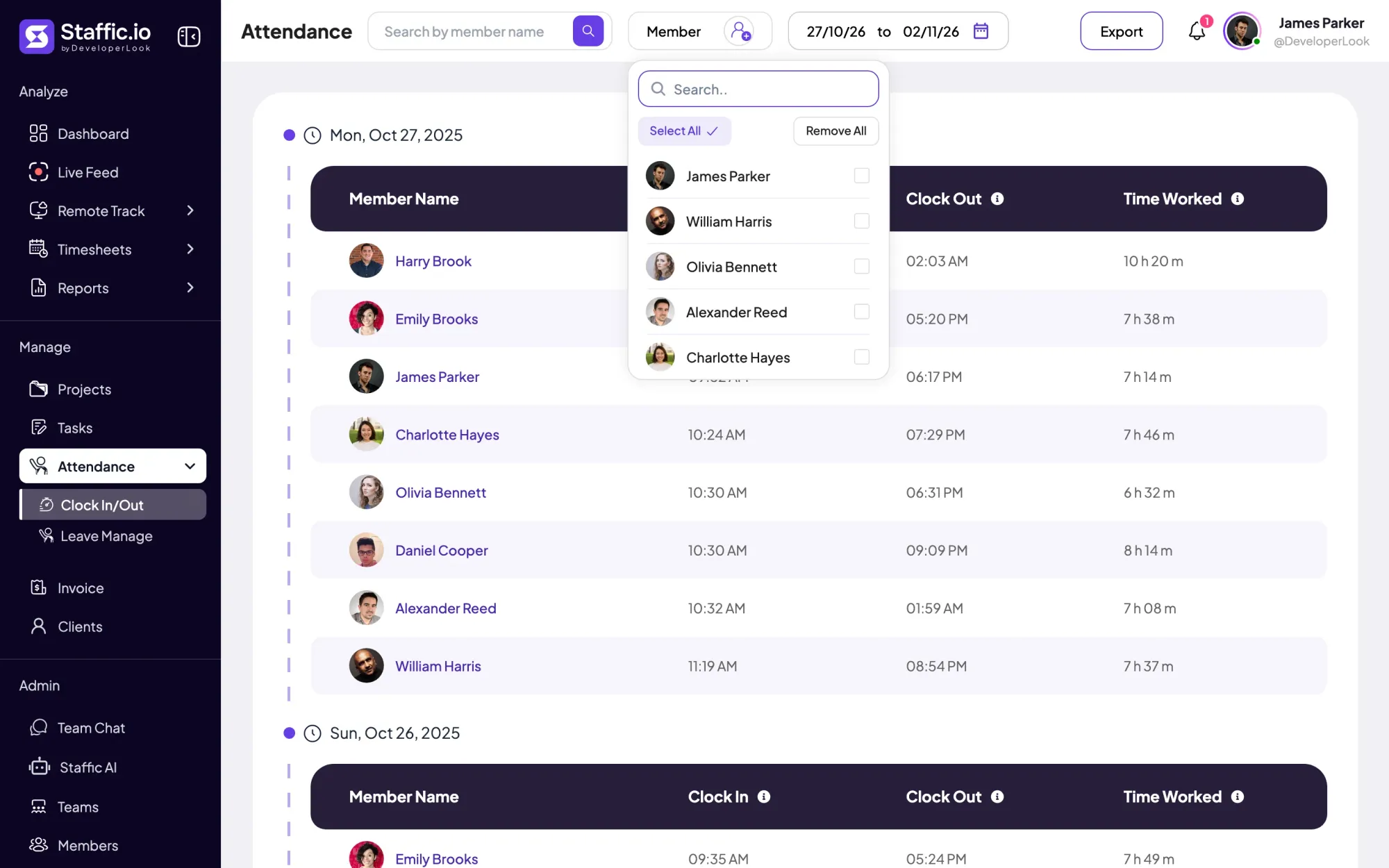
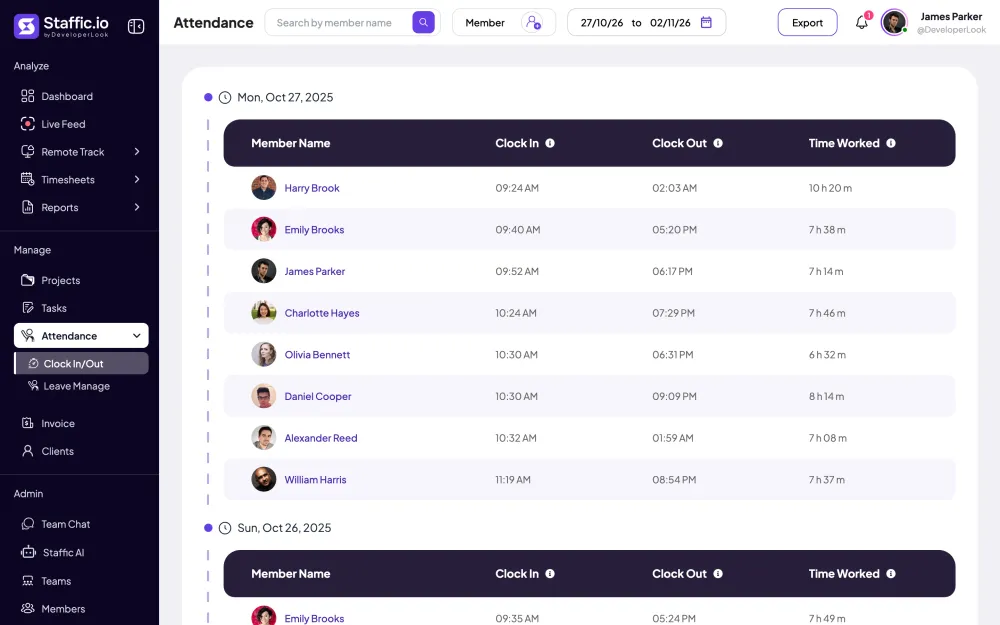
Clock In/Out takes each member's first tracked time of the day as their clock-in and the last as their clock-out, with the time worked in between. Filter by member and date range, then export the list to PDF or Excel.
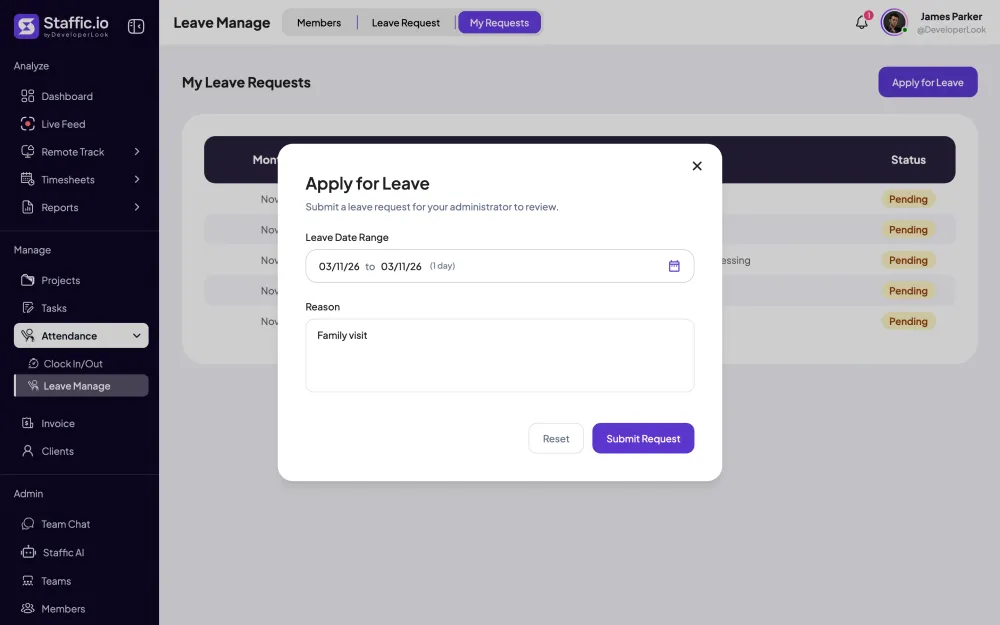
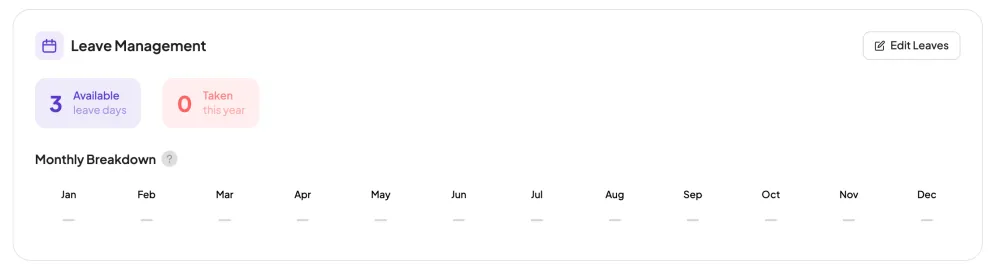
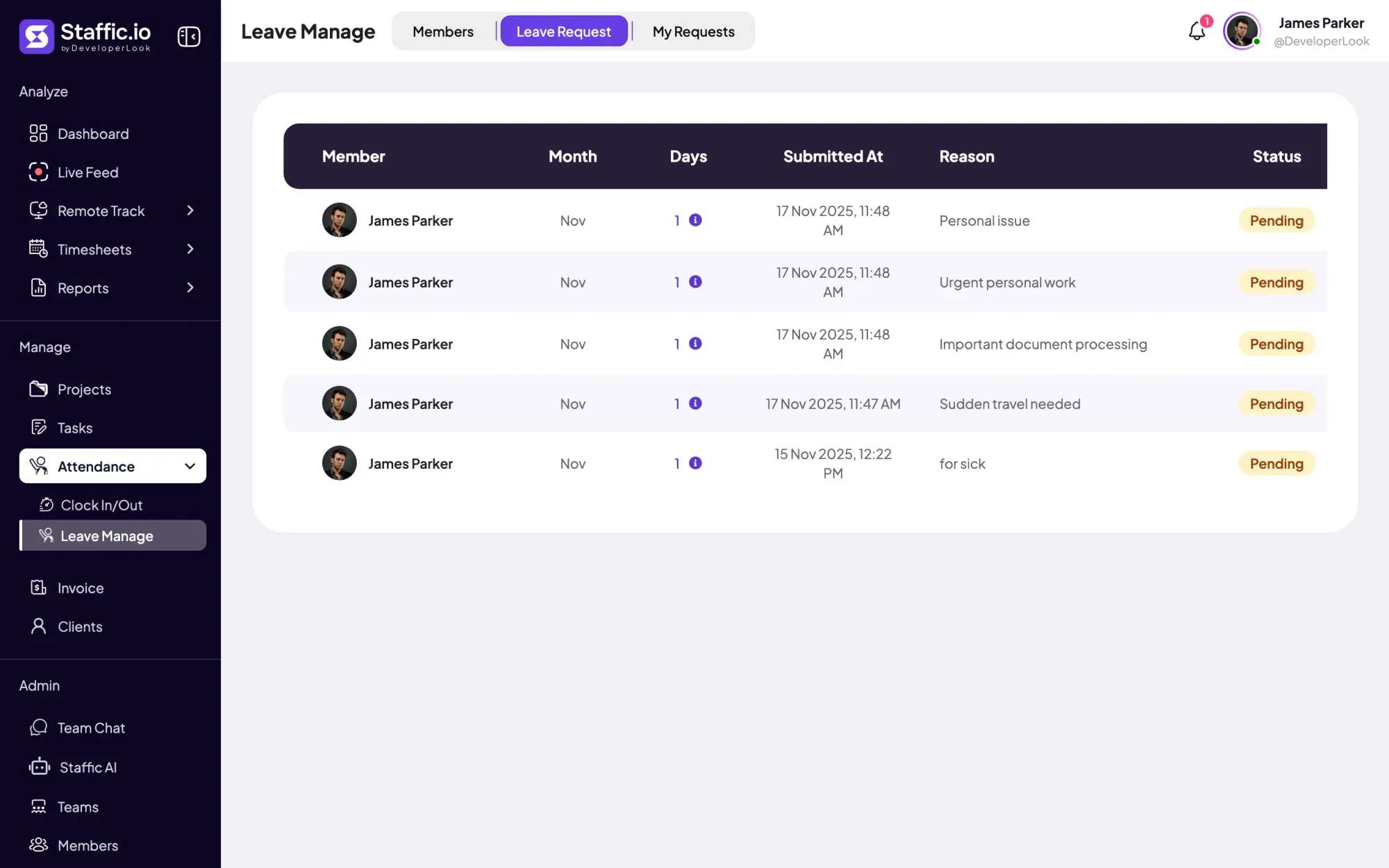
Members apply for leave with a date range and a reason, and admins approve or reject each request on the Leave Management page. Each member's details also show the leave days available and taken this year.
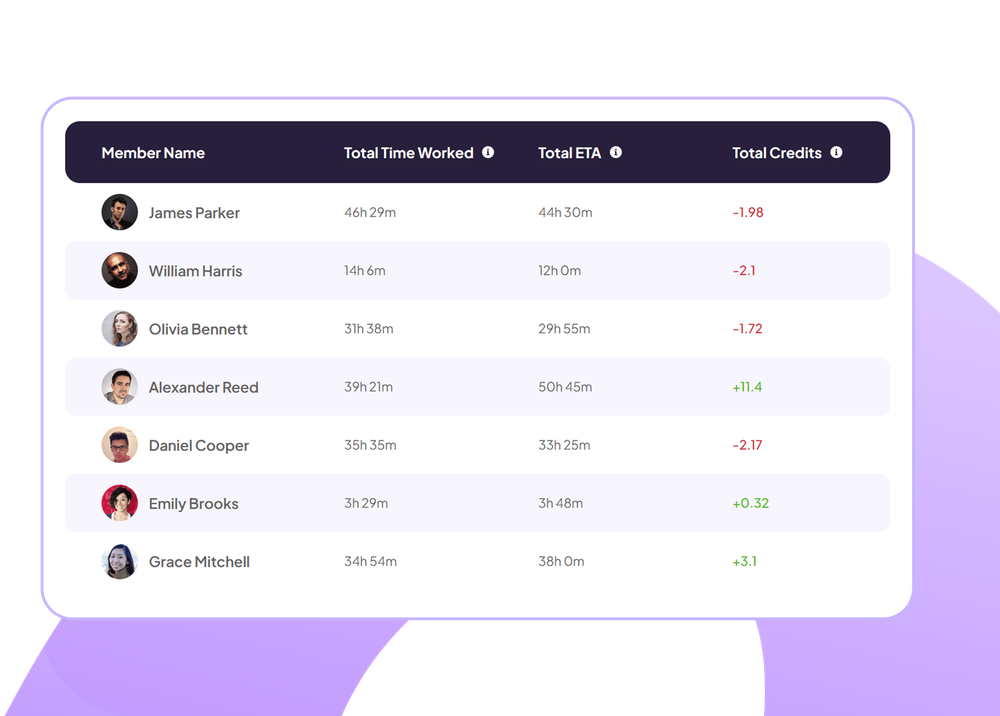
The Performance report puts each member's time worked next to the total estimate (ETA) of their tasks. Credits show the difference in hours, so you see whose work came in under or over the estimate.
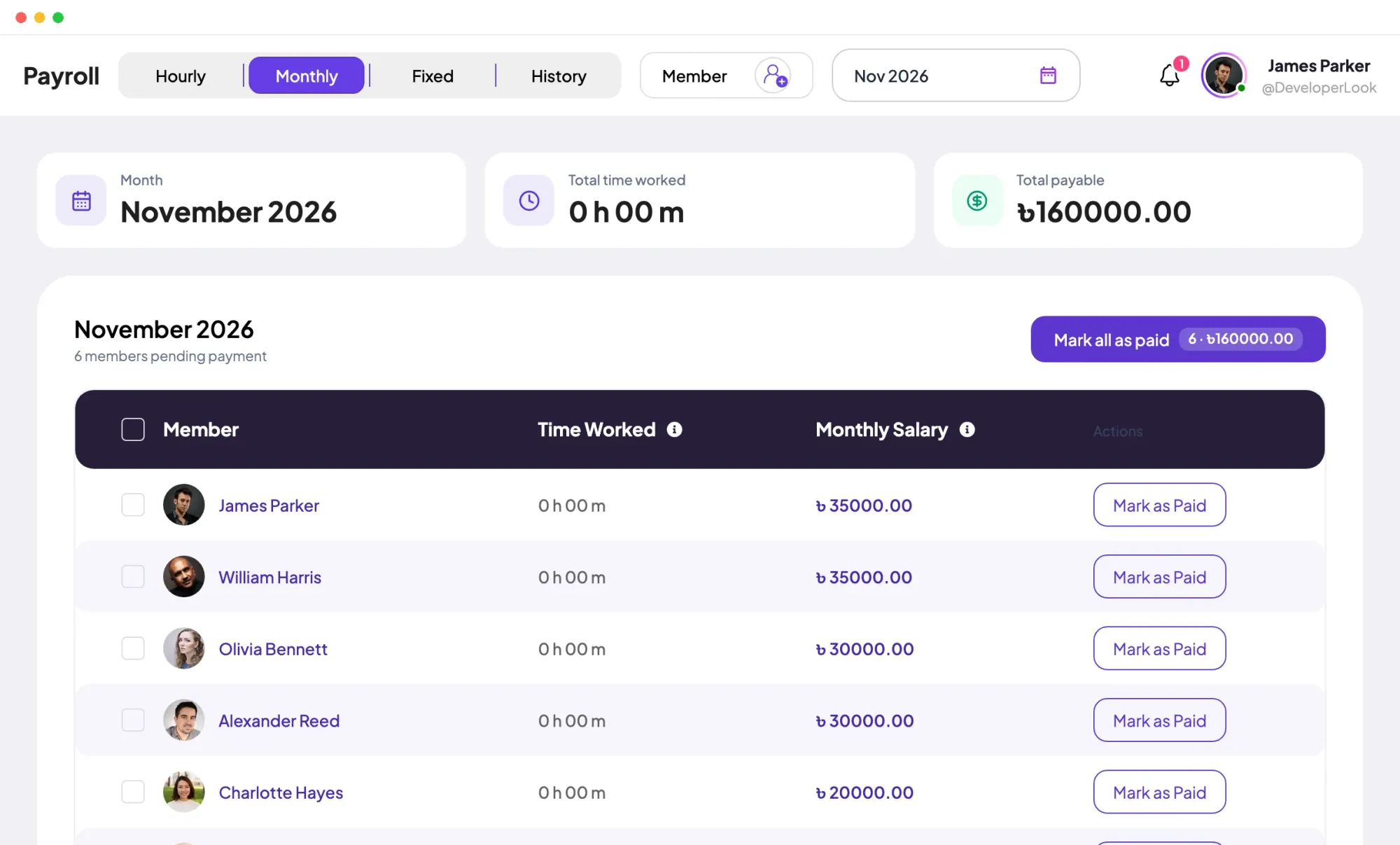
Payroll works out hourly pay from time worked and each member's pay rate, lists monthly salaries, and adds one-time fixed payments. You mark each payment as paid, and the History tab keeps the record.
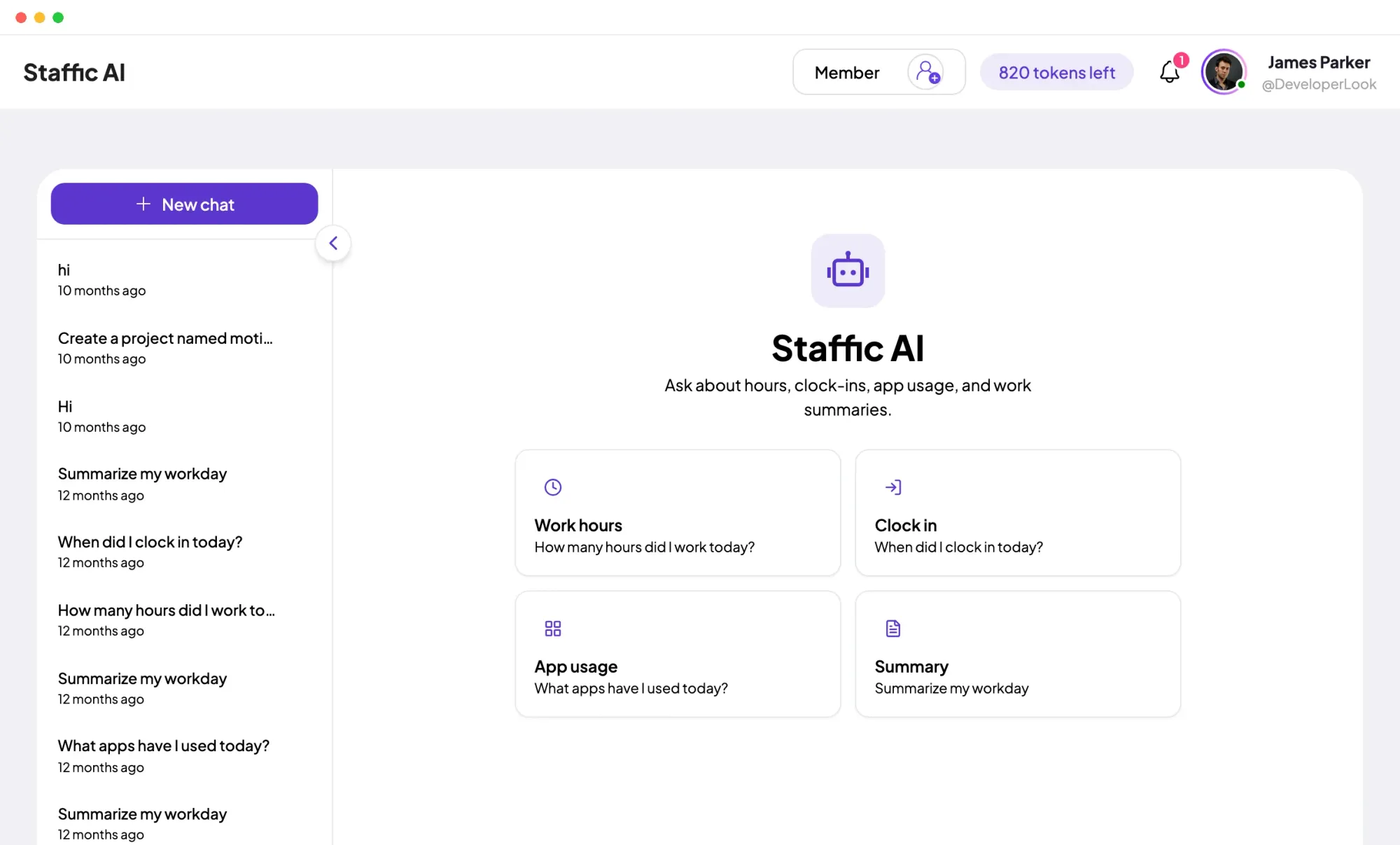
Staffic AI answers questions about work hours, clock-ins, app usage and tasks in plain language, and it can create tasks, projects and teams when you ask. Each question uses AI tokens, and the page shows how many are left.
Showing Everything about your people in one organization.
Control and privacy
Admins manage the organization. Everyone else sees what their role allows, and members see their own hours.
Set it up
Five steps from sign-up to a team you can manage.
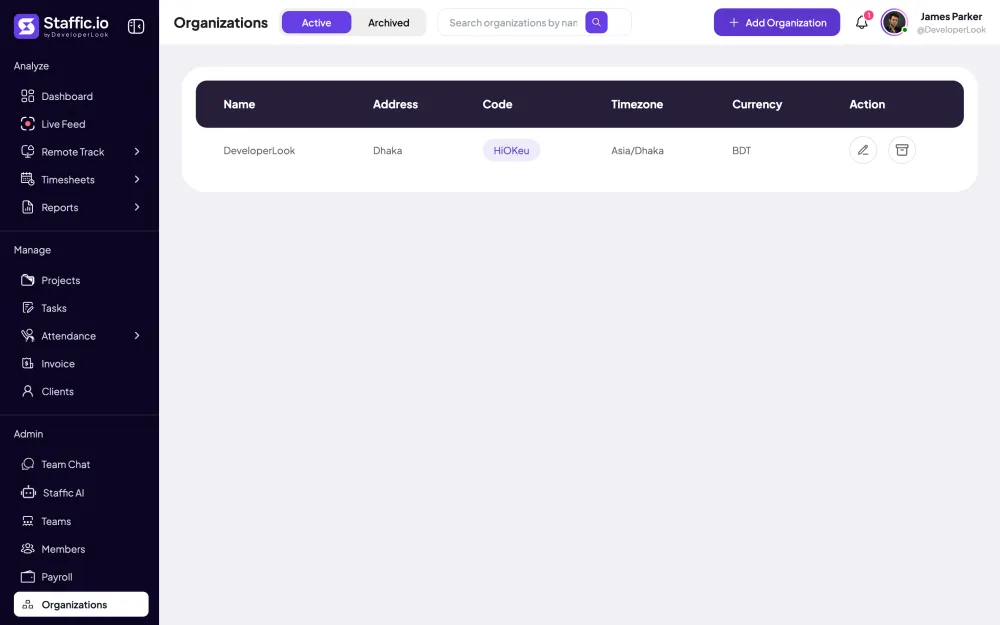
Sign up, name your organization and choose its time zone and currency.
Start freeAdmin › OrganizationsSend email invites one by one or in bulk, and assign each member's projects and tasks.
Admin › MembersChoose the modules each role can use, then assign a role on each member's details.
Settings › Access ControlCreate a team and add its members and projects. Teams are on Standard and Elite.
Admin › TeamsEach member installs Staffic on Windows, macOS or Linux and starts the timer on a project and task.
Download Staffic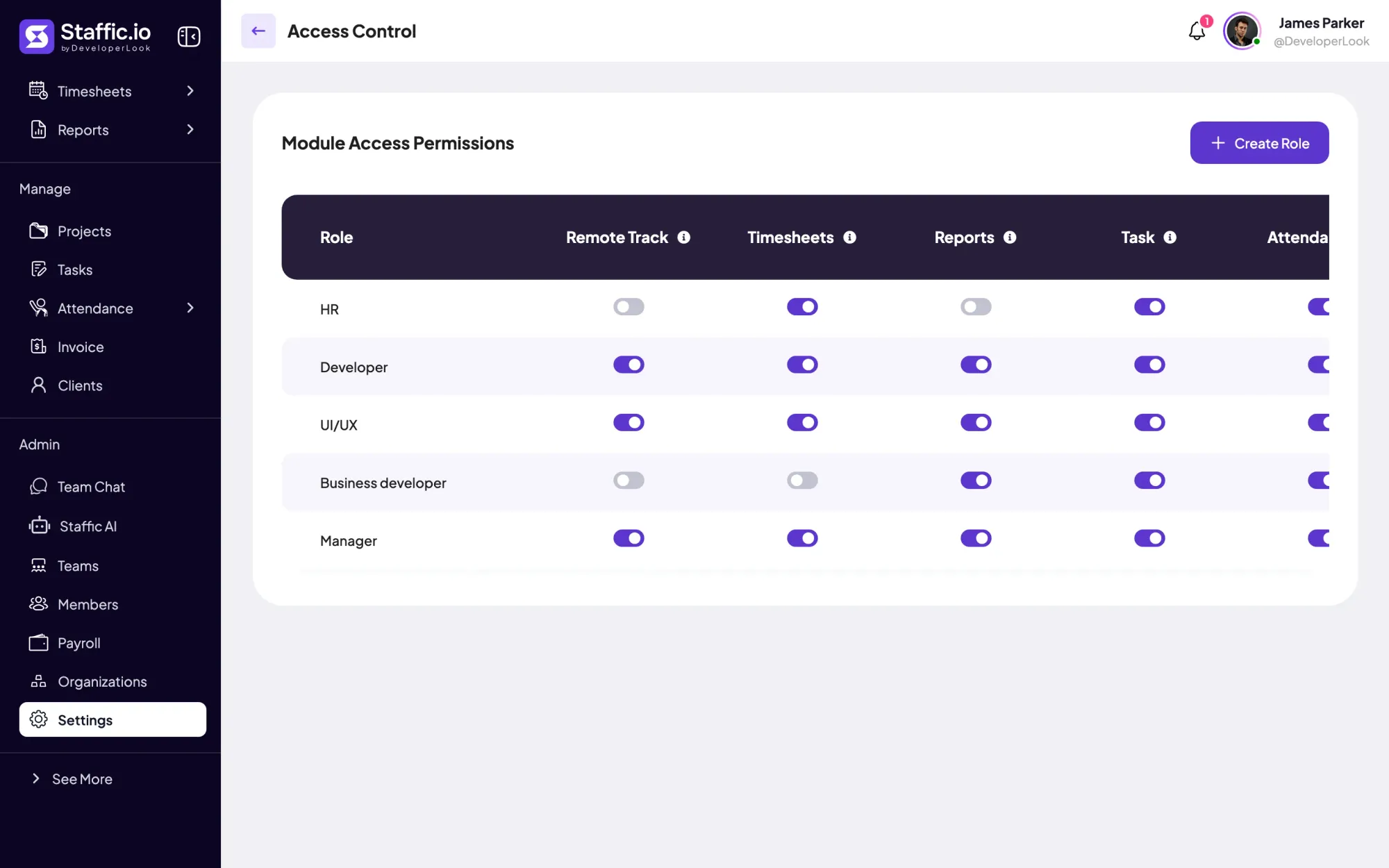
Compare
How Staffic's workforce management features line up with Time Doctor's plans, using facts from Time Doctor's own pricing page. Time Doctor puts more on its Standard plan; Staffic has a Free plan for small teams.
Swipe the table to compare
| Compare | Staffic | Time Doctor |
|---|---|---|
| Free option | Free plan for up to 3 members | 14-day trial |
| Lowest paid plan | $1.00 during the current offer (list price $5.50) | $6.67 per user (Basic) |
| Teams | Standard and Elite | Groups and teams on Basic and up |
| Attendance | Clock In/Out on Standard and Elite | Attendance on Standard and up |
| Leave | Requests and approval on Elite, balances on Standard | Leave tracking on Standard and up |
| Timesheet approval | Elite | Time approvals on Standard and up |
| Payroll | Elite | Standard and up, from $11.67 per user |
| AI | Staffic AI assistant on Elite | Benchmarks AI on Premium |
| MCP server for your AI tools | Every plan | Not listed |
Time Doctor prices are per user per month, billed yearly, in US dollars. Source: timedoctor.com/pricing, prices checked October 7, 2026 and plan features checked October 12, 2026. Staffic's price comes from the plans API, and its plans follow what the app enforces today.
Specs and terms
The facts behind the feature, and what each number on the Workforce Management page means.
Who it’s for
Remote teams, agencies and operations leads run people, time and pay from the same organization.
Members, teams and attendance live in one organization, so you don't keep a separate sheet of who works where and when they started.
Set estimates on tasks, then read the Performance report to see whose work ran over before you quote the next project.
On Elite, leave requests, approvals and payroll sit next to the hours they depend on, and every payment stays in the history.
Customer stories
Stop juggling tools. Staffic gives your team time tracking, projects, payroll and performance analytics in one platform.
Try Staffic for free“Staffic.io brings transparency without micromanagement. Our team feels trusted, and productivity has never been higher.”
Pricing
Workforce Management is included on every plan, Free included. You pay per active user only when your team grows past 3 members.
Compare every planPrices in USD per active user. Billed monthly, Standard is $7.50 and Elite is $9.80 per user.
Workforce management software is one system for the people who work for you and the hours they work. Workforce management means keeping track of who is on the team, when they work, their leave and their pay. Staffic covers members, teams, attendance, leave, performance and payroll, all built on time your team tracks in the desktop app.
It starts from a record of your people and adds the hours they work. In Staffic, you invite members to your organization, group them into teams, and each member tracks time in the desktop app. That time then feeds Clock In/Out and the Performance report on Standard, and timesheet approval and payroll on Elite.
They're the parts of a workforce system you use every week: a member directory, teams, attendance, leave requests, performance reports and payroll. In Staffic each one is a page in the same app, so the workforce management tools share one list of members and one record of hours instead of syncing between products.
Start from the work your team does, then check which plan covers it. If your people work on computers, a workforce management solution should include desktop time tracking that feeds attendance and payroll, roles that limit who sees what, and a free plan or trial. Also check which plan adds leave and payroll: in Staffic, it's Elite.
The best one covers the parts you run every week on a plan you'll pay for. Staffic suits remote and hybrid teams that work on computers, with a Free plan for up to 3 members and leave and payroll on Elite. Time Doctor's pricing page (checked October 12, 2026) puts attendance, leave tracking and payroll on its Standard plan, so compare both against your list.
They compare what the tool costs with the hours it saves and the hours it makes visible. Count the time you used to spend collecting timesheets, checking attendance and preparing payroll, then the tracked hours you can now bill or check against estimates. In Staffic, timesheets and the Performance report give you those numbers from your own team's data.
It keeps the records you may be asked to show: hours worked, clock-in and clock-out times, leave taken and approved timesheets. Staffic keeps these per member, and the Manual Time report lists each time edit with its reason. Staffic doesn't certify compliance, so check which records the rules for your team require.
It replaces collected timesheets with hours that are already tracked and approved. On Staffic's Elite plan, managers approve timesheets, Payroll works out hourly pay from time worked and each member's pay rate, and monthly salaries and fixed payments sit in the same place. Every payment you mark as paid stays in the history.
Every plan includes Workforce Management. Free covers up to 3 members. Standard is $5.50 per user per month billed yearly ($1.00 during the current offer, until September 12, 2027) or $7.50 billed monthly, and Elite is $5.80 per user per month billed yearly or $9.80 billed monthly.
Explore more

Members lists every person with their projects, pay and approval switch, and holds invitations, join requests and each member's page.

Teams groups members on Standard and Elite, gives each team its projects and a chat channel, and shows its hours for the last 30 days.
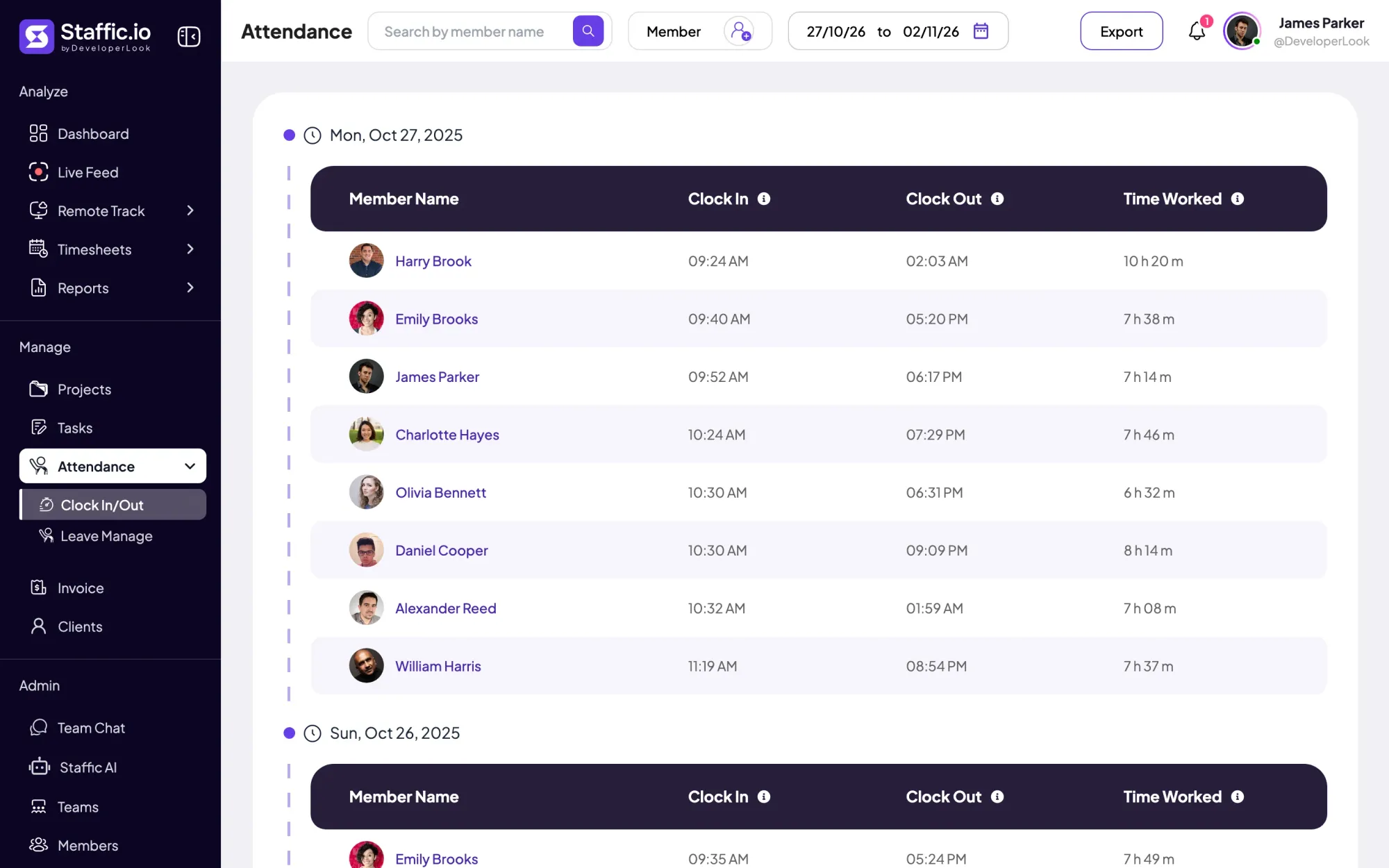

Clock In/Out records when each member starts and stops work from the desktop timer, with time worked per day and PDF or Excel export.
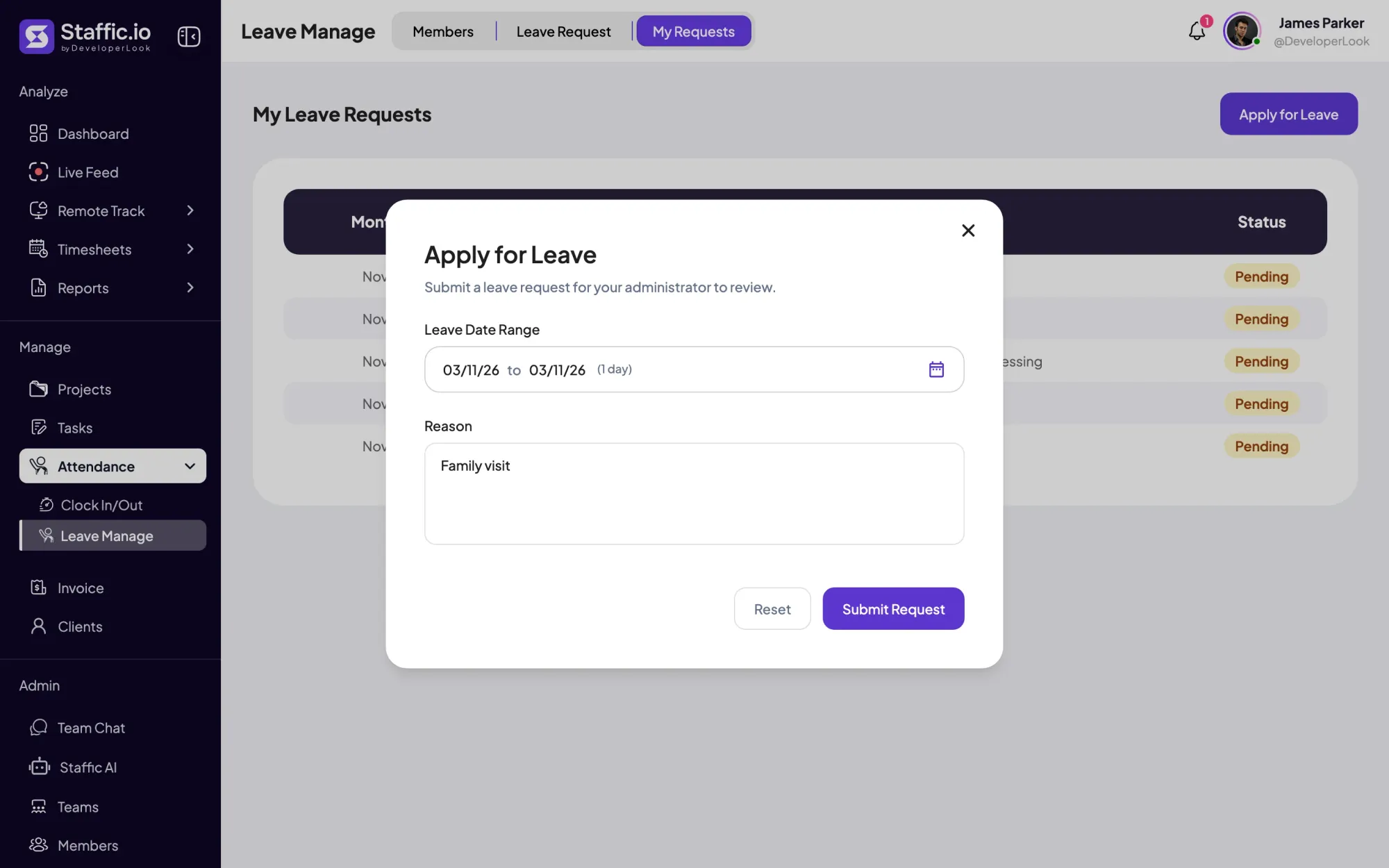

Members request time off with dates and a reason, admins approve or reject it, and each member's leave balance updates on its own.
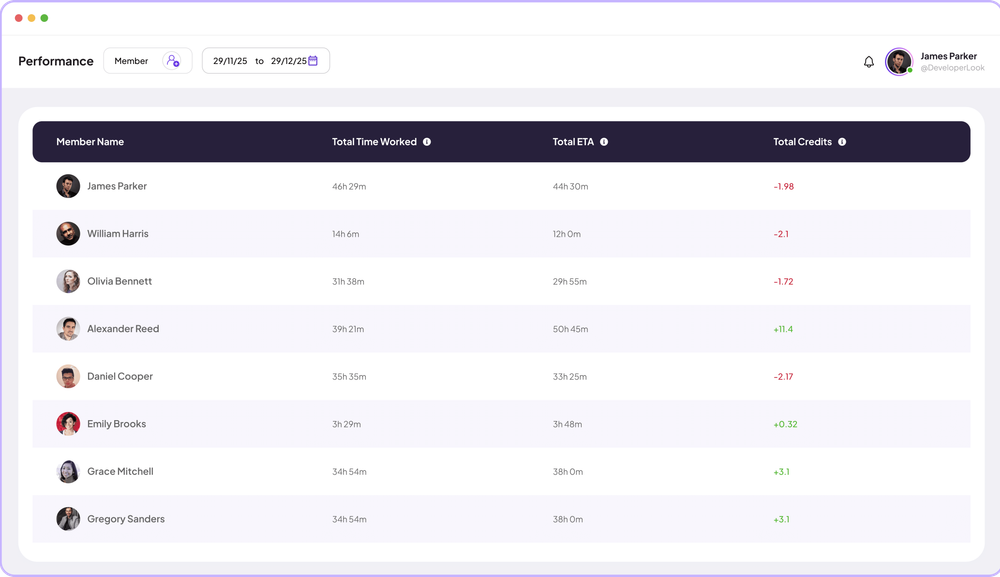

Performance compares each member's time worked with the estimates on their completed tasks, so you see who runs over and who has room.
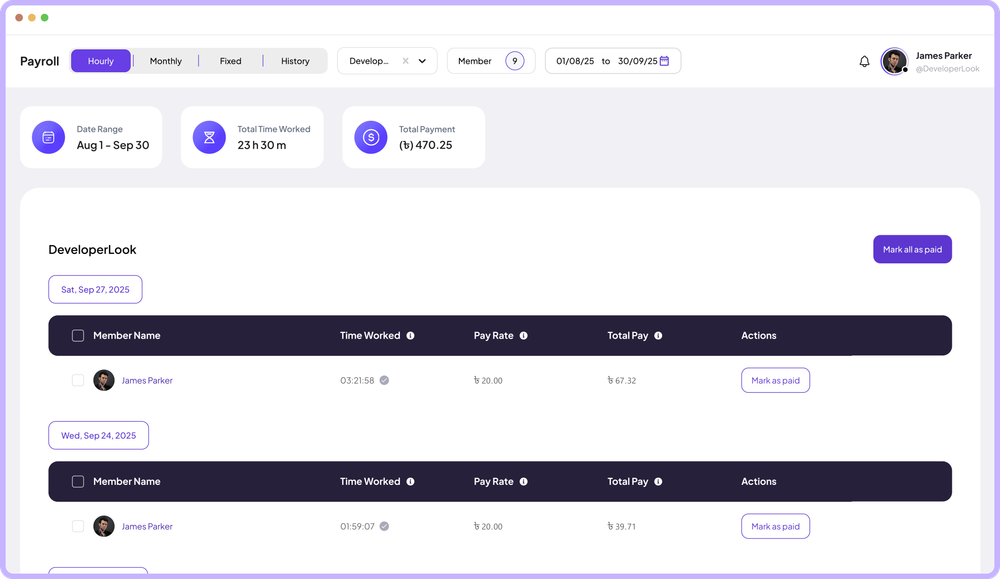

Payroll works out hourly pay from tracked time, lists monthly salaries, records one-time payments and keeps a payment history.
Free for up to 3 members
Create your workspace, invite your team, and the first timesheet builds itself.