Mixed pay teams
Hourly and salaried staff, one Payroll page
Pay hourly staff from the Hourly tab and salaried staff from Monthly, in your organization's currency, and keep both in one History.

Features
All 33 featuresSee the work while it happens.
 DashboardYour team's week at a glance, Monday to Sunday
 Live FeedEliteSee who's tracking time right now, and on what
 ScreenshotsStandardVisual proof of work, captured automatically
 AppsWhich apps each tracked session used
 URLsThe websites behind the tracked time
 Screen RecordingsEliteFull session video, beyond a screenshot
01 / 33
Dashboard
The team dashboard: this week's hours, today's performance, top members, ongoing tasks, top projects and the most used apps and websites.
View DashboardHourly Payroll
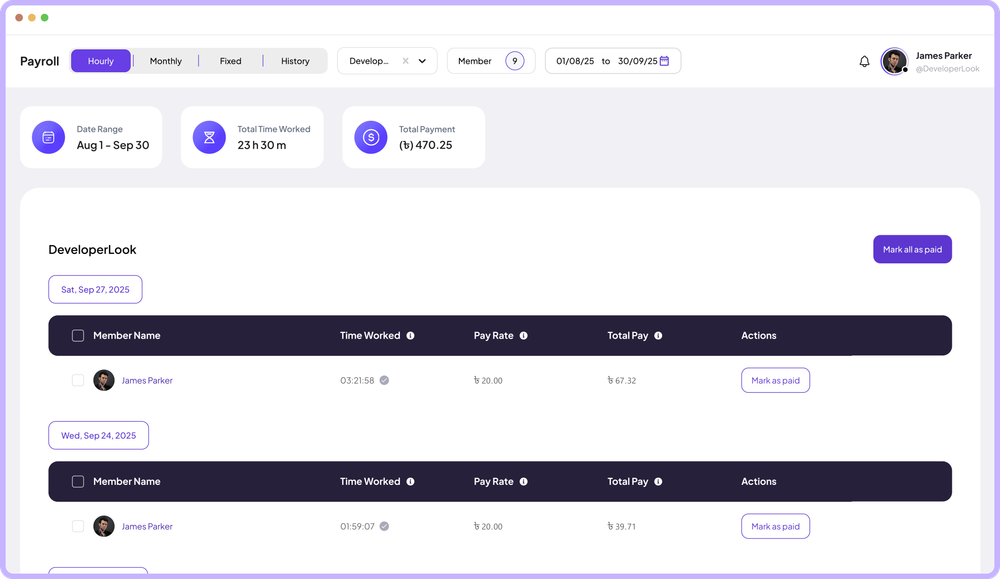
Staffic works out hourly pay for you: each day's tracked time times the member's pay rate, rounded to the cent. Salaried staff and one-time bonuses sit on the same Payroll page, so hourly and salaried members are paid from one place. It's for teams paying hourly employees and contractors on the Elite plan.
In short
Staffic Hourly Payroll is the hourly payroll software inside Staffic's Payroll page. For every day in the range, it adds up each member's tracked time, applies your approval rule and multiplies the result by the member's hourly pay rate. Bonuses and other one-off amounts go on the Fixed tab as fixed payments. Staffic records what you pay; the money itself goes out through your own bank or payment service.
How it works
Payroll and attendance software usually needs a separate clock-in step. In Staffic, the tracked sessions do that job.
Hourly payroll software
Automated payroll software for hourly teams should do the arithmetic and leave the decisions to you. Staffic multiplies the hours; you decide what's approved and when it's paid.
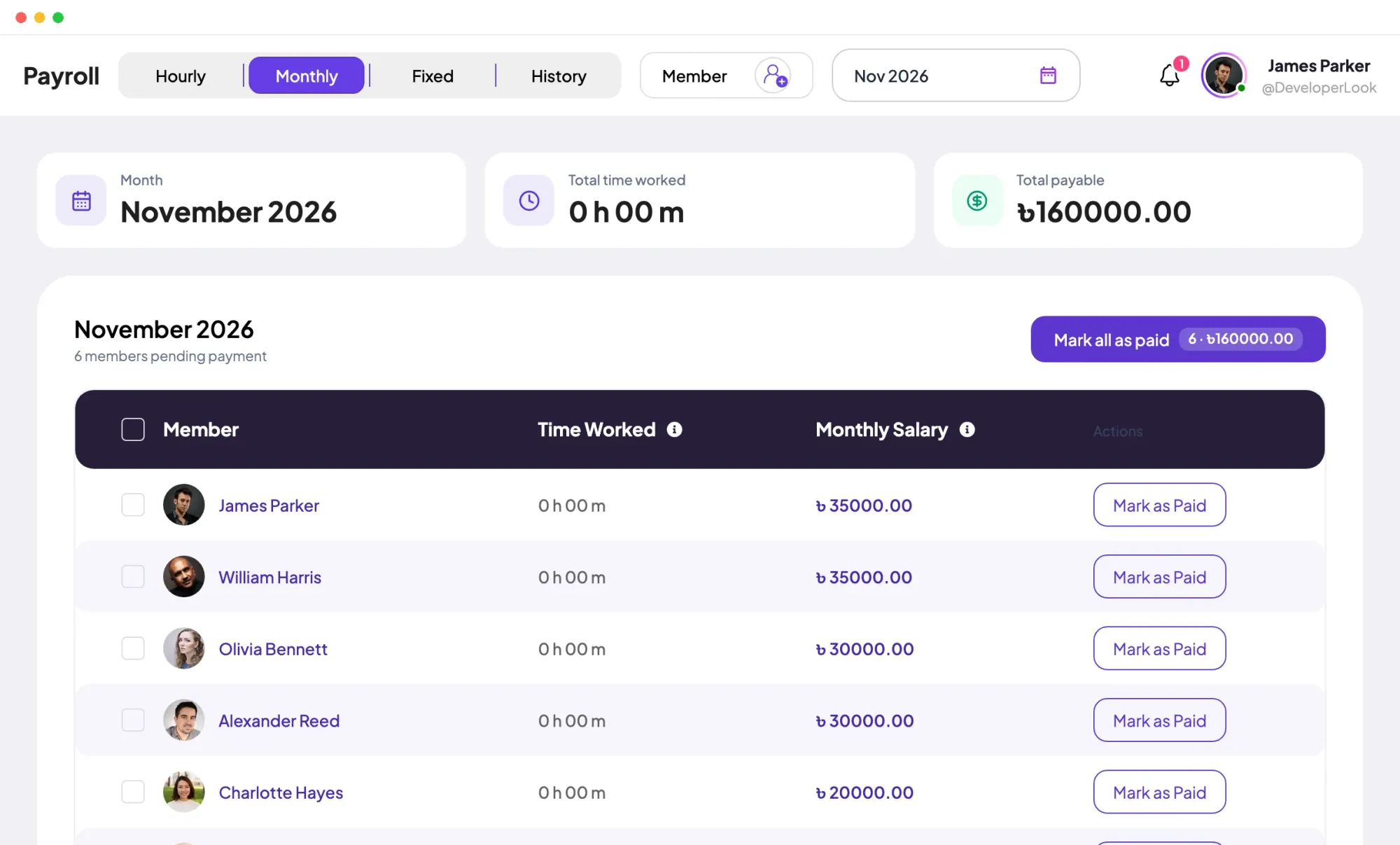
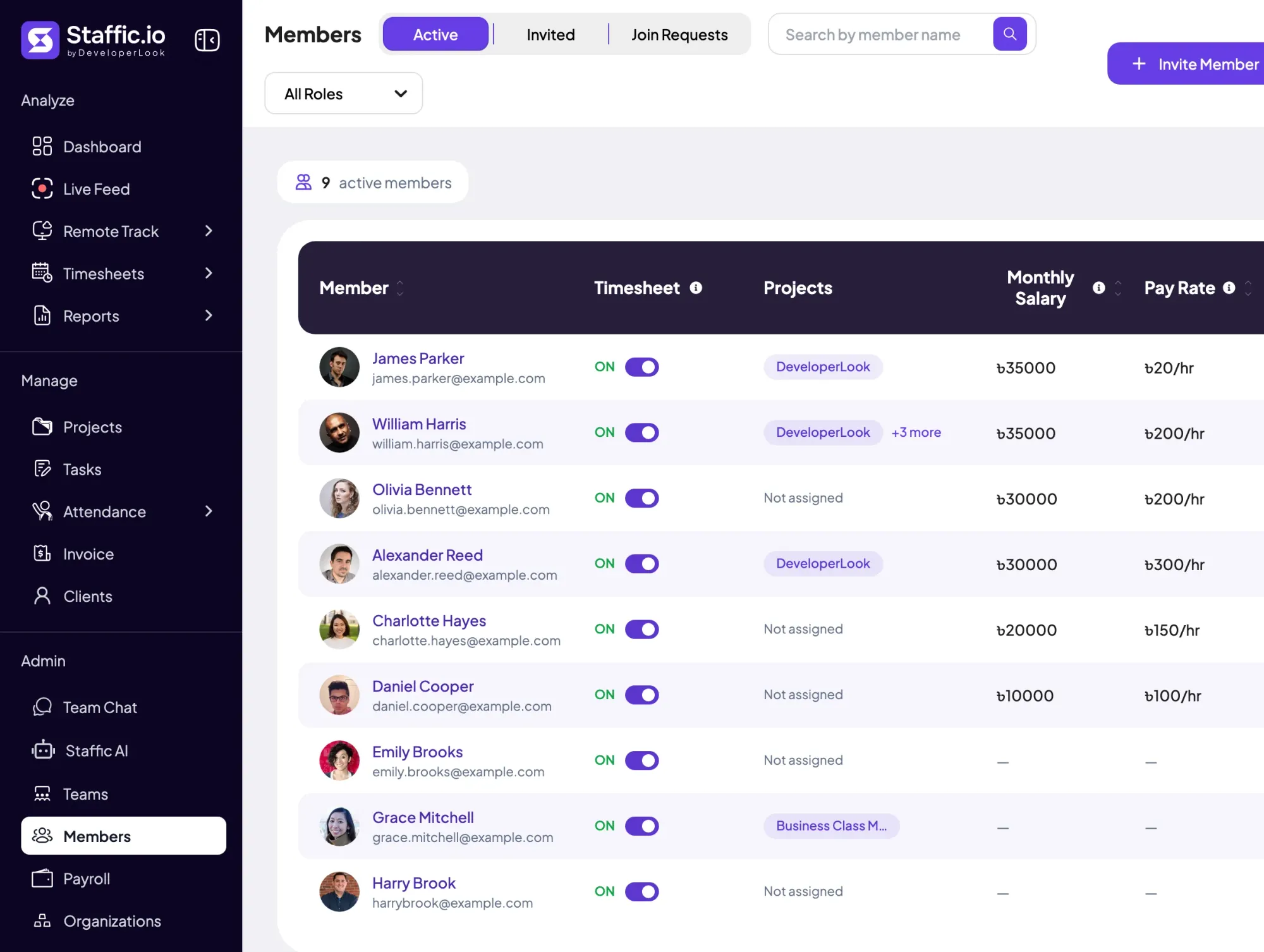
The Members list shows every member's pay rate per hour beside their monthly salary. Before a pay run you can see who is hourly, who is salaried and who still needs a rate.
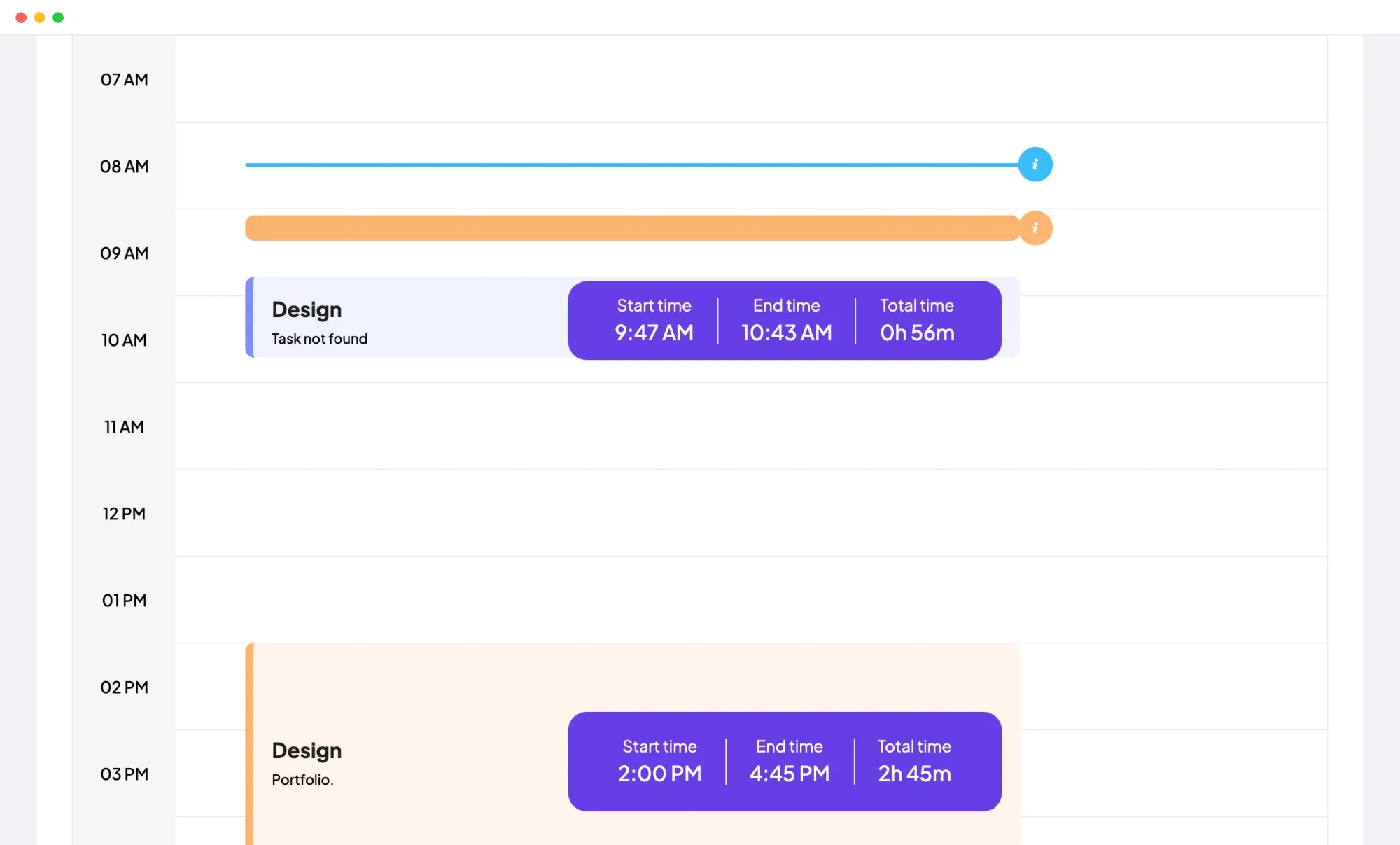
A day's pay starts from every session the member tracked in the desktop app, plus any manual time. A session deleted from the Daily Timesheet, which always takes a reason, leaves that day's total, and your approval rule decides what's left.
When someone forgets the timer, manual time fills the gap: up to 24 hours per entry, never in the future and never on top of a tracked session. The Manual Time report lists each added or deleted entry with its reason, so you can check it before payday.
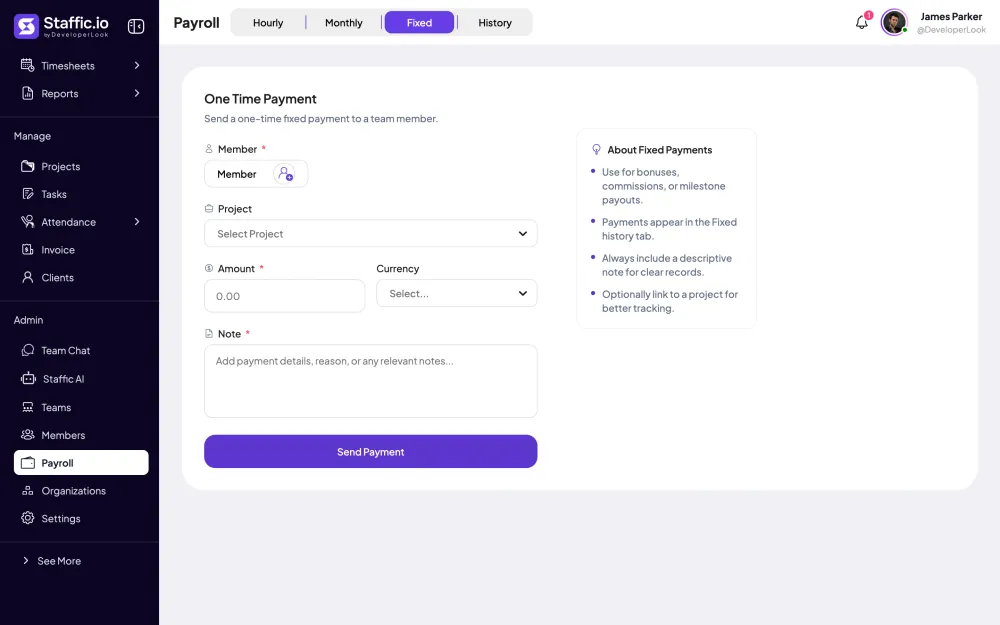
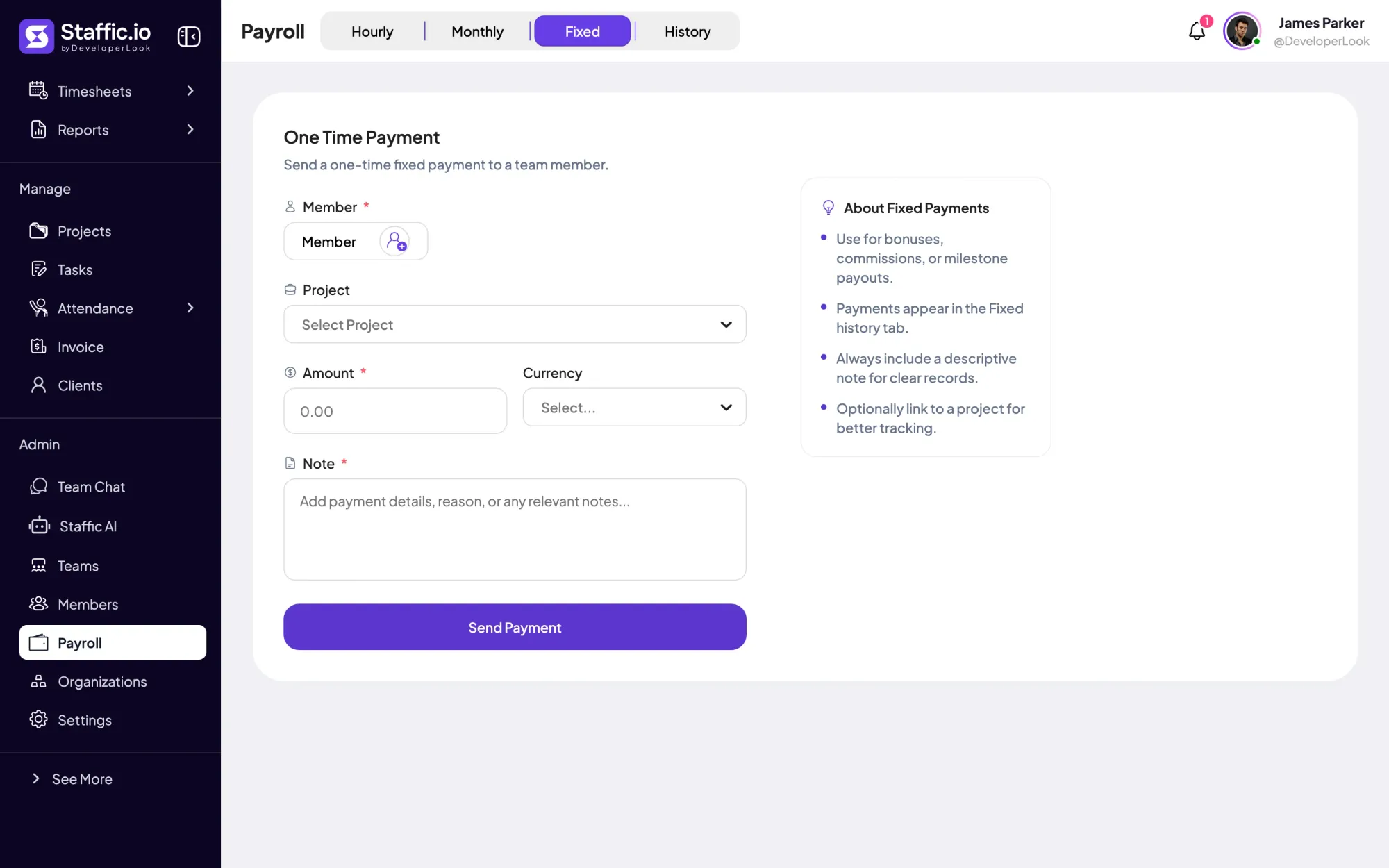
A bonus or commission doesn't fit hours times rate, so it goes on the Fixed tab as its own payment, in any currency you pick. Fixed payments keep their own history, each with the note that explains it.
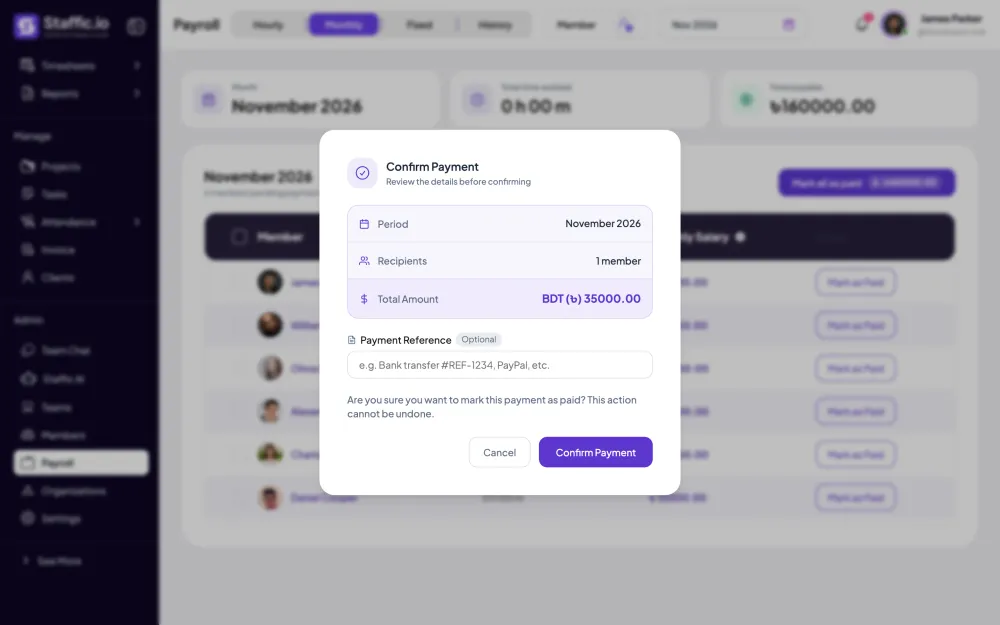
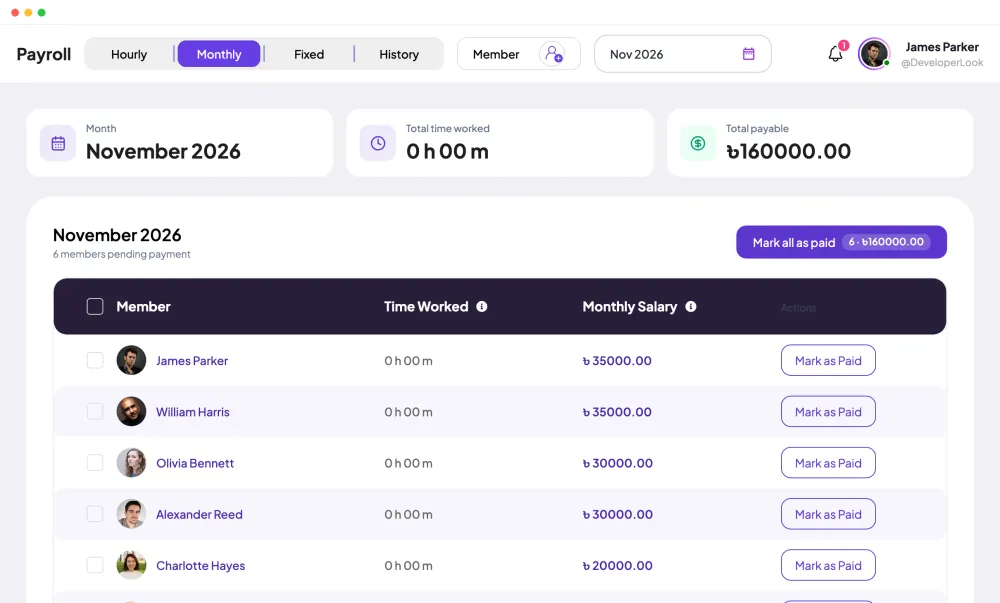
Not everyone is paid by the hour. Members with a monthly salary appear on the Monthly tab for the month you pick, with that month's hours beside the salary. Hourly and salaried pay then run from one Payroll page.
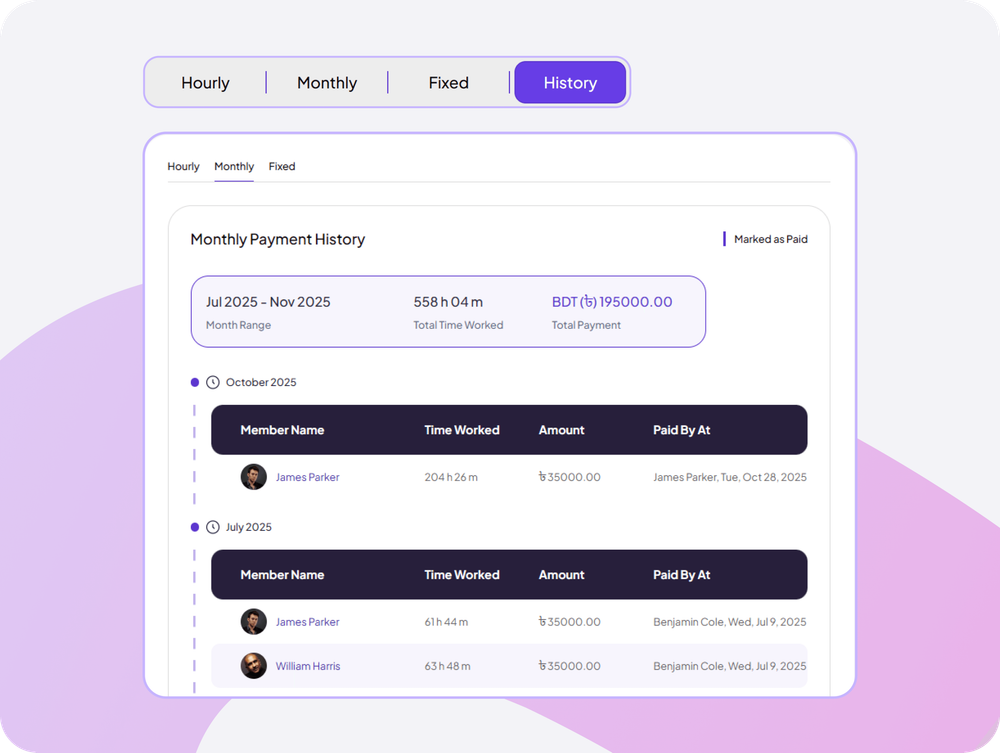
Every payment you mark as paid moves to History, under Hourly, Monthly or Fixed. Filter by members and dates or months, then export the view to CSV for your records or your accountant.
Showing A pay rate on every hourly member.
Control and privacy
Hourly pay is only as right as the rate and the hours, so both stay under admin control.
Set it up
Four steps before your first hourly pay run, on the Elite plan.
Pay rates use your organization's currency. If you change it later, update every member's pay rate and salary.
OrganizationsEnter the pay rate per hour for everyone paid by the hour, and leave their monthly salary empty.
Members › member › Payment SettingsAllow members to add their own manual time, or leave it off so only admins add it.
See Manual Time ReportsSettings › Timesheet SettingsPick the dates and members, check each day's rows, pay outside Staffic and mark them as paid.
Read the Payroll guidePayroll › Hourly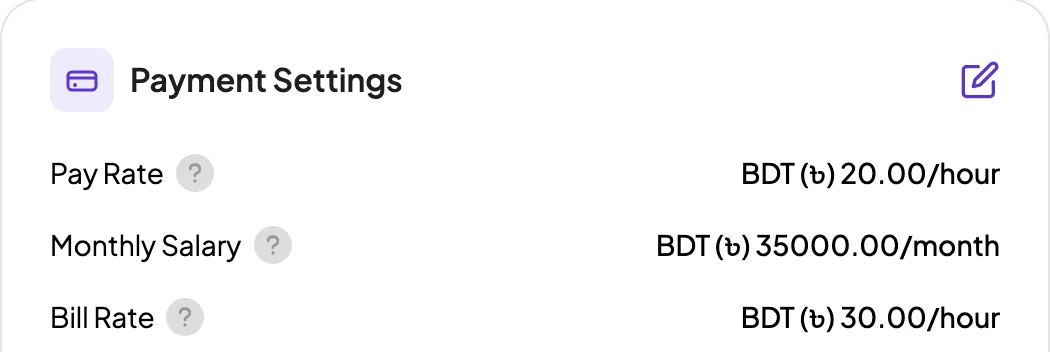
Specs and terms
The facts behind the feature, and what each number on the Hourly Payroll page means.
Who it’s for
When you compare the best payroll software for hourly teams, start with where the hours come from. Here is how three kinds of teams use Staffic's.
Pay hourly staff from the Hourly tab and salaried staff from Monthly, in your organization's currency, and keep both in one History.
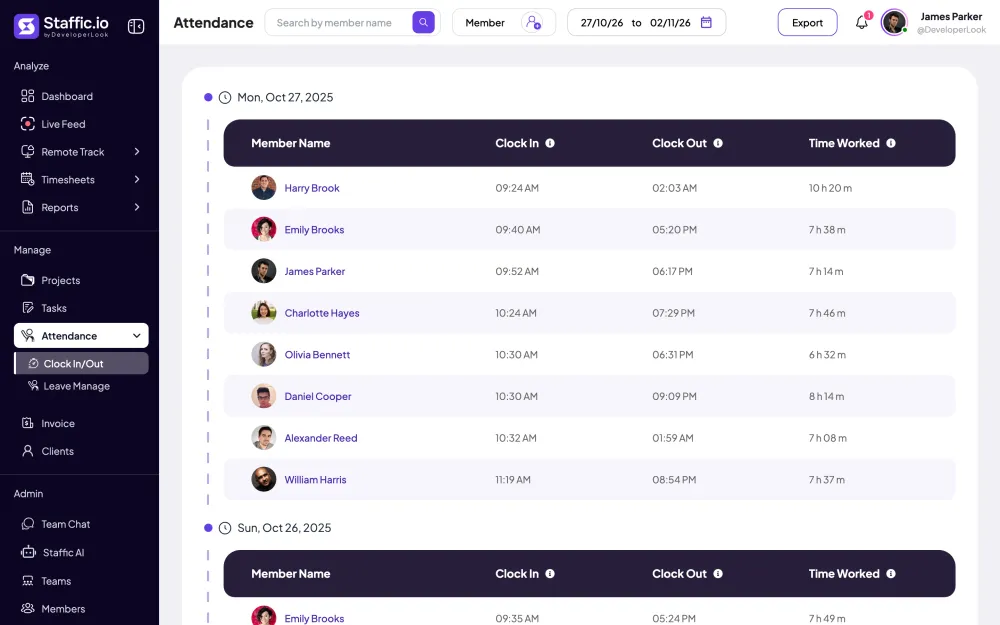
If you want attendance payroll software, Clock In/Out and the Hourly tab read the same tracked sessions: one shows when each member started and stopped, the other what that time is worth.
Pay the hours from the Hourly tab, then add the bonus on Fixed with a note that says what it's for. The member gets a separate statement for each.
Customer stories
Stop juggling tools. Staffic gives your team time tracking, projects, payroll and performance analytics in one platform.
Try Staffic for free“Staffic.io brings transparency without micromanagement. Our team feels trusted, and productivity has never been higher.”
Pricing
Hourly Payroll is part of the Elite plan, with a 7-day free trial. You pay per active user.
Compare every planPrices in USD per active user. Billed monthly, Standard is $7.50 and Elite is $9.80 per user.
Yes. Paid plans start with a 7-day free trial the first time your organization subscribes, and Payroll is on Elite, so pick Elite to try it. The Free plan has no time limit for up to 3 members and covers time tracking, but not Payroll.
By hand: you add up each person's hours from time cards or a spreadsheet, multiply by their rate and record what you paid. That works for a few people, but every step is typed. Staffic does the adding and multiplying from tracked time and keeps the record, so you check the totals and pay.
Hourly employees are paid for the time they track, at their own pay rate. For each day, the Hourly tab shows time worked, pay rate and total pay per member. You choose the date range, check the rows, pay outside Staffic and mark them as paid; each day is paid once per member.
Yes, the calculation is automatic. The Hourly tab reads the sessions members tracked in the desktop app plus any manual time, so there's nothing to upload. What stays with you is the judgment: approving time if you require it, and marking payments as paid after the money has gone out.
Yes. Payroll has an Hourly tab for pay from tracked time and a Monthly tab for salaries, and a member can have a pay rate, a salary or both. History keeps each kind apart, with its own filters and CSV export.
Yes, as fixed payments on the Fixed tab. Enter the member, the amount and a currency, optionally a project, and a note saying what the payment is for; the note is required. Staffic records the bonus and emails the member a statement, while the money goes through your bank or payment service.
No. Staffic works out hourly pay before tax and records salaries and bonuses, but it doesn't withhold tax, file returns or send money. If a payroll provider or accountant handles tax, export the payment history to CSV and give them the file.
Export payment History to CSV, on Elite. Each view (Hourly, Monthly or Fixed) exports on its own: the hourly file lists date, member, time worked in seconds, pay rate, amount paid, currency, who paid and when. For hours that aren't paid yet, the Time & Activity report exports to Excel or PDF.
The Elite plan includes Hourly Payroll: $5.80 per user per month billed yearly or $9.80 billed monthly, with a 7-day free trial.
Explore more

Payroll works out hourly pay from tracked time, lists monthly salaries, records one-time payments and keeps a payment history.
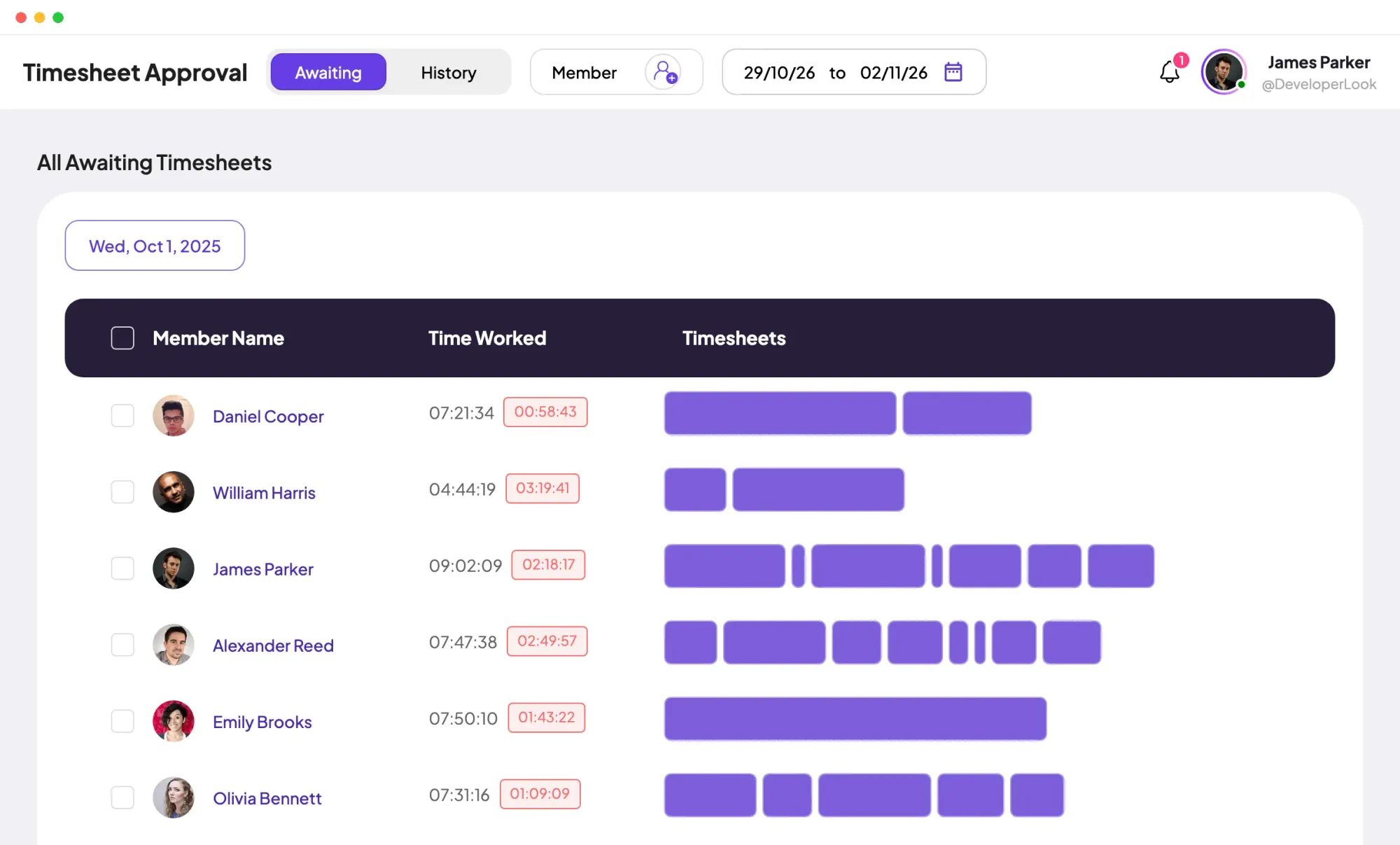
Staffic is time tracking and payroll software: approve tracked hours, work out pay at each member's rate and keep a record of every payment.

Members lists every person with their projects, pay and approval switch, and holds invitations, join requests and each member's page.
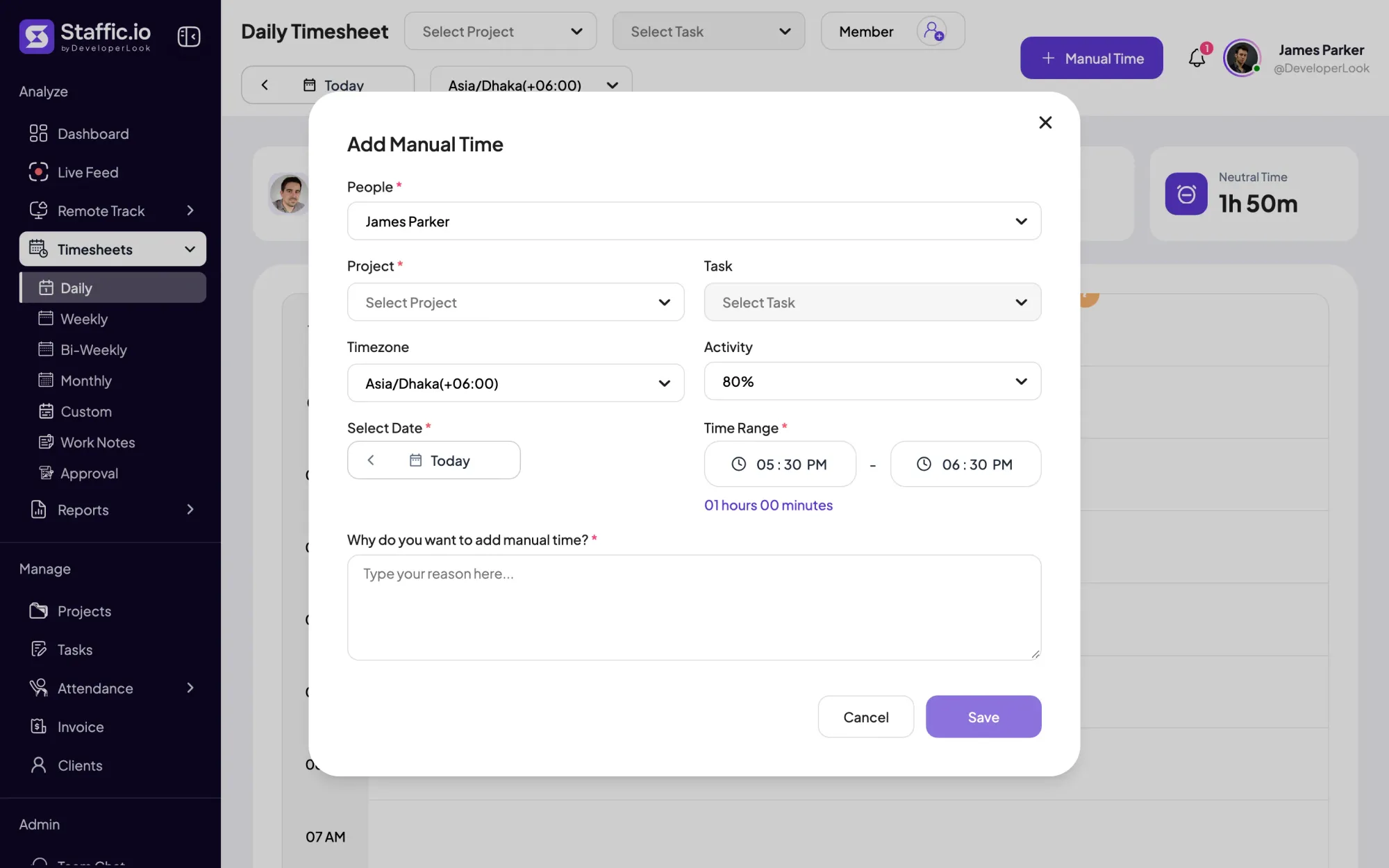

Add the hours the timer missed with a project and a required reason, and see every manual add and deleted hour in the Manual Time report.
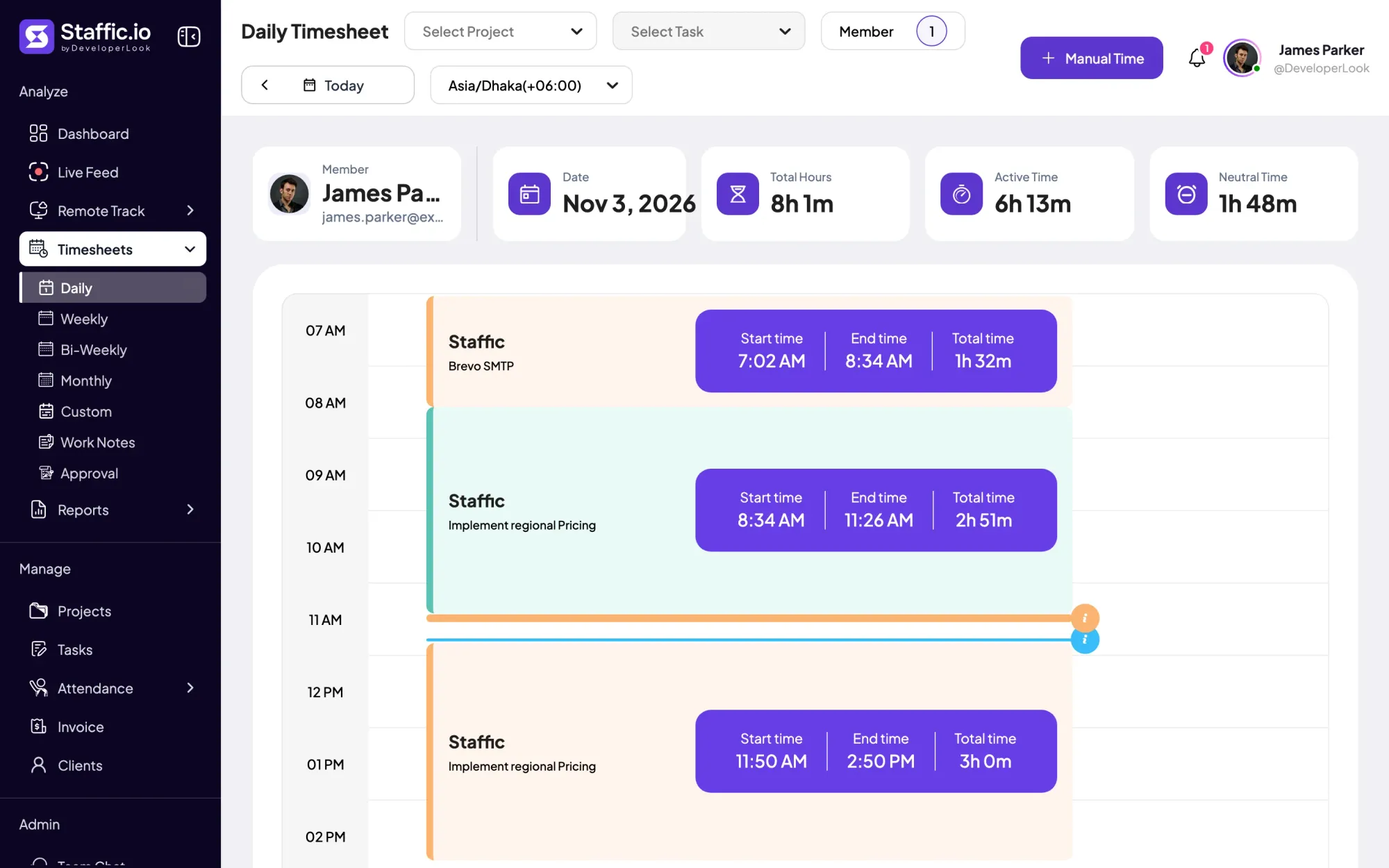

Staffic's daily timesheet shows one member's tracked sessions for a day on a timeline, with project, task, start and end times and the day's total.
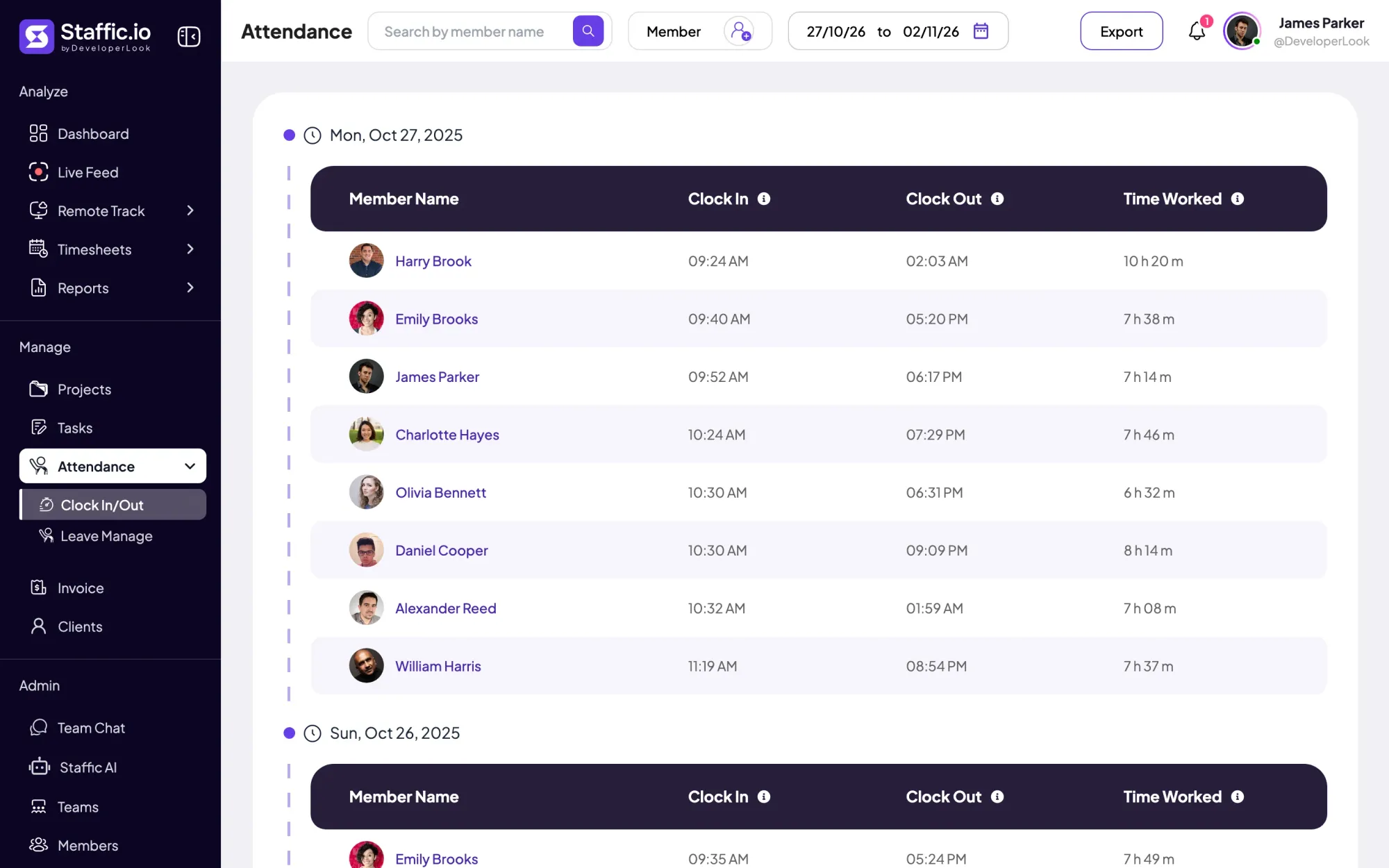

Clock In/Out records when each member starts and stops work from the desktop timer, with time worked per day and PDF or Excel export.
Free for up to 3 members
Create your workspace, invite your team, and the first timesheet builds itself.