How to Use Payroll
Calculate and mark pay from approved time — hourly, monthly salary, one-time fixed payments, and payment history in one place.
Open Payroll
Go to Payroll
Click Payroll under Admin in the left sidebar. Four tabs cover different pay types:
Hourly
Pay from tracked hours × pay rate set on Admin → Members.
Monthly
Fixed monthly salary per member for the selected month.
Fixed
One-time payments — bonuses, commissions, milestone payouts.
History
Past payroll runs and fixed payments already marked paid.
Approve timesheets for the period before running Hourly or Monthly payroll — Payroll uses logged and approved time from Staffic.
Monthly payroll
Review and pay
On Monthly, pick Member (if filtering one person) and the month (for example, May 2026). Summary cards show Total time worked and Total payable for the period.
Member rows
Avatar, name, Time Worked, and Monthly Salary from the member profile.
Pending count
Header shows how many members are still unpaid (for example, 6 members pending payment).
Mark as Paid
Per-row button after you process pay outside Staffic — or use Mark all as paid for the full total.

Fixed (one-time) payments
Send a fixed payment
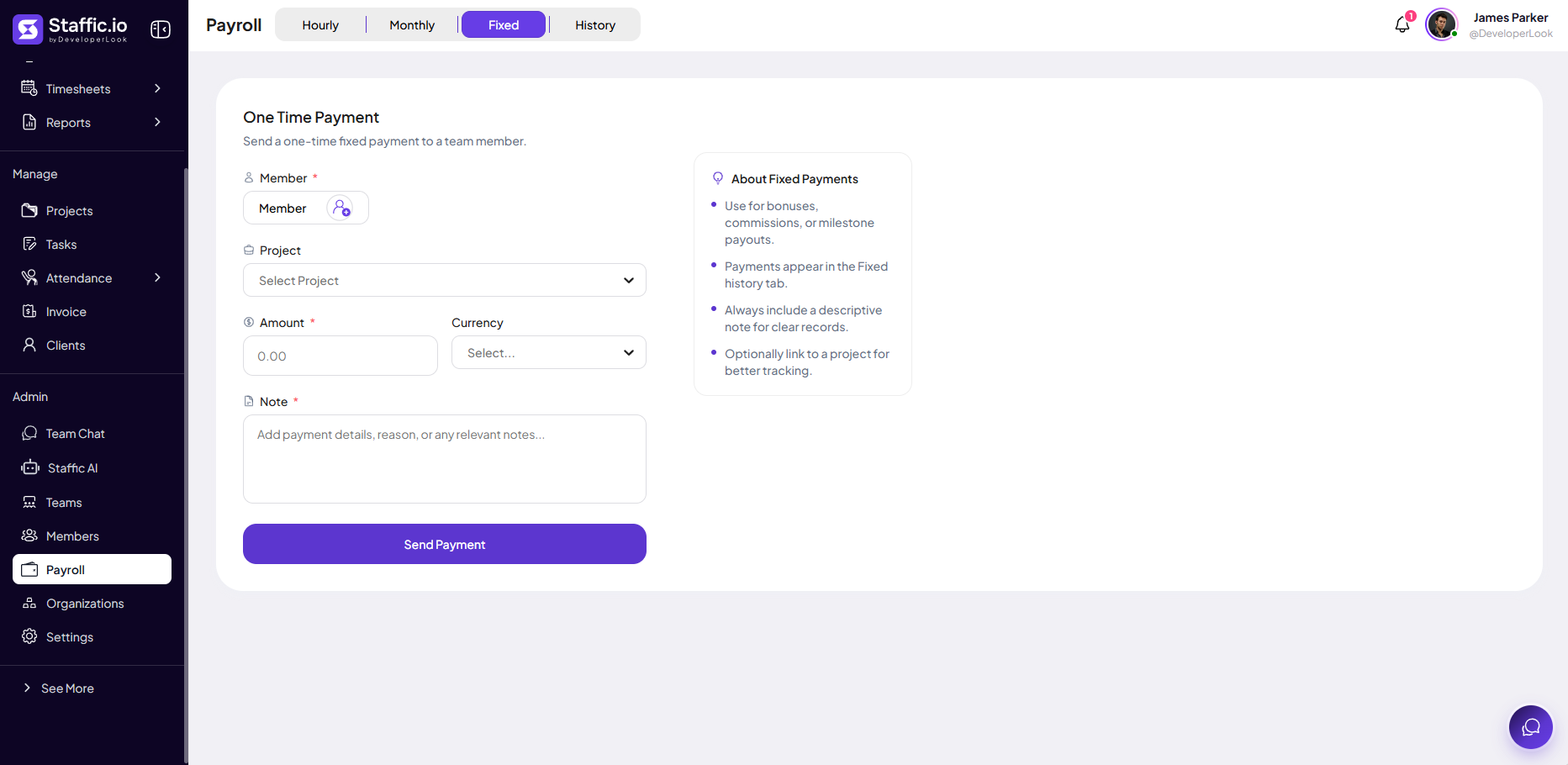
Open the Fixed tab and fill One Time Payment — for bonuses, commissions, or milestones not tied to hourly/monthly runs.
Member (required)
Who receives the payment.
Project (optional)
Link to a project for margin and client reporting.
Amount & Currency (required)
Payment value in the selected currency.
Note (required)
Reason or details — appears in Fixed history for audits.
Send Payment
Records the payment — view it later under Fixed history / History tab.
Payroll workflow
Before you pay
1) Timesheet Approval for the period. 2) Set Pay Rate and Monthly Salary on Members. 3) Reconcile with Reports if totals look wrong.
Hourly tab
Use Hourly when pay is driven by hours worked × hourly rate instead of a flat monthly salary.
Tips
- Run payroll only after timesheets for the period are approved.
- Use Fixed for bonuses — keep Hourly/Monthly for regular cycles.
- Always add a descriptive Note on fixed payments for finance audits.
- Compare Total time worked to Timesheets before Mark all as paid.
Ready to get started?
Create your organization, invite your team, and start tracking in minutes.
Start Free Trial