Agencies
A rate per role on every client project
Bill design and development at different person rates on the same project, then invoice each client from their projects' uninvoiced amounts.

Features
All 33 featuresSee the work while it happens.
 DashboardYour team's week at a glance, Monday to Sunday
 Live FeedEliteSee who's tracking time right now, and on what
 ScreenshotsStandardVisual proof of work, captured automatically
 AppsWhich apps each tracked session used
 URLsThe websites behind the tracked time
 Screen RecordingsEliteFull session video, beyond a screenshot
01 / 33
Dashboard
The team dashboard: this week's hours, today's performance, top members, ongoing tasks, top projects and the most used apps and websites.
View DashboardTime and Billing
Staffic turns the hours your team tracks on client projects into what you bill. Each project adds its hours up at its billing rate, or carries a fixed fee, and an invoice line linked to the project picks up what's not yet billed. It's for agencies, consultants and service teams: project billing on Standard, clients and invoices on Elite.
In short
Staffic Time and Billing is the time and billing software built into Staffic's time tracker. Members track time on client projects in the desktop app. Each project with hourly billing multiplies those hours by a project rate or each member's rate, and a fixed-fee project carries its fee. Link an invoice line to the project and Staffic fills in the amount not yet invoiced.
How it works
Set billing once per project. After that, each invoice follows the hours your team tracks.
Time and billing software
Time tracking billing software works when the hours, the rates and the invoice read the same record. In Staffic, they do.
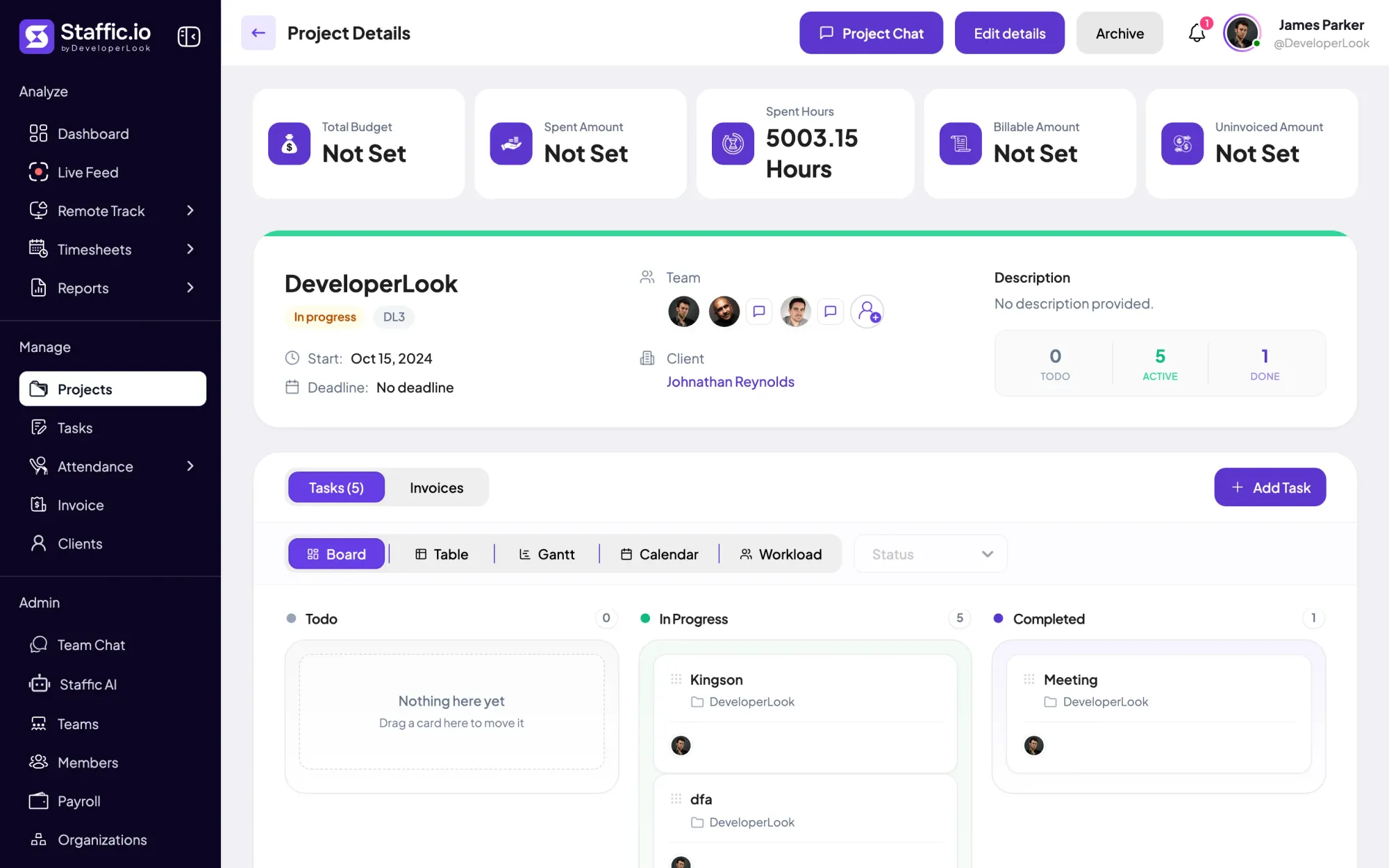
A project's details show its spent hours next to its billable amount and its uninvoiced amount: what the tracked time is worth at your rates, minus what earlier invoices already billed. These cards show on Standard and Elite.
Open a project's Add Billings & Hours panel and choose Hourly Basis or Fixed Fee. Hourly Basis takes one project hourly rate or a rate per person, and a project without billing stays out of client bills.
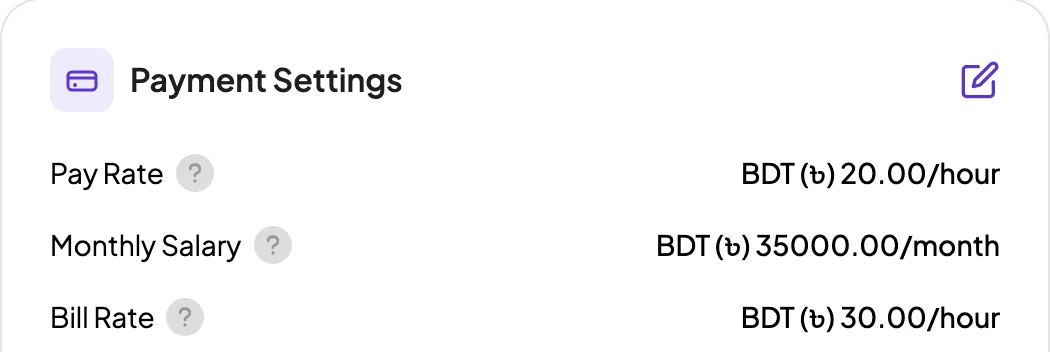
Each member's profile holds a bill rate per hour, which projects use as the default person rate. Pay rate and monthly salary sit beside it for payroll, so what you charge a client never changes what you pay the member. Editing Payment Settings is on Elite.
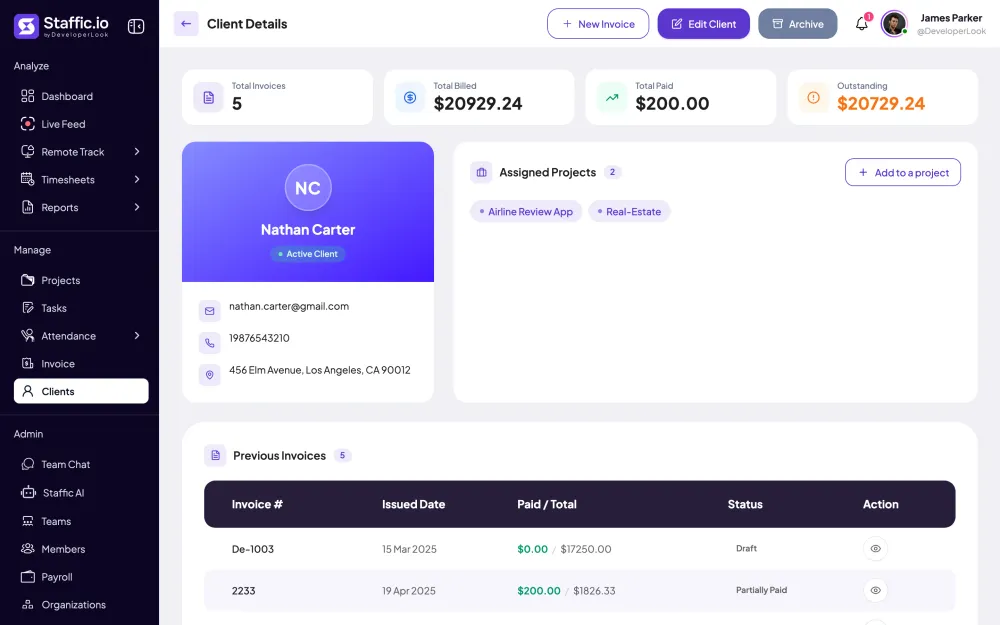
Assign each project to its client, and the client's page gathers those projects with every invoice you've sent them. Totals at the top show billed, paid and outstanding, so a follow-up starts with the right number. Clients are on Elite.
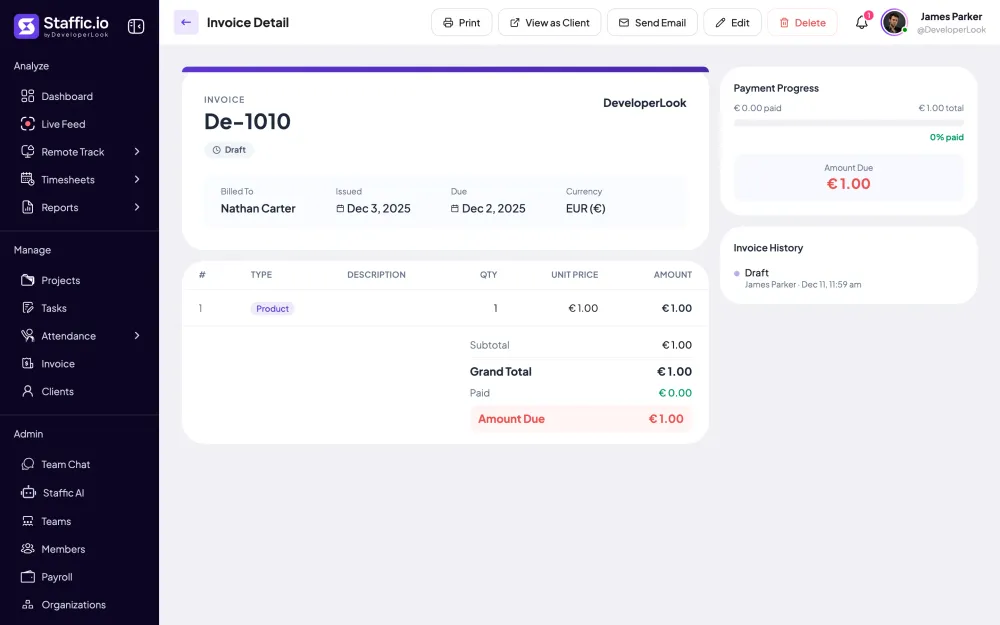
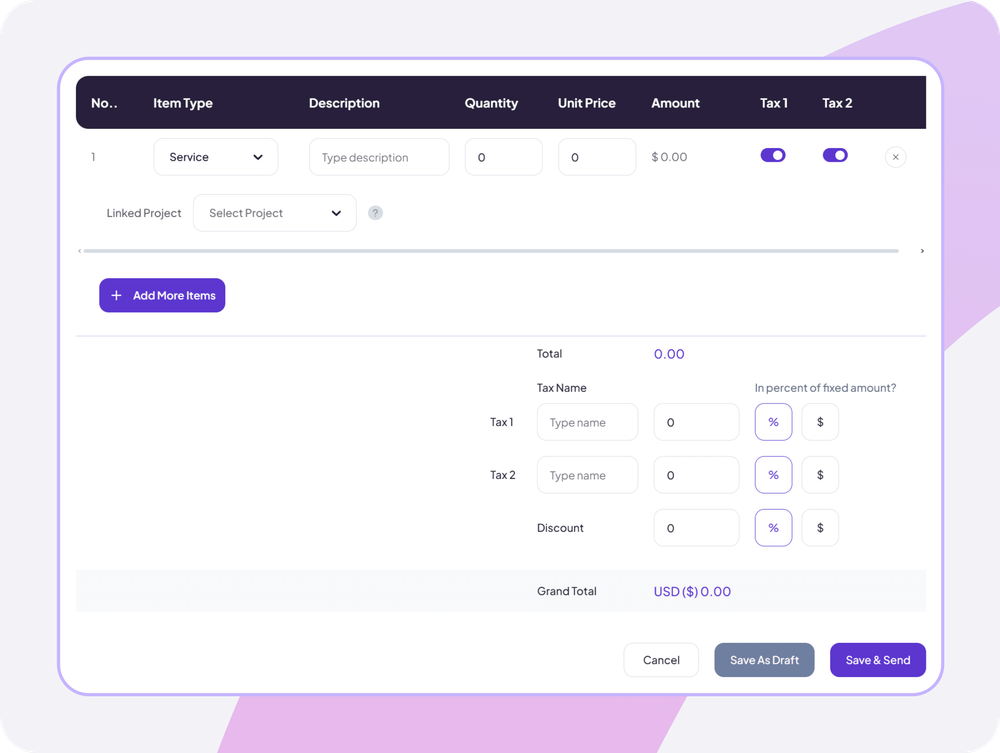
Link an invoice line to a project and Staffic fills in its uninvoiced amount: tracked hours at the project's rates, or the fixed fee, minus earlier invoice lines for that project. Add Service or Product lines for anything else, then two taxes and a discount.
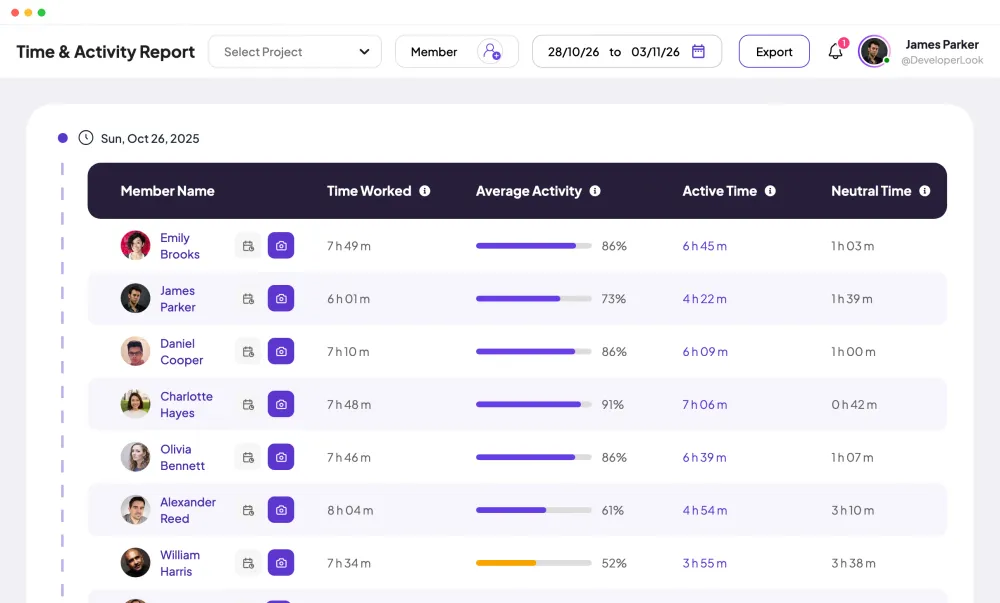
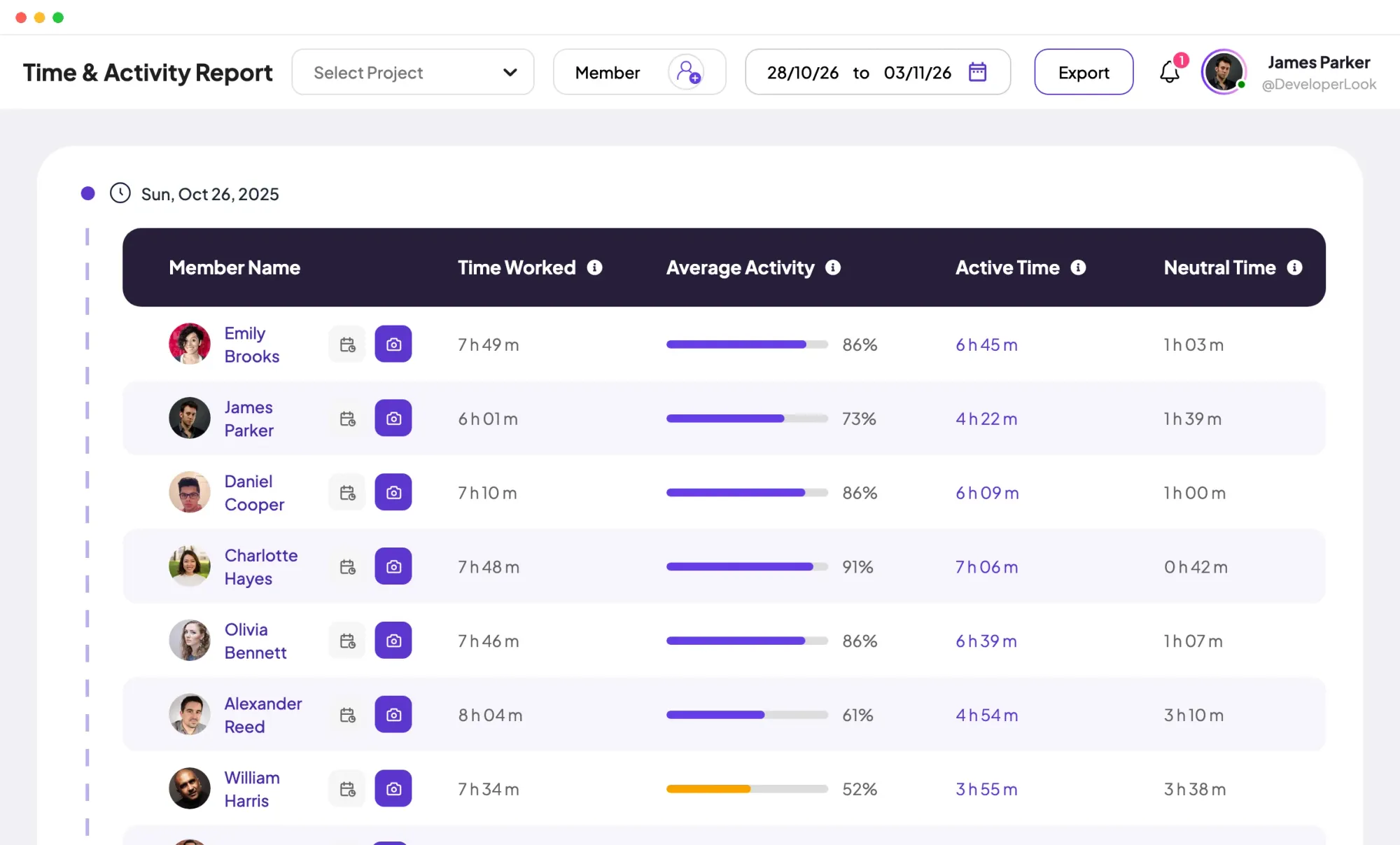
Before you invoice, filter the Time and Activity report by the client's project to see who worked, for how long and how actively. Export it to Excel or PDF when a client wants the detail behind the bill.
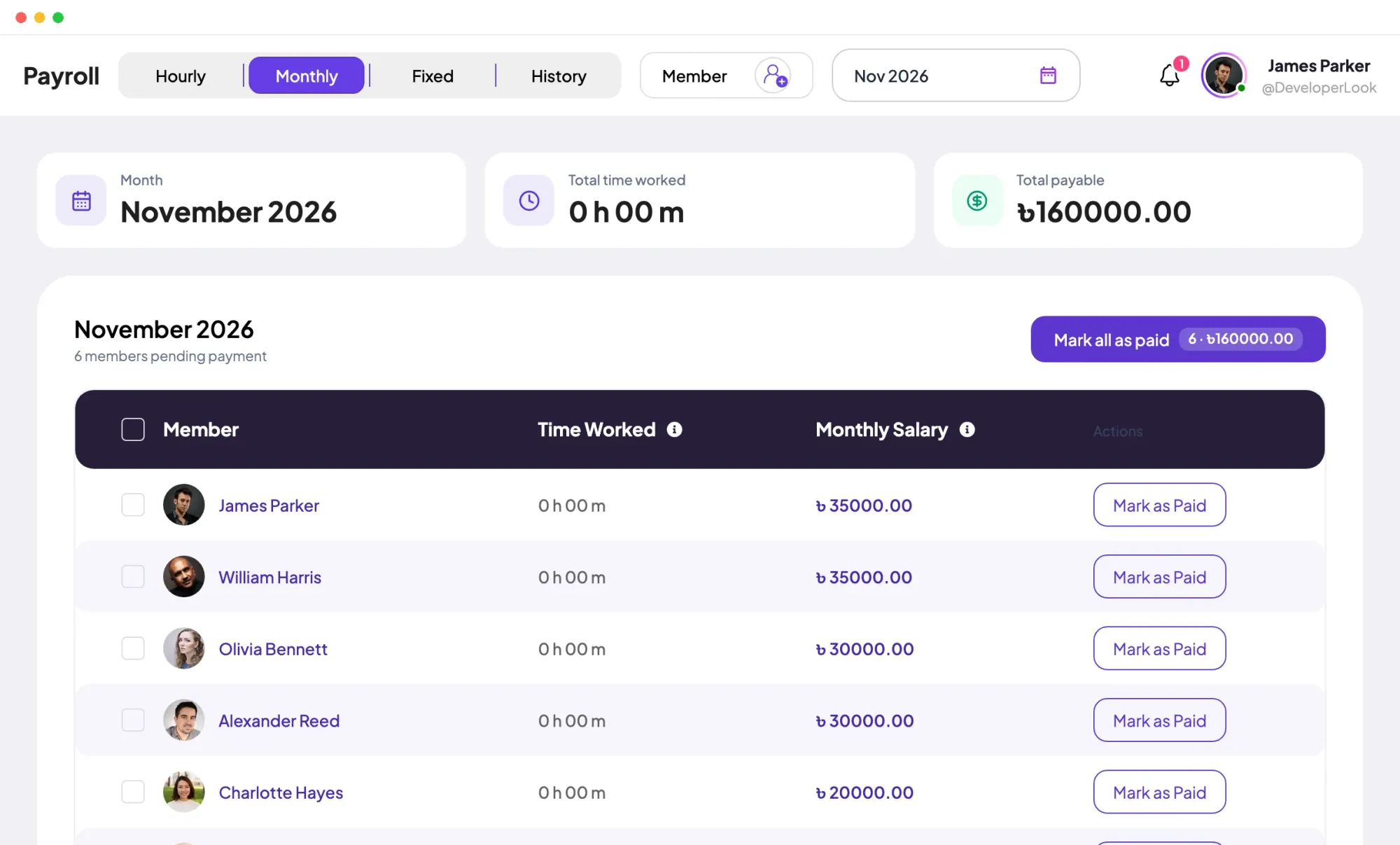
Payroll, on Elite, works out hourly pay from the same tracked sessions at each member's pay rate, so what you bill and what you pay start from one record. Staffic records each payment; it doesn't send the money.
Showing What each project knows.
Control and privacy
Billing data stays with the people who set rates and send invoices.
Set it up
Six steps from a client's project to a paid invoice. Project billing works on Standard; clients and invoices need Elite.
Open the client and add their projects, so every hour on those projects belongs to that client.
See ClientsManage › Clients › View Details › Add to a projectPick Hourly Basis with a project or person hourly rate, or a Fixed Fee, then save.
Manage › Projects › Edit details › Add Billings & HoursMembers track time on the project in the desktop app, and its Billable Amount card adds the hours up at your rates.
Manage › Projects › View DetailsFilter by the project and the dates you're billing to see who worked and for how long.
Reports › Time & ActivityPick the client, choose the project under Linked Project on a line, and Staffic fills in the uninvoiced amount.
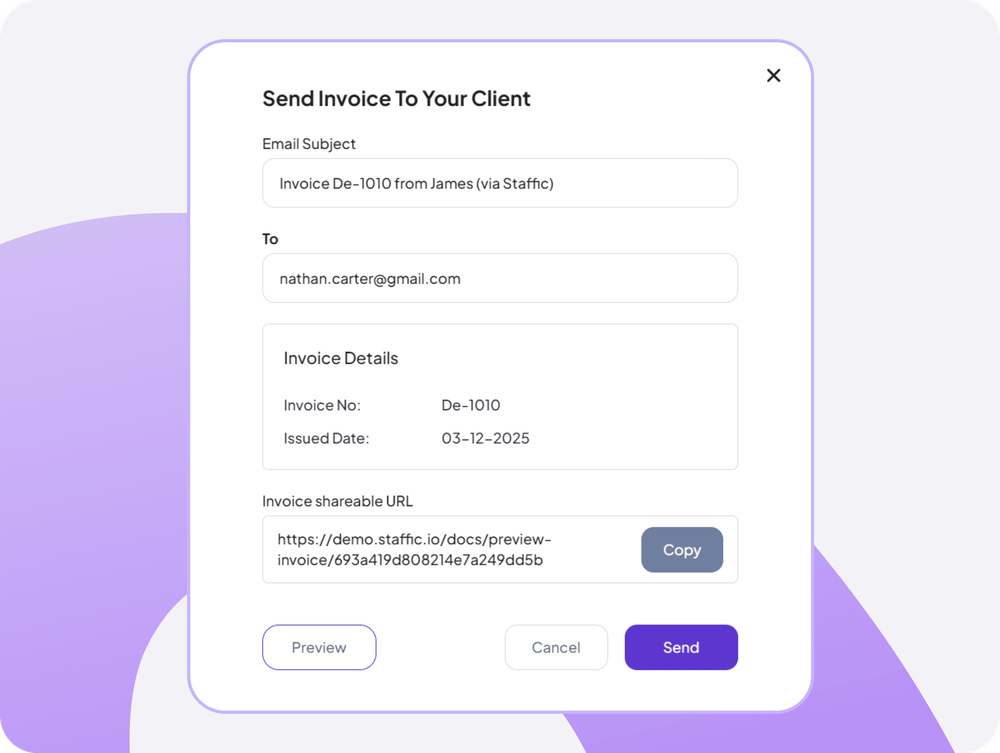
Manage › Invoice › Create New InvoiceEmail the invoice to the client, then use Record Payment as the money arrives.
Read the Invoices guideInvoice Detail › Send Email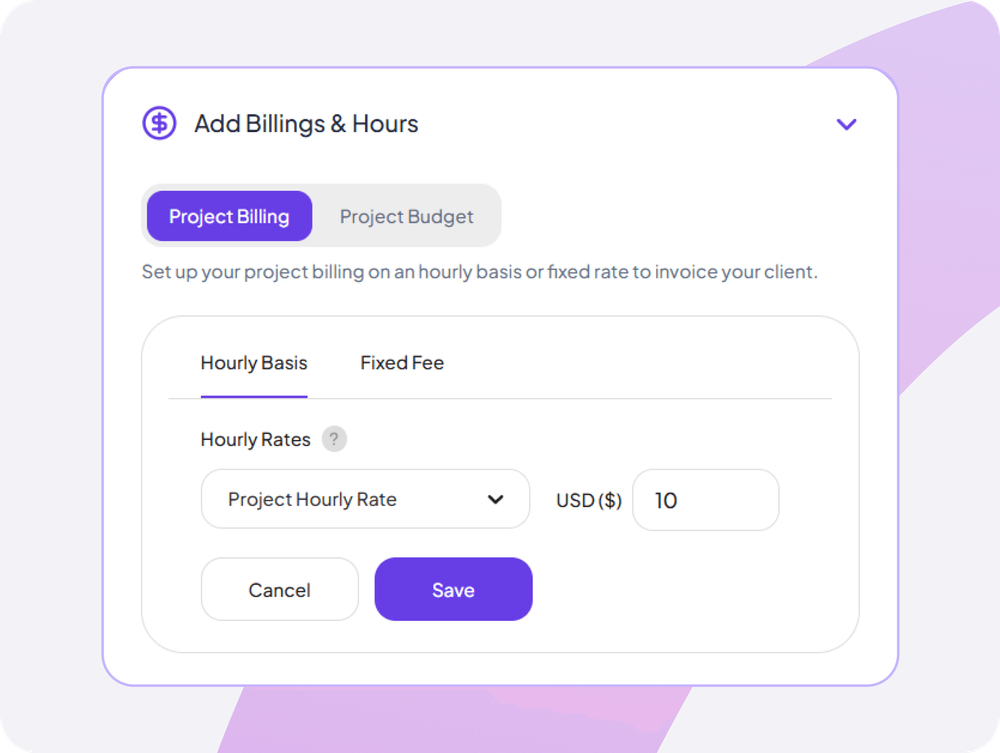
Compare
Three pages read the same tracked hours. Each one answers a different billing question.
Swipe the table to compare
| Compare | ProjectsHow work is billed | ClientsWho owes what | InvoicesWhat you send |
|---|---|---|---|
| Holds | Billing type, rates, budget and tracked hours | Contact details and assigned projects | Lines, taxes, discount and payments |
| Shows | Spent hours, billable and uninvoiced amounts | Total billed, paid and outstanding | Status, amount paid and amount due |
| Use it to | Set how the hours turn into money | See which clients still owe you | Bill the client and collect |
| Plans | Every plan; billing on Standard and Elite | Elite | Elite |
| Link | Projects | Clients | Invoices |
Plans follow what the Staffic app enforces today.
Specs and terms
The facts behind the feature, and what each number on the Time and Billing page means.
Who it’s for
Agencies, consultants and law firms need time tracking invoice software that keeps hours, rates and invoices together. Here is how each one uses it.
Bill design and development at different person rates on the same project, then invoice each client from their projects' uninvoiced amounts.
Link one line to an hourly project and another to a fixed-fee project, and the client gets a single invoice for both.
Run the Time and Activity report for a matter's project before you invoice, and export it to PDF when the client asks what the hours covered.
Customer stories
Stop juggling tools. Staffic gives your team time tracking, projects, payroll and performance analytics in one platform.
Try Staffic for free“Staffic.io brings transparency without micromanagement. Our team feels trusted, and productivity has never been higher.”
Pricing
Time and Billing is part of the Elite plan, with a 7-day free trial. You pay per active user.
Compare every planPrices in USD per active user. Billed monthly, Standard is $7.50 and Elite is $9.80 per user.
Time and billing software records the hours your team works for clients and turns them into what you charge. In Staffic, members track time on client projects in the desktop app, each project prices those hours at its rates, and an invoice line linked to the project bills what's not yet invoiced. When you compare the best time billing software, check that the hours and the invoice come from one record.
Give the project billing, let your team track time on it, then link an invoice line to it. Staffic fills that line with the project's uninvoiced amount: its tracked hours at the project's rates, or its fixed fee, minus lines on earlier invoices for that project, drafts included. Check the amount, add taxes or a discount, and send it.
Yes, per project, which also gives you rates per client. A project with hourly billing uses one project hourly rate or a person hourly rate for each member, so each of a client's projects can bill at its own rates. On Elite, each member's bill rate from their profile fills in as the default person rate.
Put them in different projects. Give client projects billing and leave internal projects, such as admin, sales or training, without it: only hours on billed projects count toward a billable amount. To see both side by side, filter the Time and Activity report by project.
No. Clients don't sign in to Staffic: they see only the invoice behind their link. Inside your team, Timesheet Approval on Elite lets admins and the roles you allow approve or reject time, but a project's billable amount counts every hour tracked on it. Check the hours before you send, and export the Time and Activity report to PDF if the client wants the detail.
Bill from the project, not from memory. An invoice line linked to a project picks up the billable amount that earlier invoice lines haven't covered, so hours tracked after your last invoice reach the next one. The project's Uninvoiced Amount card shows what's waiting to be billed.
Yes. Each invoice line can link to a different project, so one line bills an hourly project's tracked time and another a fixed-fee project's fee. Add Service or Product lines for anything else; the discount applies to the whole invoice and you tick which taxes apply to each line.
The Elite plan includes Time and Billing: $5.80 per user per month billed yearly or $9.80 billed monthly, with a 7-day free trial.
Explore more
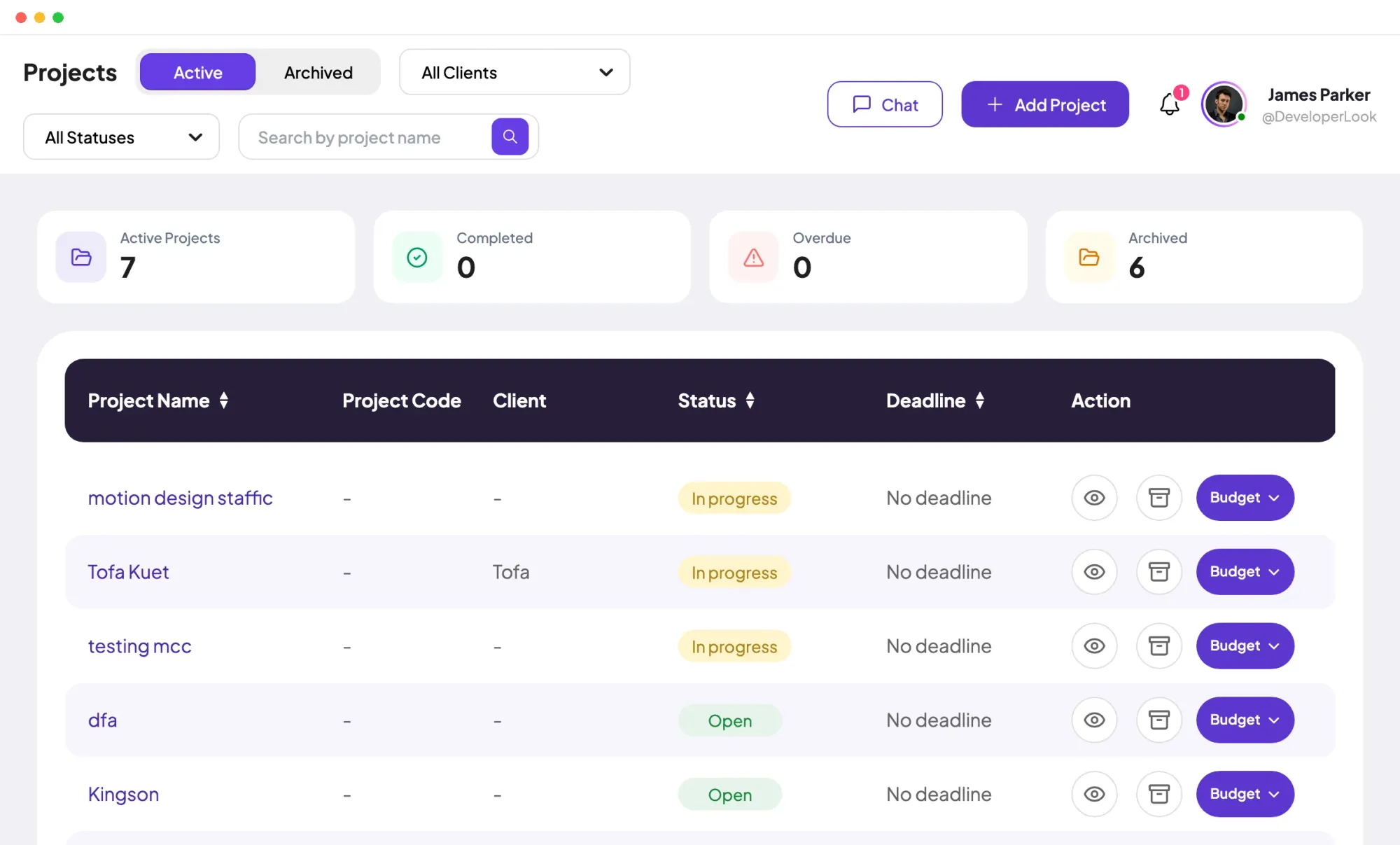

Projects tracks time per project, task and member, with status and task progress, plus budgets and billing on Standard and Elite.
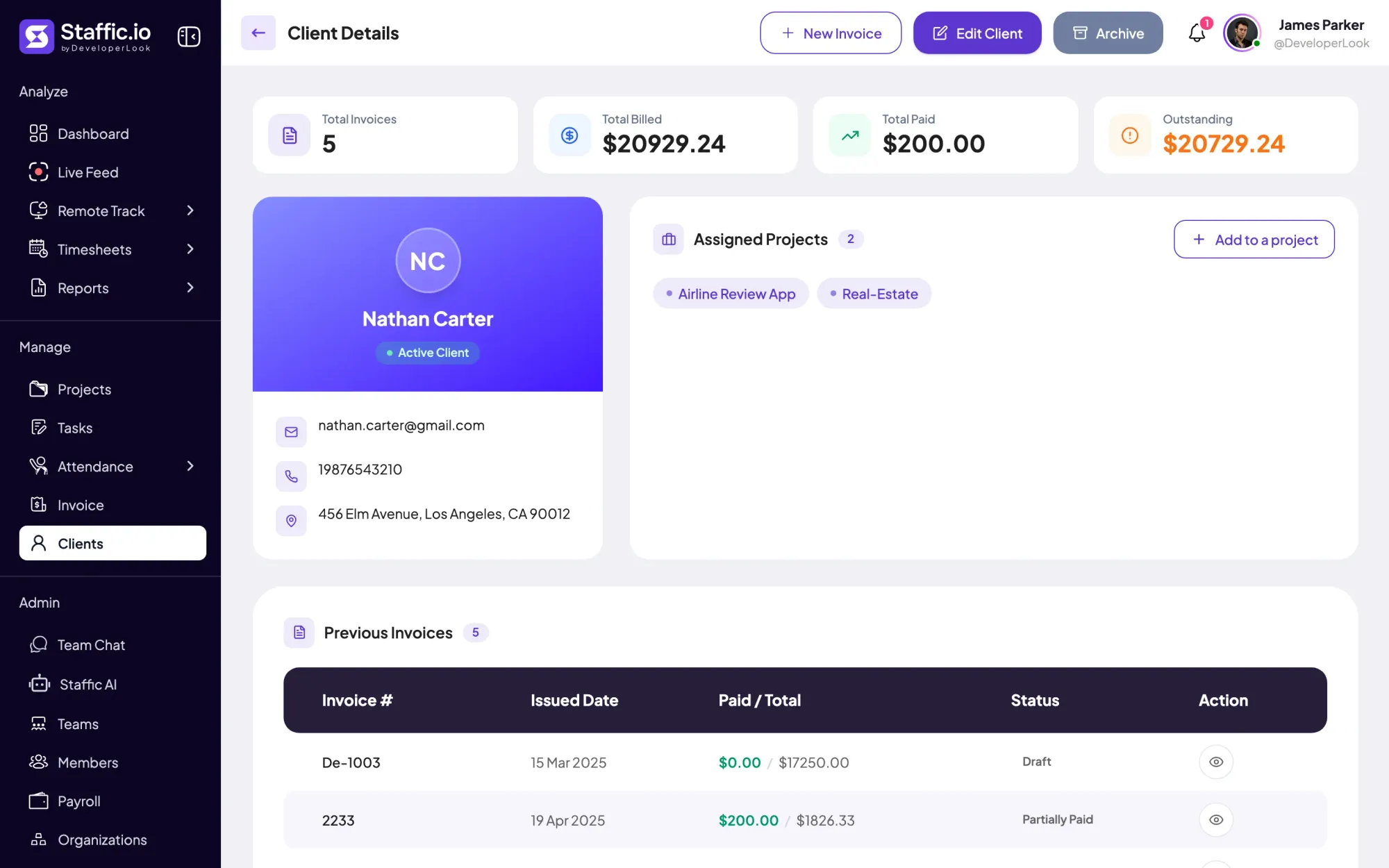

Clients holds each client's profile, projects and invoices, so hours on billed projects become billable time you can invoice.
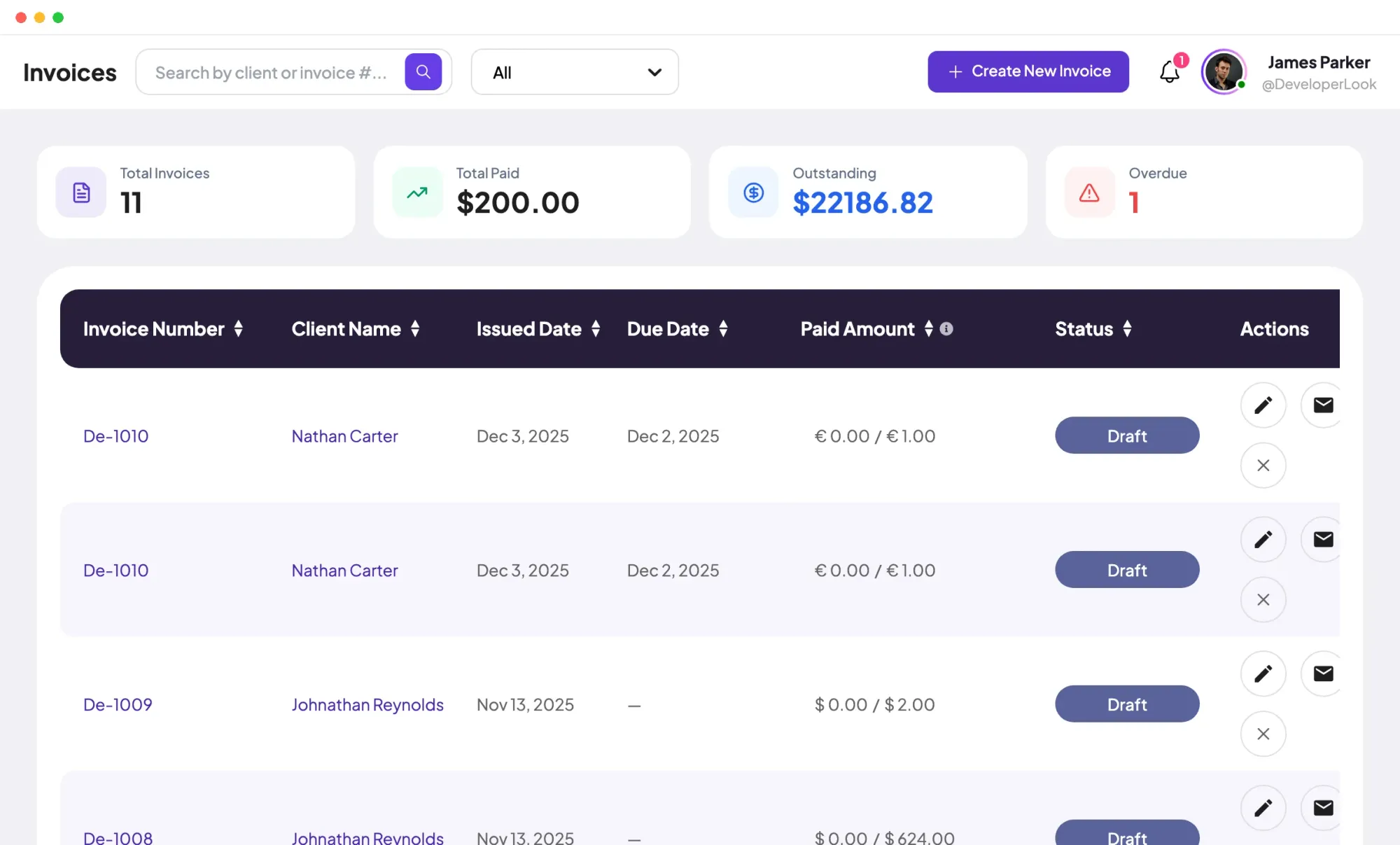

Invoices tracks every client invoice from draft to paid, with payments, outstanding balances and a link clients open in a browser.
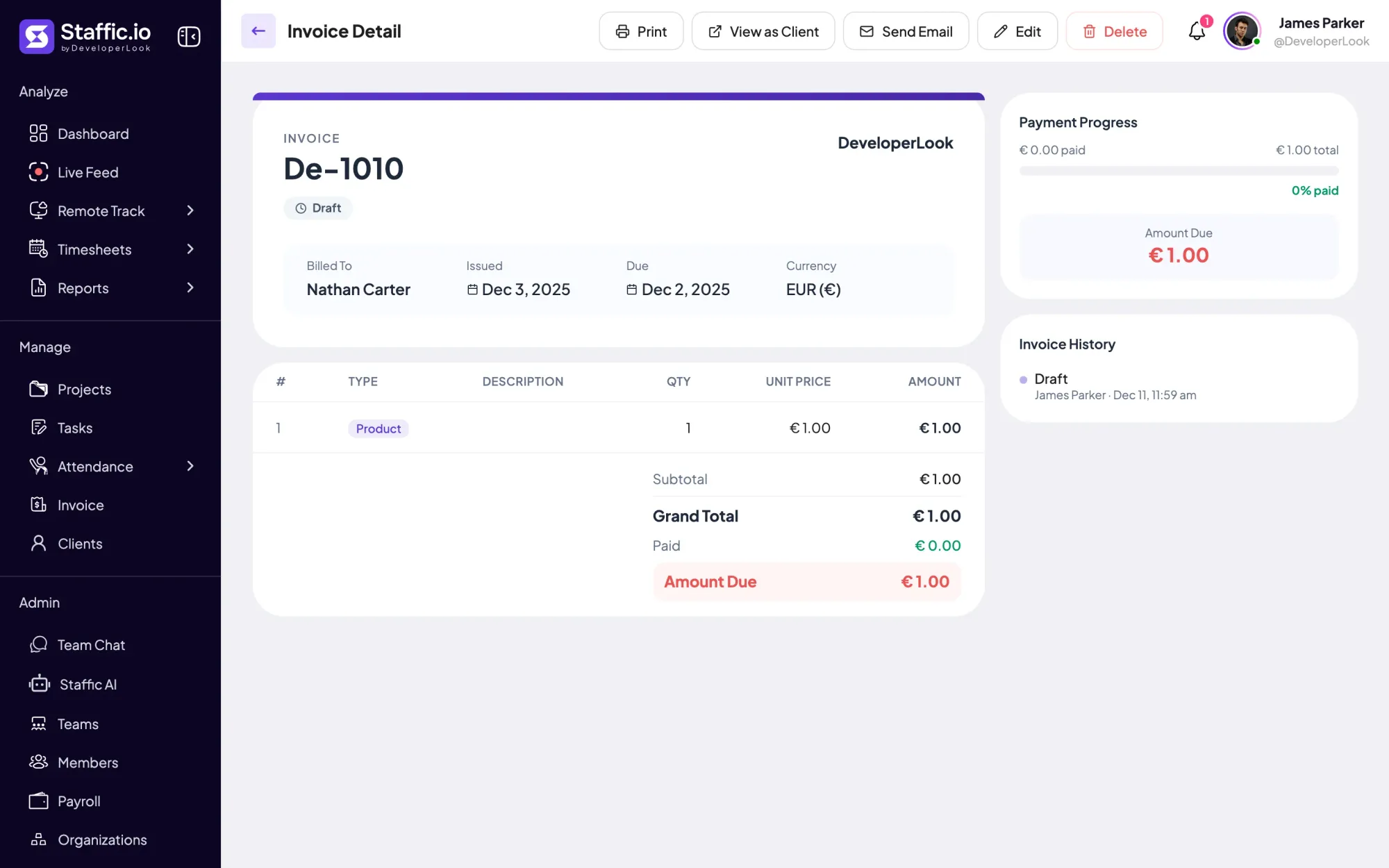
Staffic's invoice maker builds a client invoice from tracked hours or a fixed fee, with taxes, a discount and a private link to send.
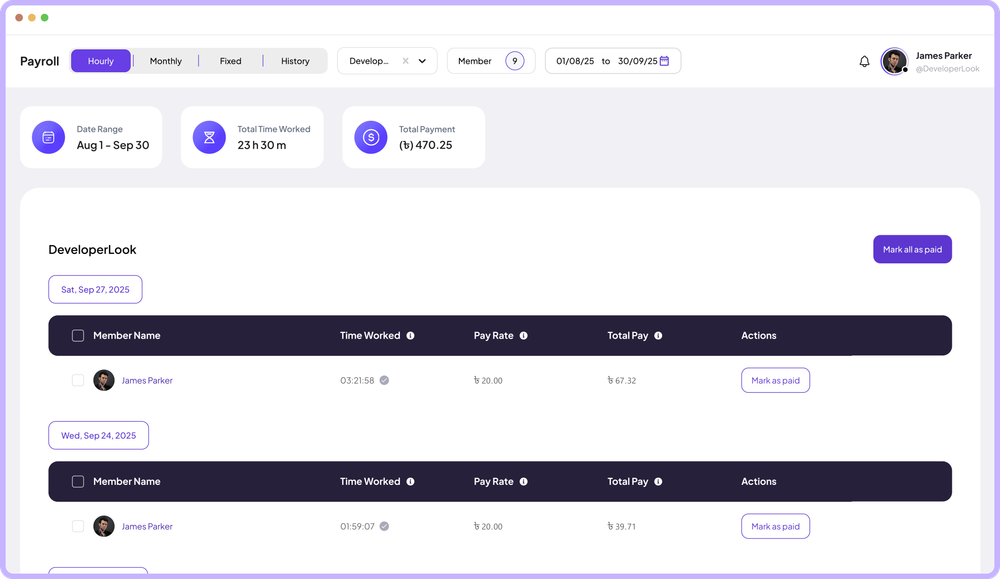

Payroll works out hourly pay from tracked time, lists monthly salaries, records one-time payments and keeps a payment history.
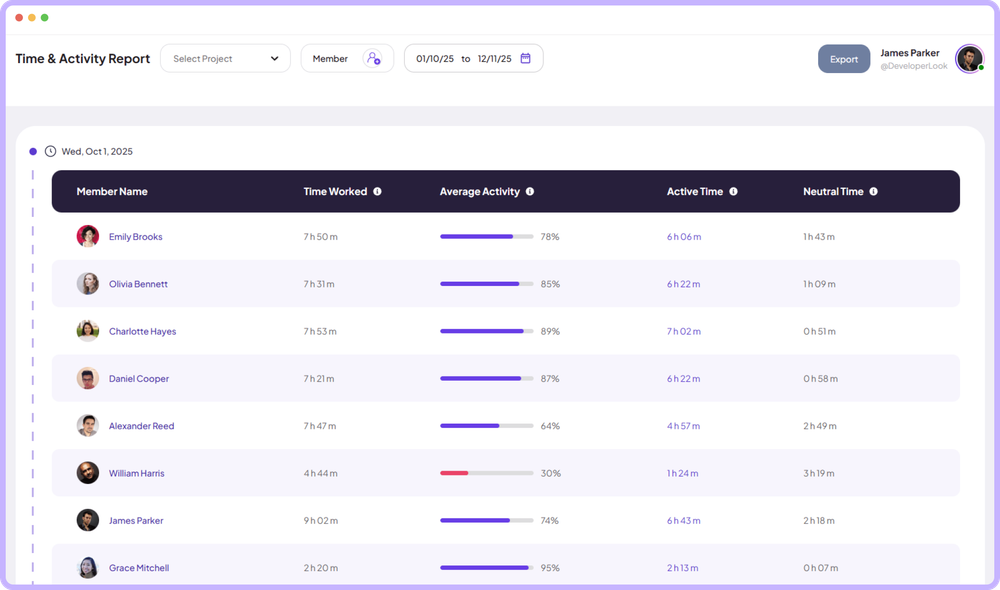

The Time & Activity Report shows each member's time worked, average activity, active time and neutral time for every day you pick.
Free for up to 3 members
Create your workspace, invite your team, and the first timesheet builds itself.