Agencies
Client work with an hours cap
Set a client project to the hours you agreed and get an email at the share you pick, before the hours run out.

Features
All 33 featuresSee the work while it happens.
 DashboardYour team's week at a glance, Monday to Sunday
 Live FeedEliteSee who's tracking time right now, and on what
 ScreenshotsStandardVisual proof of work, captured automatically
 AppsWhich apps each tracked session used
 URLsThe websites behind the tracked time
 Screen RecordingsEliteFull session video, beyond a screenshot
01 / 33
Dashboard
The team dashboard: this week's hours, today's performance, top members, ongoing tasks, top projects and the most used apps and websites.
View DashboardProject Budgets
Staffic is project budget software built into its time tracker. Set a budget for each project in hours or in money, and every hour your team tracks on it counts against that budget. Spent and remaining figures update as time comes in, and your admins get an email when spending reaches the share you choose. Budgets are on Standard and Elite.
In short
Staffic Project Budgets is the budget part of Staffic Projects, on the Standard and Elite plans. You set a limit in total project hours or total project cost, and every hour tracked on the project counts against it, manual time included. A cost budget multiplies each person's hours by the pay rate or bill rate set for them. Admins get an email when spending reaches the Notify At share.
How it works
Four steps from setting the limit to the alert email.
Project budget software
Each part below works on the time your team tracks against the project.
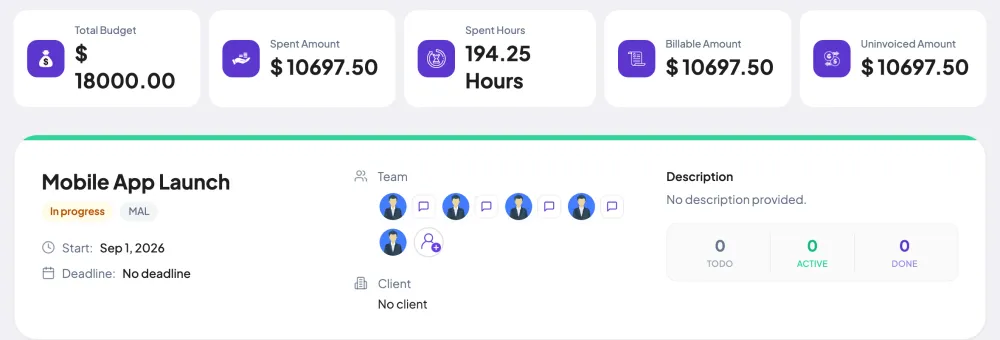
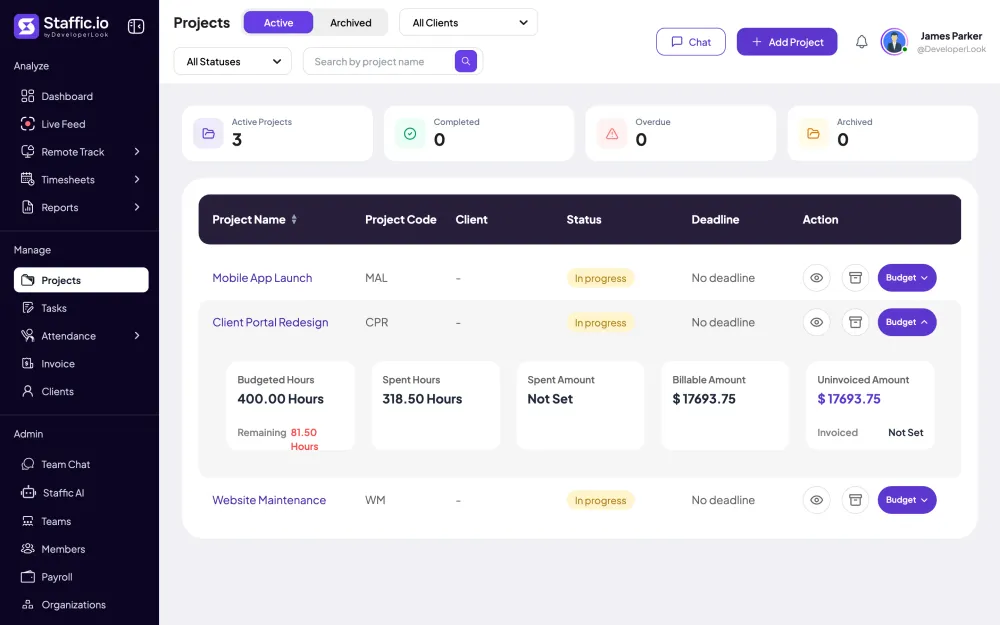
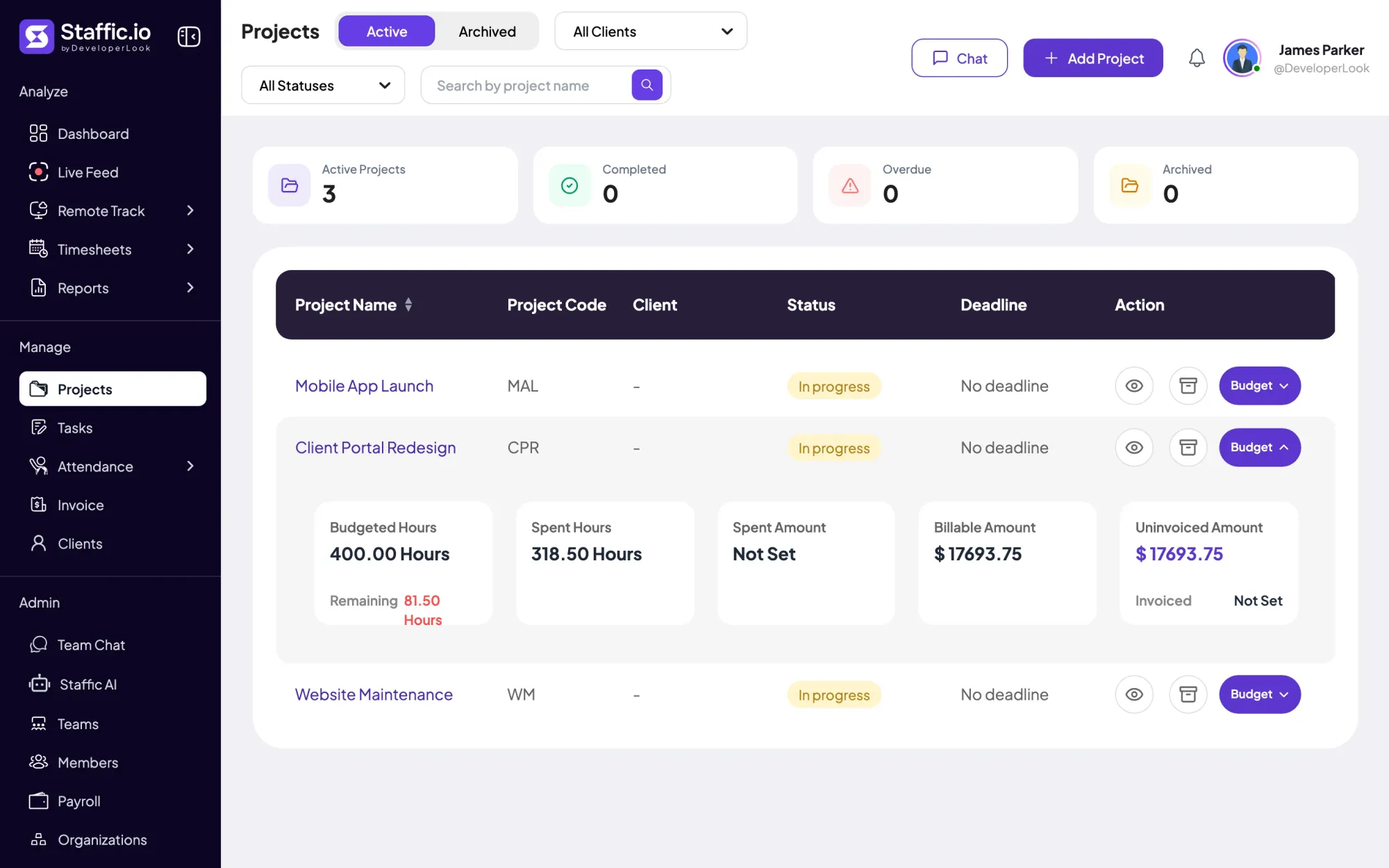
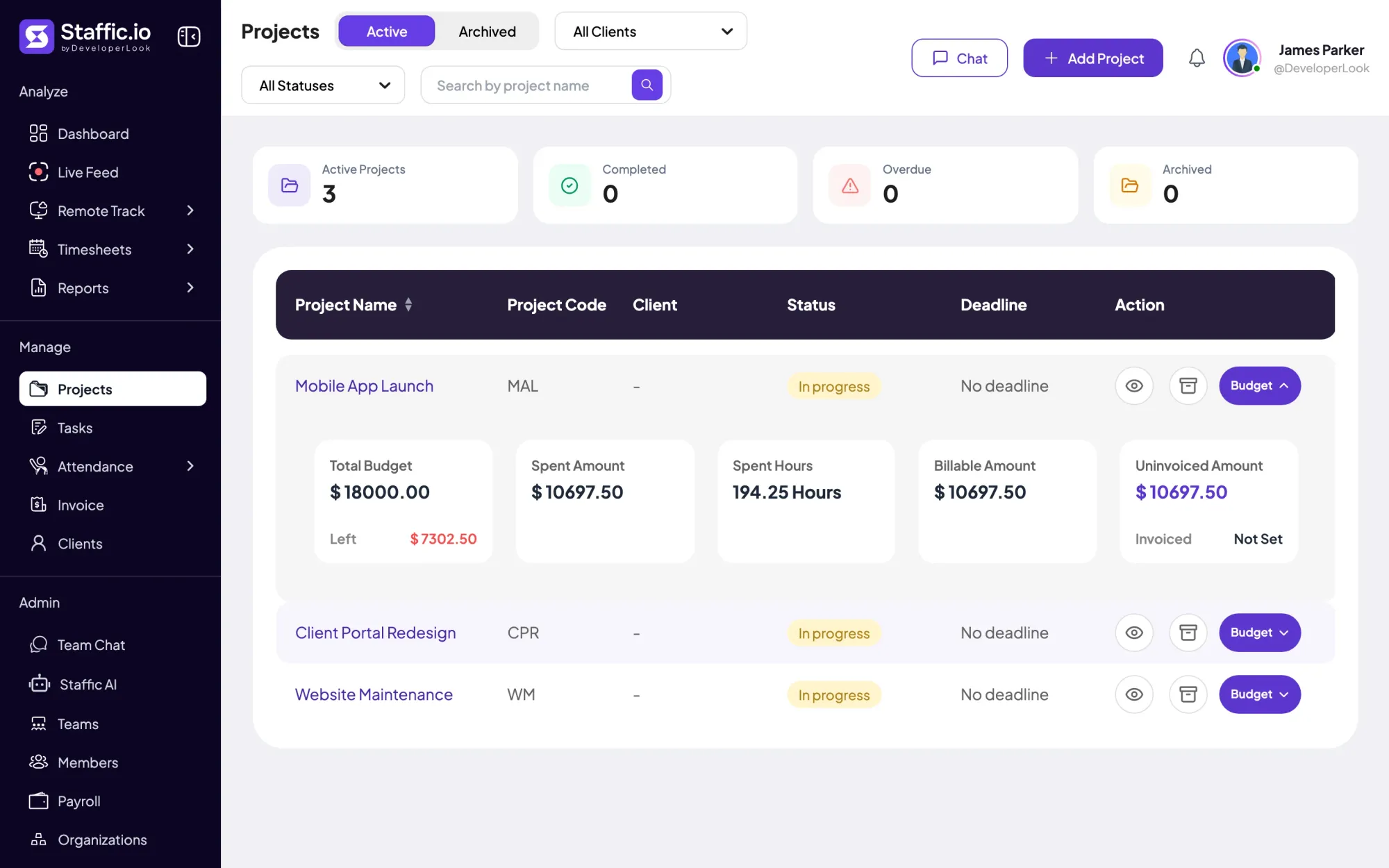
Click Budget on a project's row, or open the project, to see the budget next to what's been used. An hours budget shows Remaining, and a cost budget shows Left and the Spent Amount. Both cover all time tracked on the project since it started. Remaining and Left stop at zero, so compare Spent Hours with the budget to see an overrun.
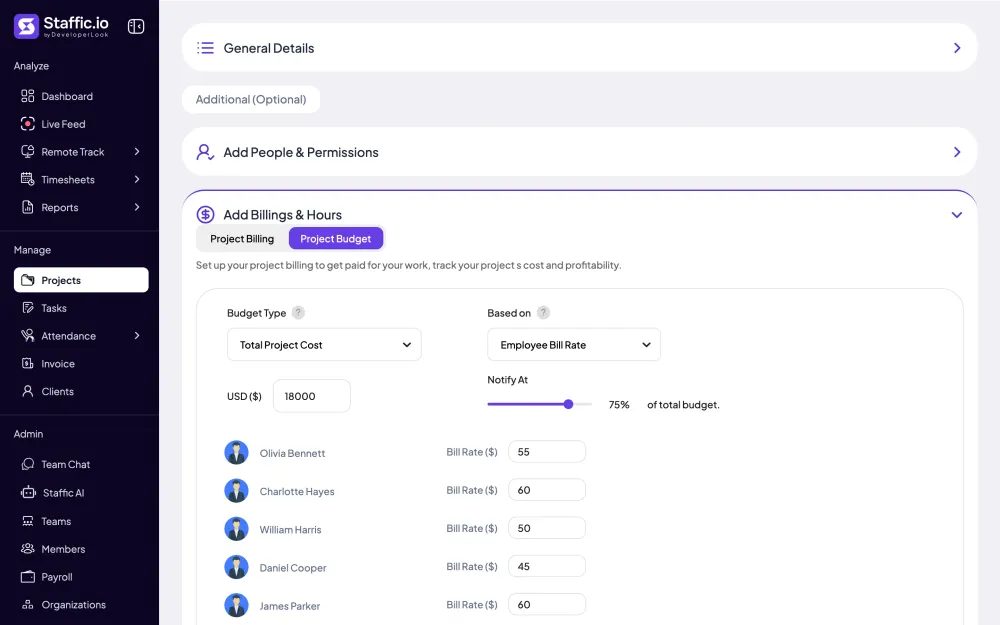
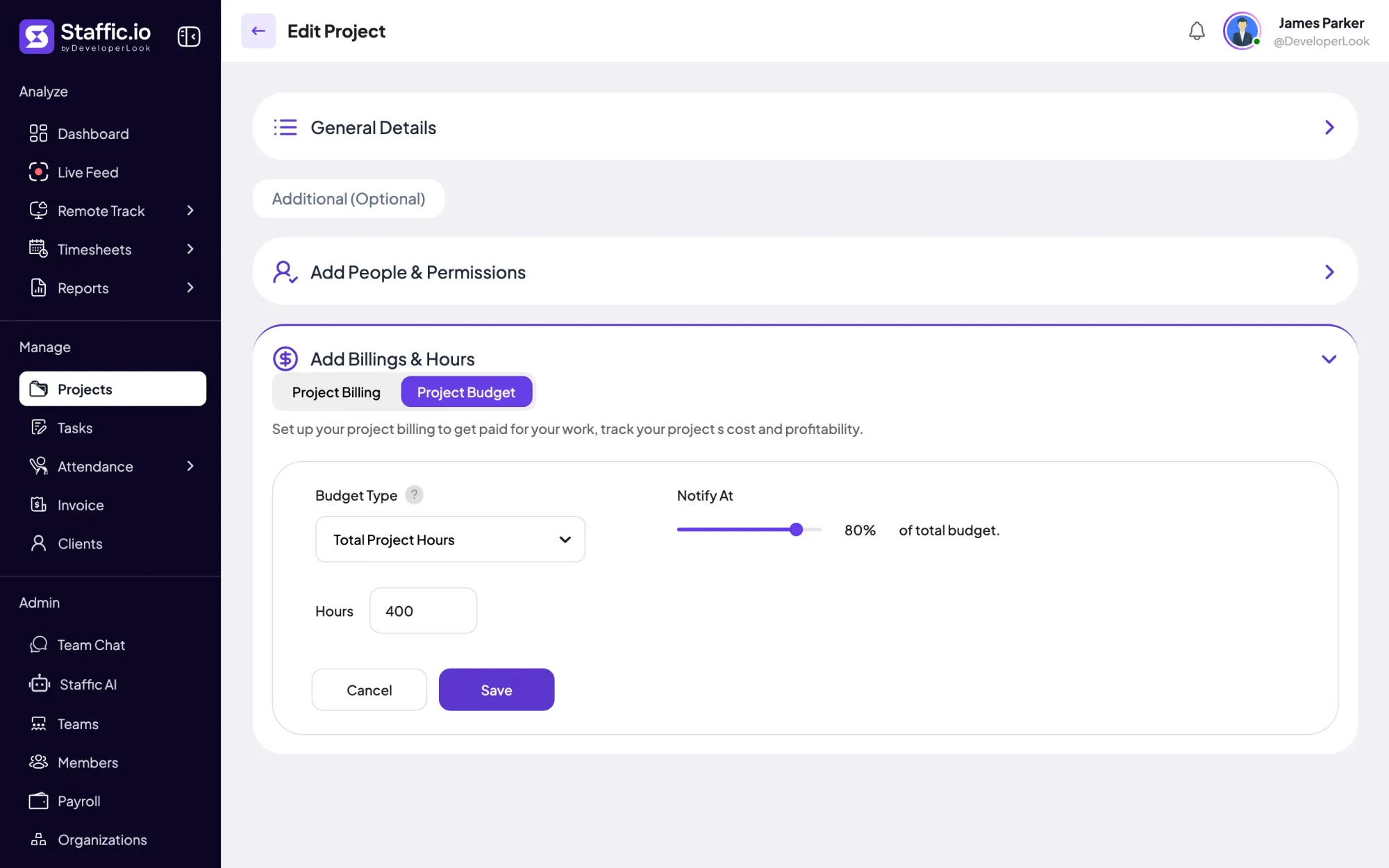
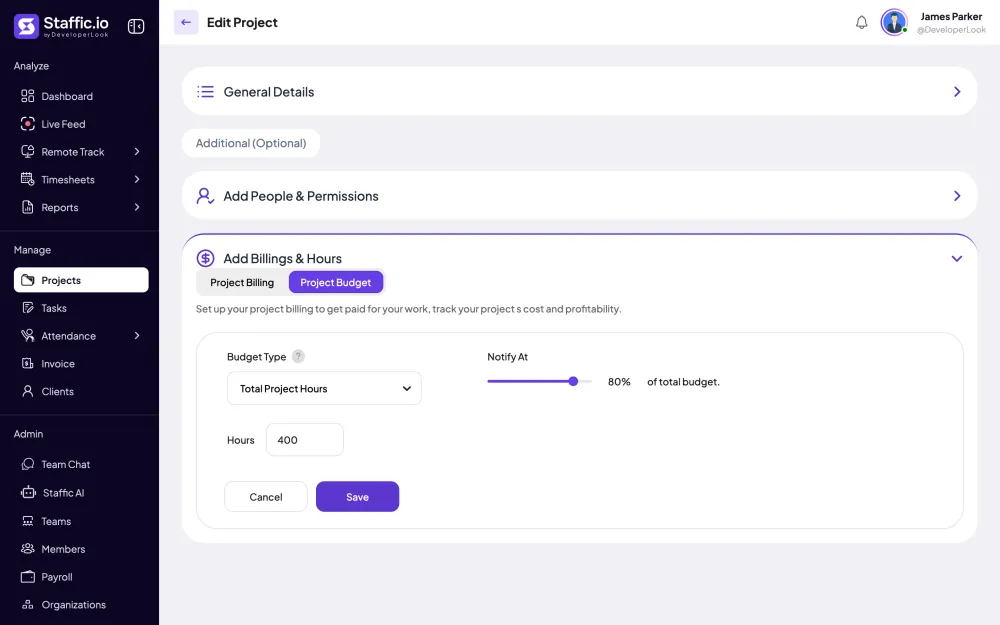
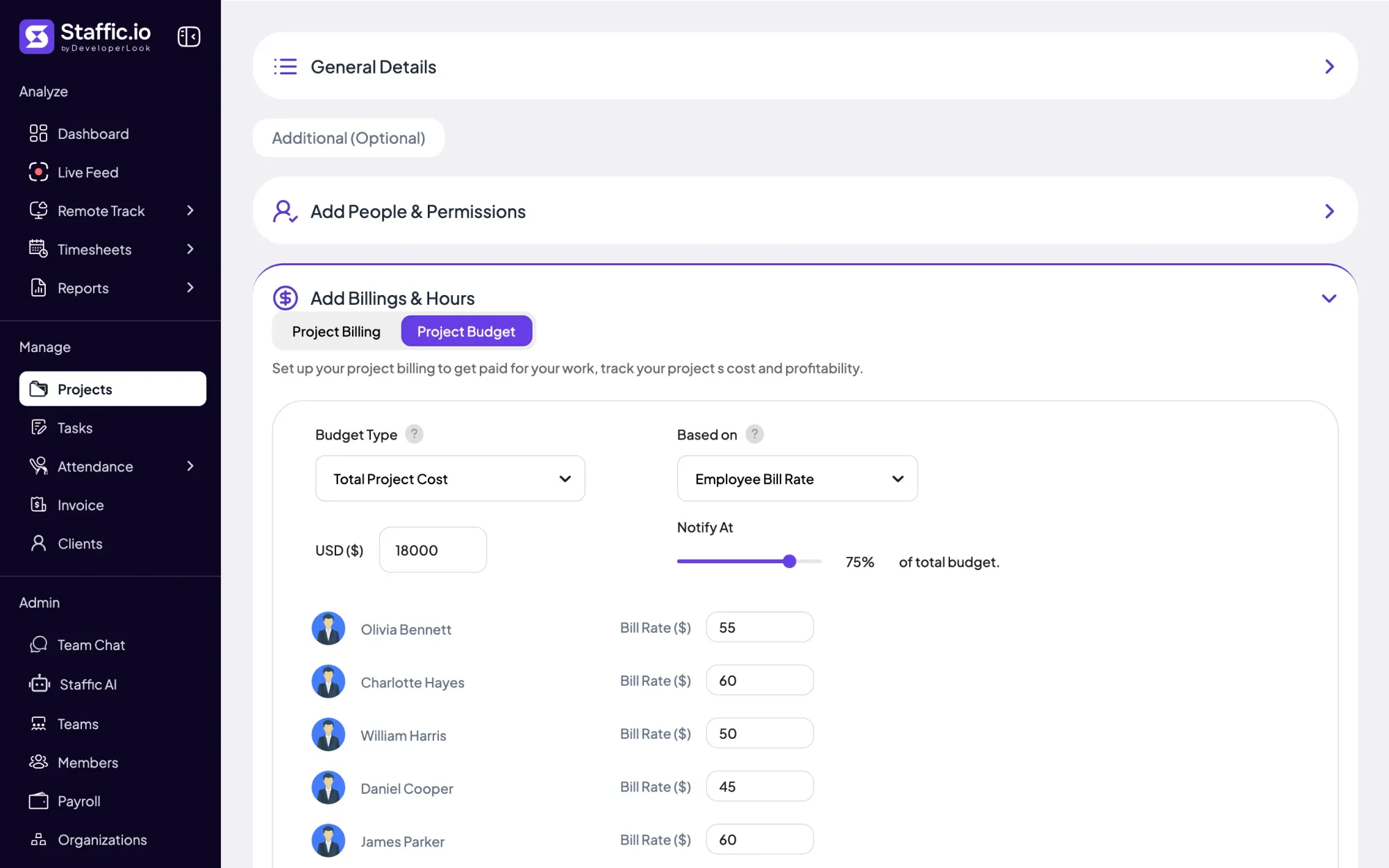
Pick Total Project Hours for a limit in hours, or Total Project Cost for a limit in money. Then set Notify At to the share of the budget that should trigger an alert, from 0 to 100%. Each project has one budget, and saving a new type replaces the old one.
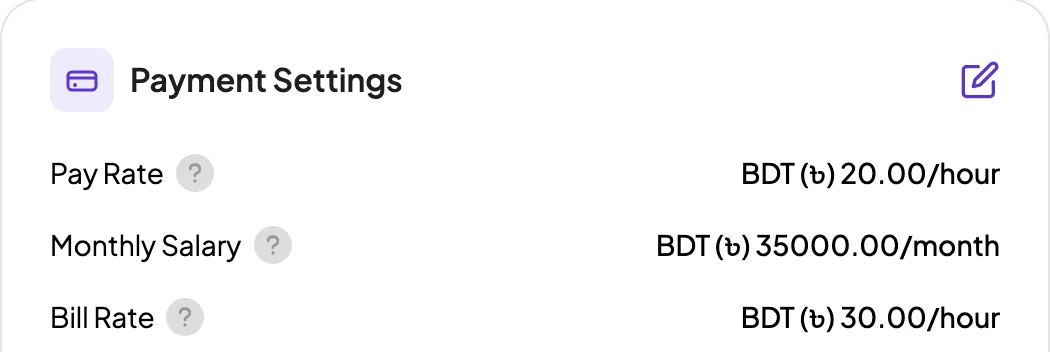
A cost budget is Based on Employee Pay Rate (what you pay people) or Employee Bill Rate (what you charge for their time). Each person's rate fills in from their member profile, and you can change it for this project only. Their hours on the project times that rate make up the Spent Amount.
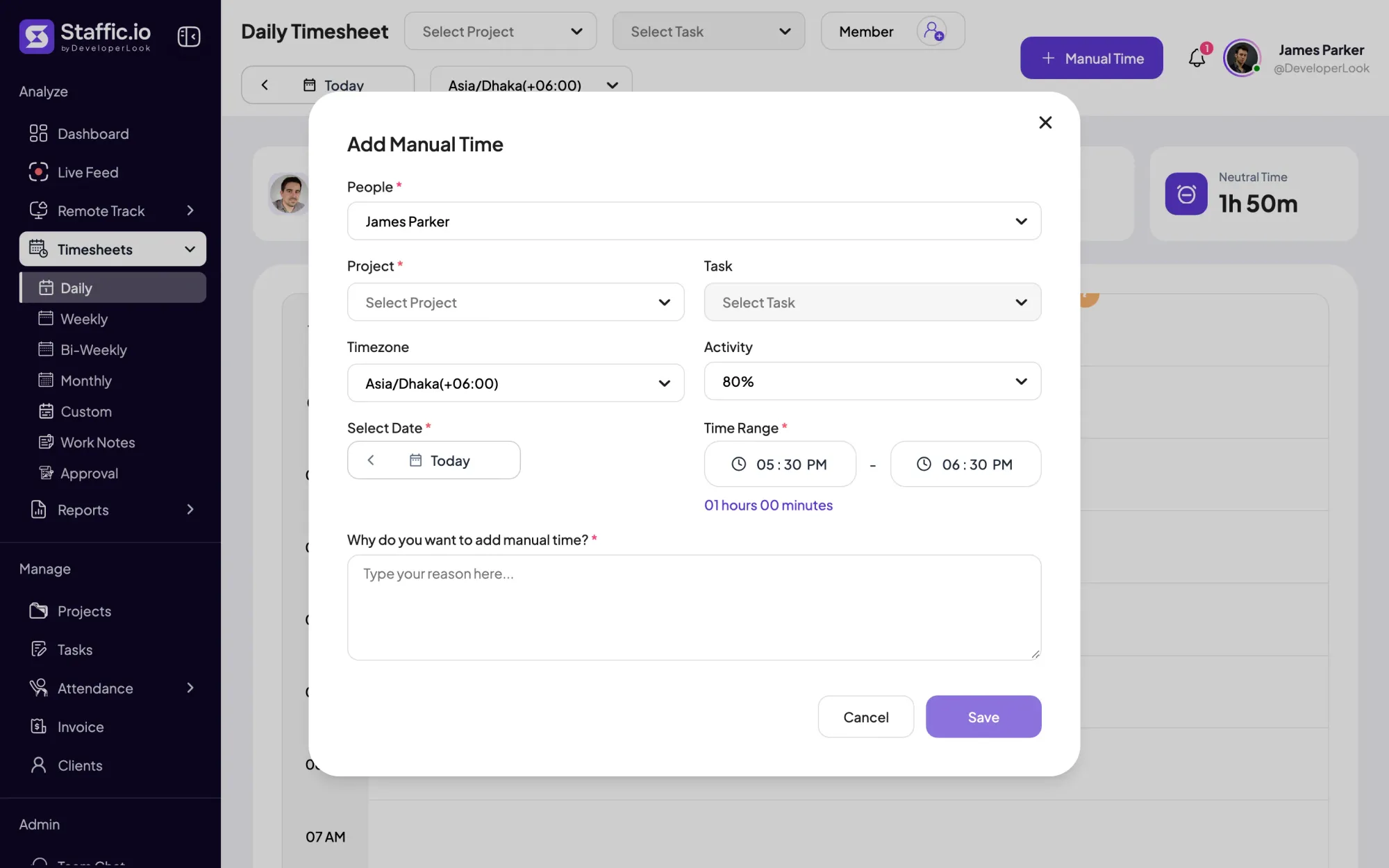
Spent Hours adds up all time tracked on the project by everyone, from desktop sessions and manual entries alike. Each manual entry needs a reason and appears in the Manual Time report, so you can see why a budget moved.
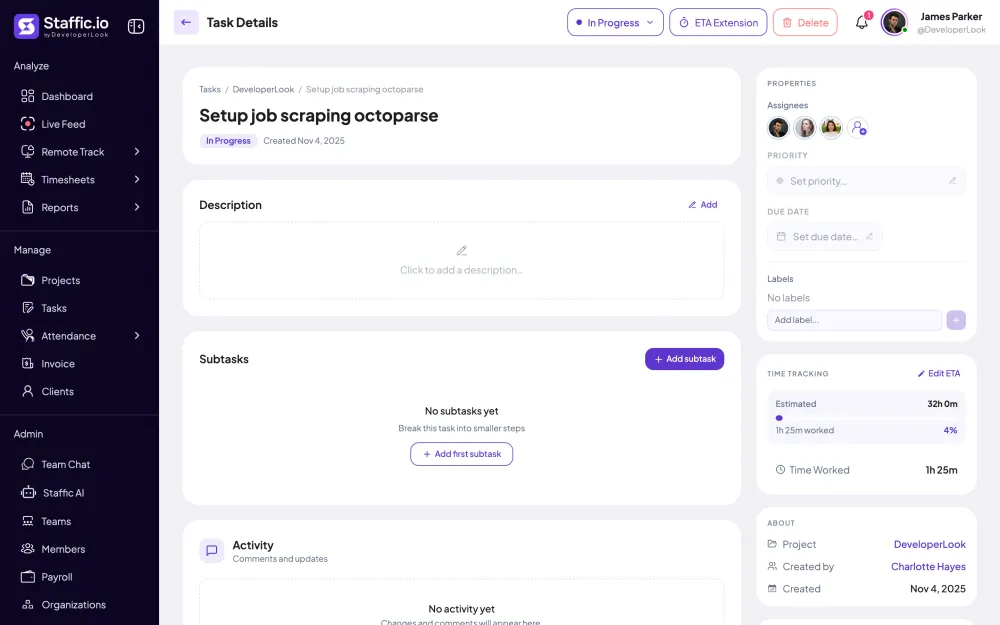
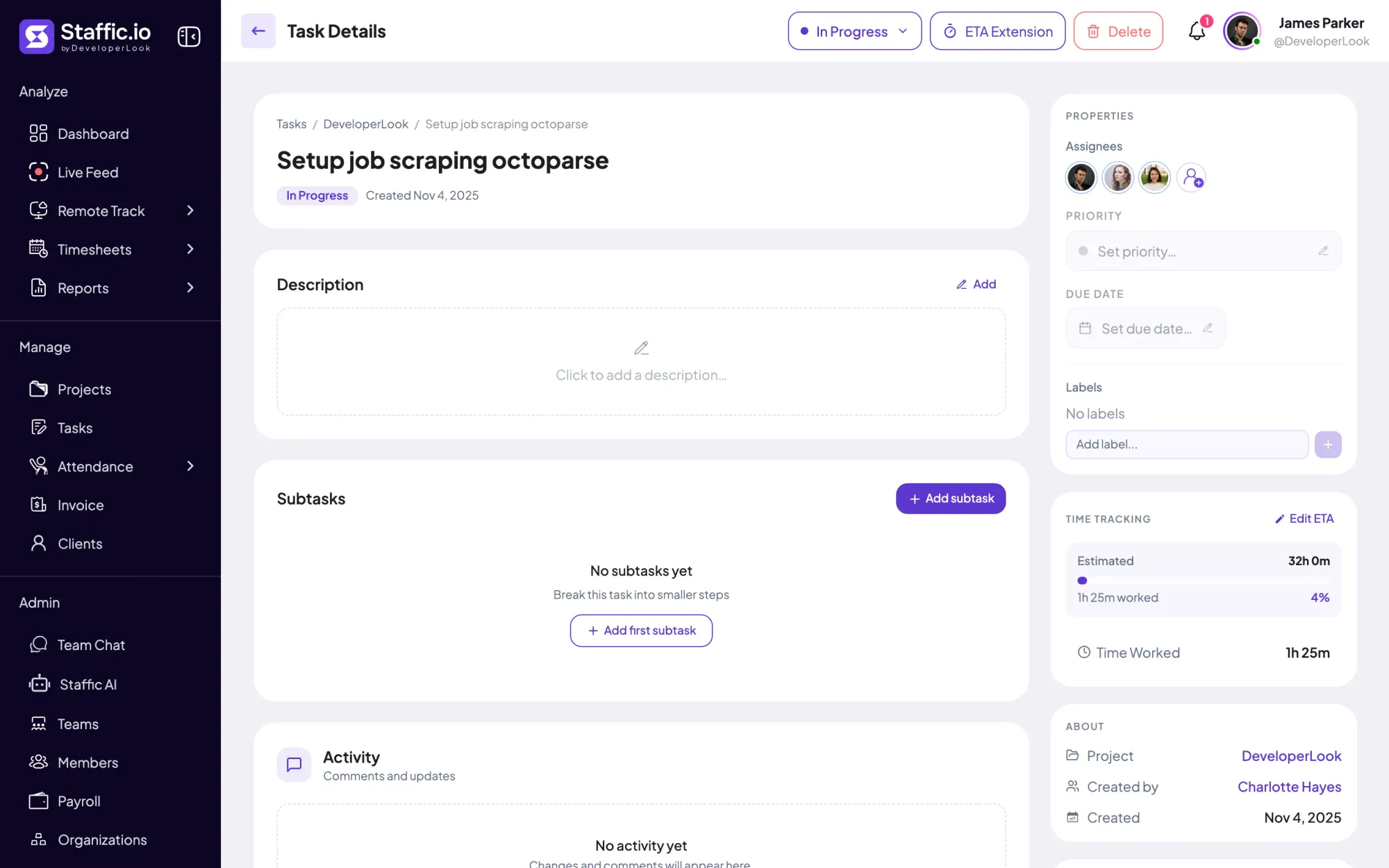
Staffic is project management software with budget tracking, so tasks sit under the same project. Give each task an estimate in hours and minutes, and its details page shows the time worked against it. The project row adds a bar for completed tasks, so work done sits next to budget used.
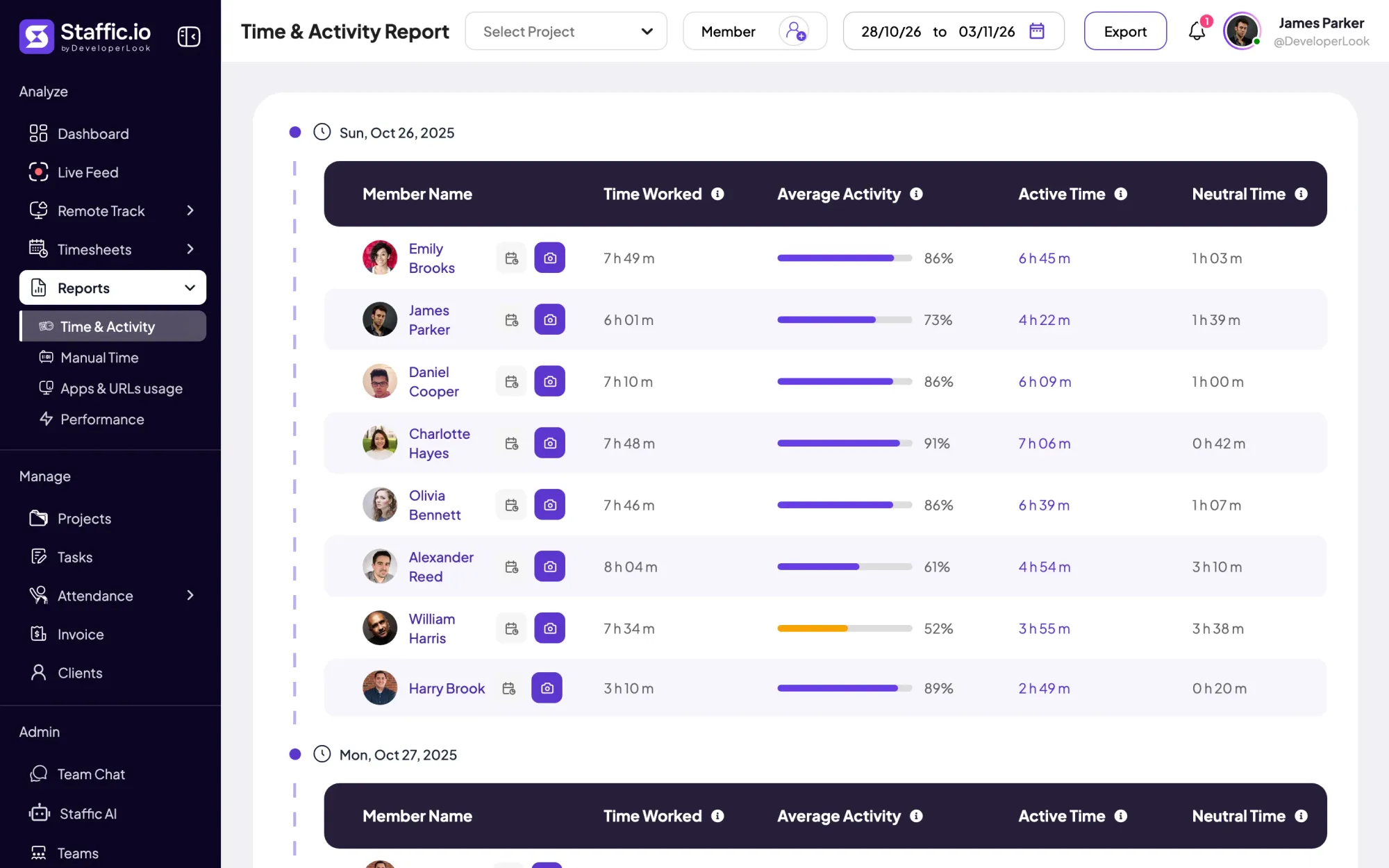
A budget covers the whole life of a project. For one week or one month, filter the Time & Activity report by the project. It shows each member's time worked per day and exports to PDF or Excel.
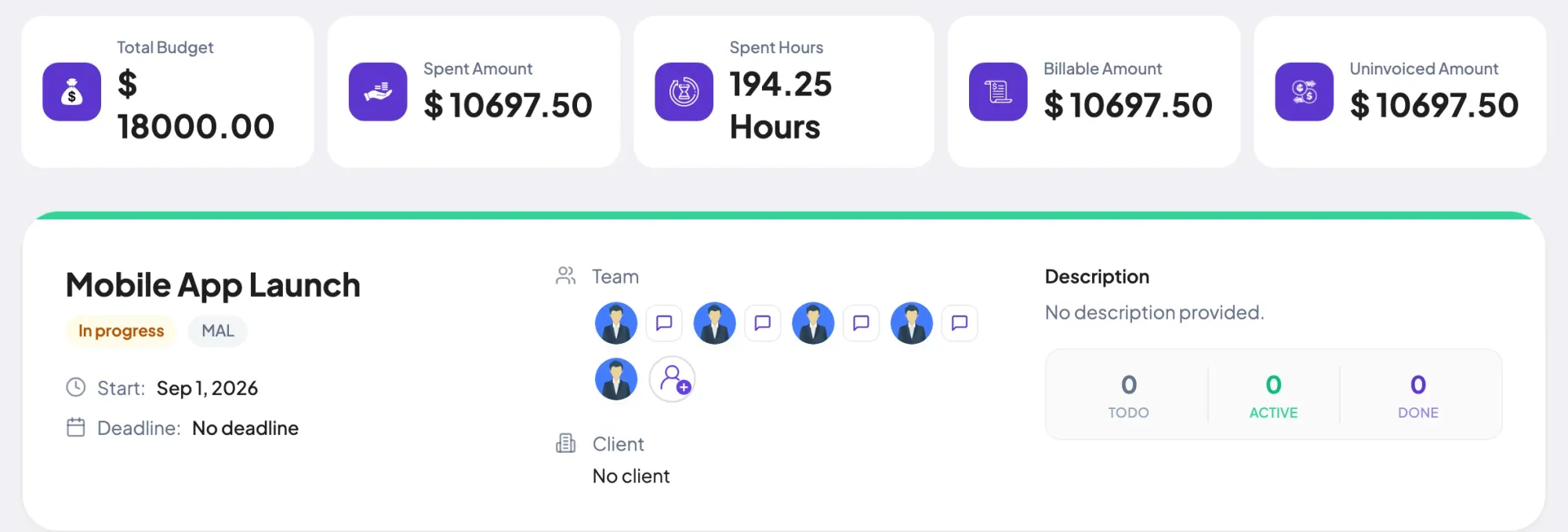
With project billing set, the same cards show the Billable Amount: hours times the hourly rates, or the fixed fee. On Elite, invoice lines linked to the project lower the Uninvoiced Amount. Cost, value and what's left to bill sit together.
Showing Spent and remaining, as hours come in.
Control and privacy
Budgets and rates stay with the people who run projects.
Set it up
Five steps on Standard or Elite. Each project keeps its own budget.
Add the project with its name, start date and status, or open one you already have.
Projects guideProjects › Add ProjectExpand Add Billings & Hours and click Project Budget.
Projects › Edit Project › Add Billings & HoursPick Total Project Hours and enter the hours, or Total Project Cost and enter the amount.
Under Based on, pick Employee Pay Rate or Employee Bill Rate, then check each person's rate.
Drag Notify At to the share that should trigger the alert email, then click Save.
Compare
Pick the one that matches how you agreed the work.
Swipe the table to compare
| Compare | Total Project Hours | Total Project Cost |
|---|---|---|
| Limit in | Hours | Money |
| What counts as spent | Hours tracked on the project | Each person's hours times their rate |
| Rates needed | None | Pay rate or bill rate per person |
| Budget panel shows | Budgeted Hours, Remaining, Spent Hours | Total Budget, Left, Spent Amount, Spent Hours |
| Alert | At the Notify At share of the hours | At the Notify At share of the cost |
| Suits | Work agreed in hours | Work agreed as a fee or a cost cap |
Fields and labels as the Staffic app shows them on the Project Budget tab, checked on 2026-10-12.
Specs and terms
The facts behind the feature, and what each number on the Project Budgets page means.
Who it’s for
Teams use Staffic's project budgeting software in different ways.
Set a client project to the hours you agreed and get an email at the share you pick, before the hours run out.
Budget a commission by cost on pay rates to see what the team's time has cost so far against the fee.
Teams that want project management software with budgeting put estimates on tasks and an hours budget on the project, so a long sprint shows up in both.
Customer stories
Stop juggling tools. Staffic gives your team time tracking, projects, payroll and performance analytics in one platform.
Try Staffic for free“Staffic.io brings transparency without micromanagement. Our team feels trusted, and productivity has never been higher.”
Pricing
Project Budgets is part of the Standard and Elite plans, with a 7-day free trial. You pay per active user.
Compare every planPrices in USD per active user. Billed monthly, Standard is $7.50 and Elite is $9.80 per user.
A project budget is the limit you set on what a project may use, in hours or in money. Project budget management tools compare it with the work done so far while the project runs. In Staffic, each project gets one budget as total project hours or total project cost, and the hours your team tracks count against it.
Estimate the work task by task, add up the hours, and turn them into cost with each person's rate. In Staffic, put an estimate on each task, then set the project budget in total hours or total cost on the Project Budget tab. To allocate the budget, give each task its share of hours as an estimate, and its details page shows time worked against it.
Check spent against budget often and act before you reach the limit. Good project budget tracking software does that without a spreadsheet. Staffic shows Spent Hours and Remaining or Left on the project row, and it emails your admins at the Notify At share. When a project runs hot, look at its task estimates and the Time & Activity report to see where the hours went.
Yes, one budget per project, on the Standard and Elite plans. Admins and roles with the Project module in Access Control set it on the project's Project Budget tab, as total project hours or total project cost. The Free plan doesn't include budgets, billing or project managers.
Yes, one at a time for each project. Total Project Hours sets a limit in hours, and Total Project Cost sets a limit in money based on pay rates or bill rates. Saving the other type replaces the old budget. Spent Hours shows on both, so a cost budget still tells you how many hours went in.
On a cost budget, each person's hours are multiplied by their rate to make the Spent Amount. You pick Employee Pay Rate or Employee Bill Rate, and each rate fills in from the member's profile, where you can change it for that project. Hours budgets ignore rates, and project billing uses its own hourly rates for the Billable Amount.
Staffic works out Spent Hours and the Spent Amount from every session on the project whenever you open the Budget panel or the project page. Desktop sessions count once they sync, and manual time counts as soon as it's added. For alerts, Staffic checks every budget every 10 minutes.
Yes. Set Notify At to a share of the budget, such as 80%, and Staffic emails every admin of the organization when spending reaches it. The email names the project, the budget type and the share used. Each threshold sends one alert, and 0% turns alerts off.
Standard and Elite include Project Budgets; the Free plan does not. Standard is $5.50 per user per month billed yearly ($1.00 during the current offer, until September 12, 2027) or $7.50 billed monthly, and Elite is $5.80 per user per month billed yearly or $9.80 billed monthly. Both start with a 7-day free trial.
Explore more
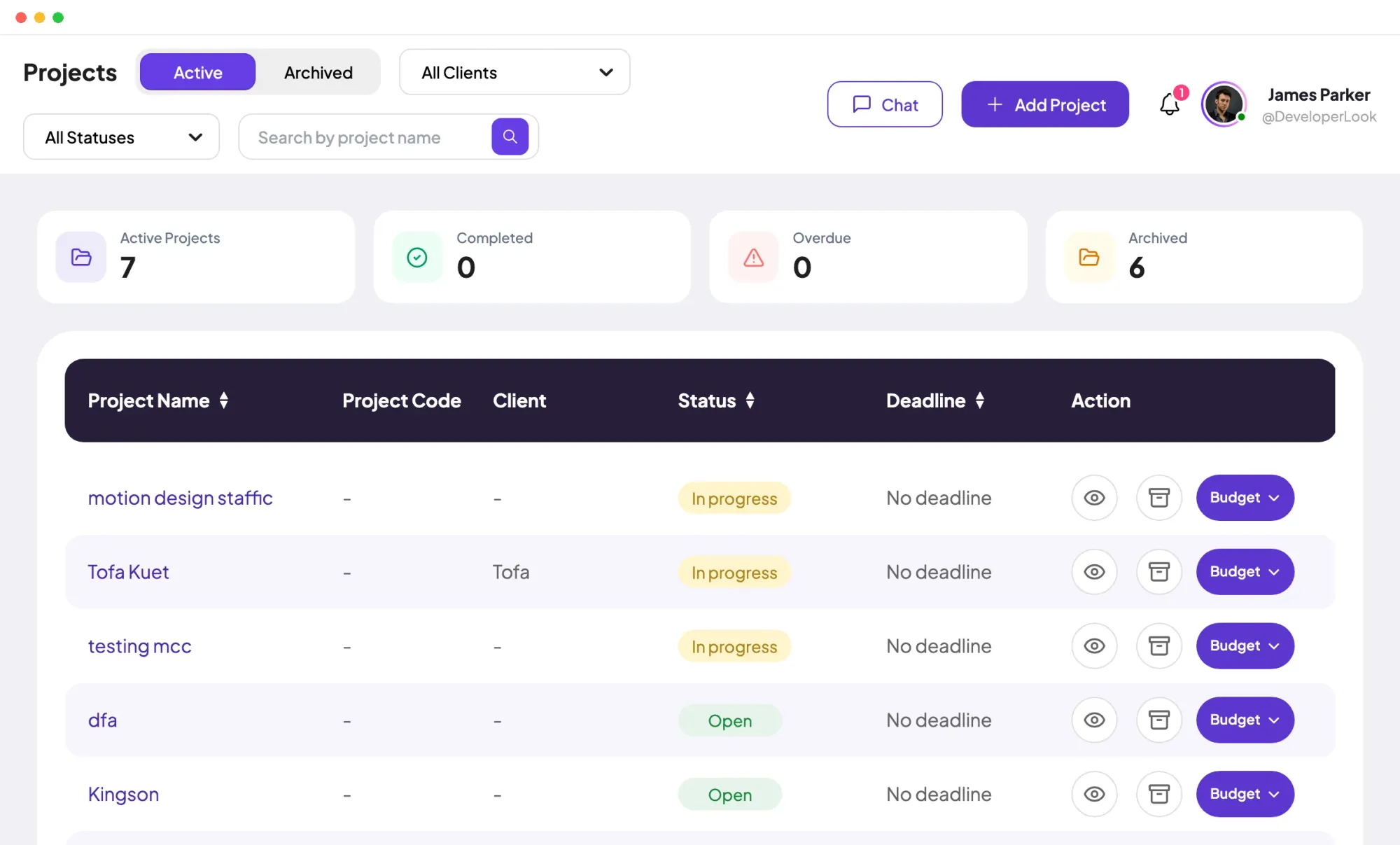

Projects tracks time per project, task and member, with status and task progress, plus budgets and billing on Standard and Elite.
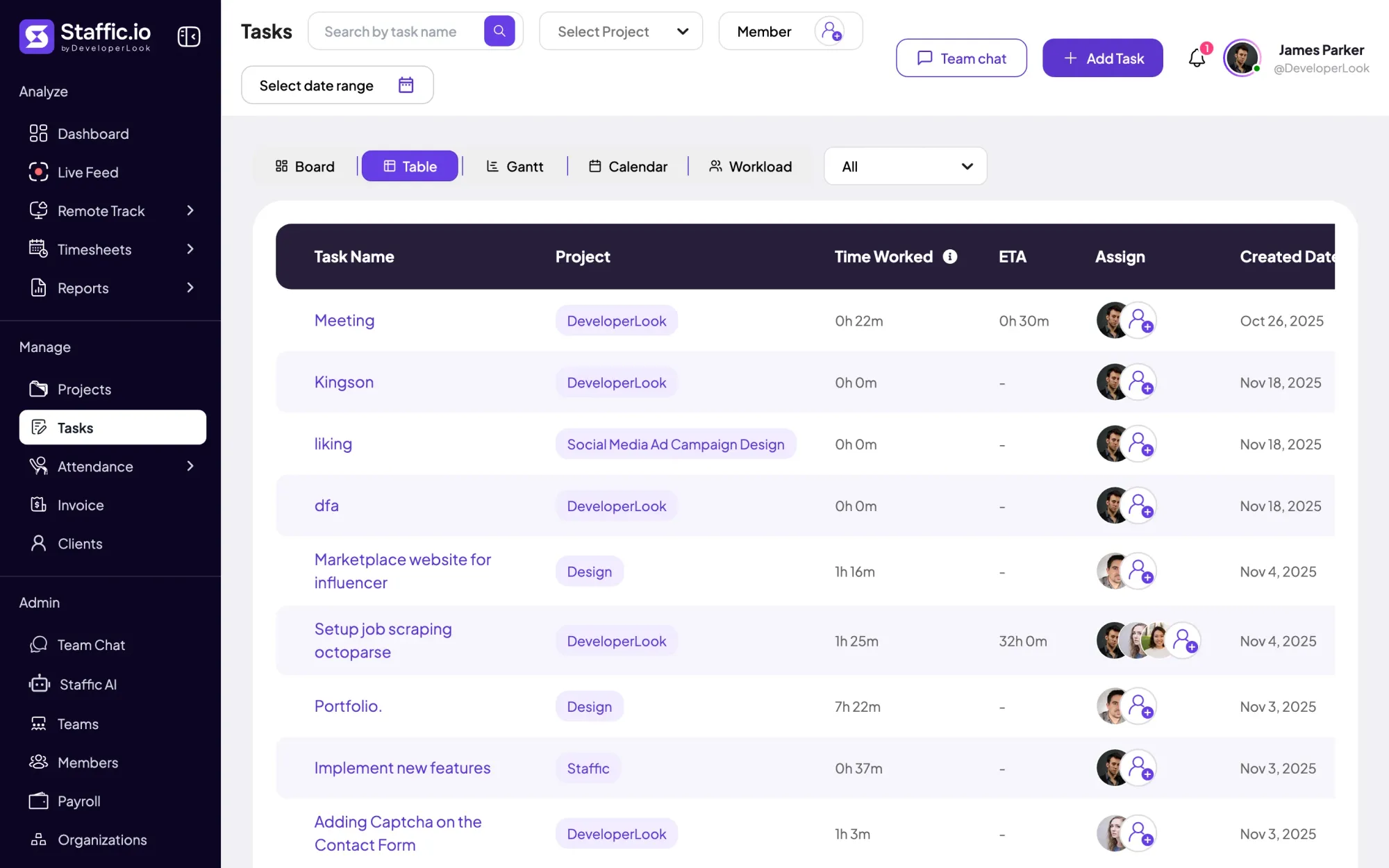

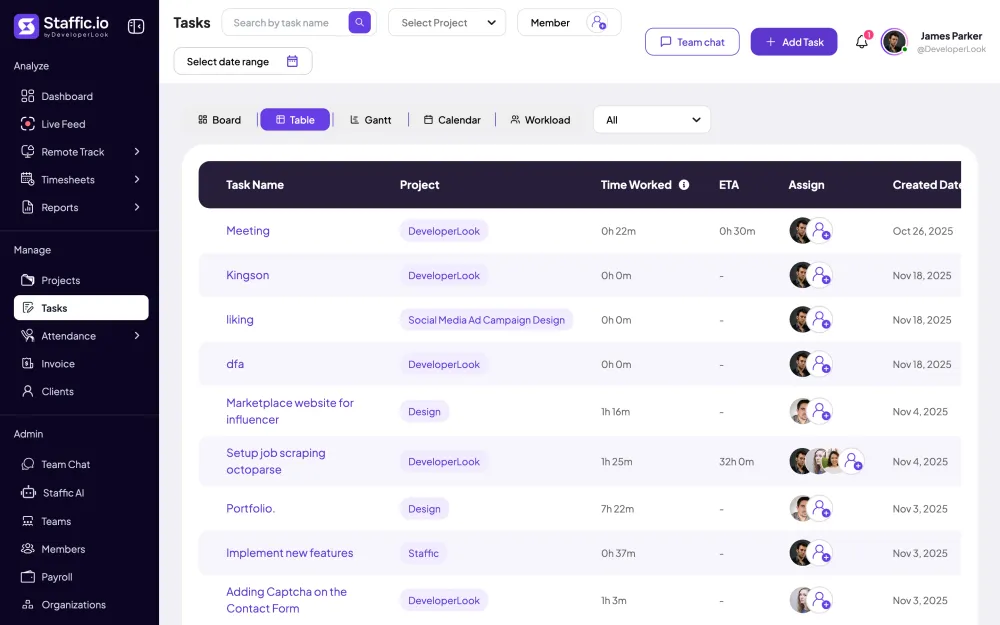
Tasks holds the work inside each project, with estimates, assignees, due dates and time worked, in table, board, Gantt, calendar and workload views.
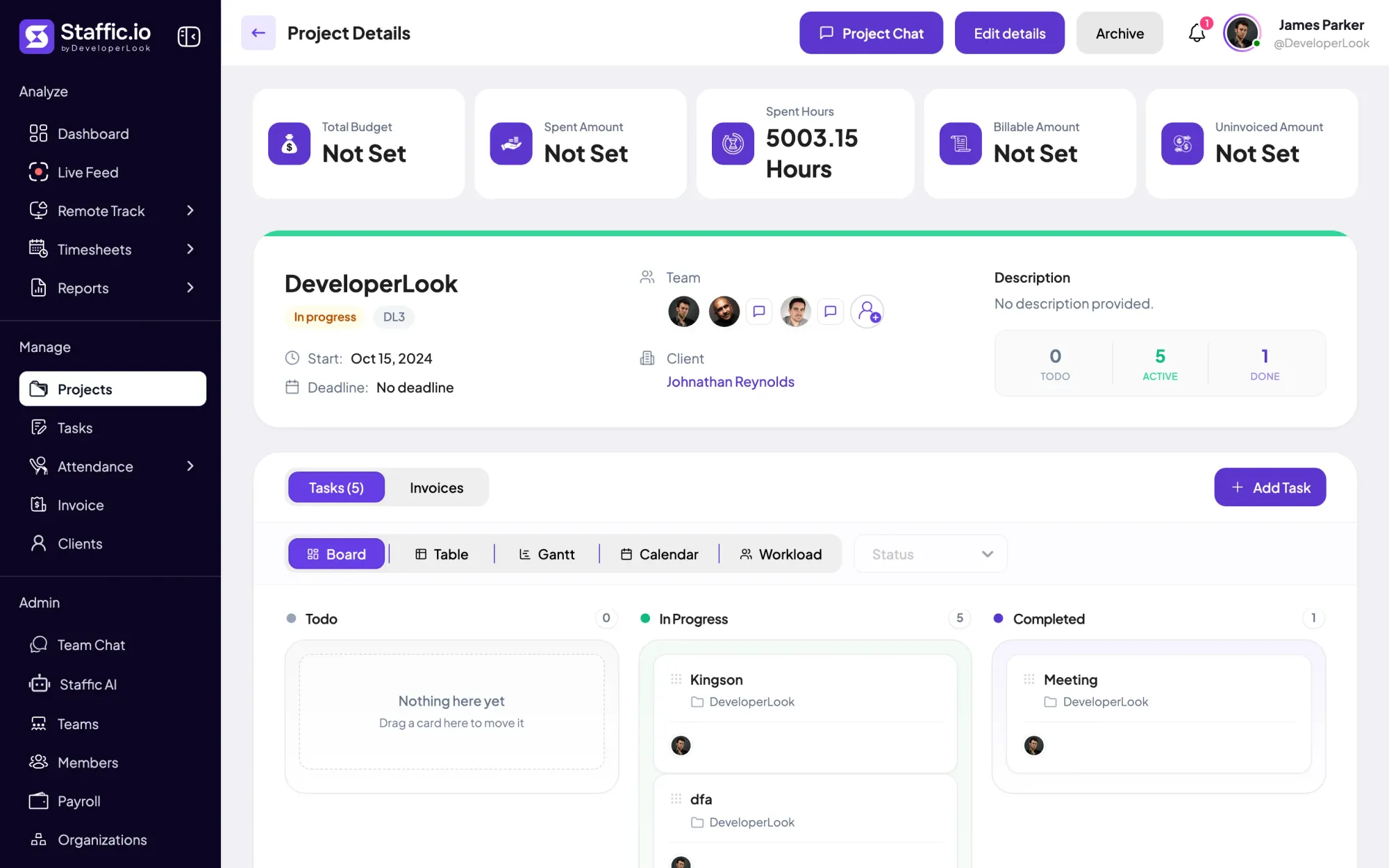
Staffic is time and billing software: track hours on client projects, see the billable amount at your rates, and bill it on an invoice.
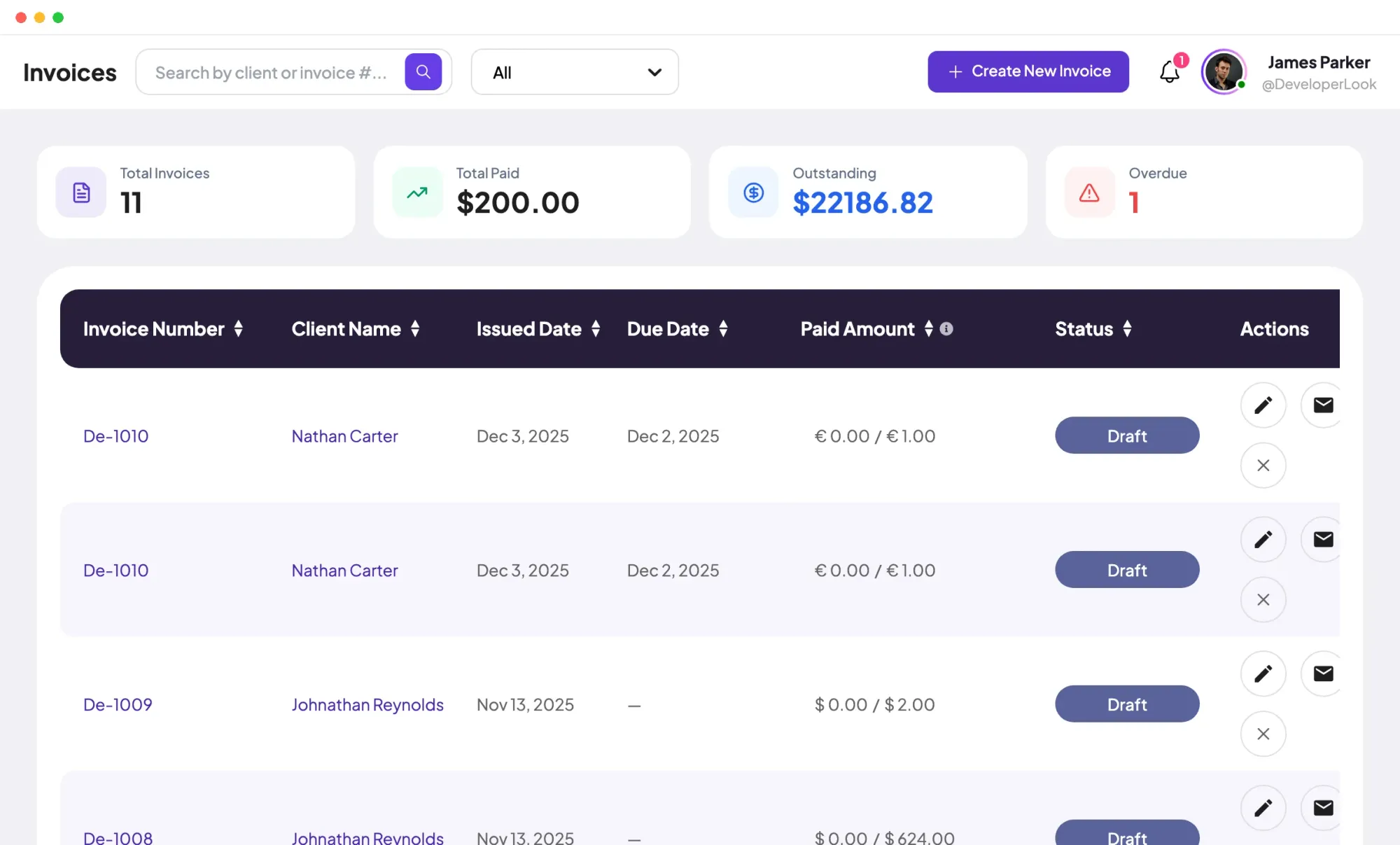

Invoices tracks every client invoice from draft to paid, with payments, outstanding balances and a link clients open in a browser.
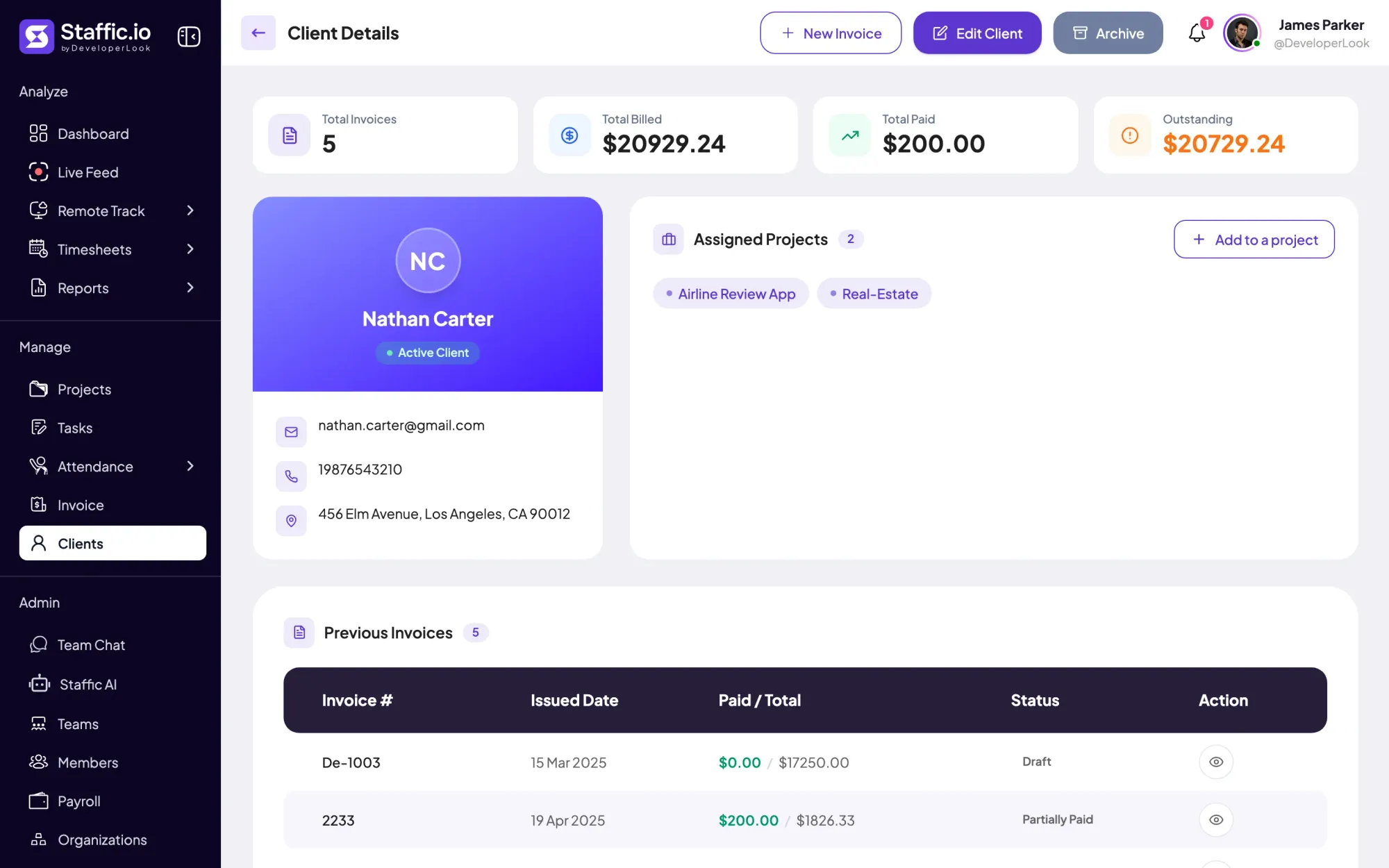

Clients holds each client's profile, projects and invoices, so hours on billed projects become billable time you can invoice.
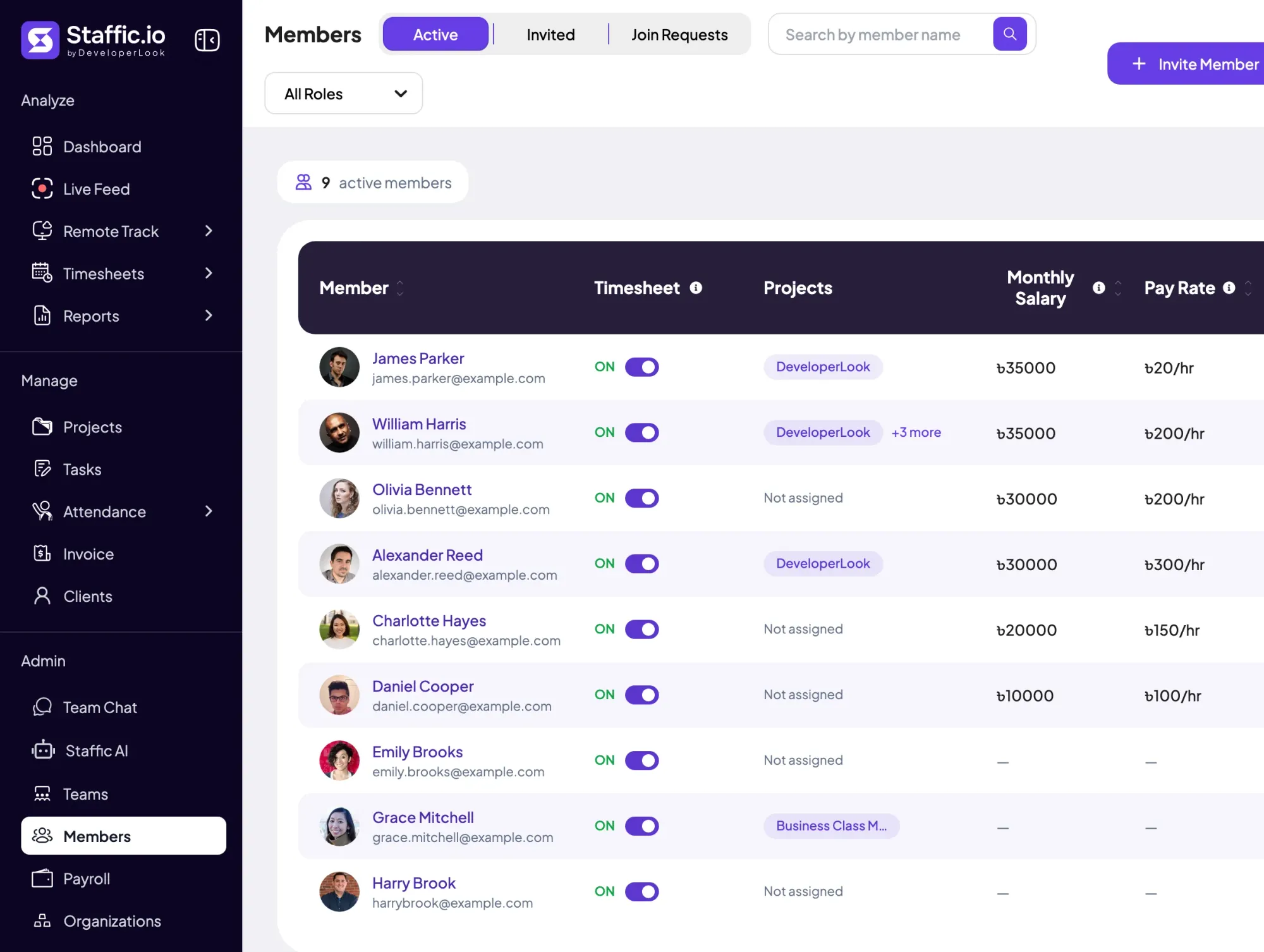

Members lists every person with their projects, pay and approval switch, and holds invitations, join requests and each member's page.
Free for up to 3 members
Create your workspace, invite your team, and the first timesheet builds itself.