Remote teams
A remote day you can read without a call
See when a home-based member's tracked hours were active and which tools they used, then talk about the day with the numbers in front of you.

Features
All 33 featuresSee the work while it happens.
 DashboardYour team's week at a glance, Monday to Sunday
 Live FeedEliteSee who's tracking time right now, and on what
 ScreenshotsStandardVisual proof of work, captured automatically
 AppsWhich apps each tracked session used
 URLsThe websites behind the tracked time
 Screen RecordingsEliteFull session video, beyond a screenshot
01 / 33
Dashboard
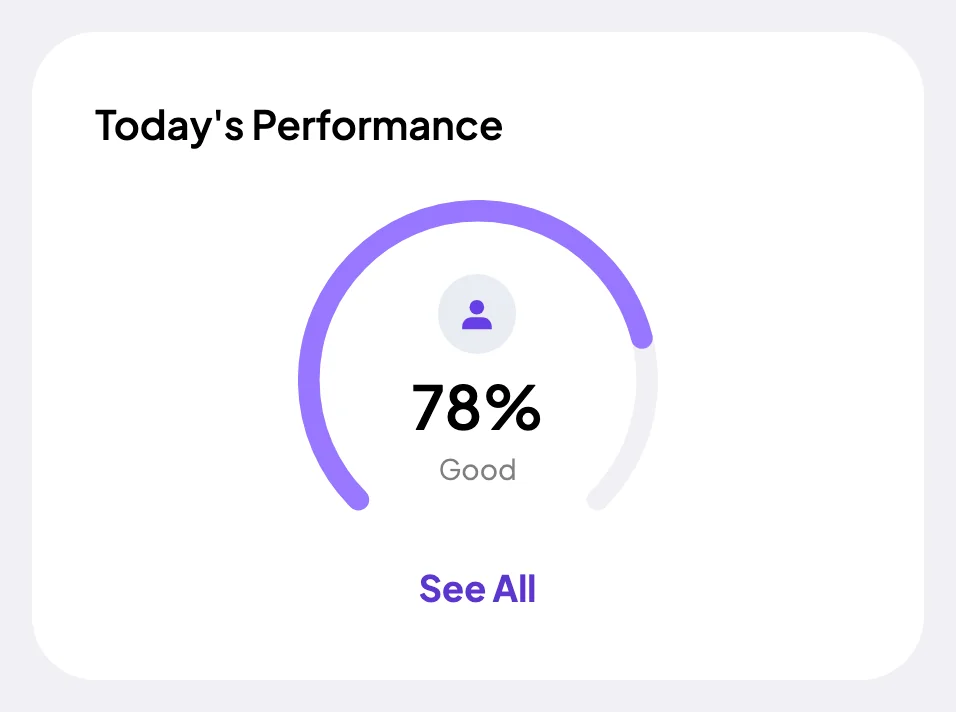
The team dashboard: this week's hours, today's performance, top members, ongoing tasks, top projects and the most used apps and websites.
View DashboardUser Activity Monitoring
Staffic is user activity monitoring software built into its time tracker. While a member's timer runs, the desktop app turns keyboard and mouse input into an activity level and splits the time into active and neutral time. It also lists the apps and websites in each session. Admins see the team's activity, and each member sees their own.
In short
Staffic User Activity Monitoring is the activity record the Staffic desktop app keeps for each member during tracked time. It gives every session an activity level from 0 to 100% based on keyboard and mouse input. Each stretch of 50 seconds or more without input counts as neutral time. Each session also lists the apps and websites used, and members see their own records.
How it works
Four steps to monitor user activity, all inside tracked time.
User activity monitoring software
Every number below comes from the sessions a member tracks in the desktop app.
When a member starts the timer on a project and task, the desktop app opens a session. It notes keyboard and mouse input, the apps in use and the websites visited until the timer stops. Each session reaches the web app with its start, end, project, task and activity level.
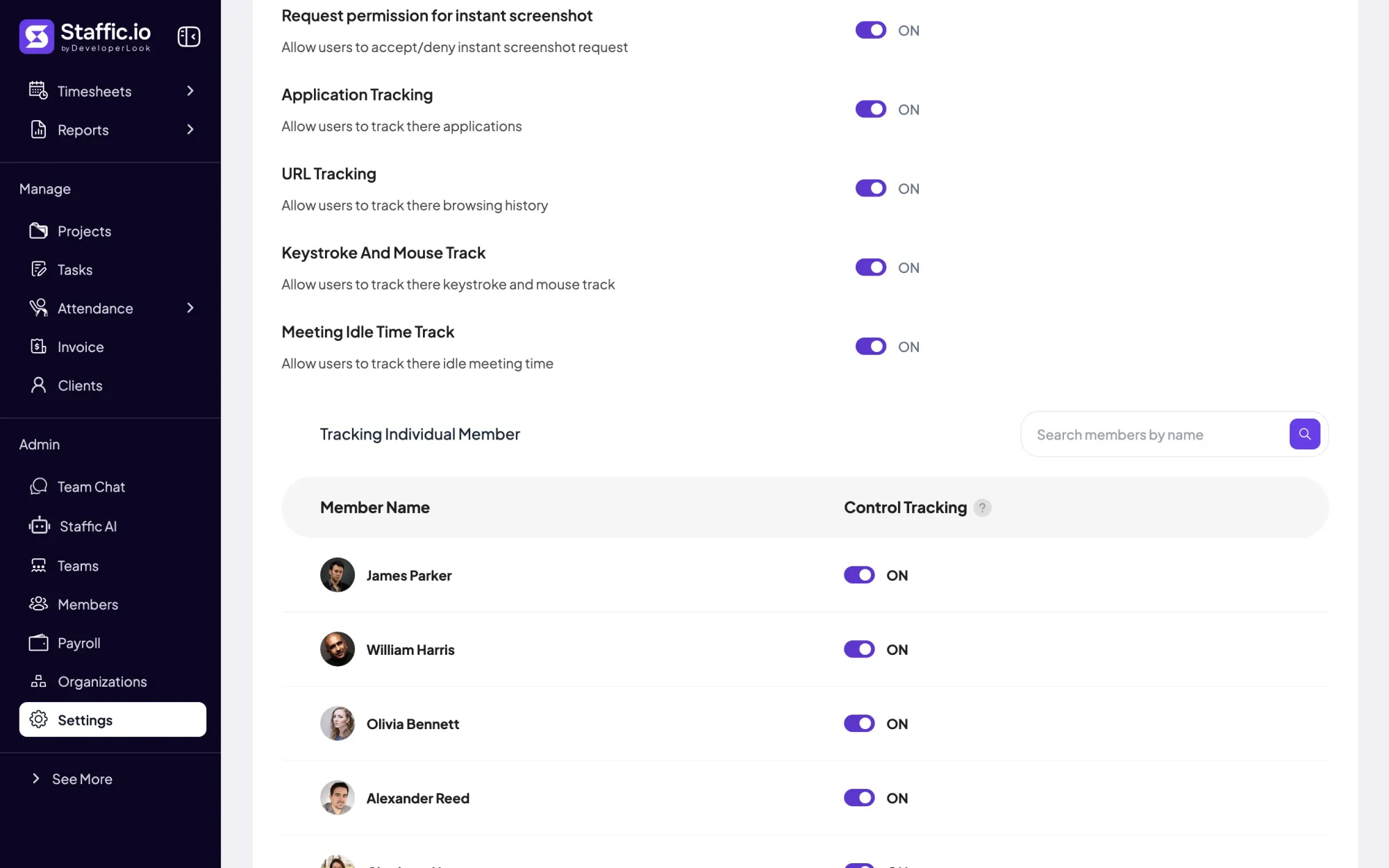
The desktop app checks whether the keyboard or mouse is in use and gives each session an activity level from 0 to 100%. Staffic stores that number, never the keys pressed. One switch, Keystroke And Mouse Track, turns it on or off for the whole organization.
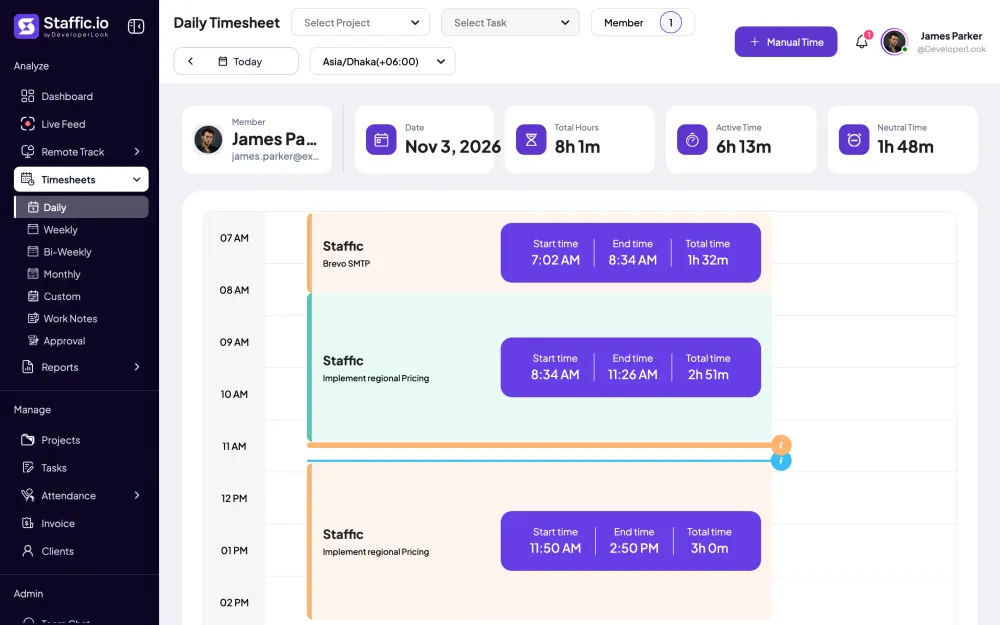
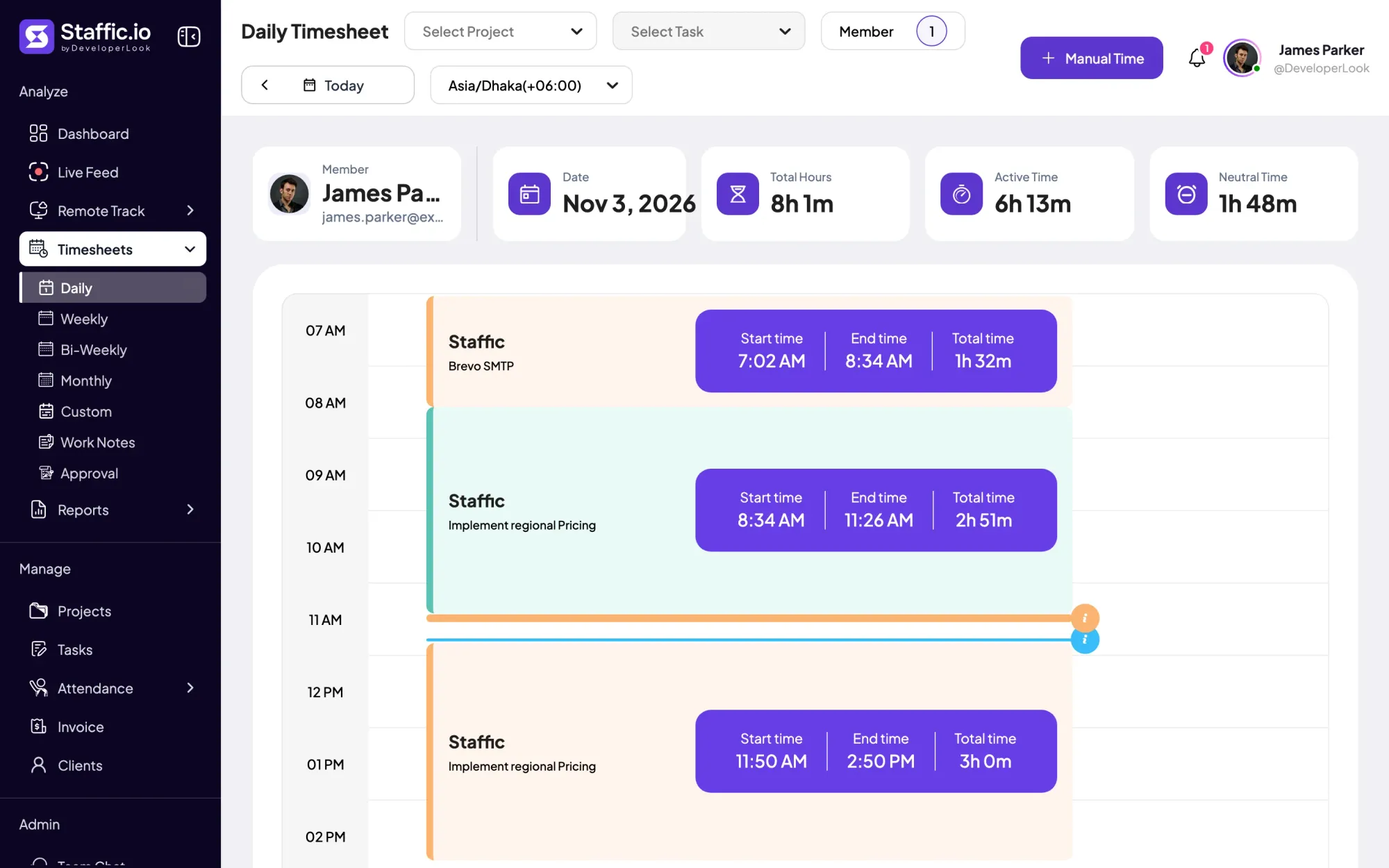
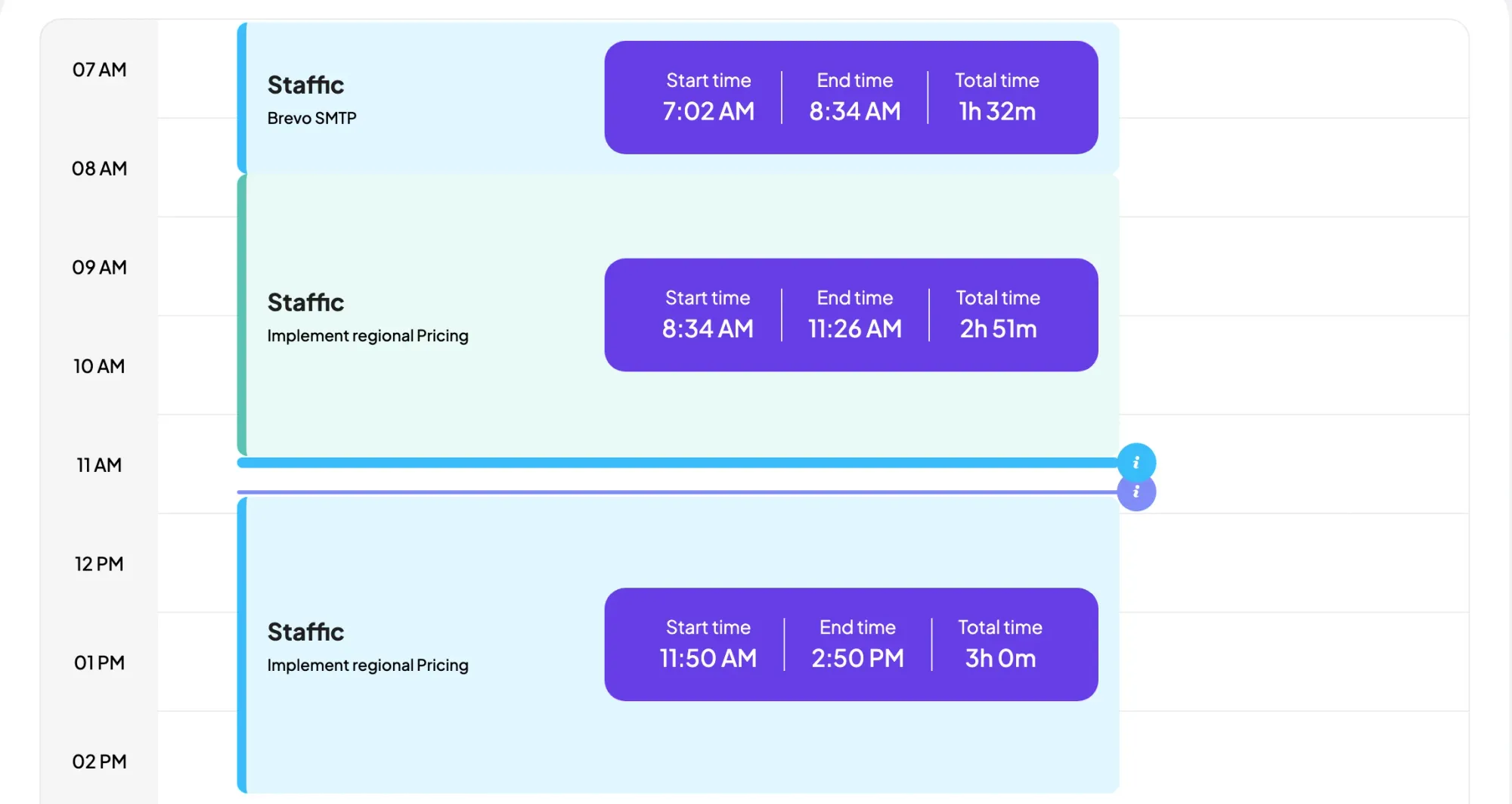
Any stretch of 50 seconds or more without input counts as idle and shows as neutral time. Neutral time stays in the member's hours, and on Standard and Elite the daily timesheet shows it next to active time. With Meeting Idle Time Track on, quiet time in Google Meet, Slack huddles and Discord calls isn't counted as idle.
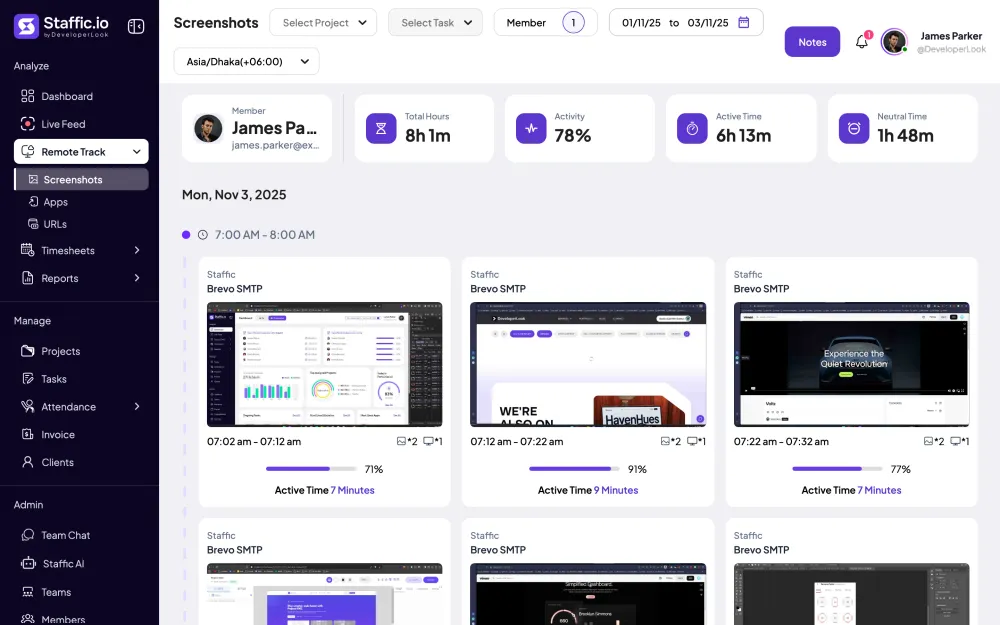
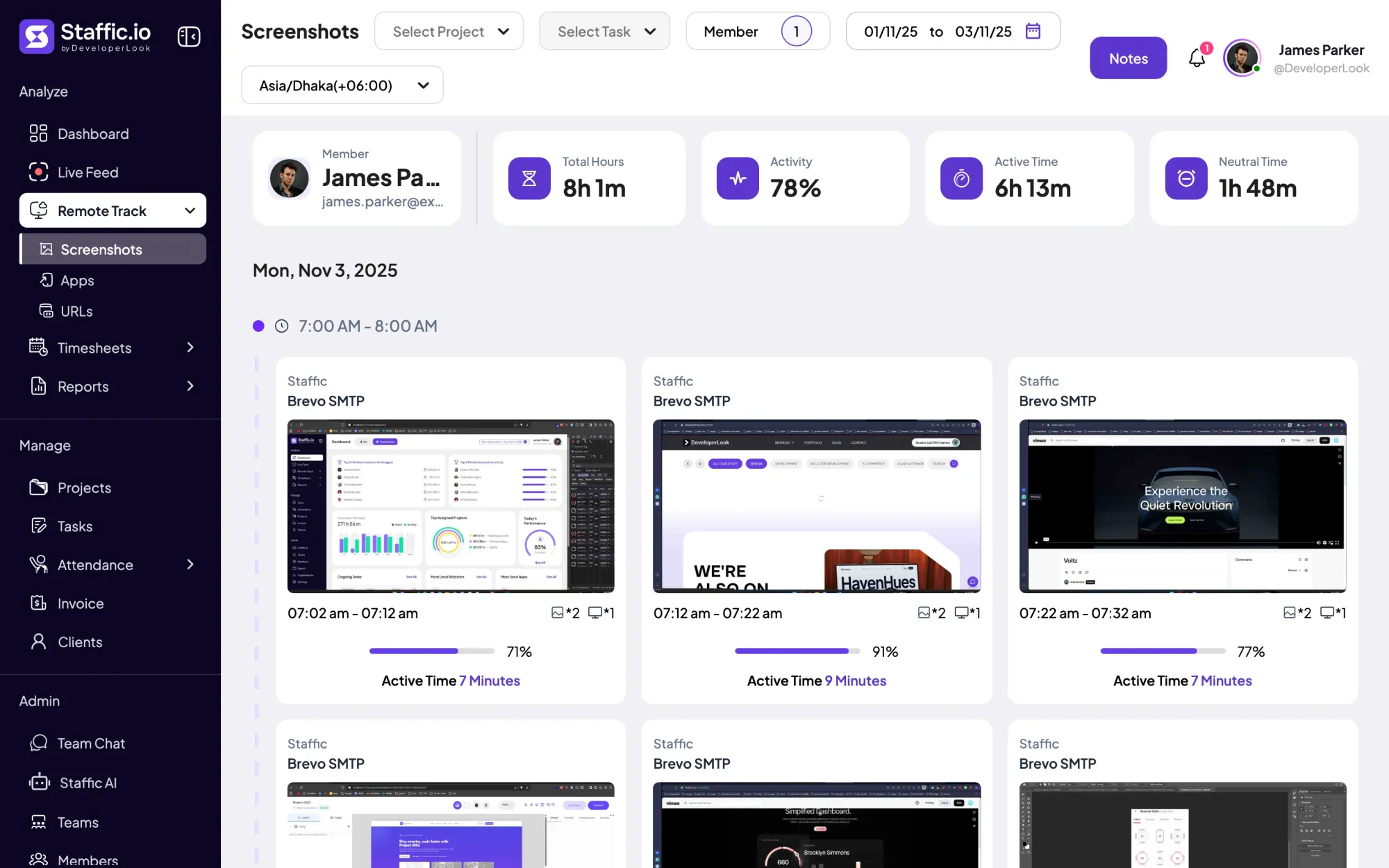
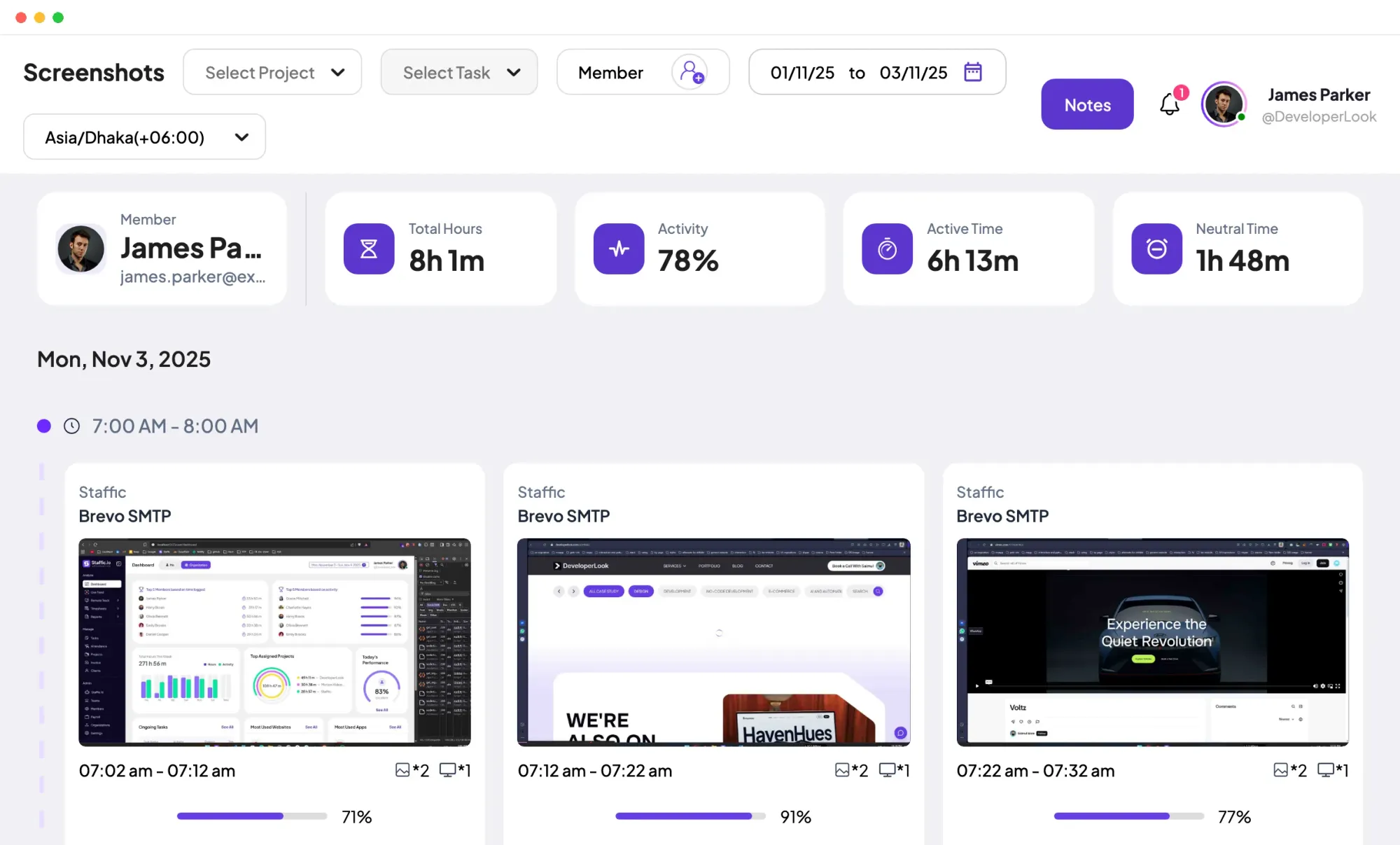
On Standard and Elite, the Screenshots page splits a member's day into 10-minute blocks. Each block shows its project, task, activity level and active minutes. Cards at the top add up the day: total hours, activity, active time and neutral time.
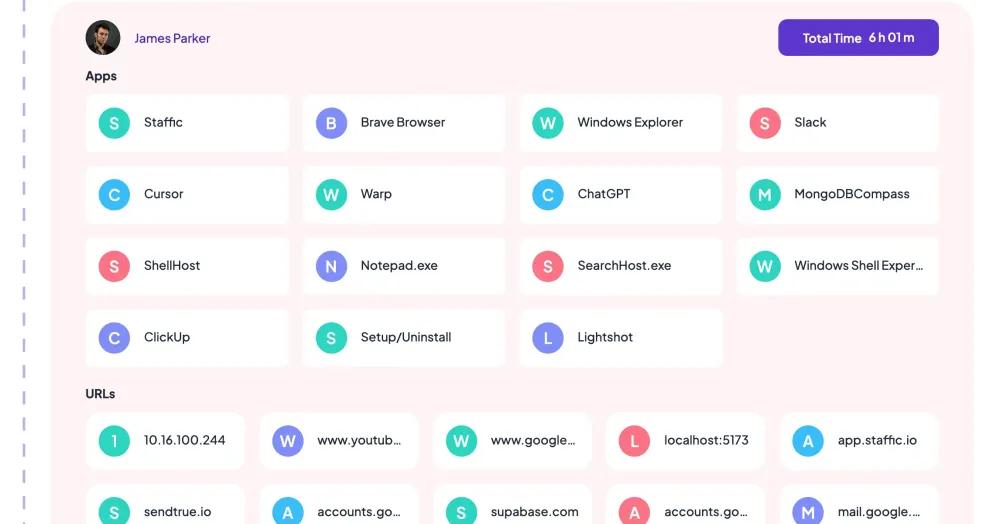
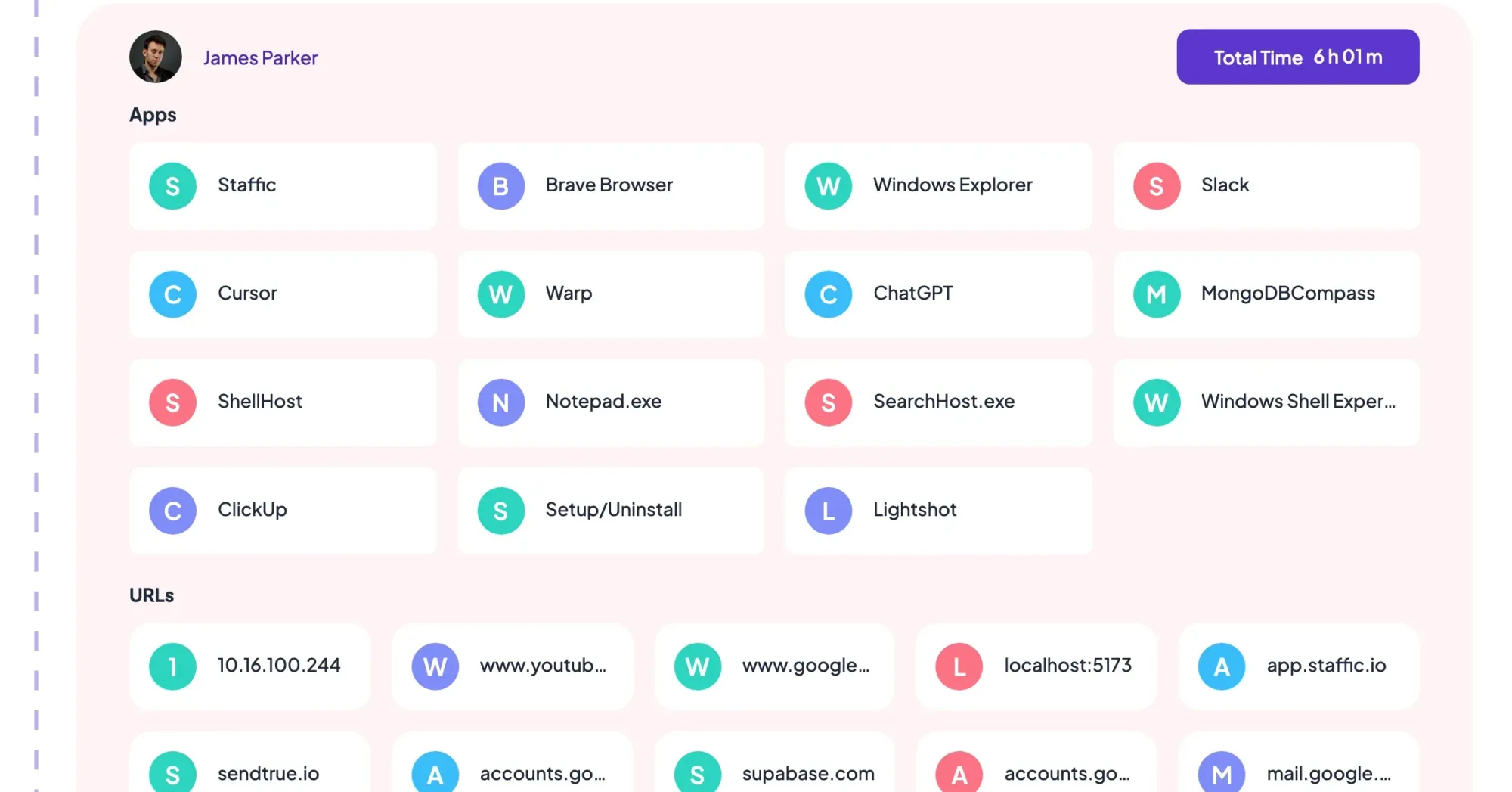
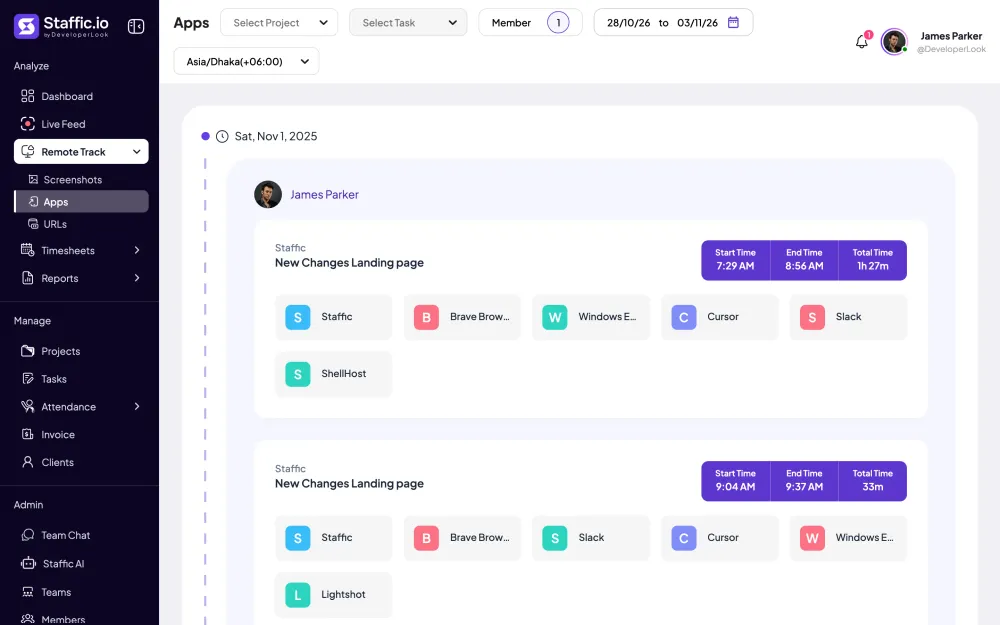
Next to activity, Staffic lists the apps a member used and the websites they visited in each tracked session, with its project and task. On Standard and Elite, the Apps & URLs report lists them per member and day for any date range.
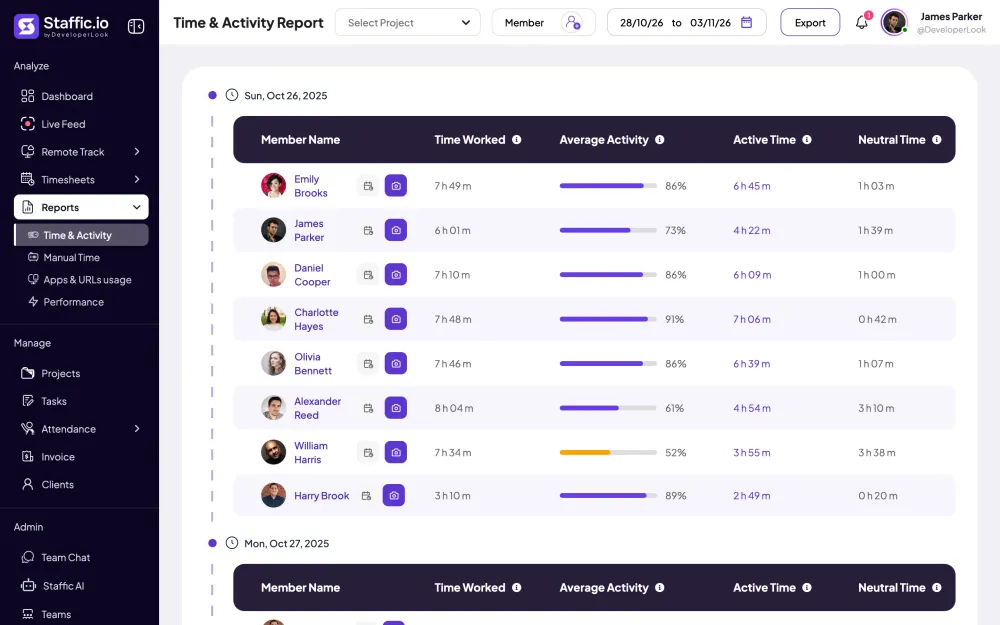
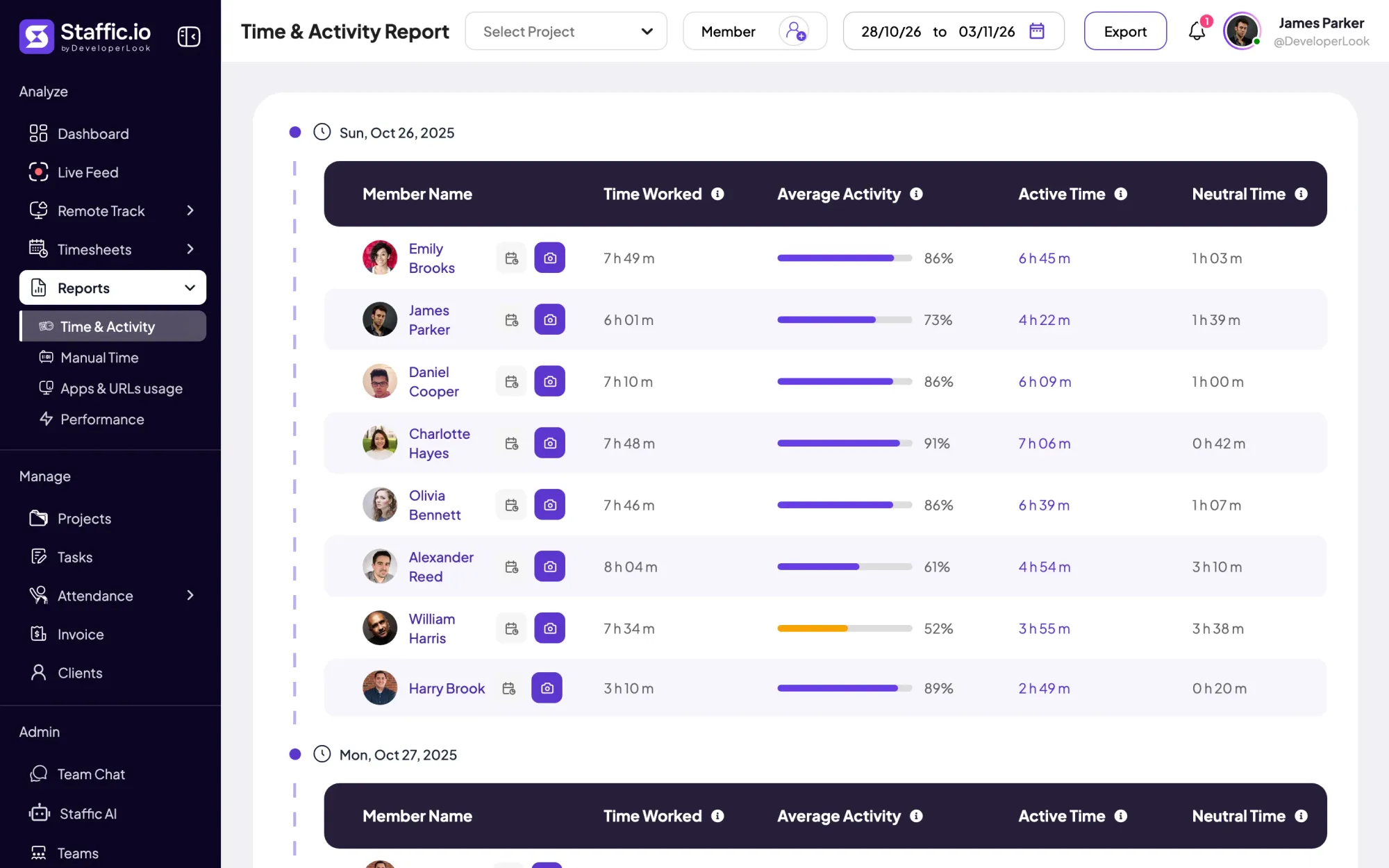
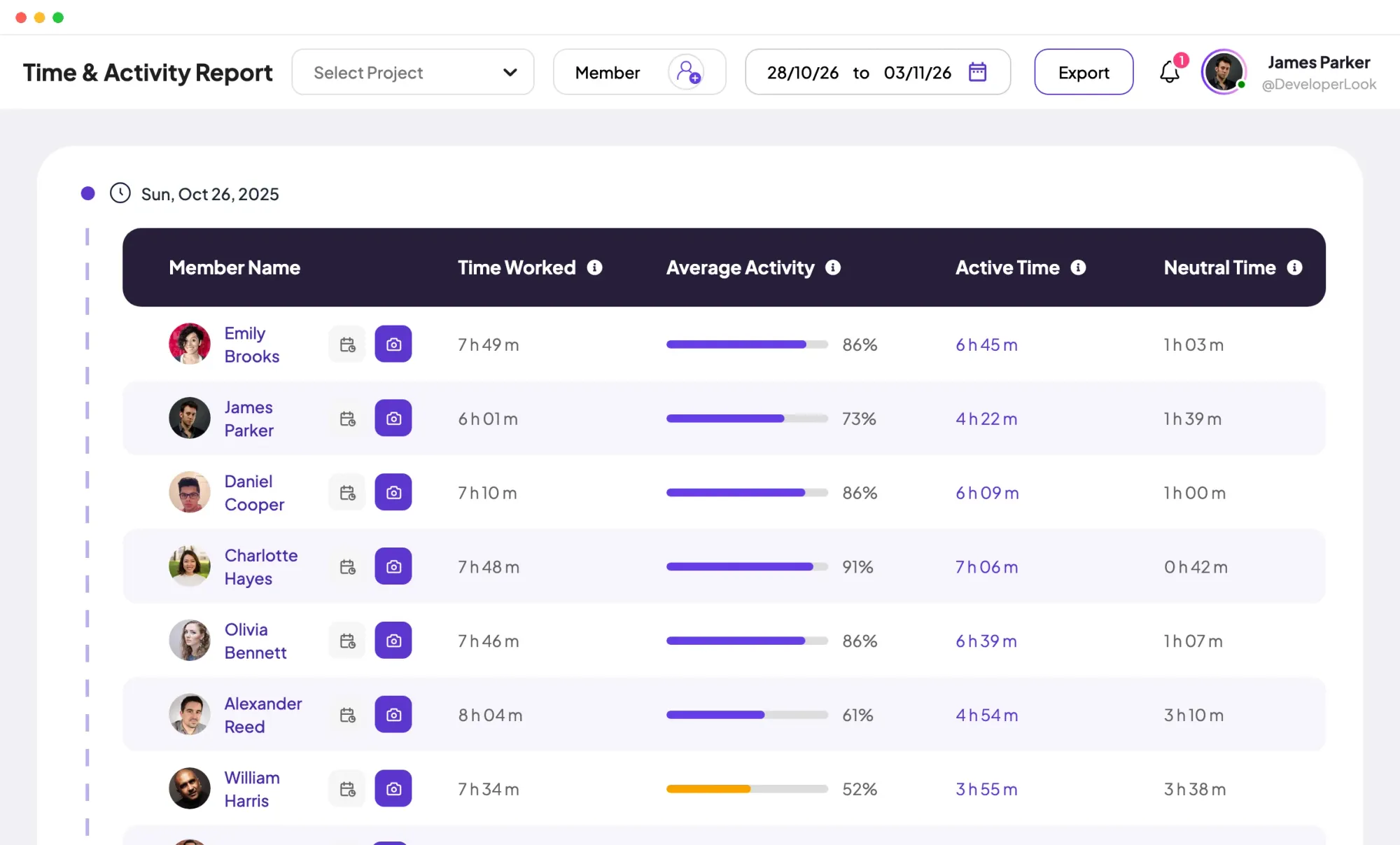
The Time & Activity report gives each member's time worked, average activity, active time and neutral time for every day in the range. Filter it by project, pick several members at once, and export it to PDF or Excel.
Employee activity monitoring software works better when people can check their own record. Members open their own daily timesheet, apps and URLs in the web app, and the dashboard's Me view shows their week. Other members' activity stays hidden unless their role has Remote Track or Reports access.
Showing One record for every tracked session.
Control and privacy
Each kind of record has its own switch, and none of them runs outside tracked time.
Set it up
Five steps. Activity, apps and URLs work on Free; the reports need Standard.
Switch Keystroke And Mouse Track, Application Tracking and URL Tracking on or off. Application Tracking starts off in a new organization.
Settings › ActivityTurn on Meeting Idle Time Track so quiet time in Google Meet, Slack huddles and Discord calls isn't counted as idle. Standard and Elite.
Settings › ActivityEach member installs Staffic on Windows 10 or later, macOS 12 or later, or a Debian-based Linux. On a Mac, they allow Accessibility or Input Monitoring and Automation.
Download StafficShare which records are on and who can see them before anyone starts the timer.
How to explain monitoringPick a member and a date to see their activity per 10-minute block, then open the Time & Activity report for the team.
Remote Track › Screenshots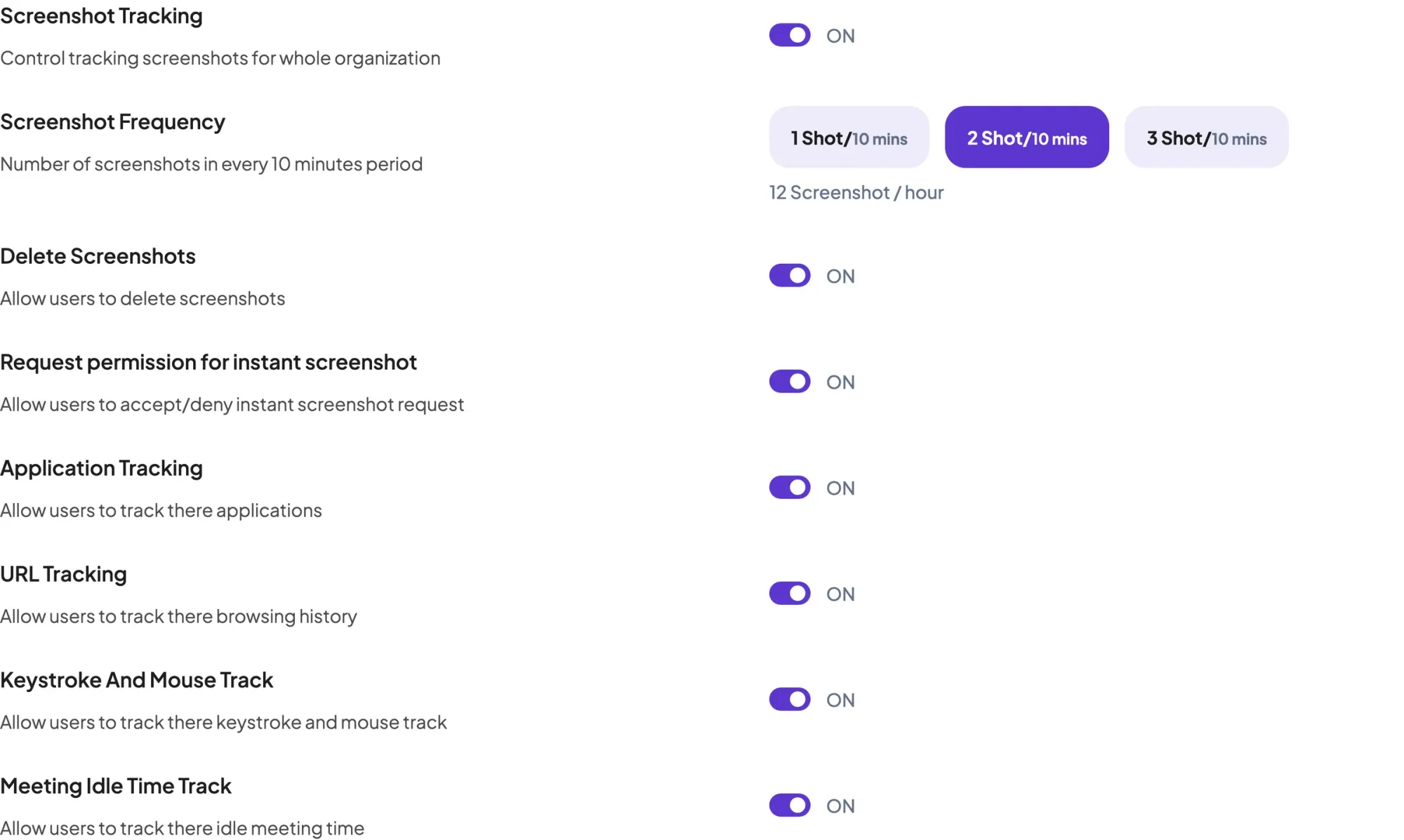
Compare
Each screen answers a different question about the same tracked sessions.
Swipe the table to compare
| Compare | Daily Timesheet | Screenshots | Apps and URLs | Time & Activity Report |
|---|---|---|---|---|
| What it shows | Sessions, with active and neutral time | Activity and active minutes per 10-minute block | Apps and websites per session | Time worked and average activity per member and day |
| Range | One day | A date range | A date range | Up to 366 days |
| Plans | Every plan; active and neutral cards on Standard and Elite | Standard and Elite | Every plan; the report on Standard and Elite | Standard and Elite |
| Members see | Their own day | Their own blocks | Their own sessions | Only with Reports access |
| Link | Daily Timesheet | Screenshots | Apps and URLs | Time & Activity Report |
Plans and access as the Staffic app shows them, checked on 2026-10-12.
Specs and terms
The facts behind the feature, and what each number on the User Activity Monitoring page means.
Who it’s for
The same sessions answer different questions for different teams.
See when a home-based member's tracked hours were active and which tools they used, then talk about the day with the numbers in front of you.
Filter the Time & Activity report by a client's project to see the hours and average activity behind the work you bill.
Staffic works as an employee activity monitor that contractors can check too. They open their own activity, apps and URLs, so a question about a session starts from the same record.
Customer stories
Stop juggling tools. Staffic gives your team time tracking, projects, payroll and performance analytics in one platform.
Try Staffic for free“Staffic.io brings transparency without micromanagement. Our team feels trusted, and productivity has never been higher.”
Pricing
User Activity Monitoring is included on every plan, Free included. You pay per active user only when your team grows past 3 members.
Compare every planPrices in USD per active user. Billed monthly, Standard is $7.50 and Elite is $9.80 per user.
User activity monitoring software records how people use their work computers during work time: input, apps and websites. Staffic's version runs in its desktop app for Windows, macOS and Linux, and it's software to track computer activity only while a member's timer runs. Each session gets an activity level, active and neutral time, and a list of apps and websites.
Staffic records an activity level, idle time, apps and websites for each tracked session. The activity level is a number from 0 to 100% based on keyboard and mouse input, and idle stretches of 50 seconds or more become neutral time. Screenshots are added on Standard and Elite. Staffic doesn't record the keys someone presses, and nothing is recorded while the timer is off.
Staffic's desktop app sets it from keyboard and mouse input while the timer runs, as a number from 0 to 100% for each session. Over a day, the activity figure is the share of tracked time left after neutral time, so 8h 1m with 1h 48m neutral shows 78%. Manual time carries the level picked when it's added, 80% by default.
Yes, on every plan. As an employee activity tracker, Staffic lists the apps each member used and the websites they visited in every tracked session. Open Remote Track, then Apps or URLs, and pick the member and dates. Switch Application Tracking on first, since it starts off. On Standard and Elite, the Apps & URLs report shows them per member and day.
Staffic doesn't sort apps into productive and unproductive for you. It shows each app next to the project and task the member was tracking. You judge it against the work: a design tool on a design task, or a video site during a bug fix. Agree with your team which apps fit each kind of task before you start monitoring user activity.
Yes, by project and by member. The Time & Activity report on Standard and Elite filters by project and takes several members at once, so you pick a team's members to see that team. It gives each member's time worked, average activity, active time and neutral time per day. There's no separate team filter, and the report exports to PDF or Excel.
Yes. Every member sees their own daily timesheet, apps and URLs in the web app, and their activity per 10-minute block on Standard and Elite. The dashboard's Me view shows their week. Other members' activity stays hidden from them unless their role has Remote Track or Reports access in Access Control.
Collect only the activity data you need, explain it in a written monitoring policy, and let people see their own record. In Staffic, switch off any record you don't need under Settings, Activity, and turn Control Tracking off for anyone your policy leaves out. Activity is stored as a number, never keystrokes. Rules differ by country and state, so this is general information, not legal advice.
Every plan includes User Activity Monitoring. Free covers up to 3 members. Standard is $5.50 per user per month billed yearly ($1.00 during the current offer, until September 12, 2027) or $7.50 billed monthly, and Elite is $5.80 per user per month billed yearly or $9.80 billed monthly.
Explore more
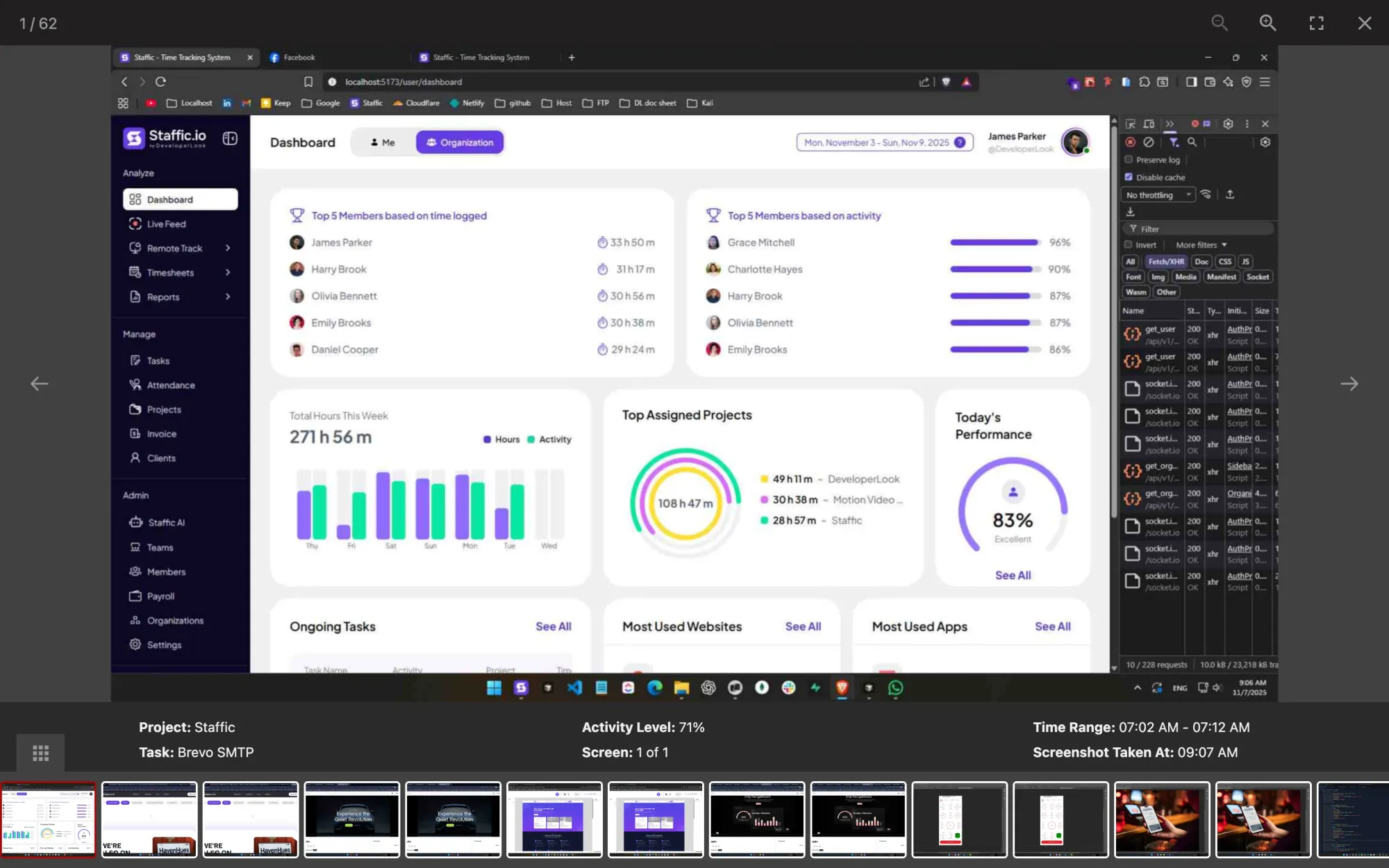
Staffic is computer monitoring software for work computers: screenshots, apps, URLs and keyboard and mouse activity, recorded only during tracked time.
Staffic is employee monitoring software that records screenshots, apps, URLs and activity only while the timer runs, with Live Feed and recordings on Elite.
Staffic's productivity tracking measures each member's activity, active and neutral time, apps and websites, and hours against task estimates.
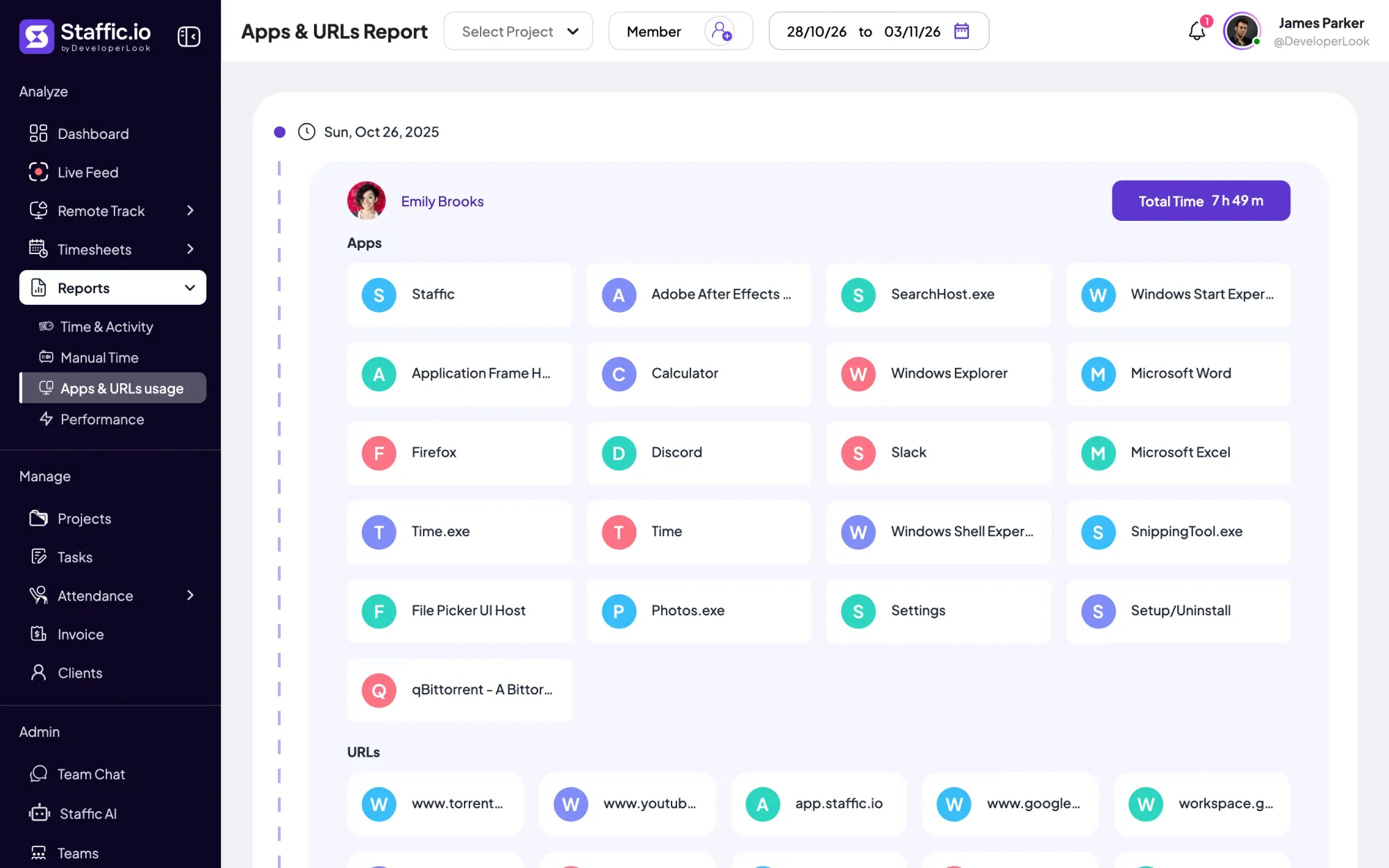

Employee internet monitoring in one report: the apps and websites each member used per day of tracked time, with total time. Standard and Elite.
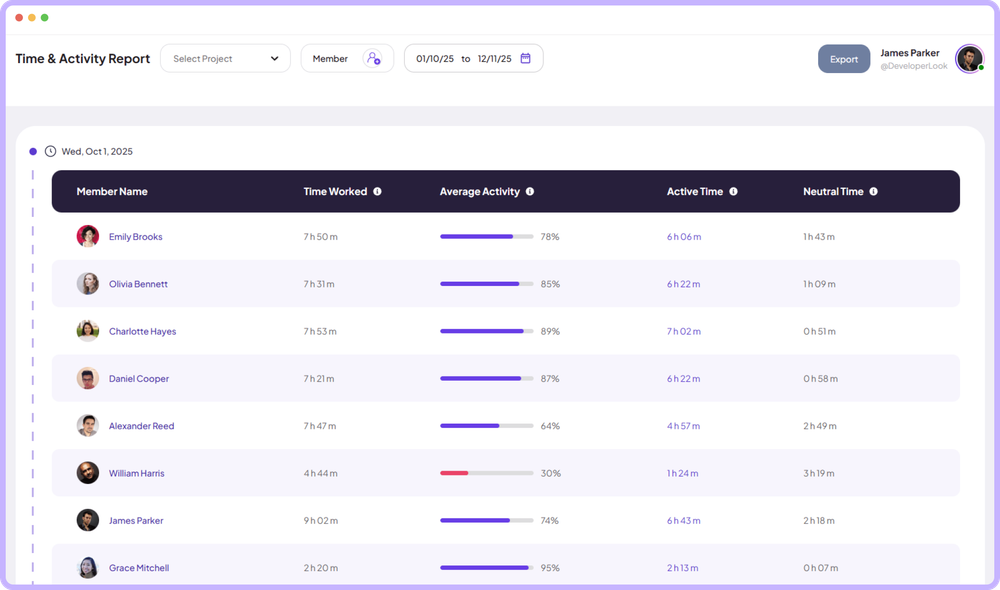

The Time & Activity Report shows each member's time worked, average activity, active time and neutral time for every day you pick.
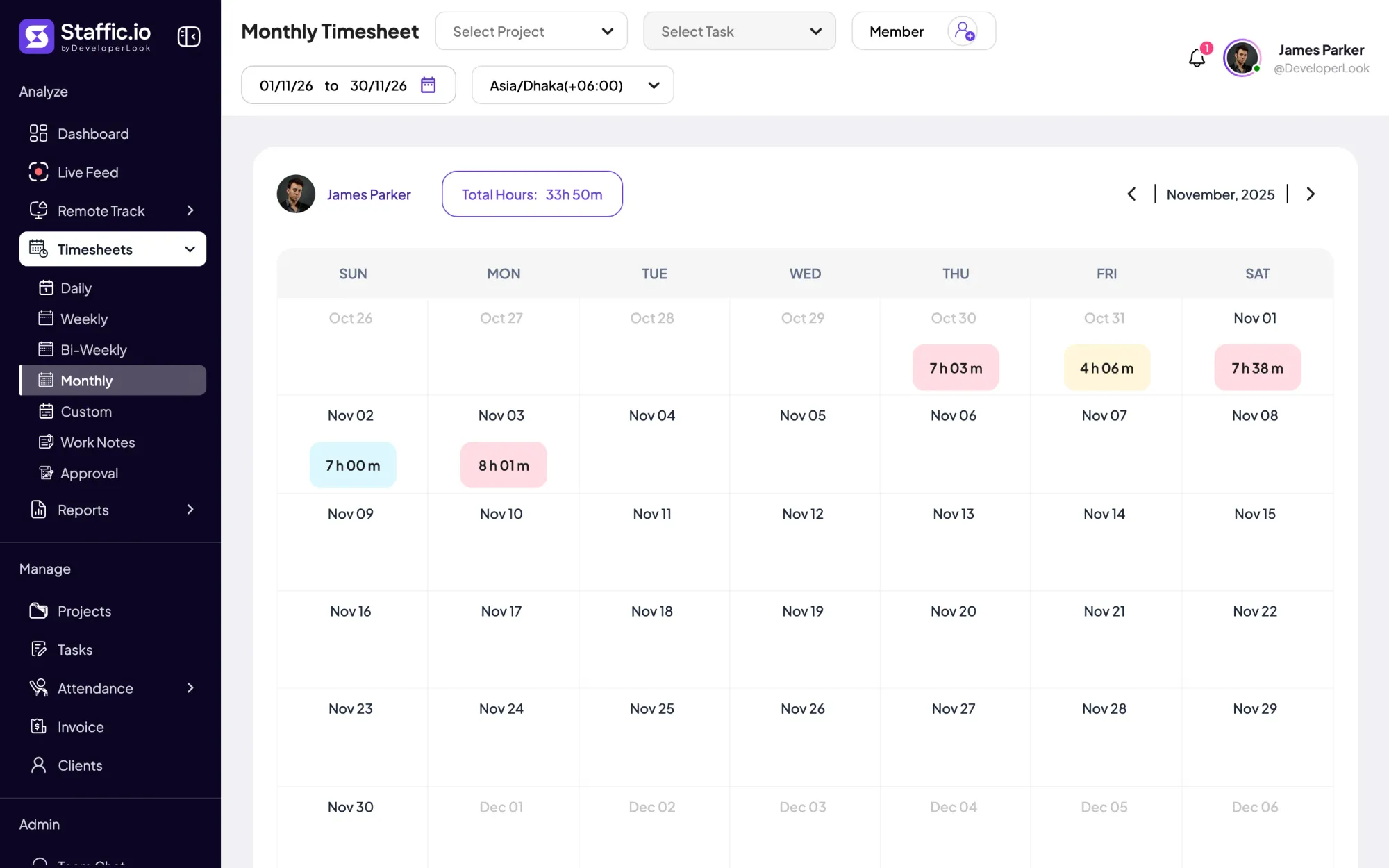
Once a member starts the desktop timer, Staffic records time, keyboard and mouse activity, apps and URLs, and fills their timesheets.
Free for up to 3 members
Create your workspace, invite your team, and the first timesheet builds itself.