Small businesses
Hours for a team of three
Up to 3 members track for free in the desktop apps, and the weekly timesheet shows everyone's hours in one place. Move to Standard when you need more people, reports or manual time.

Features
All 33 featuresSee the work while it happens.
 DashboardYour team's week at a glance, Monday to Sunday
 Live FeedEliteSee who's tracking time right now, and on what
 ScreenshotsStandardVisual proof of work, captured automatically
 AppsWhich apps each tracked session used
 URLsThe websites behind the tracked time
 Screen RecordingsEliteFull session video, beyond a screenshot
01 / 33
Dashboard
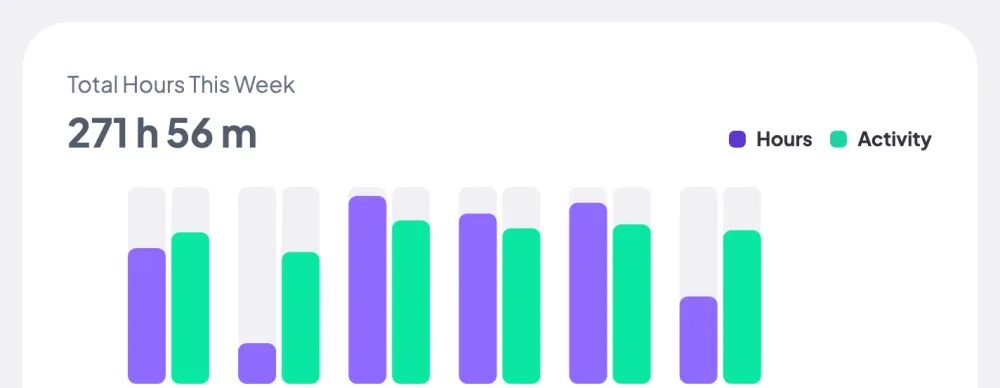
The team dashboard: this week's hours, today's performance, top members, ongoing tasks, top projects and the most used apps and websites.
View DashboardHours Tracker
Staffic is an hours tracker for teams that work on computers. Each member starts a timer in the desktop app for Windows, macOS or Linux, and Staffic totals their hours by day, week and pay period. It's free for up to 3 members.
In short
Staffic Work Hours Tracker is how small teams count work hours in Staffic: members start a timer in the desktop app, and every session is totaled on daily, weekly and bi-weekly timesheets. It suits one person checking their own hours or a small team, and the Free plan covers up to 3 members. Standard adds monthly timesheets and manual time; Elite adds timesheet approval and payroll.
How it works
Three steps for each member, and nothing to add up by hand.
Hours tracker
Members run one timer in the desktop app. Staffic files each session under its day, then totals the days by week and pay period, so you read hours instead of collecting them.
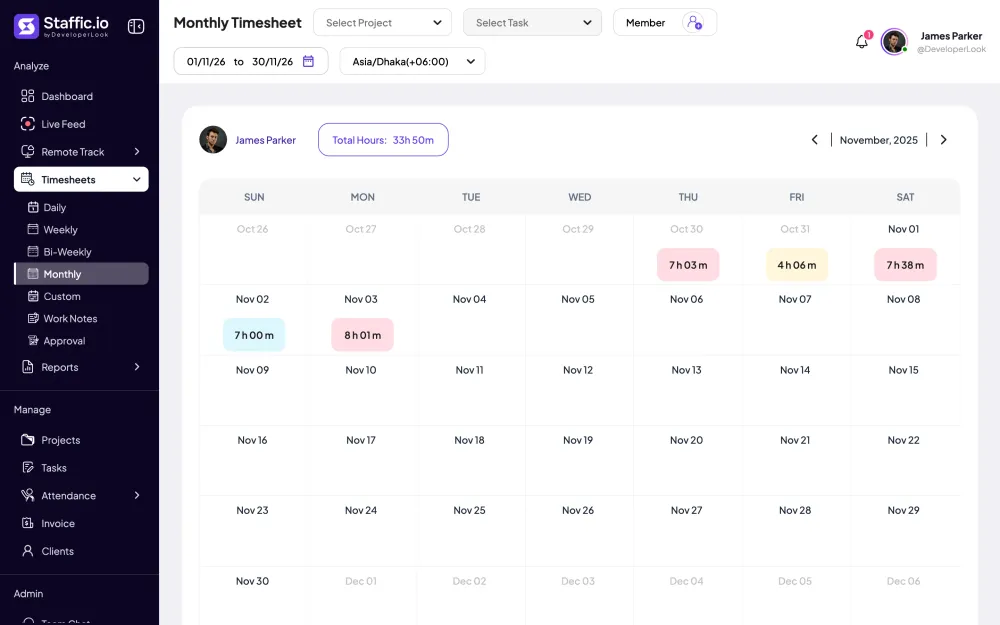
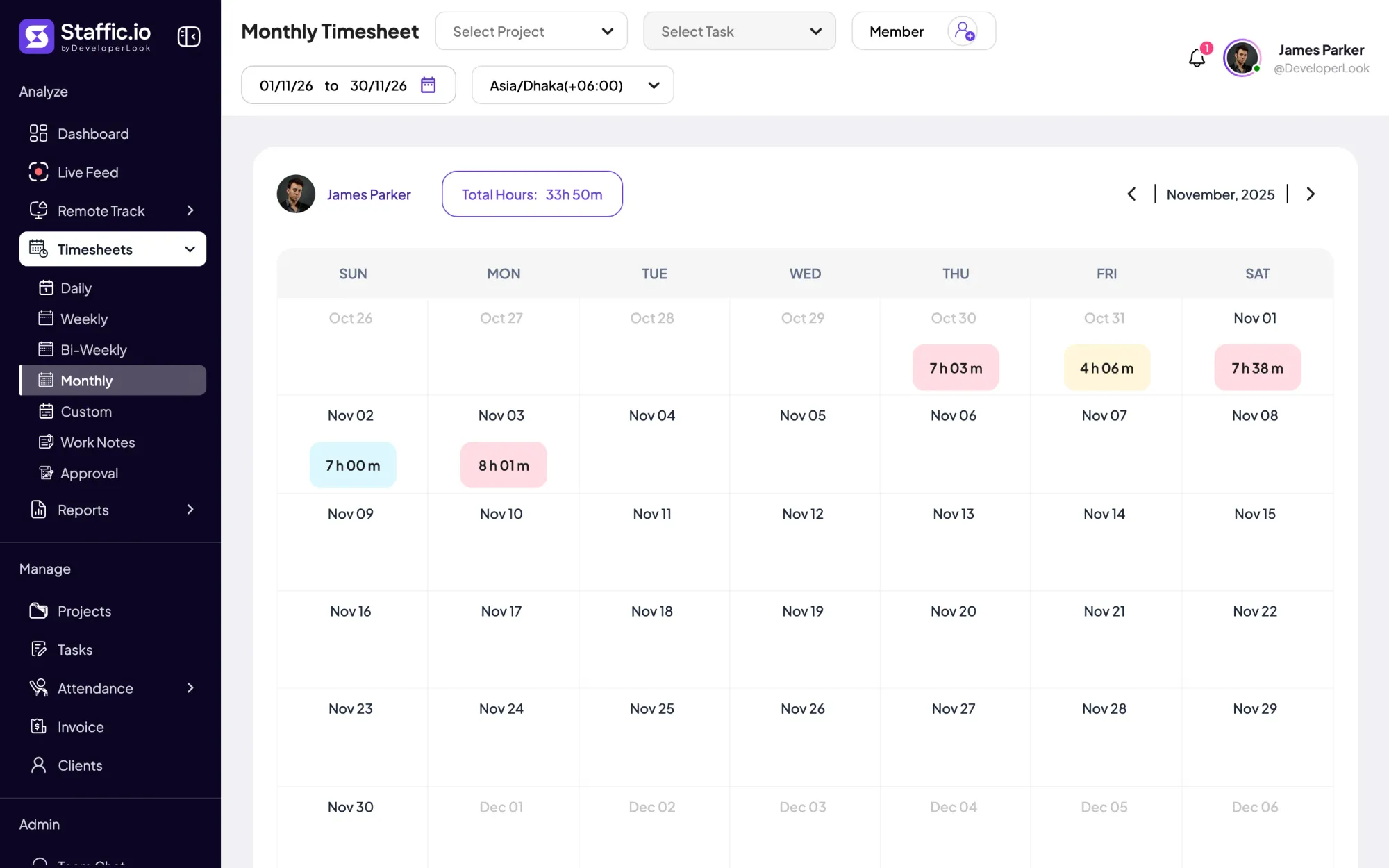
Every session lands on the member's daily timesheet with its start and end time. The weekly and bi-weekly timesheets add those days up per member, and Standard adds a monthly calendar and custom date ranges.
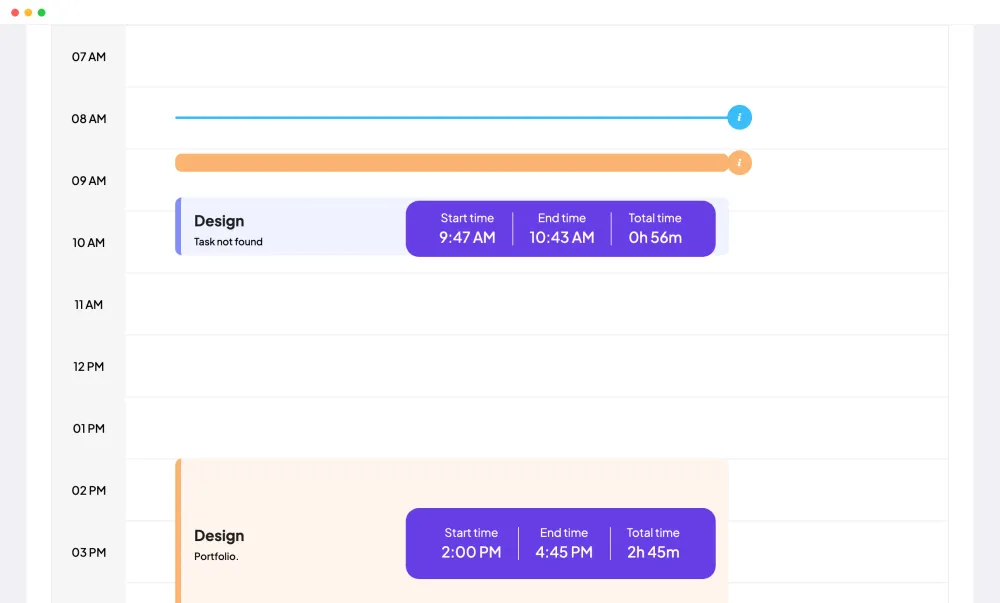
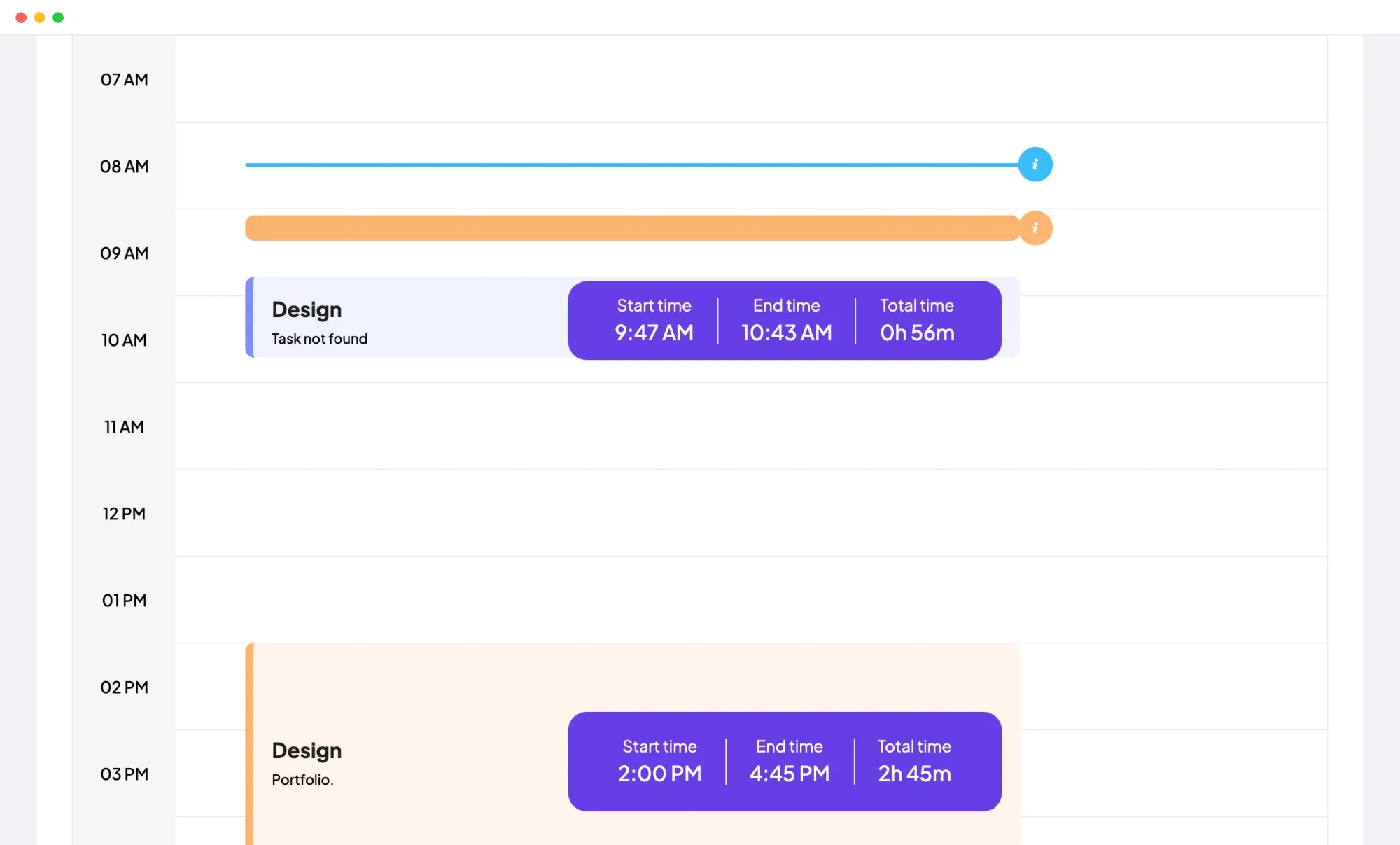
Open any day to see where the hours went. Sessions sit on an hourly timeline, so a 9:47 AM start and a 10:43 AM stop read as 56 minutes on the Design project.
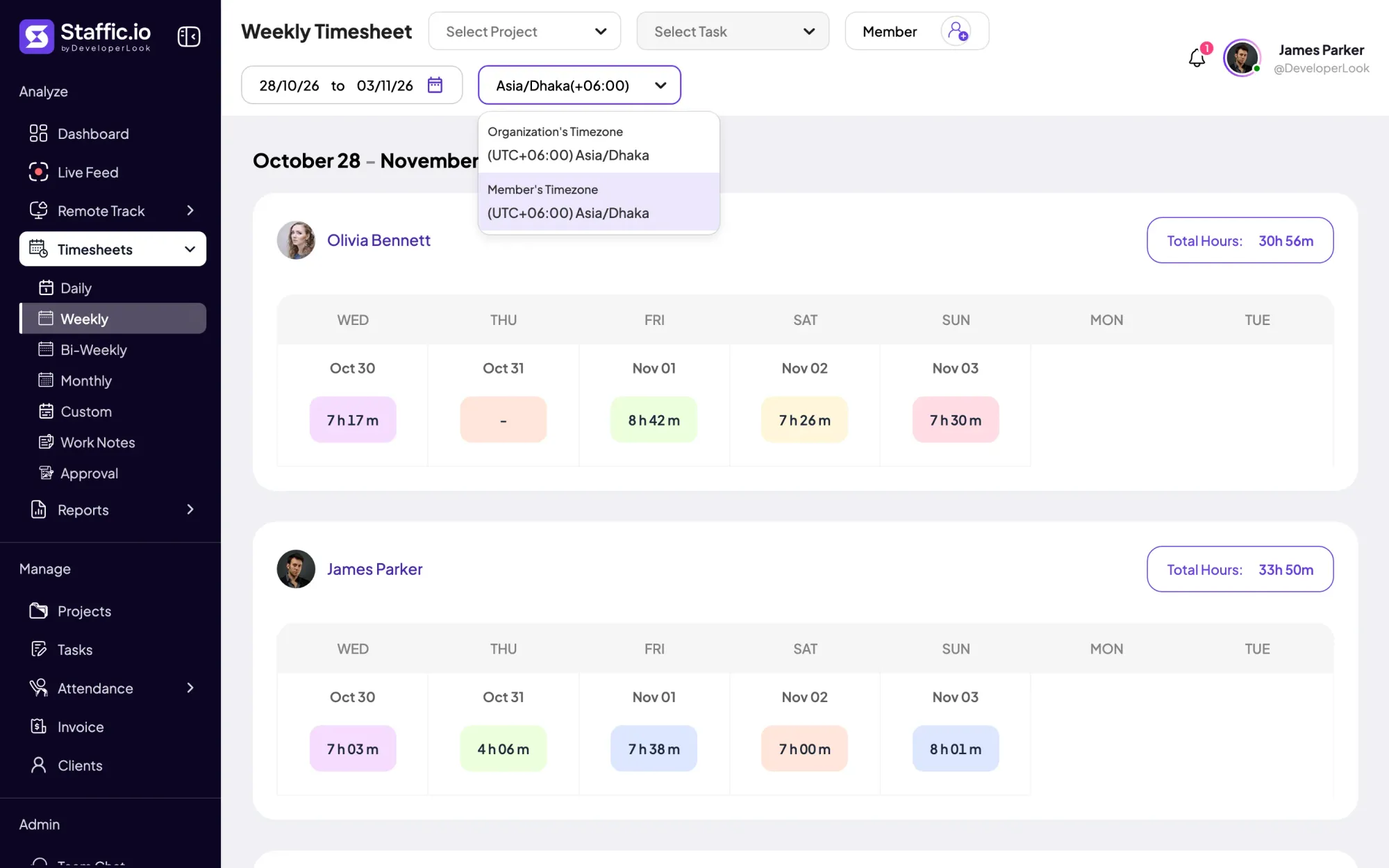
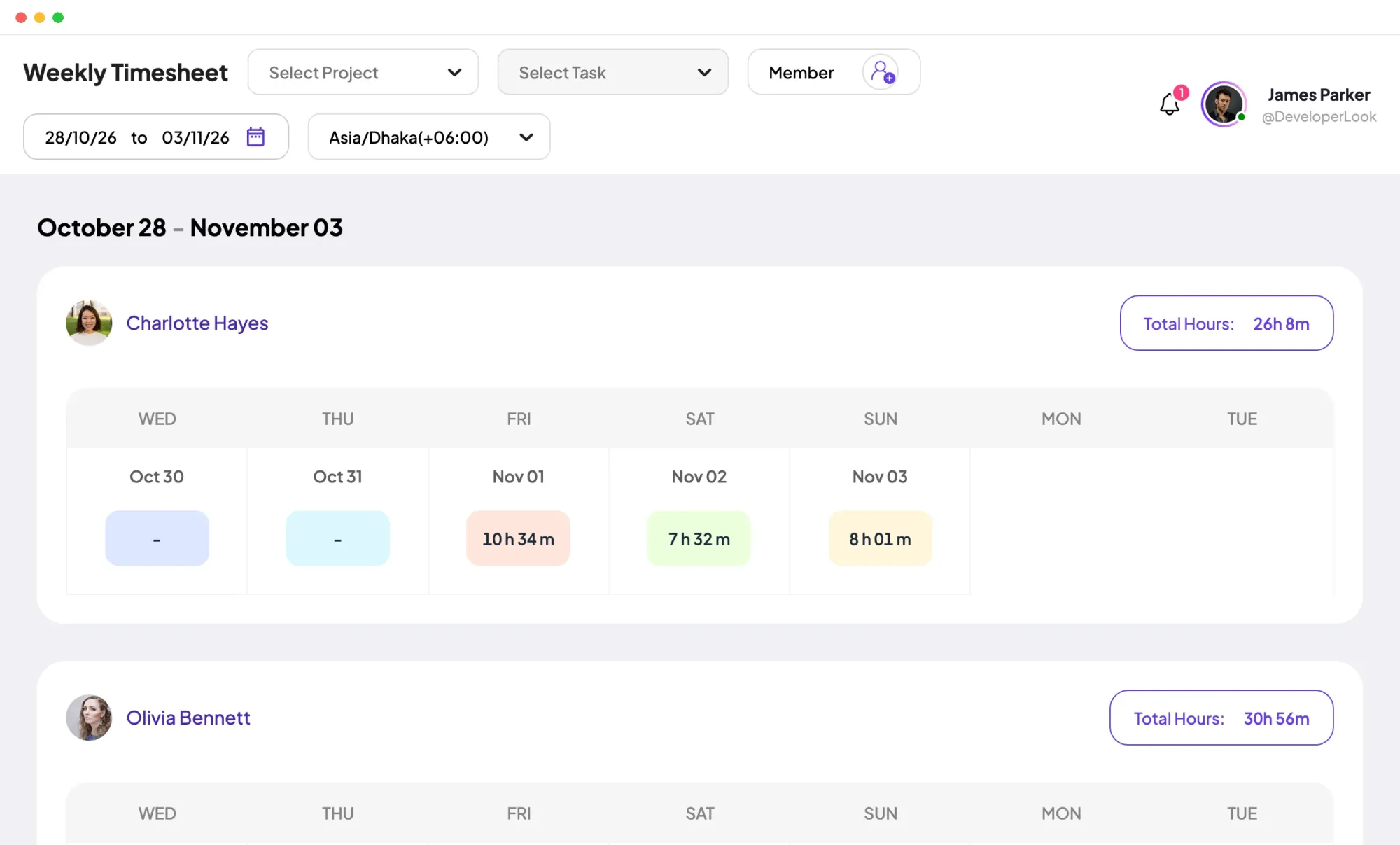
The weekly timesheet gives each member a row of days and a Total Hours figure for the week. Switch between your organization's time zone and the member's own when your small team spans countries.
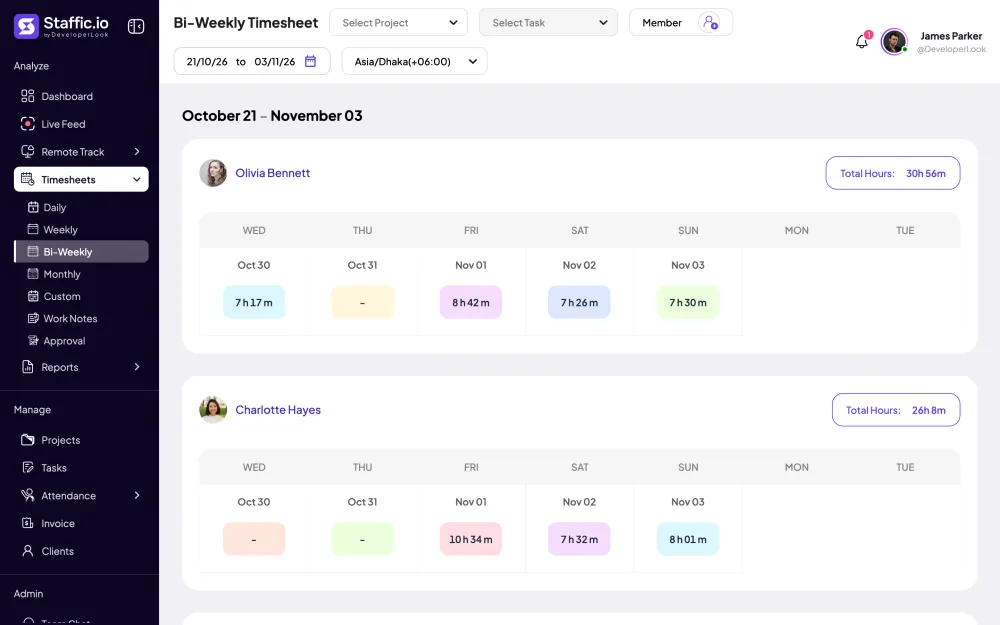
Paying every other week? The bi-weekly timesheet puts 14 days side by side for every member, with the total you take to payroll.
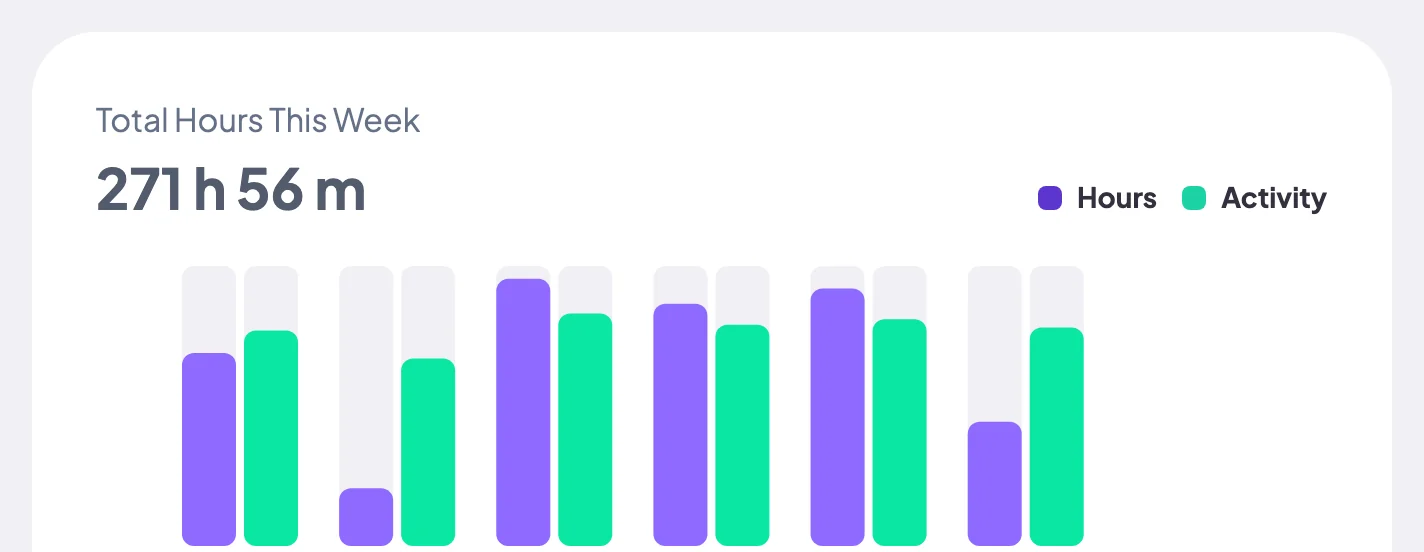
The dashboard's Organization view shows Total Hours This Week as one number, with a bar for each day. On Standard and Elite it also lists the top 5 members by time logged.
Forgot to start the timer before a call? On Standard and Elite, members add manual time from the daily timesheet with a project, task, time range and reason, if your admin allows it.
Showing Hours per day, week and month.
Control and privacy
Staffic counts time only while a member's timer runs, and the rules for adding time by hand are yours to set.
Set it up
Four steps get a small team tracking on the Free plan. The last one needs Standard or Elite.
Sign up in the browser and name your organization. The Free plan covers up to 3 members.
Start freeCreate at least one project with a task, so every hour has somewhere to land.
Manage › ProjectsSend each person an email invite and add them to the project.
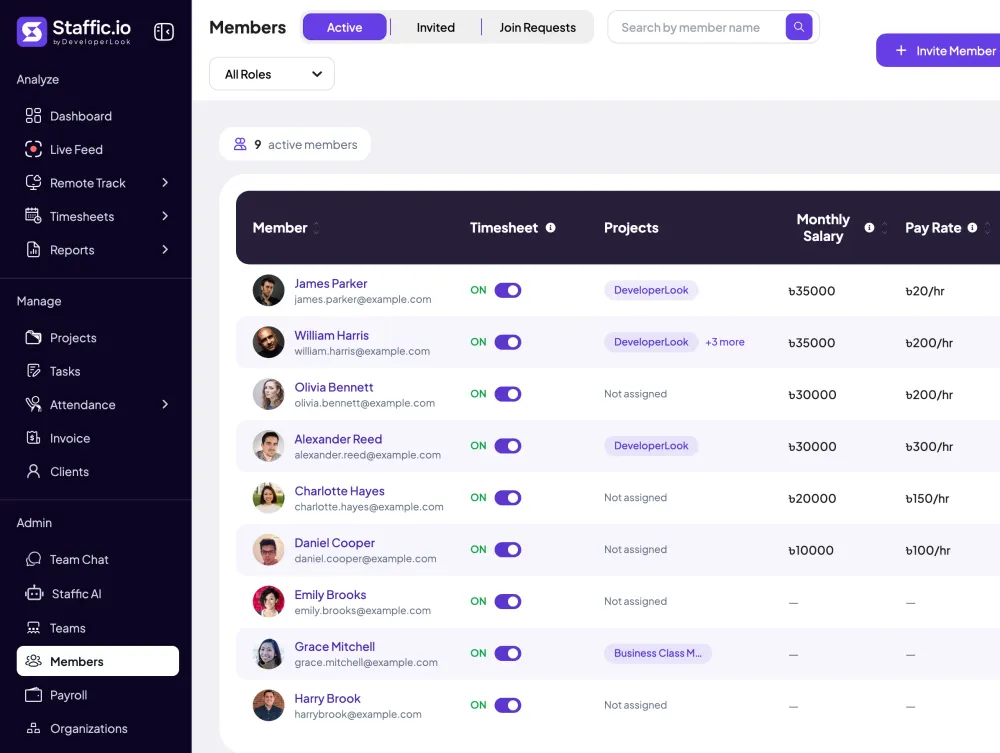
Admin › Members › Invite MemberEach member installs Staffic, signs in and presses Start Tracking.
Download StafficOn Standard and Elite, switch Manual Time on if members may add hours the timer missed.
Settings › Timesheet Settings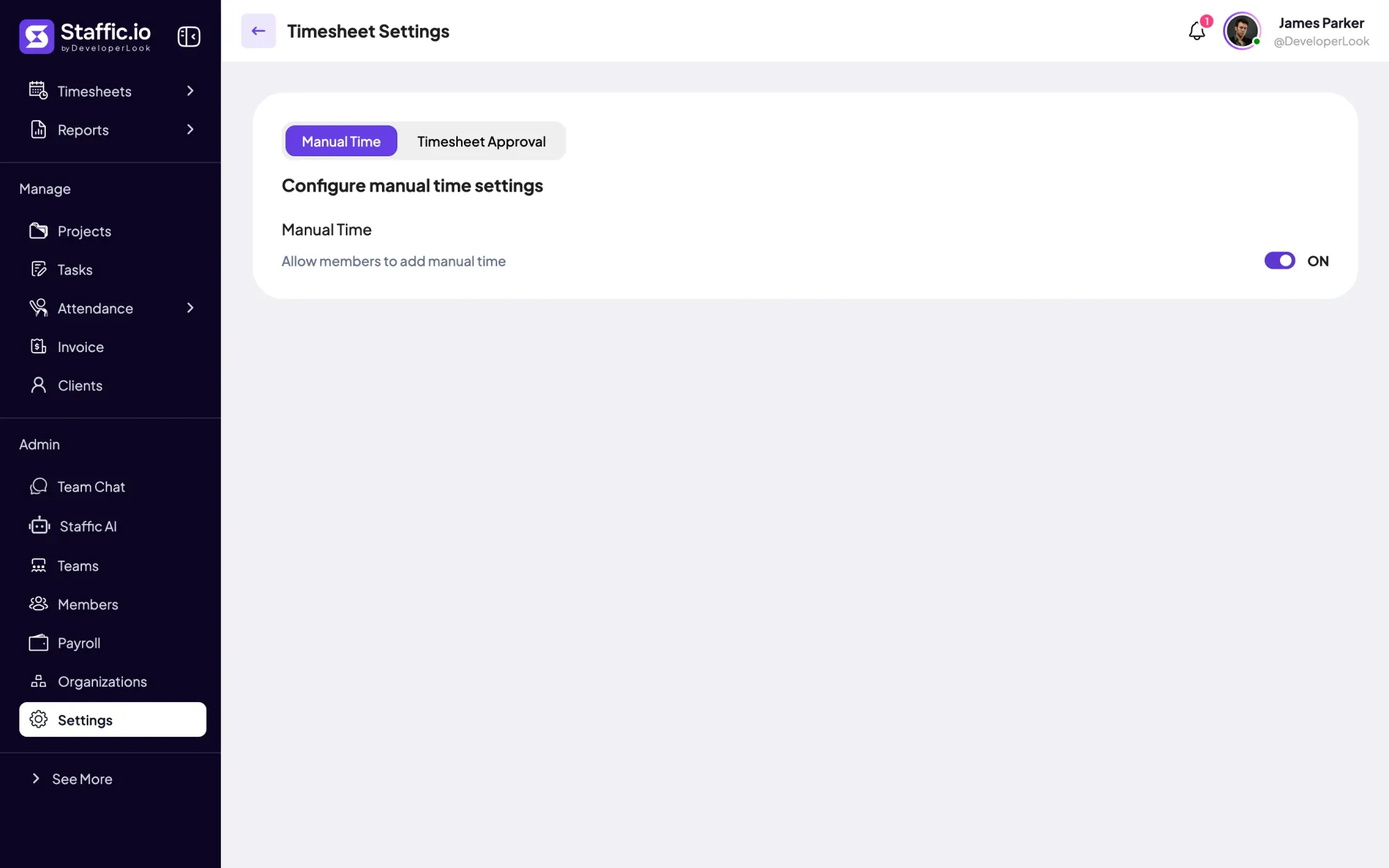
Compare
The Free plan covers the timer and the everyday timesheets. Standard and Elite add longer ranges, manual time, reports, approval and payroll.
Swipe the table to compare
| Compare | Free | Standard | Elite |
|---|---|---|---|
| Desktop timer on Windows, macOS and Linux | Yes | Yes | Yes |
| Daily, weekly and bi-weekly timesheets | Today, last 7 and last 14 days | Any dates | Any dates |
| Monthly and custom timesheets | No | Yes | Yes |
| Manual time with a reason | No | Yes | Yes |
| Clock In/Out | No | Yes | Yes |
| Reports with PDF or Excel export | No | Yes | Yes |
| Timesheet approval | No | No | Yes |
| Payroll from tracked hours | No | No | Yes |
Plan facts from the Staffic app, checked October 12, 2026. Prices are on the pricing page.
Specs and terms
The facts behind the feature, and what each number on the Hours Tracker page means.
Who it’s for
Whether you count your own day or a few people's, the same timer and timesheets do the adding up.
Up to 3 members track for free in the desktop apps, and the weekly timesheet shows everyone's hours in one place. Move to Standard when you need more people, reports or manual time.
Track each client job as a project, then read your week's total before you send an invoice. On Standard, the monthly calendar shows a whole month of your days at once.
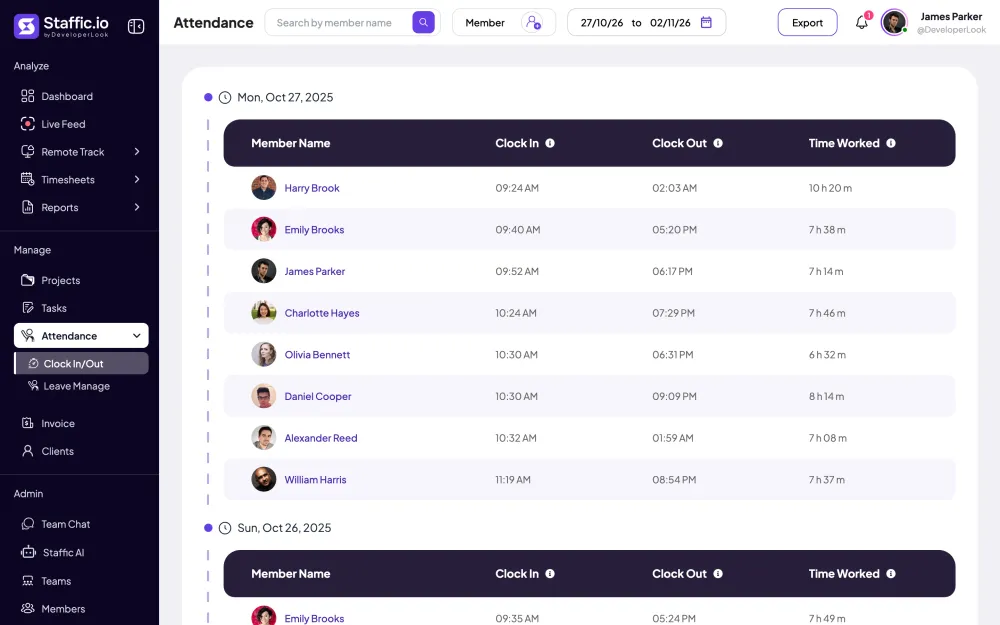
The bi-weekly timesheet gives you each member's total for two weeks. Standard adds Clock In/Out with each day's first and last tracked time, and Elite pays from the hours in Payroll.
Customer stories
Stop juggling tools. Staffic gives your team time tracking, projects, payroll and performance analytics in one platform.
Try Staffic for free“Staffic.io brings transparency without micromanagement. Our team feels trusted, and productivity has never been higher.”
Pricing
Hours Tracker is included on every plan, Free included. You pay per active user only when your team grows past 3 members.
Compare every planPrices in USD per active user. Billed monthly, Standard is $7.50 and Elite is $9.80 per user.
FAQ
Answers about tracking hours with Staffic. The legal answers are general information about labor rules, not legal advice.
Read the docsRecord when work starts and stops as it happens, then total it by day and week. A running timer beats filling in hours from memory at the end of the week. With hour tracking software like Staffic, each member starts the timer in the desktop app, and the daily and weekly timesheets add up the sessions for you.
Run a timer while you work and check your total at the end of each day. With Staffic as your work hour tracker, you install the desktop app, pick a project and task, and press Start Tracking. Your daily timesheet then shows each session, and the weekly timesheet shows the total. The Free plan works for one person, so tracking your own hours costs nothing.
Have each employee track time as they work, then read one weekly view instead of collecting timesheets. An employee hours tracker like Staffic shows every member's hours per day with a Total Hours figure, and the dashboard shows the team's Total Hours This Week. Manual time, on Standard and Elite, is a separate entry with a reason, so you can tell it apart from tracked time.
Use Staffic's Free plan, which covers up to 3 members. This free employee hour tracking software includes the desktop apps, projects and tasks, work notes, apps and URLs, and daily, weekly and bi-weekly timesheets. On Free those timesheets show today, the last 7 days and the last 14 days; earlier dates, screenshots, manual time and reports start on Standard.
In the US, yes for non-exempt employees: federal recordkeeping rules (29 CFR 516.2) require their hours worked each workday and total hours each workweek. In the EU, the Court of Justice ruled in May 2019 (case C-55/18) that member states must require employers to have a system that measures daily working time. This is general information, not legal advice, so check the rules where your team works.
Yes. US federal recordkeeping rules don't require hours records for exempt employees (29 CFR 516.3 leaves those items out). You can still track their time to see project costs, client billing and workload. In Staffic, exempt and non-exempt members use the same timer and timesheets. This is general information, not legal advice.
It depends on whether they're exempt, not on the salary itself. The US Department of Labor says job titles don't decide exempt status: an exempt employee must earn at least the required salary and meet the duties tests. A salaried employee who isn't exempt still needs hours recorded under 29 CFR 516.2. Check your own case with a lawyer or your labor agency; this is general information, not legal advice.
Every plan includes Hours Tracker. Free covers up to 3 members. Standard is $5.50 per user per month billed yearly ($1.00 during the current offer, until September 12, 2027) or $7.50 billed monthly, and Elite is $5.80 per user per month billed yearly or $9.80 billed monthly.
Explore more
Staffic tracks employee time on projects and tasks with desktop apps, then turns it into timesheets, reports and approvals. Free for up to 3 members.
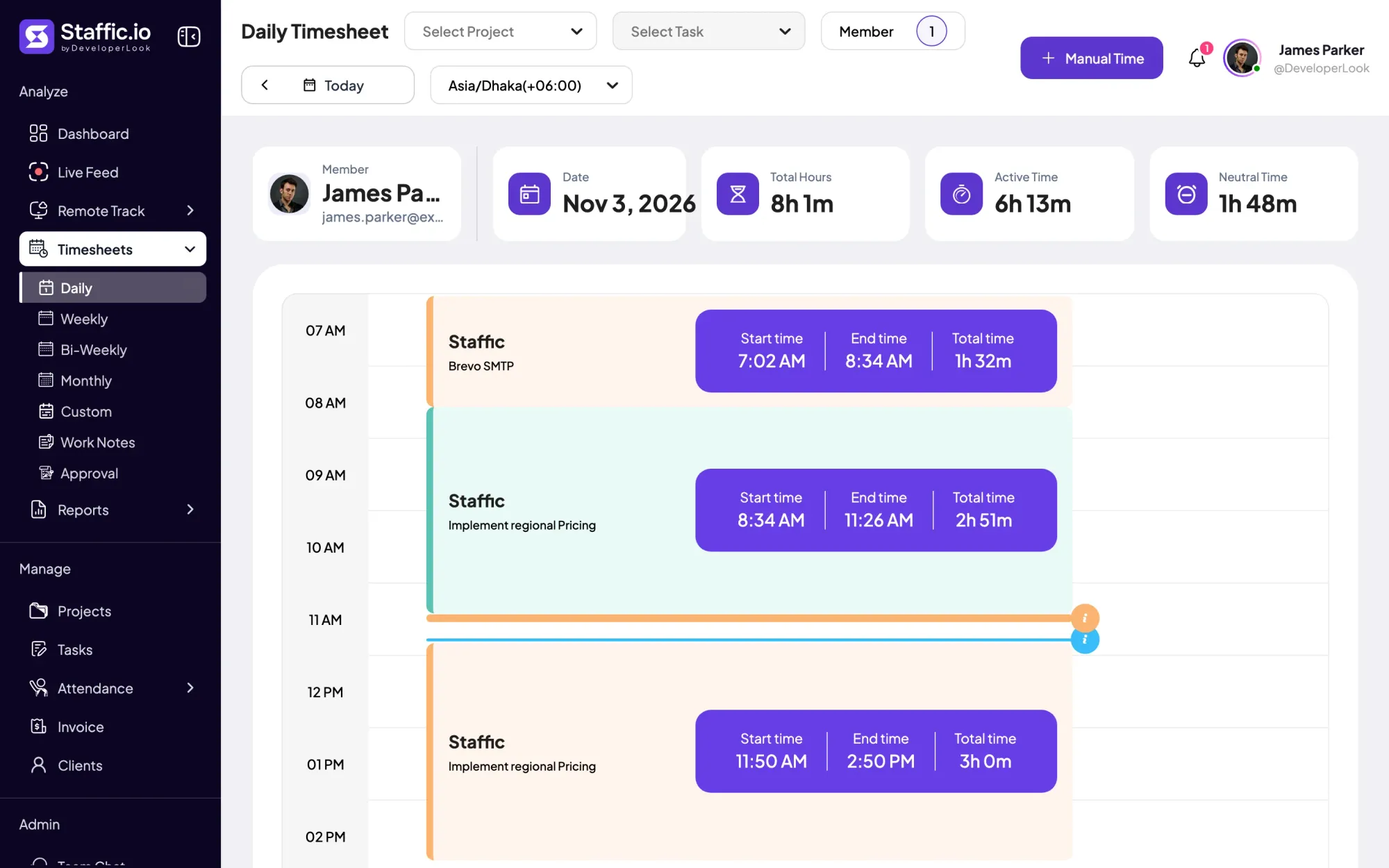

Staffic's daily timesheet shows one member's tracked sessions for a day on a timeline, with project, task, start and end times and the day's total.

Staffic's weekly timesheet shows 7 days of tracked hours per member, one day per column, with Total Hours beside each name.
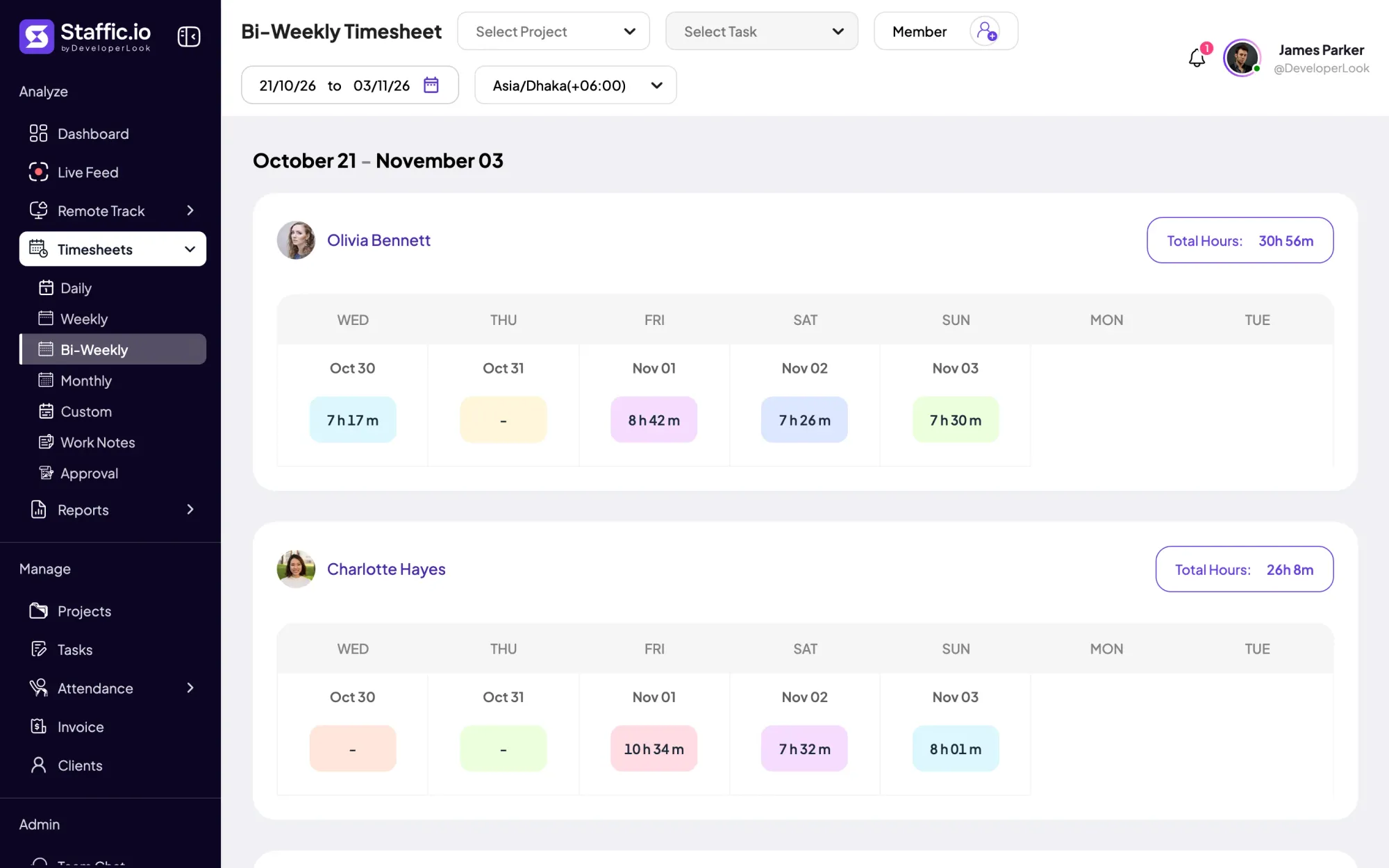
Staffic's bi-weekly timesheet shows 14 days of tracked hours per member, week above week, with Total Hours for the pay period.
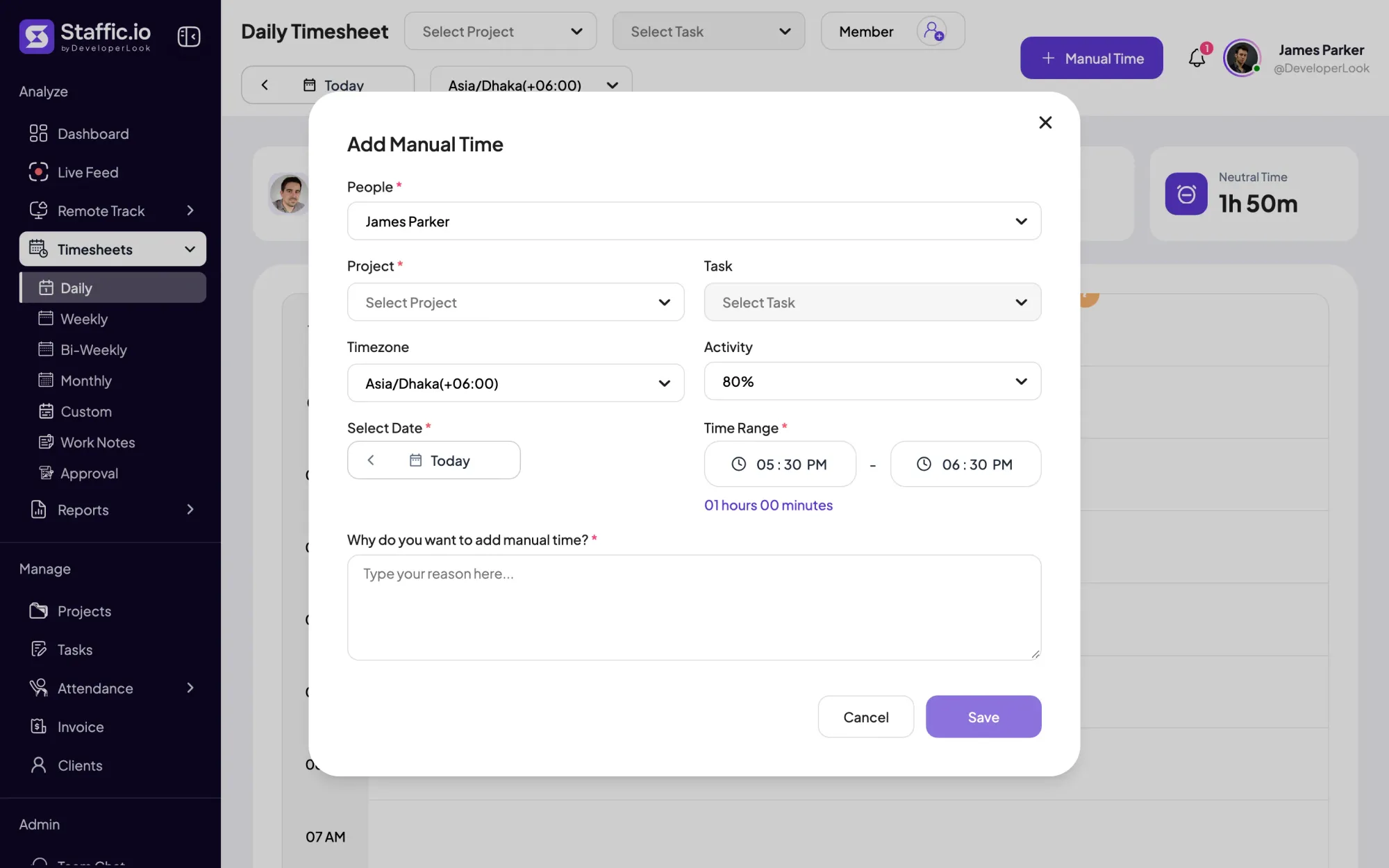

Add the hours the timer missed with a project and a required reason, and see every manual add and deleted hour in the Manual Time report.
Staffic fills daily, weekly and bi-weekly timesheets from tracked time. Monthly and custom ranges come with Standard, and approval with Elite.
Free for up to 3 members
Create your workspace, invite your team, and the first timesheet builds itself.