Hourly teams
Pay only the hours someone checked
Timekeeping software for employees paid by the hour: turn on approval and set each pay rate. On Elite, Payroll then counts only the time a manager approved.

Features
All 33 featuresSee the work while it happens.
 DashboardYour team's week at a glance, Monday to Sunday
 Live FeedEliteSee who's tracking time right now, and on what
 ScreenshotsStandardVisual proof of work, captured automatically
 AppsWhich apps each tracked session used
 URLsThe websites behind the tracked time
 Screen RecordingsEliteFull session video, beyond a screenshot
01 / 33
Dashboard
The team dashboard: this week's hours, today's performance, top members, ongoing tasks, top projects and the most used apps and websites.
View DashboardTimekeeping Software
Staffic is timekeeping software for teams that need hours they can pay from. The desktop app records each session, every manual change needs a reason, and on Elite a manager approves the time before payroll. Members see their own hours, and admins see the full trail.
In short
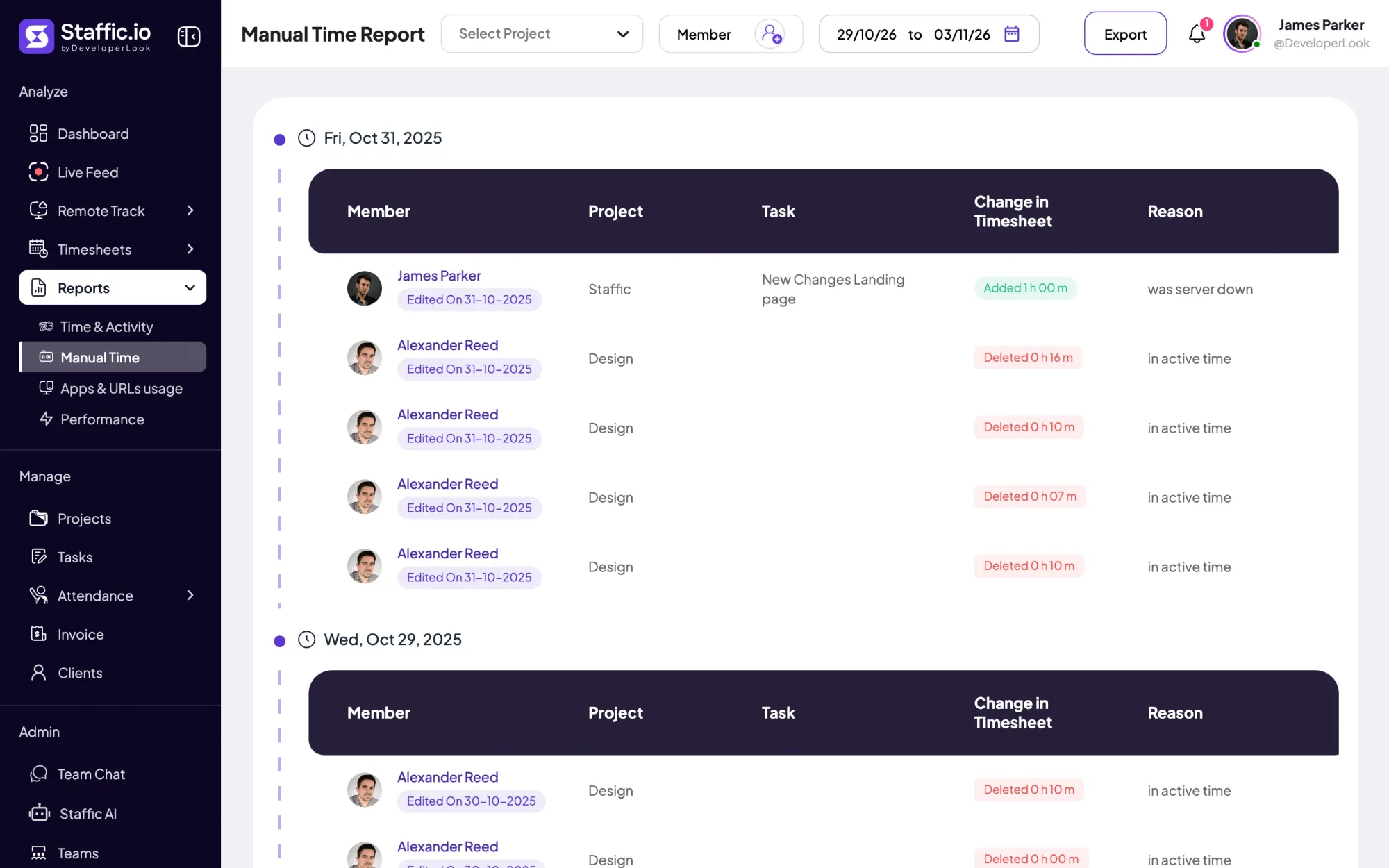
Staffic Timekeeping is how Staffic's timekeeping software keeps a record of hours, from the moment a member starts the desktop timer to the day the time is paid. Nobody edits a tracked session; it can only be deleted with a reason, and manual time needs a reason too. Standard adds Clock In/Out and the Manual Time report of every change. Elite adds timesheet approval and payroll from approved time.
How it works
Four steps, each one leaving a trace you can check later.
Timekeeping
Each step adds to the record: what was tracked, what changed and why, who approved it, and what was paid.
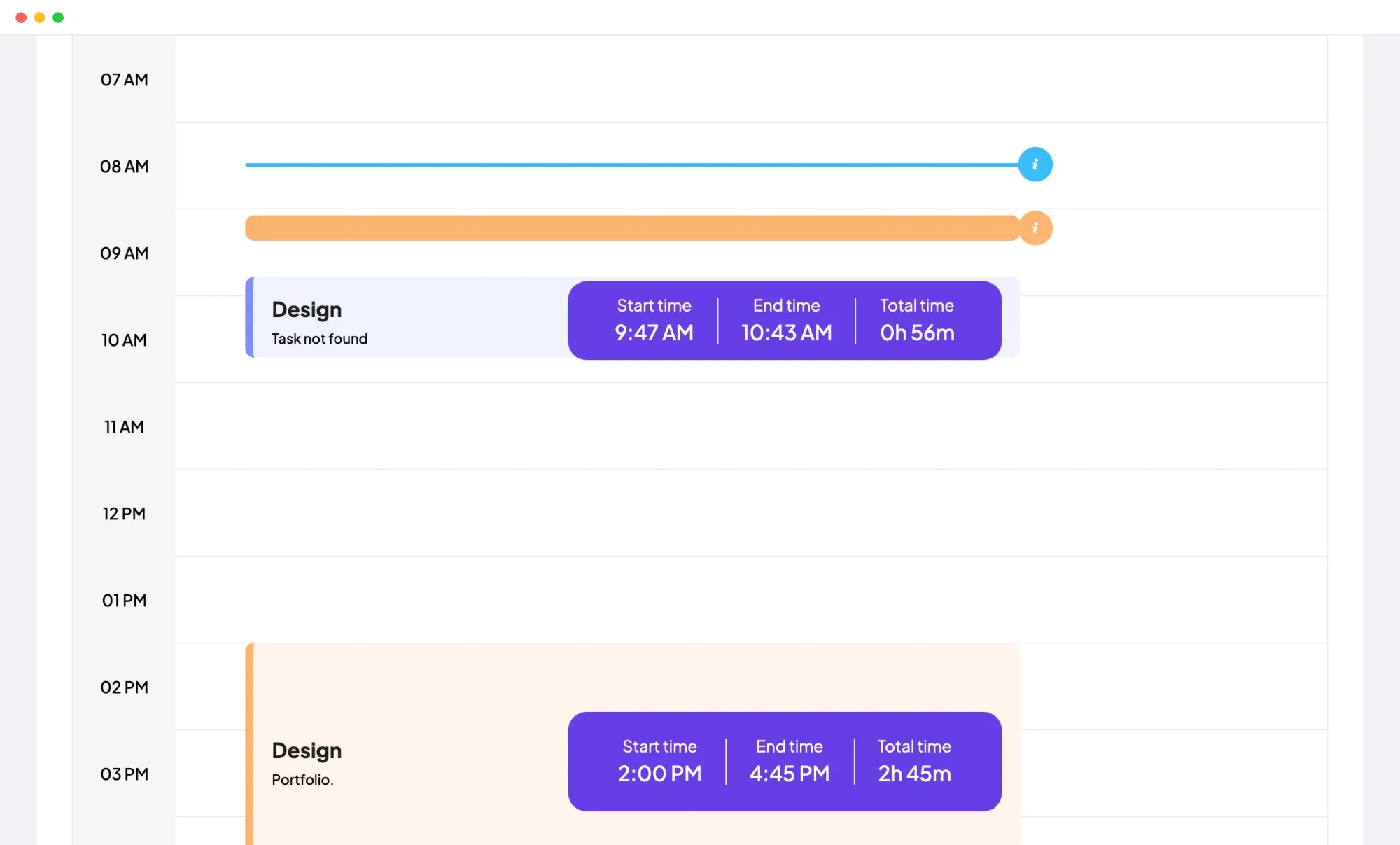
The desktop app records each session with its start time, end time, project and task while the timer runs. Nobody can move a session's start or end afterwards, so the hours on the record are the hours tracked.
A forgotten hour goes in through Add Manual Time with a project, a time range, an activity level and a reason. Entries can't overlap tracked time, run past 24 hours or end in the future, and admins decide whether members may add their own.
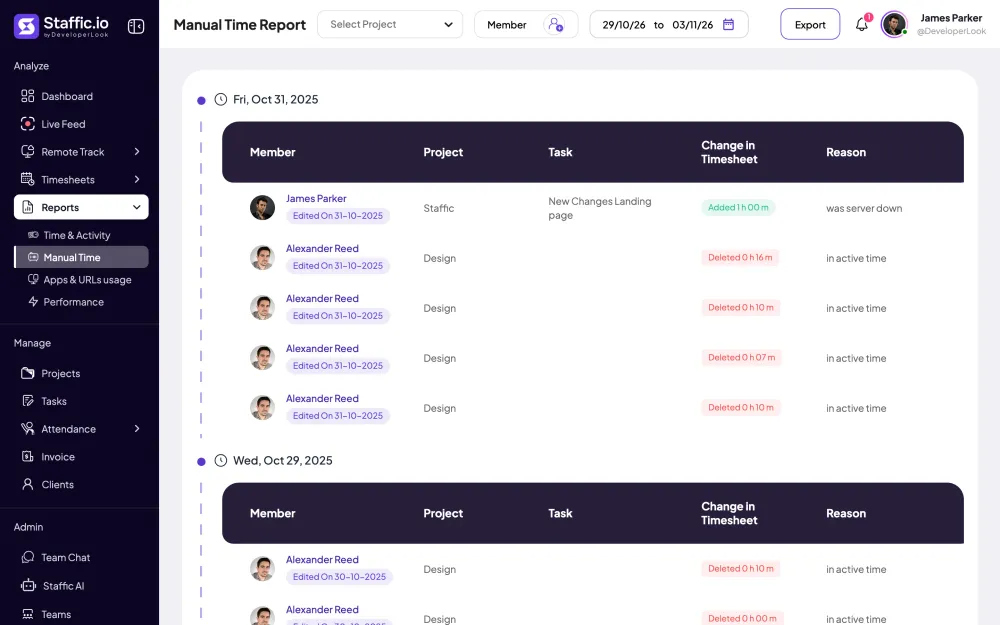
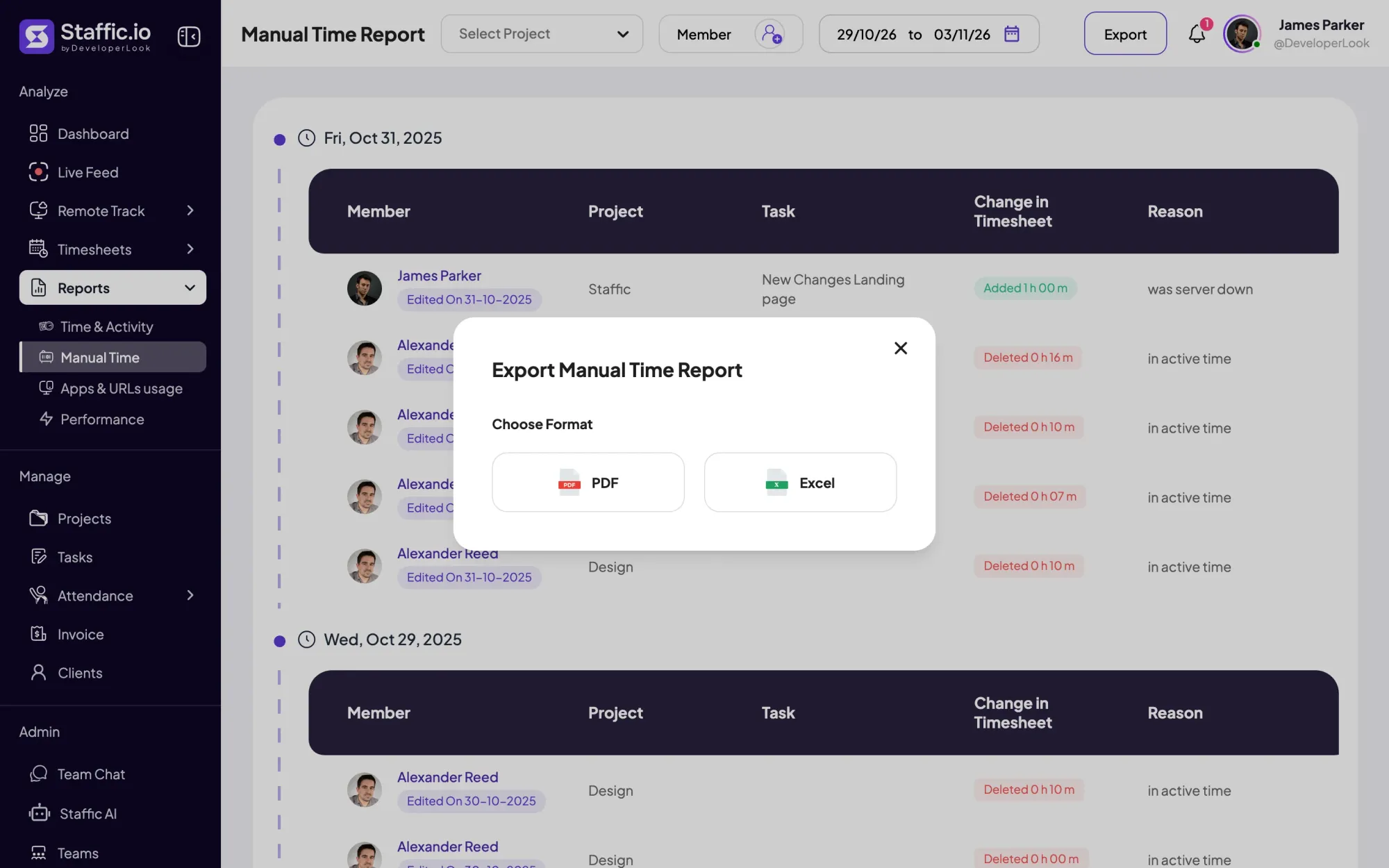
The Manual Time report lists every added or deleted entry by date, with the member, project, task, the change and the reason. Filter it by project, members and dates, then export it to Excel or PDF for payroll or an audit.
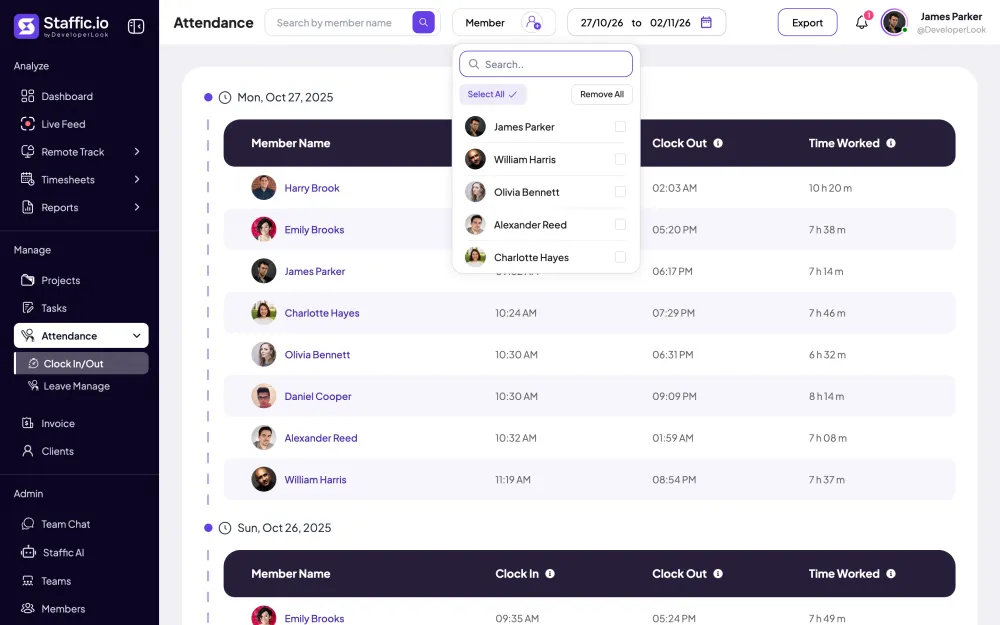
Clock In/Out takes each day's first and last tracked session as the member's clock-in and clock-out, with the time worked in between. Days are counted in your organization's time zone, and the report exports to PDF or Excel on Standard and Elite.
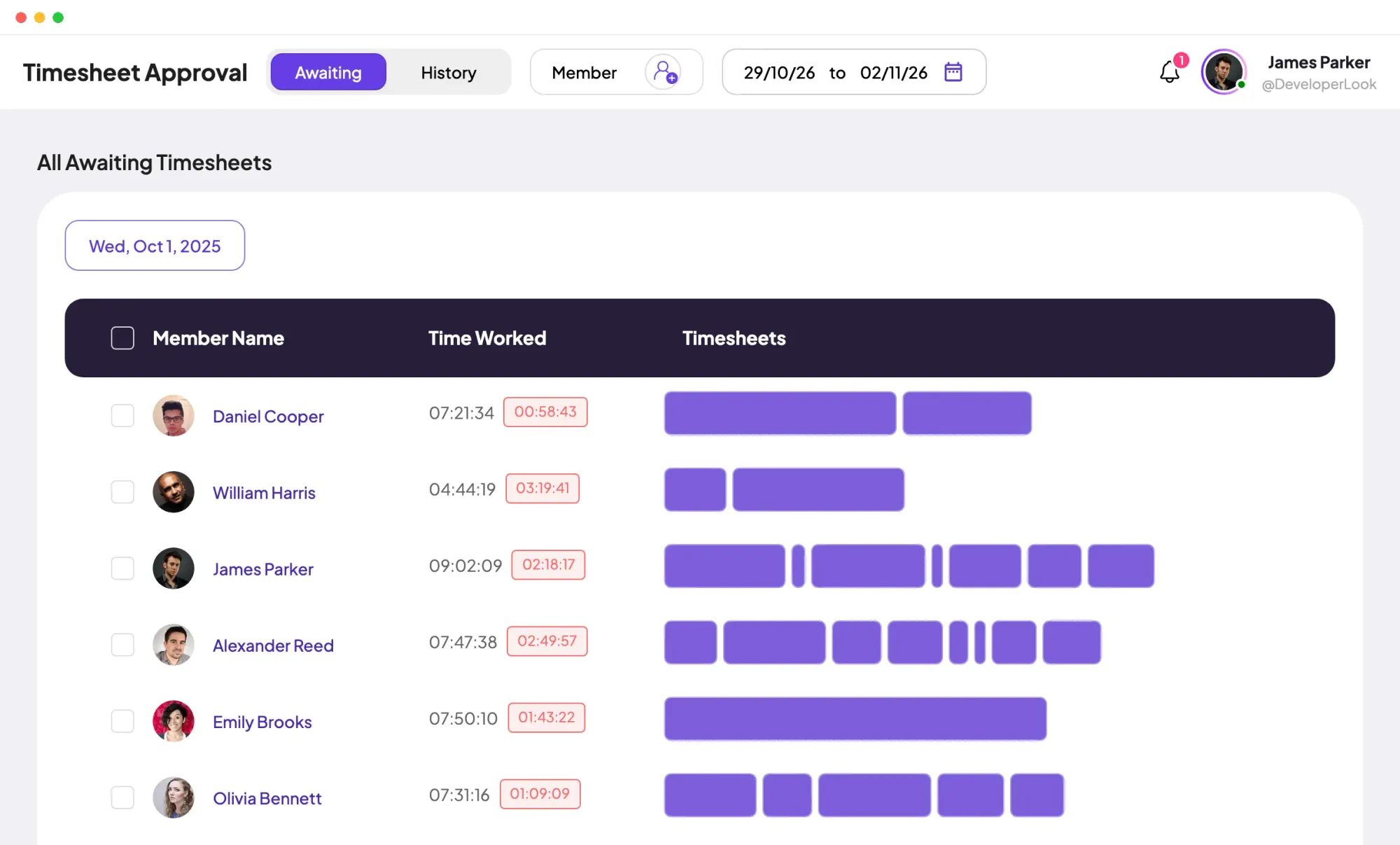
On Elite, a manager reviews each day's time per member, with idle time shown beside it. They approve it, reject it, or reject only part of one session, and the History tab keeps every decision.
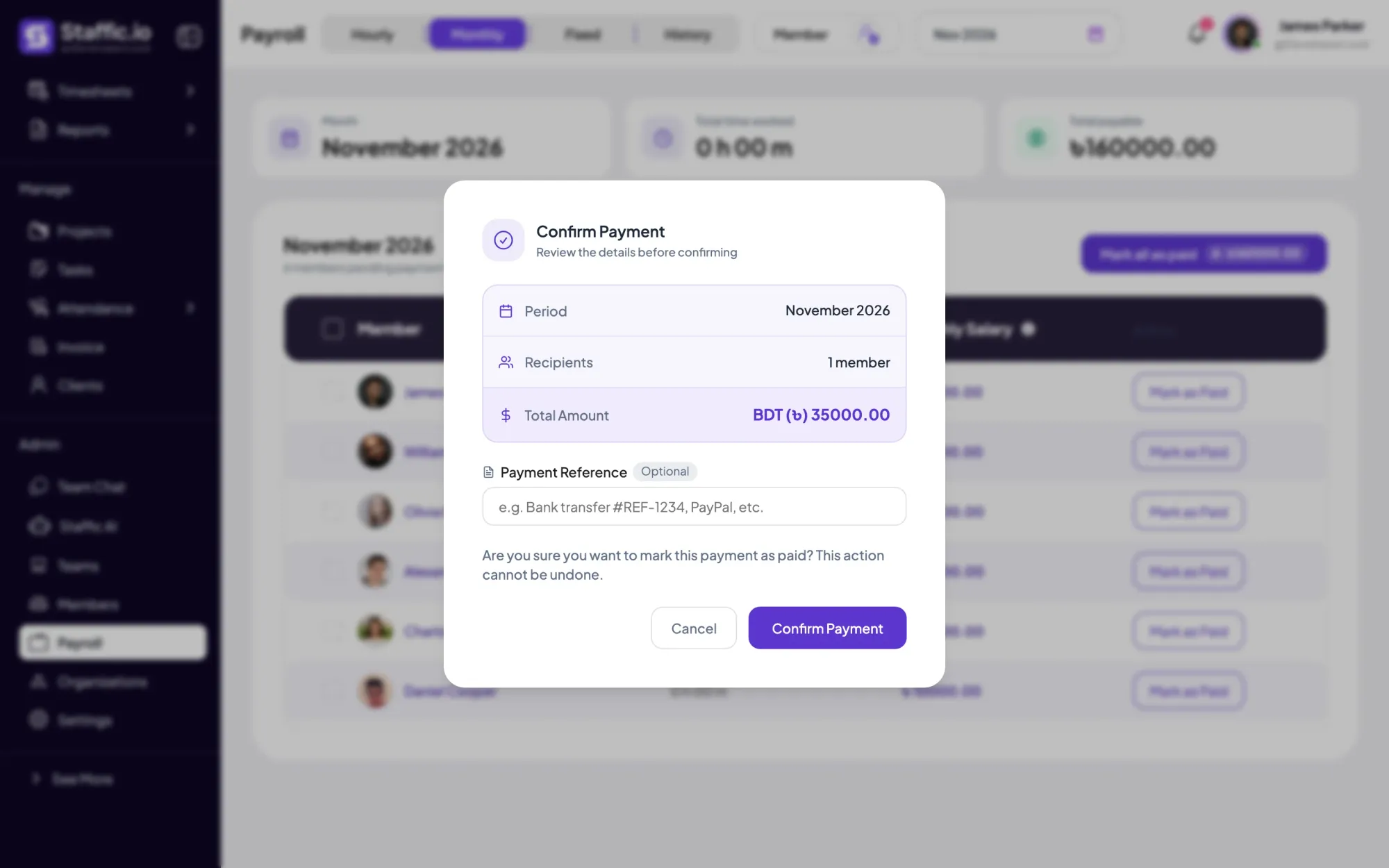
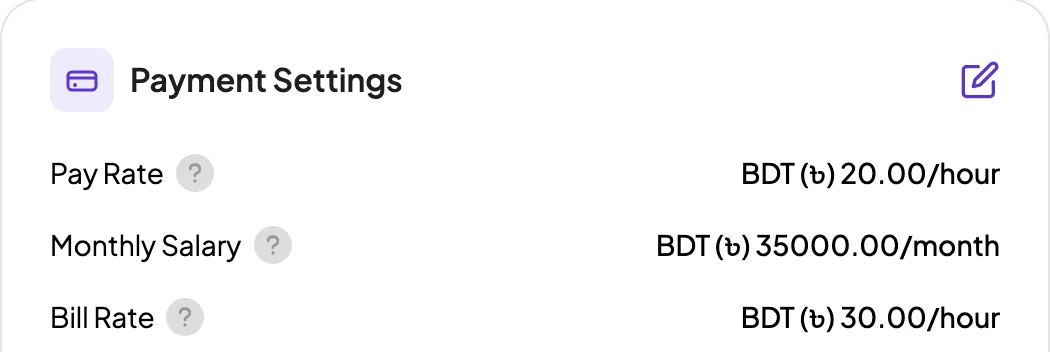
On Elite, Payroll multiplies each member's time worked by their pay rate. When approval is on, it counts only approved time. You mark each payment as paid with an optional reference, and that step can't be undone.
Showing Recorded by the timer, not typed in.
Control and privacy
Admins set who can change time and who signs it off. Members see their own timesheets and can change only their own entries.
Set it up
Set the rules once. After that, the record builds itself as your team tracks time.
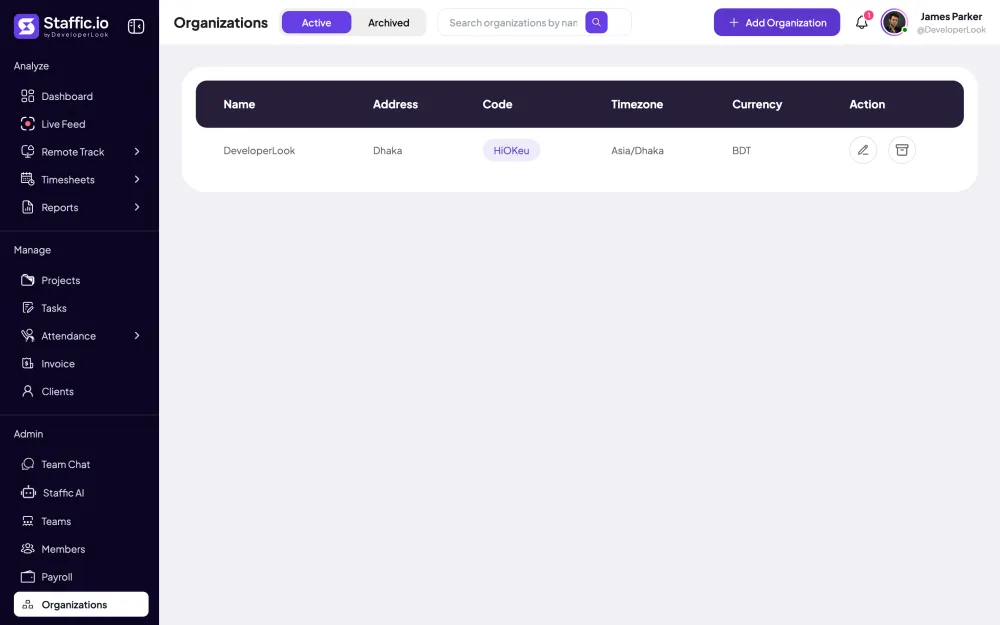
Clock In/Out counts every member's day in this time zone, so set it before the first pay period.
Admin › OrganizationsOn the Manual Time tab, switch Allow members to add manual time on or off. Admins can add time for members either way.
Settings › Timesheet SettingsOpen each member and fill in Payment Settings with their pay rate or monthly salary (Elite).
Read the payroll guideAdmin › MembersCheck every added or deleted entry and its reason for the period, and export the list if you need a copy.
Reports › Manual TimeApprove the period's time, then open Payroll and mark each payment as paid (Elite).
Timesheets › Approval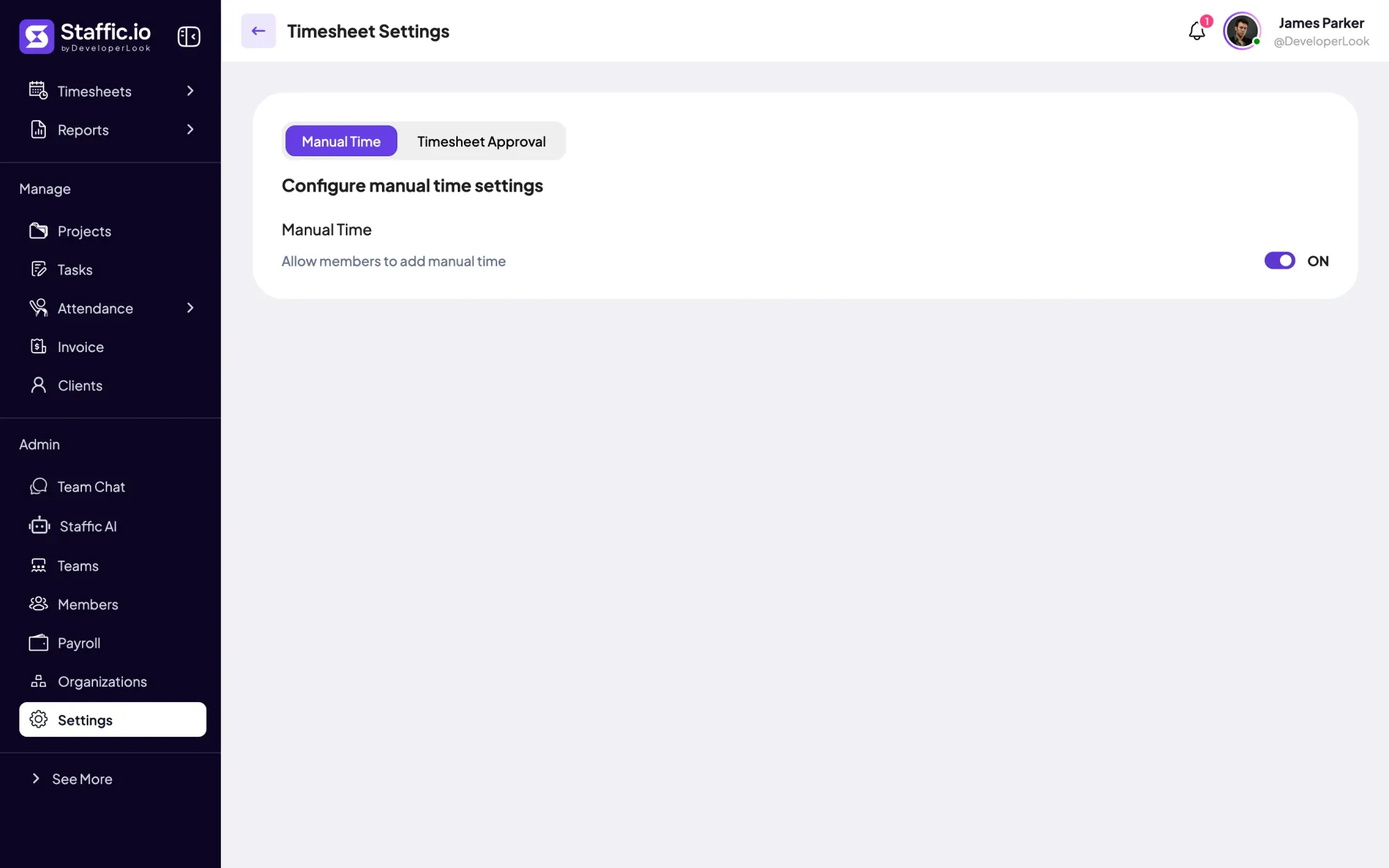
Compare
How three timekeeping tools handle changes to recorded hours, using facts from each company's own website.
Swipe the table to compare
| Compare | Staffic | Hubstaff | Time Doctor |
|---|---|---|---|
| Free option | Free plan for up to 3 members | 14-day trial | 14-day trial |
| Manual time | Standard and Elite; admins allow or block it for members | Owners and managers allow or block it per member | Every plan, set per user |
| Reason for a change | Required for every added or deleted entry | Can be required for everyone or per member | Optional |
| Log of changes | Manual Time report with reason and edit date (Standard and Elite) | Manual Time Edits report with reason, changed by and changed at | Not listed |
| How far back | Any past time, up to 24 hours per entry | Not listed | Entries older than two months can't be edited |
| Approval of time | Timesheet approval on Elite, including part of a session | Manual time approvals; plan not listed | Manual time approval on Standard and Premium |
Hubstaff sources: hubstaff.com/pricing and the support articles Modify time setting, Manual time approvals and Manual time edit report. Time Doctor sources: timedoctor.com/pricing and the support articles How to Manually Add and Edit Time and How to Approve or Disapprove Manual Time. All checked October 12, 2026.
Specs and terms
The facts behind the feature, and what each number on the Timekeeping Software page means.
Who it’s for
When someone asks where an hour came from, the record has the answer.
Timekeeping software for employees paid by the hour: turn on approval and set each pay rate. On Elite, Payroll then counts only the time a manager approved.
Every added or deleted entry carries its reason and edit date, so you can explain a change to a client straight from the Manual Time report.
Online timekeeping for a team spread across countries: Clock In/Out counts every day in your organization's time zone.
Customer stories
Stop juggling tools. Staffic gives your team time tracking, projects, payroll and performance analytics in one platform.
Try Staffic for free“Staffic.io brings transparency without micromanagement. Our team feels trusted, and productivity has never been higher.”
Pricing
Timekeeping Software is included on every plan, Free included. You pay per active user only when your team grows past 3 members.
Compare every planPrices in USD per active user. Billed monthly, Standard is $7.50 and Elite is $9.80 per user.
FAQ
Answers about timekeeping and how Staffic keeps the record.
Read the docsTimekeeping software records when people work and keeps that record for pay, billing and reporting. Good employee timekeeping software also shows what changed and who approved it. Staffic records hours from the desktop app, logs every manual change with a reason, and on Elite adds approval and payroll.
It's used to pay people for the hours they worked, bill clients for project time and check attendance. Teams also use it to settle questions about hours, because the record shows each session and each change. In Staffic, the same tracked time feeds timesheets, Clock In/Out, invoices and payroll.
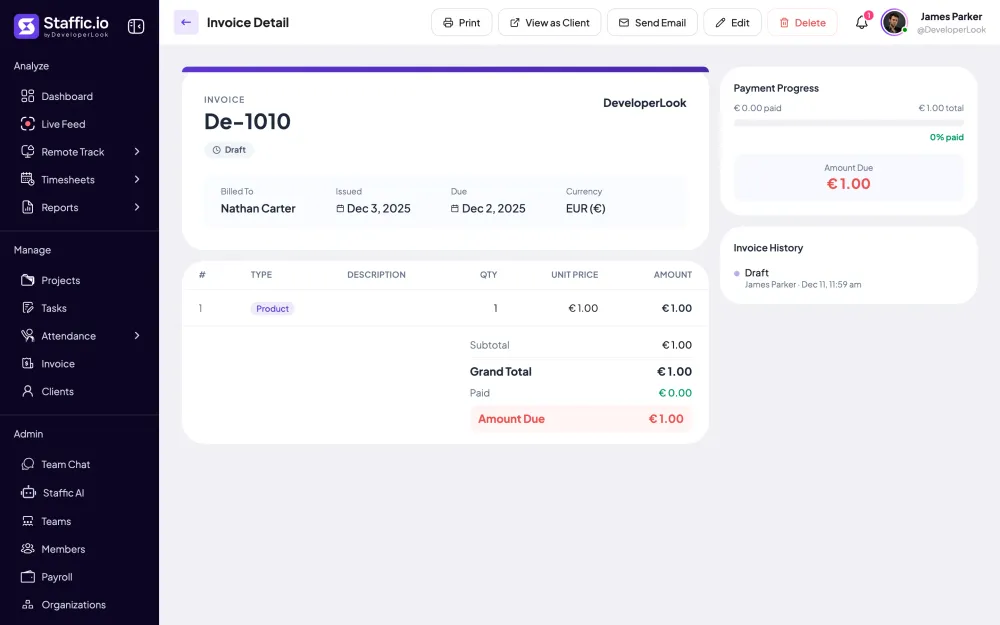
The approved hours become the pay. On Staffic's Elite plan, Payroll multiplies each member's time worked by their pay rate and counts only approved time when approval is on. You then mark each payment as paid, and the payment history exports to CSV for your accountant.
The best timekeeping software for remote teams records time where people work, logs every change and lets a manager approve hours before pay. Check whether a tool requires a reason for edits and keeps a report of them. The comparison on this page shows how Staffic, Hubstaff and Time Doctor handled this on October 12, 2026. Staffic is free for up to 3 members, so you can test it on real work.
Timekeeper software is another name for a timekeeping app: a tool that records the hours people work. Some use the term for a single timer, others for a full system with approvals and pay. Staffic covers both ends, from the desktop timer to payroll on Elite.
Record time automatically, make every change explain itself, and have someone sign off before pay. In Staffic, sessions come from the desktop timer, manual time and deletions need a reason, and on Elite a manager approves the time. The Manual Time report shows every change for the period.
Each session's start and end time, project, task and activity level, plus the apps and URLs used if admins turn that on. Manual entries and deletions are stored with their reason and date. On Standard and Elite, Clock In/Out adds each day's first and last session, and Elite adds approval decisions and payments.
Every plan includes Timekeeping Software. Free covers up to 3 members. Standard is $5.50 per user per month billed yearly ($1.00 during the current offer, until September 12, 2027) or $7.50 billed monthly, and Elite is $5.80 per user per month billed yearly or $9.80 billed monthly.
Explore more
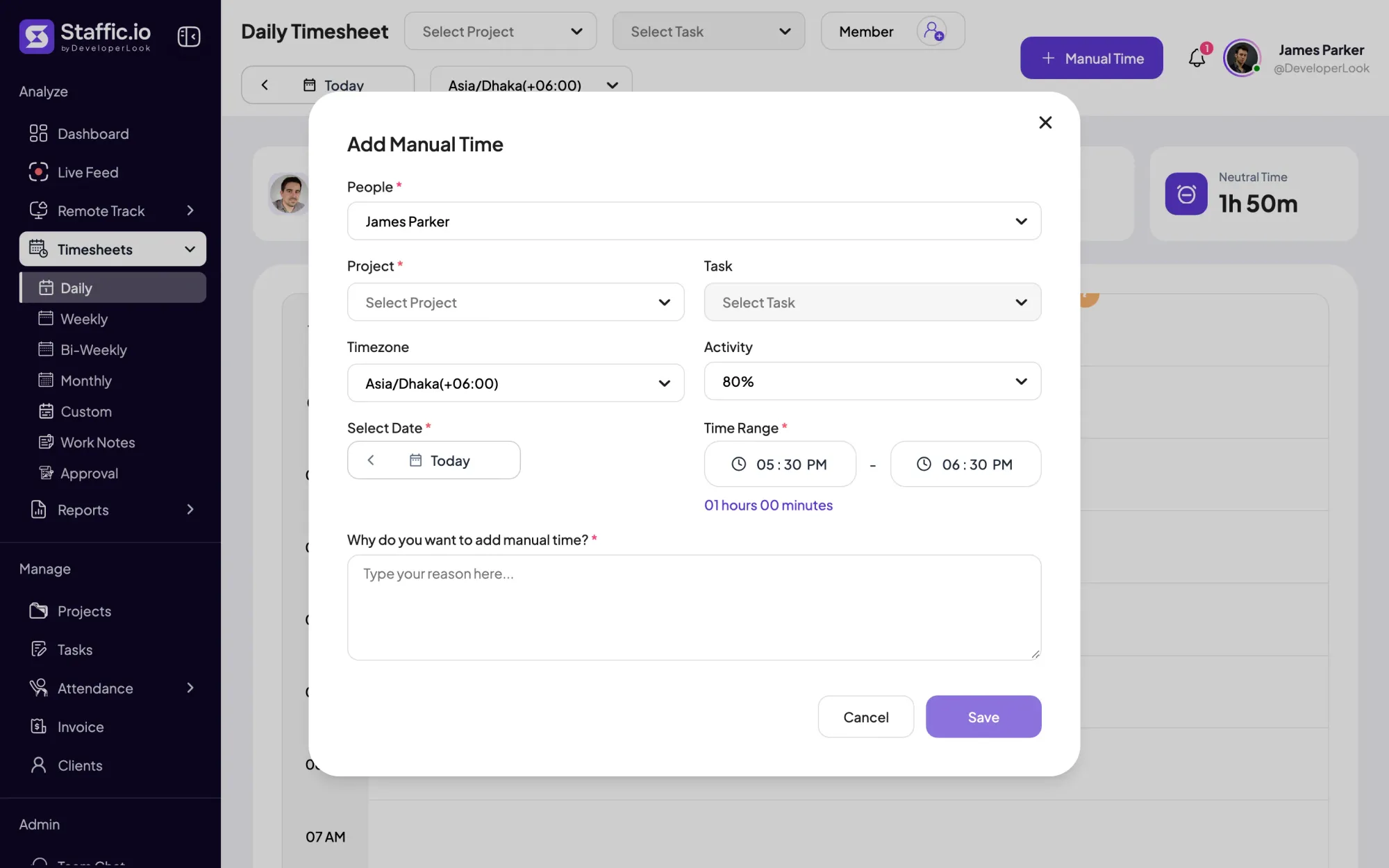

Add the hours the timer missed with a project and a required reason, and see every manual add and deleted hour in the Manual Time report.
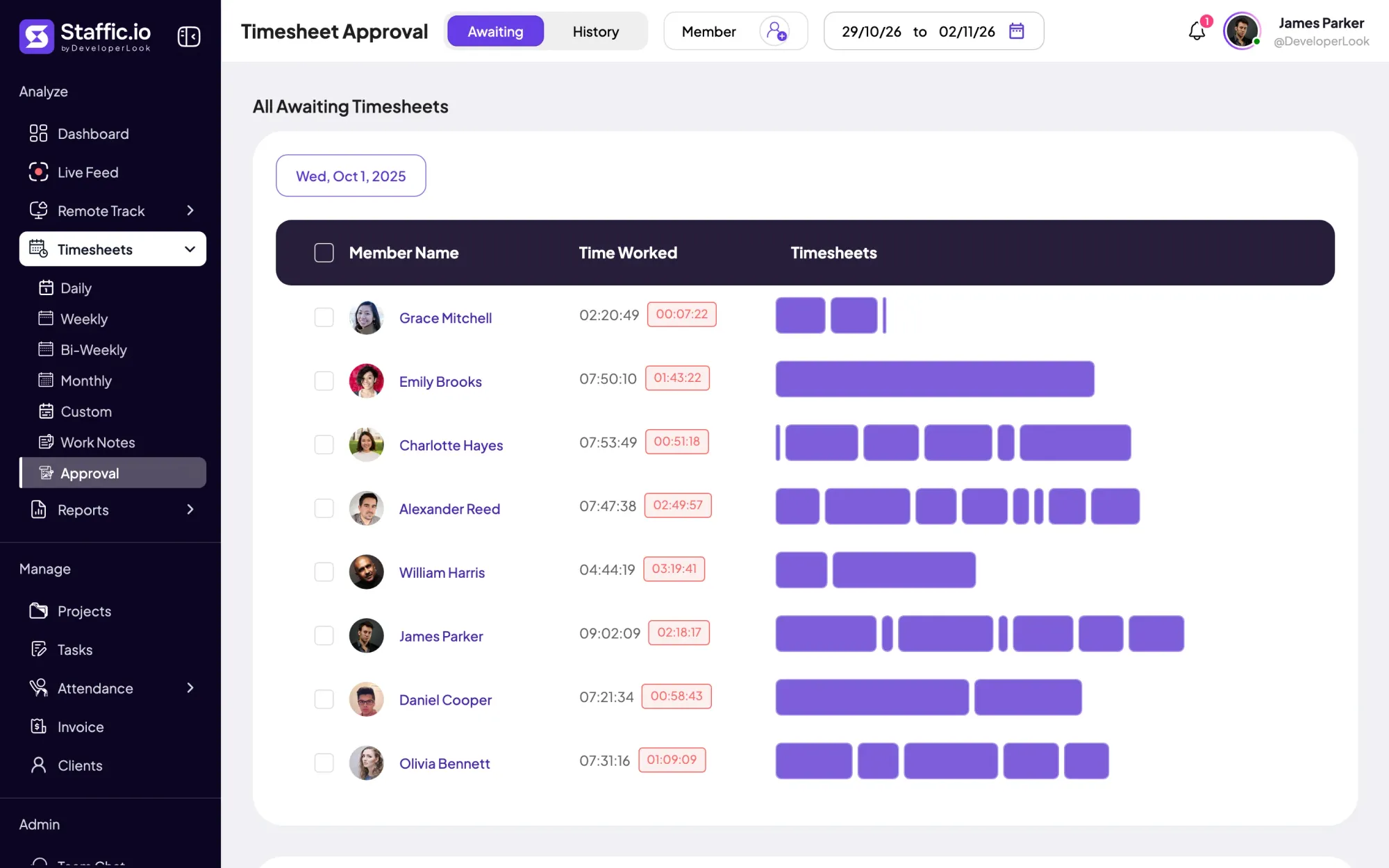

Approve or reject each member's tracked and manual time day by day, so hourly payroll pays only the hours you signed off.
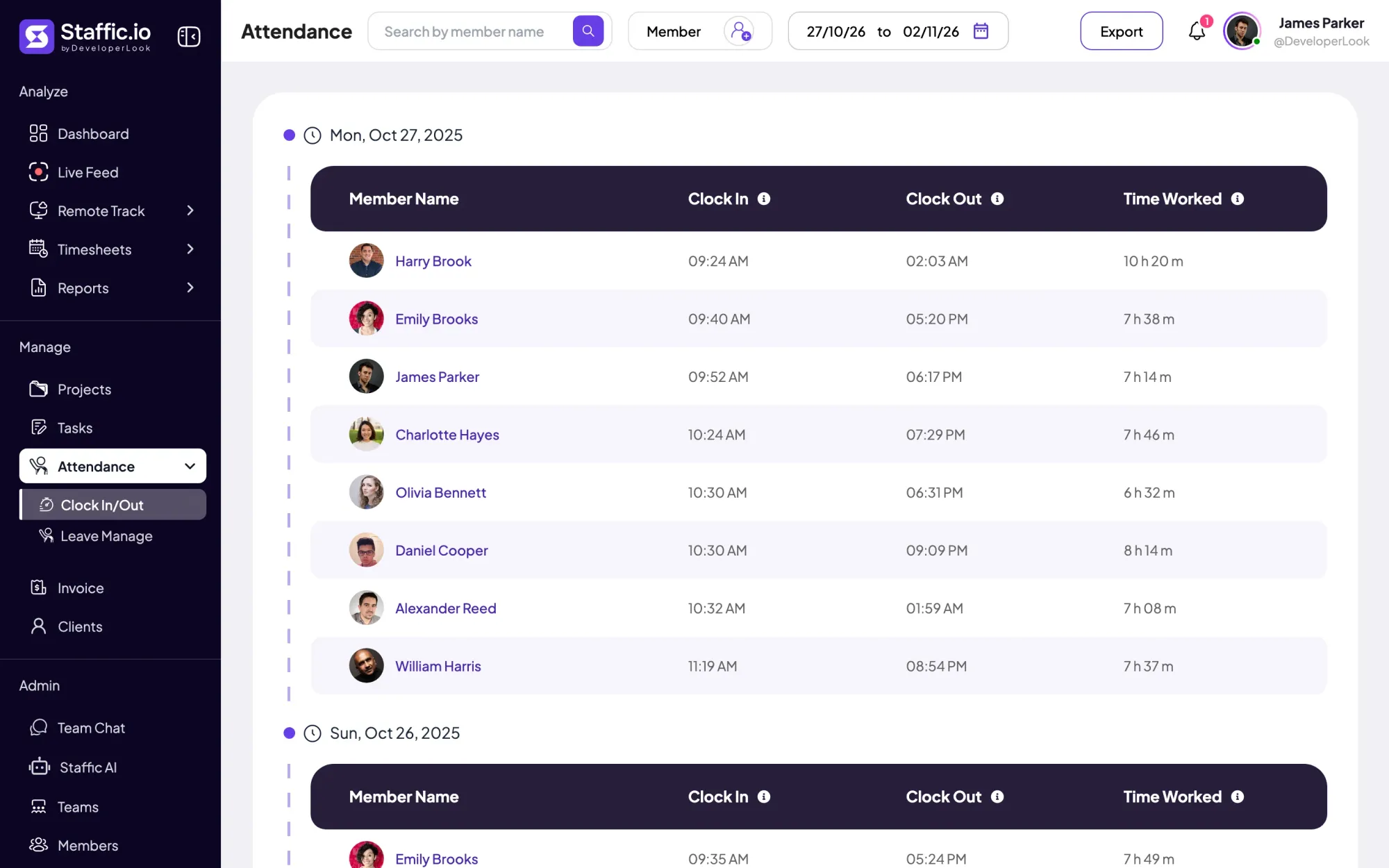

Clock In/Out records when each member starts and stops work from the desktop timer, with time worked per day and PDF or Excel export.
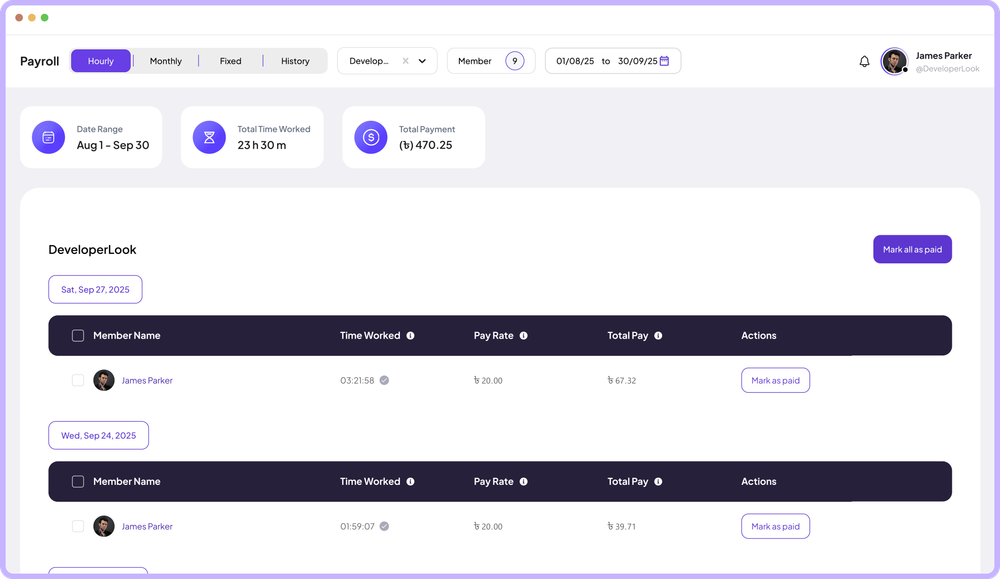

Payroll works out hourly pay from tracked time, lists monthly salaries, records one-time payments and keeps a payment history.
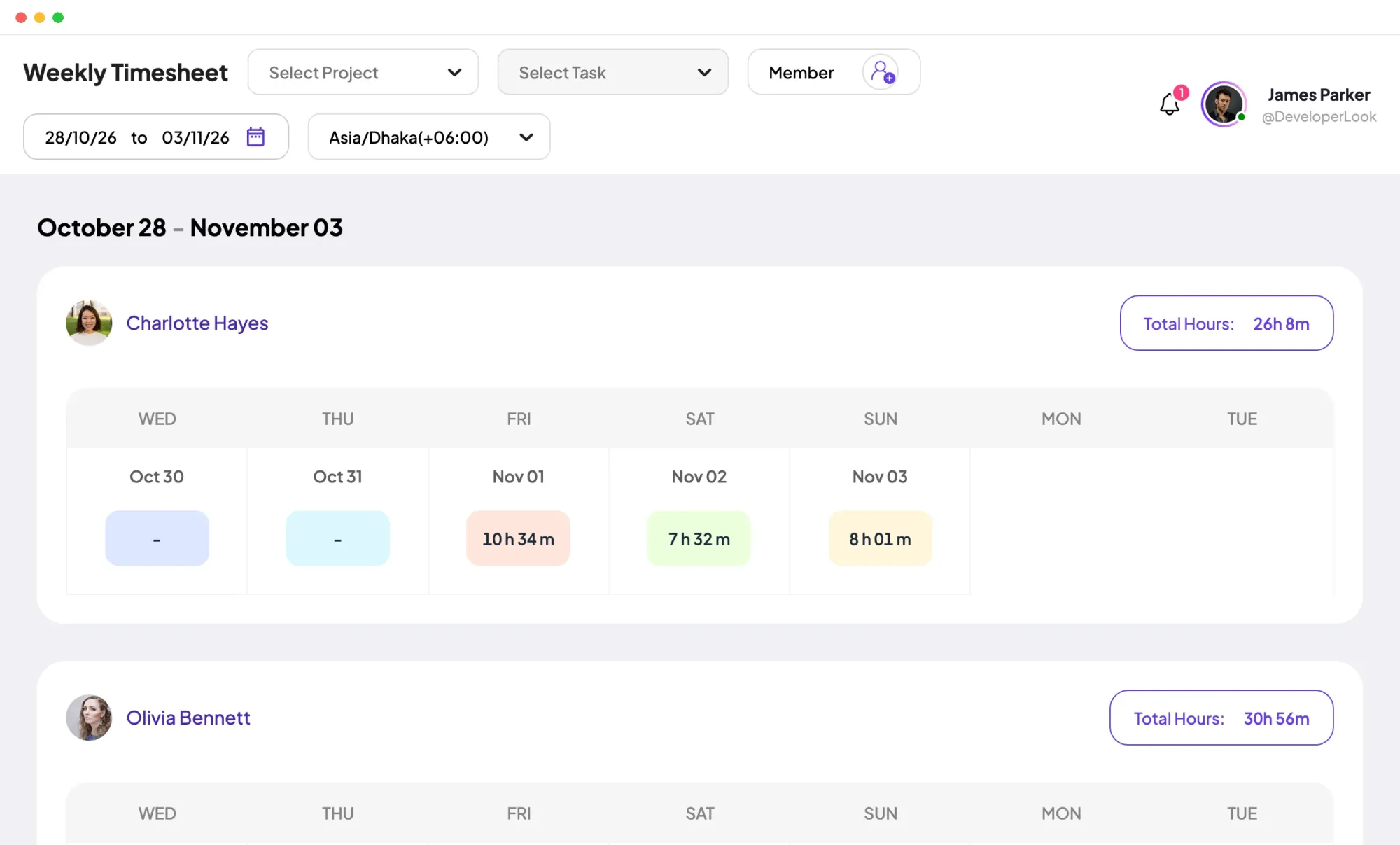
Staffic fills daily, weekly and bi-weekly timesheets from tracked time. Monthly and custom ranges come with Standard, and approval with Elite.
Staffic is time and attendance software for remote and hybrid teams: tracked hours, clock-ins, leave, timesheet approval and payroll in one record.
Free for up to 3 members
Create your workspace, invite your team, and the first timesheet builds itself.