People spread across tools
Who sits on which team lives in a spreadsheet, the tasks live in another app and the hours in a third. Nobody sees the whole week.
See step 1: Set up teams and managers
Features
All 33 featuresSee the work while it happens.
 DashboardYour team's week at a glance, Monday to Sunday
 Live FeedEliteSee who's tracking time right now, and on what
 ScreenshotsStandardVisual proof of work, captured automatically
 AppsWhich apps each tracked session used
 URLsThe websites behind the tracked time
 Screen RecordingsEliteFull session video, beyond a screenshot
01 / 33
Dashboard
The team dashboard: this week's hours, today's performance, top members, ongoing tasks, top projects and the most used apps and websites.
View DashboardTeam management software
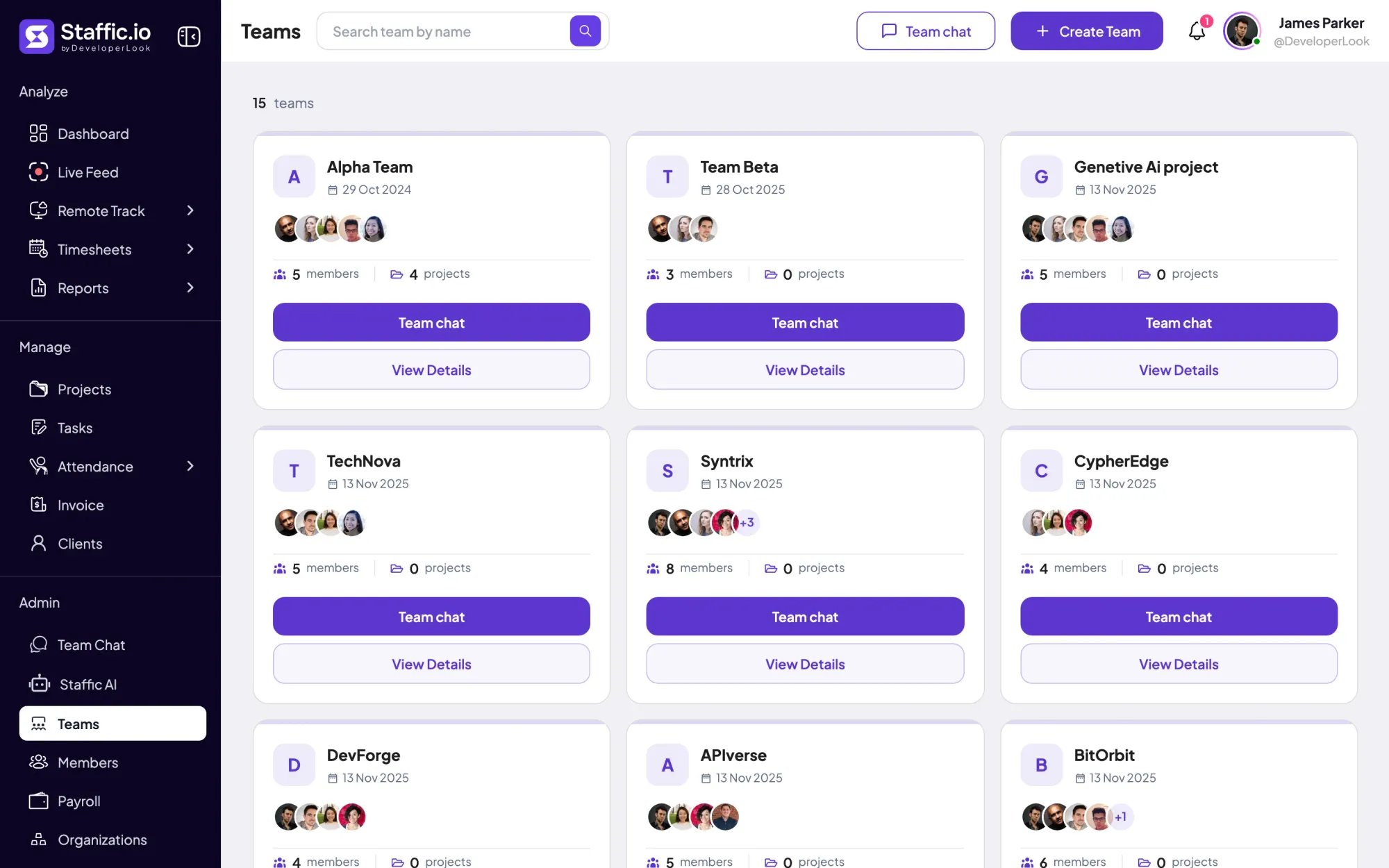
Staffic is team management software for managers who run a team: teams, projects and tasks, and the hours tracked against them, in one place. The Performance report compares hours with task estimates, and on Elite you approve timesheets and leave requests. Free for up to 3 members.
Team management challenges
Four problems that push managers to put people, tasks and hours in one tool.
Who sits on which team lives in a spreadsheet, the tasks live in another app and the hours in a third. Nobody sees the whole week.
See step 1: Set up teams and managersYou assign the work but never see how long it took, so the next estimate is another guess.
See step 2: Plan the work as tasksTo learn who worked on what this week, you ask everyone. The answers come late, rounded or not at all.
See step 3: See the hours as they happenLeave requests and timesheet sign-offs arrive in messages and inboxes, and nobody can find them when the month closes.
See step 5: Sign off timesheets and leaveHow Staffic helps
From setting up teams to signing off the week. Each step links to the feature behind it.
Step 1 of 5
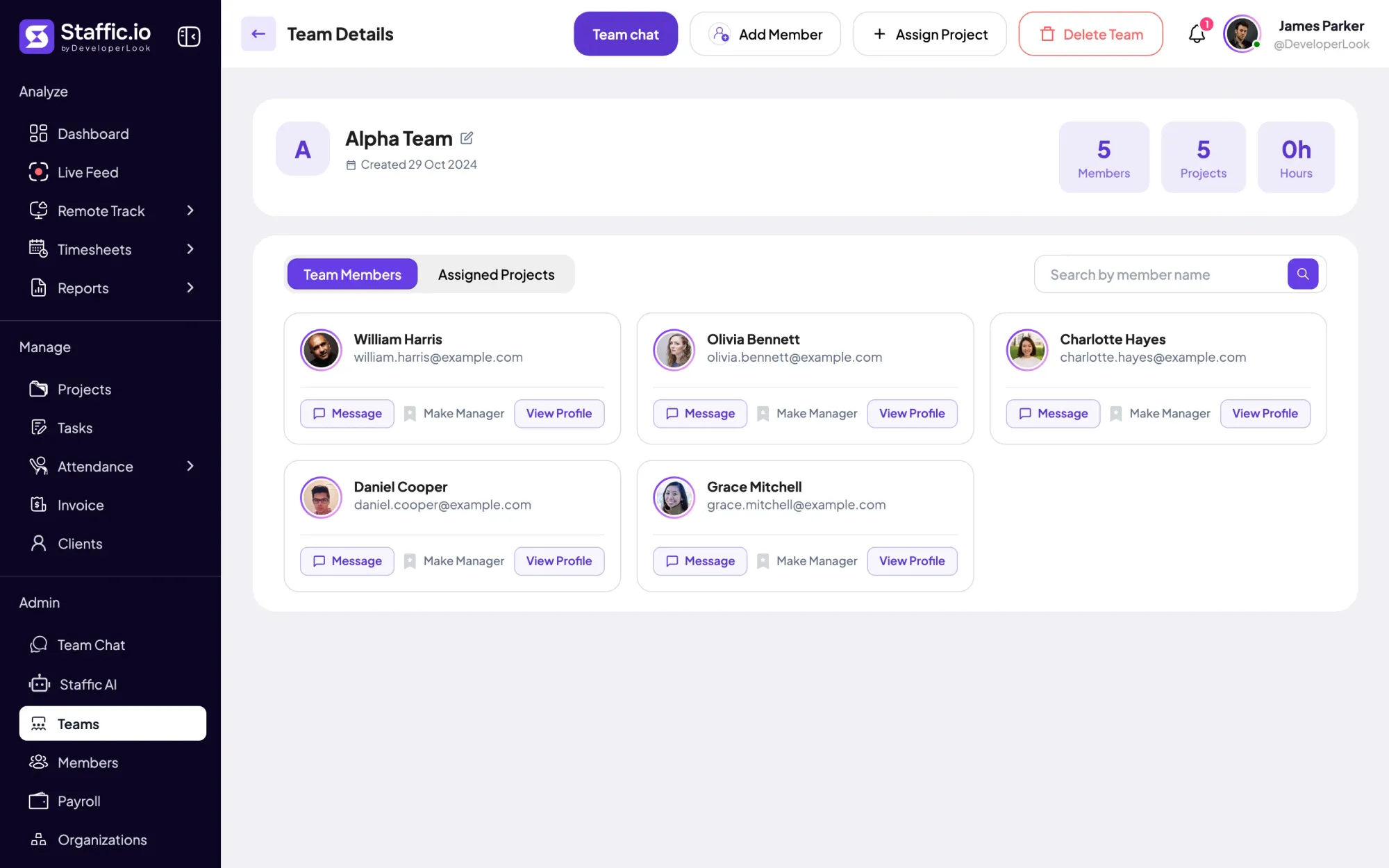
Invite members by email, then group them into teams on Standard or Elite, each with its own members, projects and Team Chat channel. On Elite, make someone the team’s manager so they look after their own people.
Fixes: People spread across tools
Step 2 of 5
Break each project into tasks with an estimate and assignees, then move them across the board from to-do to completed. Projects and tasks are on every plan.
Fixes: Tasks without a time record
Step 3 of 5
Each member starts the timer on a task in the Staffic desktop app for Windows, macOS or Linux. Daily and weekly timesheets show who worked on what, so you don’t have to ask.
Fixes: Status meetings for the basics
Step 4 of 5
On Standard and Elite, the Time and Activity Report shows hours and activity per member for any project and dates. The Performance report sets each member’s time worked against their task estimates, so overloaded people and loose estimates show up early.
Step 5 of 5
On Elite, managers accept each person’s timesheet day by day in Timesheet Approval and approve or reject leave requests from one list.
Fixes: Approvals lost in chat
Recommended plan
Teams and the Performance report need Standard. Team managers, timesheet approval and leave requests need Elite. Set your team size to see what you would pay.
Your team needs
Billing
Standard
$1.00per user per month, billed yearly
Offer price until September 12, 2027. List price $5.50.
$15.00 a month for 15 members, $180.00 a year.
More than 3 members, and no invoices, payroll or recordings: Standard covers the rest.
Customer stories
We discovered our best employees with Staffic.io's performance analytics. Promotions are now merit based, not political. The objective data eliminated bias and created a fair culture where hard work is recognized and rewarded.
Staffic.io's live feed lets me check in without interrupting my team. Remote management finally feels natural. I can see progress in real-time without constant meetings or status updates that drain productivity.
FAQ
What managers ask before they move their team into one tool.
Explore the live demoTeam management software is a tool where a manager organizes people into teams, assigns their work and sees how their time is spent. In Staffic that means teams, projects and tasks, timesheets from the desktop app, reports and approvals in one team management platform.
Look for five things: teams and roles, tasks with estimates, a reliable record of hours, reports on each person’s workload, and approvals for hours and leave. Staffic has all five, with teams and reports on Standard and approvals on Elite.
Give everyone one place for their tasks, their messages and their hours, then manage from those records instead of status calls. In Staffic, each person tracks time on a task in the desktop app wherever they work, and Team Chat keeps direct messages and team and project channels next to the work. It works as software for remote teams, and as software for remote workers who want to see their own hours.
Yes. Staffic’s desktop app records time on each task with activity levels from keyboard and mouse use, plus the apps and websites used. On Standard and Elite, the Performance report compares each member’s time worked with their task estimates.
Project management software tracks the work: tasks, owners and boards. Team management software also tracks the people: who is on which team, how many hours they worked and what still needs sign-off. If you compare project management tools for remote teams, check whether they record hours, because Staffic keeps projects, tasks and tracked time together.
Yes. Tasks and time tracking are on every plan, Clock In/Out and leave balances are on Standard and Elite, and leave requests with approval are on Elite. Clock In/Out takes each person’s first and last tracked session of the day, so nobody punches a separate clock.
Staffic is free for up to 3 members. Standard is $5.50 per user per month billed yearly ($1.00 during the current offer), or $7.50 monthly, and Elite, which adds clients, invoices, payroll and screen recordings, is $5.80 billed yearly.
Free for up to 3 members
Create your first project, invite your team and watch the first timesheet fill in.




