Two clients’ work in one afternoon
A VA clears one client’s inbox, then books travel for another. Written up at night, the hours blur together.
See step 1: A project for each client
Features
All 33 featuresSee the work while it happens.
 DashboardYour team's week at a glance, Monday to Sunday
 Live FeedEliteSee who's tracking time right now, and on what
 ScreenshotsStandardVisual proof of work, captured automatically
 AppsWhich apps each tracked session used
 URLsThe websites behind the tracked time
 Screen RecordingsEliteFull session video, beyond a screenshot
01 / 33
Dashboard
The team dashboard: this week's hours, today's performance, top members, ongoing tasks, top projects and the most used apps and websites.
View DashboardTime tracking software for virtual assistants
Staffic is time tracking software for virtual assistants and the people who hire them: VAs track each client’s work in the desktop app, screenshots on Standard and Elite show it was done, and clients get a PDF time report or, on Elite, an invoice. Free for up to 3 members.
Virtual assistant challenges
Four things that make remote assistant work hard to bill and hard to trust.
A VA clears one client’s inbox, then books travel for another. Written up at night, the hours blur together.
See step 1: A project for each clientThe client is asleep while their assistant works, and all they get is a number of hours at the end of the week.
See step 2: Proof of work, in any time zoneEvery client wants to know what was done, and someone copies the summary together from chats and notes.
See step 3: Show each client what was doneHours sit in a spreadsheet until the month ends, so the invoice goes out late or leaves time off.
See step 4: Bill each client from tracked hoursHow Staffic helps
For agencies that place VAs with clients, and for clients who hire a VA directly.
Step 1 of 4
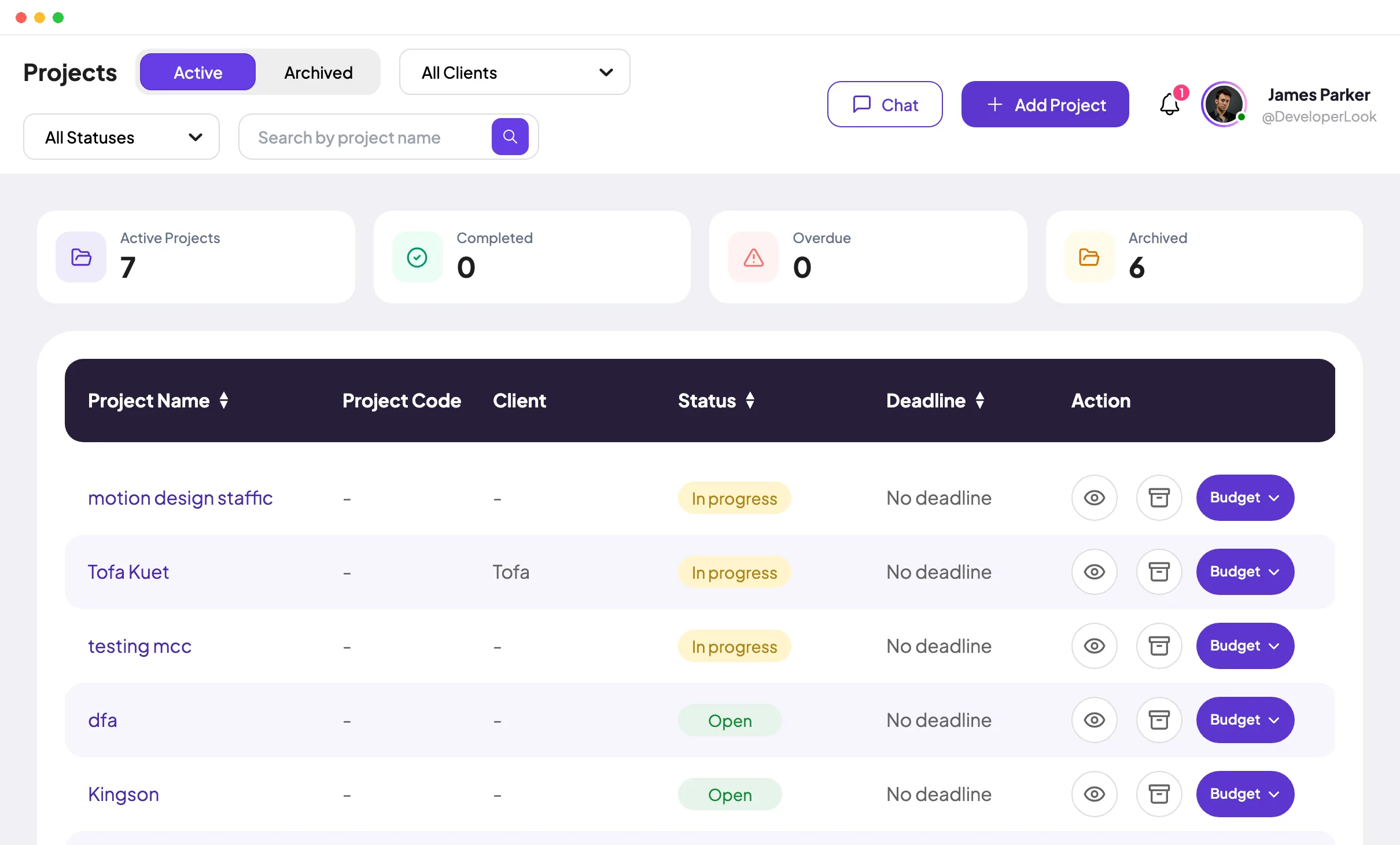
Create a project for each client, with tasks for the recurring work, and add only the VAs who serve it. Each VA starts the desktop timer on the right project and task, so one client’s hours never land on another’s timesheet.
Fixes: Two clients’ work in one afternoon
Step 2 of 4
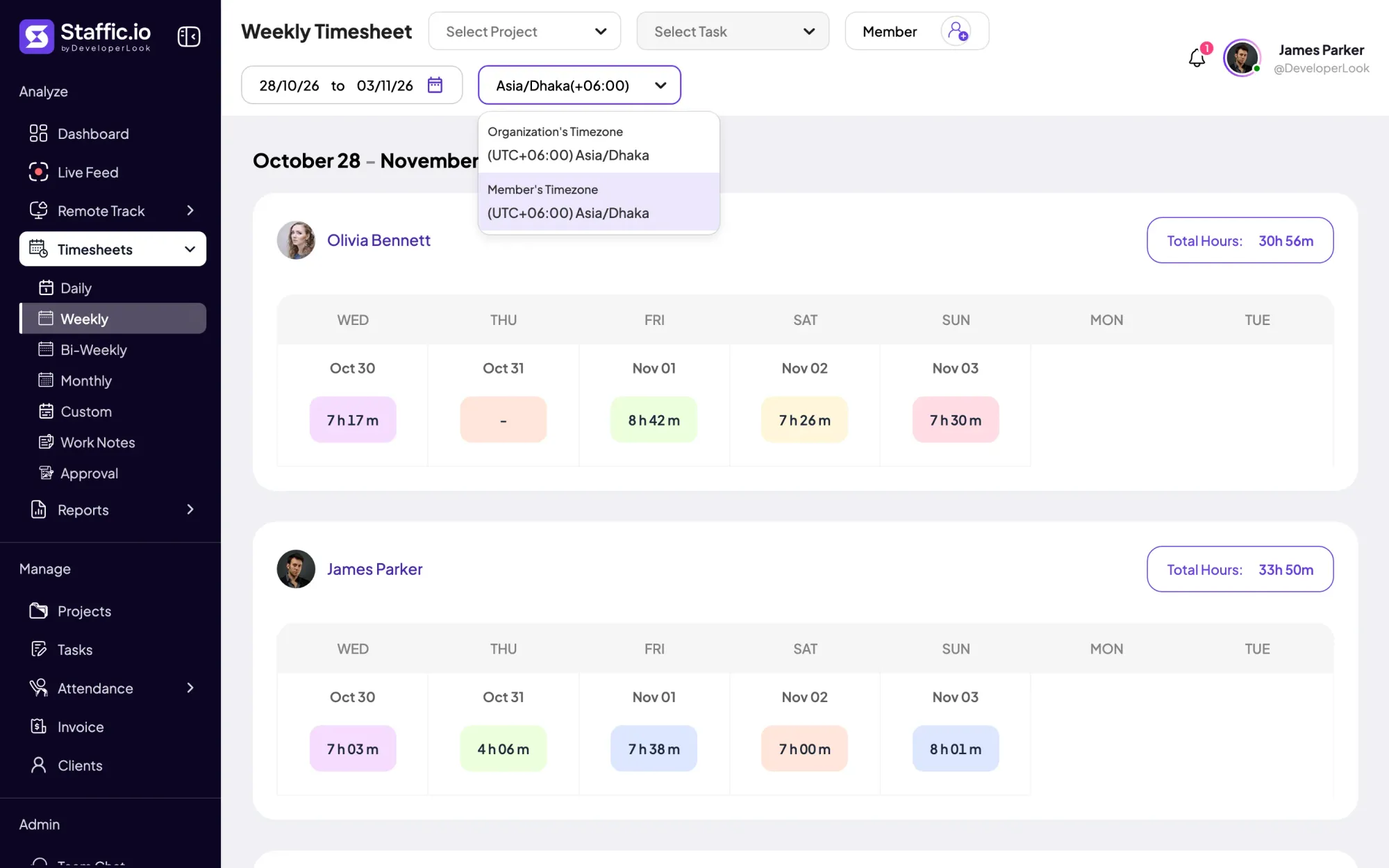
Activity levels and the apps and sites used are recorded on every plan, and screenshots join on Standard and Elite, only while the timer runs. Weekly timesheets show the hours in the organization’s time zone or the VA’s own.
Fixes: A client who never sees the work
Step 3 of 4
VAs add a work note to each time entry. On Standard and Elite, the Time and Activity report filters by the client’s project and dates, ready to download as PDF or Excel for the weekly update.
Fixes: Updates pieced together by hand
Recommended plan
A client with one or two VAs fits the Free plan. Screenshots and client reports need Standard and invoices need Elite, so the picker starts on Elite for agencies.
Your team needs
Billing
Elite
$5.80per user per month, billed yearly
$34.80 a month for 6 members, $417.60 a year.
Elite adds the client invoices you picked.
Customer stories
Staffic.io transformed how we track productivity. Our remote team is now more accountable and transparent than ever. The detailed reports and activity monitoring have been game-changing for us.
Our Team Loves How Straightforward It Is We needed something that wouldn’t slow anyone down. This tool nails that: it’s efficient without being complicated
FAQ
For VA agencies, independent VAs and the clients who hire them.
Explore the live demoInvite the VA to your Staffic organization, create a project for each client or area of work and have the VA install the desktop app. The app works as a virtual assistant time tracker: the VA starts the timer on a project and task, and the hours fill daily, weekly and bi-weekly timesheets on every plan.
Yes. Staffic’s Free plan covers up to 3 members with the desktop app, activity levels, apps and URLs and daily, weekly and bi-weekly timesheets. Screenshots and client reports start on Standard, and invoices need Elite.
Yes, on Standard and Elite. Each screenshot shows the project, task, time range and activity level for that stretch of work, and captures happen only while the VA’s timer runs. Admins see every VA’s screenshots; each VA sees their own.
Yes. Give each client a project, add only the VAs who work for them, and filter the Time and Activity report by project on Standard and Elite. On Elite, the Clients page ties each client to their projects, invoices and outstanding balance.
Send them the Time and Activity report for their project as PDF or Excel, with time worked and activity per day (Standard and Elite). The VA’s work notes on each entry give you the detail for the written update.
Yes, for hours and proof of work. While the timer runs, Staffic records time, activity, apps and URLs and, if screenshots are on, images of the screen, which can include patient details. Admins can turn screenshots off in Settings > Activity and keep tracking time and activity.
Free for up to 3 members
Create a project for your first client, invite the VA and see the hours in this week’s timesheet. Free for up to 3 members.




