
On this page (5)
Key takeaways
- Time theft means being paid for work time that was not worked, whether through padded timesheets, buddy punching or unrecorded breaks.
- Clear written rules on breaks, rounding and manual edits prevent many disputes before they start.
- Automatic time tracking replaces timesheets written from memory and makes idle time and manual edits visible.
- Approving timesheets before payroll catches mistakes and padding while they are still easy to fix.
- Tell your team what is tracked and why. Open monitoring builds trust; secret monitoring destroys it.
Time theft is when an employee is paid for time they did not work. It ranges from rounding up a start time or taking long unrecorded breaks to clocking in for a colleague. You prevent most of it with three things: clear rules about what counts as work time, automatic time tracking instead of memory, and a manager who reviews timesheets before payroll.
What counts as time theft?
Time theft covers any paid time that was not spent working. The most common forms are:
- Padded timesheets. Rounding start and end times in your favor, or adding hours from memory at the end of the week.
- Buddy punching. Clocking in or out for a coworker who is late or absent. Read our guide to buddy punching.
- Long or extra breaks that are not recorded as breaks.
- Personal tasks on the clock, such as errands, long personal browsing or work for another employer.
- A timer left running after work stops, and never corrected.
Not every gap is theft. A forgotten timer or time logged to the wrong project is a mistake, and treating mistakes as theft damages trust quickly.
Is time theft illegal?
In most workplaces, time theft is handled as a policy and disciplinary matter: a warning, a payroll correction or, for repeated or deliberate cases, dismissal. Deliberately falsifying time records to get paid can also be treated as fraud in some places. Rules differ by country and state, so write your policy with local employment law in mind.
This is general information, not legal advice.
How to spot time theft in your data
Look for patterns, not single days. These signals are worth a closer look:
| What you see | What it can mean | Where to check in Staffic |
|---|---|---|
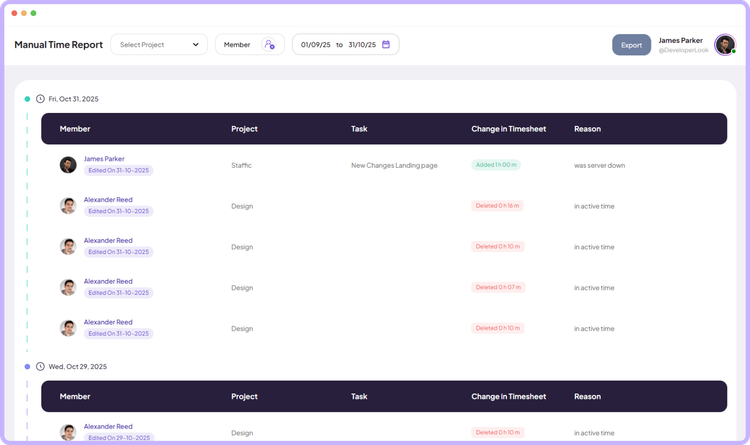
| Manual time added after the fact, often in round numbers | Hours written from memory | Manual Time Reports |
| Long stretches of tracked time with no keyboard or mouse input | A timer left running, or time away | Neutral time in timesheets and reports |
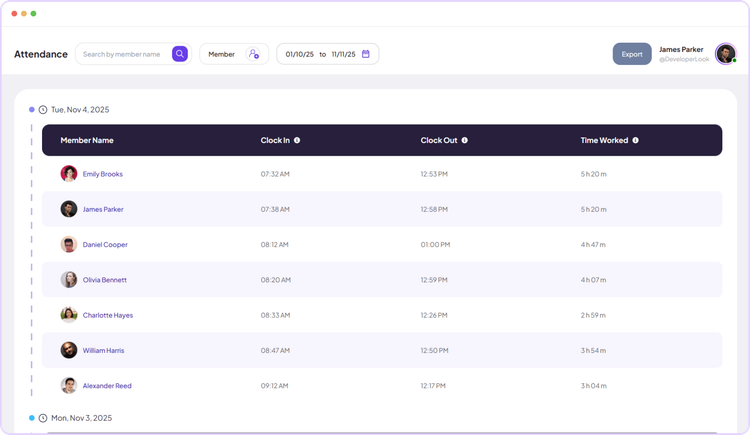
| Clock-ins that do not match tracked work | Attendance that does not reflect real work | Clock In/Out next to the daily timesheet |
| Hours on a task far above its estimate | Padding, or a task harder than planned | Tasks, time against estimate |
How to prevent time theft fairly
Write down what counts as work time
Cover breaks, rounding, overtime approval and how to fix a mistake. Share it before you track anything, so the rules come before the data.
Track time automatically
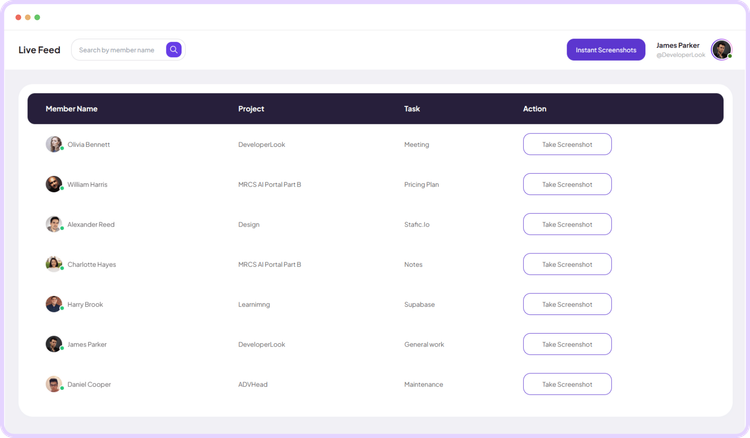
With a desktop timer, time is recorded as people work instead of being rebuilt on Friday. In Staffic, a member picks a project and task and starts the timer; it records time, activity, apps and URLs until they stop it.
Make idle time visible
Staffic counts any stretch with no keyboard or mouse input for 50 seconds or more as idle and shows it as neutral time. Tracking stops on its own after 5 minutes without input.
Ask for a reason on manual edits
Manual Time Reports list every manual addition, edit and deletion with the reason the member gave, so corrections stay possible and visible.
Approve timesheets before payroll
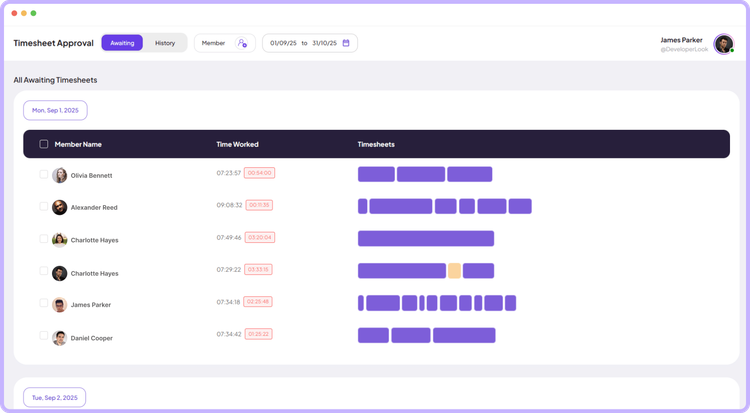
With Timesheet Approval, managers review and accept each day before hours reach payroll or client invoices.
Be open about monitoring
If you use screenshots, say so. The Staffic desktop app shows a notification when tracking starts and stops, and members can see their own screenshots. Our guide on explaining monitoring to your team covers what to say.
What to do when you find it
Start with a conversation, not an accusation. Show the data, ask what happened and listen: a timer left running and a deliberately padded week can look the same in a report. Correct the payroll, restate the rule and apply the same policy to everyone. Document repeated or deliberate cases and follow your disciplinary process.
Time theft is mostly a process problem. Clear rules, automatic tracking and a weekly review catch it early and keep the conversation about facts. To see how this looks with real data, open the Staffic live demo.
FAQ
What is time theft?
Time theft is being paid for time you did not work. Common forms are padded timesheets, buddy punching, unrecorded breaks and personal tasks during paid hours.
Is time theft a crime?
Usually it is handled as a disciplinary matter, not a crime. Deliberately falsifying time records for pay can count as fraud in some places, so check local law. This is general information, not legal advice.
Can you fire an employee for time theft?
Often yes, especially for repeated or deliberate cases. Follow your written policy and local employment law, and keep the evidence: timesheets, manual edits and the reasons given.
How do you prevent time theft from employees?
Set clear rules, track time automatically, make idle time and manual edits visible, and approve timesheets before payroll. Be open about what you track and why.
What is considered time theft?
Any paid time not spent working: padded hours, clocking in for someone else, long unrecorded breaks, personal tasks on the clock, or a timer left running.
Sources
- How to Use Remote TrackStaffic documentation
- How to Use the Manual Time ReportStaffic documentation
- How to Use Timesheet ApprovalStaffic documentation