No budget for another tool
Overhead is tight, so paying for software before you know it works is a hard sell to the board.
See step 1: Set up programs and grants
Features
All 33 featuresSee the work while it happens.
 DashboardYour team's week at a glance, Monday to Sunday
 Live FeedEliteSee who's tracking time right now, and on what
 ScreenshotsStandardVisual proof of work, captured automatically
 AppsWhich apps each tracked session used
 URLsThe websites behind the tracked time
 Screen RecordingsEliteFull session video, beyond a screenshot
01 / 33
Dashboard
The team dashboard: this week's hours, today's performance, top members, ongoing tasks, top projects and the most used apps and websites.
View DashboardNonprofit time tracking
Nonprofit time tracking in Staffic records staff hours against the program or grant-funded project each person picks, and work notes say what was done. Timesheets filter by project for funder reports, budgets on Standard flag hours running low, and teams of up to 3 use it free.
Nonprofit challenges
Four places where hours slip between programs, grants and the funder report.
Overhead is tight, so paying for software before you know it works is a hard sell to the board.
See step 1: Set up programs and grantsA program manager splits the week across two grants and general operations. At month end the split is an estimate, and the estimate is what goes to the funder.
See step 2: Track staff time as it happensWhen a funder asks for the hours on their project, someone pieces them together from calendars and spreadsheets the week the report is due.
See step 3: Pull the hours for each grantA grant pays for a set number of staff hours. Nobody sees the running total until the hours are already spent.
See step 4: Keep grant hours within budgetHow Staffic helps
Five steps from the first timer to hours you can report. Each one links to the feature behind it.
Step 1 of 5
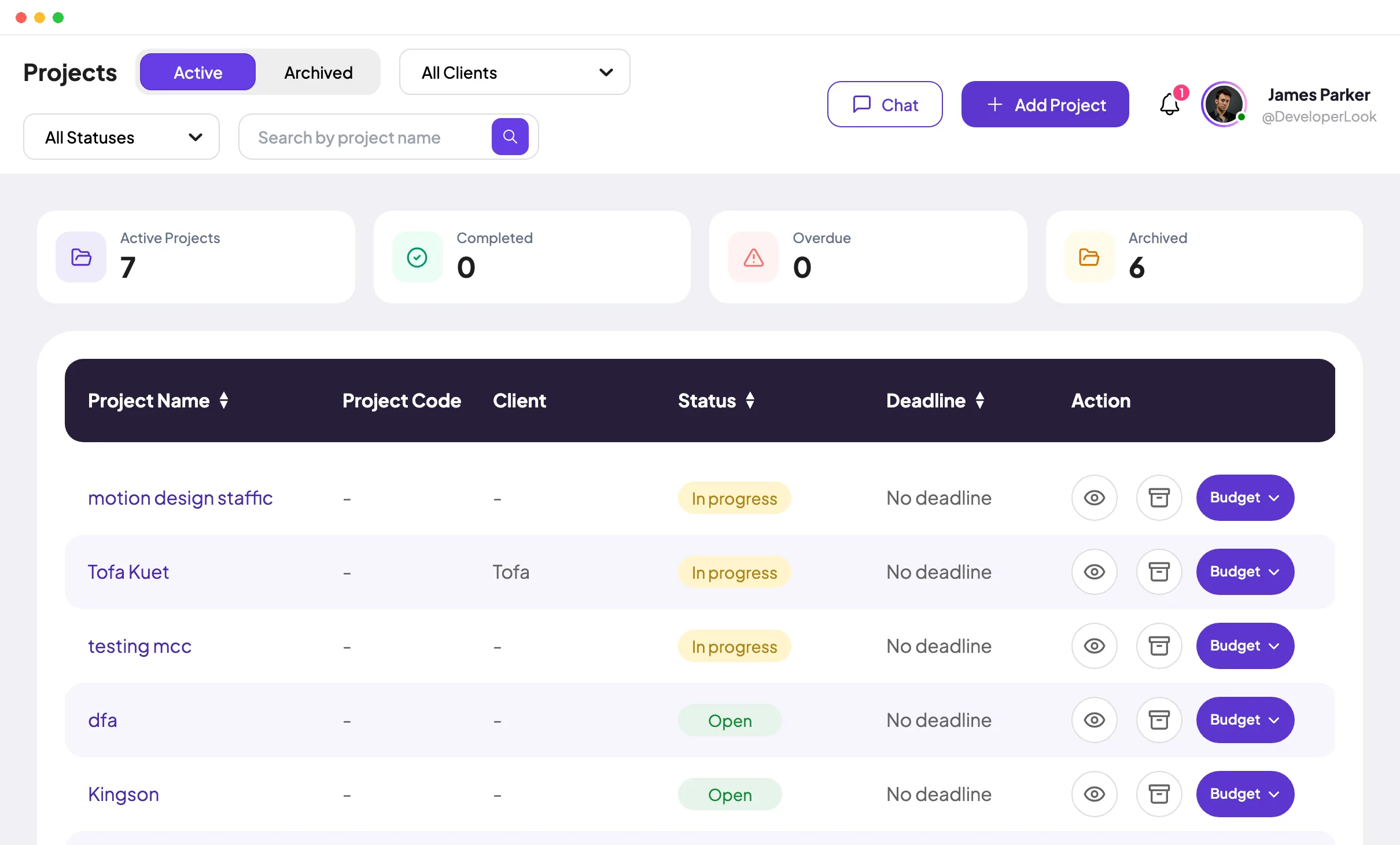
Create a project for each program or grant-funded project and add tasks for the activities inside it. Members see only the projects they're assigned to, and teams of up to 3 members can stay on the Free plan.
Fixes: No budget for another tool
Step 2 of 5
Staff start the timer in the Staffic desktop app on Windows, macOS or Linux and pick the project and task. Work notes say what was done, so the hours carry their own description when a funder asks.
Fixes: One person, several grants
Step 3 of 5
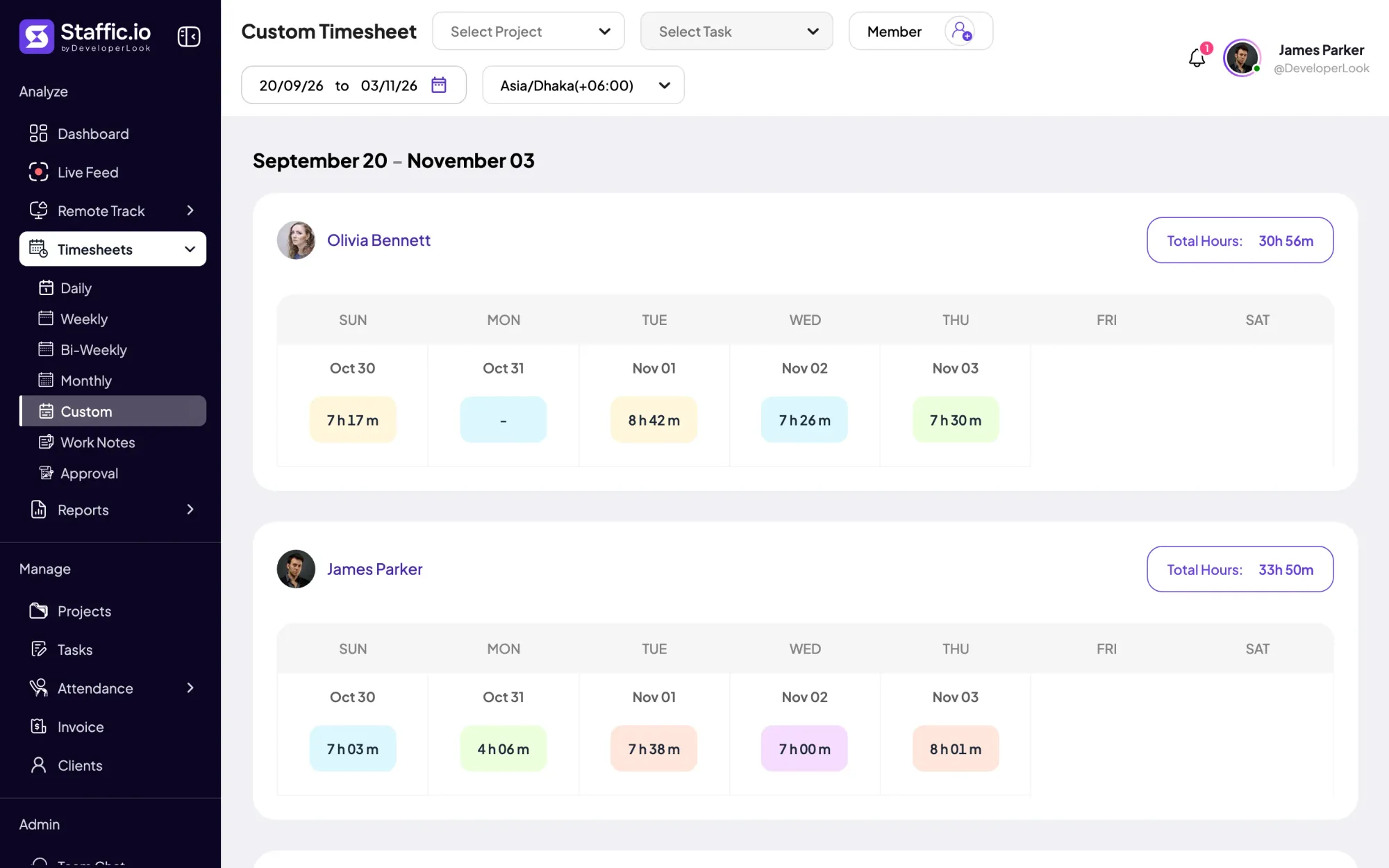
Timesheets filter by project and task: weekly and bi-weekly on every plan, monthly and custom date ranges on Standard. The Time and Activity report lists each member's hours on one project and exports them to PDF or Excel on Standard.
Fixes: Reports rebuilt when they're due
Step 4 of 5
On Standard, give a project a budget in total hours or total cost and choose when admins get an email, for example at 75% used. The project page shows spent hours next to the budget.
Fixes: Grant hours run out unnoticed
Step 5 of 5
On Elite, timesheet approval lets a manager approve or reject each person's tracked time. Time added by hand is listed in Manual Time Reports with the reason given.
Recommended plan
Up to 3 members use Staffic free. Standard adds monthly and custom timesheets, reports with exports and project budgets, and timesheet approval needs Elite.
Your team needs
Billing
Free
$0for up to 3 members
$0 a month, with no time limit.
Up to 3 members fit the Free plan, with every core feature and no time limit.
Customer stories
Our Team Loves How Straightforward It Is We needed something that wouldn’t slow anyone down. This tool nails that: it’s efficient without being complicated
Staffic.io brings transparency without micromanagement. Our team feels trusted, and productivity has never been higher. The balance between oversight and autonomy is perfect for building strong remote culture.
FAQ
What program and finance staff ask before they start tracking hours.
Explore the live demoThe best fit records staff hours by program and grant, totals them for any reporting period and costs little while the team is small. Staffic covers that with projects, timesheets and a Free plan for up to 3 members. If you mainly need to log volunteer hours, a volunteer management tool will fit better.
Set up each program or grant as a project in Staffic, with tasks for its activities. Staff pick the project and task when they start the desktop timer, so every hour is recorded against the right program. Timesheets and reports then filter by project.
Yes. Track each grant as its own project and filter timesheets by that project for the grant period. On Standard, the Time and Activity report exports those hours to PDF or Excel, and work notes add what was done.
Staffic records staff hours by project and task with work notes and exports them as reports. It doesn't apply federal cost rules or certify effort reports, so your finance team or grants officer decides what your funder needs.
Yes. Staffic is free for up to 3 members, with the desktop apps, projects and tasks, work notes, and daily, weekly and bi-weekly timesheets. Monthly and custom timesheets, reports and project budgets come with Standard.
Staffic is free for up to 3 members. Standard is $5.50 per user per month billed yearly ($1.00 during the current offer), or $7.50 monthly, and Elite, which adds clients, invoices, payroll and screen recordings, is $5.80 billed yearly.
Free for up to 3 members
Set up a program as a project, start free with up to 3 members and see their hours by grant.




