Hours you can’t trace to a client
Without accounting time tracking software, each person keeps a spreadsheet and spells client names their own way, so nobody can total a client’s hours for the year.
See step 1: Set up clients and engagements
Features
All 33 featuresSee the work while it happens.
 DashboardYour team's week at a glance, Monday to Sunday
 Live FeedEliteSee who's tracking time right now, and on what
 ScreenshotsStandardVisual proof of work, captured automatically
 AppsWhich apps each tracked session used
 URLsThe websites behind the tracked time
 Screen RecordingsEliteFull session video, beyond a screenshot
01 / 33
Dashboard
The team dashboard: this week's hours, today's performance, top members, ongoing tasks, top projects and the most used apps and websites.
View DashboardTime tracking software for accountants
Staffic is time tracking software for accountants: staff track time on each client engagement from the desktop app, and work notes record what was done. On Elite, managers approve timesheets before billing and tracked hours become client invoices. Free for up to 3 members.
Accounting firm challenges
Four gaps between the work your staff do and what your clients are billed.
Without accounting time tracking software, each person keeps a spreadsheet and spells client names their own way, so nobody can total a client’s hours for the year.
See step 1: Set up clients and engagementsA short call about a client’s payroll, ten minutes on a bank feed. None of it reaches a timesheet, so none of it reaches an invoice.
See step 2: Track time as the work happensWhen deadlines stack up, everyone works on everything, and you only see which engagements ate the hours once the season is over.
See step 3: Follow busy season by engagementTimesheets get checked the day invoices are due, if at all, so a wrong entry is found by the client instead of the reviewer.
See step 4: Approve before you billHow Staffic helps
Time recording software for accountants has to carry each hour from the engagement to the invoice. Each step links to the feature behind it.
Step 1 of 5
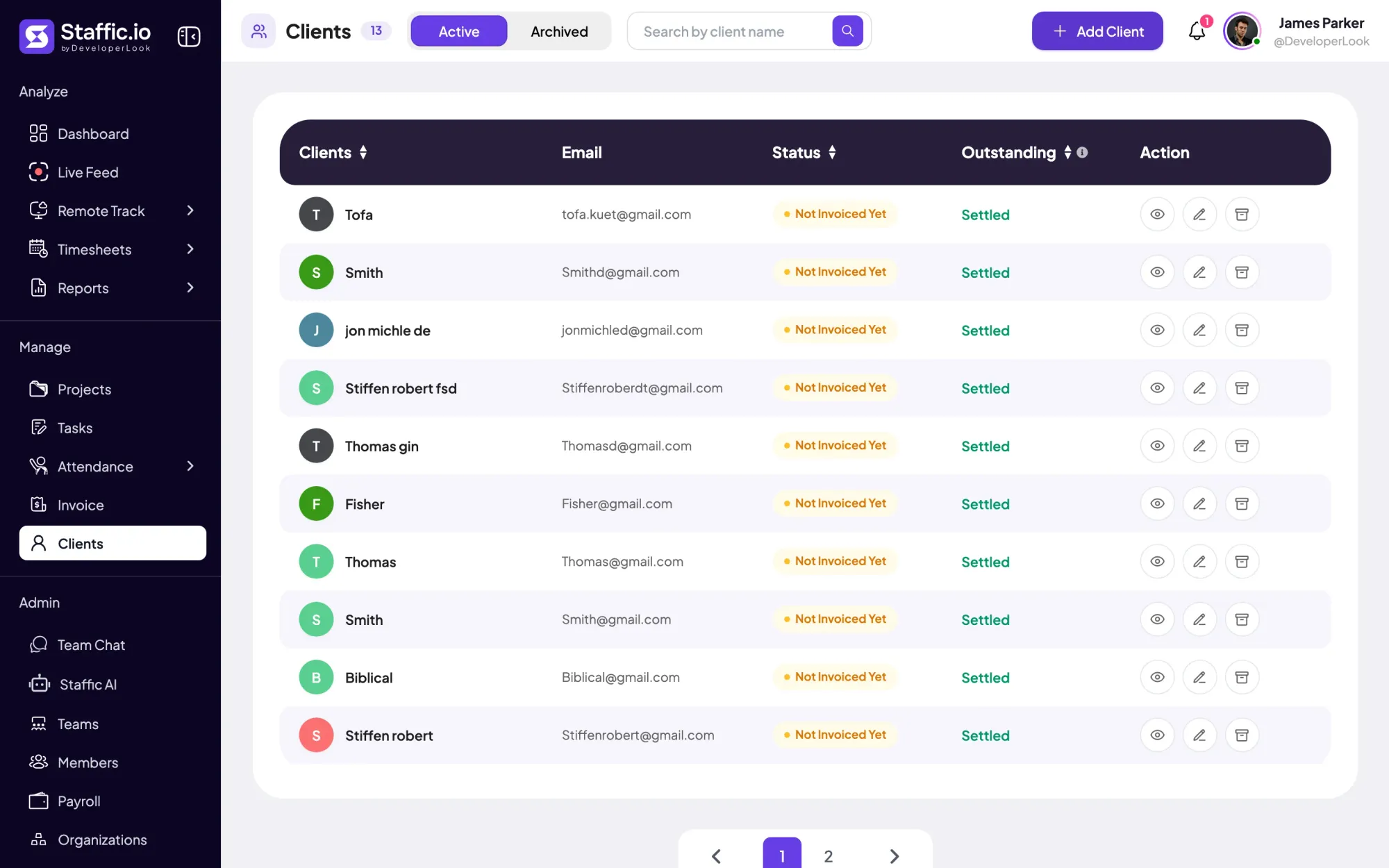
On Elite, add each client with their contact details, then create a project for each engagement and assign it to that client. Tasks inside the project split the work, such as bookkeeping, payroll runs or the year-end return.
Fixes: Hours you can’t trace to a client
Step 2 of 5
Staff start the desktop timer on a client’s task on Windows, macOS or Linux and write a work note on what was done. Calls and meetings away from the computer go in as manual time on Standard and Elite, and each entry asks why it was added.
Fixes: Quick jobs that never get logged
Step 3 of 5
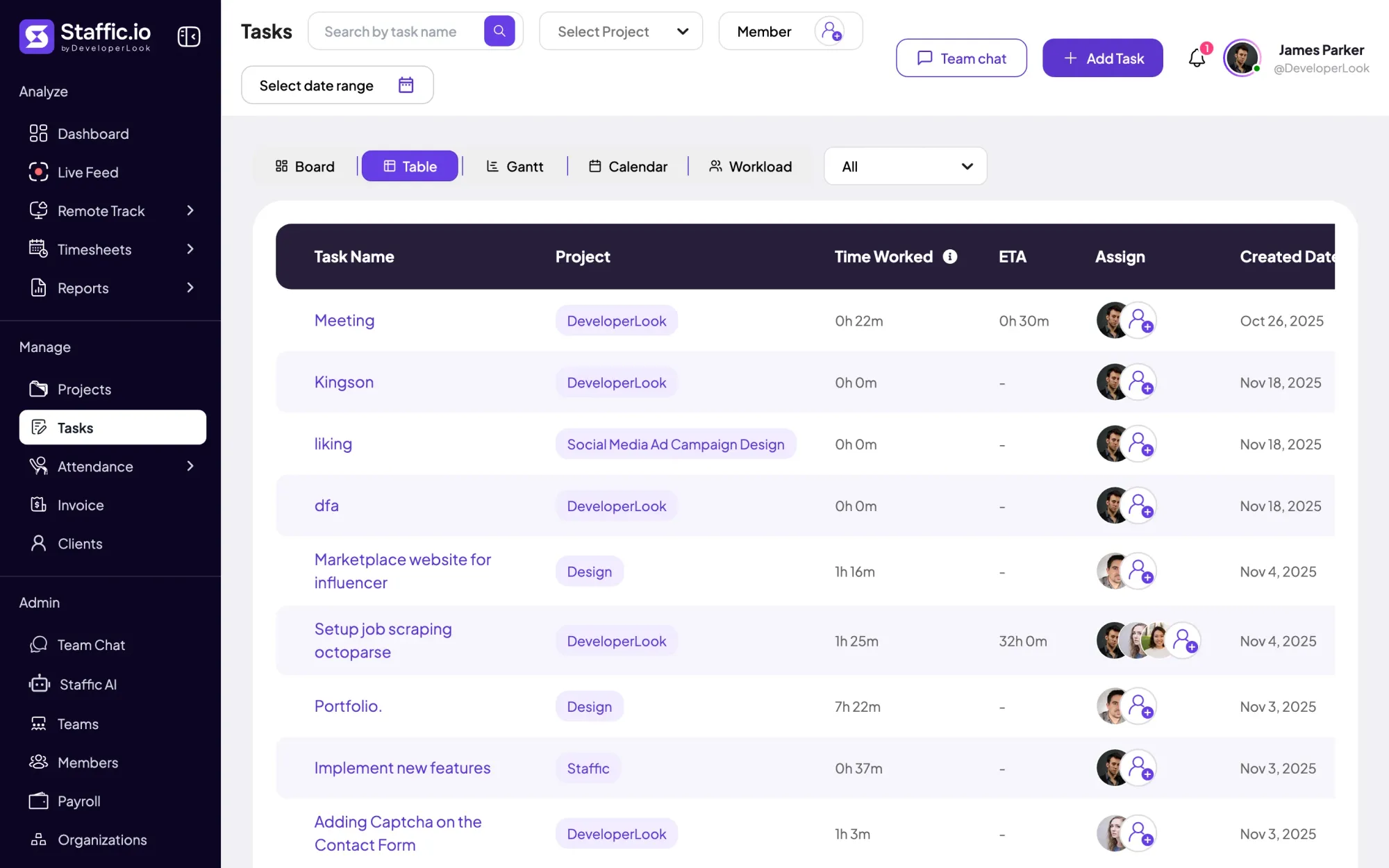
On Standard and Elite, a custom timesheet covers any date range, so one view shows each person’s hours across the whole season. The Workload view in Tasks shows who carries the most open work before you assign the next return.
Fixes: Busy season with no overview
Step 4 of 5
On Elite, turn on timesheet approval and review each person’s day in Timesheet Approval. Approve it, or reject it so it’s corrected before the hours go on a client’s invoice.
Fixes: Review squeezed in at billing time
Step 5 of 5
On Elite, link the engagement’s project to an invoice line and Staffic fills in the amount not yet invoiced, from hours at your rates or a fixed fee. The invoice list tracks paid, partly paid and overdue invoices, and each project shows what’s still uninvoiced.
Recommended plan
Firms that approve timesheets and invoice clients from Staffic need Elite. Manual time, custom date ranges and billing rates start on Standard. Set your team size to see what you would pay.
Your team needs
Billing
Elite
$5.80per user per month, billed yearly
$58.00 a month for 10 members, $696.00 a year.
Elite adds the client invoices you picked.
Customer stories
Staffic.io brings transparency without micromanagement. Our team feels trusted, and productivity has never been higher. The balance between oversight and autonomy is perfect for building strong remote culture.
FAQ
What firms ask when they compare the best time tracking software for accountants.
Explore the live demoFile every hour under a client and an engagement. On Elite, each client in Staffic holds its engagements as projects. Staff time the task they’re on in the desktop app and add a work note to say what was done. Timesheets show the hours by engagement, and the same setup works as time tracking software for CPAs and bookkeepers.
Run a timesheet over the whole season. Weekly and bi-weekly timesheets work on every plan, and on Standard and Elite a custom timesheet shows each person’s hours for any date range, filtered by engagement. The Workload view in Tasks shows who has the most open work right now.
Invoice the engagement, not the timesheet. On Elite, create an invoice for the client and link the engagement’s project to a line. The amount fills in from tracked hours at your rates, or the fixed fee, minus what earlier invoices already billed. Add tax, then Save & Send or download a PDF.
Yes, on Elite. Turn on timesheet approval in Timesheet Settings, then approve or reject each member’s day in Timesheet Approval, where History keeps past decisions. Approve the period first and invoice after, so mistakes are caught inside the firm rather than by the client.
Staffic gives you the figures behind realization rather than one percentage. On Standard and Elite, each project shows its Billable Amount (tracked hours at your rates) and its Uninvoiced Amount. On Elite, each client’s page adds total billed, paid and outstanding. Billed against billable, and paid against billed, gives realization per client.
Yes. Remote staff install the desktop app on their own computer, and their hours land in the same timesheets as the office team’s. Staffic records only while the timer runs: time, keyboard and mouse activity, and apps and URLs if you turn them on. Screenshots come with Standard and Elite, and admins can switch them off. Admins see the whole team’s records, and members see their own unless you grant more access.
Staffic is free for up to 3 members. Standard is $5.50 per user per month billed yearly ($1.00 during the current offer), or $7.50 monthly, and Elite, which adds clients, invoices, payroll and screen recordings, is $5.80 billed yearly.
Free for up to 3 members
Create a project for one engagement, invite your staff and watch the first hours fill in. Free for up to 3 members.




