Hours filed under the wrong client
Your team switches between several client accounts a day. By Friday nobody remembers which hour went to which retainer, so the timesheet becomes a guess.
See step 1: Set up each client’s projects
Features
All 33 featuresSee the work while it happens.
 DashboardYour team's week at a glance, Monday to Sunday
 Live FeedEliteSee who's tracking time right now, and on what
 ScreenshotsStandardVisual proof of work, captured automatically
 AppsWhich apps each tracked session used
 URLsThe websites behind the tracked time
 Screen RecordingsEliteFull session video, beyond a screenshot
01 / 33
Dashboard
The team dashboard: this week's hours, today's performance, top members, ongoing tasks, top projects and the most used apps and websites.
View DashboardAgency time tracking software
Staffic is agency time tracking software for teams that bill clients: everyone tracks time on client projects and tasks from the desktop app. On Standard, project budgets email an alert at the percentage you set, and on Elite tracked hours become client invoices. Free for up to 3 members.
Agency challenges
Four places where time tracking for marketing agencies and studios usually breaks down.
Your team switches between several client accounts a day. By Friday nobody remembers which hour went to which retainer, so the timesheet becomes a guess.
See step 1: Set up each client’s projectsYou learn a project went over budget when the month closes, long after you could have talked to the client about scope.
See step 2: Budget and price every projectOne designer is buried in open tasks while another waits for a brief. New work goes to whoever answers first.
See step 3: Balance the team’s workloadEvery month someone copies hours into a client report and then into an invoice, and the two rarely match.
See step 4: Send each client their hoursHow Staffic helps
Time tracking software for agencies has to follow the work from brief to invoice. Each step links to the feature behind it.
Step 1 of 5
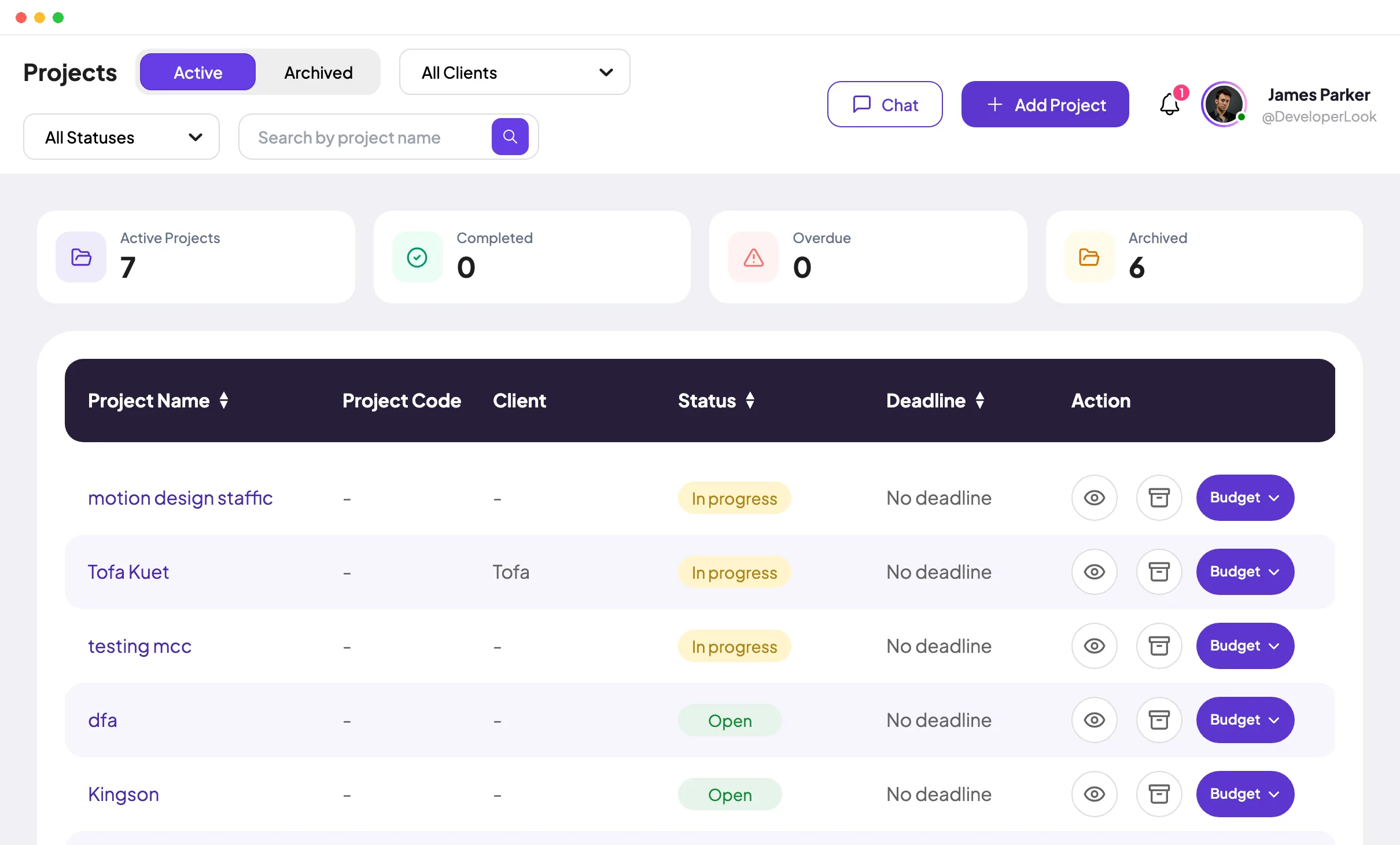
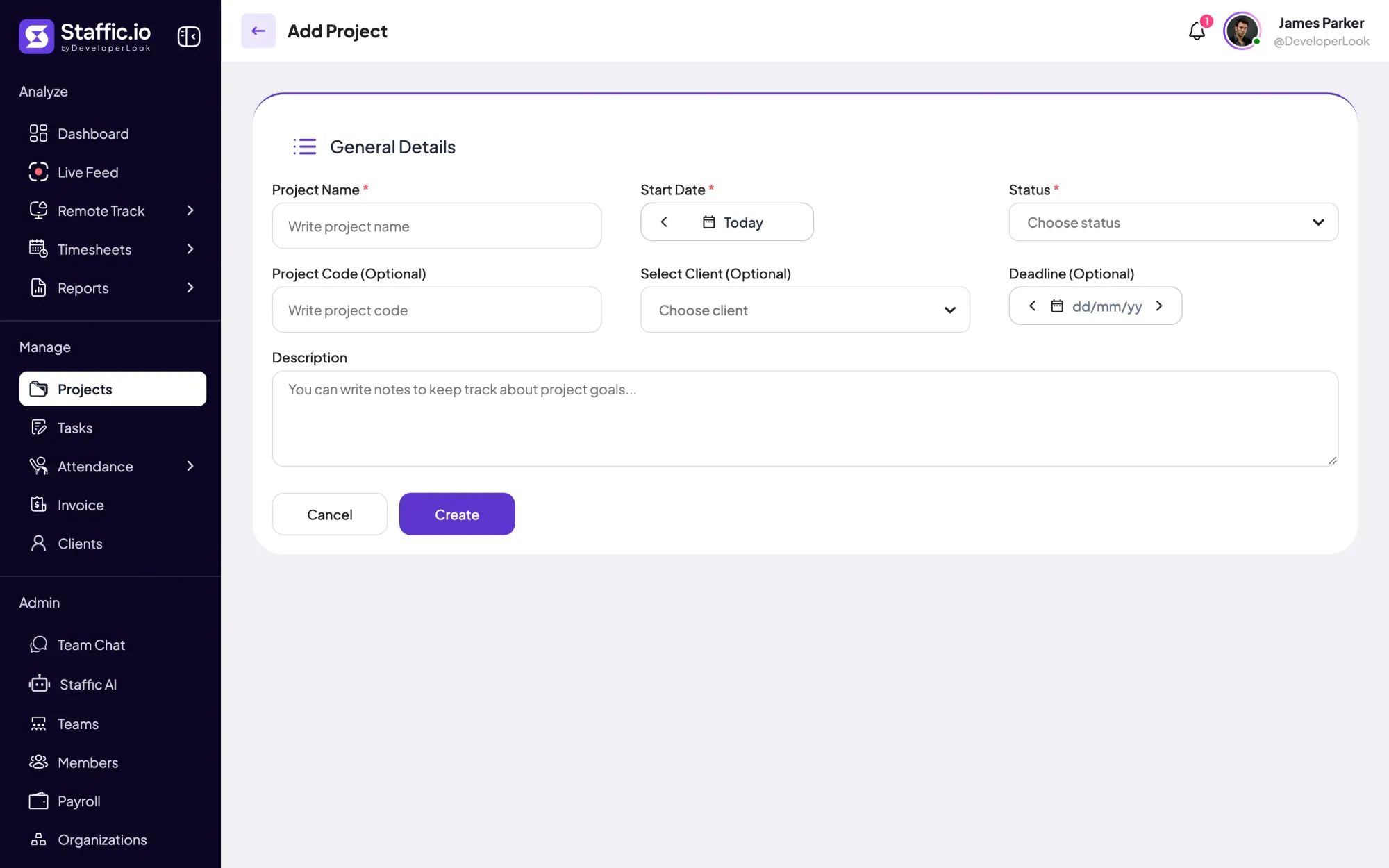
Create a project for each client engagement, with a project code and deadline, and link it to the client on Elite. Your team starts the desktop timer for Windows, macOS or Linux on a project and task, so each hour lands on the right account.
Fixes: Hours filed under the wrong client
Step 2 of 5
On Standard and Elite, give a project a budget in hours or cost. Bill it at a project rate, a rate per person or a fixed fee. Its page shows spent hours, spent amount and billable amount, and admins get an email when the budget reaches the percentage you set.
Fixes: Overruns found at month end
Step 3 of 5
Add an estimate to each task. The Workload view shows to-do, active and done tasks per person on every plan. On Standard and Elite, the Performance report compares each member’s estimated time with time worked.
Fixes: No view of who has room
Step 4 of 5
On Standard and Elite, filter the Time & Activity report to one client’s project and export it as PDF or Excel. Members add work notes as they go, so when a client asks what the hours were for, the answer is already written down.
Fixes: Client reports rebuilt by hand
Recommended plan
Free covers up to 3 members. Budgets, billing rates and the reports need Standard, and clients, invoices and timesheet approval need Elite. Set your team size to see what you would pay.
Your team needs
Billing
Elite
$5.80per user per month, billed yearly
$69.60 a month for 12 members, $835.20 a year.
Elite adds the client invoices you picked.
Customer stories
Staffic.io transformed how we track productivity. Our remote team is now more accountable and transparent than ever. The detailed reports and activity monitoring have been game-changing for us.
Staffic.io brings transparency without micromanagement. Our team feels trusted, and productivity has never been higher. The balance between oversight and autonomy is perfect for building strong remote culture.
FAQ
What agency owners ask before they move client hours out of spreadsheets.
Explore the live demoGive each client its own projects and split each project into the tasks your team works on. People start the Staffic desktop timer on a project and task, so every hour is recorded against the right client while the work happens. Daily, weekly and bi-weekly timesheets then fill in by project on every plan, so Staffic works as agency timesheet software without a Friday catch-up.
Compare what a project costs with what it can bill. On Standard and Elite, base a cost budget on pay rates, and the project shows a Spent Amount (hours at each person’s pay rate). Next to it, the Billable Amount shows the hours at your bill rates, or the fixed fee. The gap between the two is that project’s margin.
Give each kind of work its own project, with billing on Standard or Elite. A retainer gets a fixed fee and a budget in hours, so you see when the hours it covers run low. Hourly work gets a project rate or a rate per person, so senior and junior time bill at different prices. On Elite, both go on the client’s invoice as separate lines.
Export the client’s own project rather than the whole agency. On Standard and Elite, pick that project in the Time & Activity report, set the dates and download PDF or Excel. The export lists each person who worked on the account with their hours, ready to attach to the monthly update or the invoice.
Staffic gives you the hours, and you compare them with each person’s capacity. On Standard and Elite, the Time & Activity report shows time worked and activity per member for any date range. The Performance report, on the same plans, compares estimated time with time worked, and the Workload view in Tasks shows open work per person on every plan.
Yes. Team Chat is on every plan, with direct messages and a channel for each team and each project. The Project Chat button on a project’s page opens that project’s channel, so questions about a client’s work stay next to its hours.
Staffic is free for up to 3 members. Standard is $5.50 per user per month billed yearly ($1.00 during the current offer), or $7.50 monthly, and Elite, which adds clients, invoices, payroll and screen recordings, is $5.80 billed yearly.
Free for up to 3 members
Create a project, invite your team and watch the first client hours come in. Free for up to 3 members.




