Every day starts at a different hour
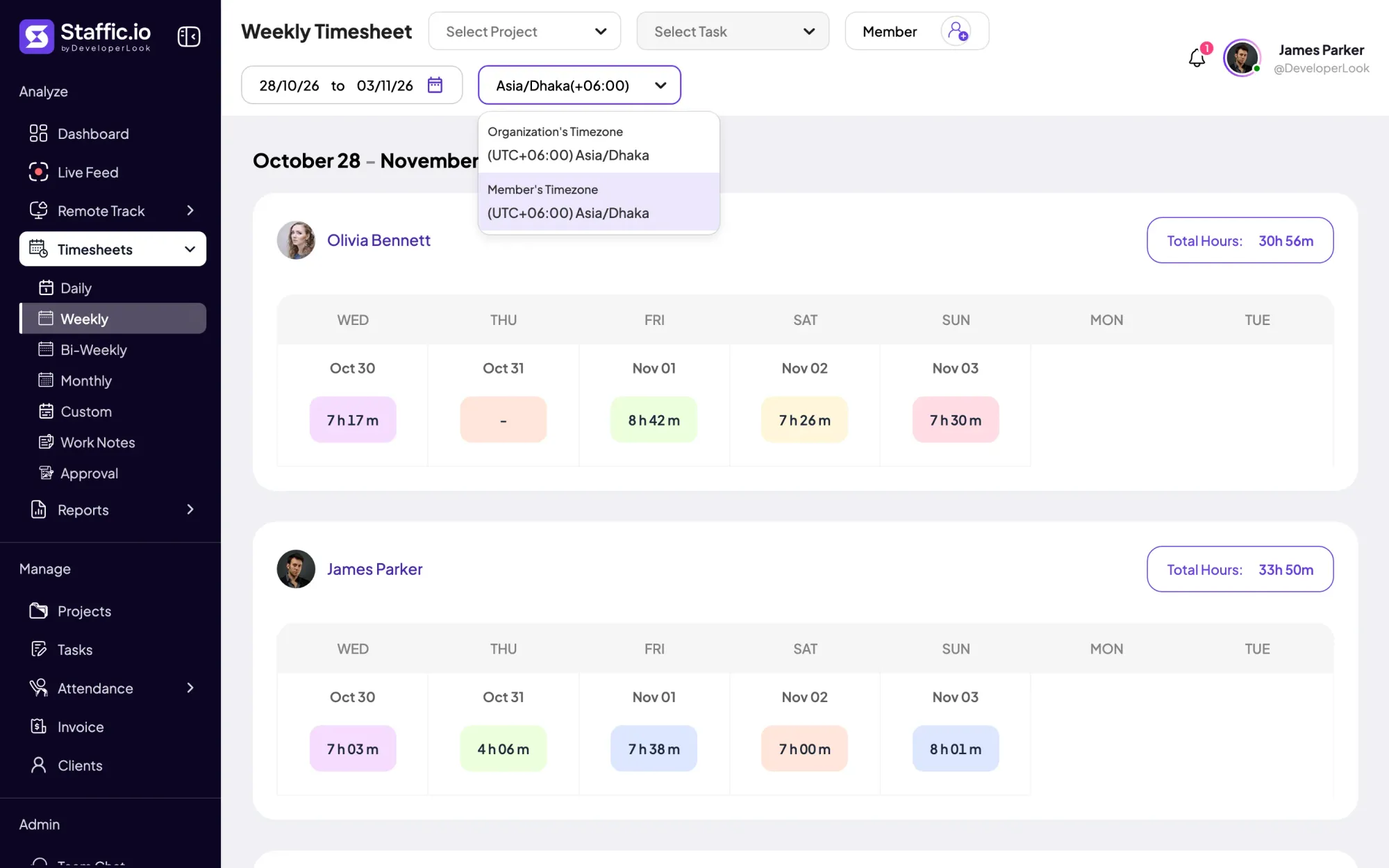
Half the team logs on as the other half logs off. A plain list of hours tells you little until you know whose clock it follows.
See step 4: Read every week in the right time zone
Features
All 33 featuresSee the work while it happens.
 DashboardYour team's week at a glance, Monday to Sunday
 Live FeedEliteSee who's tracking time right now, and on what
 ScreenshotsStandardVisual proof of work, captured automatically
 AppsWhich apps each tracked session used
 URLsThe websites behind the tracked time
 Screen RecordingsEliteFull session video, beyond a screenshot
01 / 33
Dashboard
The team dashboard: this week's hours, today's performance, top members, ongoing tasks, top projects and the most used apps and websites.
View DashboardRemote employee management software
Staffic is remote employee management software for managers whose people work from home or abroad. It keeps members and teams, tasks with estimates, attendance from tracked time, leave, and timesheets in each person’s own time zone in one place. On Elite you also approve timesheets and leave and pay employees and contractors through Payroll.
Remote management challenges
Four problems that send managers looking for software to manage remote employees.
Half the team logs on as the other half logs off. A plain list of hours tells you little until you know whose clock it follows.
See step 4: Read every week in the right time zoneAttendance arrives as a good morning message and leave as a direct message. By month end, nobody can say who worked which days.
See step 3: Attendance and leave without check-in messagesYou hand out tasks on calls and in chat, then find out on Friday that one person carried far more than the rest.
See step 2: Assign work with estimatesSome people earn a monthly salary, others an hourly rate, and a few get one-off payments. Each one needs hours someone has checked.
See step 5: Approve hours and pay everyoneHow Staffic helps
Five steps, from inviting people to paying them. Each step links to the feature behind it.
Step 1 of 5
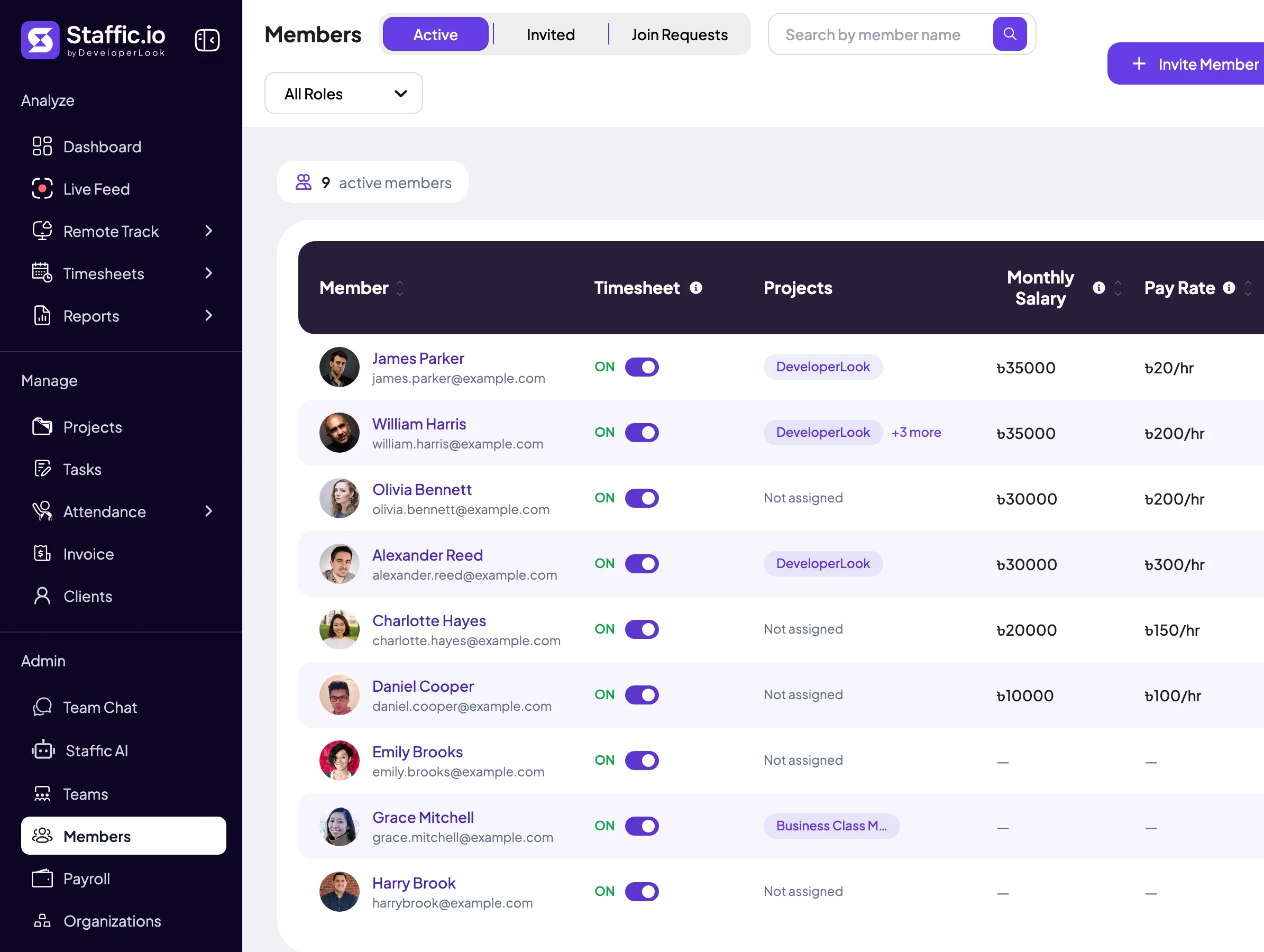
Invite members by email into your organization, then group them into teams on Standard or Elite, each with its own projects. Team Chat, on every plan, keeps direct messages and project channels next to the work, so updates wait for people in other time zones.
Step 2 of 5
Break each project into tasks with an estimate, a due date and assignees. The Workload view counts each member’s to-do, active and done tasks, so an overloaded person shows up before the deadline does.
Fixes: Workload you can’t see
Step 3 of 5
On Standard and Elite, Clock In/Out takes each person’s first and last tracked session of the day, so nobody punches a separate clock. Leave balances are on Standard and Elite; on Elite, members request leave in Staffic and you approve it from one list.
Fixes: Who is in today, who is off
Step 4 of 5
Timesheets, screenshots and the apps and URLs pages can show the organization’s time zone or the member’s own. On Standard and Elite, the Time and Activity Report and the Performance report compare members over any dates, with time worked set against task estimates.
Fixes: Every day starts at a different hour
Step 5 of 5
On Elite, managers approve each person’s timesheet before payroll, and with approval on, Payroll counts approved time only. Payroll pays hourly rates, monthly salaries and one-off fixed payments, so employees and contractors sit in the same run.
Fixes: Employees and contractors paid differently
Recommended plan
Clock In/Out, teams and the Performance report need Standard. Leave requests, timesheet approval and payroll need Elite. Set your team size to compare.
Your team needs
Billing
Standard
$1.00per user per month, billed yearly
Offer price until September 12, 2027. List price $5.50.
$20.00 a month for 20 members, $240.00 a year.
More than 3 members, and no invoices, payroll or recordings: Standard covers the rest.
Customer stories
Staffic.io's live feed lets me check in without interrupting my team. Remote management finally feels natural. I can see progress in real-time without constant meetings or status updates that drain productivity.
FAQ
Questions managers ask before they move a remote team into one tool.
Explore the live demoRemote employee management software is one place to run the people side of a remote team. It records who works for you, what they work on, when they worked and when they are off. Some vendors call it remote work management software. Staffic covers members and teams, tasks, attendance, leave and timesheets, with payroll on Elite and Team Chat on every plan.
The features that replace what an office gives you for free: attendance, leave, time zones and a shared place for updates. Look for attendance taken from tracked time, leave requests, timesheets that show each person’s own time zone and a chat that keeps messages next to the work. When you compare remote team management tools, check that these sit in the same place as tasks and hours.
Manage from records that follow each person’s day instead of waiting for everyone to be online together. Staffic timesheets and the apps and URLs pages switch between the organization’s time zone and the member’s own, and Team Chat holds messages until people start work. Keep a short daily overlap for calls and leave the rest to the record.
Compare time worked with what was planned. On Standard and Elite, Staffic’s Performance report sets each member’s time worked against their task estimates, and the Time and Activity Report adds activity levels for any project and dates. Use the numbers to start a conversation about workload, not as a score.
Give each person clear tasks with estimates and let the record show progress, instead of asking for status updates. In Staffic, the Workload view shows who holds which tasks, the desktop app logs time on each one, and on Elite you approve each timesheet before it reaches payroll.
Yes. Everyone joins your organization as a member, and on Elite, Payroll pays each person by hourly rate, monthly salary or a one-off fixed payment. Each member’s Payment Settings hold their pay rate, monthly salary and bill rate, so Staffic works as remote worker management software for both groups.
Staffic is free for up to 3 members. Standard is $5.50 per user per month billed yearly ($1.00 during the current offer), or $7.50 monthly, and Elite, which adds clients, invoices, payroll and screen recordings, is $5.80 billed yearly.
Free for up to 3 members
Invite your people, set the organization time zone and watch the first timesheets fill in.




