How to Use the Apps & URLs Usage Report
Aggregate desktop application and website usage across your team for licensing, security, and productivity conversations.
Apps & URLs usage
Open the report
Go to Reports → Apps & URLs usage under Analyze in the left sidebar. Narrow the view with Select Project, Member, and the date range picker at the top.
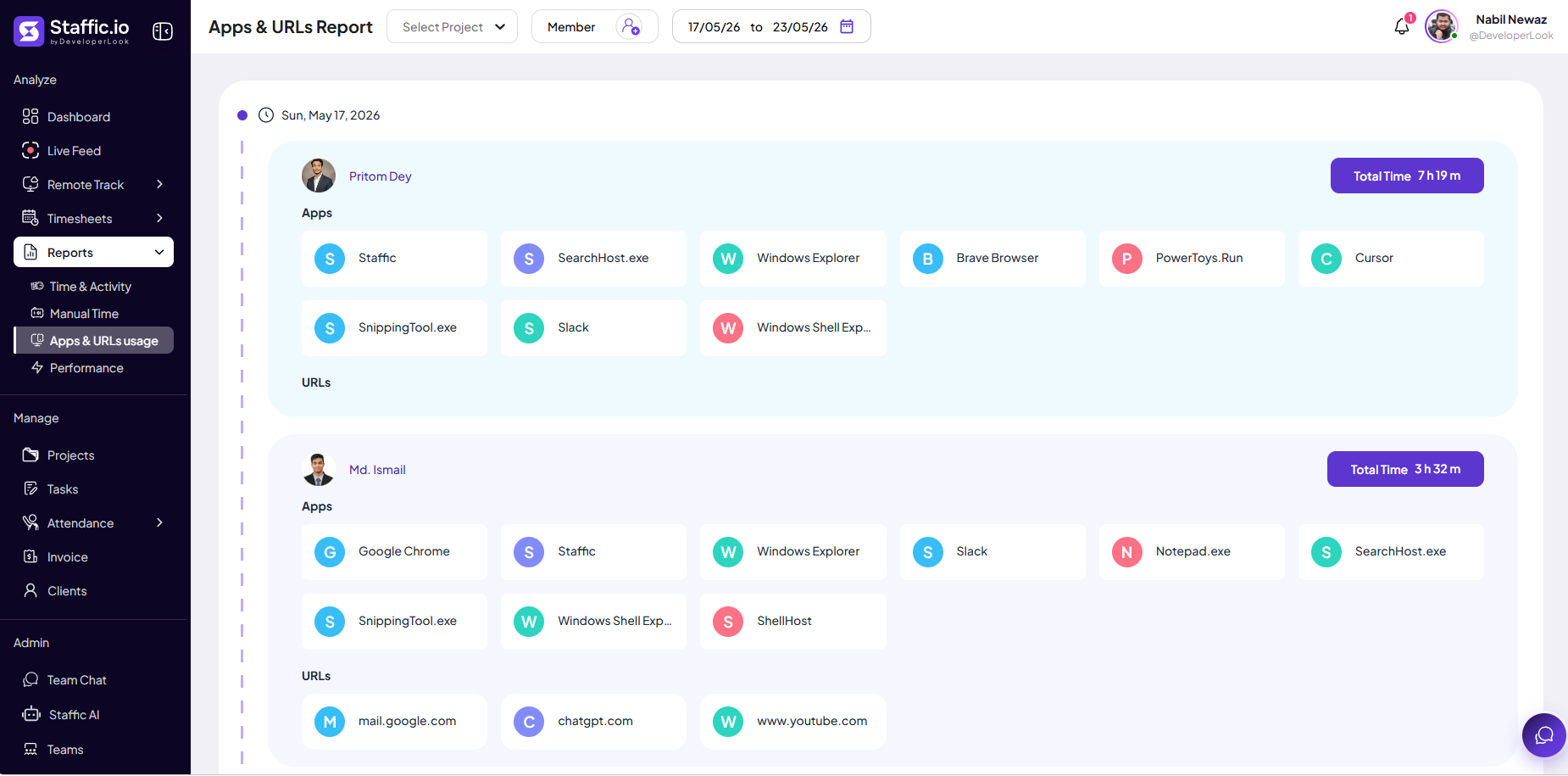
Read the layout
Usage is organized by calendar day, then by member. Scroll the timeline on the left to move between dates in your selected range.
Member card
Profile, name, and a Total Time badge (for example, 7 h 19 m) for that member on that day.
Apps
Grid of desktop applications used while tracking — each tile shows the app name (for example, Cursor, Slack, Chrome). Confirms billable tools and spot-checks tool sprawl.
URLs
Grid of visited domains when URL logging is enabled (for example, mail.google.com, chatgpt.com). The section may be empty if URL tracking is off or nothing was logged that day.
Data is collected only during active desktop tracking — same rules as Remote Track → Apps and URLs, not browsing while the tracker is stopped.
What you see
This report rolls up app and site usage across the filtered period so you can compare members on one screen instead of opening each person in Remote Track.
Licensing & security
See which apps and domains appear across the team for license counts, shadow IT, or policy reviews.
Coaching
Use alongside timesheets and Work Notes — not as the only measure of performance.
For session-by-session detail on one day, use Remote Track. For charts on the running week, see Dashboard → Most Used Apps / Websites.
Typical uses
IT and ops use the report for license counts and shadow IT. Managers use it for coaching — always with policy consent and alongside timesheet deliverables, not as surveillance alone.
Tips
- Document URL and app monitoring in your employee policy before enabling organization-wide.
- Compare Apps & URLs usage to Project Timing when deciding if time on a client project matches tool usage.
- Use App Analytics from the Reports hub for deeper charts when your plan includes it.
Ready to get started?
Create your organization, invite your team, and start tracking in minutes.
Start Free Trial