Marketing and creative teams
Actual time without the timer habit
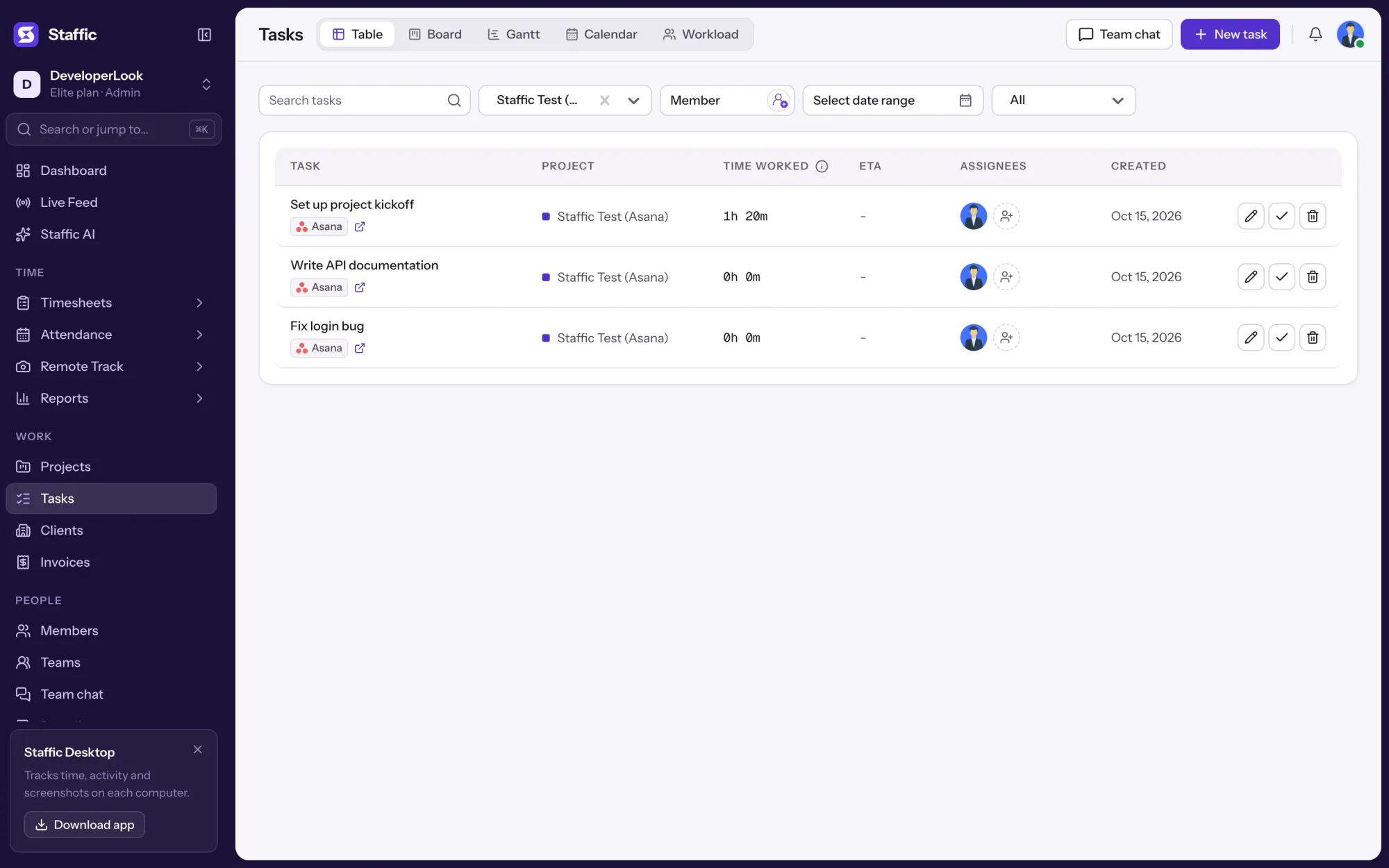
People track in the Staffic desktop app; Asana shows the actual time on each task.

Features
All 38 featuresSee the work while it happens.
 DashboardYour team's week at a glance, Monday to Sunday
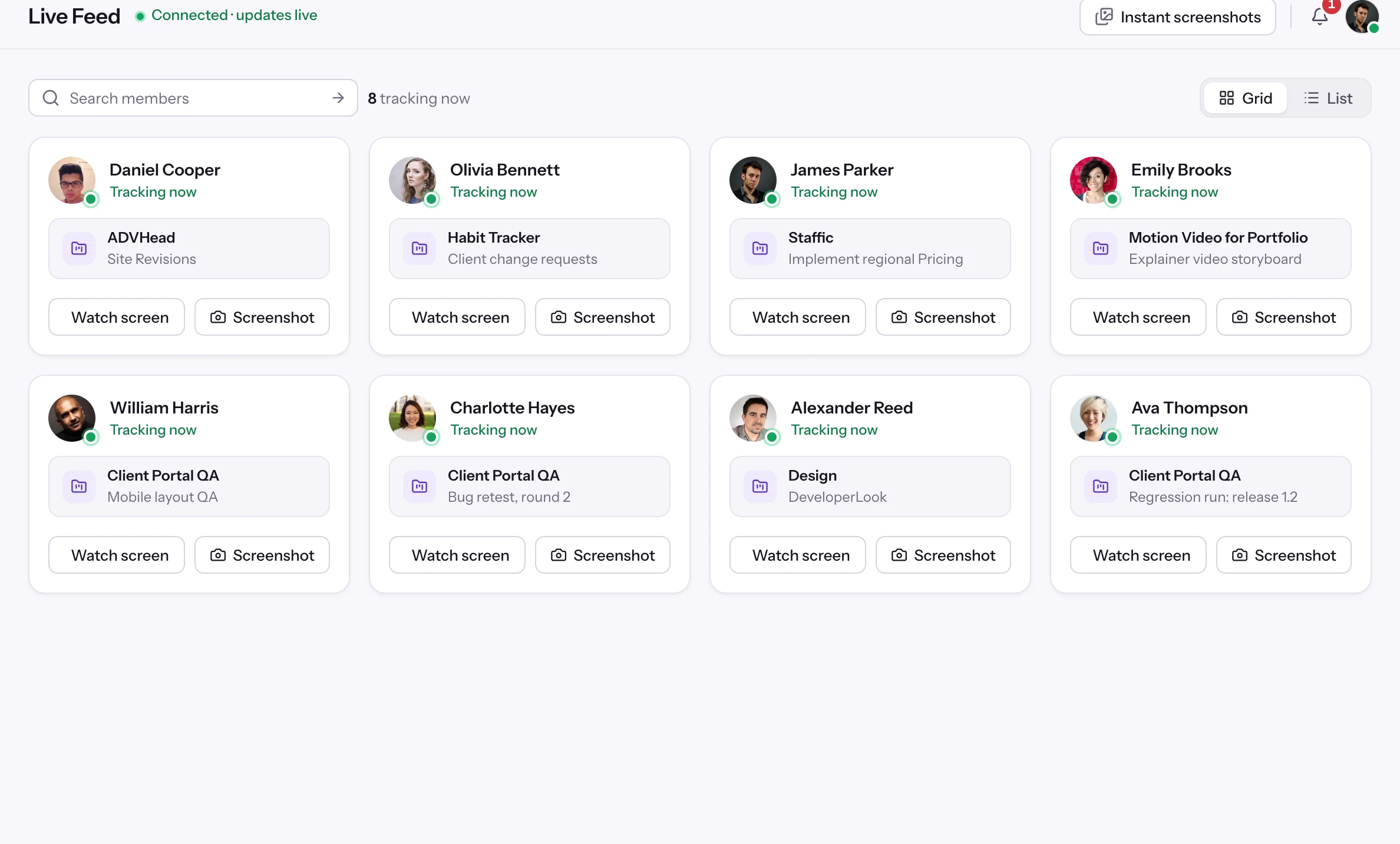
 Live FeedSee who's tracking time right now, and on what
 ScreenshotsVisual proof of work, captured automatically
 AppsWhich apps each tracked session used
 URLsThe websites behind the tracked time
 Screen RecordingsEliteFull session video, beyond a screenshot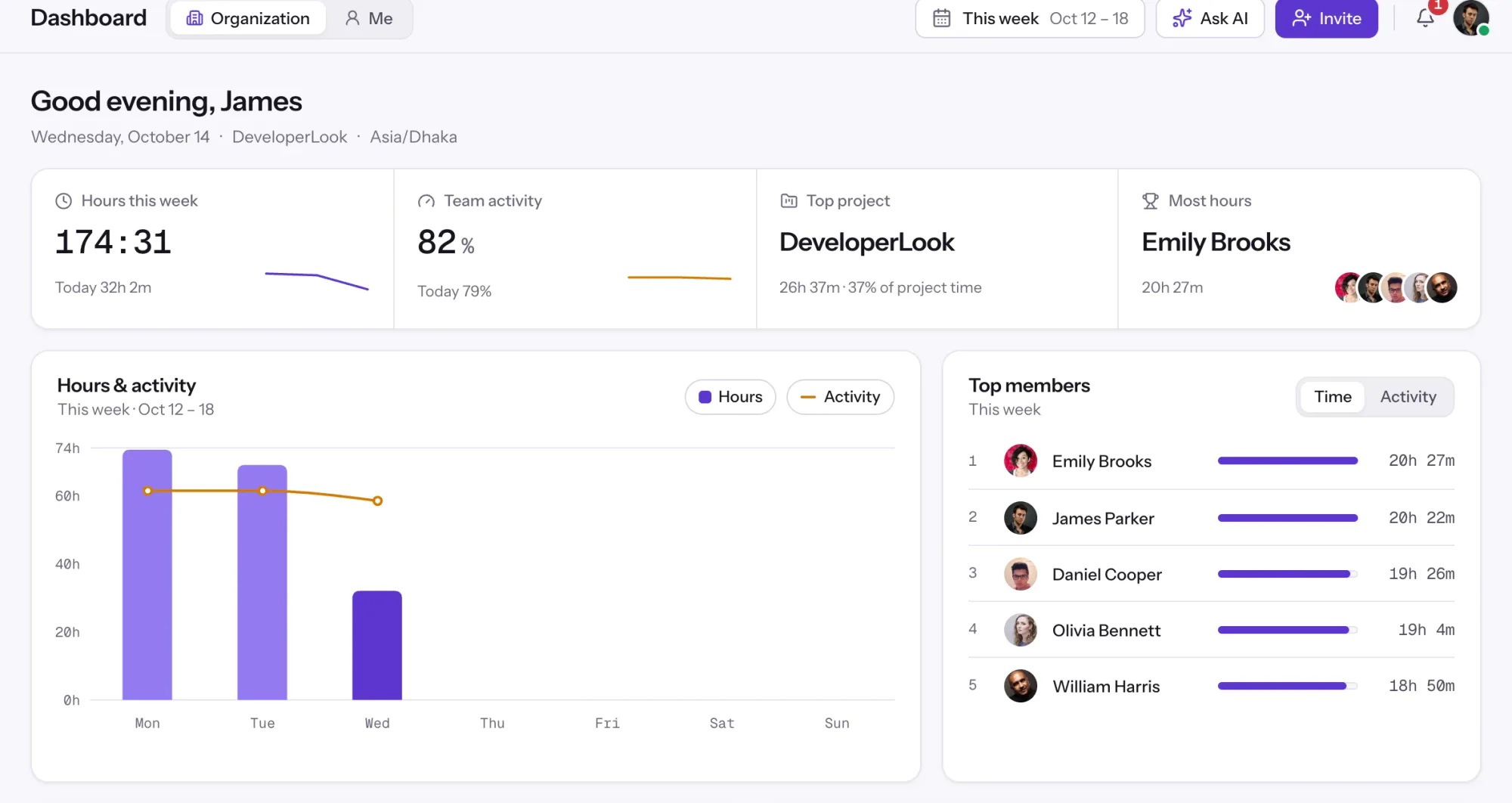
01 / 38
Dashboard
The team dashboard: this week's hours, team activity, top members, ongoing tasks, top projects and the most used apps and websites.
View DashboardSolutions
All 38 featuresHow remote, hybrid and growing teams run Staffic.
Staffic for the way you work, from freelancing to client billing.
 FreelancersFreelance time tracking
 Small businessesTimekeeping software for small business
 Call centersCall center monitoring software
 ConsultantsTime tracking software for consultants
 Companies with contractorsContractor time tracking
 Virtual assistantsTime tracking software for virtual assistants
 AgenciesAgency time tracking software
 Accounting firmsTime tracking software for accountants
 Software teamsTime tracking software for engineers
Staffic set up for your industry's records and reports.
01 / 19
Track remote hours across every time zone.
Staffic records time, activity and optional screenshots on each remote member’s computer, then turns them into timesheets you approve, so you can trust the hours without daily check-ins.
View Remote teamsAsana
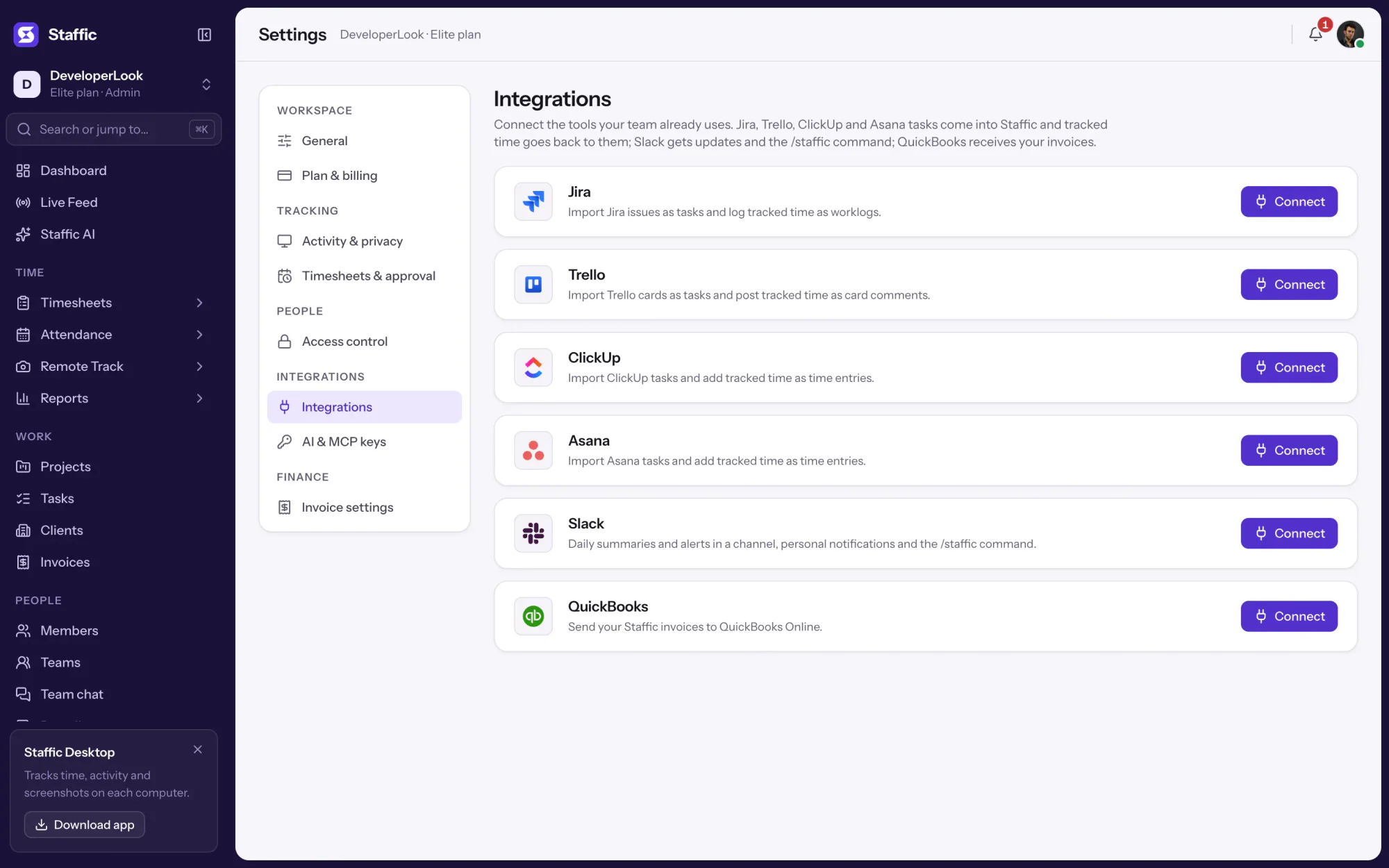
Staffic brings the tasks of your Asana projects in as Staffic tasks, your team tracks time on them with the Staffic desktop app, and the hours go back to Asana as time entries. Admins connect Asana once in Settings > Integrations, on every Staffic plan, including Free.
1/2Click Connect on Asana
In short
Staffic Asana time tracking is the Asana integration in Staffic. It imports the tasks of the Asana projects you pick as Staffic tasks, so people track time on them with activity levels and optional screenshots, then adds the time to each task as one Asana time entry per person and day. It syncs every 15 minutes and is included in every Staffic plan.
How it works
From an Asana task to its actual time, without anyone starting an Asana timer.
Asana time tracking
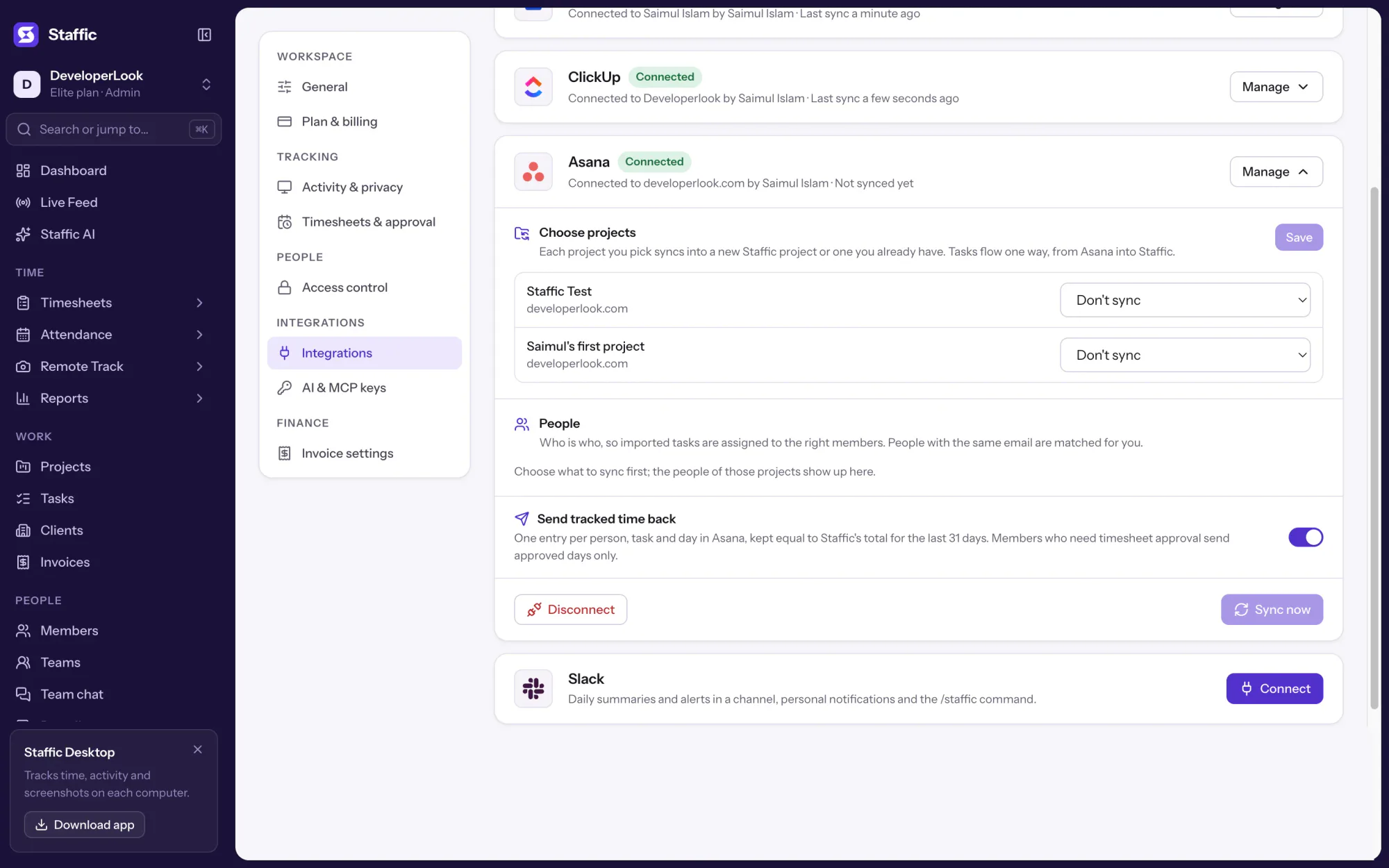
Approve Staffic in Asana, choose which projects to bring in, and their tasks become Staffic tasks your team tracks time on.
Projects from every Asana workspace you belong to are listed. Each one syncs into a new Staffic project or one you already have; the first sync brings open tasks plus those completed in the last 30 days.
Each task arrives with its name, description, status, due date and assignee, with a link back to Asana. Tasks flow one way: edits you make in Staffic stay unless the task changes in Asana.
Staffic keeps one Asana time entry per person, task and day, equal to Staffic's total for the last 31 days. The entry is filed under the person when the connecting account may do that for them, as their time reviewer or an Asana admin; otherwise it is filed under the connecting account.
Time entries need an Asana plan with time tracking. If Asana refuses them, Staffic turns Send tracked time back off and says so in the panel; your tasks keep importing and the hours stay in Staffic's timesheets.
Showing Pick the Asana projects to sync.
1/4Click Connect on Asana
Control and privacy
Asana stays the place where work is planned; Staffic only adds time entries.
Set it up
Four steps in Settings. You need to be an admin of the Staffic organization and a member of the Asana projects you want to sync.
In Staffic, go to Settings > Integrations and click Connect on the Asana card.
Settings › IntegrationsAsana asks you to let Staffic read your projects and tasks and add time entries. Allow it and you're back in Staffic with the Asana panel open.
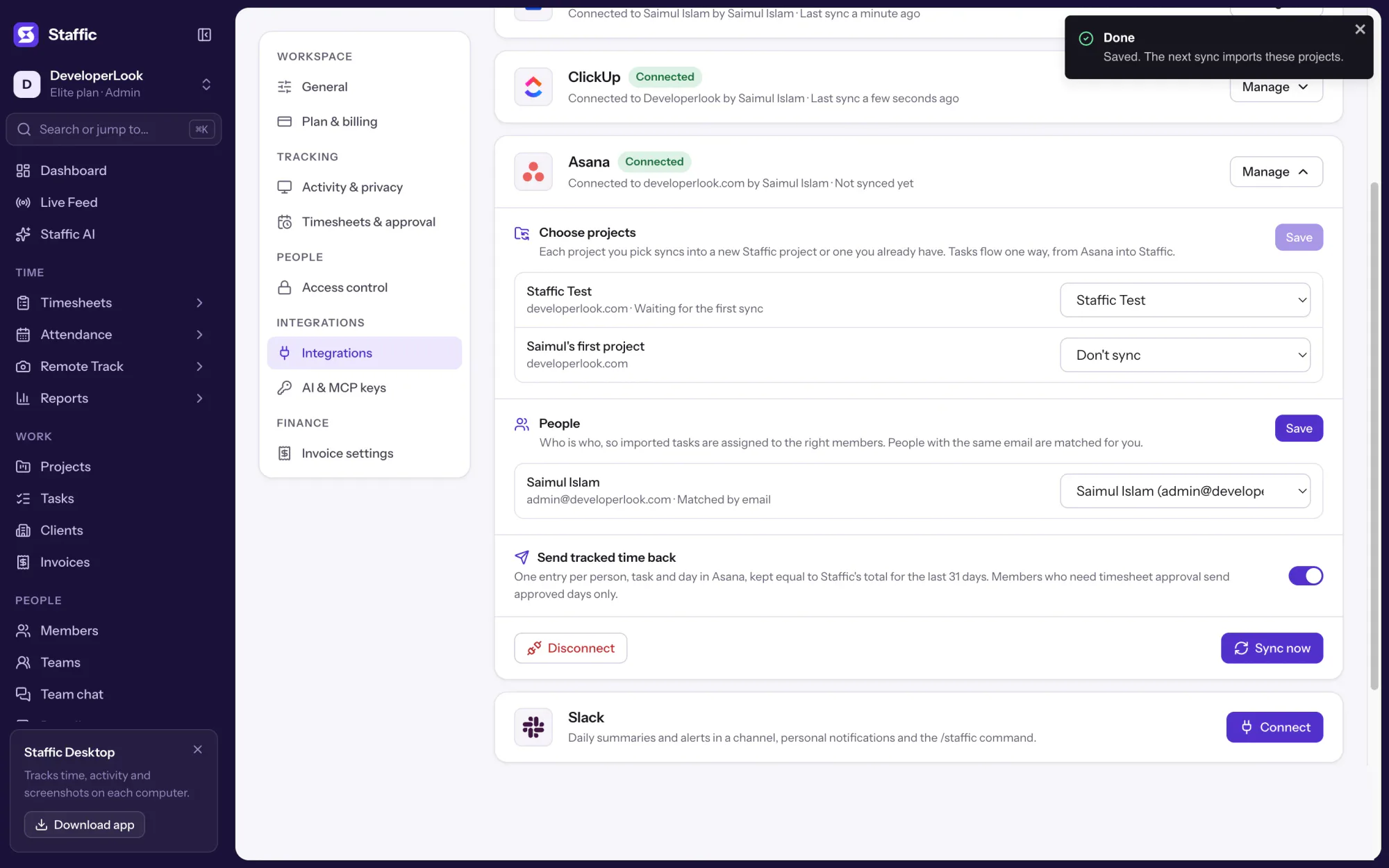
Asana authorization pageSet each project to New Staffic project, an existing project or Don't sync, check the People section, then click Save.
Settings › Integrations › Asana › ManageClick Sync now to bring the tasks in right away. After that, Staffic syncs every 15 minutes on its own.
Settings › Integrations › Asana1Settings › Integrations
Compare
Asana tracks estimated and actual time on paid plans. Staffic records the actual time while people work and adds it to the same Asana tasks.
Swipe the table to compare
| Compare | Asana time trackingBuilt in | Staffic with AsanaIntegration |
|---|---|---|
| Plans | Advanced and higher Asana plans | Every Staffic plan; time back needs Asana time tracking |
| How time is recorded | Built-in timer or typed into the actual time field | Staffic desktop timer on the imported task |
| Turned on | Per project, from Customize | Once, in the Staffic Integrations settings |
| Screenshots | Not listed | Optional, only while the timer runs |
| Activity levels | Not listed | Keyboard and mouse activity for every 10 minutes |
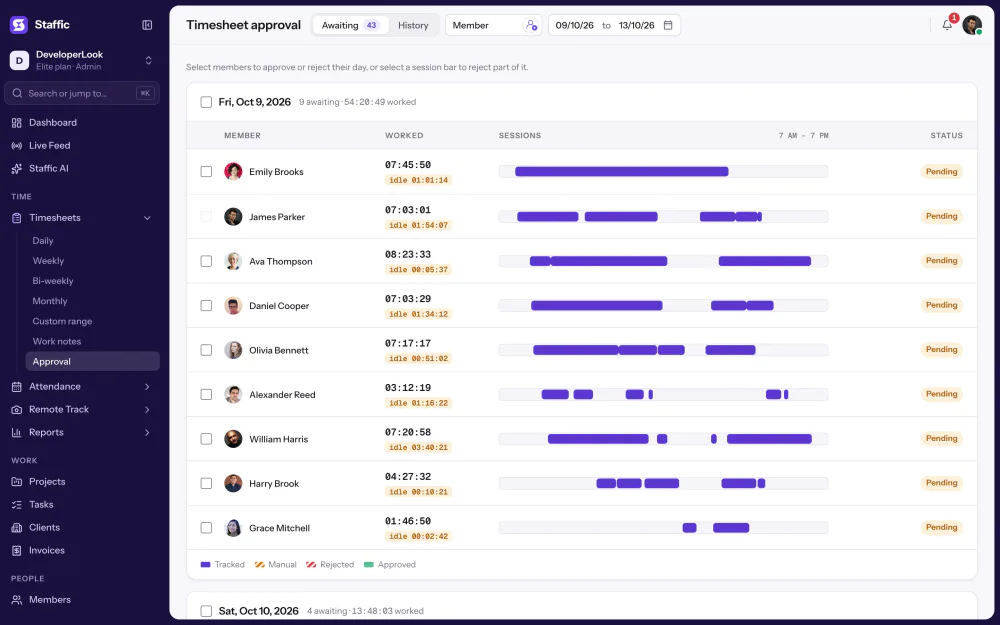
| Timesheet approval | Not listed | Only approved days reach Asana, if you turn approval on |
Asana facts from Asana's help center and pricing page, read 2026-10-15: help.asana.com/s/article/time-tracking and asana.com/pricing. Not listed means those pages don't mention it.
Specs and terms
The facts behind the feature, and what each number on the Asana integration page means.
Who it’s for
Teams that plan in Asana and want its actual time to be real, tracked time.
People track in the Staffic desktop app; Asana shows the actual time on each task.
Sync each client project into its own Staffic project and see hours against the budget.
Turn on timesheet approval and only the days a manager approved reach Asana.
Pricing
the Staffic Asana integration is included on every plan, Free included. You pay per active user only when your team grows past 2 members.
Compare every planFor freelancers and small teams, up to 2 members
No card needed.
Includes the Staffic Asana integrationEvery core feature, for teams of up to 2 members.
Everything in Free, without the 2 member limit
Offer price until October 30, 2026, then $7.50
Card at checkout. Cancel within 7 days and pay nothing.
Includes the Staffic Asana integrationEverything in Free without the 2 member limit.
For organizations running payroll, billing and approvals
Offer price until October 30, 2026, then $10
Card at checkout. Cancel within 7 days and pay nothing.
Includes the Staffic Asana integrationEverything in Standard, plus Screen Recordings, Invoices, Clients and 1 more.
Prices in USD per active user. Billed monthly, Standard is $9.50 and Elite is $13 per user.
FAQ
Clear answers to common questions about Asana integration.
Read the Asana integration guideYes, on Asana's Advanced plan and higher. Asana's help center describes estimated and actual time fields that you turn on per project, filled in with a built-in timer or typed in. Staffic fills in the actual time from the hours your team tracks in Staffic.
Yes. With Staffic connected, people track time on their Asana tasks with the Staffic desktop app, and Staffic adds it to each task as an Asana time entry for that person and day.
Connect Asana in Settings > Integrations and pick the projects to sync. Each person starts the timer on their task in the Staffic desktop app, and within 15 minutes the time shows on the task in Asana.
They read tasks from Asana and write time entries back. Staffic imports the tasks of the projects you choose, keeps one time entry per person, task and day equal to its own total for 31 days, and never edits the tasks themselves.
Tasks still import and people still track time in Staffic. Staffic turns Send tracked time back off and says why in the Asana panel, and the hours stay in Staffic's timesheets and reports.
The person who did the work, when the account that connected Asana is their time reviewer or an Asana admin. Otherwise the entry belongs to the connecting account.
Syncing stops and Staffic's access to Asana is removed. Imported tasks stay in Staffic and the time entries already written stay in Asana.
Every plan includes the Staffic Asana integration. Free covers up to 2 members. Standard is $7.50 per user per month billed yearly ($3.80 during the current offer, until October 30, 2026) or $9.50 billed monthly, and Elite is $10.00 per user per month billed yearly ($4.80 during the current offer, until October 30, 2026) or $13.00 billed monthly.
Explore more
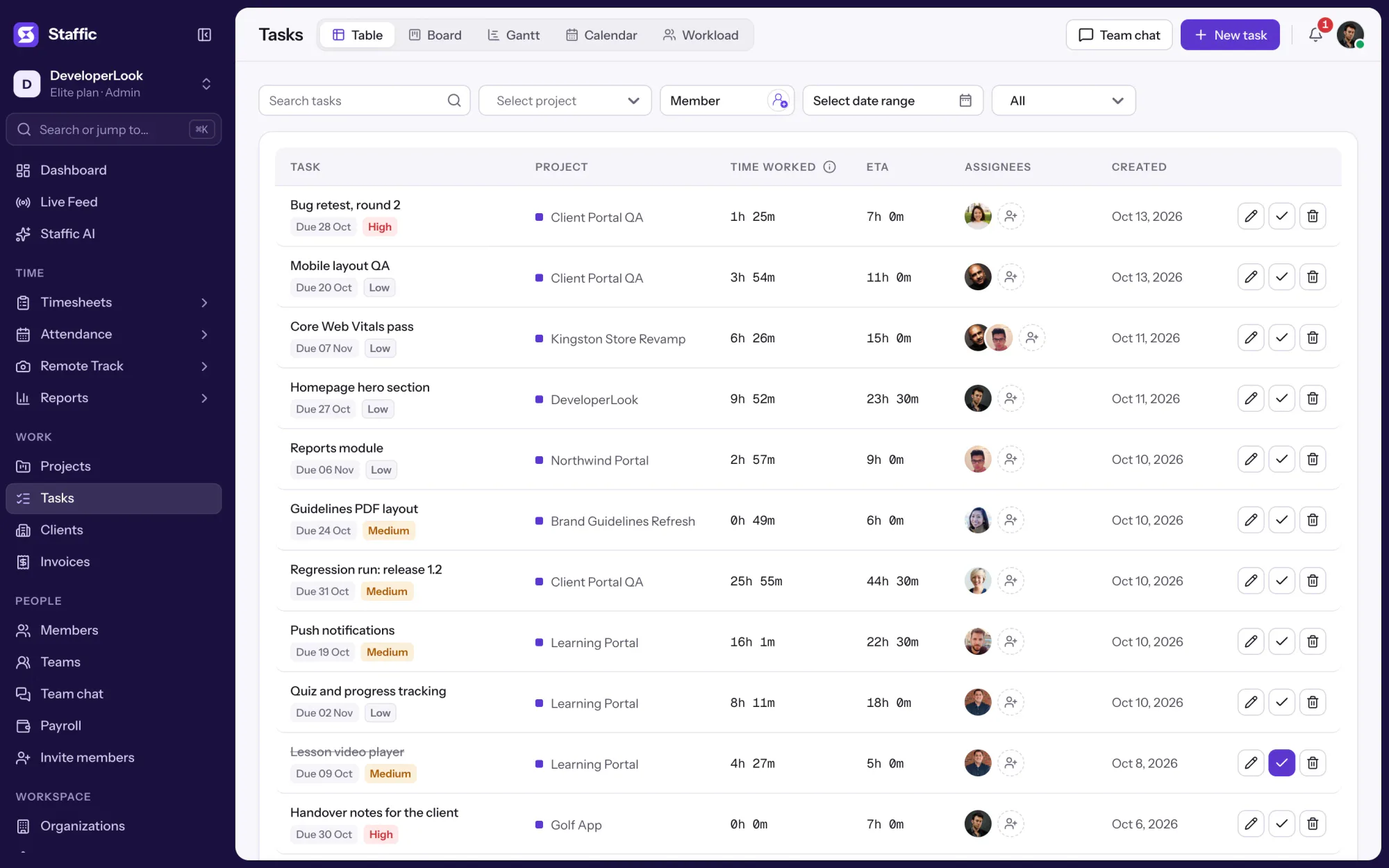

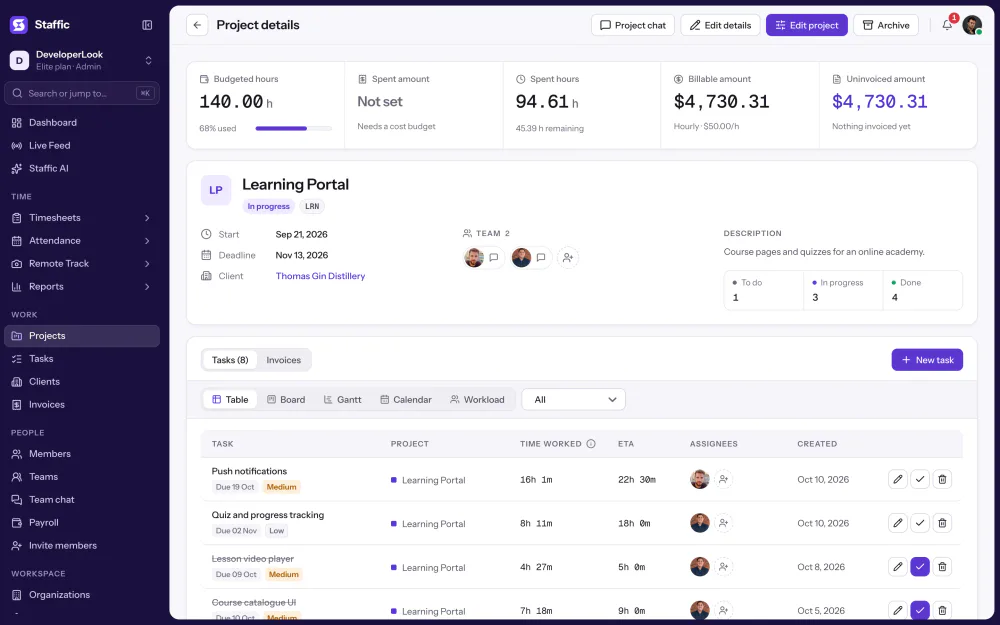
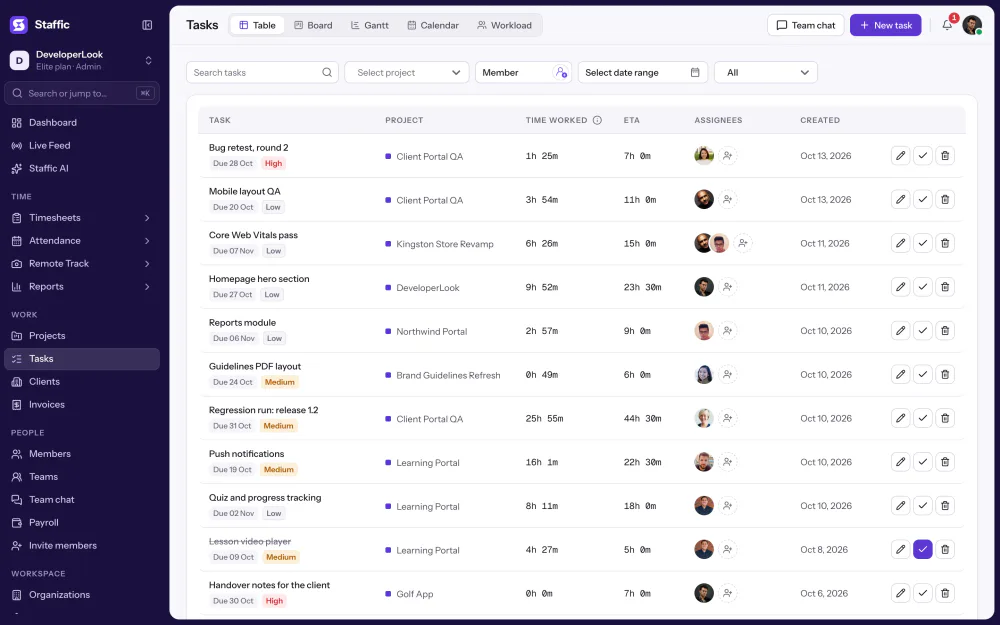
Tasks holds the work inside each project, with estimates, assignees, due dates and time worked, in table, board, Gantt, calendar and workload views.
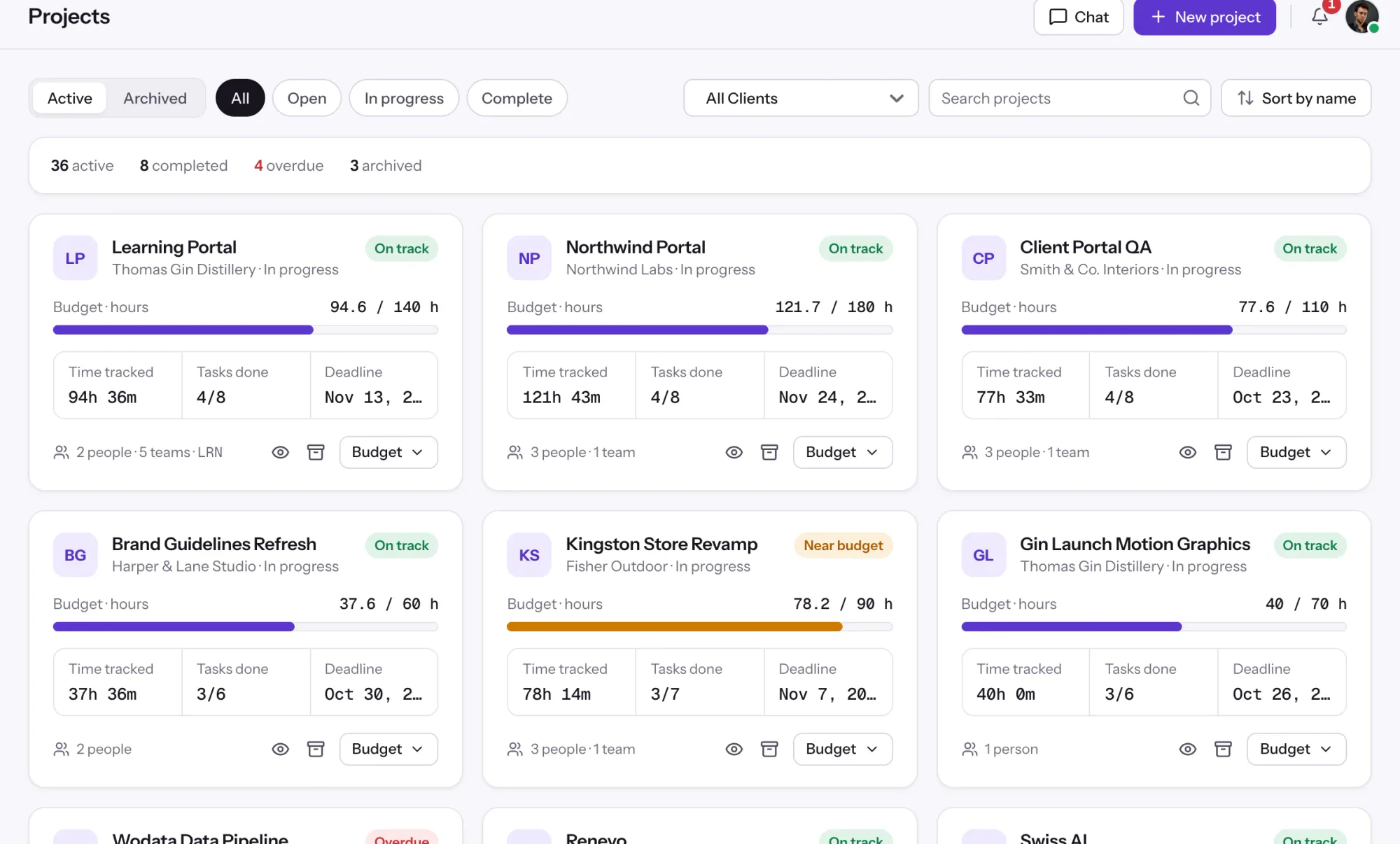

Projects tracks time per project, task and member, with status and task progress, plus budgets and billing on every plan.
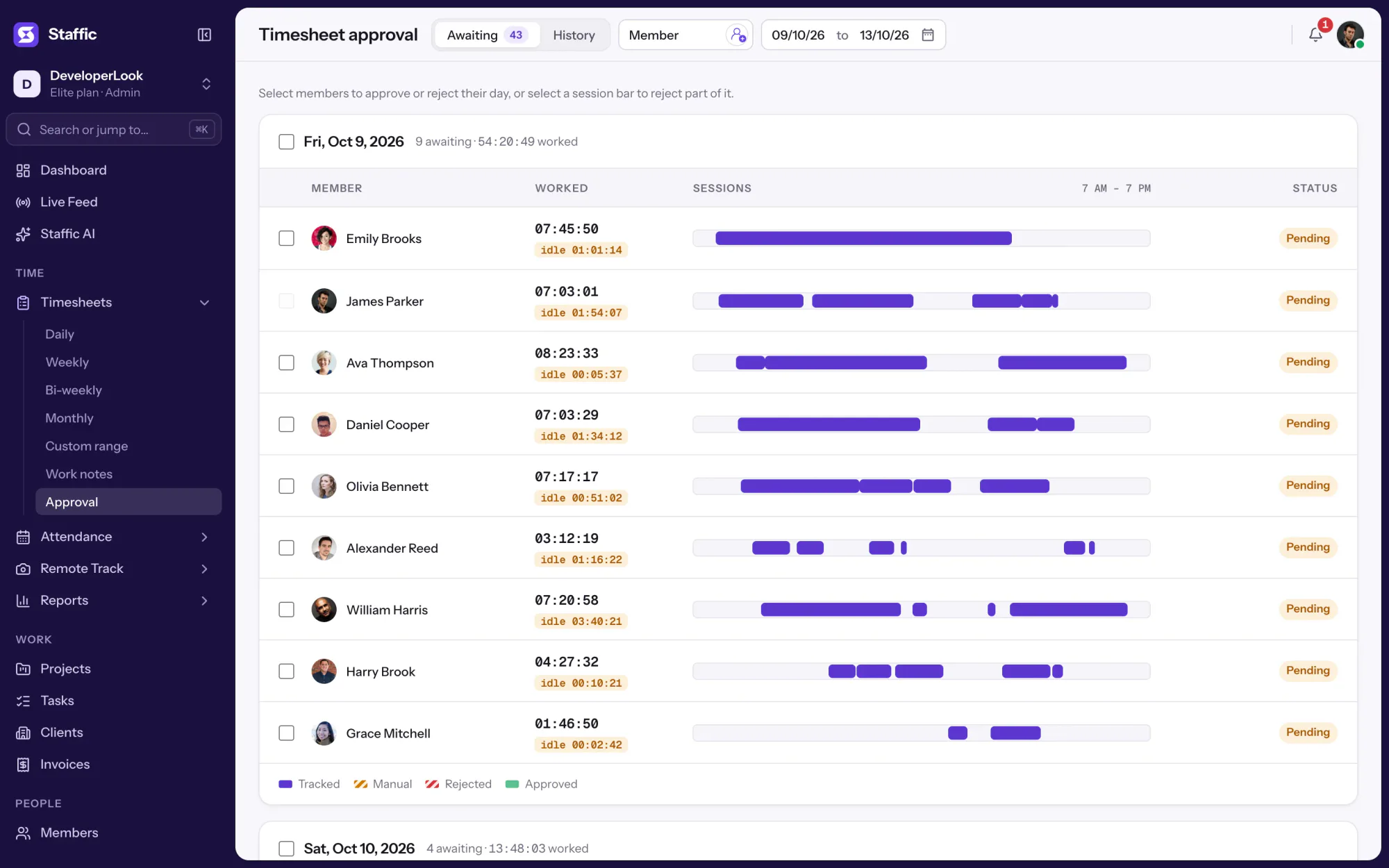

Approve or reject each member's tracked and manual time day by day, so hourly payroll pays only the hours you signed off.
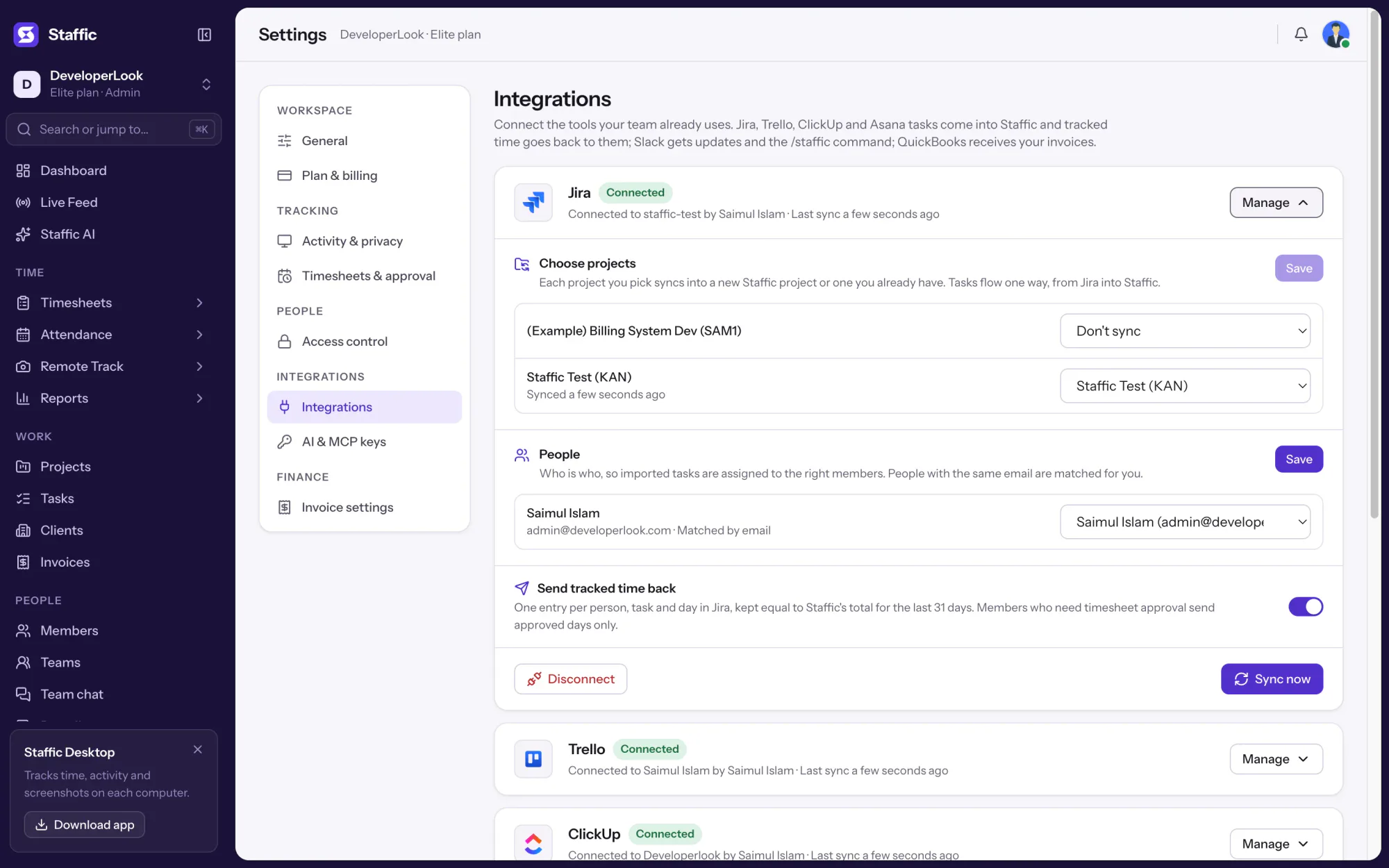

Import Jira issues as Staffic tasks and send the time your team tracks back to each issue as a Jira worklog.
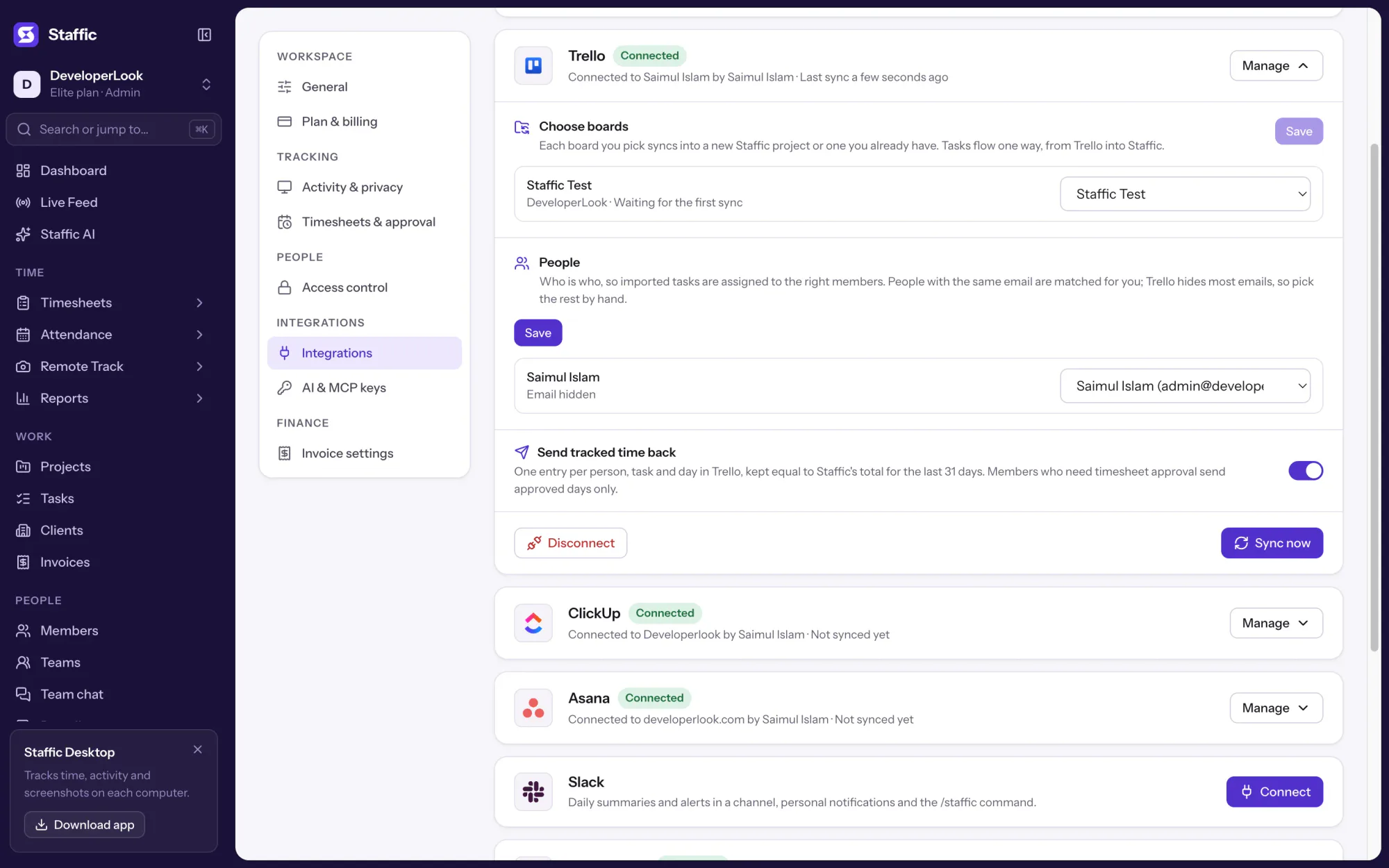

Bring Trello cards into Staffic as tasks, track time on them with the desktop app and post the hours back to each card.
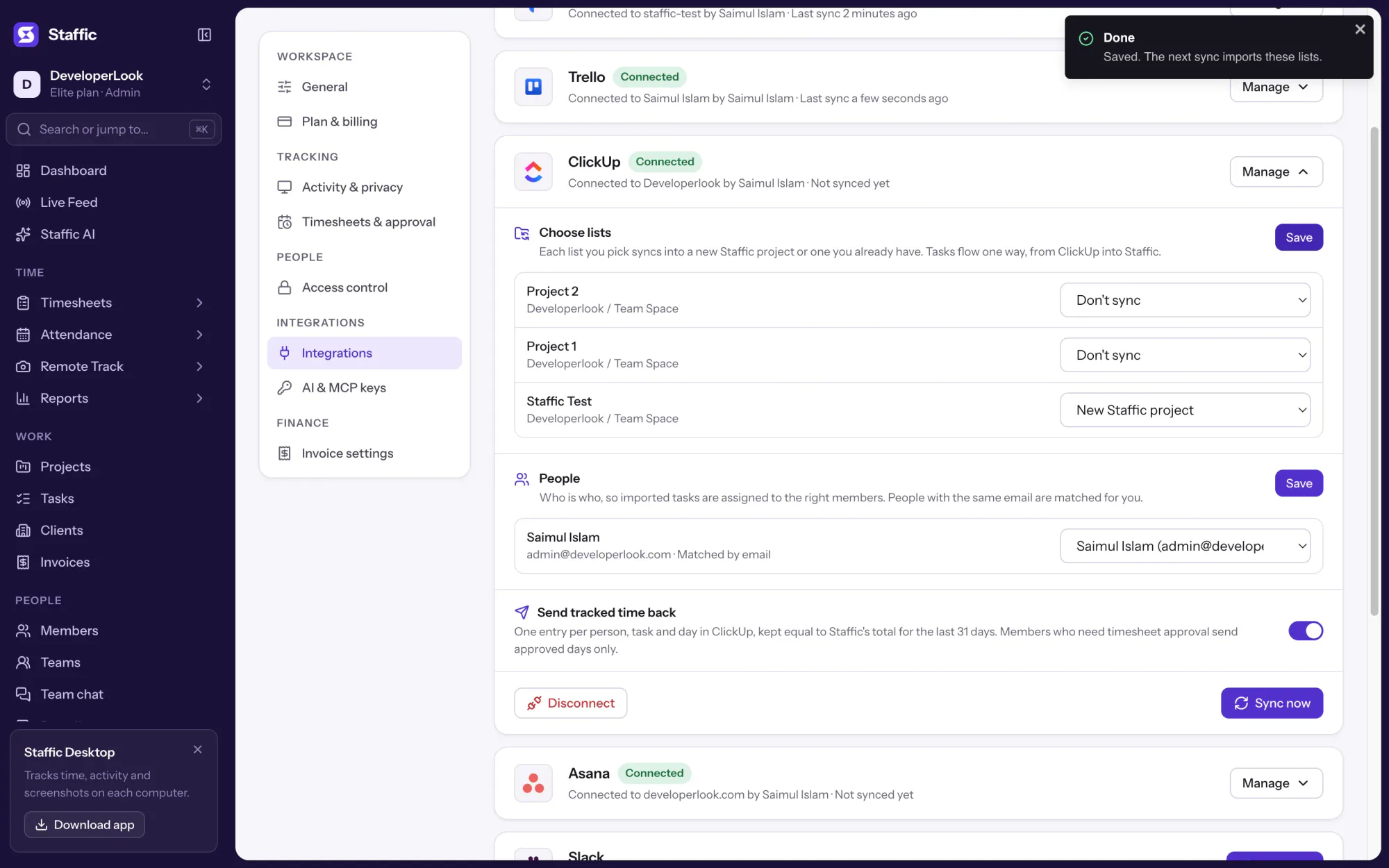

Bring ClickUp tasks into Staffic, track time on them with the desktop app and send the hours back as ClickUp time entries.
Free for up to 2 members
Create your workspace, invite your team, and the first timesheet builds itself.