
Skip to content
  1. Free templates
  2. Attendance and leave
  3. Attendance sheet template

Attendance and leave

Employee attendance sheet template

An employee attendance sheet is a monthly register that marks each person present, absent, on leave or off for every day of the month, with totals for each employee and each day. Download it free as a printable landscape PDF in US Letter or A4, an Excel file that counts the totals, or a Google Sheets copy. No sign-up.

Updated

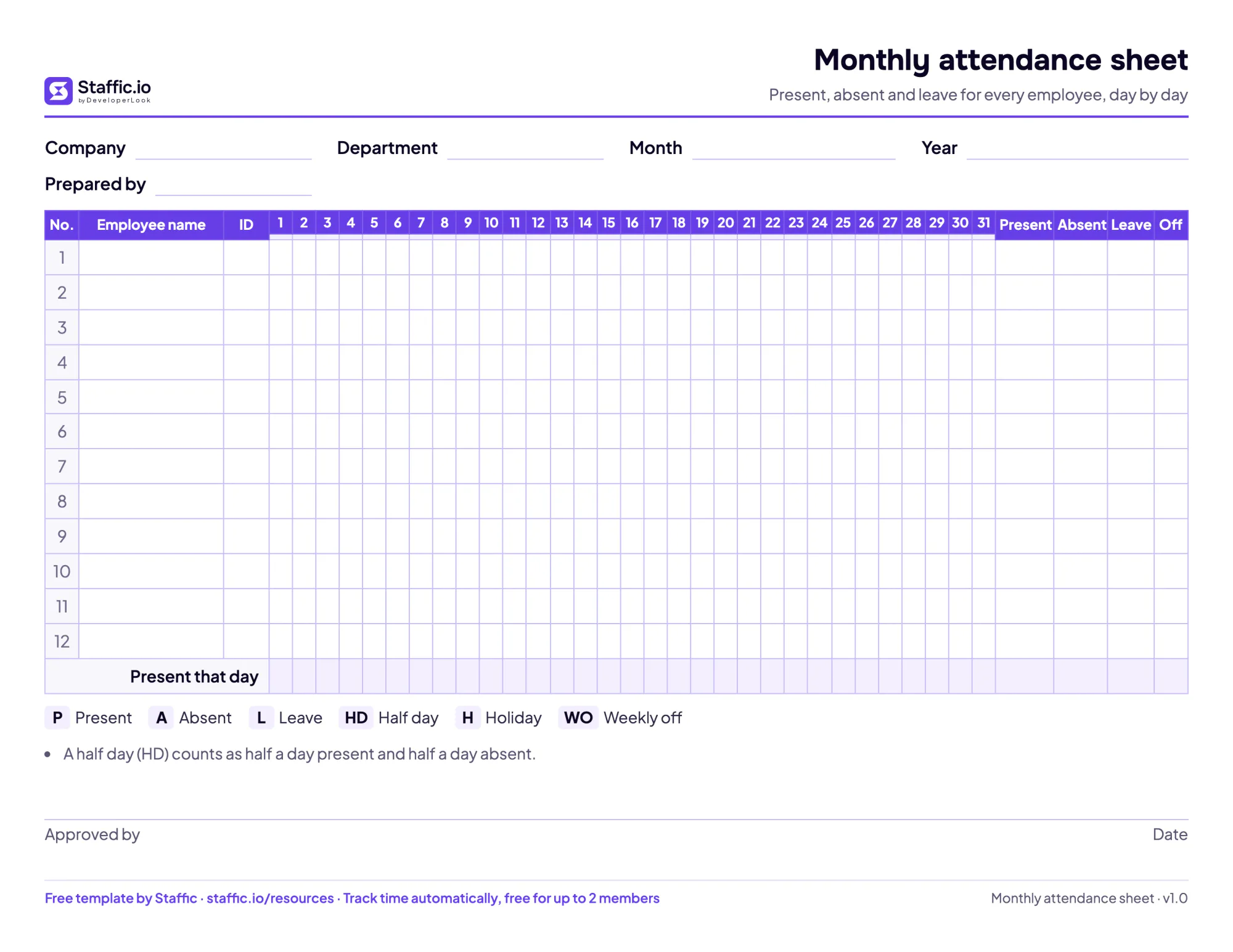
Blank monthly attendance sheet with days 1 to 31 across, employee rows, present, absent, leave and off totals and a code key

Preview

See every page

  • The printable monthly attendance sheet (landscape, US Letter shown; A4 included).
  • A filled example: the Excel and Google Sheets versions count the totals for you.

What's inside

Every part, explained

Header
Company, department, month, year and who prepared the sheet. In Excel and Google Sheets the month and year fill in the weekday letters.
Employee rows
Number, employee name and ID, one row per person. The PDF has 12 rows; the spreadsheet has 30.
Days 1 to 31
One column per date, with the weekday under each date, for a code each day.
Codes
P present, A absent, L leave, HD half day, H holiday and WO weekly off. The spreadsheet offers them in a dropdown and colors them.
Monthly totals
Present, Absent, Leave and Off for each employee. A half day counts as half present and half absent.
Present that day
A bottom row that counts how many people were present on each date.
Approval
A signature and date line for the manager who approves the register.

How to use it

Fill it in, step by step

  1. Set up the month

    Write the company, department, month and year at the top, and list each employee with their ID.

  2. Mark weekends and holidays

    Write WO on the weekly off days and H on public holidays first, so the working days stand out.

  3. Mark each working day

    At the start of each day, write P, A, L or HD for every employee.

  4. Count the month

    Add up the codes in each row for Present, Absent, Leave and Off. In Excel and Google Sheets the totals count themselves.

  5. Approve and file

    The manager checks the totals, signs and dates the sheet, and keeps it with the month's payroll records.

What an attendance sheet records

An attendance sheet answers one question for every working day: was each person there? It is a grid with employees down the side and the dates of the month across the top. Each cell gets a short code, and the columns at the end count the month for each person, so you can see absences, leave and days present at a glance before payroll or a review.

Small offices, shops, schools, clinics and remote teams all keep one, often alongside a timesheet. The timesheet holds the hours; the attendance sheet holds presence, absence and leave.

Attendance register format

This template follows the usual attendance register format: one row per employee, one column per date from 1 to 31, and a code in each cell.

  • P present, A absent and L on leave.
  • HD half day, counted as half present and half absent.
  • H holiday and WO weekly off, which are not counted as absences.

Under the dates, a row of weekday letters shows where the weekends fall. The last columns count Present, Absent, Leave and Off for each employee, and the bottom row counts how many people were present on each date. A signature line for whoever approves the register sits under the grid.

Attendance sheet example

The filled example covers October 2026 for six people in an operations team, with Saturdays and Sundays marked WO. October 2026 has 22 weekdays, and the totals come out like this:

EmployeePresentAbsentLeaveOff
Maria Santos22009
Rahim Uddin20029
Nur Aisyah20.51.509
Tran Minh Anh20.50.519
Priya Nair19129
Carlos Reyes20.51.509

Nur Aisyah was absent one day and took one half day, so she has 20.5 days present and 1.5 days absent.

How to calculate attendance percentage

Divide the days present by the working days in the month and multiply by 100. Nur Aisyah was present 20.5 of 22 working days: 20.5 divided by 22 is 0.932, or 93.2%. Count only working days, so holidays and weekly offs don't lower anyone's percentage, and decide in your policy whether approved leave counts as present.

Monthly attendance sheet in Excel and Google Sheets

The spreadsheet versions do the counting. Pick the month from a list and type the year, and the weekday letters fill in under each date, while the days a month doesn't have turn gray. Each day cell offers the codes in a dropdown and colors them, so a row of absences stands out. Present, Absent, Leave and Off add up for each person, and the bottom row counts who was present on each date. Start a new copy for each month and keep the old ones.

How long to keep attendance records

In the US, the Department of Labor lists hours worked each day among the records employers keep, and says records that wages are worked out from should be kept for two years and payroll records for at least three. In the UK, GOV.UK says employers need to keep some records about working hours. Check the rules where your team works.

When attendance tracks itself

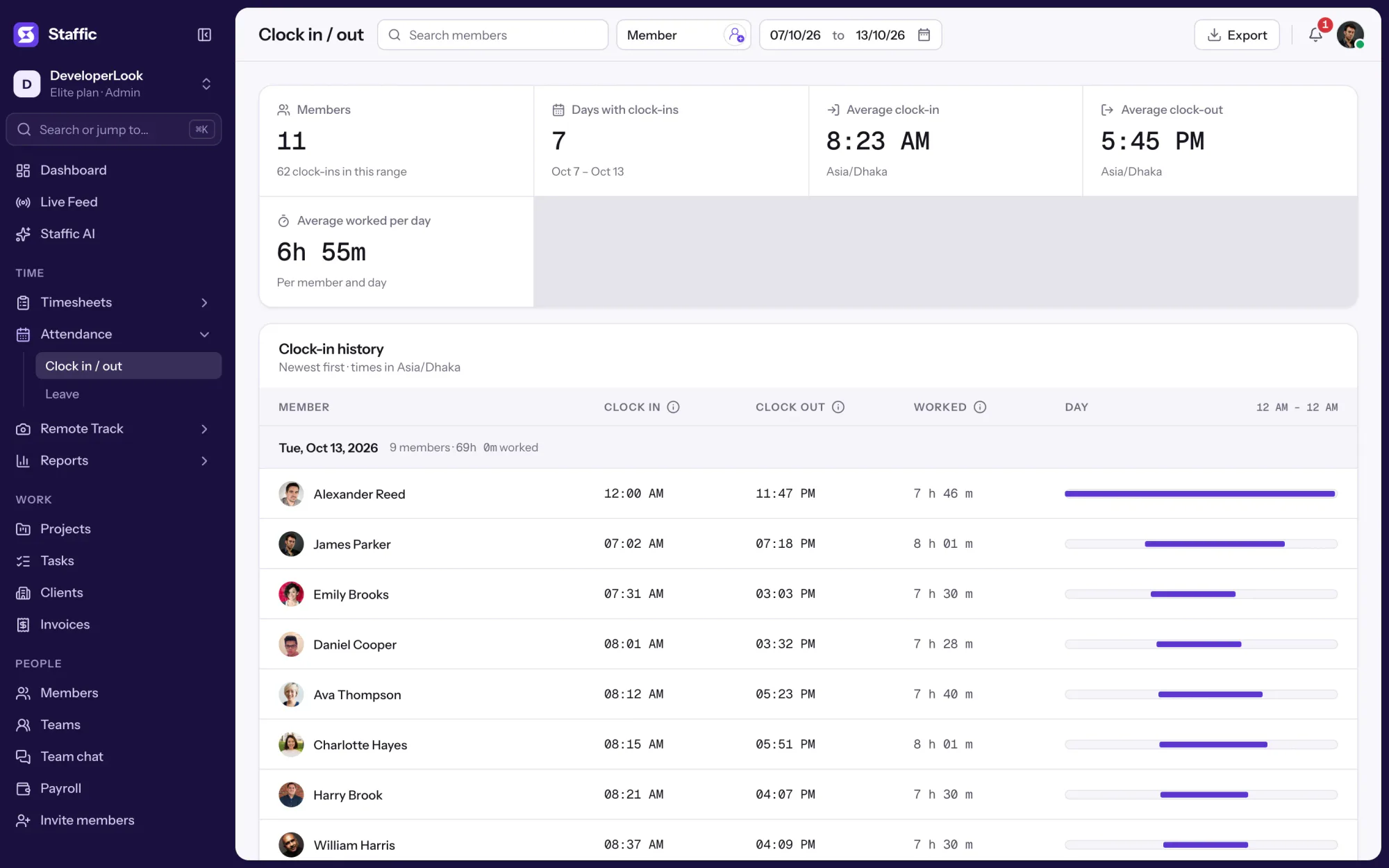
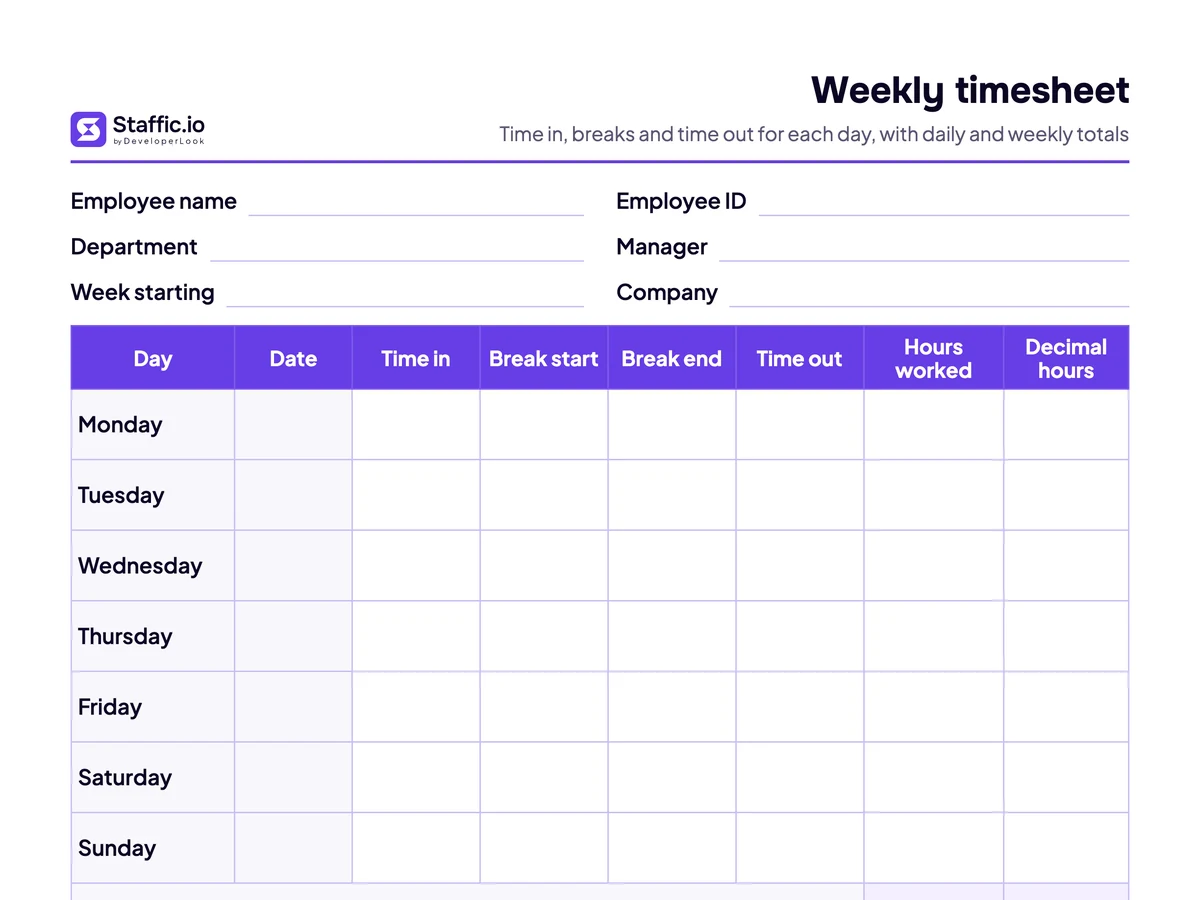
A paper register depends on someone marking it every day. Staffic's attendance tracking fills the record from the desktop app instead: each member's first tracked session of the day is their clock-in and the last is their clock-out, listed by date on Clock In/Out. Planned absences go through leave management, and for hours rather than presence, use the weekly timesheet template.
Sources: Fact Sheet #21: Recordkeeping Requirements under the Fair Labor Standards Act (FLSA) (U.S. Department of Labor, Wage and Hour Division); Maximum weekly working hours (GOV.UK)

Attendance Tracking

Track time without the spreadsheet

Staffic records each member's first and last tracked session of the day as their clock-in and clock-out, so attendance fills itself in. Free for up to 2 members, no card needed.

Free for up to 2 members

Staffic Clock in / out for Oct 7 to 13: clock-in, clock-out and time worked per member, with an 8:23 AM average clock-in

FAQ

Questions, answered

What is an attendance sheet?

An attendance sheet is a register of which employees were present, absent or on leave on each day. This one covers a month: employees down the side, dates across the top, a code in each cell and totals for each person and each day.

How do I make an attendance sheet in Excel?

Put employee names in the first column and the dates 1 to 31 across the top, then count each code with COUNTIF, such as =COUNTIF(D11:AH11,"P"). The Excel file on this page has this set up, with a dropdown of codes, colors and weekday letters.

What do P, A, L and HD mean on an attendance register?

P means present, A absent, L on leave and HD a half day. This template also uses H for a holiday and WO for a weekly off, which don't count as absences. A half day counts as half present and half absent.

How do I calculate attendance percentage?

Divide the days present by the working days in the month and multiply by 100. Someone present 20.5 of 22 working days has 93.2% attendance. Leave holidays and weekly offs out of the working days.

Is this attendance sheet template free?

Yes. The PDF, Excel and Google Sheets versions are free to download with no sign-up, for personal or commercial use. Edit it as you like and keep or remove the small Staffic footer. Reselling the template itself isn't allowed.

What is the difference between an attendance sheet and a timesheet?

An attendance sheet records whether each person was there each day. A timesheet records the hours they worked, with times in and out. Many teams keep both: attendance for presence and leave, the timesheet for pay.

Can attendance be recorded automatically?

Yes. Time tracking software can record it from the hours people work. In Staffic, each member's first tracked session of the day is their clock-in and the last is their clock-out, listed by date for the whole team.

Attendance sheet template

Email me the files

Get every format of this template in one ZIP, sent to your inbox. Handy when you find it on your phone and need it at your desk.

We'll email you a download link that works for 7 days, and now and then a tip on tracking time. Unsubscribe anytime. Privacy policy

Free for up to 2 members

See the work, not just the hours.

Create your workspace, invite your team, and the first timesheet builds itself.

  • No card for Free
  • 7-day trial on paid plans
  • Windows, macOS, Linux


