




Workspace Integrations
How to connect Trello
AdminBring the cards on your Trello boards into Staffic as tasks and post the time your team tracks back to each card as a comment.
- Where
- Workspace > Settings > Integrations > Trello
- Who
- Admins, with access to the Trello boards.
- Plan
- All plans, including Free.
Each Trello board you pick syncs into a Staffic project, and its cards become tasks. Trello has no time field, so Staffic posts the time as a comment on the card.
Connect Trello
Step 1: Click Connect
In Settings > Integrations, click Connect on the Trello card, then allow Staffic on Trello's page.
Step 2: Choose boards
Under Choose boards (1), set each board to New Staffic project, an existing project or Don't sync (2), then click Save.
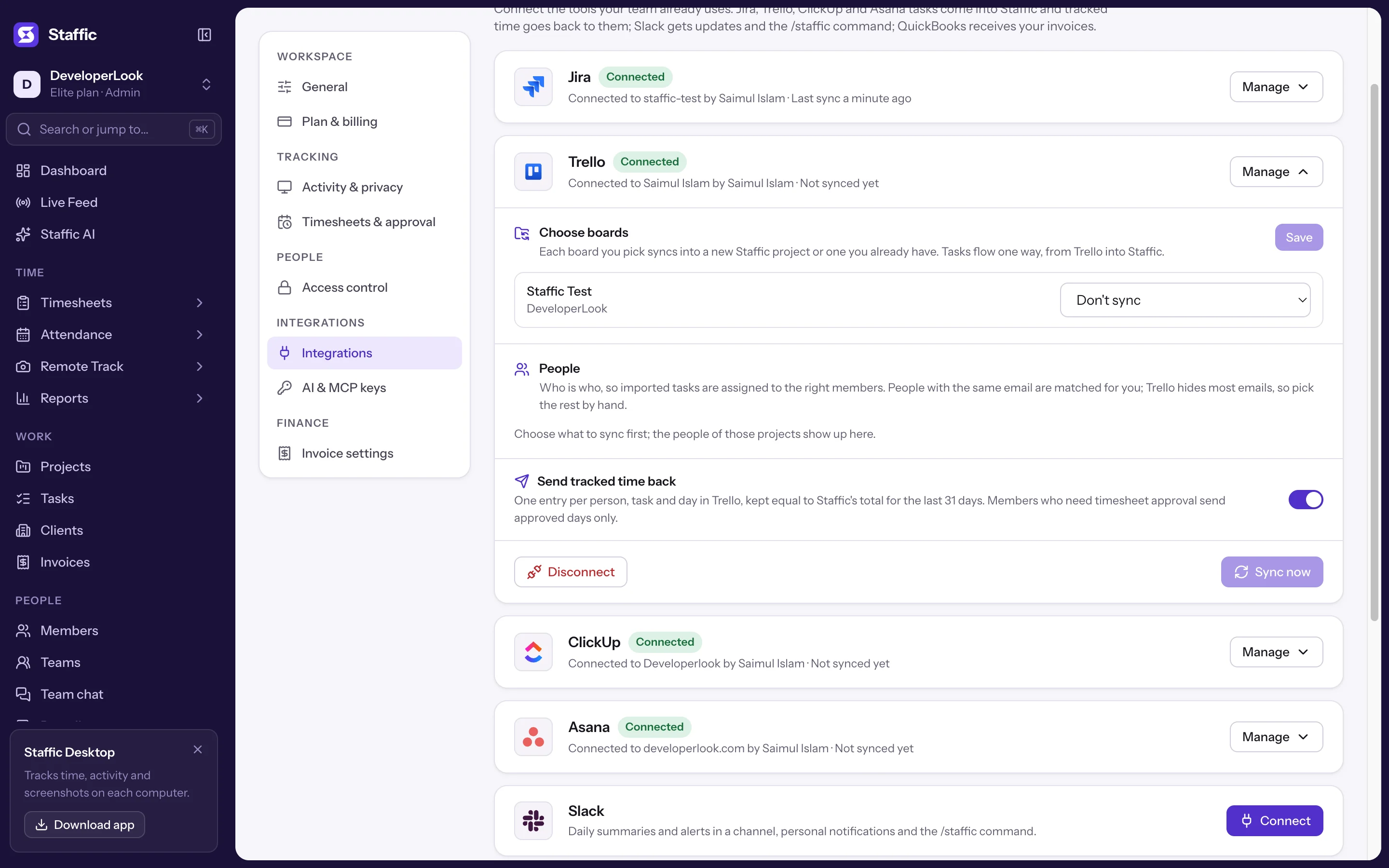
- 1Choose boards
- 2Board setting
Step 3: Link the people
Trello hides most members' emails (1), so pick the Staffic member for each one (2) and save. Then click Sync now (3).
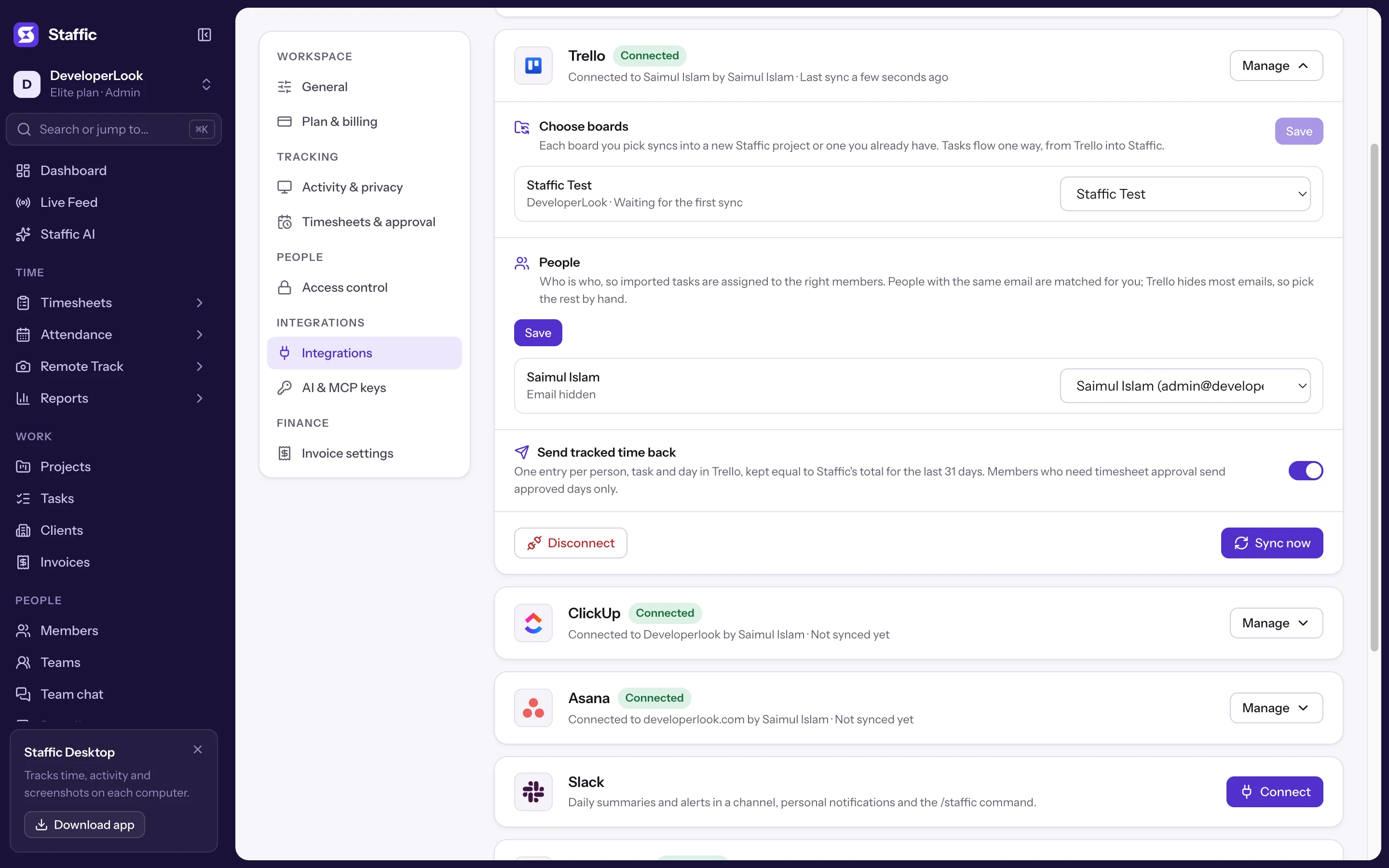
- 1Email hidden
- 2Staffic member
- 3Sync now
What comes in
- First sync
- Open cards, plus cards closed in the last 30 days.
- Later syncs
- Every card of each linked board is read again on each sync.
- Fields
- Name, description, due date, members, card number and link.
- Status
- A closed card, or one marked complete, is Done; every other card is To do.
Find the cards in Tasks
Imported cards show their card number (1) and the time tracked in Staffic (2).
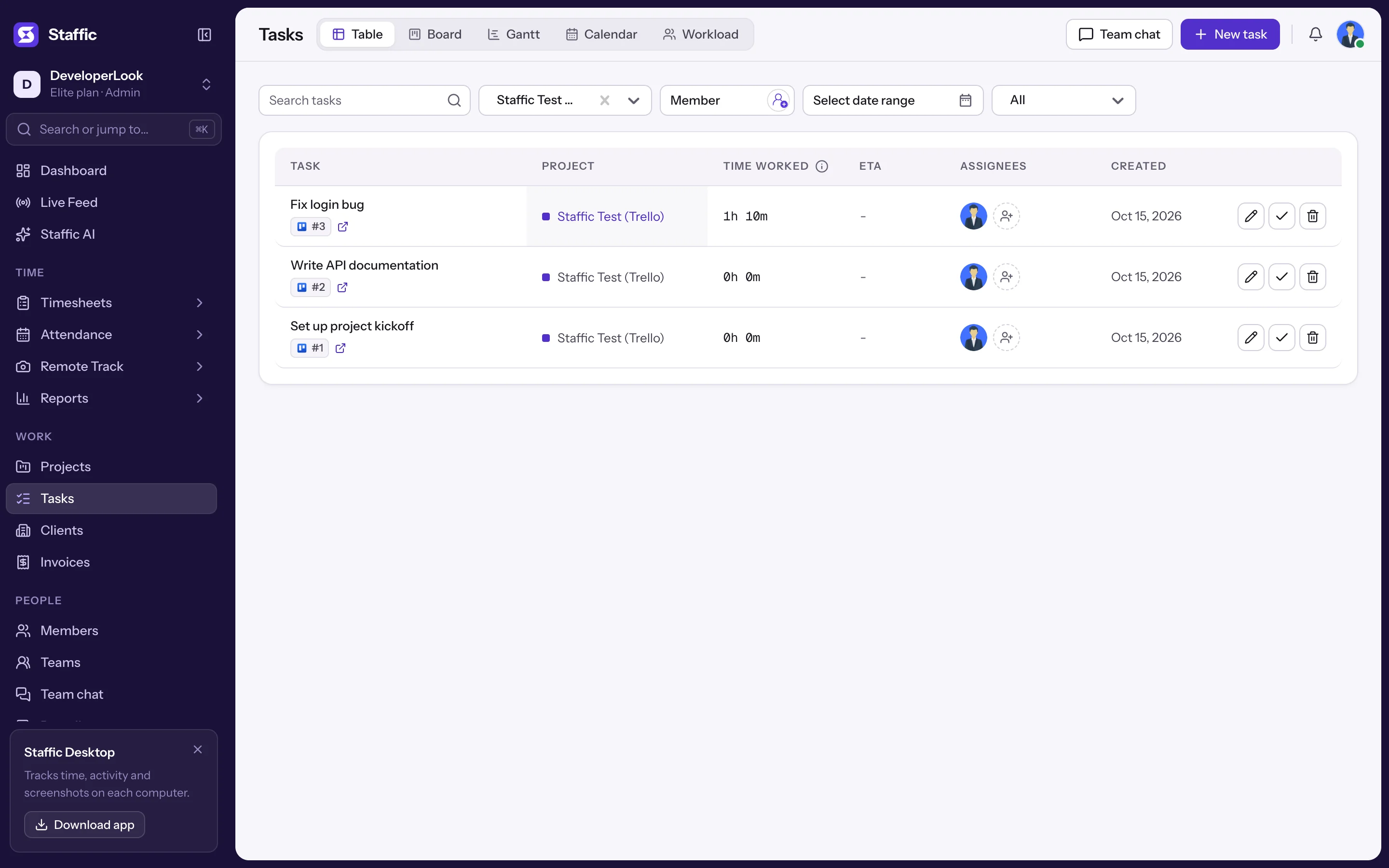
- 1Card number
- 2Time worked
What goes back
A comment on the card
Staffic posts one comment per person and day (1), for example Tracked in Staffic by Saimul Islam: 1h 10m on 2026-10-15. It edits the comment when the day's total changes and deletes it if the time drops to zero.
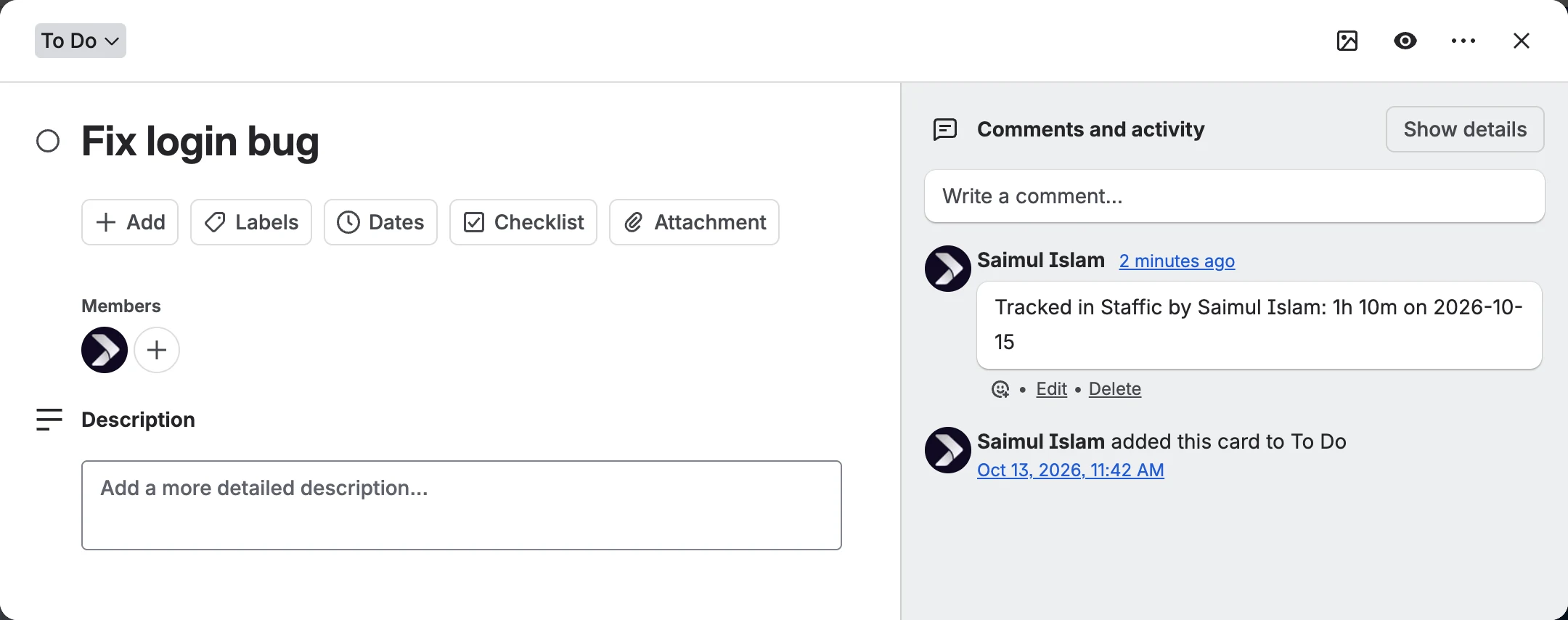
- 1Time comment
Rules for every task tool
- Sync
- Every 15 minutes, and right away when an admin clicks Sync now. Sync now allows 10 runs in 10 minutes per organization, across all tools.
- Tasks
- One way, from the tool into Staffic. A field changes in Staffic only when it changed in the tool since the last sync, so your edits in Staffic stay.
- Time back
- One entry per person, per task, per day in your organization's time zone, kept equal to Staffic's total for the last 31 days. Whole minutes, at least 1 minute. If a day's time drops to zero, the entry is removed.
- Which time counts
- Sessions that start and end inside the day, the same total the daily timesheet shows, manual time included.
- Approval
- Members who need timesheet approval send only the days where every session group is approved.
- Who writes it
- The account that connected the tool, with the person's name in the note (Tracked in Staffic by James Parker). ClickUp and Asana can file it under the person; see their pages.
- Desktop app
- Imported tasks show in the Staffic desktop app for the people they're assigned to. Tasks of people who aren't linked import without an assignee.
Common questions
Why does a Trello member show Email hidden?
Trello doesn't share most members' emails with other apps, so Staffic can't match them. Link them to a Staffic member by hand in the People section.
Can I edit or delete the time comment?
You can in Trello, but Staffic rewrites it on the next sync if the time in Staffic is different. Change the time in Staffic instead.
Do archived cards come in?
Cards closed in the last 30 days come in on the first sync, as Done. Older closed cards stay out.
Tips
- Link people right after connecting, so new cards are assigned from the first sync.